The Frustration is Real
You've been carefully crafting the code for your latest Arduino project. Everything feels right. You take a breath, click "Compile," and lean in, anticipating the sweet success of a finished build. Instead, you're greeted by a wall of red, cryptic error text in the output log. The build has failed, and now the tedious process of deciphering the compiler's complaints begins. Hours that could have been spent innovating are now lost to tedius detective work.
This moment is a universal experience for every developer, turning creative momentum into a frustrating roadblock. But what if you could solve that error with a single click? You can use Embedr for that.
The Familiar Grind: Compiling Your Sketch
In a typical workflow within the Embedr IDE, you start by making sure your hardware is ready. You select your board, like an "Arduino Uno," from the board dropdown menu and choose the correct physical USB port from the port list.
With everything configured, you click the Compile button. Your focus shifts to the Output tab, where you watch the progress messages scroll by. This is the moment of truth. But today, the process grinds to a halt, and the output log highlights the lines that have broken the build.
The One-Click Solution: Discovering "Fix with AI"
Just as the frustration begins to set in, you notice something new in the Output tab, right next to the build errors: a button labeled "Fix with AI."
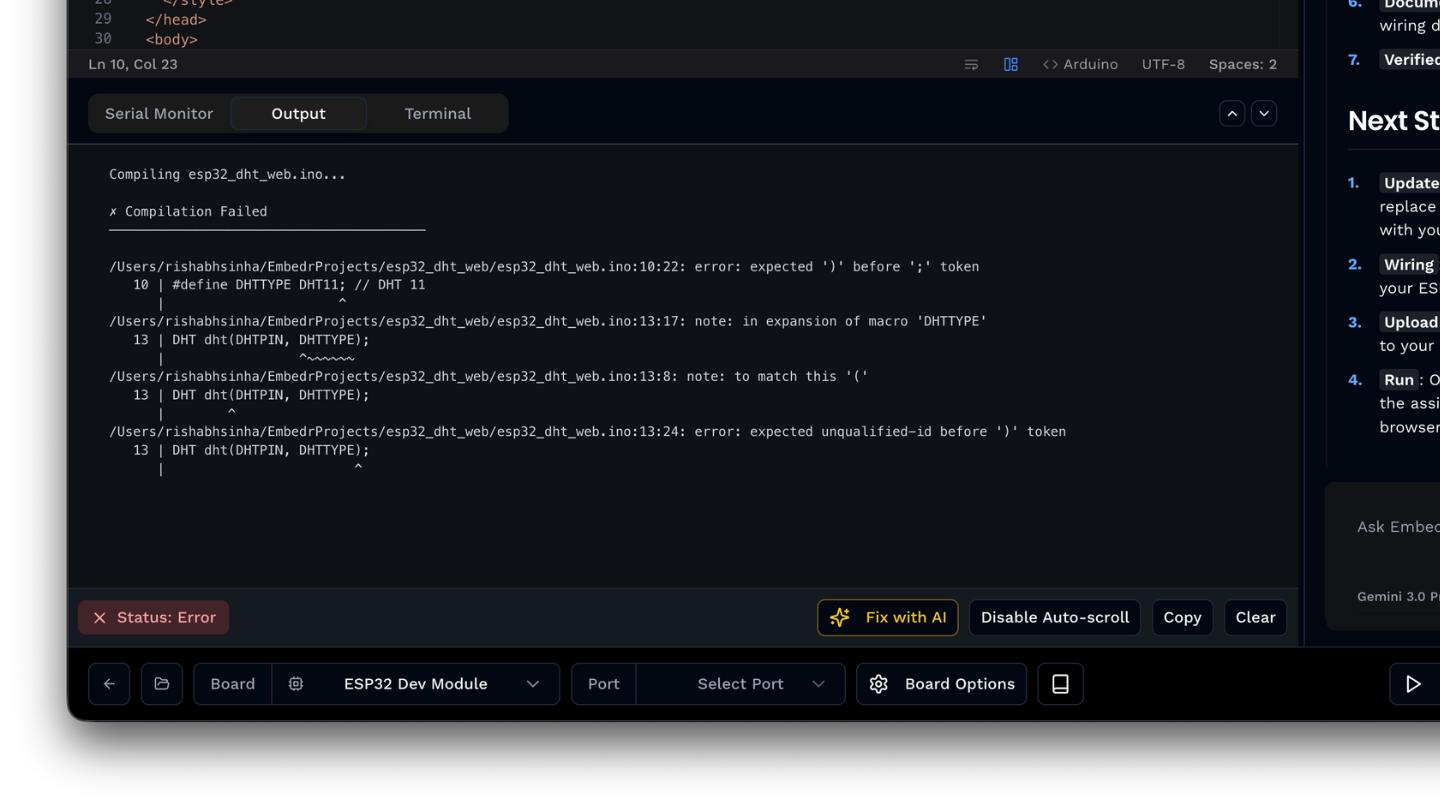
Instead of copying and pasting error messages into a search engine, the solution is now integrated directly into your workflow. With a single click, you can get immediate assistance without ever leaving the IDE.
Behind the Click: Meet the Embedr Agent
Clicking that button does something powerful. It takes the complete build error logs from the failed compile and sends them directly to the Embedr Agent.
The Embedr Agent is an AI-powered coding assistant built right into the development enviroment. The moment you click, the Embedr Agent gets to work, analyzing the full context of your project, interpreting the error messages, and providing clear, actionable suggestions to help you fix the problem.
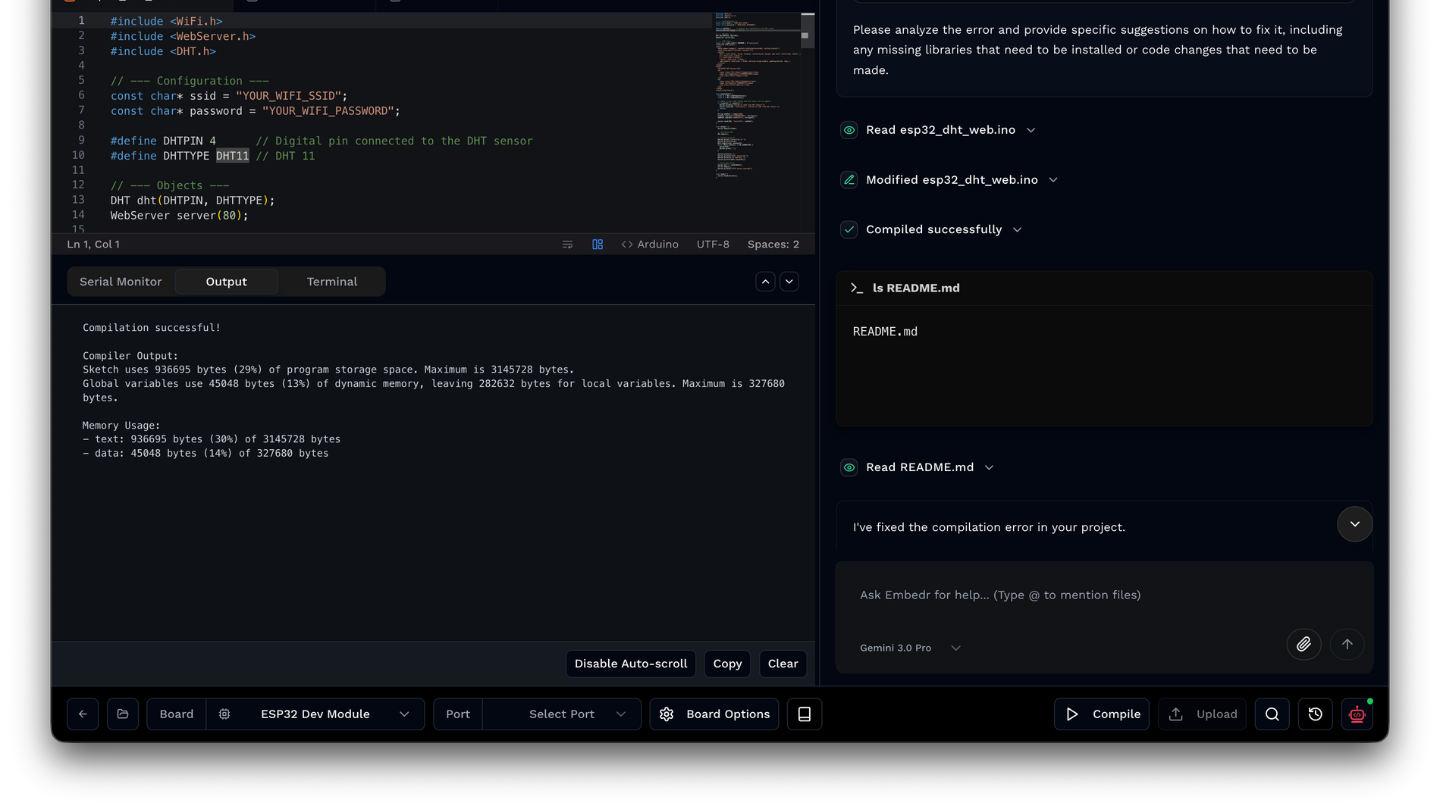
How the Magic Works: The Agent's Superpowers
The Embedr Agent isnt just guessing - it uses a suite of powerful tools to diagnose problems with surgical precision, understanding everything from your code to your hardware.
Understands Your Project
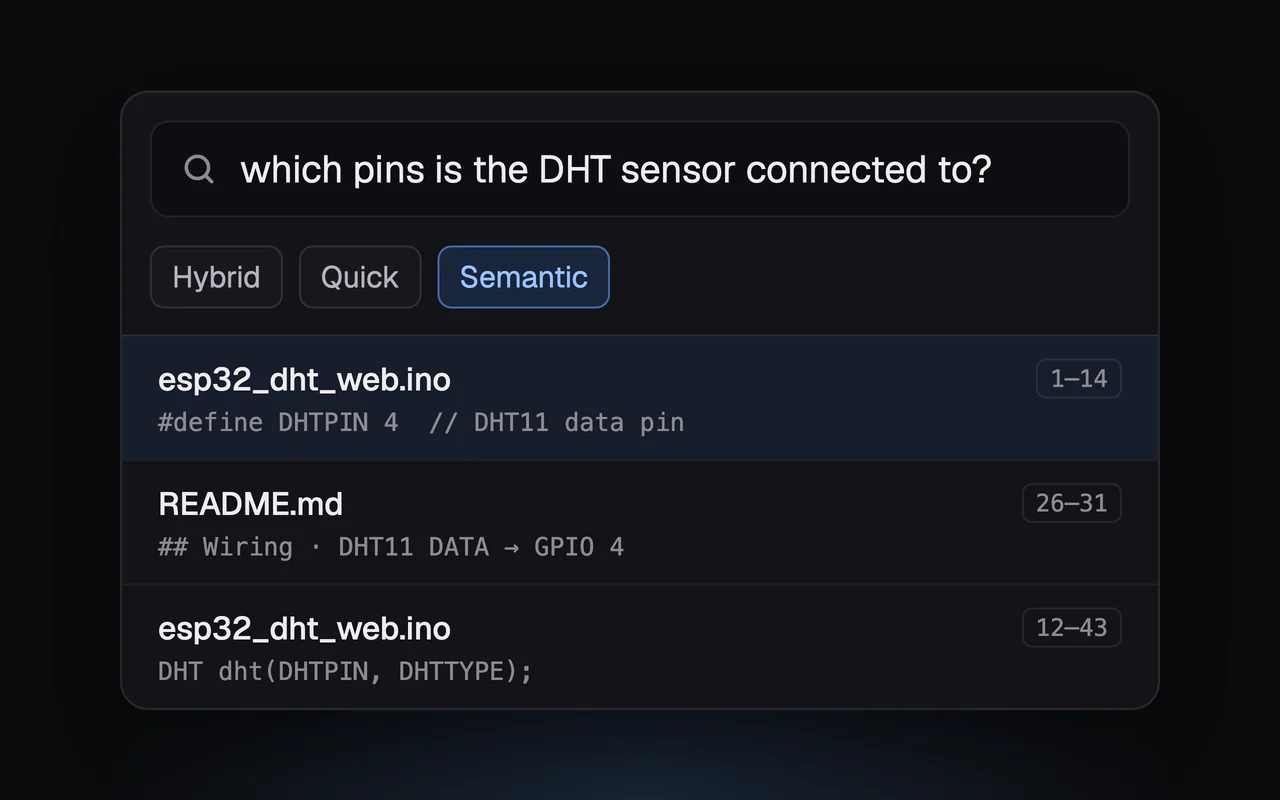
The agent can read and write your project files to understand your code. And once your codebase is indexed, the agent can use Semantic Search to instantly find code based on what it does, not just the words it contains.
Knows Your Hardware
The IDE is built with a foundational understanding of hardware. The agent is "pin-aware," meaning it understands the physical constraints and capabilities of your microcontroller's pins. This core capability is then enhanced when you import component datasheets using the "Bring Your Own Datasheet" feature, allowing the agent to answer specific questions about pinouts, wiring, and specifications.
Searches the Web
When a problem requires external knowledge, the agent can search the internet for library documentation, component specifications, and troubleshooting guides to find solutions that go beyond your local project files.
These capabilities don't work in isolation. The Agent can use Web Search to find a new library, help you install it with its Build Tools, and then use Semantic Search to find the right functions in your newly indexed code. Its this deep integration that truly sets it apart.
A Conversation, Not a Dead End
That single click on the "Fix with AI" button aims to transform the developer experience. A compilation error is no longer a dead end that forces you to stop and hunt for clues. It becomes the start of a conversation with an assistant thats equipped to help. This single click removes the roadblock entirely, transforming a moment of frustration into a productive conversation.
What could you build if debugging was no longer a chore, but a simple conversation?
Want to try Embedr? Download it here - it's free.