
Raspberry Pi
RP2040
A low-cost, high-performance microcontroller featuring dual ARM Cortex-M0+ cores, 264kB of SRAM, and a unique Programmable I/O (PIO) subsystem.
RP2040 Datasheet
A microcontroller by Raspberry Pi
Colophon
© 2020-2025 Raspberry Pi Ltd (formerly Raspberry Pi (Trading) Ltd.)
This documentation is licensed under a Creative Commons Attribution-NoDerivatives 4.0 International (CC BY-ND).
Portions Copyright © 2019 Synopsys, Inc.
All rights reserved. Used with permission. Synopsys & DesignWare are registered trademarks of Synopsys, Inc.
Portions Copyright © 2000-2001, 2005, 2007, 2009, 2011-2012, 2016 Arm Limited.
All rights reserved. Used with permission.
build-date: 2025-02-20
build-version: 3184e62-clean
Legal disclaimer notice
TECHNICAL AND RELIABILITY DATA FOR RASPBERRY PI PRODUCTS (INCLUDING DATASHEETS) AS MODIFIED FROM TIME TO TIME ("RESOURCES") ARE PROVIDED BY RASPBERRY PI LTD ("RPL") "AS IS" AND ANY EXPRESS OR IMPLIED WARRANTIES, INCLUDING, BUT NOT LIMITED TO, THE IMPLIED WARRANTIES OF MERCHANTABILITY AND FITNESS FOR A PARTICULAR PURPOSE ARE DISCLAIMED. TO THE MAXIMUM EXTENT PERMITTED BY APPLICABLE LAW IN NO EVENT SHALL RPL BE LIABLE FOR ANY DIRECT, INDIRECT, INCIDENTAL, SPECIAL, EXEMPLARY, OR CONSEQUENTIAL DAMAGES (INCLUDING, BUT NOT LIMITED TO, PROCUREMENT OF SUBSTITUTE GOODS OR SERVICES; LOSS OF USE, DATA, OR PROFITS; OR BUSINESS INTERRUPTION) HOWEVER CAUSED AND ON ANY THEORY OF LIABILITY, WHETHER IN CONTRACT, STRICT LIABILITY, OR TORT (INCLUDING NEGLIGENCE OR OTHERWISE) ARISING IN ANY WAY OUT OF THE USE OF THE RESOURCES, EVEN IF ADVISED OF THE POSSIBILITY OF SUCH DAMAGE.
RPL reserves the right to make any enhancements, improvements, corrections or any other modifications to the RESOURCES or any products described in them at any time and without further notice.
The RESOURCES are intended for skilled users with suitable levels of design knowledge. Users are solely responsible for their selection and use of the RESOURCES and any application of the products described in them. User agrees to indemnify and hold RPL harmless against all liabilities, costs, damages or other losses arising out of their use of the RESOURCES.
RPL grants users permission to use the RESOURCES solely in conjunction with the Raspberry Pi products. All other use of the RESOURCES is prohibited. No licence is granted to any other RPL or other third party intellectual property right.
HIGH RISK ACTIVITIES. Raspberry Pi products are not designed, manufactured or intended for use in hazardous environments requiring fail safe performance, such as in the operation of nuclear facilities, aircraft navigation or communication systems, air traffic control, weapons systems or safety-critical applications (including life support systems and other medical devices), in which the failure of the products could lead directly to death, personal injury or severe physical or environmental damage ("High Risk Activities"). RPL specifically disclaims any express or implied warranty of fitness for High Risk Activities and accepts no liability for use or inclusions of Raspberry Pi products in High Risk Activities.
Raspberry Pi products are provided subject to RPL’s Standard Terms. RPL’s provision of the RESOURCES does not expand or otherwise modify RPL’s Standard Terms including but not limited to the disclaimers and warranties expressed in them.
Table of contents
Colophon .
Legal disclaimer notice
1. Introduction. 8
1.1. Why is the chip called RP2040?. 8
1.2. Summary 9
1.3. The Chip . 9
1.4. Pinout Reference. 10
1.4.1. Pin Locations . 10
1.4.2. Pin Descriptions . 11
1.4.3. GPIO Functions 12
2. System Description 14
2.1. Bus Fabric 14
2.1.1. AHB-Lite Crossbar . 15
2.1.2. Atomic Register Access 17
2.1.3. APB Bridge . 17
2.1.4. Narrow IO Register Writes. 17
2.1.5. List of Registers . 18
2.2. Address Map . 24
2.2.1. Summary. . . 24
2.2.2. Detail . 24
2.3. Processor subsystem. . 26
2.3.1. SIO . . 27
2.3.2. Interrupts. . 60
2.3.3. Event Signals 61
2.3.4. Debug 61
2.4. Cortex-M0+ 62
2.4.1. Features 62
2.4.2. Functional Description 64
2.4.3. Programmer’s model. 68
2.4.4. System control . 73
2.4.5. NVIC. 74
2.4.6. MPU. . 76
2.4.7. Debug 76
2.4.8. List of Registers . . 77
2.5. DMA . 91
2.5.1. Configuring Channels . 91
2.5.2. Starting Channels. 93
2.5.3. Data Request (DREQ). 95
2.5.4. Interrupts. 96
2.5.5. Additional Features . 96
2.5.6. Example Use Cases . 97
2.5.7. List of Registers . . 101
2.6. Memory . 120
2.6.1. ROM. . 120
2.6.2. SRAM . 121
2.6.3. Flash . 122
2.7. Boot Sequence . 128
2.8. Bootrom . . 128
2.8.1. Processor Controlled Boot Sequence . . 129
2.8.2. Launching Code On Processor Core 1 . 131
2.8.3. Bootrom Contents . . 132
2.8.4. USB Mass Storage Interface . 143
2.8.5. USB PICOBOOT Interface . 144
2.9. Power Supplies . . 150
2.9.1. Digital IO Supply (IOVDD) . 151
2.9.2. Digital Core Supply (DVDD). . 151
2.9.3. On-Chip Voltage Regulator Input Supply (VREG_VIN) . . 151
2.9.4. USB PHY Supply (USB_VDD) . 151
2.9.5. ADC Supply (ADC_AVDD) . . 152
2.9.6. Power Supply Sequencing . 152
2.9.7. Power Supply Schemes . 152
2.10. Core Supply Regulator . 155
2.10.1. Application Circuit . . . 155
2.10.2. Operating Modes . . . 156
2.10.3. Output Voltage Select . . 157
2.10.4. Status . . 157
2.10.5. Current Limit . 157
2.10.6. List of Registers. . 157
2.10.7. Detailed Specifications . . . 160
2.11. Power Control . . 160
2.11.1. Top-level Clock Gates . . 160
2.11.2. SLEEP State . 161
2.11.3. DORMANT State 161
2.11.4. Memory Power Down . . 161
2.11.5. Programmer’s Model . 162
2.12. Chip-Level Reset . . 163
2.12.1. Overview . 163
2.12.2. Power-on Reset . 164
2.12.3. Brown-out Detection . . 165
2.12.4. Supply Monitor. . . 167
2.12.5. External Reset . 167
2.12.6. Rescue Debug Port Reset. . 167
2.12.7. Source of Last Reset. . 168
2.12.8. List of Registers. . 168
2.13. Power-On State Machine . . 168
2.13.1. Overview . . 168
2.13.2. Power On Sequence . 168
2.13.3. Register Control . . 169
2.13.4. Interaction with Watchdog . . 169
2.13.5. List of Registers. . 169
2.14. Subsystem Resets . 172
2.14.1. Overview . . 172
2.14.2. Programmer’s Model . 173
2.14.3. List of Registers. 175
2.15. Clocks . 178
2.15.1. Overview . 178
2.15.2. Clock sources . 179
2.15.3. Clock Generators. 183
2.15.4. Frequency Counter . 186
2.15.5. Resus . 187
2.15.6. Programmer’s Model . 187
2.15.7. List of Registers. . 194
2.16. Crystal Oscillator (XOSC). . 216
2.16.1. Overview . . 216
2.16.2. Usage . . 217
2.16.3. Startup Delay . . 217
2.16.4. XOSC Counter . 217
2.16.5. DORMANT mode . . 218
2.16.6. Programmer’s Model . 218
2.16.7. List of Registers. . 219
2.17. Ring Oscillator (ROSC) . . 221
2.17.1. Overview . . 221
2.17.2. ROSC/XOSC trade-offs . . . 222
2.17.3. Modifying the frequency. . 222
2.17.4. ROSC divider . 223
2.17.5. Random Number Generator . 223
2.17.6. ROSC Counter 223
2.17.7. DORMANT mode . . 223
2.17.8. List of Registers. 224
2.18. PLL . 228
2.18.1. Overview . . 228
2.18.2. Calculating PLL parameters. 228
2.18.3. Configuration 232
2.18.4. List of Registers. 234
2.19. GPIO . . 236
2.19.1. Overview . . 236
2.19.2. Function Select 237
2.19.3. Interrupts 239
2.19.4. Pads . 240
2.19.5. Software Examples . . 241
2.19.6. List of Registers. 244
2.20. Sysinfo . . 305
2.20.1. Overview . 305
2.20.2. List of Registers. . 305
2.21. Syscfg . 306
2.21.1. Overview . . 306
2.21.2. List of Registers. . 306
2.22. TBMAN. . 309
2.22.1. List of Registers. 309
- PIO . 311
3.1. Overview . 311
3.2. Programmer’s Model . 312
3.2.1. PIO Programs. . 312
3.2.2. Control Flow . . 313
3.2.3. Registers. . 314
3.2.4. Stalling . 317
3.2.5. Pin Mapping . . 318
3.2.6. IRQ Flags. . 318
3.2.7. Interactions Between State Machines . 318
3.3. PIO Assembler (pioasm) . 319
3.3.1. Directives . 319
3.3.2. Values . . 320
3.3.3. Expressions . 320
3.3.4. Comments . 320
3.3.5. Labels . 320
3.3.6. Instructions. . 321
3.3.7. Pseudoinstructions . 321
3.4. Instruction Set . . 321
3.4.1. Summary. . . 321
3.4.2. JMP . . 322
3.4.3. WAIT . 323
3.4.4. IN . . 324
3.4.5. OUT 325
3.4.6. PUSH . . 326
3.4.7. PULL . 327
3.4.8. MOV. . 328
3.4.9. IRQ . . 329
3.4.10. SET . 330
3.5. Functional Details . 331
3.5.1. Side-set . . 331
3.5.2. Program Wrapping 332
3.5.3. FIFO Joining . . 334
3.5.4. Autopush and Autopull . . 335
3.5.5. Clock Dividers . 339
3.5.6. GPIO Mapping . 340
3.5.7. Forced and EXEC’d Instructions. . 342
3.6. Examples . . 344
3.6.1. Duplex SPI . 344
3.6.2. WS2812 LEDs. 348
3.6.3. UART TX . . 350
3.6.4. UART RX . . 352
3.6.5. Manchester Serial TX and RX. . 355
3.6.6. Differential Manchester (BMC) TX and RX . 357
3.6.7. I2C . . 361
3.6.8. PWM . 364
3.6.9. Addition. 366
3.6.10. Further Examples. . 367
3.7. List of Registers . 368
- Peripherals . 383
4.1. USB. . 383
4.1.1. Overview . . 383
4.1.2. Architecture 384
4.1.3. Programmer’s Model. . 394
4.1.4. List of Registers . . 398
References . 417
4.2. UART . 417
4.2.1. Overview . . 417
4.2.2. Functional description. . . 418
4.2.3. Operation . 420
4.2.4. UART hardware flow control . 422
4.2.5. UART DMA Interface . . 424
4.2.6. Interrupts . 425
4.2.7. Programmer’s Model. . . 427
4.2.8. List of Registers . . 429
4.3. I2C. . 440
4.3.1. Features . 440
4.3.2. IP Configuration . . 441
4.3.3. I2C Overview. . . 441
4.3.4. I2C Terminology. . 443
4.3.5. I2C Behaviour . . 444
4.3.6. I2C Protocols . . 445
4.3.7. Tx FIFO Management and START, STOP and RESTART Generation. . 448
4.3.8. Multiple Master Arbitration. . 450
4.3.9. Clock Synchronization. . . 451
4.3.10. Operation Modes . . 452
4.3.11. Spike Suppression. . 457
4.3.12. Fast Mode Plus Operation . 458
4.3.13. Bus Clear Feature . 458
4.3.14. IC_CLK Frequency Configuration . . 459
4.3.15. DMA Controller Interface . 463
4.3.16. Operation of Interrupt Registers . 464
4.3.17. List of Registers. . 464
4.4. SPI . 501
4.4.1. Overview . . 502
4.4.2. Functional Description . 502
4.4.3. Operation . 505
4.4.4. List of Registers . . 515
4.5. PWM. . 521
4.5.1. Overview . . 521
4.5.2. Programmer’s Model. . 522
4.5.3. List of Registers . . 529
4.6. Timer . 534
4.6.1. Overview . . 534
4.6.2. Counter . . 535
4.6.3. Alarms. . 535
4.6.4. Programmer’s Model. . 536
4.6.5. List of Registers . 539
4.7. Watchdog. . 544
4.7.1. Overview . . 544
4.7.2. Tick generation . 544
4.7.3. Watchdog Counter. . 545
4.7.4. Scratch Registers. . 545
4.7.5. Programmer’s Model. . 545
4.7.6. List of Registers . . 547
4.8. RTC. . 548
4.8.1. Storage Format . 548
4.8.2. Leap year . 549
4.8.3. Interrupts . 549
4.8.4. Reference clock . . 549
4.8.5. Programmer’s Model. . 550
4.8.6. List of Registers . . 553
4.9. ADC and Temperature Sensor. . 557
4.9.1. ADC controller . 558
4.9.2. SAR ADC . . 559
4.9.3. ADC ENOB . 561
4.9.4. INL and DNL . 562
4.9.5. Temperature Sensor . . 563
4.9.6. List of Registers . . 564
4.10. SSI . 567
4.10.1. Overview . . 568
4.10.2. Features . 568
4.10.3. IP Modifications. . 569
4.10.4. Clock Ratios . . 570
4.10.5. Transmit and Receive FIFO Buffers. . 571
4.10.6. 32-Bit Frame Size Support . 572
4.10.7. SSI Interrupts . 572
4.10.8. Transfer Modes . 573
4.10.9. Operation Modes . . 574
4.10.10. Partner Connection Interfaces. . 579
4.10.11. DMA Controller Interface . 595
4.10.12. APB Interface. . 597
4.10.13. List of Registers. . 598
5. Electrical and Mechanical. 607
5.1. Package . . 607
5.1.1. Thermal characteristics . 608
5.1.2. Recommended PCB Footprint 608
5.1.3. Package markings. 608
5.2. Storage conditions . 609
5.3. Solder profile . . . 609
5.4. Compliance . . 611
5.5. Pinout . . 611
5.5.1. Pin Locations . . 611
5.5.2. Pin Definitions . 612
5.5.3. Pin Specifications . 614
5.6. Power Supplies . . 622
5.7. Power Consumption. . 622
5.7.1. Peripheral power consumption . 622
5.7.2. Power consumption for typical user cases . 623
Appendix A: Register Field Types. 625
Standard types . . 625
RW: . . 625
RO: . 625
WO:. . 625
Clear types . 625
SC. . 625
WC . 625
FIFO types . 626
RWF 626
RF . 626
WF . 626
Appendix B: Errata . . 627
Bootrom. 627
RP2040-E9. 627
RP2040-E14 . 627
Clocks . 628
RP2040-E7. 628
RP2040-E10 628
DMA . 629
RP2040-E12 . 629
RP2040-E13 629
GPIO / ADC . . 630
RP2040-E6. 630
RP2040-E11 . 630
USB . 630
RP2040-E2. 630
RP2040-E3. . 631
RP2040-E4. 631
RP2040-E5. . 631
RP2040-E15 . 633
RP2040-E16 . 634
Watchdog . 634
RP2040-E1. . 634
XIP Flash . . 635
RP2040-E8. 635
Appendix C: Availability . . 636
Support . 636
Ordering code . . 636
Documentation Release History. . 637
20 February 2025 . 637
15 October 2024. . 637
02 May 2024 . . 637
02 February 2024 . . 637
14 June 2023 . 637
03 March 2023 . 637
01 December 2022. . 637
30 June 2022 . 638
17 June 2022 . 638
04 November 2021. . 638
03 November 2021. . 638
30 September 2021 . 638
23 June 2021 . 638
07 June 2021 . 639
13 April 2021. . 639
07 April 2021. . 639
05 March 2021 . 639
23 February 2021 . 639
01 February 2021 . 639
26 January 2021. . 639
21 January 2021. . 640
Chapter 1. Introduction
Microcontrollers connect the world of software to the world of hardware. They allow developers to write software which interacts with the physical world in the same deterministic, cycle-accurate manner as digital logic. They occupy the bottom left corner of the price/performance space, outselling their more powerful brethren by a factor of ten to one. They are the workhorses that power the digital transformation of our world.
RP2040 is the debut microcontroller from Raspberry Pi. It brings our signature values of high performance, low cost, and ease of use to the microcontroller space.
With a large on-chip memory, symmetric dual-core processor complex, deterministic bus fabric, and rich peripheral set augmented with our unique Programmable I/O (PIO) subsystem, it provides professional users with unrivalled power and flexibility. With detailed documentation, a polished MicroPython port, and a UF2 bootloader in ROM, it has the lowest possible barrier to entry for beginner and hobbyist users.
RP2040 is a stateless device, with support for cached execute-in-place from external QSPI memory. This design decision allows you to choose the appropriate density of non-volatile storage for your application, and to benefit from the low pricing of commodity Flash parts.
RP2040 is manufactured on a modern 40nm process node, delivering high performance, low dynamic power consumption, and low leakage, with a variety of low-power modes to support extended-duration operation on battery power.
Key features:
• Dual ARM Cortex-M0+ @ 133MHz
• 264kB on-chip SRAM in six independent banks
• Support for up to 16MB of off-chip Flash memory via dedicated QSPI bus
• DMA controller
• Fully-connected AHB crossbar
• Interpolator and integer divider peripherals
• On-chip programmable LDO to generate core voltage
• 2 on-chip PLLs to generate USB and core clocks
• 30 GPIO pins, 4 of which can be used as analogue inputs
• Peripherals
◦ 2 UARTs
◦ 2 SPI controllers
◦ 2 I2C controllers
◦ 16 PWM channels
◦ USB 1.1 controller and PHY, with host and device support
◦ 8 PIO state machines
Whatever your microcontroller application, from machine learning to motor control, from agriculture to audio, RP2040 has the performance, feature set, and support to make your product fly.
1.1. Why is the chip called RP2040?
The post-fix numeral on RP2040 comes from the following,
- Number of processor cores (2)
- Loosely which type of processor (M0+)
- floor(log2(RAM / 16kB))
- floor(log2(nonvolatile / 128kB)) or 0 if no onboard nonvolatile storage
see Figure 1.
Figure 1. An explanation for the name of the RP2040 chip.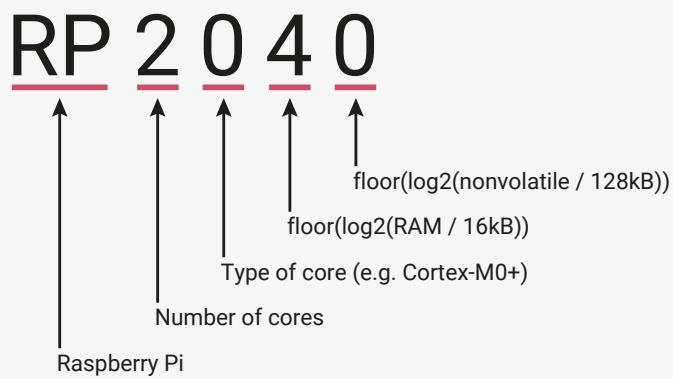
text_image
RP 2 0 4 0
floor(log2(nonvolatile / 128kB))
floor(log2(RAM / 16kB))
Type of core (e.g. Cortex-M0+)
Number of cores
Raspberry Pi
1.2. Summary
RP2040 is a low-cost, high-performance microcontroller device with flexible digital interfaces. Key features:
• Dual Cortex M0+ processor cores, up to 133MHz (or 200MHz at 1.15V, see Section 2.15.3)
• 264kB of embedded SRAM in 6 banks
• 30 multifunction GPIO
• 6 dedicated IO for SPI Flash (supporting XIP)
• Dedicated hardware for commonly used peripherals
• Programmable IO for extended peripheral support
• 4 channel ADC with internal temperature sensor, 500ksps, 12-bit conversion
• USB 1.1 Host/Device
1.3. The Chip
RP2040 has a dual M0+ processor cores, DMA, internal memory and peripheral blocks connected via AHB/APB bus fabric.
Figure 2. A system overview of the RP2040 chip
flowchart
graph TD
    subgraph RP2040
        direction LR
        A["IOs"] --> B["Crystal"]
        B --> C["Clock generation"]
        C --> D["Internal oscillator"]
        D --> E["PLL"]
        D --> F["PLL"]
        G["SWD"] --> H["GPIO [29:0"]]
        H --> I["QSPI"]
        I --> J["Core Supply Regulator"]
    end

    subgraph CPU
        K["Peripherals"] --> L["SPI x2"]
        K --> M["PWM"]
        K --> N["UART x2"]
        K --> O["Timer"]
        K --> P["RTC"]
        K --> Q["I2C x2"]
        K --> R["ADC & TS"]
        S["Reset control"] --> T["Power on state machine"]
        U["Power on state machine"] --> V["Sysctrl"]
        W["Sysctrl"] --> X["Sysinfo"]
        Y["Sysinfo"] --> Z["Watchdog"]
    end

    subgraph Memory
        AA["Bus Fabric"] --> AB["PIO0"]
        AA --> AC["PIO1"]
        AB --> AD["XIP / Cache"]
        AC --> AE["ROM"]
        AC --> AF["SRAM"]
        AC --> AG["SRAM"]
        AC --> AH["SRAM"]
        AC --> AI["SRAM"]
        AC --> AJ["SRAM"]
        AC --> AK["SRAM"]
        AC --> AL["SRAM"]
        AC --> AM["SRAM"]
        AC --> AN["SRAM"]
        AC --> AO["SRAM"]
        AC --> AP["SRAM"]
        AC --> AQ["SRAM"]
        AC --> AR["SRAM"]
        AC --> AS["SRAM"]
        AC --> AT["SRAM"]
        AC --> AU["SRAM"]
        AC --> AV["SRAM"]
        AC --> AW["SRAM"]
        AC --> AX["SRAM"]
        AC --> AY["SRAM"]
        AC --> AZ["SRAM"]
        AC --> BA["SRAM"]
        AC --> BB["SRAM"]
        AC --> BC["SRAM"]
        AC --> BD["SRAM"]
        AC --> BE["SRAM"]
        AC --> BF["SRAM"]
        AC --> BG["SRAM"]
        AC --> BH["SRAM"]
        AC --> BI["SRAM"]
        AC --> BJ["SRAM"]
        AC --> BK["SRAM"]
        AC --> BL["SRAM"]
        AC --> BM["SRAM"]
        AC --> BN["SRAM"]
        AC --> BO["SRAM"]
        AC --> BP["SRAM"]
        AC --> BQ["SRAM"]
        AC --> BR["SRAM"]
        AC --> BS["SRAM"]
        AC --> BT["SRAM"]
        AC --> BU["SRAM"]
        AC --> BV["SRAM"]
        AC --> BW["SRAM"]
        AC --> BX["SRAM"]
        AC --> BYB["SRAM"]
        AC --> BZ["SRAM"]
        AC --> CA["SRAM"]
        AC --> CB["SRAM"]
        AC --> CC["SRAM"]
        AC --> CD["SRAM"]
        AC --> CE["SRAM"]
        AC --> CF["SRAM"]
        AC --> CG["SRAM"]
        AC --> CH["SRAM"]
        AC --> CI["SRAM"]
        AC --> CJ["SRAM"]
        AC --> CK["SRAM"]
    end

    subgraph Control
        L
        M
        N
    end

    subgraph Data
        D
    end

    subgraph Data
    E
    end

    subgraph Data
    K
    end

    subgraph Data
    L
    end

    subgraph Data
    M
    end

    subgraph Data
    N
    end

    subgraph Data
    O
    end

    subgraph Data
    P
    end

    subgraph Data
    Q
    end

    subgraph Data
    R
    end

    subgraph Data
    S
    end

    subgraph Data
    T
    end

    subgraph Data
    U
    end

    subgraph Data
    V
    end

    subgraph Data
    W
    end

    subgraph Data
    X
    end

    subgraph Data
    Y
    end

    subgraph Data
    Z
    end

    subgraph Data
    AA
    end

    subgraph Data
    AB
    end

    subgraph Data
    AC
    end

    subgraph Data
    AD
    end

    subgraph Data
    AE
    end

    subgraph Data
    AF
    end

    subgraph Data
    AG
    end

    subgraph Data
    AH
    end

    subgraph Data
    AI
    end

    subgraph Data
    AJ
    end

    subgraph Data
    AK
    end

    subgraph Data
    AL
    end

    subgraph Data
    AM
    end

    subgraph Data
    AN
    end

    subgraph Data
    AO
    end

    subgraph Data
    AP
    end

    subgraph Data
    AQ
    end

    subgraph Data
    AR
    end

    subgraph Data
    AS
    end

    subgraph Data
    AT
    end

    subgraph Data
    AU
    end

    subgraph Data
    AV
    end

    subgraph Data
    AW
    end

    subgraph Data
    AX
    end

    subgraph Data
    AY
    end

    subgraph Data
    AZ
    end

    subgraph Data
    BA
    end

    subgraph Data
    BB
    end

    subgraph Data
    BC
    end

    subgraph Data
    BD
    end
Code may be executed directly from external memory through a dedicated SPI, DSPI or QSPI interface. A small cache improves performance for typical applications.
Debug is available via the SWD interface.
Internal SRAM can contain code or data. It is addressed as a single 264 kB region, but physically partitioned into 6 banks to allow simultaneous parallel access from different masters.
DMA bus masters are available to offload repetitive data transfer tasks from the processors.
GPIO pins can be driven directly, or from a variety of dedicated logic functions.
Dedicated hardware for fixed functions such as SPI, I2C, UART.
Flexible configurable PIO controllers can be used to provide a wide variety of IO functions.
A USB controller with embedded PHY can be used to provide FS/LS Host or Device connectivity under software control.
Four ADC inputs which are shared with GPIO pins.
Two PLLs to provide a fixed 48MHz clock for USB or ADC, and a flexible system clock up to 133MHz.
An internal Voltage Regulator to supply the core voltage so the end product only needs supply the IO voltage.
1.4. Pinout Reference
This section provides a quick reference for pinout and pin functions. Full details, including electrical specifications and package drawings, can be found in Chapter 5.
1.4.1. Pin Locations
Figure 3. RP2040
Pinout for QFN-56
7×7mm (reduced ePad size)
1.4.2. Pin Descriptions
Table 1. The function of each pin is briefly described here. Full electrical specifications can be found in Chapter 5.
| Name | Description |
| GPIOx | General-purpose digital input and output. RP2040 can connect one of a number of internal peripherals to each GPIO, or control GPIOs directly from software. |
| GPIOx/ADCy | General-purpose digital input and output, with analogue-to-digital converter function. The RP2040 ADC has an analogue multiplexer which can select any one of these pins, and sample the voltage. |
| QSPIx | Interface to a SPI, Dual-SPI or Quad-SPI flash device, with execute-in-place support. These pins can also be used as software-controlled GPIOs, if they are not required for flash access. |
| USB_DM and USB_DP | USB controller, supporting Full Speed device and Full/Low Speed host. A 27Ω series termination resistor is required on each pin, but bus pull-ups and pull-downs are provided internally. |
| XIN and XOUT | Connect a crystal to RP2040's crystal oscillator. XIN can also be used as a single-ended CMOS clock input, with XOUT disconnected. The USB bootloader requires a 12MHz crystal or 12MHz clock input. For recommended crystals, see Crystal Oscillator (Section 2.16). |
| RUN | Global asynchronous reset pin. Reset when driven low, run when driven high. If no external reset is required, this pin can be tied directly to IOVDD. |
| SWCLK and SWDIO | Access to the internal Serial Wire Debug multi-drop bus. Provides debug access to both processors, and can be used to download code. |
| TESTEN | Factory test mode pin. Tie to GND. |
| GND | Single external ground connection, bonded to a number of internal ground pads on the RP2040 die. |
| IOVDD | Power supply for digital GPIOs, nominal voltage 1.8V to 3.3V |
| USB_VDD | Power supply for internal USB Full Speed PHY, nominal voltage 3.3V |
| ADC_AVDD | Power supply for analogue-to-digital converter, nominal voltage 3.3V |
| VREG_VIN | Power input for the internal core voltage regulator, nominal voltage 1.8V to 3.3V |
| VREG_VOUT | Power output for the internal core voltage regulator, nominal voltage 1.1V, 100mA max current |
| DVDD | Digital core power supply, nominal voltage 1.1V. Can be connected to VREG_VOUT, or to some other board-level power supply. |
1.4.3. GPIO Functions
Each individual GPIO pin can be connected to an internal peripheral via the GPIO functions defined below. Some internal peripheral connections appear in multiple places to allow some system level flexibility. SIO, PIO0 and PIO1 can connect to all GPIO pins and are controlled by software (or software controlled state machines) so can be used to implement many functions.
Table 2. General Purpose Input/Output (GPIO) Bank 0 Functions
| Function | |||||||||
| GPIO | F1 | F2 | F3 | F4 | F5 | F6 | F7 | F8 | F9 |
| 0 | SPI0 RX | UART0 TX | I2C0 SDA | PWM0 A | SIO | PIO0 | PIO1 | USB OVCUR DET | |
| 1 | SPI0 CSn | UART0 RX | I2C0 SCL | PWM0 B | SIO | PIO0 | PIO1 | USB VBUS DET | |
| 2 | SPI0 SCK | UART0 CTS | I2C1 SDA | PWM1 A | SIO | PIO0 | PIO1 | USB VBUS EN | |
| 3 | SPI0 TX | UART0 RTS | I2C1 SCL | PWM1 B | SIO | PIO0 | PIO1 | USB OVCUR DET | |
| 4 | SPI0 RX | UART1 TX | I2C0 SDA | PWM2 A | SIO | PIO0 | PIO1 | USB VBUS DET | |
| 5 | SPI0 CSn | UART1 RX | I2C0 SCL | PWM2 B | SIO | PIO0 | PIO1 | USB VBUS EN | |
| 6 | SPI0 SCK | UART1 CTS | I2C1 SDA | PWM3 A | SIO | PIO0 | PIO1 | USB OVCUR DET | |
| 7 | SPI0 TX | UART1 RTS | I2C1 SCL | PWM3 B | SIO | PIO0 | PIO1 | USB VBUS DET | |
| 8 | SPI1 RX | UART1 TX | I2C0 SDA | PWM4 A | SIO | PIO0 | PIO1 | USB VBUS EN | |
| 9 | SPI1 CSn | UART1 RX | I2C0 SCL | PWM4 B | SIO | PIO0 | PIO1 | USB OVCUR DET | |
| 10 | SPI1 SCK | UART1 CTS | I2C1 SDA | PWM5 A | SIO | PIO0 | PIO1 | USB VBUS DET | |
| 11 | SPI1 TX | UART1 RTS | I2C1 SCL | PWM5 B | SIO | PIO0 | PIO1 | USB VBUS EN | |
| 12 | SPI1 RX | UART0 TX | I2C0 SDA | PWM6 A | SIO | PIO0 | PIO1 | USB OVCUR DET | |
| 13 | SPI1 CSn | UART0 RX | I2C0 SCL | PWM6 B | SIO | PIO0 | PIO1 | USB VBUS DET | |
| 14 | SPI1 SCK | UART0 CTS | I2C1 SDA | PWM7 A | SIO | PIO0 | PIO1 | USB VBUS EN | |
| 15 | SPI1 TX | UART0 RTS | I2C1 SCL | PWM7 B | SIO | PIO0 | PIO1 | USB OVCUR DET | |
| 16 | SPI0 RX | UART0 TX | I2C0 SDA | PWM0 A | SIO | PIO0 | PIO1 | USB VBUS DET | |
| 17 | SPI0 CSn | UART0 RX | I2C0 SCL | PWM0 B | SIO | PIO0 | PIO1 | USB VBUS EN | |
| 18 | SPI0 SCK | UART0 CTS | I2C1 SDA | PWM1 A | SIO | PIO0 | PIO1 | USB OVCUR DET | |
| 19 | SPI0 TX | UART0 RTS | I2C1 SCL | PWM1 B | SIO | PIO0 | PIO1 | USB VBUS DET | |
| 20 | SPI0 RX | UART1 TX | I2C0 SDA | PWM2 A | SIO | PIO0 | PIO1 | CLOCK GPINO | USB VBUS EN |
| 21 | SPI0 CSn | UART1 RX | I2C0 SCL | PWM2 B | SIO | PIO0 | PIO1 | CLOCK GPOUTO | USB OVCUR DET |
| 22 | SPI0 SCK | UART1 CTS | I2C1 SDA | PWM3 A | SIO | PIO0 | PIO1 | CLOCK GPIN1 | USB VBUS DET |
| 23 | SPI0 TX | UART1 RTS | I2C1 SCL | PWM3 B | SIO | PIO0 | PIO1 | CLOCK GPOUT1 | USB VBUS EN |
| 24 | SPI1 RX | UART1 TX | I2C0 SDA | PWM4 A | SIO | PIO0 | PIO1 | CLOCK GPOUT2 | USB OVCUR DET |
| 25 | SPI1 CSn | UART1 RX | I2C0 SCL | PWM4 B | SIO | PIO0 | PIO1 | CLOCK GPOUT3 | USB VBUS DET |
| 26 | SPI1 SCK | UART1 CTS | I2C1 SDA | PWM5 A | SIO | PIO0 | PIO1 | USB VBUS EN | |
| 27 | SPI1 TX | UART1 RTS | I2C1 SCL | PWM5 B | SIO | PIO0 | PIO1 | USB OVCUR DET | |
| 28 | SPI1 RX | UART0 TX | I2C0 SDA | PWM6 A | SIO | PIO0 | PIO1 | USB VBUS DET | |
| 29 | SPI1 CSn | UART0 RX | I2C0 SCL | PWM6 B | SIO | PIO0 | PIO1 | USB VBUS EN | |
Table 3. GPIO bank 0 function descriptions
| Function Name | Description |
| SPIx | Connect one of the internal PL022 SPI peripherals to GPIO |
| UARTx | Connect one of the internal PL011 UART peripherals to GPIO |
| I2Cx | Connect one of the internal DW I2C peripherals to GPIO |
| PWMx A/B | Connect a PWM slice to GPIO. There are eight PWM slices, each with two output channels (A/B). The B pin can also be used as an input, for frequency and duty cycle measurement. |
| SIO | Software control of GPIO, from the single-cycle IO (SIO) block. The SIO function (F5) must be selected for the processors to drive a GPIO, but the input is always connected, so software can check the state of GPIOs at any time. |
| PIOx | Connect one of the programmable IO blocks (PIO) to GPIO. PIO can implement a wide variety of interfaces, and has its own internal pin mapping hardware, allowing flexible placement of digital interfaces on bank 0 GPIOs. The PIO function (F6, F7) must be selected for PIO to drive a GPIO, but the input is always connected, so the PIOs can always see the state of all pins. |
| CLOCK GPINx | General purpose clock inputs. Can be routed to a number of internal clock domains on RP2040, e.g. to provide a 1Hz clock for the RTC, or can be connected to an internal frequency counter. |
| CLOCK GPOUTx | General purpose clock outputs. Can drive a number of internal clocks (including PLL outputs) onto GPIOs, with optional integer divide. |
| USB OVCUR DET/VBUS DET/VBUS EN | USB power control signals to/from the internal USB controller |
Chapter 2. System Description
This chapter describes the RP2040 key system features including processor, memory, how blocks are connected, clocks, resets, power, and IO. Refer to Figure 2 for an overview diagram.
2.1. Bus Fabric
The RP2040 bus fabric routes addresses and data across the chip.
Figure 4 shows the high-level structure of the bus fabric. The main AHB-Lite crossbar routes addresses and data between its 4 upstream ports and 10 downstream ports: up to four bus transfers can take place each cycle. All data paths are 32 bits wide. Memory devices have dedicated ports on the main crossbar, to satisfy their high bandwidth requirements. High-bandwidth AHB-Lite peripherals have a shared port on the crossbar, and an APB bridge provides bus access to system control registers and lower-bandwidth peripherals.
Figure 4. RP2040 bus fabric overview.
flowchart
graph TD
    A["Cortex-M0+ Core 0"] --> B["AHB-Lite Crossbar 4:10"]
    C["Cortex-M0+ Core 1"] --> B
    D["System DMA 1-Write 1-Read"] --> B
    B --> E["ROM 16 kB"]
    B --> F["SRAM0 64 kB"]
    B --> G["SRAM1 64 kB"]
    B --> H["SRAM2 64 kB"]
    B --> I["SRAM3 64 kB"]
    B --> J["SRAM4 4 kB"]
    B --> K["SRAM5 4 kB"]
    B --> L["APB Bridge"]
    M["Control"] --> B
    N["AHB-Lite Splitter"] --> O["Flash XIP"]
    N --> P["PIO0"]
    N --> Q["PIO1"]
    N --> R["USB"]
    S["APB Splitter"] --> T["UART0"]
    S --> U["UART1"]
    S --> V["SPIO"]
    S --> W["SPI0"]
    S --> X["SPI1"]
    S --> Y["I2C0"]
    S --> Z["I2C1"]
    S --> AA["ADC"]
    S --> AB["PWM"]
    S --> AC["Timer"]
    S --> AD["Watch-dog"]
    S --> AE["RTC"]
    S --> AF["Other peripherals and system control registers"]
The bus fabric connects 4 AHB-Lite masters, i.e. devices which generate addresses:
• Processor core 0
• Processor core 1
• DMA controller Read port
• DMA controller Write port
These are routed through to 10 downstream ports on the main crossbar:
• ROM
• Flash XIP
• SRAM 0 to 5 (one port each)
• Fast AHB-Lite peripherals: PIO0, PIO1, USB, DMA control registers, XIP aux (one shared port)
• Bridge to all APB peripherals, and system control registers
The four bus masters can access any four different crossbar ports simultaneously, the bus fabric does not add wait states to any AHB-Lite slave access. So at a system clock of 125MHz the maximum sustained bus bandwidth is 2.0GBps. The system address map has been arranged to make this parallel bandwidth available to as many software use cases as possible — for example, the striped SRAM alias (Section 2.6.2) scatters main memory accesses across four crossbar ports (SRAM0…3), so that more memory accesses can proceed in parallel.
2.1.1. AHB-Lite Crossbar
At the centre of the RP2040 bus fabric is a 4:10 fully-connected crossbar. Its 4 upstream ports are connected to the 4 system bus masters, and the 10 downstream ports connect to the highest-bandwidth AHB-Lite slaves (namely the memory interfaces) and to lower layers of the fabric. Figure 5 shows the structure of a 2:3 AHB-Lite crossbar, arranged identically to the 4:10 crossbar on RP2040, but easier to show in the diagram.
Figure 5. A 2:3 AHB-Lite crossbar. Each upstream port connects to a splitter, which routes bus requests toward one of the 3 downstream ports, and routes responses back. Each downstream port connects to an arbiter, which safely manages concurrent access to the port.
flowchart
graph TD
    A["Splitter 1:3"] --> B["Arbiter 2:1"]
    A --> C["Arbiter 2:1"]
    A --> D["Arbiter 2:1"]
    E["Splitter 1:3"] --> F["Arbiter 2:1"]
    E --> G["Arbiter 2:1"]
    E --> H["Arbiter 2:1"]
    I["Upstream Port 0"] --> A
    J["Upstream Port 1"] --> E
    K["Downstream Port 0"] --> B
    L["Downstream Port 1"] --> C
    M["Downstream Port 2"] --> D
The crossbar is built from two components:
• Splitters
◦ Perform coarse address decode
◦ Route requests (addresses, write data) to the downstream port indicated by the initial address decode
◦ Route responses (read data, bus errors) from the correct arbiter back to the upstream port
• Arbiters
◦ Manage concurrent requests to a downstream port
◦ Route responses (read data, bus errors) to the correct splitter
◦ Implement bus priority rules
The main crossbar on RP2040 consists of 4 1:10 splitters and 10 4:1 arbiters, with a mesh of 40 AHB-Lite bus channels between them. Note that, as AHB-Lite is a pipelined bus, the splitter may be routing back a response to an earlier request from downstream port A, whilst a new request to downstream port B is already in progress. This does not incur any cycle penalty.
2.1.1.1. Bus Priority
The arbiters in the main AHB-Lite crossbar implement a two-level bus priority scheme. Priority levels are configured permaster, using the BUS_PRIORITY register in the BUSCTRL register block.
When there are multiple simultaneous accesses to same arbiter, any requests from high-priority masters (priority level 1) will be considered before any requests from low-priority masters (priority 0). If multiple masters of the same priority level attempt to access the same slave simultaneously, a round-robin tie break is applied, i.e. the arbiter grants access to each master in turn.

NOTE
Priority arbitration only applies to multiple masters attempting to access the same slave on the same cycle. Accesses to different slaves, e.g. different SRAM banks, can proceed simultaneously.
When accessing a slave with zero wait states, such as SRAM (i.e. can be accessed once per system clock cycle), highpriority masters will never observe any slowdown or other timing effects caused by accesses from low-priority masters. This allows guaranteed latency and throughput for hard real time use cases; it does however mean a low-priority master may get stalled until there is a free cycle.
2.1.1.2. Bus Performance Counters
The performance counters automatically count accesses to the main AHB-Lite crossbar arbiters. This can assist in diagnosing performance issues, in high-traffic use cases.
There are four performance counters. Each is a 24-bit saturating counter. Counter values can be read from BUSCTRL_PERFCTRx, and cleared by writing any value to BUSCTRL_PERFCTRx. Each counter can count one of the 20 available events at a time, as selected by BUSCTRL_PERFSELx. The available bus events are:
| PERFSEL x | Event | Description |
| 0 | APB access, contested | Completion of an access to the APB arbiter (which is upstream of all APB peripherals), which was previously delayed due to an access by another master. |
| 1 | APB access | Completion of an access to the APB arbiter |
| 2 | FASTPERI access, contested | Completion of an access to the FASTPERI arbiter (which is upstream of PIOs, DMA config port, USB, XIP aux FIFO port), which was previously delayed due to an access by another master. |
| 3 | FASTPERI access | Completion of an access to the FASTPERI arbiter |
| 4 | SRAM5 access, contested | Completion of an access to the SRAM5 arbiter, which was previously delayed due to an access by another master. |
| 5 | SRAM5 access | Completion of an access to the SRAM5 arbiter |
| 6 | SRAM4 access, contested | Completion of an access to the SRAM4 arbiter, which was previously delayed due to an access by another master. |
| 7 | SRAM4 access | Completion of an access to the SRAM4 arbiter |
| 8 | SRAM3 access, contested | Completion of an access to the SRAM3 arbiter, which was previously delayed due to an access by another master. |
| 9 | SRAM3 access | Completion of an access to the SRAM3 arbiter |
| 10 | SRAM2 access, contested | Completion of an access to the SRAM2 arbiter, which was previously delayed due to an access by another master. |
| 11 | SRAM2 access | Completion of an access to the SRAM2 arbiter |
| 12 | SRAM1 access, contested | Completion of an access to the SRAM1 arbiter, which was previously delayed due to an access by another master. |
| 13 | SRAM1 access | Completion of an access to the SRAM1 arbiter |
| 14 | SRAM0 access, contested | Completion of an access to the SRAM0 arbiter, which was previously delayed due to an access by another master. |
| 15 | SRAM0 access | Completion of an access to the SRAM0 arbiter |
| 16 | XIP_MAIN access, contested | Completion of an access to the XIP_MAIN arbiter, which was previously delayed due to an access by another master. |
| 17 | XIP_MAIN access | Completion of an access to the XIP_MAIN arbiter |
| 18 | ROM access, contested | Completion of an access to the ROM arbiter, which was previously delayed due to an access by another master. |
| 19 | ROM access | Completion of an access to the ROM arbiter |
2.1.2. Atomic Register Access
Each peripheral register block is allocated 4kB of address space, with registers accessed using one of 4 methods, selected by address decode.
• Addr + 0x0000 : normal read write access
• Addr + 0x1000 : atomic XOR on write
• Addr + 0x2000 : atomic bitmask set on write
• Addr + 0x3000 : atomic bitmask clear on write
This allows individual fields of a control register to be modified without performing a read-modify-write sequence in software: instead the changes are posted to the peripheral, and performed in-situ. Without this capability, it is difficult to safely access IO registers when an interrupt service routine is concurrent with code running in the foreground, or when the two processors are running code in parallel.
The four atomic access aliases occupy a total of 16kB. Most peripherals on RP2040 provide this functionality natively, and atomic writes have the same timing as normal read/write access. Some peripherals (I2C, UART, SPI and SSI) instead have this functionality added using a bus interposer, which translates upstream atomic writes into downstream read-modify-write sequences, at the boundary of the peripheral. This extends the access time by two system clock cycles.
The SIO (Section 2.3.1), a single-cycle IO block attached directly to the cores' IO ports, does not support atomic accesses at the bus level, although some individual registers (e.g. GPIO) have set/clear/xor aliases.
2.1.3. APB Bridge
The APB bridge interfaces the high-speed main AHB-Lite interconnect to the lower-bandwidth peripherals. Whilst the AHB-Lite fabric offers zero-wait-state access everywhere, APB accesses have a cycle penalty:
• APB bus accesses take two cycles minimum (setup phase and access phase)
• The bridge adds an additional cycle to read accesses, as the bus request and response are registered
• The bridge adds two additional cycles to write accesses, as the APB setup phase can not begin until the AHB-Lite write data is valid
As a result, the throughput of the APB portion of the bus fabric is somewhat lower than the AHB-Lite portion. However, there is more than sufficient bandwidth to saturate the APB serial peripherals.
2.1.4. Narrow IO Register Writes
Memory-mapped IO registers on RP2040 ignore the width of bus read/write accesses. They treat all writes as though they were 32 bits in size. This means software can not use byte or halfword writes to modify part of an IO register: any write to an address where the 30 address MSBs match the register address will affect the contents of the entire
register.
To update part of an IO register, without a read-modify-write sequence, the best solution on RP2040 is atomic set/clear/XOR (see Section 2.1.2). Note that this is more flexible than byte or halfword writes, as any combination of fields can be updated in one operation.
Upon a 8-bit or 16-bit write (such as a strb instruction on the Cortex-M0+), an IO register will sample the entire 32-bit write databus. The Cortex-M0+ and DMA on RP2040 will always replicate narrow data across the bus:
Pico Examples: https://github.com/raspberrypi/pico-examples/blob/master/system/narrow\_io\_write/narrow\_io\_write.c Lines 19 - 62
int main() {
    stdio_init_all();

    // We'll use WATCHDOG_SCRATCH0 as a convenient 32 bit read/write register
    // that we can assign arbitrary values to
    io_rw_32 *scratch32 = &watchdog_hw->scratch[0];
    // Alias the scratch register as two halfwords at offsets +0x0 and +0x2
    volatile uint16_t *scratch16 = (volatile uint16_t *) scratch32;
    // Alias the scratch register as four bytes at offsets +0x0, +0x1, +0x2, +0x3:
    volatile uint8_t *scratch8 = (volatile uint8_t *) scratch32;

    // Show that we can read/write the scratch register as normal:
    printf("Writing 32 bit value\n");
    *scratch32 = 0xdeadbeef;
    printf("Should be 0xdeadbeef: 0x%08x\n", *scratch32);

    // We can do narrow reads just fine -- IO registers treat this as a 32 bit
    // read, and the processor/DMA will pick out the correct byte lanes based
    // on transfer size and address LSBs
    printf("\nReading back 1 byte at a time\n");
    // Little-endian!
    printf("Should be ef be ad de: %02x ", scratch8[0]);
    printf("%02x ", scratch8[1]);
    printf("%02x ", scratch8[2]);
    printf("%02x\n", scratch8[3]);

    // Byte writes are replicated four times across the 32-bit bus, and IO
    // registers usually sample the entire write bus.
    printf("\nWriting 8 bit value 0xa5 at offset 0\n");
    scratch8[0] = 0xa5;
    // Read back the whole scratch register in one go
    printf("Should be 0xa5a5a5a5: 0x%08x\n", *scratch32);

    // The IO register ignores the address LSBs [1:0] as well as the transfer
    // size, so it doesn't matter what byte offset we use
    printf("\nWriting 8 bit value at offset 1\n");
    scratch8[1] = 0x3c;
    printf("Should be 0x3c3c3c3c: 0x%08x\n", *scratch32);

    // Halfword writes are also replicated across the write data bus
    printf("\nWriting 16 bit value at offset 0\n");
    scratch16[0] = 0xf00d;
    printf("Should be 0xf00df00d: 0x%08x\n", *scratch32);
}
2.1.5. List of Registers
The Bus Fabric registers start at a base address of 0x40030000 (defined as BUSCTRL_BASE in SDK).
Table 4. List of BUSCTRL registers
| Offset | Name | Info |
| 0x00 | BUS_PRIORITY | Set the priority of each master for bus arbitration. |
| 0x04 | BUS_PRIORITY_ACK | Bus priority acknowledge |
| 0x08 | PERFCTR0 | Bus fabric performance counter 0 |
| 0x0c | PERFSEL0 | Bus fabric performance event select for PERFCTR0 |
| 0x10 | PERFCTR1 | Bus fabric performance counter 1 |
| 0x14 | PERFSEL1 | Bus fabric performance event select for PERFCTR1 |
| 0x18 | PERFCTR2 | Bus fabric performance counter 2 |
| 0x1c | PERFSEL2 | Bus fabric performance event select for PERFCTR2 |
| 0x20 | PERFCTR3 | Bus fabric performance counter 3 |
| 0x24 | PERFSEL3 | Bus fabric performance event select for PERFCTR3 |
BUSCTRL: BUS_PRIORITY Register
Offset: 0x00
Description
Set the priority of each master for bus arbitration.
Table 5. BUS_PRIORITY Register
| Bits | Description | Type | Reset |
| 31:13 | Reserved. | - | - |
| 12 | DMA_W: 0 - low priority, 1 - high priority | RW | 0x0 |
| 11:9 | Reserved. | - | - |
| 8 | DMA_R: 0 - low priority, 1 - high priority | RW | 0x0 |
| 7:5 | Reserved. | - | - |
| 4 | PROC1: 0 - low priority, 1 - high priority | RW | 0x0 |
| 3:1 | Reserved. | - | - |
| 0 | PROC0: 0 - low priority, 1 - high priority | RW | 0x0 |
BUSCTRL: BUS_PRIORITY_ACK Register
Offset: 0x04
Description
Bus priority acknowledge
Table 6. BUS PRIORITY ACK Register
| Bits | Description | Type | Reset |
| 31:1 | Reserved. | - | - |
| 0 | Goes to 1 once all arbiters have registered the new global priority levels. Arbiters update their local priority when servicing a new nonsequential access. In normal circumstances this will happen almost immediately. | RO | 0x0 |
BUSCTRL: PERFCTR0 Register
Offset: 0x08
Description
Bus fabric performance counter 0
Table 7. PERFCTR0 Register
| Bits | Description | Type | Reset |
| 31:24 | Reserved. | - | - |
| 23:0 | Busfabric saturating performance counter 0Count some event signal from the busfabric arbiters.Write any value to clear. Select an event to count using PERFSEL0 | WC | 0x000000 |
BUSCTRL: PERFSEL0 Register
Offset: 0x0c
Description
Bus fabric performance event select for PERFCTR0
Table 8. PERFSEL0 Register
| Bits | Description | Type | Reset |
| 31:5 | Reserved. | - | - |
| 4:0 | Select an event for PERFCTR0. Count either contested accesses, or all accesses, on a downstream port of the main crossbar. | RW | 0x1f |
| Enumerated values: | |||
| 0x00 → APB_CONTESTED | |||
| 0x01 → APB | |||
| 0x02 → FASTPERI_CONTESTED | |||
| 0x03 → FASTPERI | |||
| 0x04 → SRAM5_CONTESTED | |||
| 0x05 → SRAM5 | |||
| 0x06 → SRAM4_CONTESTED | |||
| 0x07 → SRAM4 | |||
| 0x08 → SRAM3_CONTESTED | |||
| 0x09 → SRAM3 | |||
| 0x0a → SRAM2_CONTESTED | |||
| 0x0b → SRAM2 | |||
| 0x0c → SRAM1_CONTESTED | |||
| 0x0d → SRAM1 | |||
| 0x0e → SRAM0_CONTESTED | |||
| 0x0f → SRAM0 | |||
| 0x10 → XIP_MAIN_CONTESTED | |||
| 0x11 → XIP_MAIN | |||
| 0x12 → ROM_CONTESTED | |||
| 0x13 → ROM |
BUSCTRL: PERFCTR1 Register
Offset: 0x10
Description
Bus fabric performance counter 1
Table 9. PERFCTR1 Register
| Bits | Description | Type | Reset |
| 31:24 | Reserved. | - | - |
| 23:0 | Busfabric saturating performance counter 1Count some event signal from the busfabric arbiters.Write any value to clear. Select an event to count using PERFSEL1 | WC | 0x000000 |
BUSCTRL: PERFSEL1 Register
Offset: 0x14
Description
Bus fabric performance event select for PERFCTR1
Table 10. PERFSEL1 Register
| Bits | Description | Type | Reset |
| 31:5 | Reserved. | - | - |
| 4:0 | Select an event for PERFCTR1. Count either contested accesses, or all accesses, on a downstream port of the main crossbar. | RW | 0x1f |
| Enumerated values: | |||
| 0x00 → APB_CONTESTED | |||
| 0x01 → APB | |||
| 0x02 → FASTPERI_CONTESTED | |||
| 0x03 → FASTPERI | |||
| 0x04 → SRAM5_CONTESTED | |||
| 0x05 → SRAM5 | |||
| 0x06 → SRAM4_CONTESTED | |||
| 0x07 → SRAM4 | |||
| 0x08 → SRAM3_CONTESTED | |||
| 0x09 → SRAM3 | |||
| 0x0a → SRAM2_CONTESTED | |||
| 0x0b → SRAM2 | |||
| 0x0c → SRAM1_CONTESTED | |||
| 0x0d → SRAM1 | |||
| 0x0e → SRAM0_CONTESTED | |||
| 0x0f → SRAM0 | |||
| 0x10 → XIP_MAIN_CONTESTED | |||
| 0x11 → XIP_MAIN | |||
| 0x12 → ROM_CONTESTED | |||
| 0x13 → ROM |
BUSCTRL: PERFCTR2 Register
Offset: 0x18
Description
Bus fabric performance counter 2
Table 11. PERFCTR2 Register
| Bits | Description | Type | Reset |
| 31:24 | Reserved. | - | - |
| 23:0 | Busfabric saturating performance counter 2Count some event signal from the busfabric arbiters.Write any value to clear. Select an event to count using PERFSEL2 | WC | 0x000000 |
BUSCTRL: PERFSEL2 Register
Offset: 0x1c
Description
Bus fabric performance event select for PERFCTR2
Table 12. PERFSEL2 Register
| Bits | Description | Type | Reset |
| 31:5 | Reserved. | - | - |
| 4:0 | Select an event for PERFCTR2. Count either contested accesses, or all accesses, on a downstream port of the main crossbar. | RW | 0x1f |
| Enumerated values: | |||
| 0x00 → APB_CONTESTED | |||
| 0x01 → APB | |||
| 0x02 → FASTPERI_CONTESTED | |||
| 0x03 → FASTPERI | |||
| 0x04 → SRAM5_CONTESTED | |||
| 0x05 → SRAM5 | |||
| 0x06 → SRAM4_CONTESTED | |||
| 0x07 → SRAM4 | |||
| 0x08 → SRAM3_CONTESTED | |||
| 0x09 → SRAM3 | |||
| 0x0a → SRAM2_CONTESTED | |||
| 0x0b → SRAM2 | |||
| 0x0c → SRAM1_CONTESTED | |||
| 0x0d → SRAM1 | |||
| 0x0e → SRAM0_CONTESTED | |||
| 0x0f → SRAM0 | |||
| 0x10 → XIP_MAIN_CONTESTED | |||
| 0x11 → XIP_MAIN | |||
| 0x12 → ROM_CONTESTED | |||
| 0x13 → ROM |
BUSCTRL: PERFCTR3 Register
Offset: 0x20
Description
Bus fabric performance counter 3
Table 13. PERFCTR3 Register
| Bits | Description | Type | Reset |
| 31:24 | Reserved. | - | - |
| 23:0 | Busfabric saturating performance counter 3Count some event signal from the busfabric arbiters.Write any value to clear. Select an event to count using PERFSEL3 | WC | 0x000000 |
BUSCTRL: PERFSEL3 Register
Offset: 0x24
Description
Bus fabric performance event select for PERFCTR3
Table 14. PERFSEL3 Register
| Bits | Description | Type | Reset |
| 31:5 | Reserved. | - | - |
| 4:0 | Select an event for PERFCTR3. Count either contested accesses, or all accesses, on a downstream port of the main crossbar. | RW | 0x1f |
| Enumerated values: | |||
| 0x00 → APB_CONTESTED | |||
| 0x01 → APB | |||
| 0x02 → FASTPERI_CONTESTED | |||
| 0x03 → FASTPERI | |||
| 0x04 → SRAM5_CONTESTED | |||
| 0x05 → SRAM5 | |||
| 0x06 → SRAM4_CONTESTED | |||
| 0x07 → SRAM4 | |||
| 0x08 → SRAM3_CONTESTED | |||
| 0x09 → SRAM3 | |||
| 0x0a → SRAM2_CONTESTED | |||
| 0x0b → SRAM2 | |||
| 0x0c → SRAM1_CONTESTED | |||
| 0x0d → SRAM1 | |||
| 0x0e → SRAM0_CONTESTED | |||
| 0x0f → SRAM0 | |||
| 0x10 → XIP_MAIN_CONTESTED | |||
| 0x11 → XIP_MAIN | |||
| 0x12 → ROM_CONTESTED | |||
| 0x13 → ROM |
2.2. Address Map
The address map for the device is split in to sections as shown in Table 15. Details are shown in the following sections. Unmapped address ranges raise a bus error when accessed.
2.2.1. Summary
Table 15. Address Map Summary
| ROM | 0x00000000 |
| XIP | 0x10000000 |
| SRAM | 0x20000000 |
| APB Peripherals | 0x40000000 |
| AHB-Lite Peripherals | 0x50000000 |
| IOPORT Registers | 0xd0000000 |
| Cortex-M0+ internal registers | 0xe0000000 |
2.2.2. Detail
ROM:
| ROM_BASE | 0x00000000 |
XIP:
| XIP_BASE | 0x10000000 |
| XIP_NOALLOC_BASE | 0x11000000 |
| XIP_NOCACHE_BASE | 0x12000000 |
| XIP_NOCACHE_NOALLOC_BASE | 0x13000000 |
| XIP_CTRL_BASE | 0x14000000 |
| XIP_SRAM_BASE | 0x15000000 |
| XIP_SRAM_END | 0x15004000 |
| XIP_SSI_BASE | 0x18000000 |
SRAM. SRAM0-3 striped:
| SRAM_BASE | 0x20000000 |
| SRAM_STRIPED_BASE | 0x20000000 |
| SRAM_STRIPED_END | 0x20040000 |
SRAM 4-5 are always non-striped:
| SRAM4_BASE | 0x20040000 |
| SRAM5_BASE | 0x20041000 |
| SRAM_END | 0x20042000 |
Non-striped aliases of SRAM0-3:
| SRAM0_BASE | 0x21000000 |
| SRAM1_BASE | 0x21010000 |
| SRAM2_BASE | 0x21020000 |
| SRAM3_BASE | 0x21030000 |
APB Peripherals:
| SYSINFO_BASE | 0x40000000 |
| SYSCFG_BASE | 0x40004000 |
| CLOCKS_BASE | 0x40008000 |
| RESETS_BASE | 0x4000c000 |
| PSM_BASE | 0x40010000 |
| IO_BANK0_BASE | 0x40014000 |
| IO_QSPI_BASE | 0x40018000 |
| PADS_BANK0_BASE | 0x4001c000 |
| PADS_QSPI_BASE | 0x40020000 |
| XOSC_BASE | 0x40024000 |
| PLL_SYS_BASE | 0x40028000 |
| PLL_USB_BASE | 0x4002c000 |
| BUSCTRL_BASE | 0x40030000 |
| UART0_BASE | 0x40034000 |
| UART1_BASE | 0x40038000 |
| SPI0_BASE | 0x4003c000 |
| SPI1_BASE | 0x40040000 |
| I2C0_BASE | 0x40044000 |
| I2C1_BASE | 0x40048000 |
| ADC_BASE | 0x4004c000 |
| PWM_BASE | 0x40050000 |
| TIMER_BASE | 0x40054000 |
| WATCHDOG_BASE | 0x40058000 |
| RTC_BASE | 0x4005c000 |
| ROSC_BASE | 0x40060000 |
| VREG_AND_CHIP_RESET_BASE | 0x40064000 |
| TBMAN_BASE | 0x4006c000 |
AHB-Lite peripherals:
| DMA_BASE | 0x50000000 |
USB has a DPRAM at its base followed by registers:
| USBCTRL_BASE | 0x50100000 |
| USBCTRL_DPRAM_BASE | 0x50100000 |
| USBCTRL_REGS_BASE | 0x50110000 |
Remaining AHB-Lite peripherals:
| PIO0_BASE | 0x50200000 |
| PIO1_BASE | 0x50300000 |
| XIP_AUX_BASE | 0x50400000 |
IOPORT Peripherals:
| SIO_BASE | 0xd0000000 |
Cortex-M0+ Internal Peripherals:
| PPB_BASE | 0xe0000000 |
2.3. Processor subsystem
The RP2040 processor subsystem consists of two Arm Cortex-M0+ processors — each with its standard internal Arm CPU peripherals — alongside external peripherals for GPIO access and inter-core communication. Details of the Arm Cortex-M0+ processors, including the specific feature configuration used on RP2040, can be found in Section 2.4.
Figure 6. Two Cortex-M0+ processors, each with a dedicated 32-bit AHB-Lite bus port, for code fetch, loads and stores. The SIO is connected to the single-cycle IOPORT bus of each processor, and provides GPIO access, two-way communications, and other core-local peripherals. Both processors can be debugged via a single multi-drop Serial Wire Debug bus. 26 interrupts (plus NMI) are routed to the NVIC and WIC on each processor.
flowchart
graph TD
    A["From peripherals"] --> B["Interrupts"]
    C["From external debugger"] --> D["Serial Wire Debug"]
    B --> E["NVIC"]
    B --> F["DAP"]
    D --> G["Core 0 Cortex-M0+"]
    D --> H["Core 1 Cortex-M0+"]
    E --> I["Bus Interface"]
    F --> J["Bus Interface"]
    G --> K["SIO"]
    H --> L["AHB-Lite"]
    I --> M["To bus fabric"]
    J --> N["To GPIO Muxing"]
    K --> O["IAOPT"]
    L --> P["AHB-Lite"]
    M --> Q["GPIO ×36"]
    N --> R["To bus fabric"]
    O --> S["To bus fabric"]
    P --> T["IAOPT"]
    Q --> U["GPIO ×36"]
    R --> V["TO bus fabric"]
    S --> W["IAOPT"]
    T --> X["TO bus fabric"]
    U --> Y["IAOPT"]
    V --> Z["TO bus fabric"]
    W --> AA["IAOPT"]
    X --> AB["TO bus fabric"]
    Y --> AC["IAOPT"]
NOTE
The terms core0 and core1, proc0 and proc1 are used interchangeably in RP2040’s registers and documentation to refer to processor 0, and processor 1 respectively.
The processors use a number of interfaces to communicate with the rest of the system:
• Each processor uses its own independent 32-bit AHB-Lite bus to access memory and memory-mapped peripherals (more detail in Section 2.1)
• The single-cycle IO block provides high-speed, deterministic access to GPIOs via each processor’s IOPORT
• 26 system-level interrupts are routed to both processors
• A multi-drop Serial Wire Debug bus provides debug access to both processors from an external debug host
2.3.1. SIO
The Single-cycle IO block (SIO) contains several peripherals that require low-latency, deterministic access from the processors. It is accessed via each processor’s IOPORT: this is an auxiliary bus port on the Cortex-M0+ which can perform rapid 32-bit reads and writes. The SIO has a dedicated bus interface for each processor’s IOPORT, as shown in Figure 7. Processors access their IOPORT with normal load and store instructions, directed to the special IOPORT address segment, 0xd0000000…0xdfffffff. The SIO appears as memory-mapped hardware within the IOPORT space.
NOTE
The SIO is not connected to the main system bus due to its tight timing requirements. It can only be accessed by the processors, or by the debugger via the processor debug ports.
Figure 7. The singlecycle IO block contains memorymapped hardware which the processors must be able to access quickly. The FIFOs and spinlocks support message passing and synchronisation between the two cores. The shared GPIO registers provide fast and concurrencysafe direct access to GPIO-capable pins. Some core-local arithmetic hardware can be used to accelerate common tasks on the processors.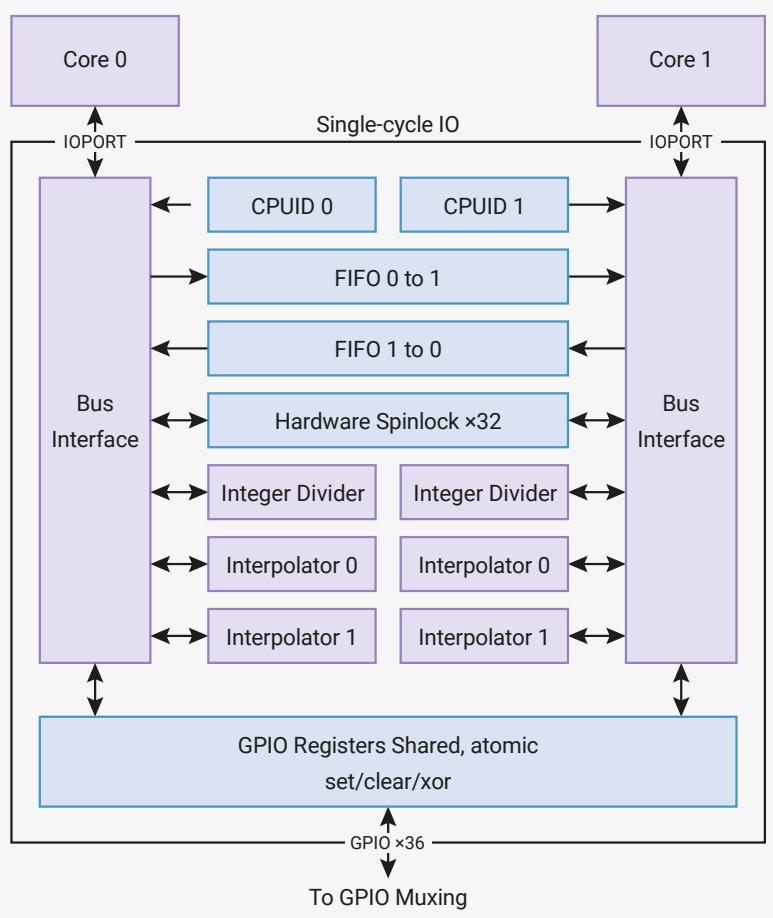
flowchart
graph TD
    A["Core 0"] -->|IOPORT| B["Bus Interface"]
    C["Core 1"] -->|IOPORT| D["Bus Interface"]
    B --> E["CPUID 0"]
    B --> F["CPUID 1"]
    E --> G["FIFO 0 to 1"]
    F --> H["FIFO 1 to 0"]
    G --> I["Hardware Spinlock ×32"]
    H --> I
    I --> J["Integer Divider"]
    I --> K["Integer Divider"]
    J --> L["Interpolator 0"]
    J --> M["Interpolator 1"]
    K --> N["Interpolator 0"]
    K --> O["Interpolator 1"]
    L --> P["GPIO Registers Shared, atomic set/clear/xor"]
    M --> P
    N --> P
    O --> P
    P --> Q["GPIO ×36"]
    Q --> R["To GPIO Muxing"]
    style A fill:#f9f,stroke:#333
    style C fill:#f9f,stroke:#333
    style B fill:#ccf,stroke:#333
    style D fill:#ccf,stroke:#333
All IOPORT reads and writes (and therefore all SIO accesses) take place in exactly one cycle, unlike the main AHB-Lite system bus, where the Cortex-M0+ requires two cycles for a load or store, and may have to wait longer due to contention from other system bus masters. This is vital for interfaces such as GPIO, which have tight timing requirements.
SIO registers are mapped to word-aligned addresses in the range 0xd0000000…0xd000017c. The remainder of the IOPORT space is reserved for future use.
The SIO peripherals are described in more detail in the following sections.
2.3.1.1. CPUID
The register CPUID is the first register in the IOPORT space. Core 0 reads a value of 0 when accessing this address, and core 1 reads a value of 1. This is a convenient method for software to determine on which core it is running. This is checked during the initial boot sequence: both cores start running simultaneously, core 1 goes into a deep sleep state, and core 0 continues with the main boot sequence.
IMPORTANT
CPUID should not be confused with the Cortex-M0+ CPUID register (Section 2.4.4.1.1) on each processor’s internal Private Peripheral Bus, which lists the processor’s part number and version.
2.3.1.2. GPIO Control
The processors have access to GPIO registers for fast and direct control of pins with GPIO functionality. There are two identical sets of registers:
• GPIO_x for direct control of IO bank 0 (user GPIOs 0 to 29, starting at the LSB)
• GPIO_HI_x for direct control of the QSPI IO bank (in the order SCLK, SSn, SD0, SD1, SD2, SD3, starting at the LSB)

NOTE
To drive a pin with the SIO’s GPIO registers, the GPIO multiplexer for this pin must first be configured to select the SIO GPIO function. See Table 279.
These GPIO registers are shared between the two cores, and both cores can access them simultaneously. There are three registers for each bank:
• Output registers, GPIO_OUT and GPIO_HI_OUT, are used to set the output level of the GPIO (1/0 for high/low)
• Output enable registers, GPIO_OE and GPIO_HI_OE, are used to enable the output driver. 0 for high-impedance, 1 for drive high/low based on GPIO_OUT and GPIO_HI_OUT.
• Input registers, GPIO_IN and GPIO_HI_IN, allow the processor to sample the current state of the GPIOs
Reading GPIO_IN returns all 30 GPIO values (or 6 for GPIO_HI_IN) in a single read. Software can then mask out individual pins it is interested in.
SDK: https://github.com/raspberrypi/pico-sdk/blob/master/src/rp2\_common/hardware\_gpio/include/hardware/gpio.h Lines 859 - 869
859 static inline bool gpio_get(uint gpio) {
860 #ifdef NUM_BANK0_GPIOS <= 32
861    return sio_hw->gpio_in & (1u << gpio);
862 #else
863    if (gpio < 32) {
864    return sio_hw->gpio_in & (1u << gpio);
865    } else {
866    return sio_hw->gpio_hi_in & (1u << (gpio - 32));
867    }
868 #endif
869 }
The OUT and OE registers also have atomic SET, CLR, and XOR aliases, which allows software to update a subset of the pins in one operation. This is vital not only for safe parallel GPIO access between the two cores, but also safe concurrent GPIO access in an interrupt handler and foreground code running on one core.
SDK: https://github.com/raspberrypi/pico-sdk/blob/master/src/rp2\_common/hardware\_gpio/include/hardware/gpio.h Lines 908 - 914
908 static inline void gpio_set_mask(uint32_t mask) {
909 #ifdef PICO_USE_GPIO_COPROCESSOR
910    gpio_clo_out_set(mask);
911 #else
912    sio_hw->gpio_set = mask;
913 #endif
914 }
SDK: https://github.com/raspberrypi/pico-sdk/blob/master/src/rp2\_common/hardware\_gpio/include/hardware/gpio.h Lines 955 - 961
955 static inline void gpio_clr_mask(uint32_t mask) {
956 #ifdef PICO_USE_GPIO_COPROCESSOR
957    gpio_clr(_mask);
958 #else
959    sio_hw->gpio_clr = mask;
960 #endif
961 }
SDK: https://github.com/raspberrypi/pico-sdk/blob/master/src/rp2\_common/hardware\_gpio/include/hardware/gpio.h Lines 1145 - 1170
1145 static inline void gpio_put(uint gpio, bool value) {
1146 #ifdef PICO_USE_GPIO_COPROCESSOR
1147    gpio_bit_out_put(gpio, value);
1148 #elif NUM_BANK0_GPIOS <= 32
1149    uint32_t mask = 1ul << gpio;
1150    if (value)
1151    gpio_set_mask(mask);
1152    else
1153    gpio_clr_mask(mask);
1154 #else
1155    uint32_t mask = 1ul << (gpio & 0x1fu);
1156    if (gpio < 32) {
1157    if (value) {
1158    sio_hw->gpio_set = mask;
1159    } else {
1160    sio_hw->gpio_clr = mask;
1161    }
1162    } else {
1163    if (value) {
1164    sio_hw->gpio_hi_set = mask;
1165    } else {
1166    sio_hw->gpio_hi_clr = mask;
1167    }
1168 }
1169 #endif
1170 }
If both processors write to an OUT or OE register (or any of its SET/CLR/XOR aliases) on the same clock cycle, the result is as though core 0 wrote first, and core 1 wrote immediately afterward. For example, if core 0 SETs a bit, and core 1 simultaneously XORs it, the bit will be set to 0, irrespective of it original value.
NOTE
This is a conceptual model for the result that is produced when two cores write to a GPIO register simultaneously. The register does not actually contain this intermediate value at any point. In the previous example, if the pin is initially 0, and core 0 performs a SET while core 1 performs a XOR, the GPIO output remains low without any positive glitch.
2.3.1.3. Hardware Spinlocks
The SIO provides 32 hardware spinlocks, which can be used to manage mutually-exclusive access to shared software resources. Each spinlock is a one-bit flag, mapped to a different address (from SPINLOCK0 to SPINLOCK31). Software interacts with each spinlock with one of the following operations:
• Read: attempt to claim the lock. Read value is nonzero if the lock was successfully claimed, or zero if the lock had already been claimed by a previous read.
• Write (any value): release the lock. The next attempt to claim the lock will be successful.
If both cores try to claim the same lock on the same clock cycle, core 0 succeeds.
Generally software will acquire a lock by repeatedly polling the lock bit ("spinning" on the lock) until it is successfully claimed. This is inefficient if the lock is held for long periods, so generally the spinlocks should be used to protect the short critical sections of higher-level primitives such as mutexes, semaphores and queues.
For debugging purposes, the current state of all 32 spinlocks can be observed via SPINLOCK_ST.
2.3.1.4. Inter-processor FIFOs (Mailboxes)
The SIO contains two FIFOs for passing data, messages or ordered events between the two cores. Each FIFO is 32 bits wide, and eight entries deep. One of the FIFOs can only be written by core 0, and read by core 1. The other can only be written by core 1, and read by core 0.
Each core writes to its outgoing FIFO by writing to FIFO_WR, and reads from its incoming FIFO by reading from FIFO_RD. A status register, FIFO_ST, provides the following status signals:
• Incoming FIFO contains data (VLD)
• Outgoing FIFO has room for more data (RDY)
• The incoming FIFO was read from while empty at some point in the past (ROE)
• The outgoing FIFO was written to while full at some point in the past (WOF)
Writing to the outgoing FIFO while full, or reading from the incoming FIFO while empty, does not affect the FIFO state. The current contents and level of the FIFO is preserved. However, this does represent some loss of data or reception of invalid data by the software accessing the FIFO, so a sticky error flag is raised (ROE or WOF).
The SIO has a FIFO IRQ output for each core, mapped to system IRQ numbers 15 and 16. Each IRQ output is the logical OR of the VLD, ROE and WOF bits in that core’s FIFO_ST register: that is, the IRQ is asserted if any of these three bits is high, and clears again when they are all low. The ROE and WOF flags are cleared by writing any value to FIFO_ST, and the VLD flag is cleared by reading data from the FIFO until empty.
If the corresponding interrupt line is enabled in the Cortex-M0+ NVIC, then the processor will take an interrupt each time data appears in its FIFO, or if it has performed some invalid FIFO operation (read on empty, write on full). Typically Core 0 will use IRQ15 and core 1 will use IRQ16. If the IRQs are used the other way round then it is difficult for the core that has been interrupted to correctly identify the reason for the interrupt as the core doesn’t have access to the other core’s FIFO status register.
NOTE
ROE and WOF only become set if software misbehaves in some way. Generally, the interrupt handler will trigger when data appears in the FIFO (raising the VLD flag), and the interrupt handler clears the IRQ by reading data from the FIFO until VLD goes low once more.
The inter-processor FIFOs and the Cortex-M0+ Event signals are used by the bootrom (Section 2.8) wait_for_vector routine, where core 1 remains in a sleep state until it is woken, and provided with its initial stack pointer, entry point and vector table through the FIFO.
2.3.1.5. Integer Divider
The SIO provides one 8-cycle signed/unsigned divide/modulo module to each of the cores. Calculation is started by writing a dividend and divisor to the two argument registers, DIVIDEND and DIVISOR. The divider calculates the quotient / and remainder % of this division over the next 8 cycles, and on the 9th cycle the results can be read from the two result registers DIV_QUOTIENT and DIV_REMAINDER. A 'ready' bit in register DIV_CSR can be polled to wait for the calculation to complete, or software can insert a fixed 8-cycle delay.
SDK: https://github.com/raspberrypi/pico-sdk/blob/master/src/rp2\_common/hardware\_divider/divider.S Lines 12 - 16
12 regular_func_with_section hw_divider_divmod_s32
13 ldr r3, = (SIO_BASE)
14 str r0, [r3, #SIO_DIV_SDIVIDEND_OFFSET]
15 str r1, [r3, #SIO_DIV_SDIVISOR_OFFSET]
16 b hw_divider_divmod_return

NOTE
Software is free to perform other non-divider operations during these 8 cycles.
There are two aliases of the operand registers: writing to the signed alias (DIV_SDIVIDEND and DIV_SDIVISOR) will initiate a signed calculation, and the other (DIV_UDIVIDEND and DIV_UDIVISOR) will initiate an unsigned calculation.
SDK: https://github.com/raspberrypi/pico-sdk/blob/master/src/rp2\_common/hardware\_divider/divider.S Lines 20 - 24
20 regular_func_with_section hw_divider_divmod_u32
21 ldr r3, = (SIO_BASE)
22 str r0, [r3, #SIO_DIV_UDIVIDEND_OFFSET]
23 str r1, [r3, #SIO_DIV_UDIVISOR_OFFSET]
24 b hw_divider_divmod_return

NOTE
A new calculation begins immediately with every write to an operand register, and a new operand write immediately squashes any calculation currently in progress. For example, when dividing many numbers by the same divisor, only xDIVISOR needs to be written, and the signedness of each calculation is determined by whether SDIVIDEND or UDIVIDEND is written.
To support save and restore on interrupt handler entry/exit (or on e.g. an RTOS context switch), the result registers are also writable. Writing to a result register will cancel any operation in progress at the time. The DIV_CSR.DIRTY flag can help make save/restore more efficient: this flag is set when any divider register (operand or result) is written to, and cleared when the quotient is read.

NOTE
When enabled, the default divider AEABI support maps C level / and % to the hardware divider. When building software using the SDK and using the divider directly, it is important to read the quotient register last. This ensures the partial divider state will be correctly saved and restored by any interrupt code that uses the divider. You should read the quotient register whether you need the value or not.
The SDK module pico_divider https://github.com/raspberrypi/pico-sdk/blob/master/src/common/ pico_divider_headers/include/pico/divider.h provides both the AEABI implementation needed to hook the C / and % operators for both 32-bit and 64-bit integer division, as well as some additional C functions that return quotients and remainders at the same time. All of these functions correctly save and restore the hardware divider state (when dirty) so that they can be used in either user or IRQ handler code.
The SDK module hardware_divider https://github.com/raspberrypi/pico-sdk/blob/master/src/rp2\_common/ hardware_divider/include/hardware/divider.h provides lower level macros and helper functions for accessing the hardware_divider, but these do not save and restore the hardware divider state (although this header does provide separate functions to do so).
2.3.1.6. Interpolator
Each core is equipped with two interpolators (INTERP0 and INTERP1) which can accelerate tasks by combining certain preconfigured operations into a single processor cycle. Intended for cases where the pre-configured operation is repeated many times, this results in code which uses both fewer CPU cycles and fewer CPU registers in the time-critical sections of the code.
The interpolators are used to accelerate audio operations within the SDK, but their flexible configuration makes it possible to optimise many other tasks such as quantization and dithering, table lookup address generation, affine texture mapping, decompression and linear feedback.
Figure 8. An interpolator. The two accumulator registers and three base registers have singlecycle read/write access from the processor. The interpolator is organised into two lanes, which perform masking, shifting and sign-extension operations on the two accumulators. This produces three possible results, by adding the intermediate shift/mask values to the three base registers. From left to right, the multiplexers on each lane are controlled by the following flags in the CTRL registers: CROSS_RESULT, CROSS_INPUT, SIGNED, ADD_RAW.
flowchart
graph TD
    A["Result 0"] --> B["0"]
    C["Result 1"] --> D["1"]
    B --> E["Accumulator 0"]
    D --> F["Accumulator 1"]
    E --> G["0"]
    F --> H["0"]
    G --> I["Right Shift"]
    H --> J["Mask"]
    I --> K["Sign-extend fromMask"]
    J --> L["1"]
    K --> M["0"]
    L --> N["1"]
    M --> O["+"]
    N --> P["0"]
    Q["Result 0"] --> R["1"]
    S["Result 1"] --> T["0"]
    U["Result 2"] --> V["1"]
    W["Result 1"] --> X["0"]
    Y["Result 2"] --> Z["1"]
    AA["Result 0"] --> AB["1"]
    AC["Result 1"] --> AD["0"]
    AE["Result 2"] --> AF["1"]
The processor can write or read any interpolator register in one cycle, and the results are ready on the next cycle. The processor can also perform an addition on one of the two accumulators ACCUM0 or ACCUM1 by writing to the corresponding ACCUMx_ADD register.
The three results are available in the read-only locations PEEK0, PEEK1, PEEK2. Reading from these locations does not change the state of the interpolator. The results are also aliased at the locations POP0, POP1, POP2; reading from a POPx alias returns the same result as the corresponding PEEKx, and simultaneously writes back the lane results to the accumulators. This can be used to advance the state of interpolator each time a result is read.
Additionally the interpolator supports simple fractional blending between two values as well as clamping values such that they lie within a given range.
The following example shows a trivial example of popping a lane result to produce simple iterative feedback.
Pico Examples: https://github.com/raspberrypi/pico-examples/blob/master/interp/hello\_interp/hello\_interp.c Lines 11 - 23
void times_table() {
    puts("9 times table:");
    // Initialise lane 0 on interp0 on this core
    interp_config cfg = interp_default_config();
    interp_set_config(interp0, 0, &cfg);
    interp0->accum[0] = 0;
    interp0->base[0] = 9;
    for (int i = 0; i < 10; ++i)
    printf("%d\n", interp0->pop[0]);
}
NOTE
By sheer coincidence, the interpolators are extremely well suited to SNES MODE7-style graphics routines. For example, on each core, INTERP0 can provide a stream of tile lookups for some affine transform, and INTERP1 can provide offsets into the tiles for the same transform.
2.3.1.6.1. Lane Operations
Figure 9. Each lane of each interpolator can be configured to perform mask, shift and sign-extension on one of the accumulators. This is fed into adders which produces final results, which may optionally be fed back into the accumulators with each read. The datapath can be configured using a handful of 32-bit multiplexers. From left to right, these are controlled by the following CTRL flags: CROSS_RESULT, CROSS_INPUT, SIGNED, ADD_RAW.
flowchart
graph LR
    A["Result 0"] --> B["0"]
    C["Result 1"] --> D["1"]
    B --> E["Accumulator 0"]
    D --> F["Accumulator 1"]
    E --> G["0"]
    F --> H["0"]
    G --> I["1"]
    H --> J["Right Shift"]
    I --> J
    J --> K["Mask"]
    K --> L["Sign-extend fromMask"]
    L --> M["1"]
    M --> N["0"]
    N --> O["1"]
    O --> P["Add to BASE1 (for PEEK0/POP0)"]
    N --> Q["Add to BASE2 (forms part of PEEK2/POP2)"]
Each lane performs these three operations, in sequence:
• A right shift by CTRL_LANEx_SHIFT (0 to 31 bits)
• A mask of bits from CTRL_LANEx_MASK_LSB to CTRL_LANEx_MASK_MSB inclusive (each ranging from bit 0 to bit 31)
• A sign extension from the top of the mask, i.e. take bit CTRL_LANEx_MASK_MSB and OR it into all more-significant bits, if CTRL_LANEx_SIGNED is set
For example, if:
• ACCUM0 = 0xdeadbeef
• CTRL_LANE0_SHIFT = 8
• CTRL_LANE0_MASK_LSB = 4
• CTRL_LANE0_MASK_MSB = 7
• CTRL_SIGNED = 1
Then lane 0 would produce the following results at each stage:
• Right shift by 8 to produce 0x00deadbe
• Mask bits 7 to 4 to produce 0x00deadbe & 0x000000f0 = 0x000000b0
• Sign-extend up from bit 7 to produce 0xffffffb0
In software:
Pico Examples: https://github.com/raspberrypi/pico-examples/blob/master/interp/hello\_interp/hello\_interp.c Lines 25 - 46
void moving_mask() {
    interp_config cfg = interp_default_config();
    interp0->accum[0] = 0x1234abcd;

    puts("Masking:");
    printf("ACCUM0 = %08x\n", interp0->accum[0]);
    for (int i = 0; i < 8; ++i) {
    // LSB, then MSB. These are inclusive, so 0,31 means "the entire 32 bit register"
    interp_config_set_mask(&cfg, i * 4, i * 4 + 3);
    interp_set_config(interp0, 0, &cfg);
    // Reading from ACCUMx_ADD returns the raw lane shift and mask value, without BASEx added
    printf("Nibble %d: %08x\n", i, interp0->add_raw[0]);
    }

    puts("Masking with sign extension:");
    interp_config_set_signed(&cfg, true);
    for (int i = 0; i < 8; ++i) {
    interp_config_set_mask(&cfg, i * 4, i * 4 + 3);
    interp_set_config(interp0, 0, &cfg);
    printf("Nibble %d: %08x\n", i, interp0->add_raw[0]);
    }
}
The above example should print:
ACCUM0 = 1234abcd
Nibble 0: 0000000d
Nibble 1: 000000c0
Nibble 2: 00000b00
Nibble 3: 0000a000
Nibble 4: 00040000
Nibble 5: 00300000
Nibble 6: 02000000
Nibble 7: 10000000
Masking with sign extension:
Nibble 0: ffffffffd
Nibble 1: fffffffc0
Nibble 2: ffffffb00
Nibble 3: ffffa000
Nibble 4: 00040000
Nibble 5: 00300000
Nibble 6: 02000000
Nibble 7: 10000000
Changing the result and input multiplexers can create feedback between the accumulators. This is useful e.g. for audio dithering.
Pico Examples: https://github.com/raspberrypi/pico-examples/blob/master/interp/hello\_interp/hello\_interp.c Lines 48 - 66
48 void cross_lanes() {
49    interp_config cfg = interp_default_config();
50    interp_config_set_cross_result(&cfg, true);
51    // ACCUM0 gets lane 1 result:
52    interp_set_config(interp0, 0, &cfg);
53    // ACCUM1 gets lane 0 result:
54    interp_set_config(interp0, 1, &cfg);
55
56    interp0->accum[0] = 123;
57    interp0->accum[1] = 456;
58    interp0->base[0] = 1;
59    interp0->base[1] = 0;
60    puts("Lane result crossover:");
61    for (int i = 0; i < 10; ++i) {
62    uint32_t peek0 = interp0->peek[0];
63    uint32_t pop1 = interp0->pop[1];
64    printf("PEEK0, POP1: %d, %d\n", peek0, pop1);
65    }
66 }
This should print:
PEEK0, POP1: 124, 456
PEEK0, POP1: 457, 124
PEEK0, POP1: 125, 457
PEEK0, POP1: 458, 125
PEEK0, POP1: 126, 458
PEEK0, POP1: 459, 126
PEEK0, POP1: 127, 459
PEEK0, POP1: 460, 127
PEEK0, POP1: 128, 460
PEEK0, POP1: 461, 128
2.3.1.6.2. Blend Mode
Blend mode is available on INTERP0 on each core, and is enabled by the CTRL_LANE0_BLEND control flag. It performs linear interpolation, which we define as follows:
$$
x = x _ {0} + \alpha (x _ {1} - x _ {0}), \mathrm{for} 0 \leq \alpha < 1
$$
Where is the register BASE0, is the register BASE1, and is a fractional value formed from the least significant 8 bits of the lane 1 shift and mask value.
Blend mode has the following differences from normal mode:
• PEEK0, POP0 return the 8-bit alpha value (the 8 LSBs of the lane 1 shift and mask value), with zeroes in result bits 31 down to 24.
• PEEK1, POP1 return the linear interpolation between BASE0 and BASE1
• PEEK2, POP2 do not include lane 1 result in the addition (i.e. it is BASE2 + lane 0 shift and mask value)
The result of the linear interpolation is equal to BASE0 when the alpha value is 0, and equal to BASE0 + 255/256 * (BASE1 - BASE0) when the alpha value is all-ones.
Pico Examples: https://github.com/raspberrypi/pico-examples/blob/master/interp/hello\_interp/hello\_interp.c Lines 68 - 87
void simple_blend1() {
    puts("Simple blend 1:");
    interp_config cfg = interp_default_config();
    interp_config_set_blend(&cfg, true);
    interp_set_config(interp0, 0, &cfg);
    cfg = interp_default_config();
    interp_set_config(interp0, 1, &cfg);
    interp0->base[0] = 500;
    interp0->base[1] = 1000;
    for (int i = 0; i <= 6; i++) {
    // set fraction to value between 0 and 255
    interp0->accum[1] = 255 * i / 6;
    // ≈ 500 + (1000 - 500) * i / 6;
    printf("%d\n", (int) interp0->peek[1]);
    }
}
This should print (note the 255/256 resulting in 998 not 1000):
500
582
666
748
832
914
998
CTRL_LANE1_SIGNED controls whether BASE0 and BASE1 are sign-extended for this interpolation (this sign extension is required because the interpolation produces an intermediate product value 40 bits in size). CTRL_LANE0_SIGNED continues to control the sign extension of the lane 0 intermediate result in PEEK2, POP2 as normal.
Pico Examples: https://github.com/raspberrypi/pico-examples/blob/master/interp/hello\_interp/hello\_interp.c Lines 90 - 121
void print_simple_blend2_results(bool is_signed) {
    // lane 1 signed flag controls whether base 0/1 are treated as signed or unsigned
    interp_config cfg = interp_default_config();
    interp_config_set_signed(&cfg, is_signed);
    interp_set_config(interp0, 1, &cfg);

    for (int i = 0; i <= 6; i++) {
    interp0->accum[1] = 255 * i / 6;
    if (is_signed) {
    printf("%d\n", (int) interp0->peek[1]);
    } else {
    printf("0x%08x\n", (uint) interp0->peek[1]);
    }
    }
}

void simple_blend2() {
    puts("Simple blend 2:");
    interp_config cfg = interp_default_config();
    interp_config_set_blend(&cfg, true);
    interp_set_config(interp0, 0, &cfg);

    interp0->base[0] = (uint32_t) -1000;
    interp0->base[1] = 1000;

    puts("signed:");
    print_simple_blend2_results(true);

    puts("unsigned:");
    print_simple_blend2_results(false);
}
This should print:
signed:
-1000
-672
-336
-8
328
656
992
unsigned:
0xfffffc18
0xd5fffd60
0xaafffeb0
0x80fffff8
0x56000148
0x2c000290
0x010003e0
Finally, in blend mode when using the BASE_1AND0 register to send a 16-bit value to each of BASE0 and BASE1 with a single 32-bit write, the sign-extension of these 16-bit values to full 32-bit values during the write is controlled by CTRL_LANE1_SIGNED for both bases, as opposed to non-blend-mode operation, where CTRL_LANE0_SIGNED affects extension into BASE0 and CTRL_LANE1_SIGNED affects extension into BASE1.
Pico Examples: https://github.com/raspberrypi/pico-examples/blob/master/interp/hello\_interp/hello\_interp.c Lines 124 - 145
124 void simple_blend3() {
125 puts("Simple blend 3:");
126
127 interp_config cfg = interp_default_config();
128 interp_config_set_blend(&cfg, true);
129 interp_set_config(interp0, 0, &cfg);
130
131 cfg = interp_default_config();
132 interp_set_config(interp0, 1, &cfg);
133
134 interp0->accum[1] = 128;
135 interp0->base01 = 0x30005000;
136 printf("0x%08x\n", (int) interp0->peek[1]);
137 interp0->base01 = 0xe000f000;
138 printf("0x%08x\n", (int) interp0->peek[1]);
139
140 interp_config_set_signed(&cfg, true);
141 interp_set_config(interp0, 1, &cfg);
142
143 interp0->base01 = 0xe000f000;
144 printf("0x%08x\n", (int) interp0->peek[1]);
145 }
This should print:
0x00004000
0x0000e800
0xfffffe800
2.3.1.6.3. Clamp Mode
Clamp mode is available on INTERP1 on each core, and is enabled by the CTRL_LANE0_CLAMP control flag. In clamp mode, the PEEK0/POP0 result is the lane value (shifted, masked, sign-extended ACCUM0) clamped between BASE0 and BASE1. In other words, if the lane value is greater than BASE1, a value of BASE1 is produced; if less than BASE0, a value of BASE0 is produced; otherwise, the value passes through. No addition is performed. The signedness of these comparisons is controlled by the CTRL_LANE0_SIGNED flag.
Other than this, the interpolator behaves the same as in normal mode.
Pico Examples: https://github.com/raspberrypi/pico-examples/blob/master/interp/hello\_interp/hello\_interp.c Lines 193 - 211
193 void clamp() {
194 puts("Clamp:");
195 interp_config cfg = interp_default_config();
196 interp_config_set_clamp(&cfg, true);
197 interp_config_set_shift(&cfg, 2);
198 // set mask according to new position of sign bit..
199 interp_config_set_mask(&cfg, 0, 29);
200 // ...so that the shifted value is correctly sign extended
201 interp_config_set_signed(&cfg, true);
202 interp_set_config(interp1, 0, &cfg);
203
204 interp1->base[0] = 0;
205 interp1->base[1] = 255;
206
207 for (int i = -1024; i <= 1024; i += 256) {
208    interp1->accum[0] = i;
209    printf("%d\t%d\n", i, (int) interp1->peek[0]);
210 }
211 }
This should print:
-1024 0
-768 0
-512 0
-256 0
0 0
256 64
512 128
768 192
1024 255
2.3.1.6.4. Sample Use Case: Linear Interpolation
Linear interpolation is a more complete example of using blend mode in conjunction with other interpolator functionality:
In this example, ACCUM0 is used to track a fixed point (integer/fraction) position within a list of values to be interpolated. Lane 0 is used to produce an address into the value array for the integer part of the position. The fractional part of the position is shifted to produce a value from 0-255 for the blend. The blend is performed between two consecutive values in the array.
Finally the fractional position is updated via a single write to ACCUM0_ADD_RAW.
Pico Examples: https://github.com/raspberrypi/pico-examples/blob/master/interp/hello\_interp/hello\_interp.c Lines 147 - 191
void linear_interpolation() {
    puts("Linear interpolation:");
    const int uv_fractional_bits = 12;
    // for lane 0
    // shift and mask XXXX XXXX XXXX XXXX XXXX FFFF FFFF FFFF (accum 0)
    // to    0000 0000 000X XXXX XXXX XXXX XXX0
    // i.e. non fractional part times 2 (for uint16_t)
    interp_config cfg = interp_default_config();
    interp_config_set_shift(&cfg, uv_fractional_bits - 1);
    interp_config_set_mask(&cfg, 1, 32 - uv_fractional_bits);
    interp_config_set_blend(&cfg, true);
    interp_set_config(interp0, 0, &cfg);

    // for lane 1
    // shift XXXX XXXX XXXX XXXX XXXX FFFF FFFF FFFF (accum 0 via cross input)
    // to    0000 XXXX XXXX XXXX XXXF FFFF FFFF

    cfg = interp_default_config();
    interp_config_set_shift(&cfg, uv_fractional_bits - 8);
    interp_config_set_signed(&cfg, true);
    interp_config_set_cross_input(&cfg, true); // signed blending
    interp_set_config(interp0, 1, &cfg);

    int16_t samples[] = {0, 10, -20, -1000, 500};

    // step is 1/4 in our fractional representation
uint step = (1 << uv_fractional_bits) / 4;
interp0->accum[0] = 0; // initial sample_offset;
interp0->base[2] = (uintptr_t) samples;
for (int i = 0; i < 16; i++) {
    // result2 = samples + (lane0 raw result)
    // i.e. ptr to the first of two samples to blend between
    int16_t *sample_pair = (int16_t *) interp0->peek[2];
    interp0->base[0] = sample_pair[0];
    interp0->base[1] = sample_pair[1];
    uint32_t peek1 = interp0->peek[1];
    uint32_t add_raw1 = interp0->add_raw[1];
    printf("%d\t(%d%% between %d and %d)\n", (int) peek1,
    100 * (add_raw1 & 0xff) / 0xff,
    sample_pair[0], sample_pair[1]);
    interp0->add_raw[0] = step;
}
This should print:
0 (0% between 0 and 10)
2 (25% between 0 and 10)
5 (50% between 0 and 10)
7 (75% between 0 and 10)
10 (0% between 10 and -20)
2 (25% between 10 and -20)
-5 (50% between 10 and -20)
-13 (75% between 10 and -20)
-20 (0% between -20 and -1000)
-265 (25% between -20 and -1000)
-510 (50% between -20 and -1000)
-755 (75% between -20 and -1000)
-1000 (0% between -1000 and 500)
-625 (25% between -1000 and 500)
-250 (50% between -1000 and 500)
125 (75% between -1000 and 500)
This method is used for fast approximate audio upscaling in the SDK
2.3.1.6.5. Sample Use Case: Simple Affine Texture Mapping
Simple affine texture mapping can be implemented by using fixed point arithmetic for texture coordinates, and stepping a fixed amount in each coordinate for every pixel in a scanline. The integer part of the texture coordinates are used to form an address within the texture to lookup a pixel colour.
By using two lanes, all three base values and the CTRL_LANEx_ADD_RAW flag, it is possible to reduce what would be quite an expensive CPU operation to a single cycle iteration using the interpolator.
Pico Examples: https://github.com/raspberrypi/pico-examples/blob/master/interp/hello\_interp/hello\_interp.c Lines 214 - 272
214 void texture_mapping_setup(uint8_t *texture, uint texture_width_bits, uint texture_height_bits,
215    uint uv_fractional_bits) {
216    interp_config cfg = interp_default_config();
217    // set add_raw flag to use raw (un-shifted and un-masked) lane accumulator value when adding
218    // it to the lane base to make the lane result
219 interp_config_set_add_raw(&cfg, true);
220 interp_config_set_shift(&cfg, uv_fractional_bits);
221 interp_config_set_mask(&cfg, 0, texture_width_bits - 1);
222 interp_set_config(interp0, 0, &cfg);
223
224 interp_config_set_shift(&cfg, uv_fractional_bits - texture_width_bits);
225 interp_config_set_mask(&cfg, texture_width_bits, texture_width_bits + texture_height_bits - 1);
226 interp_set_config(interp0, 1, &cfg);
227
228 interp0->base[2] = (uintptr_t) texture;
229 }
230
231 void texture_mapped_span(uint8_t *output, uint32_t u, uint32_t v, uint32_t du, uint32_t dv, uint count) {
232    // u, v are texture coordinates in fixed point with uv_fractional_bits fractional bits
233    // du, dv are texture coordinate steps across the span in same fixed point.
234    interp0->accum[0] = u;
235    interp0->base[0] = du;
236    interp0->accum[1] = v;
237    interp0->base[1] = dv;
238    for (uint i = 0; i < count; i++) {
239    // equivalent to
240    // uint32_t sm_result0 = (accum0 >> uv_fractional_bits) & (1 << (texture_width_bits - 1);
241    // uint32_t sm_result1 = (accum1 >> uv_fractional_bits) & (1 << (texture_height_bits - 1);
242    // uint8_t *address = texture + sm_result0 + (sm_result1 << texture_width_bits);
243    // output[i] = *address;
244    // accum0 = du + accum0;
245    // accum1 = dv + accum1;
246
247    // result2 is the texture address for the current pixel;
248    // popping the result advances to the next iteration
249    output[i] = *(uint8_t *) interp0->pop[2];
250    }
251 }
252
253 void texture_mapping() {
254    puts("Affine Texture mapping (with texture wrap):");
255
256    uint8_t texture[] = {
257    0x00, 0x01, 0x02, 0x03,
258    0x10, 0x11, 0x12, 0x13,
259    0x20, 0x21, 0x22, 0x23,
260    0x30, 0x31, 0x32, 0x33,
261    };
262    // 4x4 texture
263    texture_mapping_setup(texture, 2, 2, 16);
264    uint8_t output[12];
265    uint32_t du = 65536 / 2; // step of 1/2
266    uint32_t dv = 65536 / 3; // step of 1/3
267    texture_mapped_span(output, 0, 0, du, dv, 12);
268
269    for (uint i = 0; i < 12; i++) {
270    printf("0x%02x\n", output[i]);
271    }
272 }
This should print:
0x00
0x00
0x01
0x01
0x12
0x12
0x13
0x23
0x20
0x20
0x31
0x31
2.3.1.7. List of Registers
The SIO registers start at a base address of 0xd0000000 (defined as SIO_BASE in SDK).
Table 16. List of SIO registers
| Offset | Name | Info |
| 0x000 | CPUID | Processor core identifier |
| 0x004 | GPIO_IN | Input value for GPIO pins |
| 0x008 | GPIO_HI_IN | Input value for QSPI pins |
| 0x010 | GPIO_OUT | GPIO output value |
| 0x014 | GPIO_OUT_SET | GPIO output value set |
| 0x018 | GPIO_OUT_CLR | GPIO output value clear |
| 0x01c | GPIO_OUT_XOR | GPIO output value XOR |
| 0x020 | GPIO_OE | GPIO output enable |
| 0x024 | GPIO_OE_SET | GPIO output enable set |
| 0x028 | GPIO_OE_CLR | GPIO output enable clear |
| 0x02c | GPIO_OE_XOR | GPIO output enable XOR |
| 0x030 | GPIO_HI_OUT | QSPI output value |
| 0x034 | GPIO_HI_OUT_SET | QSPI output value set |
| 0x038 | GPIO_HI_OUT_CLR | QSPI output value clear |
| 0x03c | GPIO_HI_OUT_XOR | QSPI output value XOR |
| 0x040 | GPIO_HI_OE | QSPI output enable |
| 0x044 | GPIO_HI_OE_SET | QSPI output enable set |
| 0x048 | GPIO_HI_OE_CLR | QSPI output enable clear |
| 0x04c | GPIO_HI_OE_XOR | QSPI output enable XOR |
| 0x050 | FIFO_ST | Status register for inter-core FIFOs (mailboxes). |
| 0x054 | FIFO_WR | Write access to this core's TX FIFO |
| 0x058 | FIFO_RD | Read access to this core's RX FIFO |
| 0x05c | SPINLOCK_ST | Spinlock state |
| 0x060 | DIV_UDIVIDEND | Divider unsigned dividend |
| 0x064 | DIV_UDIVISOR | Divider unsigned divisor |
| 0x068 | DIV_SDIVIDEND | Divider signed dividend |
| 0x06c | DIV_SDIVISOR | Divider signed divisor |
| 0x070 | DIV_QUOTIENT | Divider result quotient |
| 0x074 | DIV_REMAINDER | Divider result remainder |
| 0x078 | DIV_CSR | Control and status register for divider. |
| 0x080 | INTERP0_ACCUM0 | Read/write access to accumulator 0 |
| 0x084 | INTERP0_ACCUM1 | Read/write access to accumulator 1 |
| 0x088 | INTERP0_BASE0 | Read/write access to BASE0 register. |
| 0x08c | INTERP0_BASE1 | Read/write access to BASE1 register. |
| 0x090 | INTERP0_BASE2 | Read/write access to BASE2 register. |
| 0x094 | INTERP0_POP_LANE0 | Read LANE0 result, and simultaneously write lane results to both accumulators (POP). |
| 0x098 | INTERP0_POP_LANE1 | Read LANE1 result, and simultaneously write lane results to both accumulators (POP). |
| 0x09c | INTERP0_POP_FULL | Read FULL result, and simultaneously write lane results to both accumulators (POP). |
| 0x0a0 | INTERP0_PEEK_LANE0 | Read LANE0 result, without altering any internal state (PEEK). |
| 0x0a4 | INTERP0_PEEK_LANE1 | Read LANE1 result, without altering any internal state (PEEK). |
| 0x0a8 | INTERP0_PEEK_FULL | Read FULL result, without altering any internal state (PEEK). |
| 0x0ac | INTERP0_CTRL_LANE0 | Control register for lane 0 |
| 0x0b0 | INTERP0_CTRL_LANE1 | Control register for lane 1 |
| 0x0b4 | INTERP0_ACCUM0_ADD | Values written here are atomically added to ACCUM0 |
| 0x0b8 | INTERP0_ACCUM1_ADD | Values written here are atomically added to ACCUM1 |
| 0x0bc | INTERP0_BASE_1AND0 | On write, the lower 16 bits go to BASE0, upper bits to BASE1 simultaneously. |
| 0x0c0 | INTERP1_ACCUM0 | Read/write access to accumulator 0 |
| 0x0c4 | INTERP1_ACCUM1 | Read/write access to accumulator 1 |
| 0x0c8 | INTERP1_BASE0 | Read/write access to BASE0 register. |
| 0x0cc | INTERP1_BASE1 | Read/write access to BASE1 register. |
| 0x0d0 | INTERP1_BASE2 | Read/write access to BASE2 register. |
| 0x0d4 | INTERP1_POP_LANE0 | Read LANE0 result, and simultaneously write lane results to both accumulators (POP). |
| 0x0d8 | INTERP1_POP_LANE1 | Read LANE1 result, and simultaneously write lane results to both accumulators (POP). |
| 0x0dc | INTERP1_POP_FULL | Read FULL result, and simultaneously write lane results to both accumulators (POP). |
| 0x0e0 | INTERP1_PEEK_LANE0 | Read LANE0 result, without altering any internal state (PEEK). |
| 0x0e4 | INTERP1_PEEK_LANE1 | Read LANE1 result, without altering any internal state (PEEK). |
| 0x0e8 | INTERP1_PEEK_FULL | Read FULL result, without altering any internal state (PEEK). |
| 0x0ec | INTERP1_CTRL_LANE0 | Control register for lane 0 |
| 0x0f0 | INTERP1_CTRL_LANE1 | Control register for lane 1 |
| 0x0f4 | INTERP1_ACCUM0_ADD | Values written here are atomically added to ACCUM0 |
| 0x0f8 | INTERP1_ACCUM1_ADD | Values written here are atomically added to ACCUM1 |
| 0x0fc | INTERP1_BASE_1AND0 | On write, the lower 16 bits go to BASE0, upper bits to BASE1 simultaneously. |
| 0x100 | SPINLOCK0 | Spinlock register 0 |
| 0x104 | SPINLOCK1 | Spinlock register 1 |
| 0x108 | SPINLOCK2 | Spinlock register 2 |
| 0x10c | SPINLOCK3 | Spinlock register 3 |
| 0x110 | SPINLOCK4 | Spinlock register 4 |
| 0x114 | SPINLOCK5 | Spinlock register 5 |
| 0x118 | SPINLOCK6 | Spinlock register 6 |
| 0x11c | SPINLOCK7 | Spinlock register 7 |
| 0x120 | SPINLOCK8 | Spinlock register 8 |
| 0x124 | SPINLOCK9 | Spinlock register 9 |
| 0x128 | SPINLOCK10 | Spinlock register 10 |
| 0x12c | SPINLOCK11 | Spinlock register 11 |
| 0x130 | SPINLOCK12 | Spinlock register 12 |
| 0x134 | SPINLOCK13 | Spinlock register 13 |
| 0x138 | SPINLOCK14 | Spinlock register 14 |
| 0x13c | SPINLOCK15 | Spinlock register 15 |
| 0x140 | SPINLOCK16 | Spinlock register 16 |
| 0x144 | SPINLOCK17 | Spinlock register 17 |
| 0x148 | SPINLOCK18 | Spinlock register 18 |
| 0x14c | SPINLOCK19 | Spinlock register 19 |
| 0x150 | SPINLOCK20 | Spinlock register 20 |
| 0x154 | SPINLOCK21 | Spinlock register 21 |
| 0x158 | SPINLOCK22 | Spinlock register 22 |
| 0x15c | SPINLOCK23 | Spinlock register 23 |
| 0x160 | SPINLOCK24 | Spinlock register 24 |
| 0x164 | SPINLOCK25 | Spinlock register 25 |
| 0x168 | SPINLOCK26 | Spinlock register 26 |
| 0x16c | SPINLOCK27 | Spinlock register 27 |
| 0x170 | SPINLOCK28 | Spinlock register 28 |
| 0x174 | SPINLOCK29 | Spinlock register 29 |
| 0x178 | SPINLOCK30 | Spinlock register 30 |
| 0x17c | SPINLOCK31 | Spinlock register 31 |
SIO: CPUID Register
Offset: 0x000
Description
Processor core identifier
Table 17. CPUID Register
| Bits | Description | Type | Reset |
| 31:0 | Value is 0 when read from processor core 0, and 1 when read from processor core 1. | RO | - |
SIO: GPIO_IN Register
Offset: 0x004
Description
Input value for GPIO pins
Table 18. GPIO_IN Register
| Bits | Description | Type | Reset |
| 31:30 | Reserved. | - | - |
| 29:0 | Input value for GPIO0...29 | RO | 0x00000000 |
SIO: GPIO_HI_IN Register
Offset: 0x008
Description
Input value for QSPI pins
Table 19. GPIO_HI_IN Register
| Bits | Description | Type | Reset |
| 31:6 | Reserved. | - | - |
| 5:0 | Input value on QSPI IO in order 0..5: SCLK, SSn, SD0, SD1, SD2, SD3 | RO | 0x00 |
SIO: GPIO_OUT Register
Offset: 0x010
Description
GPIO output value
Table 20. GPIO_OUT Register
| Bits | Description | Type | Reset |
| 31:30 | Reserved. | - | - |
| 29:0 | Set output level (1/0 → high/low) for GPIO0...29. Reading back gives the last value written, NOT the input value from the pins. If core 0 and core 1 both write to GPIO_OUT simultaneously (or to a SET/CLR/XOR alias), the result is as though the write from core 0 took place first, and the write from core 1 was then applied to that intermediate result. | RW | 0x00000000 |
SIO: GPIO_OUT_SET Register
Offset: 0x014
Description
GPIO output value set
Table 21. GPIO_OUT_SET Register
| Bits | Description | Type | Reset |
| 31:30 | Reserved. | - | - |
| 29:0 | Perform an atomic bit-set on GPIO_OUT, i.e. GPIO_OUT |= wdata | WO | 0x00000000 |
SIO: GPIO_OUT_CLR Register
Offset: 0x018
Description
GPIO output value clear
Table 22. GPIO_OUT_CLR Register
| Bits | Description | Type | Reset |
| 31:30 | Reserved. | - | - |
| 29:0 | Perform an atomic bit-clear on GPIO_OUT, i.e. GPIO_OUT &= ~wdata | WO | 0x00000000 |
SIO: GPIO_OUT_XOR Register
Offset: 0x01c
Description
GPIO output value XOR
Table 23. GPIO_OUT_XOR Register
| Bits | Description | Type | Reset |
| 31:30 | Reserved. | - | - |
| 29:0 | Perform an atomic bitwise XOR on GPIO_OUT, i.e. GPIO_OUT ^= wdata | WO | 0x00000000 |
SIO: GPIO_OE Register
Offset: 0x020
Description
GPIO output enable
Table 24. GPIO_OE Register
| Bits | Description | Type | Reset |
| 31:30 | Reserved. | - | - |
| 29:0 | Set output enable (1/0 → output/input) for GPIO0...29. Reading back gives the last value written. If core 0 and core 1 both write to GPIO_OE simultaneously (or to a SET/CLR/XOR alias), the result is as though the write from core 0 took place first, and the write from core 1 was then applied to that intermediate result. | RW | 0x00000000 |
SIO: GPIO_OE_SET Register
Offset: 0x024
Description
GPIO output enable set
| Table 25. |
| GPIO_OE_SET Register |
| Bits | Description | Type | Reset |
| 31:30 | Reserved. | - | - |
| 29:0 | Perform an atomic bit-set on GPIO_OE, i.e. GPIO_OE |= wdata | WO | 0x00000000 |
SIO: GPIO_OE_CLR Register
Offset: 0x028
Description
GPIO output enable clear
| Table 26. |
| GPIO_OE_CLR Register |
| Bits | Description | Type | Reset |
| 31:30 | Reserved. | - | - |
| 29:0 | Perform an atomic bit-clear on GPIO_OE, i.e. GPIO_OE &= ~wdata | WO | 0x00000000 |
SIO: GPIO_OE_XOR Register
Offset: 0x02c
Description
GPIO output enable XOR
| Table 27. |
| GPIO_OE_XOR |
| Register |
| Bits | Description | Type | Reset |
| 31:30 | Reserved. | - | - |
| 29:0 | Perform an atomic bitwise XOR on GPIO_OE, i.e. GPIO_OE ^= wdata | WO | 0x00000000 |
SIO: GPIO_HI_OUT Register
Offset: 0x030
Description
QSPI output value
| Table 28. |
| GPIO_HI_OUT Register |
| Bits | Description | Type | Reset |
| 31:6 | Reserved. | - | - |
| 5:0 | Set output level (1/0 → high/low) for QSPI IO0...5. Reading back gives the last value written, NOT the input value from the pins. If core 0 and core 1 both write to GPIO_HI_OUT simultaneously (or to a SET/CLR/XOR alias), the result is as though the write from core 0 took place first, and the write from core 1 was then applied to that intermediate result. | RW | 0x00 |
SIO: GPIO_HI_OUT_SET Register
Offset: 0x034
Description
QSPI output value set
Table 29. GPIO_HI_OUT_SET Register
| Bits | Description | Type | Reset |
| 31:6 | Reserved. | - | - |
| 5:0 | Perform an atomic bit-set on GPIO_HI_OUT, i.e. GPIO_HI_OUT |= wdata | WO | 0x00 |
SIO: GPIO_HI_OUT_CLR Register
Offset: 0x038
Description
QSPI output value clear
Table 30. GPIO_HI_OUT_CLR Register
| Bits | Description | Type | Reset |
| 31:6 | Reserved. | - | - |
| 5:0 | Perform an atomic bit-clear on GPIO_HI_OUT, i.e. GPIO_HI_OUT &= ~wdata | WO | 0x00 |
SIO: GPIO_HI_OUT_XOR Register
Offset: 0x03c
Description
QSPI output value XOR
Table 31. GPIO_HI_OUT_XOR Register
| Bits | Description | Type | Reset |
| 31:6 | Reserved. | - | - |
| 5:0 | Perform an atomic bitwise XOR on GPIO_HI_OUT, i.e. GPIO_HI_OUT ^= wdata | WO | 0x00 |
SIO: GPIO_HI_OE Register
Offset: 0x040
Description
QSPI output enable
Table 32. GPIO_HI_OE Register
| Bits | Description | Type | Reset |
| 31:6 | Reserved. | - | - |
| 5:0 | Set output enable (1/0 → output/input) for QSPI IO0...5. Reading back gives the last value written. If core 0 and core 1 both write to GPIO_HI_OE simultaneously (or to a SET/CLR/XOR alias), the result is as though the write from core 0 took place first, and the write from core 1 was then applied to that intermediate result. | RW | 0x00 |
SIO: GPIO_HI_OE_SET Register
Offset: 0x044
Description
QSPI output enable set
Table 33. GPIO_HI_OE_SET Register
| Bits | Description | Type | Reset |
| 31:6 | Reserved. | - | - |
| 5:0 | Perform an atomic bit-set on GPIO_HI_OE, i.e. GPIO_HI_OE |= wdata | WO | 0x00 |
SIO: GPIO_HI_OE_CLR Register
Offset: 0x048
Description
QSPI output enable clear
Table 34. GPIO_HI_OE_CLR Register
| Bits | Description | Type | Reset |
| 31:6 | Reserved. | - | - |
| 5:0 | Perform an atomic bit-clear on GPIO_HI_OE, i.e. GPIO_HI_OE &= ~wdata | WO | 0x00 |
SIO: GPIO_HI_OE_XOR Register
Offset: 0x04c
Description
QSPI output enable XOR
Table 35. GPIO_HI_OE_XOR Register
| Bits | Description | Type | Reset |
| 31:6 | Reserved. | - | - |
| 5:0 | Perform an atomic bitwise XOR on GPIO_HI_OE, i.e. GPIO_HI_OE ^= wdata | WO | 0x00 |
SIO: FIFO_ST Register
Offset: 0x050
Description
Status register for inter-core FIFOs (mailboxes).
There is one FIFO in the core 0 → core 1 direction, and one core 1 → core 0. Both are 32 bits wide and 8 words deep.
Core 0 can see the read side of the 1→0 FIFO (RX), and the write side of 0→1 FIFO (TX).
Core 1 can see the read side of the 0→1 FIFO (RX), and the write side of 1→0 FIFO (TX).
The SIO IRQ for each core is the logical OR of the VLD, WOF and ROE fields of its FIFO_ST register.
Table 36. FIFO_ST Register
| Bits | Description | Type | Reset |
| 31:4 | Reserved. | - | - |
| 3 | ROE: Sticky flag indicating the RX FIFO was read when empty. This read was ignored by the FIFO. | WC | 0x0 |
| 2 | WOF: Sticky flag indicating the TX FIFO was written when full. This write was ignored by the FIFO. | WC | 0x0 |
| 1 | RDY: Value is 1 if this core's TX FIFO is not full (i.e. if FIFO_WR is ready for more data) | RO | 0x1 |
| 0 | VLD: Value is 1 if this core's RX FIFO is not empty (i.e. if FIFO_RD is valid) | RO | 0x0 |
SIO: FIFO_WR Register
Offset: 0x054
Table 37. FIFO_WR Register
| Bits | Description | Type | Reset |
| 31:0 | Write access to this core's TX FIFO | WF | 0x00000000 |
SIO: FIFO_RD Register
Offset: 0x058
Table 38. FIFO_RD Register
| Bits | Description | Type | Reset |
| 31:0 | Read access to this core’s RX FIFO | RF | - |
SIO: SPINLOCK_ST Register
Offset: 0x05c
Table 39. SPINLOCK_ST Register
| Bits | Description | Type | Reset |
| 31:0 | Spinlock stateA bitmap containing the state of all 32 spinlocks (1=locked).Mainly intended for debugging. | RO | 0x00000000 |
SIO: DIV_UDIVIDEND Register
Offset: 0x060
Table 40. DIV_UDIVIDEND Register
| Bits | Description | Type | Reset |
| 31:0 | Divider unsigned dividendWrite to the DIVIDEND operand of the divider, i.e. the p in p / q.Any operand write starts a new calculation. The results appear in QUOTIENT, REMAINDER.UDIVIDEND/SDIVIDEND are aliases of the same internal register. The U alias starts an unsigned calculation, and the S alias starts a signed calculation. | RW | 0x00000000 |
SIO: DIV_UDIVISOR Register
Offset: 0x064
| Table 41. |
| DIV_UDIVISOR |
| Register |
| Bits | Description | Type | Reset |
| 31:0 | Divider unsigned divisorWrite to the DIVISOR operand of the divider, i.e. the q in p / q.Any operand write starts a new calculation. The results appear in QUOTIENT, REMAINDER.UDIVISOR/SDIVISOR are aliases of the same internal register. The U alias starts an unsigned calculation, and the S alias starts a signed calculation. | RW | 0x00000000 |
SIO: DIV_SDIVIDEND Register
Offset: 0x068
| Table 42. |
| DIV_SDIVIDEND |
| Register |
| Bits | Description | Type | Reset |
| 31:0 | Divider signed dividendThe same as UDIVIDEND, but starts a signed calculation, rather than unsigned. | RW | 0x00000000 |
SIO: DIV_SDIVISOR Register
Offset: 0x06c
| Table 43. |
| DIV_SDIVISOR |
| Register |
| Bits | Description | Type | Reset |
| 31:0 | Divider signed divisorThe same as UDIVISOR, but starts a signed calculation, rather than unsigned. | RW | 0x00000000 |
SIO: DIV_QUOTIENT Register
Offset: 0x070
| Table 44. |
| DIV_QUOTIENT |
| Register |
| Bits | Description | Type | Reset |
| 31:0 | Divider result quotientThe result of DIVIDEND / DIVISOR (division). Contents undefined while CSR_READY is low.For signed calculations, QUOTIENT is negative when the signs of DIVIDEND and DIVISOR differ.This register can be written to directly, for context save/restore purposes. This halts anyin-progress calculation and sets the CSR_READY and CSR_DIRTY flags.Reading from QUOTIENT clears the CSR_DIRTY flag, so should read results in the orderREMAINDER, QUOTIENT if CSR_DIRTY is used. | RW | 0x00000000 |
SIO: DIV_REMAINDER Register
Offset: 0x074
| Table 45. |
| DIV_REMAINDER |
| Register |
| Bits | Description | Type | Reset |
| 31:0 | Divider result remainderThe result of DIVIDEND % DIVISOR (modulo). Contents undefined while CSR_READY is low.For signed calculations, REMAINDER is negative only when DIVIDEND is negative.This register can be written to directly, for context save/restore purposes. This halts any in-progress calculation and sets the CSR_READY and CSR_DIRTY flags. | RW | 0x00000000 |
SIO: DIV_CSR Register
Offset: 0x078
Description
Control and status register for divider.
| Table 46. DIV_CSRRegister |
| Bits | Description | Type | Reset |
| 31:2 | Reserved. | - | - |
| 1 | DIRTY: Changes to 1 when any register is written, and back to 0 when QUOTIENT is read.Software can use this flag to make save/restore more efficient (skip if not DIRTY).If the flag is used in this way, it's recommended to either read QUOTIENT only, or REMAINDER and then QUOTIENT, to prevent data loss on context switch. | RO | 0x0 |
| 0 | READY: Reads as 0 when a calculation is in progress, 1 otherwise.Writing an operand (xDIVIDEND, xDIVISOR) will immediately start a new calculation, no matter if one is already in progress.Writing to a result register will immediately terminate any in-progress calculationand set the READY and DIRTY flags. | RO | 0x1 |
SIO: INTERP0_ACCUM0 Register
Offset: 0x080
| Table 47. |
| INTERP0_ACCUMO |
| Register |
| Bits | Description | Type | Reset |
| 31:0 | Read/write access to accumulator 0 | RW | 0x00000000 |
SIO: INTERP0_ACCUM1 Register
Offset: 0x084
| Table 48. |
| INTERP0_ACCUM1 |
| Register |
| Bits | Description | Type | Reset |
| 31:0 | Read/write access to accumulator 1 | RW | 0x00000000 |
SIO: INTERP0_BASE0 Register
Offset: 0x088
| Table 49. |
| INTERP0_BASE0 |
| Register |
| Bits | Description | Type | Reset |
| 31:0 | Read/write access to BASE0 register. | RW | 0x00000000 |
SIO: INTERP0_BASE1 Register
Offset: 0x08c
| Table 50. |
| INTERP0_BASE1 |
| Register |
| Bits | Description | Type | Reset |
| 31:0 | Read/write access to BASE1 register. | RW | 0x00000000 |
SIO: INTERP0_BASE2 Register
Offset: 0x090
| Table 51. |
| INTERP0_BASE2 |
| Register |
| Bits | Description | Type | Reset |
| 31:0 | Read/write access to BASE2 register. | RW | 0x00000000 |
SIO: INTERP0_POP_LANE0 Register
Offset: 0x094
| Table 52. |
| INTERP0_POP_LANE0 |
| Register |
| Bits | Description | Type | Reset |
| 31:0 | Read LANE0 result, and simultaneously write lane results to both accumulators (POP). | RO | 0x00000000 |
SIO: INTERP0_POP_LANE1 Register
Offset: 0x098
| Table 53. |
| INTERP0_POP_LANE1 |
| Register |
| Bits | Description | Type | Reset |
| 31:0 | Read LANE1 result, and simultaneously write lane results to both accumulators (POP). | RO | 0x00000000 |
SIO: INTERP0_POP_FULL Register
Offset: 0x09c
| Table 54. |
| INTERP0_POP_FULL |
| Register |
| Bits | Description | Type | Reset |
| 31:0 | Read FULL result, and simultaneously write lane results to both accumulators (POP). | RO | 0x00000000 |
SIO: INTERP0_PEEK_LANE0 Register
Offset: 0x0a0
| Table 55. |
| INTERP0_PEEK_LANE |
| 0 Register |
| Bits | Description | Type | Reset |
| 31:0 | Read LANE0 result, without altering any internal state (PEEK). | RO | 0x00000000 |
SIO: INTERP0_PEEK_LANE1 Register
Offset: 0x0a4
| Table 56. |
| INTERP0_PEEK_LANE |
| 1 Register |
| Bits | Description | Type | Reset |
| 31:0 | Read LANE1 result, without altering any internal state (PEEK). | RO | 0x00000000 |
SIO: INTERP0_PEEK_FULL Register
Offset: 0x0a8
| Table 57. |
| INTERP0_PEEK_FULL |
| Register |
| Bits | Description | Type | Reset |
| 31:0 | Read FULL result, without altering any internal state (PEEK). | RO | 0x00000000 |
SIO: INTERP0_CTRL_LANE0 Register
Offset: 0x0ac
Description
Control register for lane 0
| Table 58. |
| INTERP0_CTRL_LANE |
| 0 Register |
| Bits | Description | Type | Reset |
| 31:26 | Reserved. | - | - |
| 25 | OVERF: Set if either OVERF0 or OVERF1 is set. | RO | 0x0 |
| 24 | OVERF1: Indicates if any masked-off MSBs in ACCUM1 are set. | RO | 0x0 |
| 23 | OVERF0: Indicates if any masked-off MSBs in ACCUM0 are set. | RO | 0x0 |
| 22 | Reserved. | - | - |
| 21 | BLEND: Only present on INTERP0 on each core. If BLEND mode is enabled:- LANE1 result is a linear interpolation between BASE0 and BASE1, controlled by the 8 LSBs of lane 1 shift and mask value (a fractional number between 0 and 255/256ths)- LANE0 result does not have BASE0 added (yields only the 8 LSBs of lane 1 shift+mask value)- FULL result does not have lane 1 shift+mask value added (BASE2 + lane 0 shift+mask)LANE1 SIGNED flag controls whether the interpolation is signed or unsigned. | RW | 0x0 |
| 20:19 | FORCE_MSB: ORed into bits 29:28 of the lane result presented to the processor on the bus.No effect on the internal 32-bit datapath. Handy for using a lane to generate sequenceof pointers into flash or SRAM. | RW | 0x0 |
| 18 | ADD_RAW: If 1, mask + shift is bypassed for LANE0 result. This does not affect FULL result. | RW | 0x0 |
| 17 | CROSS_RESULT: If 1, feed the opposite lane's result into this lane's accumulator on POP. | RW | 0x0 |
| 16 | CROSS_INPUT: If 1, feed the opposite lane's accumulator into this lane's shift + mask hardware.Takes effect even if ADD_RAW is set (the CROSS_INPUT mux is before the shift+mask bypass) | RW | 0x0 |
| 15 | SIGNED: If SIGNED is set, the shifted and masked accumulator value is sign-extended to 32 bitsbefore adding to BASE0, and LANE0 PEEK/POP appear extended to 32 bits when read by processor. | RW | 0x0 |
| 14:10 | MASK_MSB: The most-significant bit allowed to pass by the mask (inclusive)Setting MSB < LSB may cause chip to turn inside-out | RW | 0x00 |
| 9:5 | MASK_LSB: The least-significant bit allowed to pass by the mask (inclusive) | RW | 0x00 |
| 4:0 | SHIFT: Logical right-shift applied to accumulator before masking | RW | 0x00 |
SIO: INTERP0_CTRL_LANE1 Register
Offset: 0x0b0
Description
Control register for lane 1
| Table 59. |
| INTERP0_CTRL_LANE |
| 1 Register |
| Bits | Description | Type | Reset |
| 31:21 | Reserved. | - | - |
| 20:19 | FORCE_MSB: ORed into bits 29:28 of the lane result presented to the processor on the bus.No effect on the internal 32-bit datapath. Handy for using a lane to generate sequenceof pointers into flash or SRAM. | RW | 0x0 |
| 18 | ADD_RAW: If 1, mask + shift is bypassed for LANE1 result. This does not affect FULL result. | RW | 0x0 |
| 17 | CROSS_RESULT: If 1, feed the opposite lane's result into this lane's accumulator on POP. | RW | 0x0 |
| 16 | CROSS_INPUT: If 1, feed the opposite lane's accumulator into this lane's shift + mask hardware.Takes effect even if ADD_RAW is set (the CROSS_INPUT mux is before the shift+mask bypass) | RW | 0x0 |
| 15 | SIGNED: If SIGNED is set, the shifted and masked accumulator value is sign-extended to 32 bitsbefore adding to BASE1, and LANE1 PEEK/POP appear extended to 32 bits when read by processor. | RW | 0x0 |
| 14:10 | MASK_MSB: The most-significant bit allowed to pass by the mask (inclusive)Setting MSB < LSB may cause chip to turn inside-out | RW | 0x00 |
| 9:5 | MASK_LSB: The least-significant bit allowed to pass by the mask (inclusive) | RW | 0x00 |
| 4:0 | SHIFT: Logical right-shift applied to accumulator before masking | RW | 0x00 |
SIO: INTERP0_ACCUM0_ADD Register
Offset: 0x0b4
| Table 60. |
| INTERP0_ACCUMO_ADD Register |
| Bits | Description | Type | Reset |
| 31:24 | Reserved. | - | - |
| 23:0 | Values written here are atomically added to ACCUM0Reading yields lane 0's raw shift and mask value (BASE0 not added). | RW | 0x000000 |
SIO: INTERP0_ACCUM1_ADD Register
Offset: 0x0b8
| Table 61. |
| INTERP0_ACCUM1_ADD Register |
| Bits | Description | Type | Reset |
| 31:24 | Reserved. | - | - |
| 23:0 | Values written here are atomically added to ACCUM1Reading yields lane 1’s raw shift and mask value (BASE1 not added). | RW | 0x000000 |
SIO: INTERP0_BASE_1AND0 Register
Offset: 0x0bc
| Table 62. |
| INTERP0_BASE_1AND |
| 0 Register |
| Bits | Description | Type | Reset |
| 31:0 | On write, the lower 16 bits go to BASE0, upper bits to BASE1 simultaneously. Each half is sign-extended to 32 bits if that lane’s SIGNED flag is set. | WO | 0x00000000 |
SIO: INTERP1_ACCUM0 Register
Offset: 0x0c0
| Table 63. |
| INTERP1_ACCUM0 |
| Register |
| Bits | Description | Type | Reset |
| 31:0 | Read/write access to accumulator 0 | RW | 0x00000000 |
SIO: INTERP1_ACCUM1 Register
Offset: 0x0c4
| Table 64. |
| INTERP1_ACCUM1 |
| Register |
| Bits | Description | Type | Reset |
| 31:0 | Read/write access to accumulator 1 | RW | 0x00000000 |
SIO: INTERP1_BASE0 Register
Offset: 0x0c8
| Table 65. |
| INTERP1_BASE0 |
| Register |
| Bits | Description | Type | Reset |
| 31:0 | Read/write access to BASE0 register. | RW | 0x00000000 |
SIO: INTERP1_BASE1 Register
Offset: 0x0cc
| Table 66. |
| INTERP1_BASE1 |
| Register |
| Bits | Description | Type | Reset |
| 31:0 | Read/write access to BASE1 register. | RW | 0x00000000 |
SIO: INTERP1_BASE2 Register
Offset: 0x0d0
| Table 67. |
| INTERP1_BASE2 |
| Register |
| Bits | Description | Type | Reset |
| 31:0 | Read/write access to BASE2 register. | RW | 0x00000000 |
SIO: INTERP1_POP_LANE0 Register
Offset: 0x0d4
| Table 68. |
| INTERP1_POP_LANE0 |
| Register |
| Bits | Description | Type | Reset |
| 31:0 | Read LANE0 result, and simultaneously write lane results to both accumulators (POP). | RO | 0x00000000 |
SIO: INTERP1_POP_LANE1 Register
Offset: 0x0d8
| Table 69. INTERP1_POP_LANE1 Register | Bits | Description | Type | Reset |
| 31:0 | Read LANE1 result, and simultaneously write lane results to both accumulators (POP). | RO | 0x00000000 |
SIO: INTERP1_POP_FULL Register
Offset: 0x0dc
| Table 70. INTERP1_POP_FULL Register | Bits | Description | Type | Reset |
| 31:0 | Read FULL result, and simultaneously write lane results to both accumulators (POP). | RO | 0x00000000 |
SIO: INTERP1_PEEK_LANE0 Register
Offset: 0x0e0
| Table 71. INTERP1_PEEK_LANE0 Register | Bits | Description | Type | Reset |
| 31:0 | Read LANE0 result, without altering any internal state (PEEK). | RO | 0x00000000 |
SIO: INTERP1_PEEK_LANE1 Register
Offset: 0x0e4
| Table 72. INTERP1_PEEK_LANE 1 Register | Bits | Description | Type | Reset |
| 31:0 | Read LANE1 result, without altering any internal state (PEEK). | RO | 0x00000000 |
SIO: INTERP1_PEEK_FULL Register
Offset: 0x0e8
| Table 73. INTERP1_PEEK_FULL Register | Bits | Description | Type | Reset |
| 31:0 | Read FULL result, without altering any internal state (PEEK). | RO | 0x00000000 |
SIO: INTERP1_CTRL_LANE0 Register
Offset: 0x0ec
Description
Control register for lane 0
| Table 74. INTERP1_CTRL_LANE 0 Register | Bits | Description | Type | Reset |
| 31:26 | Reserved. | - | - | |
| 25 | OVERF: Set if either OVERF0 or OVERF1 is set. | RO | 0x0 | |
| 24 | OVERF1: Indicates if any masked-off MSBs in ACCUM1 are set. | RO | 0x0 | |
| 23 | OVERF0: Indicates if any masked-off MSBs in ACCUM0 are set. | RO | 0x0 |
| Bits | Description | Type | Reset |
| 22 | CLAMP: Only present on INTERP1 on each core. If CLAMP mode is enabled:- LANE0 result is shifted and masked ACCUM0, clamped by a lower bound of BASE0 and an upper bound of BASE1.- Signedness of these comparisons is determined by LANE0_CTRL_SIGNED | RW | 0x0 |
| 21 | Reserved. | - | - |
| 20:19 | FORCE_MSB: ORed into bits 29:28 of the lane result presented to the processor on the bus.No effect on the internal 32-bit datapath. Handy for using a lane to generate sequenceof pointers into flash or SRAM. | RW | 0x0 |
| 18 | ADD_RAW: If 1, mask + shift is bypassed for LANE0 result. This does not affect FULL result. | RW | 0x0 |
| 17 | CROSS_RESULT: If 1, feed the opposite lane's result into this lane's accumulator on POP. | RW | 0x0 |
| 16 | CROSS_INPUT: If 1, feed the opposite lane's accumulator into this lane's shift + mask hardware.Takes effect even if ADD_RAW is set (the CROSS_INPUT mux is before the shift+mask bypass) | RW | 0x0 |
| 15 | SIGNED: If SIGNED is set, the shifted and masked accumulator value is sign-extended to 32 bitsbefore adding to BASE0, and LANE0 PEEK/POP appear extended to 32 bits when read by processor. | RW | 0x0 |
| 14:10 | MASK_MSB: The most-significant bit allowed to pass by the mask (inclusive)Setting MSB < LSB may cause chip to turn inside-out | RW | 0x00 |
| 9:5 | MASK_LSB: The least-significant bit allowed to pass by the mask (inclusive) | RW | 0x00 |
| 4:0 | SHIFT: Logical right-shift applied to accumulator before masking | RW | 0x00 |
SIO: INTERP1_CTRL_LANE1 Register
Offset: 0x0f0
Description
Control register for lane 1
Table 75. INTERP1_CTRL_LANE 1 Register
| Bits | Description | Type | Reset |
| 31:21 | Reserved. | - | - |
| 20:19 | FORCE_MSB: ORed into bits 29:28 of the lane result presented to the processor on the bus.No effect on the internal 32-bit datapath. Handy for using a lane to generate sequenceof pointers into flash or SRAM. | RW | 0x0 |
| 18 | ADD_RAW: If 1, mask + shift is bypassed for LANE1 result. This does not affect FULL result. | RW | 0x0 |
| 17 | CROSS_RESULT: If 1, feed the opposite lane's result into this lane's accumulator on POP. | RW | 0x0 |
| 16 | CROSS_INPUT: If 1, feed the opposite lane's accumulator into this lane's shift + mask hardware.Takes effect even if ADD_RAW is set (the CROSS_INPUT mux is before the shift+mask bypass) | RW | 0x0 |
| 15 | SIGNED: If SIGNED is set, the shifted and masked accumulator value is sign-extended to 32 bitsbefore adding to BASE1, and LANE1 PEEK/POP appear extended to 32 bits when read by processor. | RW | 0x0 |
| 14:10 | MASK_MSB: The most-significant bit allowed to pass by the mask (inclusive)Setting MSB < LSB may cause chip to turn inside-out | RW | 0x00 |
| 9:5 | MASK_LSB: The least-significant bit allowed to pass by the mask (inclusive) | RW | 0x00 |
| 4:0 | SHIFT: Logical right-shift applied to accumulator before masking | RW | 0x00 |
SIO: INTERP1_ACCUM0_ADD Register
Offset: 0x0f4
Table 76. INTERP1_ACCUM0_AD D Register
| Bits | Description | Type | Reset |
| 31:24 | Reserved. | - | - |
| 23:0 | Values written here are atomically added to ACCUM0Reading yields lane 0's raw shift and mask value (BASE0 not added). | RW | 0x000000 |
SIO: INTERP1_ACCUM1_ADD Register
Offset: 0x0f8
Table 77. INTERP1_ACCUM1_AD D Register
| Bits | Description | Type | Reset |
| 31:24 | Reserved. | - | - |
| 23:0 | Values written here are atomically added to ACCUM1Reading yields lane 1’s raw shift and mask value (BASE1 not added). | RW | 0x000000 |
SIO: INTERP1_BASE_1AND0 Register
Offset: 0x0fc
Table 78. INTERP1_BASE_1AND 0 Register
| Bits | Description | Type | Reset |
| 31:0 | On write, the lower 16 bits go to BASE0, upper bits to BASE1 simultaneously. Each half is sign-extended to 32 bits if that lane's SIGNED flag is set. | WO | 0x00000000 |
SIO: SPINLOCK0, SPINLOCK1, …, SPINLOCK30, SPINLOCK31 Registers
Offsets: 0x100, 0x104, …, 0x178, 0x17c
Table 79. SPINLOCK0, SPINLOCK1, …, SPINLOCK30, SPINLOCK31 Registers
| Bits | Description | Type | Reset |
| 31:0 | Reading from a spinlock address will:- Return 0 if lock is already locked- Otherwise return nonzero, and simultaneously claim the lockWriting (any value) releases the lock.If core 0 and core 1 attempt to claim the same lock simultaneously, core 0 wins.The value returned on success is 0x1 << lock number. | RW | 0x00000000 |
2.3.2. Interrupts
Each core is equipped with a standard ARM Nested Vectored Interrupt Controller (NVIC) which has 32 interrupt inputs. Each NVIC has the same interrupts routed to it, with the exception of the GPIO interrupts: there is one GPIO interrupt per bank, per core. These are completely independent, so e.g. core 0 can be interrupted by GPIO 0 in bank 0, and core 1 by GPIO 1 in the same bank.
On RP2040, only the lower 26 IRQ signals are connected on the NVIC, and IRQs 26 to 31 are tied to zero (never firing). The core can still be forced to enter the relevant interrupt handler by writing bits 26 to 31 in the NVIC ISPR register.
Table 80. Interrupts
| IRQ | Interrupt Source | IRQ | Interrupt Source | IRQ | Interrupt Source | IRQ | Interrupt Source | IRQ | Interrupt Source |
| 0 | TIMER_IRQ_0 | 6 | XIP_IRQ | 12 | DMA_IRQ_1 | 18 | SPI0_IRQ | 24 | I2C1_IRQ |
| 1 | TIMER_IRQ_1 | 7 | PIO0_IRQ_0 | 13 | IO_IRQ_BANK0 | 19 | SPI1_IRQ | 25 | RTC_IRQ |
| 2 | TIMER_IRQ_2 | 8 | PIO0_IRQ_1 | 14 | IO_IRQ_QSPI | 20 | UART0_IRQ | ||
| 3 | TIMER_IRQ_3 | 9 | PIO1_IRQ_0 | 15 | SIO_IRQ_PROC0 | 21 | UART1_IRQ | ||
| 4 | PWM_IRQ_WRAP | 10 | PIO1_IRQ_1 | 16 | SIO_IRQ_PROC1 | 22 | ADC_IRQ_FIFO | ||
| 5 | USBCTRL_IRQ | 11 | DMA_IRQ_0 | 17 | CLOCKS_IRQ | 23 | I2C0_IRQ |
NOTE
XIP_IRQ is from the SSI block that makes up part of the XIP block. It could be used in a configuration where code is running from SRAM instead of flash. In this configuration, the XIP block could be used as a normal SSI peripheral.
Nested interrupts are supported in hardware: a lower-priority interrupt can be preempted by a higher-priority interrupt (or another exception e.g. HardFault), and the lower-priority interrupt will resume once higher-priority exceptions have completed. The priority order is determined by:
• First, the dynamic priority level configured per interrupt by the NVIC_IPR0-7 registers. The Cortex-M0+ implements the two most significant bits of an 8-bit priority field, so four priority levels are available, and the numerically-lowest level (level 0) is the highest priority.
• Second, for interrupts with the same dynamic priority level, the lower-numbered IRQ has higher priority (using the IRQ numbers given in the table above).
Some care has gone into arranging the RP2040 interrupt table to give a sensible default priority ordering, but individual interrupts can be raised or lowered in priority, using NVIC_IPR0 through NVIC_IPR7, to suit a particular use case.
The 26 system IRQ signals are masked (NMI mask) and then ORed together creating the NMI signal for the core. The NMI mask for each core can be configured using PROC0_NMI_MASK and PROC1_NMI_MASK in the Syscfg register block. Each of these registers has one bit for each system interrupt, and the each core’s NMI is asserted if a system interrupt is asserted and the corresponding NMI mask bit is set for that core.

CAUTION
If the watchdog is armed, and some bits are set on the core 1 NMI mask, the RESETS block (and hence Syscfg) should be included in the watchdog reset list. Otherwise, following a watchdog event, core 1 NMI may be asserted when the core enter the bootrom. It is safe for core 0 to take an NMI when entering the bootrom (the handler will clear the NMI mask).
2.3.3. Event Signals
The Cortex-M0+ can enter a sleep state until an "event" (or interrupt) takes place, using the WFE instruction. It can also generate events, using the SEV instruction. On RP2040 the event signals are cross-wired between the two processors, so that an event sent by one processor will be received on the other.

NOTE
The event flag is "sticky", so if both processors send an event (SEV) simultaneously, and then both go to sleep (WFE), they will both wake immediately, rather than getting stuck in a sleep state.
While in a WFE (or WFI) sleep state, the processor can shut off its internal clock gates, consuming much less power. When both processors are sleeping, and the DMA is inactive, RP2040 as a whole can enter a sleep state, disabling clocks on unused infrastructure such as the busfabric, and waking automatically when one of the processors wakes. See Section 2.11.2.
2.3.4. Debug
The 2-wire Serial Wire Debug (SWD) port provides access to hardware and software debug features including:
• Loading firmware into SRAM or external flash memory
• Control of processor execution: run/halt, step, set breakpoints, other standard Arm debug functionality
• Access to processor architectural state
• Access to memory and memory-mapped IO via the system bus
The SWD bus is exposed on two dedicated pins and is immediately available after power-on.

NOTE
We recommend a max SWD frequency of 24MHz. This depends heavily on your setup. You may need to run much slower (1MHz) depending on the quality and length of your cables.
Debug access is via independent DAPs (one per core) attached to a shared multidrop SWD bus (SWD v2). Each DAP will only respond to debug commands if correctly addressed by a SWD TARGETSEL command; all others tristate their outputs. Additionally, a Rescue DP (see Section 2.3.4.2) is available which is connected to system control features. Default addresses of each debug port are given below:
• Core 0: 0x01002927
Core 1: 0x11002927
• Rescue DP: 0xf1002927
The Instance IDs (top 4 bits of ID above) can be changed via a sysconfig register which may be useful in a multichip application. However note that ID=0xf is reserved for the internal Rescue DP (see Section 2.3.4.2).
Figure 10. RP2040 Debugging
flowchart
graph TD
    A["SWCLK"] --> B["IO"]
    C["SWDO"] --> B
    B --> D["SWD Multidrop arbiter"]
    D --> E["SWD"]
    E --> F["Rescue DP"]
    F --> G["pam_restart"]
    H["sys_cfg proc0_dap_instid"] --> I["DAP_0 DP-0 AP"]
    I --> J["Core0"]
    K["sys_cfg proc1_dap_instid"] --> L["DAP_1 DP-1 AP"]
    L --> M["Core1"]
    N["Processors"] --> O["Core0"]
    N --> P["Core1"]
    Q["SWD"] --> R["SWD"]
    R --> S["DAP_0"]
    R --> T["DAP_1"]
2.3.4.1. Software control of SWD pins
The SWD pins for Core 0 and Core 1 can be bit-banged via registers in syscfg (see DBGFORCE). This means that Core 1 could run a USB application that allows debug of Core 0, or similar.
2.3.4.2. Rescue DP
The Rescue DP (debug port) is available over the SWD bus and is only intended for use in the specific case where the chip has locked up, for example if code has been programmed into flash which permanently halts the system clock: in such a case, the normal debugger can not communicate with the processors to return the system to a working state, so more drastic action is needed. A rescue is invoked by setting the CDBGPWRUPREQ bit in the Rescue DP’s CTRL/STAT register.
This causes a hard reset of the chip (functionally similar to a power-on-reset), and sets a flag in the Chip Level Reset block to indicate that a rescue reset took place. The bootrom checks this flag almost immediately in the initial boot process (before watchdog, flash or USB boot), acknowledges by clearing the bit, then halts the processor. This leaves the system in a safe state, with the system clock running, so that the debugger can reattach to the cores and load fresh code.
For a practical example of using the Rescue DP, see the Hardware design with RP2040 book.
2.4. Cortex-M0+
ARM Documentation
Excerpted from the Cortex-M0+ Technical Reference Manual. Used with permission.
The ARM Cortex-M0+ processor is a very low gate count, highly energy efficient processor that is intended for microcontroller and deeply embedded applications that require an area optimized, low-power processor.
2.4.1. Features
The ARM Cortex-M0+ processor features and benefits are:
• Tight integration of system peripherals reduces area and development costs.
• Thumb instruction set combines high code density with 32-bit performance.
• Support for single-cycle I/O access.
• Power control optimization of system components.
• Integrated sleep modes for low-power consumption.
• Fast code execution enables running the processor with a slower clock or increasing sleep mode time.
• Optimized code fetching for reduced flash and ROM power consumption.
• Hardware multiplier.
• Deterministic, high-performance interrupt handling for time-critical applications.
• Deterministic instruction cycle timing.
• Support for system level debug authentication.
• Serial Wire Debug reduces the number of pins required for debugging.
2.4.1.1. Interfaces
The interfaces included in the processor for external access include:
• External AHB-Lite interface to busfabric
• Debug Access Port (DAP)
• Single-cycle I/O Port to SIO peripherals
2.4.1.2. Configuration
Each processor is configured with the following features:
• Architectural clock gating (for power saving)
• Little Endian bus access
• Four Breakpoints
• Debug support (via 2-wire debug pins SWD/SWCLK)
• 32-bit instruction fetch (to match 32-bit data bus)
• IOPORT (for low latency access to local peripherals (see SIO)
• 26 interrupts
• 8 MPU regions
• All registers reset on powerup
• Fast multiplier (MULS 32×32 single cycle)
• SysTick timer
• Vector Table Offset Register (VTOR)
• 34 WIC (Wake-up Interrupt Controller) lines (32 IRQ and NMI, RXEV)
• DAP feature: Halt event support
• DAP feature: SerialWire debug interface (protocol 2 with multidrop support)
• DAP feature: Micro Trace Buffer (MTB) is not implemented
Architectural clock gating allows the processor core to support SLEEP and DEEPSLEEP power states by disabling the clock to parts of the processor core. Note that power gating is not supported.
Each M0+ core has its own interrupt controller which can individually mask out interrupt sources as required. The same interrupts are routed to both M0+ cores.
2.4.1.3. ARM architecture
The processor implements the ARMv6-M architecture profile. See the ARMv6-M Architecture Reference Manual, and for
further details refer to the ARM Cortex M0+ Technical Reference Manual.
2.4.2. Functional Description
2.4.2.1. Overview
The Cortex-M0+ processor is a configurable, multistage, 32-bit RISC processor. It has an AMBA AHB-Lite interface and includes an NVIC component. It also has hardware debug, single-cycle I/O interfacing, and memory-protection functionality. The processor can execute Thumb code and is compatible with other Cortex-M profile processors.
Figure 11 shows the functional blocks of the processor and surrounding blocks.
Figure 11. Cortex M0+ Functional block diagram
flowchart
graph TD
    A["Clock"] --> B["PMU"]
    B --> C["RESET CTRL"]
    C --> D["Cortex M0+ Core"]
    D --> E["MPU"]
    E --> F["Bus Interface"]
    F --> G["AHB-Lite Master"]
    F --> H["Single cycle IO Port"]
    I["Reset"] --> J["RESET CTRL"]
    J --> C
    K["Interrupts"] --> L["WIC"]
    L --> M["NVIC"]
    M --> N["Breakpoint and watchpoint unit"]
    N --> O["Debugger interface"]
    O --> P["DAP"]
    P --> Q["Serial Wire Debug"]
    R["Cortex-M0+ subsystem"] --> S["Cortex M0+ Core"]
    S --> T["MPU"]
    T --> U["Bus Interface"]
    U --> V["AHB-Lite Master"]
    S --> W["NVIC"]
    W --> X["Breakpoint and watchpoint unit"]
    X --> Y["Debugger interface"]
    Y --> Z["DAP"]
    Z --> AA["Serial Wire Debug"]
2.4.2.2. Features
The M0+ features:
• The ARMv6-M Thumb® instruction set.
• Thumb-2 technology.
• An ARMv6-M compliant 24-bit SysTick timer.
• A 32-bit hardware multiplier. This is the standard single-cycle multiplier
• The ability to have deterministic, fixed-latency, interrupt handling.
• Load/store multiple instructions that can be abandoned and restarted to facilitate rapid interrupt handling.
• C Application Binary Interface compliant exception model. This is the ARMv6-M, C Application Binary Interface (C-ABI) compliant exception model that enables the use of pure C functions as interrupt handlers.
• Low power sleep-mode entry using Wait For Interrupt (WFI), Wait For Event (WFE) instructions, or the return from interrupt sleep-on-exit feature.
2.4.2.3. NVIC features
The Nested Vectored Interrupt Controller (NVIC) features are:
• 26 external interrupt inputs, each with four levels of priority.
• Dedicated Non-Maskable Interrupt (NMI) input (which can be driven from any standard interrupt source)
• Support for both level-sensitive and pulse-sensitive interrupt lines.
• Wake-up Interrupt Controller (WIC), providing ultra-low power sleep mode support.
• Relocatable vector table.

NOTE
The NVIC supports hardware nesting of exceptions, e.g. an interrupt handler may itself be interrupted if a higherpriority interrupt request arrives whilst the handler is running.
Further details available in Section 2.4.5.
2.4.2.4. Debug features
Debug features are:
• Four hardware breakpoints.
• Two watchpoints.
• Program Counter Sampling Register (PCSR) for non-intrusive code profiling.
• Single step and vector catch capabilities.
• Support for unlimited software breakpoints using BKPT instruction.
• Full access to core registers when the processor is halted.
• Non-intrusive access to core peripherals and zero-waitstate system slaves through a compact bus matrix. A debugger can access these devices, including memory, even when the processor is running.
• CoreSight compliant debug access through a Debug Access Port (DAP) supporting Serial Wire debug connections.
2.4.2.4.1. Debug Access Port
The processor is implemented with a low gate count Debug Access Port (DAP). The low gate count Debug Access Port (DAP) provides a Serial Wire debug-port, and connects to the processor slave port to provide full system-level debug access. For more information on DAP, see the ADI v5.1 version of the ARM Debug Interface v5, Architecture Specification
2.4.2.5. MPU features
Memory Protection Unit (MPU) features are:
• Eight user-configurable memory regions.
• Eight sub-region disables per region.
• Execute never (XN) support.
• Default memory map support.
Further details available in Section 2.4.6.
2.4.2.6. AHB-Lite interface
Transactions on the AHB-Lite interface are always marked as non-sequential. Processor accesses and debug accesses share the external interface to external AHB peripherals. The processor accesses take priority over debug accesses. Any vendor-specific components can populate this bus.

NOTE
Instructions are only fetched using the AHB-Lite interface. To optimize performance, the Cortex-M0+ processor fetches ahead of the instruction it is executing. To minimize power consumption, the fetch ahead is limited to a maximum of 32 bits.
2.4.2.7. Single-cycle I/O port
The processor implements a single-cycle I/O port that provides high speed access to tightly-coupled peripherals, such as general-purpose-I/O (GPIO). The port is accessible both by loads and stores from either the processor or the debugger. You cannot execute code from the I/O port.
2.4.2.8. Power Management Unit
Each processor has its own Power Management Unit (PMU) which allows power saving by turning off clocks to parts of the processor core. There are no separate power domains on RP2040.
The PMU runs from the processor clock which is controlled from the chip level clocks block. The PMU can control the following clock domains within the processor:
• A debug clock containing the processor debug resources and the rest of the DAP.
• A system clock containing the NVIC.
• A processor clock containing the core and associated interfaces
Control is limited to clock enable/disable. When enabled, all domains run at the same clock speed.
The PMU also interfaces with the WIC, to ensure that power-down and wake-up behaviours are transparent to software and work with clocking and sleeping requirements. This includes SLEEP or DEEPSLEEP support as controlled in SCR register.
2.4.2.8.1. Power Management
RP2040 ARM Cortex M0+ uses ARMv6-M which supports the use of Wait For Interrupt (WFI) and Wait For Event (WFE) instructions as part of system power management:
WFI provides a mechanism for hardware support of entry to one or more sleep states. Hardware can suspend execution until a wakeup event occurs.
WFE provides a mechanism for software to suspend program execution until a wakeup condition occurs with minimal or no impact on wakeup latency. Both WFI and WFE are hint instructions that might have no effect on program execution. Normally, they are used in software idle loops that resume program execution only after an interrupt or event of interest occurs.
NOTE
Code using WFE and WFI must handle any spurious wakeup events caused by a debug halt or other reasons.
Refer to the SDK and ARMv6-M guide for further information.
2.4.2.8.2. Wait For Event and Send Event
RP2040 can support software-based synchronization to system events using the Send-Event (SEV) and WFE hint instructions. Software can:
• use the WFE instruction to indicate that it is able to suspend execution of a process or thread until an event occurs, permitting hardware to enter a low power state.
• rely on a mechanism that is transparent to software and provides low latency wakeup.
The WFE mechanism relies on hardware and software working together to achieve energy saving. For example, stalling execution of a processor until a device or another processor has set a flag:
• the hardware provides the mechanism to enter the WFE low-power state.
• software enters a polling loop to determine when the flag is set:
• the polling processor issues a WFE instruction as part of a polling loop if the flag is clear.
• an event is generated (hardware interrupt or Send-Event instruction from another processor) when the flag is set.
WFE wake up events
The following events are WFE wake up events:
• the execution of an SEV instruction on the other processor
• any exception entering the pending state if SEVONPEND in the System Control Register is set to 1.
• an asynchronous exception at a priority that preempts any currently active exceptions.
• a debug event with debug enabled.
The Event Register
The Event Register is a single bit register. When set, an Event Register indicates that an event has occurred, since the register was last cleared, that might prevent the processor having to suspend operation on issuing a WFE instruction. The following conditions apply to the Event Register:
• A reset clears the Event Register.
• Any WFE wakeup event, or the execution of an exception return instruction, sets the Event Register.
• A WFE instruction clears the Event Register.
• Software cannot read or write the value of the Event Register directly.
The Send-Event instruction
The Send-Event (SEV) instruction causes an event to be signalled to the other processor. The Send-Event instruction generates a wakeup event.
The Wait For Event instruction
The action of the WFE instruction depends on the state of the Event Register:
• If the Event Register is set, the instruction clears the register and returns immediately.
• If the Event Register is clear the processor can suspend execution and enter a low-power state. It can remain in that state until the processor detects a WFE wakeup event or a reset. When the processor detects a WFE wakeup event, the WFE instruction completes.
WFE wakeup events can occur before a WFE instruction is issued. Software using the WFE mechanism must tolerate spurious wake up events, including multiple wakeups.
2.4.2.8.3. Wait For Interrupt
RP2040 supports Wait For Interrupt through the hint instruction, WFI.
When a processor issues a WFI instruction it can suspend execution and enter a low-power state. It can remain in that state until the processor detects one of the following WFI wake up events:
• A reset.
• An asynchronous exception at a priority that, if PRIMASK.PM was set to 0, would preempt any currently active exceptions.
Note
If PRIMASK.PM is set to 1, an asynchronous exception that has a higher group priority than any active exception results in a WFI instruction exit. If the group priority of the exception is less than or equal to the execution group priority, the exception is ignored.
• If debug is enabled, a debug event.
• A WFI wakeup event.
The WFI instruction completes when the hardware detects a WFI wake up event.
The processor recognizes WFI wake up events only after issuing the WFI instruction.
2.4.2.8.4. Wakeup Interrupt Controller
The Wakeup Interrupt Controller (WIC) is used to wake the processor from a DEEPSLEEP state as controlled by the SCR register. In a DEEPSLEEP state clocks to the processor core and NVIC are not running. It can take a few cycles to wake from a DEEPSLEEP state.
The WIC takes inputs from the receive event signal (from the other processor), 32 interrupts lines, and NMI.
For more power saving, RP2040 supports system level power saving modes as defined in Section 2.11 which also includes code examples.
2.4.2.9. Reset Control
The Cortex M0+ Reset Control block controls the following resets:
• Debug reset
• M0+ core reset
• PMU reset
After power up, both processors are released from reset (see details in Section 2.13.2). This releases reset to Debug, M0+ core and PMU.
Once running, resets can be triggered from the Debugger, NVIC (using AIRCR.SYSRESETREQ), or the RP2040 Power On State Machine controller (see details in Section 2.13). The NVIC only resets the Cortex-M0+ processor core (not the Debug or PMU), whereas the Power On State Machine controller can reset the processor subsystem which asserts all resets in the subsystem (Debug, M0+ core, PMU).
2.4.3. Programmer’s model
2.4.3.1. About the programmer’s model
The ARMv6-M Architecture Reference Manual provides a complete description of the programmer’s model. This chapter gives an overview of the Cortex-M0+ programmer’s model that describes the implementation-defined options. It also contains the ARMv6-M Thumb instructions it uses and their cycle counts for the processor. Additional details are in following chapters
• Section 2.4.4 summarizes the system control features of the programmer’s model.
• Section 2.4.5 summarizes the NVIC features of the programmer’s model.
• Section 2.3.4 summarizes the Debug features of the programmer’s model.
2.4.3.2. Modes of operation and execution
See the ARMv6-M Architecture Reference Manual for information about the modes of operation and execution.
2.4.3.3. Instruction set summary
The processor implements the ARMv6-M Thumb instruction set, including a number of 32-bit instructions that use Thumb-2 technology. The ARMv6-M instruction set comprises:
• All of the 16-bit Thumb instructions from ARMv7-M excluding CBZ, CBNZ and IT.
• The 32-bit Thumb instructions BL, DMB, DSB, ISB, MRS and MSR.
Table 81 shows the Cortex-M0+ instructions and their cycle counts. The cycle counts are based on a system with zero wait-states.
Table 81. Cortex-M0+ instruction summary
| Operation | Description | Assembler | Cycles |
| Move | 8-bit immediate | MOVS Rd, # | 1 |
| Lo to Lo | MOVS Rd, Rm | 1 | |
| Any to Any | MOV Rd, Rm | 1 | |
| Any to PC | MOV PC, Rm | 2 | |
| Add | 3-bit immediate | ADDS Rd, Rn, # | 1 |
| All registers Lo | ADDS Rd, Rn, Rm | 1 | |
| Any to Any | ADD Rd, Rd, Rm | 1 | |
| Any to PC | ADD PC, PC, Rm | 2 | |
| 8-bit immediate | ADDS Rd, Rd, # | 1 | |
| With carry | ADCS Rd, Rd, Rm | 1 | |
| Immediate to SP | ADD SP, SP, # | 1 | |
| Form address from SP | ADD Rd, SP, # | 1 | |
| Form address from PC | ADR Rd, | 1 | |
| Subtract | Lo and Lo | SUBS Rd, Rn, Rm | 1 |
| 3-bit immediate | SUBS Rd, Rn, # | 1 | |
| 8-bit immediate | SUBS Rd, Rd, # | 1 | |
| With carry | SBCS Rd, Rd, Rm | 1 | |
| Immediate from SP | SUB SP, SP, # | 1 | |
| Negate | RSBS Rd, Rn, #0 | 1 | |
| Multiply | Multiply | MULS Rd, Rm, Rd | 1 |
| Compare | Compare | CMP Rn, Rm | 1 |
| Negative | CMN Rn, Rm | 1 | |
| Immediate | CMP Rn, # | 1 | |
| Logical | AND | ANDS Rd, Rd, Rm | 1 |
| Exclusive OR | EORS Rd, Rd, Rm | 1 | |
| OR | ORRS Rd, Rd, Rm | 1 | |
| Bit clear | BICS Rd, Rd, Rm | 1 | |
| Move NOT | MVNS Rd, Rm | 1 | |
| AND test | TST Rn, Rm | 1 | |
| Shift | Logical shift left by immediate | LSLS Rd, Rm, # | 1 |
| Logical shift left by register | LSLS Rd, Rd, Rs | 1 | |
| Logical shift right by immediate | LSRS Rd, Rm, # | 1 | |
| Logical shift right by register | LSRS Rd, Rd, Rs | 1 | |
| Arithmetic shift right | ASRS Rd, Rm, # | 1 | |
| Arithmetic shift right by register | ASRS Rd, Rd, Rs | 1 | |
| Rotate | Rotate right by register | RORS Rd, Rd, Rs | 1 |
| Load | Word, immediate offset | LDR Rd, [Rn, #] | 2 or 1a |
| Halfword, immediate offset | LDRH Rd, [Rn, #] | 2 or 1a | |
| Byte, immediate offset | LDRB Rd, [Rn, #] | 2 or 1a | |
| Word, register offset | LDR Rd, [Rn, Rm] | 2 or 1a | |
| Halfword, register offset | LDRH Rd, [Rn, Rm] | 2 or 1a | |
| Signed halfword, register offset | LDRSH Rd, [Rn, Rm] | 2 or 1a | |
| Byte, register offset | LDRB Rd, [Rn, Rm] | 2 or 1a | |
| Signed byte, register offset | LDRSB Rd, [Rn, Rm] | 2 or 1a | |
| PC-relative | LDR Rd, | 2 or 1a | |
| SP-relative | LDR Rd, [SP, #] | 2 or 1a | |
| Multiple, excluding base | LDM Rn!, {} | 1+Nb | |
| Multiple, including base | LDM Rn, {} | 1+Nb | |
| Store | Word, immediate offset | STR Rd, [Rn, #] | 2 or 1a |
| Halfword, immediate offset | STRH Rd, [Rn, #] | 2 or 1a | |
| Byte, immediate offset | STRB Rd, [Rn, #] | 2 or 1a | |
| Word, register offset | STR Rd, [Rn, Rm] | 2 or 1a | |
| Halfword, register offset | STRH Rd, [Rn, Rm] | 2 or 1a | |
| Byte, register offset | STRB Rd, [Rn, Rm] | 2 or 1a | |
| SP-relative | STR Rd, [SP, #] | 2 or 1a | |
| Multiple | STM Rn!, {} | 1+Nb | |
| Push | Push | PUSH {} | 1+Nb |
| Push with link register | PUSH {, LR} | 1+Nc | |
| Pop | Pop | POP {} | 1+Nb |
| Pop and return | POP {, PC} | 3+Nc | |
| Branch | Conditional | B | 1 or 2d |
| Unconditional | B | 2 | |
| With link | BL | 3 | |
| With exchange | BX Rm | 2 | |
| With link and exchange | BLX Rm | 2 | |
| Extend | Signed halfword to word | SXTH Rd, Rm | 1 |
| Signed byte to word | SXTB Rd, Rm | 1 | |
| Unsigned halfword | UXTH Rd, Rm | 1 | |
| Unsigned byte | UXTB Rd, Rm | 1 | |
| Reverse | Bytes in word | REV Rd, Rm | 1 |
| Bytes in both halfwords | REV16 Rd, Rm | 1 | |
| Signed bottom half word | REVSH Rd, Rm | 1 | |
| State | change Supervisor Call | SVC # | -e |
| Disable interrupts | CPSID i | 1 | |
| Enable interrupts | CPSIE i | 1 | |
| Read special register | MRS Rd, | 3 | |
| Write special register | MSR,, Rn | 3 | |
| Breakpoint | BKPT # | -e | |
| Hint | Send-Event | SEV | 1 |
| Wait For Event | WFE | $2^f$ | |
| Wait For Interrupt | WFI | $2^f$ | |
| Yield | YIELD | $1^f$ | |
| No operation | NOP | 1 | |
| Barriers | Instruction synchronization | ISB | 3 |
| Data memory | DMB | 3 | |
| Data synchronization | DSB | 3 |
Table Notes
a 2 if to AHB interface or SCS, 1 if to single-cycle I/O port.
b N is the number of elements in the list.
c N is the number of elements in the list including PC or LR.
d 2 if taken, 1 if not-taken.
e Cycle count depends on processor and debug configuration.
f Excludes time spent waiting for an interrupt or event.
g Executes as NOP.
See the ARMv6-M Architecture Reference Manual for more information about the ARMv6-M Thumb instructions.
2.4.3.4. Memory model
The processor contains a bus matrix that arbitrates the processor core and Debug Access Port (DAP) memory accesses to both the external memory system and to the internal NVIC and debug components.
Priority is always given to the processor to ensure that any debug accesses are as non-intrusive as possible. For a zero wait-state system, all debug accesses to system memory, NVIC, and debug resources are completely non-intrusive for typical code execution.
The system memory map is ARMv6-M architecture compliant, and is common both to the debugger and processor accesses. Transactions are routed as follows:
• All accesses below 0xd0000000 or above 0xefffffff appear as AHB-Lite transactions on the AHB-Lite master port of the processor.
• Accesses in the range 0xd0000000 to 0xdfffffff are handled by the SIO.
• Accesses in the range 0xe0000000 to 0xefffffff are handled within the processor and do not appear on the AHB-Lite master port of the processor.
The processor supports only word size accesses in the range 0xd0000000 - 0xefffffff.
Table 82 shows the code, data, and device suitability for each region of the default memory map. This is the memory map used by implementations when the MPU is disabled. The attributes and permissions of all regions, except that targeting the Cortex-M0+ NVIC and debug components, can be modified using an implemented MPU.
Table 82. M0+ Default memory map usage
| Address range | Code | Data | Device |
| 0xf0000000 - 0xffffffff | No | No | Yes |
| 0xe0000000 - 0xefffffff | No | No | $No^a$ |
| 0xa0000000 - 0xdffffff | No | No | Yes |
| 0x60000000 - 0x9fffffff | Yes | Yes | No |
| 0x40000000 - 0x5fffffff | No | No | Yes |
| 0x20000000 - 0x3fffffff | Yes | Yes | No |
| 0x00000000 - 0x1fffffff | Yes | Yes | No |
a. Space reserved for Cortex-M0+ NVIC and debug components.
Note
Regions not marked as suitable for code behave as eXecute-Never (XN) and generate a HardFault exception if code attempts to execute from this location.
See the ARMv6-M Architecture Reference Manual for more information about the memory model.
2.4.3.5. Processor core registers summary
Table 83 shows the processor core register set summary. Each of these registers is 32 bits wide.
Table 83. M0+ processor core register set summary
| Name | Description |
| R0-R12 | R0-R12 are general-purpose registers for data operations. |
| MSP/PSP (R13) | The Stack Pointer (SP) is register R13. In Thread mode, the CONTROL register indicates the stack pointer to use, Main Stack Pointer (MSP) or Process Stack Pointer (PSP). |
| LR (R14) | The Link Register (LR) is register R14. It stores the return information for subroutines, function calls, and exceptions. |
| PC (R15) | The Program Counter (PC) is register R15. It contains the current program address. |
| PSR | The Program Status Register (PSR) combines:Application Program Status Register (APSR).Interrupt Program Status Register (IPSR).Execution Program Status Register (EPSR).These registers provide different views of the PSR. |
| PRIMASK | The PRIMASK register prevents activation of all exceptions with configurable priority. |
| CONTROL | The CONTROL register controls the stack used, the code privilege level, when the processor is in Thread mode. |
Note
See the ARMv6-M Architecture Reference Manual for information about the processor core registers and their addresses, access types, and reset values.
2.4.3.6. Exceptions
This section describes the exception model of the processor.
2.4.3.6.1. Exception handling
The processor implements advanced exception and interrupt handling, as described in the ARMv6-M Architecture Reference Manual. To minimize interrupt latency, the processor abandons any load-multiple or store-multiple instruction to take any pending interrupt. On return from the interrupt handler, the processor restarts the load-multiple or storemultiple instruction from the beginning.
This means that software must not use load-multiple or store-multiple instructions when a device is accessed in a memory region that is read-sensitive or sensitive to repeated writes. The software must not use these instructions in any case where repeated reads or writes might cause inconsistent results or unwanted side-effects.
The processor implementation can ensure that a fixed number of cycles are required for the NVIC to detect an interrupt signal and the processor fetch the first instruction of the associated interrupt handler. If this is done, the highest priority interrupt is jitter-free. This will depend on where the interrupt handler is located and if another higher priority master is accessing that memory. SRAM4 and SRAM5 are provided that may be allocated to interrupt handlers for each processor so this is jitter-free.
To reduce interrupt latency and jitter, the Cortex-M0+ processor implements both interrupt late-arrival and interrupt tailchaining mechanisms, as defined by the ARMv6-M architecture. The worst case interrupt latency, for the highest priority active interrupt in a zero wait-state system not using jitter suppression, is 15 cycles.
The processor exception model has the following implementation-defined behaviour in addition to the architecture specified behaviour:
• Exceptions on stacking from HardFault to NMI lockup at NMI priority.
• Exceptions on unstacking from NMI to HardFault lockup at HardFault priority.
2.4.4. System control
2.4.4.1. System control register summary
Table 84 gives the system control registers. Each of these registers is 32 bits wide.
Table 84. M0+ System control registers
| Name | Description |
| SYST_CSR | SysTick Control and Status Register |
| SYST_RVR | SysTick Reload Value Register |
| SYST_CVR | SysTick Current Value Register |
| SYST_CALIB | SysTick Calibration value Register |
| CPUID | See CPUID Register |
| ICSR | Interrupt Control State Register |
| AIRCR | Application Interrupt and Reset Control Register |
| CCR | Configuration and Control Register |
| SHPR2 | System Handler Priority Register |
| SHPR3 | System Handler Priority Register |
| SHCSR | System Handler Control and State Register |
| VTOR | Vector table Offset Register |
| ACTLR | Auxiliary Control Register |
Note
• All system control registers are only accessible using word transfers. Any attempt to read or write a halfword or byte is Unpredictable.
• See the List of Registers or ARMv6-M Architecture Reference Manual for more information about the system control registers, and their addresses and access types, and reset values.
2.4.4.1.1. CPUID Register
The CPUID contains the part number, version, and implementation information that is specific to the processor.
IMPORTANT
This standard internal Arm register contains information about the type of processor. It should not be confused with CPUID (Section 2.3.1.1), an RP2040 SIO register which reads as 0 on core 0 and 1 on core 1.
2.4.5. NVIC
2.4.5.1. About the NVIC
External interrupt signals connect to the Nested Vectored Interrupt Controller (NVIC), and the NVIC prioritizes the interrupts. Software can set the priority of each interrupt. The NVIC and the Cortex-M0+ processor core are closely coupled, providing low latency interrupt processing and efficient processing of late arriving interrupts.

NOTE
"Nested" refers to the fact that interrupts can themselves be interrupted, by higher-priority interrupts. "Vectored" refers to the hardware dispatching each interrupt to a distinct handler routine, specified by the vector table. Details of nesting and vectoring behaviour are given in the ARMv6-M Architecture Reference Manual.
All NVIC registers are only accessible using word transfers. Any attempt to read or write a halfword or byte individually is unpredictable.
NVIC registers are always little-endian.
Processor exception handling is described in Exceptions section.
2.4.5.1.1. SysTick timer
A 24-bit SysTick system timer, extends the functionality of both the processor and the NVIC and provides:
• A 24-bit system timer (SysTick).
• Additional configurable priority SysTick interrupt.
The SysTick timer uses a 1μs pulse as a clock enable. This is generated in the watchdog block as timer_tick. Accuracy of SysTick timing depends upon accuracy of this timer_tick. The SysTick timer can also run from the system clock (see SYST_CALIB).
See the ARMv6-M Architecture Reference Manual for more information.
2.4.5.1.2. Low power modes
The implementation includes a WIC. This enables the processor and NVIC to be put into a very low-power sleep mode leaving the WIC to identify and prioritize interrupts.
The processor fully implements the Wait For Interrupt (WFI), Wait For Event (WFE) and the Send Event (SEV) instructions. In addition, the processor also supports the use of SLEEPONEXIT, that causes the processor core to enter sleep mode when it returns from an exception handler to Thread mode. See the ARMv6-M Architecture Reference Manual for more information.
2.4.5.2. NVIC register summary
Table 85 shows the NVIC registers. Each of these registers is 32 bits wide.
Table 85. M0+ NVIC registers
| Name | Description |
| NVIC_ISER | Interrupt Set-Enable Register. |
| NVIC_ICER | Interrupt Clear-Enable Register. |
| NVIC_ISPR | Interrupt Set-Pending Register. |
| NVIC_ICPR | Interrupt Clear-Pending Register. |
| NVIC_IPR0 - NVIC_IPR7 | Interrupt Priority Registers. |
Note
See the List of Registers or ARMv6-M Architecture Reference Manual for more information about the NVIC registers and their addresses, access types, and reset values.
2.4.6. MPU
2.4.6.1. About the MPU
The MPU is a component for memory protection which allows the processor to support the ARMv6 Protected Memory System Architecture model. The MPU provides full support for:
• Eight unified protection regions.
• Overlapping protection regions, with ascending region priority:
◦ 7 = highest priority.
◦ 0 = lowest priority.
• Access permissions.
• Exporting memory attributes to the system.
MPU mismatches and permission violations invoke the HardFault handler. See the ARMv6-M Architecture Reference Manual for more information.
You can use the MPU to:
• Enforce privilege rules.
• Separate processes.
• Manage memory attributes.
2.4.6.2. MPU register summary
Table 86 shows the MPU registers. Each of these registers is 32 bits wide.
Table 86. M0+ MPU registers
| Name | Description |
| MPU_TYPE | MPU Type Register. |
| MPU_CTRL | MPU Control Register. |
| MPU_RNR | MPU Region Number Register. |
| MPU_RBAR | MPU Region Base Address Register. |
| MPU_RASR | MPU Region Attribute and Size Register. |
Note
• See the ARMv6-M Architecture Reference Manual for more information about the MPU registers and their addresses, access types, and reset values.
• The MPU supports region sizes from 256-bytes to 4Gb, with 8-sub regions per region.
2.4.7. Debug
Basic debug functionality includes processor halt, single-step, processor core register access, Reset and HardFault Vector Catch, unlimited software breakpoints, and full system memory access. See the ARMv6-M Architecture Reference Manual.
The debug features for this device are:
• A breakpoint unit supporting 4 hardware breakpoints.
• A watchpoint unit supporting 2 watchpoints.
2.4.8. List of Registers
The ARM Cortex-M0+ registers start at a base address of 0xe0000000 (defined as PPB_BASE in SDK).
Table 87. List of M0PLUS registers
| Offset | Name | Info |
| 0xe010 | SYST_CSR | SysTick Control and Status Register |
| 0xe014 | SYST_RVR | SysTick Reload Value Register |
| 0xe018 | SYST_CVR | SysTick Current Value Register |
| 0xe01c | SYST_CALIB | SysTick Calibration Value Register |
| 0xe100 | NVIC_ISER | Interrupt Set-Enable Register |
| 0xe180 | NVIC_ICER | Interrupt Clear-Enable Register |
| 0xe200 | NVIC_ISPR | Interrupt Set-Pending Register |
| 0xe280 | NVIC_ICPR | Interrupt Clear-Pending Register |
| 0xe400 | NVIC_IPR0 | Interrupt Priority Register 0 |
| 0xe404 | NVIC_IPR1 | Interrupt Priority Register 1 |
| 0xe408 | NVIC_IPR2 | Interrupt Priority Register 2 |
| 0xe40c | NVIC_IPR3 | Interrupt Priority Register 3 |
| 0xe410 | NVIC_IPR4 | Interrupt Priority Register 4 |
| 0xe414 | NVIC_IPR5 | Interrupt Priority Register 5 |
| 0xe418 | NVIC_IPR6 | Interrupt Priority Register 6 |
| 0xe41c | NVIC_IPR7 | Interrupt Priority Register 7 |
| 0xed00 | CPUID | CPUID Base Register |
| 0xed04 | ICSR | Interrupt Control and State Register |
| 0xed08 | VTOR | Vector Table Offset Register |
| 0xed0c | AIRCR | Application Interrupt and Reset Control Register |
| 0xed10 | SCR | System Control Register |
| 0xed14 | CCR | Configuration and Control Register |
| 0xed1c | SHPR2 | System Handler Priority Register 2 |
| 0xed20 | SHPR3 | System Handler Priority Register 3 |
| 0xed24 | SHCSR | System Handler Control and State Register |
| 0xed90 | MPU_TYPE | MPU Type Register |
| 0xed94 | MPU_CTRL | MPU Control Register |
| 0xed98 | MPU_RNR | MPU Region Number Register |
| 0xed9c | MPU_RBAR | MPU Region Base Address Register |
| 0xeda0 | MPU_RASR | MPU Region Attribute and Size Register |
M0PLUS: SYST_CSR Register
Offset: 0xe010
Description
Use the SysTick Control and Status Register to enable the SysTick features.
Table 88. SYST_CSR Register
| Bits | Description | Type | Reset |
| 31:17 | Reserved. | - | - |
| 16 | COUNTFLAG: Returns 1 if timer counted to 0 since last time this was read.Clears on read by application or debugger. | RO | 0x0 |
| 15:3 | Reserved. | - | - |
| 2 | CLKSOURCE: SysTick clock source. Always reads as one if SYST_CALIB reports NOREF.Selects the SysTick timer clock source:0 = External reference clock.1 = Processor clock. | RW | 0x0 |
| 1 | TICKINT: Enables SysTick exception request:0 = Counting down to zero does not assert the SysTick exception request.1 = Counting down to zero to asserts the SysTick exception request. | RW | 0x0 |
| 0 | ENABLE: Enable SysTick counter:0 = Counter disabled.1 = Counter enabled. | RW | 0x0 |
M0PLUS: SYST_RVR Register
Offset: 0xe014
Description
Use the SysTick Reload Value Register to specify the start value to load into the current value register when the counter reaches 0. It can be any value between 0 and 0x00FFFFFF. A start value of 0 is possible, but has no effect because the SysTick interrupt and COUNTFLAG are activated when counting from 1 to 0. The reset value of this register is UNKNOWN.
To generate a multi-shot timer with a period of N processor clock cycles, use a RELOAD value of N-1. For example, if the SysTick interrupt is required every 100 clock pulses, set RELOAD to 99.
Table 89. SYST_RVR Register
| Bits | Description | Type | Reset |
| 31:24 | Reserved. | - | - |
| 23:0 | RELOAD: Value to load into the SysTick Current Value Register when the counter reaches 0. | RW | 0x000000 |
M0PLUS: SYST_CVR Register
Offset: 0xe018
Description
Use the SysTick Current Value Register to find the current value in the register. The reset value of this register is UNKNOWN.
Table 90. SYST_CVR Register
| Bits | Description | Type | Reset |
| 31:24 | Reserved. | - | - |
| 23:0 | CURRENT: Reads return the current value of the SysTick counter. This register is write-clear. Writing to it with any value clears the register to 0. Clearing this register also clears the COUNTFLAG bit of the SysTick Control and Status Register. | RW | 0x000000 |
M0PLUS: SYST_CALIB Register
Offset: 0xe01c
Description
Use the SysTick Calibration Value Register to enable software to scale to any required speed using divide and multiply.
Table 91. SYST_CALIB Register
| Bits | Description | Type | Reset |
| 31 | NOREF: If reads as 1, the Reference clock is not provided - the CLKSOURCE bit of the SysTick Control and Status register will be forced to 1 and cannot be cleared to 0. | RO | 0x0 |
| 30 | SKEW: If reads as 1, the calibration value for 10ms is inexact (due to clock frequency). | RO | 0x0 |
| 29:24 | Reserved. | - | - |
| 23:0 | TENMS: An optional Reload value to be used for 10ms (100Hz) timing, subject to system clock skew errors. If the value reads as 0, the calibration value is not known. | RO | 0x000000 |
M0PLUS: NVIC_ISER Register
Offset: 0xe100
Description
Use the Interrupt Set-Enable Register to enable interrupts and determine which interrupts are currently enabled.
If a pending interrupt is enabled, the NVIC activates the interrupt based on its priority. If an interrupt is not enabled, asserting its interrupt signal changes the interrupt state to pending, but the NVIC never activates the interrupt, regardless of its priority.
Table 92. NVIC_ISER Register
| Bits | Description | Type | Reset |
| 31:0 | SETENA: Interrupt set-enable bits.Write:0 = No effect.1 = Enable interrupt.Read:0 = Interrupt disabled.1 = Interrupt enabled. | RW | 0x00000000 |
M0PLUS: NVIC_ICER Register
Offset: 0xe180
Description
Use the Interrupt Clear-Enable Registers to disable interrupts and determine which interrupts are currently enabled.
Table 93. NVIC_ICER Register
| Bits | Description | Type | Reset |
| 31:0 | CLRENA: Interrupt clear-enable bits.Write:0 = No effect.1 = Disable interrupt.Read:0 = Interrupt disabled.1 = Interrupt enabled. | RW | 0x00000000 |
M0PLUS: NVIC_ISPR Register
Offset: 0xe200
Description
The NVIC_ISPR forces interrupts into the pending state, and shows which interrupts are pending.
Table 94. NVIC_ISPR Register
| Bits | Description | Type | Reset |
| 31:0 | SETPEND: Interrupt set-pending bits.Write:0 = No effect.1 = Changes interrupt state to pending.Read:0 = Interrupt is not pending.1 = Interrupt is pending.Note: Writing 1 to the NVIC_ISPR bit corresponding to:An interrupt that is pending has no effect.A disabled interrupt sets the state of that interrupt to pending. | RW | 0x00000000 |
M0PLUS: NVIC_ICPR Register
Offset: 0xe280
Description
Use the Interrupt Clear-Pending Register to clear pending interrupts and determine which interrupts are currently pending.
Table 95. NVIC_ICPR Register
| Bits | Description | Type | Reset |
| 31:0 | CLRPEND: Interrupt clear-pending bits.Write:0 = No effect.1 = Removes pending state and interrupt.Read:0 = Interrupt is not pending.1 = Interrupt is pending. | RW | 0x00000000 |
M0PLUS: NVIC_IPR0 Register
Offset: 0xe400
Description
Use the Interrupt Priority Registers to assign a priority from 0 to 3 to each of the available interrupts. 0 is the highest priority, and 3 is the lowest.
Note: Writing 1 to an NVIC_ICPR bit does not affect the active state of the corresponding interrupt.
These registers are only word-accessible
Table 96. NVIC_IPR0 Register
| Bits | Description | Type | Reset |
| 31:30 | IP_3: Priority of interrupt 3 | RW | 0x0 |
| 29:24 | Reserved. | - | - |
| 23:22 | IP_2: Priority of interrupt 2 | RW | 0x0 |
| 21:16 | Reserved. | - | - |
| 15:14 | IP_1: Priority of interrupt 1 | RW | 0x0 |
| 13:8 | Reserved. | - | - |
| 7:6 | IP_0: Priority of interrupt 0 | RW | 0x0 |
| 5:0 | Reserved. | - | - |
M0PLUS: NVIC_IPR1 Register
Offset: 0xe404
Description
Use the Interrupt Priority Registers to assign a priority from 0 to 3 to each of the available interrupts. 0 is the highest priority, and 3 is the lowest.
Table 97. NVIC_IPR1 Register
| Bits | Description | Type | Reset |
| 31:30 | IP_7: Priority of interrupt 7 | RW | 0x0 |
| 29:24 | Reserved. | - | - |
| 23:22 | IP_6: Priority of interrupt 6 | RW | 0x0 |
| 21:16 | Reserved. | - | - |
| 15:14 | IP_5: Priority of interrupt 5 | RW | 0x0 |
| 13:8 | Reserved. | - | - |
| 7:6 | IP_4: Priority of interrupt 4 | RW | 0x0 |
| 5:0 | Reserved. | - | - |
M0PLUS: NVIC_IPR2 Register
Offset: 0xe408
Description
Use the Interrupt Priority Registers to assign a priority from 0 to 3 to each of the available interrupts. 0 is the highest priority, and 3 is the lowest.
Table 98. NVIC_IPR2 Register
| Bits | Description | Type | Reset |
| 31:30 | IP_11: Priority of interrupt 11 | RW | 0x0 |
| 29:24 | Reserved. | - | - |
| 23:22 | IP_10: Priority of interrupt 10 | RW | 0x0 |
| 21:16 | Reserved. | - | - |
| 15:14 | IP_9: Priority of interrupt 9 | RW | 0x0 |
| 13:8 | Reserved. | - | - |
| 7:6 | IP_8: Priority of interrupt 8 | RW | 0x0 |
| 5:0 | Reserved. | - | - |
M0PLUS: NVIC_IPR3 Register
Offset: 0xe40c
Description
Use the Interrupt Priority Registers to assign a priority from 0 to 3 to each of the available interrupts. 0 is the highest priority, and 3 is the lowest.
Table 99. NVIC_IPR3 Register
| Bits | Description | Type | Reset |
| 31:30 | IP_15: Priority of interrupt 15 | RW | 0x0 |
| 29:24 | Reserved. | - | - |
| 23:22 | IP_14: Priority of interrupt 14 | RW | 0x0 |
| 21:16 | Reserved. | - | - |
| 15:14 | IP_13: Priority of interrupt 13 | RW | 0x0 |
| 13:8 | Reserved. | - | - |
| 7:6 | IP_12: Priority of interrupt 12 | RW | 0x0 |
| 5:0 | Reserved. | - | - |
M0PLUS: NVIC_IPR4 Register
Offset: 0xe410
Description
Use the Interrupt Priority Registers to assign a priority from 0 to 3 to each of the available interrupts. 0 is the highest priority, and 3 is the lowest.
Table 100. NVIC_IPR4 Register
| Bits | Description | Type | Reset |
| 31:30 | IP_19: Priority of interrupt 19 | RW | 0x0 |
| 29:24 | Reserved. | - | - |
| 23:22 | IP_18: Priority of interrupt 18 | RW | 0x0 |
| 21:16 | Reserved. | - | - |
| 15:14 | IP_17: Priority of interrupt 17 | RW | 0x0 |
| 13:8 | Reserved. | - | - |
| 7:6 | IP_16: Priority of interrupt 16 | RW | 0x0 |
| 5:0 | Reserved. | - | - |
M0PLUS: NVIC_IPR5 Register
Offset: 0xe414
Description
Use the Interrupt Priority Registers to assign a priority from 0 to 3 to each of the available interrupts. 0 is the highest priority, and 3 is the lowest.
Table 101. NVIC_IPR5 Register
| Bits | Description | Type | Reset |
| 31:30 | IP_23: Priority of interrupt 23 | RW | 0x0 |
| 29:24 | Reserved. | - | - |
| 23:22 | IP_22: Priority of interrupt 22 | RW | 0x0 |
| 21:16 | Reserved. | - | - |
| 15:14 | IP_21: Priority of interrupt 21 | RW | 0x0 |
| 13:8 | Reserved. | - | - |
| 7:6 | IP_20: Priority of interrupt 20 | RW | 0x0 |
| 5:0 | Reserved. | - | - |
M0PLUS: NVIC_IPR6 Register
Offset: 0xe418
Description
Use the Interrupt Priority Registers to assign a priority from 0 to 3 to each of the available interrupts. 0 is the highest priority, and 3 is the lowest.
Table 102. NVIC_IPR6 Register
| Bits | Description | Type | Reset |
| 31:30 | IP_27: Priority of interrupt 27 | RW | 0x0 |
| 29:24 | Reserved. | - | - |
| 23:22 | IP_26: Priority of interrupt 26 | RW | 0x0 |
| 21:16 | Reserved. | - | - |
| 15:14 | IP_25: Priority of interrupt 25 | RW | 0x0 |
| 13:8 | Reserved. | - | - |
| 7:6 | IP_24: Priority of interrupt 24 | RW | 0x0 |
| 5:0 | Reserved. | - | - |
M0PLUS: NVIC_IPR7 Register
Offset: 0xe41c
Description
Use the Interrupt Priority Registers to assign a priority from 0 to 3 to each of the available interrupts. 0 is the highest priority, and 3 is the lowest.
Table 103. NVIC_IPR7 Register
| Bits | Description | Type | Reset |
| 31:30 | IP_31: Priority of interrupt 31 | RW | 0x0 |
| 29:24 | Reserved. | - | - |
| 23:22 | IP_30: Priority of interrupt 30 | RW | 0x0 |
| 21:16 | Reserved. | - | - |
| 15:14 | IP_29: Priority of interrupt 29 | RW | 0x0 |
| 13:8 | Reserved. | - | - |
| 7:6 | IP_28: Priority of interrupt 28 | RW | 0x0 |
| 5:0 | Reserved. | - | - |
M0PLUS: CPUID Register
Offset: 0xed00
Description
Read the CPU ID Base Register to determine: the ID number of the processor core, the version number of the processor core, the implementation details of the processor core.
Table 104. CPUID Register
| Bits | Description | Type | Reset |
| 31:24 | IMPLEMENTER: Implementor code: 0x41 = ARM | RO | 0x41 |
| 23:20 | VARIANT: Major revision number n in the rnpm revision status: 0x0 = Revision 0. | RO | 0x0 |
| 19:16 | ARCHITECTURE: Constant that defines the architecture of the processor: 0xC = ARMv6-M architecture. | RO | 0xc |
| 15:4 | PARTNO: Number of processor within family: 0xC60 = Cortex-M0+ | RO | 0xc60 |
| 3:0 | REVISION: Minor revision number m in the rnpm revision status: 0x1 = Patch 1. | RO | 0x1 |
M0PLUS: ICSR Register
Offset: 0xed04
Description
Use the Interrupt Control State Register to set a pending Non-Maskable Interrupt (NMI), set or clear a pending PendSV, set or clear a pending SysTick, check for pending exceptions, check the vector number of the highest priority pended exception, check the vector number of the active exception.
Table 105. ICSR Register
| Bits | Description | Type | Reset |
| 31 | NMIPENDSET: Setting this bit will activate an NMI. Since NMI is the highest priority exception, it will activate as soon as it is registered.NMI set-pending bit.Write:0 = No effect.1 = Changes NMI exception state to pending.Read:0 = NMI exception is not pending.1 = NMI exception is pending.Because NMI is the highest-priority exception, normally the processor enters the NMIexception handler as soon as it detects a write of 1 to this bit. Entering the handler then clearsthis bit to 0. This means a read of this bit by the NMI exception handler returns 1 only if theNMI signal is reasserted while the processor is executing that handler. | RW | 0x0 |
| 30:29 | Reserved. | - | - |
| 28 | PENDSVSET: PendSV set-pending bit.Write:0 = No effect.1 = Changes PendSV exception state to pending.Read:0 = PendSV exception is not pending.1 = PendSV exception is pending.Writing 1 to this bit is the only way to set the PendSV exception state to pending. | RW | 0x0 |
| 27 | PENDSVCLR: PendSV clear-pending bit.Write:0 = No effect.1 = Removes the pending state from the PendSV exception. | RW | 0x0 |
| 26 | PENDSTSET: SysTick exception set-pending bit.Write:0 = No effect.1 = Changes SysTick exception state to pending.Read:0 = SysTick exception is not pending.1 = SysTick exception is pending. | RW | 0x0 |
| 25 | PENDSTCLR: SysTick exception clear-pending bit.Write:0 = No effect.1 = Removes the pending state from the SysTick exception.This bit is WO. On a register read its value is Unknown. | RW | 0x0 |
| 24 | Reserved. | - | - |
| 23 | ISRPREEMPT: The system can only access this bit when the core is halted. It indicates that a pending interrupt is to be taken in the next running cycle. If C_MASKINTS is clear in the Debug Halting Control and Status Register, the interrupt is serviced. | RO | 0x0 |
| 22 | ISRPENDING: External interrupt pending flag | RO | 0x0 |
| 21 | Reserved. | - | - |
| 20:12 | VECTPENDING: Indicates the exception number for the highest priority pending exception: 0 = no pending exceptions. Non zero = The pending state includes the effect of memory-mapped enable and mask registers. It does not include the PRIMASK special-purpose register qualifier. | RO | 0x000 |
| 11:9 | Reserved. | - | - |
| 8:0 | VECTACTIVE: Active exception number field. Reset clears the VECTACTIVE field. | RO | 0x000 |
M0PLUS: VTOR Register
Offset: 0xed08
Description
The VTOR holds the vector table offset address.
Table 106. VTOR Register
| Bits | Description | Type | Reset |
| 31:8 | TBLOFF: Bits [31:8] of the indicate the vector table offset address. | RW | 0x000000 |
| 7:0 | Reserved. | - | - |
M0PLUS: AIRCR Register
Offset: 0xed0c
Description
Use the Application Interrupt and Reset Control Register to: determine data endianness, clear all active state information from debug halt mode, request a system reset.
Table 107. AIRCR Register
| Bits | Description | Type | Reset |
| 31:16 | VECTKEY: Register key: Reads as Unknown On writes, write 0x05FA to VECTKEY, otherwise the write is ignored. | RW | 0x0000 |
| 15 | ENDIANESS: Data endianness implemented: 0 = Little-endian. | RO | 0x0 |
| 14:3 | Reserved. | - | - |
| 2 | SYSRESETREQ: Writing 1 to this bit causes the SYSRESETREQ signal to the outer system to be asserted to request a reset. The intention is to force a large system reset of all major components except for debug. The C_HALT bit in the DHCSR is cleared as a result of the system reset requested. The debugger does not lose contact with the device. | RW | 0x0 |
| 1 | VECTCLRACTIVE: Clears all active state information for fixed and configurable exceptions. This bit: is self-clearing, can only be set by the DAP when the core is halted. When set: clears all active exception status of the processor, forces a return to Thread mode, forces an IPSR of 0. A debugger must re-initialize the stack. | RW | 0x0 |
| 0 | Reserved. | - | - |
M0PLUS: SCR Register
Offset: 0xed10
Description
System Control Register. Use the System Control Register for power-management functions: signal to the system when the processor can enter a low power state, control how the processor enters and exits low power states.
Table 108. SCR Register
| Bits | Description | Type | Reset |
| 31:5 | Reserved. | - | - |
| 4 | SEVONPEND: Send Event on Pending bit:0 = Only enabled interrupts or events can wakeup the processor, disabled interrupts are excluded.1 = Enabled events and all interrupts, including disabled interrupts, can wakeup the processor.When an event or interrupt becomes pending, the event signal wakes up the processor from WFE. If theprocessor is not waiting for an event, the event is registered and affects the next WFE.The processor also wakes up on execution of an SEV instruction or an external event. | RW | 0x0 |
| 3 | Reserved. | - | - |
| 2 | SLEEPDEEP: Controls whether the processor uses sleep or deep sleep as its low power mode:0 = Sleep.1 = Deep sleep. | RW | 0x0 |
| 1 | SLEEPONEXIT: Indicates sleep-on-exit when returning from Handler mode to Thread mode:0 = Do not sleep when returning to Thread mode.1 = Enter sleep, or deep sleep, on return from an ISR to Thread mode.Setting this bit to 1 enables an interrupt driven application to avoid returning to an empty main application. | RW | 0x0 |
| 0 | Reserved. | - | - |
M0PLUS: CCR Register
Offset: 0xed14
Description
The Configuration and Control Register permanently enables stack alignment and causes unaligned accesses to result in a Hard Fault.
Table 109. CCR Register
| Bits | Description | Type | Reset |
| 31:10 | Reserved. | - | - |
| 9 | STKALIGN: Always reads as one, indicates 8-byte stack alignment on exception entry. On exception entry, the processor uses bit[9] of the stacked PSR to indicate the stack alignment. On return from the exception it uses this stacked bit to restore the correct stack alignment. | RO | 0x0 |
| 8:4 | Reserved. | - | - |
| 3 | UNALIGN_TRP: Always reads as one, indicates that all unaligned accesses generate a HardFault. | RO | 0x0 |
| 2:0 | Reserved. | - | - |
M0PLUS: SHPR2 Register
Offset: 0xed1c
Description
System handlers are a special class of exception handler that can have their priority set to any of the priority levels.
Use the System Handler Priority Register 2 to set the priority of SVCall.
Table 110. SHPR2 Register
| Bits | Description | Type | Reset |
| 31:30 | PRI_11: Priority of system handler 11, SVCall | RW | 0x0 |
| 29:0 | Reserved. | - | - |
M0PLUS: SHPR3 Register
Offset: 0xed20
Description
System handlers are a special class of exception handler that can have their priority set to any of the priority levels. Use the System Handler Priority Register 3 to set the priority of PendSV and SysTick.
Table 111. SHPR3 Register
| Bits | Description | Type | Reset |
| 31:30 | PRI_15: Priority of system handler 15, SysTick | RW | 0x0 |
| 29:24 | Reserved. | - | - |
| 23:22 | PRI_14: Priority of system handler 14, PendSV | RW | 0x0 |
| 21:0 | Reserved. | - | - |
M0PLUS: SHCSR Register
Offset: 0xed24
Description
Use the System Handler Control and State Register to determine or clear the pending status of SVCall.
Table 112. SHCSR Register
| Bits | Description | Type | Reset |
| 31:16 | Reserved. | - | - |
| 15 | SVCALLPENDED: Reads as 1 if SVCall is Pending. Write 1 to set pending SVCall, write 0 to clear pending SVCall. | RW | 0x0 |
| 14:0 | Reserved. | - | - |
M0PLUS: MPU_TYPE Register
Offset: 0xed90
Description
Read the MPU Type Register to determine if the processor implements an MPU, and how many regions the MPU supports.
Table 113. MPU_TYPE Register
| Bits | Description | Type | Reset |
| 31:24 | Reserved. | - | - |
| 23:16 | IREGION: Instruction region. Reads as zero as ARMv6-M only supports a unified MPU. | RO | 0x00 |
| 15:8 | DREGION: Number of regions supported by the MPU. | RO | 0x08 |
| 7:1 | Reserved. | - | - |
| 0 | SEPARATE: Indicates support for separate instruction and data address maps. Reads as 0 as ARMv6-M only supports a unified MPU. | RO | 0x0 |
M0PLUS: MPU_CTRL Register
Offset: 0xed94
Description
Use the MPU Control Register to enable and disable the MPU, and to control whether the default memory map is enabled as a background region for privileged accesses, and whether the MPU is enabled for HardFaults and NMIs.
Table 114. MPU_CTRL Register
| Bits | Description | Type | Reset |
| 31:3 | Reserved. | - | - |
| 2 | PRIVDEFENA: Controls whether the default memory map is enabled as a background region for privileged accesses. This bit is ignored when ENABLE is clear.0 = If the MPU is enabled, disables use of the default memory map. Any memory access to a location not covered by any enabled region causes a fault.1 = If the MPU is enabled, enables use of the default memory map as a background region for privileged software accesses.When enabled, the background region acts as if it is region number -1. Any region that is defined and enabled has priority over this default map. | RW | 0x0 |
| 1 | HFNMIENA: Controls the use of the MPU for HardFaults and NMIs. Setting this bit when ENABLE is clear results in UNPREDICTABLE behaviour.When the MPU is enabled:0 = MPU is disabled during HardFault and NMI handlers, regardless of the value of the ENABLE bit.1 = the MPU is enabled during HardFault and NMI handlers. | RW | 0x0 |
| 0 | ENABLE: Enables the MPU. If the MPU is disabled, privileged and unprivileged accesses use the default memory map.0 = MPU disabled.1 = MPU enabled. | RW | 0x0 |
M0PLUS: MPU_RNR Register
Offset: 0xed98
Description
Use the MPU Region Number Register to select the region currently accessed by MPU_RBAR and MPU_RASR.
Table 115. MPU_RNR Register
| Bits | Description | Type | Reset |
| 31:4 | Reserved. | - | - |
| 3:0 | REGION: Indicates the MPU region referenced by the MPU_RBAR and MPU_RASR registers.The MPU supports 8 memory regions, so the permitted values of this field are 0-7. | RW | 0x0 |
M0PLUS: MPU_RBAR Register
Offset: 0xed9c
Description
Read the MPU Region Base Address Register to determine the base address of the region identified by MPU_RNR. Write to update the base address of said region or that of a specified region, with whose number MPU_RNR will also be updated.
Table 116. MPU_RBAR Register
| Bits | Description | Type | Reset |
| 31:8 | ADDR: Base address of the region. | RW | 0x000000 |
| 7:5 | Reserved. | - | - |
| 4 | VALID: On writes, indicates whether the write must update the base address of the region identified by the REGION field, updating the MPU_RNR to indicate this new region.Write:0 = MPU_RNR not changed, and the processor:Updates the base address for the region specified in the MPU_RNR.Ignores the value of the REGION field.1 = The processor:Updates the value of the MPU_RNR to the value of the REGION field.Updates the base address for the region specified in the REGION field.Always reads as zero. | RW | 0x0 |
| 3:0 | REGION: On writes, specifies the number of the region whose base address to update provided VALID is set written as 1. On reads, returns bits [3:0] of MPU_RNR. | RW | 0x0 |
M0PLUS: MPU_RASR Register
Offset: 0xeda0
Description
Use the MPU Region Attribute and Size Register to define the size, access behaviour and memory type of the region identified by MPU_RNR, and enable that region.
Table 117. MPU_RASR Register
| Bits | Description | Type | Reset |
| 31:16 | ATTRS: The MPU Region Attribute field. Use to define the region attribute control.28 = XN: Instruction access disable bit:0 = Instruction fetches enabled.1 = Instruction fetches disabled.26:24 = AP: Access permission field18 = S: Shareable bit17 = C: Cacheable bit16 = B: Bufferable bit | RW | 0x0000 |
| 15:8 | SRD: Subregion Disable. For regions of 256 bytes or larger, each bit of this field controls whether one of the eight equal subregions is enabled. | RW | 0x00 |
| 7:6 | Reserved. | - | - |
| 5:1 | SIZE: Indicates the region size. Region size in bytes = $2^{(SIZE+1)}$ . The minimum permitted value is 7 (b00111) = 256Bytes | RW | 0x00 |
| 0 | ENABLE: Enables the region. | RW | 0x0 |
2.5. DMA
The RP2040 Direct Memory Access (DMA) controller has separate read and write master connections to the bus fabric, and performs bulk data transfers on a processor’s behalf. This leaves processors free to attend to other tasks, or enter low-power sleep states. The data throughput of the DMA is also significantly higher than one of RP2040’s processors.
Figure 12. DMA Architecture Overview. The read master can read data from some address every clock cycle. Likewise, the write master can write to another address. The address generator produces matched pairs of read and write addresses, which the masters consume through the address FIFOs. Up to 12 transfer sequences may be in progress simultaneously, supervised by software via the control and status registers.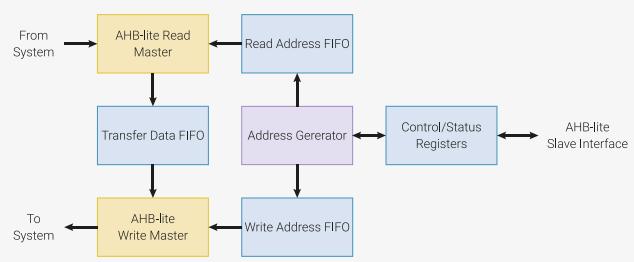
flowchart
graph TD
    A["From System"] --> B["AHB-lite Read Master"]
    B --> C["Transfer Data FIFO"]
    C --> D["AHB-lite Write Master"]
    D --> E["Write Address FIFO"]
    E --> F["Address Generator"]
    F --> G["Read Address FIFO"]
    G --> B
    F --> H["Control/Status Registers"]
    H --> I["AHB-lite Slave Interface"]
    I --> H
The DMA can perform one read access and one write access, up to 32 bits in size, every clock cycle. There are 12 independent channels, each which supervise a sequence of bus transfers, usually in one of the following scenarios:
• Memory-to-peripheral: a peripheral signals the DMA when it needs more data to transmit. The DMA reads data from an array in RAM or flash, and writes to the peripheral’s data FIFO.
• Peripheral-to-memory: a peripheral signals the DMA when it has received data. The DMA reads this data from the peripheral’s data FIFO, and writes it to an array in RAM.
• Memory-to-memory: the DMA transfers data between two buffers in RAM, as fast as possible.
Each channel has its own control and status registers (CSRs), with which software can program and monitor the channel’s progress. When multiple channels are active at the same time, the DMA shares bandwidth evenly between the channels, with round-robin over all channels which are currently requesting data transfers.
The transfer size can be either 32, 16, or 8 bits. This is configured once per channel: source transfer size and destination transfer size are the same. The DMA performs standard byte lane replication on narrow writes, so byte data is available in all 4 bytes of the databus, and halfword data in both halfwords.
Channels can be combined in varied ways for more sophisticated behaviour and greater autonomy. For example, one channel can configure another, loading configuration data from a sequence of control blocks in memory, and the second can then call back to the first via the CHAIN_TO option, when it needs to be reconfigured.
Making the DMA more autonomous means that much less processor supervision is required: overall this allows the system to do more at once, or to dissipate less power.
2.5.1. Configuring Channels
Each channel has four control/status registers:
• READ_ADDR is a pointer to the next address to be read from
• WRITE_ADDR is a pointer to the next address to be written to
• TRANS_COUNT shows the number of transfers remaining in the current transfer sequence, and is used to program the number of transfers in the next transfer sequence (see Section 2.5.1.2).
• CTRL is used to configure all other aspects of the channel’s behaviour, to enable/disable it, and to check for completion.
These are live registers: they update continuously as the channel progresses.
2.5.1.1. Read and Write Addresses
READ_ADDR and WRITE_ADDR contain the address the channel will next read from, and write to, respectively. These registers update automatically after each read/write access. They increment by 1, 2 or 4 bytes at a time, depending on the transfer size configured in CTRL.
Software should generally program these registers with new start addresses each time a new transfer sequence starts. If READ_ADDR and WRITE_ADDR are not reprogrammed, the DMA will use the current values as start addresses for the next transfer. For example:
• If the address does not increment (e.g. it is the address of a peripheral FIFO), and the next transfer sequence is to/from that same address, there is no need to write to the register again.
• When transferring to/from a consecutive series of buffers in memory (e.g. scattering and gathering), an address register will already have incremented to the start of the next buffer at the completion of a transfer.
By not programming all four CSRs for each transfer sequence, software can use shorter interrupt handlers, and more compact control block formats when used with channel chaining (see register aliases in Section 2.5.2.1, chaining in Section 2.5.2.2).
CAUTION
READ_ADDR and WRITE_ADDR must always be aligned to the current transfer size, as specified in CTRL.DATA_SIZE. It is up to software to ensure the initial values are correctly aligned.
2.5.1.2. Transfer Count
Reading from TRANS_COUNT yields the number of transfers remaining in the current transfer sequence. This value updates continuously as the channel progresses. Writing to TRANS_COUNT sets the length of the next transfer sequence. Up to 232-1 transfers can be performed in one sequence.
Each time the channel starts a new transfer sequence, the most recent value written to TRANS_COUNT is copied to the live transfer counter, which will then start to decrement again as the new transfer sequence makes progress. For debugging purposes, the last value written can be read from the DBG_TCR (TRANS_COUNT reload value) register.
If the channel is triggered multiple times without intervening writes to TRANS_COUNT, it performs the same number of transfers each time. For example, when chained to, one channel might load a fixed-size control block into another channel’s CSRs. TRANS_COUNT would be programmed once by software, and then reload automatically every time.
Alternatively, TRANS_COUNT can be written with a new value before starting each transfer sequence. If TRANS_COUNT is the channel trigger (see Section 2.5.2.1), the channel will start immediately, and the value just written will be used, not the value currently in the reload register.
NOTE
The TRANS_COUNT is the number of transfers to be performed. The total number of bytes transferred is TRANS_COUNT times the size of each transfer in bytes, given by CTRL.DATA_SIZE.
2.5.1.3. Control/Status
The CTRL register has more, smaller fields than the other 3 registers, and full details of these are given in the CTRL register listings. Among other things, CTRL is used to:
• Configure the size of this channel’s data transfers, via CTRL.DATA_SIZE. Reads and writes are the same size.
• Configure if and how READ_ADDR and WRITE_ADDR increment after each read or write, via CTRL.INCR_WRITE, CTRL.INCR_READ, CTRL.RING_SEL, CTRL.RING_SIZE. Ring transfers are available, where one of the address pointers wraps at some powerof-2 boundary.
• Select another channel (or none) to be triggered when this channel completes, via CTRL.CHAIN_TO.
• Select a peripheral data request (DREQ) signal to pace this channel’s transfers, via CTRL.TREQ_SEL.
• See when the channel is idle, via CTRL.BUSY.
• See if the channel has encountered a bus error, e.g. due to a faulty address being accessed, via CTRL.AHB_ERROR, CTRL.READ_ERROR, or CTRL.WRITE_ERROR.
2.5.2. Starting Channels
There are three ways to start a channel:
• Writing to a channel trigger register
• A chain trigger from another channel which has just completed, and has its CHAIN_TO field configured
• The MULTI_CHAN_TRIGGER register, which can start multiple channels at once
Each of these covers different use cases. For example, trigger registers are simple and efficient when configuring and starting a channel in an interrupt service routine, and CHAIN_TO allows one channel to callback to another channel, which can then reconfigure the first channel.

NOTE
Triggering a channel which is already running has no effect.
2.5.2.1. Aliases and Triggers
Table 118. Control register aliases. Each channel has four control/status registers. Each register can be accessed at multiple different addresses. In each naturally-aligned group of four, all four registers appear, in different orders.
| Offset | +0x0 | +0x4 | +0x8 | +0xC (Trigger) |
| 0x00 (Alias 0) | READ_ADDR | WRITE_ADDR | TRANS_COUNT | CTRL_TRIG |
| 0x10 (Alias 1) | CTRL | READ_ADDR | WRITE_ADDR | TRANS_COUNT_TRIG |
| 0x20 (Alias 2) | CTRL | TRANS_COUNT | READ_ADDR | WRITE_ADDR_TRIG |
| 0x30 (Alias 3) | CTRL | WRITE_ADDR | TRANS_COUNT | READ_ADD_TRIG |
The four CSRs are aliased multiple times in memory. Each alias — of which there are four — exposes the same four physical registers, but in a different order. The final register in each alias (at offset +0xC, highlighted) is a trigger register. Writing to the trigger register starts the channel.
Often, only alias 0 is used, and aliases 1-3 can be ignored. The channel is configured and started by writing READ_ADDR, WRITE_ADDR, TRANS_COUNT and finally CTRL. Since CTRL is the trigger register in alias 0, this starts the channel.
The other aliases allow more compact control block lists when using one channel to configure another, and more efficient reconfiguration and launch in interrupt handlers:
• Each CSR is a trigger register in one of the aliases:
◦ When gathering fixed-size buffers into a peripheral, the DMA channel can be configured and launched by writing only READ_ADDR_TRIG.
◦ When scattering from a peripheral to fixed-size buffers, the channel can be configured and launched by writing only WRITE_ADDR_TRIG.
• Useful combinations of registers appear as naturally-aligned tuples which contain a trigger register. In conjunction with channel chaining and address wrapping, these implement compressed control block formats, e.g.:
◦ (WRITE_ADDR, TRANS_COUNT_TRIG) for peripheral scatter operations
◦ (TRANS_COUNT, READ_ADDR_TRIG) for peripheral gather operations, or calculating CRCs on a list of buffers
◦ (READ_ADDR, WRITE_ADDR_TRIG) for manipulating fixed-size buffers in memory
Trigger registers do not start the channel if:
• The channel is disabled via CTRL.EN. (If the trigger is CTRL, the just-written value of EN is used, not the value currently in the CTRL register.)
• The channel is already running
• The value 0 is written to the trigger register. (This is useful for ending control block chains. See null triggers, Section 2.5.2.3)
2.5.2.2. Chaining
When a channel completes, it can name a different channel to immediately be triggered. This can be used as a callback for the second channel to reconfigure and restart the first.
This feature is configured through the CHAIN_TO field in the channel CTRL register. This 4-bit value selects a channel that will start when this one finishes. A channel can not chain to itself. Setting CHAIN_TO to a channel’s own index means no chaining will take place.
Chain triggers behave the same as triggers from other sources, such as trigger registers. For example, they cause TRANS_COUNT to reload, and they are ignored if the targeted channel is already running.
One application for CHAIN_TO is for a channel to request reconfiguration by another channel, from a sequence of control blocks in memory. Channel A is configured to perform a wrapped transfer from memory to channel B’s control registers (including a trigger register), and channel B is configured to chain back to channel A when it completes each transfer sequence. This is shown more explicitly in the DMA control blocks example (Section 2.5.6.2).
Use of the register aliases (Section 2.5.2.1) enables compact formats for DMA control blocks: as little as one word in some cases.
Another use of chaining is a "ping-pong" configuration, where two channels each trigger one another. The processor can respond to the channel completion interrupts, and reconfigure each channel after it completes; however, the chained channel, which has already been configured, starts immediately. In other words, channel configuration and channel operation are pipelined. Performance can improve dramatically where many short transfer sequences are required.
The Section 2.5.6 goes into more detail on the possibilities of chain triggers, in the real world.
2.5.2.3. Null Triggers and Chain Interrupts
As mentioned in Section 2.5.2.1, writing all-zeroes to a trigger register does not start the channel. This is called a null trigger, and it has two purposes:
• Cause a halt at the end of an array of control blocks, by appending an all-zeroes block
• Reduce the number of interrupts generated when control blocks are used
By default, a channel will generate an interrupt each time it finishes a transfer sequence, unless that channel’s IRQ is masked in INTE0 or INTE1. The rate of interrupts can be excessive, particularly as processor attention is generally not required while a sequence of control blocks are in progress; however, processor attention is required at the end of a chain.
The channel CTRL register has a field called IRQ_QUIET. Its default value is 0. When this set to 1, channels generate an interrupt when they receive a null trigger, and at no other time. The interrupt is generated by the channel which receives the trigger.
2.5.3. Data Request (DREQ)
Peripherals produce or consume data at their own pace. If the DMA simply transferred data as fast as possible, loss or corruption of data would ensue. DREQs are a communication channel between peripherals and the DMA, which enables the DMA to pace transfers according to the needs of the peripheral.
The CTRL.TREQ_SEL (transfer request) field selects an external DREQ. It can also be used to select one of the internal pacing timers, or select no TREQ at all (the transfer proceeds as fast as possible), e.g. for memory-to-memory transfers.
2.5.3.1. System DREQ Table
There is a global assignment of DREQ numbers to peripheral DREQ channels.
Table 119. DREQs
| DREQ | DREQ Channel | DREQ | DREQ Channel | DREQ | DREQ Channel | DREQ | DREQ Channel |
| 0 | DREQ_PIO0_TX0 | 10 | DREQ_PI01_TX2 | 20 | DREQ_UART0_TX | 30 | DREQ_PWM_WRAP6 |
| 1 | DREQ_PIO0_TX1 | 11 | DREQ_PI01_TX3 | 21 | DREQ_UART0_RX | 31 | DREQ_PWM_WRAP7 |
| 2 | DREQ_PIO0_TX2 | 12 | DREQ_PI01_RX0 | 22 | DREQ_UART1_TX | 32 | DREQ_I2C0_TX |
| 3 | DREQ_PIO0_TX3 | 13 | DREQ_PI01_RX1 | 23 | DREQ_UART1_RX | 33 | DREQ_I2C0_RX |
| 4 | DREQ_PIO0_RX0 | 14 | DREQ_PI01_RX2 | 24 | DREQ_PWM_WRAP0 | 34 | DREQ_I2C1_TX |
| 5 | DREQ_PIO0_RX1 | 15 | DREQ_PI01_RX3 | 25 | DREQ_PWM_WRAP1 | 35 | DREQ_I2C1_RX |
| 6 | DREQ_PIO0_RX2 | 16 | DREQ_SPI0_TX | 26 | DREQ_PWM_WRAP2 | 36 | DREQ_ADC |
| 7 | DREQ_PIO0_RX3 | 17 | DREQ_SPI0_RX | 27 | DREQ_PWM_WRAP3 | 37 | DREQ_XIP_STREAM |
| 8 | DREQ_PI01_TX0 | 18 | DREQ_SPI1_TX | 28 | DREQ_PWM_WRAP4 | 38 | DREQ_XIP_SSITX |
| 9 | DREQ_PI01_TX1 | 19 | DREQ_SPI1_RX | 29 | DREQ_PWM_WRAP5 | 39 | DREQ_XIP_SSIRX |
2.5.3.2. Credit-based DREQ Scheme
The RP2040 DMA is designed for systems where:
• The area and power cost of large peripheral data FIFOs is prohibitive
• The bandwidth demands of individual peripherals may be high, e.g. >50% bus injection rate for short periods
• Bus latency is low, but multiple masters may be competing for bus access
In addition, the DMA’s transfer FIFOs and dual-master structure permit multiple accesses to the same peripheral to be in flight at once, to improve gross throughput. Choice of DREQ mechanism is therefore critical:
• The traditional "turn on the tap" method can cause overflow if multiple writes are backed up in the TDF. Some systems solve this by overprovisioning peripheral FIFOs and setting the DREQ threshold below the full level, but this wastes precious area and power
• The ARM-style single and burst handshake does not permit additional requests to be registered while the current request is being served. This limits performance when FIFOs are very shallow.
The RP2040 DMA uses a credit-based DREQ mechanism. For each peripheral, the DMA attempts to keep as many transfers in flight as the peripheral has capacity for. This enables full bus throughput (1 word per clock) through an 8- deep peripheral FIFO with no possibility of overflow or underflow, in the absence of fabric latency or contention.
For each channel, the DMA maintains a counter. Each 1-clock pulse on the dreq signal will increment this counter (saturating). When nonzero, the channel requests a transfer from the DMA’s internal arbiter, and the counter is decremented when the transfer is issued to the address FIFOs. At this point the transfer is in flight, but has not yet necessarily completed.
Figure 13. DREQ counting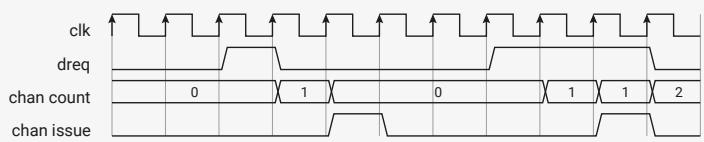
text_image
clk
dreq
chan count
0
1
0
1
1
2
chan issue
The effect is to upper bound the number of in-flight transfers based on the amount of room or data available in the peripheral FIFO. In the steady state, this gives maximum throughput, but can’t underflow or underflow.
One caveat is that the user must not access a FIFO which is currently being serviced by the DMA. This causes the channel and peripheral to become desynchronised, and can cause corruption or loss of data.
Another caveat is that multiple channels should not be connected to the same DREQ.
2.5.4. Interrupts
Each channel can generate interrupts; these can be masked on a per-channel basis using the INTE0 or INTE1 registers. There are two circumstances where a channel raises an interrupt request:
• On the completion of each transfer sequence, if CTRL.IRQ_QUIET is disabled
• On receiving a null trigger, if CTRL.IRQ_QUIET is enabled
The masked interrupt status is visible in the INTS registers; there is one bit for each channel. Interrupts are cleared by writing a bit mask to INTS. One idiom for acknowledging interrupts is to read INTS and then write the same value back, so only enabled interrupts are cleared.
The RP2040 DMA provides two system IRQs, with independent masking and status registers (e.g. INTE0, INTE1). Any combination of channel interrupt requests can be routed to either system IRQ. For example:
• Some channels can be given a higher priority in the system interrupt controller, if they have particularly tight timing requirements
• In multiprocessor systems, different channel interrupts can be routed independently to different cores
For debugging purposes, the INTF registers can force either IRQ to be asserted.
2.5.5. Additional Features
2.5.5.1. Pacing Timers
These allow transfer of data roughly once every n clk_sys clocks instead of using external peripheral DREQ to trigger transfers. A fractional (X/Y) divider is used, and will generate a maximum of 1 request per clk_sys cycle.
There are 4 timers available in RP2040. Each DMA is able to select any of these in CTRL.TREQ_SEL.
2.5.5.2. CRC Calculation
The DMA can watch data from a given channel passing through the data FIFO, and calculate checksums based on this data. This a purely passive affair: the data is not altered by this hardware, only observed.
The feature is controlled via the SNIFF_CTRL and SNIFF_DATA registers, and can be enabled/disabled per DMA transfer via the CTRL.SNIFF_EN field.
As this hardware cannot place backpressure on the FIFO, it must keep up with the DMA’s maximum transfer rate of 32 bits per clock.
The supported checksums are:
• CRC-32, MSB-first and LSB-first
• CRC-16-CCITT, MSB-first and LSB-first
• Simple summation (add to 32-bit accumulator)
• Even parity
The result register is both readable and writable, so that the initial seed value can be set.
Bit/byte manipulations are available on the result which may aid specific use cases:
• Bit inversion
• Bit reversal
• Byte swap
These manipulations do not affect the CRC calculation, just how the data is presented in the result register.
2.5.5.3. Channel Abort
It is possible for a channel to get into an irrecoverable state: e.g. if commanded to transfer more data than a peripheral will ever request, it will never complete. Clearing the CTRL.EN bit merely pauses the channel, and does not solve the problem. This should not occur under normal circumstances, but it is important that there is a mechanism to recover without simply hard-resetting the entire DMA block.
The CHAN_ABORT register forces channels to complete early. There is one bit for each channel, and writing a 1 terminates that channel. This clears the transfer counter and forces the channel into an inactive state.

CAUTION
Due to RP2040-E13, aborting a DMA channel that is making progress (i.e. not stalled on an inactive DREQ) may cause a completion IRQ to assert. The channel interrupt enable should be cleared before performing the abort, and the interrupt should be checked and cleared after the abort.
At the time an abort is triggered, a channel may have bus transfers currently in flight between the read and write master, and these transfers cannot be revoked. The CTRL.BUSY flag stays high until these transfers complete, and the channel reaches a safe state, which generally takes only a few cycles. The channel must not be restarted until its CTRL.BUSY flag deasserts. Starting a new sequence of transfers whilst transfers from an old sequence are still in flight can lead to unpredictable behaviour.
2.5.5.4. Debug
Debug registers are available for each DMA channel to show the dreq counter DBG_CTDREQ and next transfer count DBG_TCR. These can also be used to reset a DMA channel if required.
2.5.6. Example Use Cases
2.5.6.1. Using Interrupts to Reconfigure a Channel
When a channel finishes a block of transfers, it becomes available for making more transfers. Software detects that the channel is no longer busy, and reconfigures and restarts the channel. One approach is to poll the CTRL_BUSY bit until the channel is done, but this loses one of the key advantages of the DMA, namely that it does not have to operate in lockstep with a processor. By setting the correct bit in INTE0 or INTE1, we can instruct the DMA to raise one of its two interrupt request lines when a given channel completes. Rather than repeatedly asking if a channel is done, we are told.

NOTE
Having two system interrupt lines allows different channel completion interrupts to be routed to different cores, or to preempt one another on the same core if one channel is more time-critical.
When the interrupt is asserted, the processor can be configured to drop whatever it is doing and call a user-specified handler function. The handler can reconfigure and restart the channel. When the handler exits, the processor returns to the interrupted code running in the foreground.
Pico Examples: https://github.com/raspberrypi/pico-examples/blob/master/dma/channel\_irq/channel\_irq.c Lines 35 - 52
void dma_handler() {
    static int pwm_level = 0;
    static uint32_t wavetable[N_PWM_LEVELS];
    static bool first_run = true;
    // Entry number `i` has `i` one bits and '(32 - i)` zero bits.
    if (first_run) {
    first_run = false;
    for (int i = 0; i < N_PWM_LEVELS; ++i)
    wavetable[i] = ~(~0u << i);
    }
    // Clear the interrupt request.
    dma_hw->ints0 = 1u << dma_chan;
    // Give the channel a new wave table entry to read from, and re-trigger it
    dma_channel_set_read_addr(dma_chan, &wavetable[pwm_level], true);
    pwm_level = (pwm_level + 1) % N_PWM_LEVELS;
}
In many cases, most of the configuration can be done the first time the channel is started, and only addresses and transfer lengths need reprogramming in the DMA handler.
Pico Examples: https://github.com/raspberrypi/pico-examples/blob/master/dma/channel\_irq/channel\_irq.c Lines 54 - 94
int main() {
    #ifndef PICO_DEFAULT_LED_PIN
    #warning dma/channel_irq example requires a board with a regular LED
    #else
    // Set up a PIO state machine to serialise our bits
    uint offset = pio_add_program(pio0, &pio_serialiser_program);
    pio_serialiser_program_init(pio0, 0, offset, PICO_DEFAULT_LED_PIN, PIO_SERIAL_CLKDIV);
    // Configure a channel to write the same word (32 bits) repeatedly to PIO0
    // SM0's TX FIFO, paced by the data request signal from that peripheral.
    dma_chan = dma_claim_unused_channel(true);
    dma_channel_config c = dma_channel_get_default_config(dma_chan);
    channel_config_set_transfer_data_size(&c, DMA_SIZE_32);
    channel_config_set_read_increment(&c, false);
    channel_config_set_dreq(&c, DREQ_PIO0_TX0);

    dma_channel_configure(
    dma_chan,
    &c,
    &pio0_hw->txf[0], // Write address (only need to set this once)
    NULL, // Don't provide a read address yet
    PWM_REPEAT_COUNT, // Write the same value many times, then halt and interrupt
    false // Don't start yet
);
// Tell the DMA to raise IRQ line 0 when the channel finishes a block
dma_channel_set_irq0_enabled(dma_chan, true);

// Configure the processor to run dma_handler() when DMA IRQ 0 is asserted
irq_set_exclusive_handler(DMA_IRQ_0, dma_handler);
irq_set_enabled(DMA_IRQ_0, true);

// Manually call the handler once, to trigger the first transfer
dma_handler();

// Everything else from this point is interrupt-driven. The processor has
// time to sit and think about its early retirement -- maybe open a bakery?
while (true)
tight_loop_contents();

#endif
}
One disadvantage of this technique is that we don’t start to reconfigure the channel until some time after the channel makes its last transfer. If there is heavy interrupt activity on the processor, this may be quite a long time, and therefore quite a large gap in transfers, which is problematic if we need to sustain a high data throughput.
This is solved by using two channels, with their CHAIN_TO fields crossed over, so that channel A triggers channel B when it completes, and vice versa. At any point in time, one of the channels is transferring data, and the other is either already configured to start the next transfer immediately when the current one finishes, or it is in the process of being reconfigured. When channel A completes, it immediately starts the cued-up transfer on channel B. At the same time, the interrupt is fired, and the handler reconfigures channel A so that it is ready for when channel B completes.
2.5.6.2. DMA Control Blocks
Frequently, multiple smaller buffers must be gathered together and sent to the same peripheral. To address this use case, the RP2040 DMA can execute a long and complex sequence of transfers without processor control. One channel repeatedly reconfigures a second channel, and the second channel restarts the first each time it completes block of transfers.
Because the first DMA channel is transferring data directly from memory to the second channel’s control registers, the format of the control blocks in memory must match those registers. The last register written to, each time, will be one of the trigger registers (Section 2.5.2.1) which will start the second channel on its programmed block of transfers. The register aliases (Section 2.5.2.1) give some flexibility for the block layout, and more importantly allow some registers to be omitted from the blocks, so they occupy less memory and can be loaded more quickly.
This example shows how multiple buffers can be gathered and transferred to the UART, by reprogramming TRANS_COUNT and READ_ADDR_TRIG:
Pico Examples: https://github.com/raspberrypi/pico-examples/blob/master/dma/control\_blocks/control\_blocks.c
/**
 * Copyright (c) 2020 Raspberry Pi (Trading) Ltd.
 *
 * SPDX-License-Identifier: BSD-3-Clause
 */
// Use two DMA channels to make a programmed sequence of data transfers to the
// UART (a data gather operation). One channel is responsible for transferring
// the actual data, the other repeatedly reprograms that channel.
#include <stdio.h>
#include "pico/stdlib.h"
#include "hardware/dma.h"
#include "hardware/structs/uart.h"
// These buffers will be DMA'd to the UART, one after the other.
const char word0[] = "Transferring ";
const char word1[] = "one ";
const char word2[] = "word ";
const char word3[] = "at ";
const char word4[] = "a ";
const char word5[] = "time.\n";

// Note the order of the fields here: it's important that the length is before
// the read address, because the control channel is going to write to the last
// two registers in alias 3 on the data channel:
// +0x0 +0x4 +0x8 +0xC (Trigger)
// Alias 0: READ_ADDR WRITE_ADDR TRANS_COUNT CTRL
// Alias 1: CTRL READ_ADDR WRITE_ADDR TRANS_COUNT
// Alias 2: CTRL TRANS_COUNT READ_ADDR WRITE_ADDR
// Alias 3: CTRL WRITE_ADDR TRANS_COUNT READ_ADDR

// This will program the transfer count and read address of the data channel,
// and trigger it. Once the data channel completes, it will restart the
// control channel (via CHAIN_TO) to load the next two words into its control
// registers.

const struct {uint32_t len; const char *data;} control_blocks[] = {
{count_of(word0) - 1, word0}, // Skip null terminator
{count_of(word1) - 1, word1},
{count_of(word2) - 1, word2},
{count_of(word3) - 1, word3},
{count_of(word4) - 1, word4},
{count_of(word5) - 1, word5},
{0, NULL} // Null trigger to end chain.
};

int main() {
#ifndef uart_default
#warning dma/control_blocks example requires a UART
#else
stdio_init_all();
puts("DMA control block example:");
// ctrl_chan loads control blocks into data_chan, which executes them.
int ctrl_chan = dma_claim_unused_channel(true);
int data_chan = dma_claim_unused_channel(true);

// The control channel transfers two words into the data channel's control
// registers, then halts. The write address wraps on a two-word
// (eight-byte) boundary, so that the control channel writes the same two
// registers when it is next triggered.

dma_channel_config c = dma_channel_get_default_config(ctrl_chan);
channel_config_set_transfer_data_size(&c, DMA_SIZE_32);
channel_config_set_read_increment(&c, true);
channel_config_set_write_increment(&c, true);
channel_config_set_ring(&c, true, 3); // 1 << 3 byte boundary on write ptr

dma_channel_configure(
    ctrl_chan,
    &c,
    &dma_hw->ch[data_chan].al3_transfer_count, // Initial write address
    &control_blocks[0], // Initial read address
    2, // Halt after each control block
    false // Don't start yet
);
// The data channel is set up to write to the UART FIFO (paced by the
// UART's TX data request signal) and then chain to the control channel
// once it completes. The control channel programs a new read address and
// data length, and retriggers the data channel.

c = dma_channel_get_default_config(data_chan);
channel_config_set_transfer_data_size(&c, DMA_SIZE_8);
channel_config_set_dreq(&c, uart_get_dreq(uart_default, true));
// Trigger ctrl_chan when data_chan completes
channel_config_set_chain_to(&c, ctrl_chan);
// Raise the IRQ flag when 0 is written to a trigger register (end of chain):
channel_config_set_irq_quiet(&c, true);

dma_channel_configure(
    data_chan,
    &c,
    &uart_get_hw(uart_default)->dr,
    NULL, // Initial read address and transfer count are unimportant;
    0, // the control channel will reprogram them each time.
    false // Don't start yet.

);
// Everything is ready to go. Tell the control channel to load the first
// control block. Everything is automatic from here.
dma_start_channel_mask(1u << ctrl_chan);

// The data channel will assert its IRQ flag when it gets a null trigger,
// indicating the end of the control block list. We're just going to wait
// for the IRQ flag instead of setting up an interrupt handler.
while (!(dma_hw->intr & 1u << data_chan))
    tight_loop_contents();
dma_hw->ints0 = 1u << data_chan;

puts("DMA finished.");
#endif
2.5.7. List of Registers
The DMA registers start at a base address of 0x50000000 (defined as DMA_BASE in SDK).
Table 120. List of DMA registers
| Offset | Name | Info |
| 0x000 | CH0_READ_ADDR | DMA Channel 0 Read Address pointer |
| 0x004 | CH0_WRITE_ADDR | DMA Channel 0 Write Address pointer |
| 0x008 | CH0_TRANS_COUNT | DMA Channel 0 Transfer Count |
| 0x00c | CH0_CTRL_TRIG | DMA Channel 0 Control and Status |
| 0x010 | CH0_AL1_CTRL | Alias for channel 0 CTRL register |
| 0x014 | CH0_AL1_READ_ADDR | Alias for channel 0 READ_ADDR register |
| 0x018 | CH0_AL1_WRITE_ADDR | Alias for channel 0 WRITE_ADDR register |
| 0x01c | CH0_AL1_TRANS_COUNT_TRIG | Alias for channel 0 TRANS_COUNT registerThis is a trigger register (0xc). Writing a nonzero value will reload the channel counter and start the channel. |
| 0x020 | CH0_AL2_CTRL | Alias for channel 0 CTRL register |
| 0x024 | CH0_AL2_TRANS_COUNT | Alias for channel 0 TRANS_COUNT register |
| 0x028 | CH0_AL2_READ_ADDR | Alias for channel 0 READ_ADDR register |
| 0x02c | CH0_AL2_WRITE_ADDR_TRIG | Alias for channel 0 WRITE_ADDR registerThis is a trigger register (0xc). Writing a nonzero value will reload the channel counter and start the channel. |
| 0x030 | CH0_AL3_CTRL | Alias for channel 0 CTRL register |
| 0x034 | CH0_AL3_WRITE_ADDR | Alias for channel 0 WRITE_ADDR register |
| 0x038 | CH0_AL3_TRANS_COUNT | Alias for channel 0 TRANS_COUNT register |
| 0x03c | CH0_AL3_READ_ADDR_TRIG | Alias for channel 0 READ_ADDR registerThis is a trigger register (0xc). Writing a nonzero value will reload the channel counter and start the channel. |
| 0x040 | CH1_READ_ADDR | DMA Channel 1 Read Address pointer |
| 0x044 | CH1_WRITE_ADDR | DMA Channel 1 Write Address pointer |
| 0x048 | CH1_TRANS_COUNT | DMA Channel 1 Transfer Count |
| 0x04c | CH1_CTRL_TRIG | DMA Channel 1 Control and Status |
| 0x050 | CH1_AL1_CTRL | Alias for channel 1 CTRL register |
| 0x054 | CH1_AL1_READ_ADDR | Alias for channel 1 READ_ADDR register |
| 0x058 | CH1_AL1_WRITE_ADDR | Alias for channel 1 WRITE_ADDR register |
| 0x05c | CH1_AL1_TRANS_COUNT_TRIG | Alias for channel 1 TRANS_COUNT registerThis is a trigger register (0xc). Writing a nonzero value will reload the channel counter and start the channel. |
| 0x060 | CH1_AL2_CTRL | Alias for channel 1 CTRL register |
| 0x064 | CH1_AL2_TRANS_COUNT | Alias for channel 1 TRANS_COUNT register |
| 0x068 | CH1_AL2_READ_ADDR | Alias for channel 1 READ_ADDR register |
| 0x06c | CH1_AL2_WRITE_ADDR_TRIG | Alias for channel 1 WRITE_ADDR registerThis is a trigger register (0xc). Writing a nonzero value will reload the channel counter and start the channel. |
| 0x070 | CH1_AL3_CTRL | Alias for channel 1 CTRL register |
| 0x074 | CH1_AL3_WRITE_ADDR | Alias for channel 1 WRITE_ADDR register |
| 0x078 | CH1_AL3_TRANS_COUNT | Alias for channel 1 TRANS_COUNT register |
| 0x07c | CH1_AL3_READ_ADDR_TRIG | Alias for channel 1 READ_ADDR registerThis is a trigger register (0xc). Writing a nonzero value will reload the channel counter and start the channel. |
| 0x080 | CH2_READ_ADDR | DMA Channel 2 Read Address pointer |
| 0x084 | CH2_WRITE_ADDR | DMA Channel 2 Write Address pointer |
| 0x088 | CH2_TRANS_COUNT | DMA Channel 2 Transfer Count |
| 0x08c | CH2_CTRL_TRIG | DMA Channel 2 Control and Status |
| 0x090 | CH2_AL1_CTRL | Alias for channel 2 CTRL register |
| 0x094 | CH2_AL1_READ_ADDR | Alias for channel 2 READ_ADDR register |
| 0x098 | CH2_AL1_WRITE_ADDR | Alias for channel 2 WRITE_ADDR register |
| 0x09c | CH2_AL1_TRANS_COUNT_TRIG | Alias for channel 2 TRANS_COUNT registerThis is a trigger register (0xc). Writing a nonzero value will reload the channel counter and start the channel. |
| 0x0a0 | CH2_AL2_CTRL | Alias for channel 2 CTRL register |
| 0x0a4 | CH2_AL2_TRANS_COUNT | Alias for channel 2 TRANS_COUNT register |
| 0x0a8 | CH2_AL2_READ_ADDR | Alias for channel 2 READ_ADDR register |
| 0x0ac | CH2_AL2_WRITE_ADDR_TRIG | Alias for channel 2 WRITE_ADDR registerThis is a trigger register (0xc). Writing a nonzero value will reload the channel counter and start the channel. |
| 0x0b0 | CH2_AL3_CTRL | Alias for channel 2 CTRL register |
| 0x0b4 | CH2_AL3_WRITE_ADDR | Alias for channel 2 WRITE_ADDR register |
| 0x0b8 | CH2_AL3_TRANS_COUNT | Alias for channel 2 TRANS_COUNT register |
| 0x0bc | CH2_AL3_READ_ADDR_TRIG | Alias for channel 2 READ_ADDR registerThis is a trigger register (0xc). Writing a nonzero value will reload the channel counter and start the channel. |
| 0x0c0 | CH3_READ_ADDR | DMA Channel 3 Read Address pointer |
| 0x0c4 | CH3_WRITE_ADDR | DMA Channel 3 Write Address pointer |
| 0x0c8 | CH3_TRANS_COUNT | DMA Channel 3 Transfer Count |
| 0x0cc | CH3_CTRL_TRIG | DMA Channel 3 Control and Status |
| 0x0d0 | CH3_AL1_CTRL | Alias for channel 3 CTRL register |
| 0x0d4 | CH3_AL1_READ_ADDR | Alias for channel 3 READ_ADDR register |
| 0x0d8 | CH3_AL1_WRITE_ADDR | Alias for channel 3 WRITE_ADDR register |
| 0x0dc | CH3_AL1_TRANS_COUNT_TRIG | Alias for channel 3 TRANS_COUNT registerThis is a trigger register (0xc). Writing a nonzero value will reload the channel counter and start the channel. |
| 0x0e0 | CH3_AL2_CTRL | Alias for channel 3 CTRL register |
| 0x0e4 | CH3_AL2_TRANS_COUNT | Alias for channel 3 TRANS_COUNT register |
| 0x0e8 | CH3_AL2_READ_ADDR | Alias for channel 3 READ_ADDR register |
| 0x0ec | CH3_AL2_WRITE_ADDR_TRIG | Alias for channel 3 WRITE_ADDR registerThis is a trigger register (0xc). Writing a nonzero value will reload the channel counter and start the channel. |
| 0x0f0 | CH3_AL3_CTRL | Alias for channel 3 CTRL register |
| 0x0f4 | CH3_AL3_WRITE_ADDR | Alias for channel 3 WRITE_ADDR register |
| 0x0f8 | CH3_AL3_TRANS_COUNT | Alias for channel 3 TRANS_COUNT register |
| 0x0fc | CH3_AL3_READ_ADDR_TRIG | Alias for channel 3 READ_ADDR registerThis is a trigger register (0xc). Writing a nonzero value will reload the channel counter and start the channel. |
| 0x100 | CH4_READ_ADDR | DMA Channel 4 Read Address pointer |
| 0x104 | CH4_WRITE_ADDR | DMA Channel 4 Write Address pointer |
| 0x108 | CH4_TRANS_COUNT | DMA Channel 4 Transfer Count |
| 0x10c | CH4_CTRL_TRIG | DMA Channel 4 Control and Status |
| 0x110 | CH4_AL1_CTRL | Alias for channel 4 CTRL register |
| 0x114 | CH4_AL1_READ_ADDR | Alias for channel 4 READ_ADDR register |
| 0x118 | CH4_AL1_WRITE_ADDR | Alias for channel 4 WRITE_ADDR register |
| 0x11c | CH4_AL1_TRANS_COUNT_TRIG | Alias for channel 4 TRANS_COUNT registerThis is a trigger register (0xc). Writing a nonzero value will reload the channel counter and start the channel. |
| 0x120 | CH4_AL2_CTRL | Alias for channel 4 CTRL register |
| 0x124 | CH4_AL2_TRANS_COUNT | Alias for channel 4 TRANS_COUNT register |
| 0x128 | CH4_AL2_READ_ADDR | Alias for channel 4 READ_ADDR register |
| 0x12c | CH4_AL2_WRITE_ADDR_TRIG | Alias for channel 4 WRITE_ADDR registerThis is a trigger register (0xc). Writing a nonzero value will reload the channel counter and start the channel. |
| 0x130 | CH4_AL3_CTRL | Alias for channel 4 CTRL register |
| 0x134 | CH4_AL3_WRITE_ADDR | Alias for channel 4 WRITE_ADDR register |
| 0x138 | CH4_AL3_TRANS_COUNT | Alias for channel 4 TRANS_COUNT register |
| 0x13c | CH4_AL3_READ_ADDR_TRIG | Alias for channel 4 READ_ADDR registerThis is a trigger register (0xc). Writing a nonzero value will reload the channel counter and start the channel. |
| 0x140 | CH5_READ_ADDR | DMA Channel 5 Read Address pointer |
| 0x144 | CH5_WRITE_ADDR | DMA Channel 5 Write Address pointer |
| 0x148 | CH5_TRANS_COUNT | DMA Channel 5 Transfer Count |
| 0x14c | CH5_CTRL_TRIG | DMA Channel 5 Control and Status |
| 0x150 | CH5_AL1_CTRL | Alias for channel 5 CTRL register |
| 0x154 | CH5_AL1_READ_ADDR | Alias for channel 5 READ_ADDR register |
| 0x158 | CH5_AL1_WRITE_ADDR | Alias for channel 5 WRITE_ADDR register |
| 0x15c | CH5_AL1_TRANS_COUNT_TRIG | Alias for channel 5 TRANS_COUNT registerThis is a trigger register (0xc). Writing a nonzero value will reload the channel counter and start the channel. |
| 0x160 | CH5_AL2_CTRL | Alias for channel 5 CTRL register |
| 0x164 | CH5_AL2_TRANS_COUNT | Alias for channel 5 TRANS_COUNT register |
| 0x168 | CH5_AL2_READ_ADDR | Alias for channel 5 READ_ADDR register |
| 0x16c | CH5_AL2_WRITE_ADDR_TRIG | Alias for channel 5 WRITE_ADDR registerThis is a trigger register (0xc). Writing a nonzero value will reload the channel counter and start the channel. |
| 0x170 | CH5_AL3_CTRL | Alias for channel 5 CTRL register |
| 0x174 | CH5_AL3_WRITE_ADDR | Alias for channel 5 WRITE_ADDR register |
| 0x178 | CH5_AL3_TRANS_COUNT | Alias for channel 5 TRANS_COUNT register |
| 0x17c | CH5_AL3_READ_ADDR_TRIG | Alias for channel 5 READ_ADDR registerThis is a trigger register (0xc). Writing a nonzero value will reload the channel counter and start the channel. |
| 0x180 | CH6_READ_ADDR | DMA Channel 6 Read Address pointer |
| 0x184 | CH6_WRITE_ADDR | DMA Channel 6 Write Address pointer |
| 0x188 | CH6_TRANS_COUNT | DMA Channel 6 Transfer Count |
| 0x18c | CH6_CTRL_TRIG | DMA Channel 6 Control and Status |
| 0x190 | CH6_AL1_CTRL | Alias for channel 6 CTRL register |
| 0x194 | CH6_AL1_READ_ADDR | Alias for channel 6 READ_ADDR register |
| 0x198 | CH6_AL1_WRITE_ADDR | Alias for channel 6 WRITE_ADDR register |
| 0x19c | CH6_AL1_TRANS_COUNT_TRIG | Alias for channel 6 TRANS_COUNT registerThis is a trigger register (0xc). Writing a nonzero value will reload the channel counter and start the channel. |
| 0x1a0 | CH6_AL2_CTRL | Alias for channel 6 CTRL register |
| 0x1a4 | CH6_AL2_TRANS_COUNT | Alias for channel 6 TRANS_COUNT register |
| 0x1a8 | CH6_AL2_READ_ADDR | Alias for channel 6 READ_ADDR register |
| 0x1ac | CH6_AL2_WRITE_ADDR_TRIG | Alias for channel 6 WRITE_ADDR registerThis is a trigger register (0xc). Writing a nonzero value will reload the channel counter and start the channel. |
| 0x1b0 | CH6_AL3_CTRL | Alias for channel 6 CTRL register |
| 0x1b4 | CH6_AL3_WRITE_ADDR | Alias for channel 6 WRITE_ADDR register |
| 0x1b8 | CH6_AL3_TRANS_COUNT | Alias for channel 6 TRANS_COUNT register |
| 0x1bc | CH6_AL3_READ_ADDR_TRIG | Alias for channel 6 READ_ADDR registerThis is a trigger register (0xc). Writing a nonzero value will reload the channel counter and start the channel. |
| 0x1c0 | CH7_READ_ADDR | DMA Channel 7 Read Address pointer |
| 0x1c4 | CH7_WRITE_ADDR | DMA Channel 7 Write Address pointer |
| 0x1c8 | CH7_TRANS_COUNT | DMA Channel 7 Transfer Count |
| 0x1cc | CH7_CTRL_TRIG | DMA Channel 7 Control and Status |
| 0x1d0 | CH7_AL1_CTRL | Alias for channel 7 CTRL register |
| 0x1d4 | CH7_AL1_READ_ADDR | Alias for channel 7 READ_ADDR register |
| 0x1d8 | CH7_AL1_WRITE_ADDR | Alias for channel 7 WRITE_ADDR register |
| 0x1dc | CH7_AL1_TRANS_COUNT_TRIG | Alias for channel 7 TRANS_COUNT registerThis is a trigger register (0xc). Writing a nonzero value will reload the channel counter and start the channel. |
| 0x1e0 | CH7_AL2_CTRL | Alias for channel 7 CTRL register |
| 0x1e4 | CH7_AL2_TRANS_COUNT | Alias for channel 7 TRANS_COUNT register |
| 0x1e8 | CH7_AL2_READ_ADDR | Alias for channel 7 READ_ADDR register |
| 0x1ec | CH7_AL2_WRITE_ADDR_TRIG | Alias for channel 7 WRITE_ADDR registerThis is a trigger register (0xc). Writing a nonzero value will reload the channel counter and start the channel. |
| 0x1f0 | CH7_AL3_CTRL | Alias for channel 7 CTRL register |
| 0x1f4 | CH7_AL3_WRITE_ADDR | Alias for channel 7 WRITE_ADDR register |
| 0x1f8 | CH7_AL3_TRANS_COUNT | Alias for channel 7 TRANS_COUNT register |
| 0x1fc | CH7_AL3_READ_ADDR_TRIG | Alias for channel 7 READ_ADDR registerThis is a trigger register (0xc). Writing a nonzero value will reload the channel counter and start the channel. |
| 0x200 | CH8_READ_ADDR | DMA Channel 8 Read Address pointer |
| 0x204 | CH8_WRITE_ADDR | DMA Channel 8 Write Address pointer |
| 0x208 | CH8_TRANS_COUNT | DMA Channel 8 Transfer Count |
| 0x20c | CH8_CTRL_TRIG | DMA Channel 8 Control and Status |
| 0x210 | CH8_AL1_CTRL | Alias for channel 8 CTRL register |
| 0x214 | CH8_AL1_READ_ADDR | Alias for channel 8 READ_ADDR register |
| 0x218 | CH8_AL1_WRITE_ADDR | Alias for channel 8 WRITE_ADDR register |
| 0x21c | CH8_AL1_TRANS_COUNT_TRIG | Alias for channel 8 TRANS_COUNT registerThis is a trigger register (0xc). Writing a nonzero value will reload the channel counter and start the channel. |
| 0x220 | CH8_AL2_CTRL | Alias for channel 8 CTRL register |
| 0x224 | CH8_AL2_TRANS_COUNT | Alias for channel 8 TRANS_COUNT register |
| 0x228 | CH8_AL2_READ_ADDR | Alias for channel 8 READ_ADDR register |
| 0x22c | CH8_AL2_WRITE_ADDR_TRIG | Alias for channel 8 WRITE_ADDR registerThis is a trigger register (0xc). Writing a nonzero value will reload the channel counter and start the channel. |
| 0x230 | CH8_AL3_CTRL | Alias for channel 8 CTRL register |
| 0x234 | CH8_AL3_WRITE_ADDR | Alias for channel 8 WRITE_ADDR register |
| 0x238 | CH8_AL3_TRANS_COUNT | Alias for channel 8 TRANS_COUNT register |
| 0x23c | CH8_AL3_READ_ADDR_TRIG | Alias for channel 8 READ_ADDR registerThis is a trigger register (0xc). Writing a nonzero value will reload the channel counter and start the channel. |
| 0x240 | CH9_READ_ADDR | DMA Channel 9 Read Address pointer |
| 0x244 | CH9_WRITE_ADDR | DMA Channel 9 Write Address pointer |
| 0x248 | CH9_TRANS_COUNT | DMA Channel 9 Transfer Count |
| 0x24c | CH9_CTRL_TRIG | DMA Channel 9 Control and Status |
| 0x250 | CH9_AL1_CTRL | Alias for channel 9 CTRL register |
| 0x254 | CH9_AL1_READ_ADDR | Alias for channel 9 READ_ADDR register |
| 0x258 | CH9_AL1_WRITE_ADDR | Alias for channel 9 WRITE_ADDR register |
| 0x25c | CH9_AL1_TRANS_COUNT_TRIG | Alias for channel 9 TRANS_COUNT registerThis is a trigger register (0xc). Writing a nonzero value will reload the channel counter and start the channel. |
| 0x260 | CH9_AL2_CTRL | Alias for channel 9 CTRL register |
| 0x264 | CH9_AL2_TRANS_COUNT | Alias for channel 9 TRANS_COUNT register |
| 0x268 | CH9_AL2_READ_ADDR | Alias for channel 9 READ_ADDR register |
| 0x26c | CH9_AL2_WRITE_ADDR_TRIG | Alias for channel 9 WRITE_ADDR registerThis is a trigger register (0xc). Writing a nonzero value will reload the channel counter and start the channel. |
| 0x270 | CH9_AL3_CTRL | Alias for channel 9 CTRL register |
| 0x274 | CH9_AL3_WRITE_ADDR | Alias for channel 9 WRITE_ADDR register |
| 0x278 | CH9_AL3_TRANS_COUNT | Alias for channel 9 TRANS_COUNT register |
| 0x27c | CH9_AL3_READ_ADDR_TRIG | Alias for channel 9 READ_ADDR registerThis is a trigger register (0xc). Writing a nonzero value will reload the channel counter and start the channel. |
| 0x280 | CH10_READ_ADDR | DMA Channel 10 Read Address pointer |
| 0x284 | CH10_WRITE_ADDR | DMA Channel 10 Write Address pointer |
| 0x288 | CH10_TRANS_COUNT | DMA Channel 10 Transfer Count |
| 0x28c | CH10_CTRL_TRIG | DMA Channel 10 Control and Status |
| 0x290 | CH10_AL1_CTRL | Alias for channel 10 CTRL register |
| 0x294 | CH10_AL1_READ_ADDR | Alias for channel 10 READ_ADDR register |
| 0x298 | CH10_AL1_WRITE_ADDR | Alias for channel 10 WRITE_ADDR register |
| 0x29c | CH10_AL1_TRANS_COUNT_TRIG | Alias for channel 10 TRANS_COUNT registerThis is a trigger register (0xc). Writing a nonzero value will reload the channel counter and start the channel. |
| 0x2a0 | CH10_AL2_CTRL | Alias for channel 10 CTRL register |
| 0x2a4 | CH10_AL2_TRANS_COUNT | Alias for channel 10 TRANS_COUNT register |
| 0x2a8 | CH10_AL2_READ_ADDR | Alias for channel 10 READ_ADDR register |
| 0x2ac | CH10_AL2_WRITE_ADDR_TRIG | Alias for channel 10 WRITE_ADDR registerThis is a trigger register (0xc). Writing a nonzero value will reload the channel counter and start the channel. |
| 0x2b0 | CH10_AL3_CTRL | Alias for channel 10 CTRL register |
| 0x2b4 | CH10_AL3_WRITE_ADDR | Alias for channel 10 WRITE_ADDR register |
| 0x2b8 | CH10_AL3_TRANS_COUNT | Alias for channel 10 TRANS_COUNT register |
| 0x2bc | CH10_AL3_READ_ADDR_TRIG | Alias for channel 10 READ_ADDR registerThis is a trigger register (0xc). Writing a nonzero value will reload the channel counter and start the channel. |
| 0x2c0 | CH11_READ_ADDR | DMA Channel 11 Read Address pointer |
| 0x2c4 | CH11_WRITE_ADDR | DMA Channel 11 Write Address pointer |
| 0x2c8 | CH11_TRANS_COUNT | DMA Channel 11 Transfer Count |
| 0x2cc | CH11_CTRL_TRIG | DMA Channel 11 Control and Status |
| 0x2d0 | CH11_AL1_CTRL | Alias for channel 11 CTRL register |
| 0x2d4 | CH11_AL1_READ_ADDR | Alias for channel 11 READ_ADDR register |
| 0x2d8 | CH11_AL1_WRITE_ADDR | Alias for channel 11 WRITE_ADDR register |
| 0x2dc | CH11_AL1_TRANS_COUNT_TRIG | Alias for channel 11 TRANS_COUNT registerThis is a trigger register (0xc). Writing a nonzero value will reload the channel counter and start the channel. |
| 0x2e0 | CH11_AL2_CTRL | Alias for channel 11 CTRL register |
| 0x2e4 | CH11_AL2_TRANS_COUNT | Alias for channel 11 TRANS_COUNT register |
| 0x2e8 | CH11_AL2_READ_ADDR | Alias for channel 11 READ_ADDR register |
| 0x2ec | CH11_AL2_WRITE_ADDR_TRIG | Alias for channel 11 WRITE_ADDR registerThis is a trigger register (0xc). Writing a nonzero value will reload the channel counter and start the channel. |
| 0x2f0 | CH11_AL3_CTRL | Alias for channel 11 CTRL register |
| 0x2f4 | CH11_AL3_WRITE_ADDR | Alias for channel 11 WRITE_ADDR register |
| 0x2f8 | CH11_AL3_TRANS_COUNT | Alias for channel 11 TRANS_COUNT register |
| 0x2fc | CH11_AL3_READ_ADDR_TRIG | Alias for channel 11 READ_ADDR registerThis is a trigger register (0xc). Writing a nonzero value will reload the channel counter and start the channel. |
| 0x400 | INTR | Interrupt Status (raw) |
| 0x404 | INTE0 | Interrupt Enables for IRQ 0 |
| 0x408 | INTF0 | Force Interrupts |
| 0x40c | INTS0 | Interrupt Status for IRQ 0 |
| 0x414 | INTE1 | Interrupt Enables for IRQ 1 |
| 0x418 | INTF1 | Force Interrupts for IRQ 1 |
| 0x41c | INTS1 | Interrupt Status (masked) for IRQ 1 |
| 0x420 | TIMER0 | Pacing (X/Y) Fractional TimerThe pacing timer produces TREQ assertions at a rate set by ((X/Y) * sys_clk). This equation is evaluated every sys_clk cycles and therefore can only generate TREQs at a rate of 1 per sys_clk (i.e. permanent TREQ) or less. |
| 0x424 | TIMER1 | Pacing (X/Y) Fractional TimerThe pacing timer produces TREQ assertions at a rate set by ((X/Y) * sys_clk). This equation is evaluated every sys_clk cycles and therefore can only generate TREQs at a rate of 1 per sys_clk (i.e. permanent TREQ) or less. |
| 0x428 | TIMER2 | Pacing (X/Y) Fractional TimerThe pacing timer produces TREQ assertions at a rate set by ((X/Y) * sys_clk). This equation is evaluated every sys_clk cycles and therefore can only generate TREQs at a rate of 1 per sys_clk (i.e. permanent TREQ) or less. |
| 0x42c | TIMER3 | Pacing (X/Y) Fractional TimerThe pacing timer produces TREQ assertions at a rate set by ((X/Y) * sys_clk). This equation is evaluated every sys_clk cycles and therefore can only generate TREQs at a rate of 1 per sys_clk (i.e. permanent TREQ) or less. |
| 0x430 | MULTI_CHAN_TRIGGER | Trigger one or more channels simultaneously |
| 0x434 | SNIFF_CTRL | Sniffer Control |
| 0x438 | SNIFF_DATA | Data accumulator for sniff hardware |
| 0x440 | FIFO_LEVELS | Debug RAF, WAF, TDF levels |
| 0x444 | CHAN_ABORT | Abort an in-progress transfer sequence on one or more channels |
| 0x448 | N_CHANNELS | The number of channels this DMA instance is equipped with. This DMA supports up to 16 hardware channels, but can be configured with as few as one, to minimise silicon area. |
| 0x800 | CH0_DBG_CTDREQ | Read: get channel DREQ counter (i.e. how many accesses the DMA expects it can perform on the peripheral without overflow/underflow. Write any value: clears the counter, and cause channel to re-initiate DREQ handshake. |
| 0x804 | CH0_DBG_TCR | Read to get channel TRANS_COUNT reload value, i.e. the length of the next transfer |
| 0x840 | CH1_DBG_CTDREQ | Read: get channel DREQ counter (i.e. how many accesses the DMA expects it can perform on the peripheral without overflow/underflow. Write any value: clears the counter, and cause channel to re-initiate DREQ handshake. |
| 0x844 | CH1_DBG_TCR | Read to get channel TRANS_COUNT reload value, i.e. the length of the next transfer |
| 0x880 | CH2_DBG_CTDREQ | Read: get channel DREQ counter (i.e. how many accesses the DMA expects it can perform on the peripheral without overflow/underflow. Write any value: clears the counter, and cause channel to re-initiate DREQ handshake. |
| 0x884 | CH2_DBG_TCR | Read to get channel TRANS_COUNT reload value, i.e. the length of the next transfer |
| 0x8c0 | CH3_DBG_CTDREQ | Read: get channel DREQ counter (i.e. how many accesses the DMA expects it can perform on the peripheral without overflow/underflow. Write any value: clears the counter, and cause channel to re-initiate DREQ handshake. |
| 0x8c4 | CH3_DBG_TCR | Read to get channel TRANS_COUNT reload value, i.e. the length of the next transfer |
| 0x900 | CH4_DBG_CTDREQ | Read: get channel DREQ counter (i.e. how many accesses the DMA expects it can perform on the peripheral without overflow/underflow. Write any value: clears the counter, and cause channel to re-initiate DREQ handshake. |
| 0x904 | CH4_DBG_TCR | Read to get channel TRANS_COUNT reload value, i.e. the length of the next transfer |
| 0x940 | CH5_DBG_CTDREQ | Read: get channel DREQ counter (i.e. how many accesses the DMA expects it can perform on the peripheral without overflow/underflow. Write any value: clears the counter, and cause channel to re-initiate DREQ handshake. |
| 0x944 | CH5_DBG_TCR | Read to get channel TRANS_COUNT reload value, i.e. the length of the next transfer |
| 0x980 | CH6_DBG_CTDREQ | Read: get channel DREQ counter (i.e. how many accesses the DMA expects it can perform on the peripheral without overflow/underflow. Write any value: clears the counter, and cause channel to re-initiate DREQ handshake. |
| 0x984 | CH6_DBG_TCR | Read to get channel TRANS_COUNT reload value, i.e. the length of the next transfer |
| 0x9c0 | CH7_DBG_CTDREQ | Read: get channel DREQ counter (i.e. how many accesses the DMA expects it can perform on the peripheral without overflow/underflow. Write any value: clears the counter, and cause channel to re-initiate DREQ handshake. |
| 0x9c4 | CH7_DBG_TCR | Read to get channel TRANS_COUNT reload value, i.e. the length of the next transfer |
| 0xa00 | CH8_DBG_CTDREQ | Read: get channel DREQ counter (i.e. how many accesses the DMA expects it can perform on the peripheral without overflow/underflow. Write any value: clears the counter, and cause channel to re-initiate DREQ handshake. |
| 0xa04 | CH8_DBG_TCR | Read to get channel TRANS_COUNT reload value, i.e. the length of the next transfer |
| 0xa40 | CH9_DBG_CTDREQ | Read: get channel DREQ counter (i.e. how many accesses the DMA expects it can perform on the peripheral without overflow/underflow. Write any value: clears the counter, and cause channel to re-initiate DREQ handshake. |
| 0xa44 | CH9_DBG_TCR | Read to get channel TRANS_COUNT reload value, i.e. the length of the next transfer |
| 0xa80 | CH10_DBG_CTDREQ | Read: get channel DREQ counter (i.e. how many accesses the DMA expects it can perform on the peripheral without overflow/underflow. Write any value: clears the counter, and cause channel to re-initiate DREQ handshake. |
| 0xa84 | CH10_DBG_TCR | Read to get channel TRANS_COUNT reload value, i.e. the length of the next transfer |
| 0xac0 | CH11_DBG_CTDREQ | Read: get channel DREQ counter (i.e. how many accesses the DMA expects it can perform on the peripheral without overflow/underflow. Write any value: clears the counter, and cause channel to re-initiate DREQ handshake. |
| 0xac4 | CH11_DBG_TCR | Read to get channel TRANS_COUNT reload value, i.e. the length of the next transfer |
DMA: CH0_READ_ADDR, CH1_READ_ADDR, …, CH10_READ_ADDR, CH11_READ_ADDR Registers
Offsets: 0x000, 0x040, …, 0x280, 0x2c0
Description
DMA Channel N Read Address pointer
Table 121.
CH0_READ_ADDR,
CH1_READ_ADDR, …,
CH10_READ_ADDR,
CH11_READ_ADDR
Registers
| Bits | Description | Type | Reset |
| 31:0 | This register updates automatically each time a read completes. The current value is the next address to be read by this channel. | RW | 0x00000000 |
DMA: CH0_WRITE_ADDR, CH1_WRITE_ADDR, …, CH10_WRITE_ADDR, CH11_WRITE_ADDR Registers
Offsets: 0x004, 0x044, …, 0x284, 0x2c4
Description
DMA Channel N Write Address pointer
Table 122.
CH0_WRITE_ADDR,
CH1_WRITE_ADDR, …,
CH10_WRITE_ADDR,
CH11_WRITE_ADDR
Registers
| Bits | Description | Type | Reset |
| 31:0 | This register updates automatically each time a write completes. The current value is the next address to be written by this channel. | RW | 0x00000000 |
DMA: CH0_TRANS_COUNT, CH1_TRANS_COUNT, …, CH10_TRANS_COUNT, CH11_TRANS_COUNT Registers
Offsets: 0x008, 0x048, …, 0x288, 0x2c8
Description
DMA Channel N Transfer Count
Table 123.
CH0_TRANS_COUNT,
CH1_TRANS_COUNT,
…,
CH10_TRANS_COUNT,
CH11_TRANS_COUNT
Registers
| Bits | Description | Type | Reset |
| 31:0 | Program the number of bus transfers a channel will perform before halting. Note that, if transfers are larger than one byte in size, this is not equal to the number of bytes transferred (see CTRL_DATA_SIZE).When the channel is active, reading this register shows the number of transfers remaining, updating automatically each time a write transfer completes.Writing this register sets the RELOAD value for the transfer counter. Each time this channel is triggered, the RELOAD value is copied into the live transfer counter. The channel can be started multiple times, and will perform the same number of transfers each time, as programmed by most recent write.The RELOAD value can be observed at CHx_DBG_TCR. If TRANS_COUNT is used as a trigger, the written value is used immediately as the length of the new transfer sequence, as well as being written to RELOAD. | RW | 0x00000000 |
DMA: CH0_CTRL_TRIG, CH1_CTRL_TRIG, …, CH10_CTRL_TRIG, CH11_CTRL_TRIG Registers
Offsets: 0x00c, 0x04c, …, 0x28c, 0x2cc
Description
DMA Channel N Control and Status
Table 124. CH0_CTRL_TRIG, CH1_CTRL_TRIG, …, CH10_CTRL_TRIG, CH11_CTRL_TRIG Registers
| Bits | Description | Type | Reset |
| 31 | AHB_ERROR: Logical OR of the READ_ERROR and WRITE_ERROR flags. The channel halts when it encounters any bus error, and always raises its channel IRQ flag. | RO | 0x0 |
| 30 | READ_ERROR: If 1, the channel received a read bus error. Write one to clear. READ_ADDR shows the approximate address where the bus error was encountered (will not be earlier, or more than 3 transfers later) | WC | 0x0 |
| 29 | WRITE_ERROR: If 1, the channel received a write bus error. Write one to clear. WRITE_ADDR shows the approximate address where the bus error was encountered (will not be earlier, or more than 5 transfers later) | WC | 0x0 |
| 28:25 | Reserved. | - | - |
| 24 | BUSY: This flag goes high when the channel starts a new transfer sequence, and low when the last transfer of that sequence completes. Clearing EN while BUSY is high pauses the channel, and BUSY will stay high while paused.To terminate a sequence early (and clear the BUSY flag), see CHAN_ABORT. | RO | 0x0 |
| 23 | SNIFF_EN: If 1, this channel's data transfers are visible to the sniff hardware, and each transfer will advance the state of the checksum. This only applies if the sniff hardware is enabled, and has this channel selected.This allows checksum to be enabled or disabled on a per-control-block basis. | RW | 0x0 |
| 22 | BSWAP: Apply byte-swap transformation to DMA data.For byte data, this has no effect. For halfword data, the two bytes of each halfword are swapped. For word data, the four bytes of each word are swapped to reverse order. | RW | 0x0 |
| 21 | IRQ_QUIET: In QUIET mode, the channel does not generate IRQs at the end of every transfer block. Instead, an IRQ is raised when NULL is written to a trigger register, indicating the end of a control block chain.This reduces the number of interrupts to be serviced by the CPU when transferring a DMA chain of many small control blocks. | RW | 0x0 |
| 20:15 | TREQ_SEL: Select a Transfer Request signal.The channel uses the transfer request signal to pace its data transfer rate.Sources for TREQ signals are internal (TIMERS) or external (DREQ, a Data Request from the system).0x0 to 0x3a → select DREQ n as TREQ | RW | 0x00 |
| Enumerated values: | |||
| 0x3b → TIMER0: Select Timer 0 as TREQ | |||
| 0x3c → TIMER1: Select Timer 1 as TREQ | |||
| 0x3d → TIMER2: Select Timer 2 as TREQ (Optional) | |||
| 0x3e → TIMER3: Select Timer 3 as TREQ (Optional) | |||
| 0x3f → PERMANENT: Permanent request, for unpaced transfers. | |||
| 14:11 | CHAIN_TO: When this channel completes, it will trigger the channel indicated by CHAIN_TO. Disable by setting CHAIN_TO = (this channel). | RW | 0x0 |
| 10 | RING_SEL: Select whether RING_SIZE applies to read or write addresses.If 0, read addresses are wrapped on a (1 << RING_SIZE) boundary. If 1, write addresses are wrapped. | RW | 0x0 |
| 9:6 | RING_SIZE: Size of address wrap region. If 0, don't wrap. For values n > 0, only the lower n bits of the address will change. This wraps the address on a (1 << n) byte boundary, facilitating access to naturally-aligned ring buffers.Ring sizes between 2 and 32768 bytes are possible. This can apply to either read or write addresses, based on value of RING_SEL. | RW | 0x0 |
| Enumerated values: | |||
| 0x0 → RING_NONE | |||
| 5 | INCR_WRITE: If 1, the write address increments with each transfer. If 0, each write is directed to the same, initial address.Generally this should be disabled for memory-to-peripheral transfers. | RW | 0x0 |
| 4 | INCR_READ: If 1, the read address increments with each transfer. If 0, each read is directed to the same, initial address.Generally this should be disabled for peripheral-to-memory transfers. | RW | 0x0 |
| 3:2 | DATA_SIZE: Set the size of each bus transfer (byte/halfword/word).READ_ADDR and WRITE_ADDR advance by this amount (1/2/4 bytes) with each transfer. | RW | 0x0 |
| Enumerated values: | |||
| 0x0 → SIZE_BYTE | |||
| 0x1 → SIZE_HALFWORD | |||
| 0x2 → SIZE_WORD | |||
| 1 | HIGH_PRIORITY: HIGH_PRIORITY gives a channel preferential treatment in issue scheduling: in each scheduling round, all high priority channels are considered first, and then only a single low priority channel, before returning to the high priority channels.This only affects the order in which the DMA schedules channels. The DMA's bus priority is not changed. If the DMA is not saturated then a low priority channel will see no loss of throughput. | RW | 0x0 |
| 0 | EN: DMA Channel Enable.When 1, the channel will respond to triggering events, which will cause it to become BUSY and start transferring data. When 0, the channel will ignore triggers, stop issuing transfers, and pause the current transfer sequence (i.e. BUSY will remain high if already high) | RW | 0x0 |
DMA: CH0_AL1_CTRL, CH1_AL1_CTRL, …, CH10_AL1_CTRL, CH11_AL1_CTRL Registers
Offsets: 0x010, 0x050, …, 0x290, 0x2d0
Table 125.
CH0_AL1_CTRL,
CH1_AL1_CTRL, …,
CH10_AL1_CTRL,
CH11_AL1_CTRL
Registers
| Bits | Description | Type | Reset |
| 31:0 | Alias for channel N CTRL register | RW | - |
DMA: CH0_AL1_READ_ADDR, CH1_AL1_READ_ADDR, …, CH10_AL1_READ_ADDR, CH11_AL1_READ_ADDR Registers
Offsets: 0x014, 0x054, …, 0x294, 0x2d4
Table 126.
CH0_AL1_READ_ADDR
CH1_AL1_READ_ADDR
CH10_AL1_READ_ADD
R,
CH11_AL1_READ_ADD
R Registers
| Bits | Description | Type | Reset |
| 31:0 | Alias for channel N READ_ADDR register | RW | - |
DMA: CH0_AL1_WRITE_ADDR, CH1_AL1_WRITE_ADDR, …, CH10_AL1_WRITE_ADDR, CH11_AL1_WRITE_ADDR Registers
Offsets: 0x018, 0x058, …, 0x298, 0x2d8
Table 127.
CH0_AL1_WRITE_ADD
R,
CH1_AL1_WRITE_ADD
CH10_AL1_WRITE_AD
DR
CH11_AL1_WRITE_AD
DR Registers
| Bits | Description | Type | Reset |
| 31:0 | Alias for channel N WRITE_ADDR register | RW | - |
DMA: CH0_AL1_TRANS_COUNT_TRIG, CH1_AL1_TRANS_COUNT_TRIG, …, CH10_AL1_TRANS_COUNT_TRIG, CH11_AL1_TRANS_COUNT_TRIG Registers
Offsets: 0x01c, 0x05c, …, 0x29c, 0x2dc
Table 128.
CH0_AL1_TRANS_COU
NT_TRIG,
CH1_AL1_TRANS_COU
NT_TRIG, …,
CH10_AL1_TRANS_CO
UNT_TRIG,
CH11_AL1_TRANS_CO
UNT_TRIG Registers
| Bits | Description | Type | Reset |
| 31:0 | Alias for channel N TRANS_COUNT registerThis is a trigger register (0xc). Writing a nonzero value will reload the channel counter and start the channel. | RW | - |
DMA: CH0_AL2_CTRL, CH1_AL2_CTRL, …, CH10_AL2_CTRL, CH11_AL2_CTRL Registers
Offsets: 0x020, 0x060, …, 0x2a0, 0x2e0
Table 129.
CH0_AL2_CTRL,
CH1_AL2_CTRL, …,
CH10_AL2_CTRL,
CH11_AL2_CTRL
Registers
| Bits | Description | Type | Reset |
| 31:0 | Alias for channel N CTRL register | RW | - |
DMA: CH0_AL2_TRANS_COUNT, CH1_AL2_TRANS_COUNT, …, CH10_AL2_TRANS_COUNT, CH11_AL2_TRANS_COUNT Registers
Offsets: 0x024, 0x064, …, 0x2a4, 0x2e4
Table 130.
CH0_AL2_TRANS_COU
CH1_AL2_TRANS_COU
NT, …,
CH10_AL2_TRANS_CO
UNT,
CH11_AL2_TRANS_CO
UNT Registers
| Bits | Description | Type | Reset |
| 31:0 | Alias for channel N TRANS_COUNT register | RW | - |
DMA: CH0_AL2_READ_ADDR, CH1_AL2_READ_ADDR, …, CH10_AL2_READ_ADDR, CH11_AL2_READ_ADDR Registers
Offsets: 0x028, 0x068, …, 0x2a8, 0x2e8
| Table 131. |
| CH0_AL2_READ_ADDR |
| , |
| CH1_AL2_READ_ADDR |
| ,..., |
| CH10_AL2_READ_ADD |
| R, |
| CH11_AL2_READ_ADD |
| R Registers |
| Table 132. |
| CH0_AL2_WRITE_ADD |
| R_TRIG, |
| CH1_AL2_WRITE_ADD |
| R_TRIG, ..., |
| CH10_AL2_WRITE_AD |
| DR_TRIG, |
| CH11_AL2_WRITE_AD |
| DR_TRIG Registers |
| Table 133. |
| CH0_AL3_CTRL, |
| CH1_AL3_CTRL, ..., |
| CH10_AL3_CTRL, |
| CH11_AL3_CTRL |
| Registers |
| Table 134. |
| CH0_AL3_WRITE_ADD |
| R, |
| CH1_AL3_WRITE_ADD |
| R, ..., |
| CH10_AL3_WRITE_AD |
| DR, |
| CH11_AL3_WRITE_AD |
| DR Registers |
| Table 135. |
| CH0_AL3_TRANS_COUNT, |
| CH1_AL3_TRANS_COUNT, ..., |
| CH10_AL3_TRANS_COUNT, |
| CH11_AL3_TRANS_COUNT Registers |
| Table 136. |
| CH0_AL3_READ_ADDR_TRIG, |
| CH1_AL3_READ_ADDR_TRIG, ..., |
| CH10_AL3_READ_ADD_R_TRIG, |
| CH11_AL3_READ_ADD_R_TRIG Registers |
| Bits | Description | Type | Reset |
| 31:0 | Alias for channel N READ_ADDR register | RW | - |
DMA: CH0_AL2_WRITE_ADDR_TRIG, CH1_AL2_WRITE_ADDR_TRIG, …, CH10_AL2_WRITE_ADDR_TRIG, CH11_AL2_WRITE_ADDR_TRIG Registers
Offsets: 0x02c, 0x06c, …, 0x2ac, 0x2ec
| Bits | Description | Type | Reset |
| 31:0 | Alias for channel N WRITE_ADDR registerThis is a trigger register (0xc). Writing a nonzero value will reload the channel counter and start the channel. | RW | - |
DMA: CH0_AL3_CTRL, CH1_AL3_CTRL, …, CH10_AL3_CTRL, CH11_AL3_CTRL Registers
Offsets: 0x030, 0x070, …, 0x2b0, 0x2f0
| Bits | Description | Type | Reset |
| 31:0 | Alias for channel N CTRL register | RW | - |
DMA: CH0_AL3_WRITE_ADDR, CH1_AL3_WRITE_ADDR, …, CH10_AL3_WRITE_ADDR, CH11_AL3_WRITE_ADDR Registers
Offsets: 0x034, 0x074, …, 0x2b4, 0x2f4
| Bits | Description | Type | Reset |
| 31:0 | Alias for channel N WRITE_ADDR register | RW | - |
DMA: CH0_AL3_TRANS_COUNT, CH1_AL3_TRANS_COUNT, …, CH10_AL3_TRANS_COUNT, CH11_AL3_TRANS_COUNT Registers
Offsets: 0x038, 0x078, …, 0x2b8, 0x2f8
| Bits | Description | Type | Reset |
| 31:0 | Alias for channel N TRANS_COUNT register | RW | - |
DMA: CH0_AL3_READ_ADDR_TRIG, CH1_AL3_READ_ADDR_TRIG, …, CH10_AL3_READ_ADDR_TRIG, CH11_AL3_READ_ADDR_TRIG Registers
Offsets: 0x03c, 0x07c, …, 0x2bc, 0x2fc
| Bits | Description | Type | Reset |
| 31:0 | Alias for channel N READ_ADDR registerThis is a trigger register (0xc). Writing a nonzero value will reload the channel counter and start the channel. | RW | - |
DMA: INTR Register
Offset: 0x400
Description
Interrupt Status (raw)
Table 137. INTR Register
| Bits | Description | Type | Reset |
| 31:16 | Reserved. | - | - |
| 15:0 | Raw interrupt status for DMA Channels 0..15. Bit n corresponds to channel n. Ignores any masking or forcing. Channel interrupts can be cleared by writing a bit mask to INTR, INTS0 or INTS1.Channel interrupts can be routed to either of two system-level IRQs based on INTE0 and INTE1.This can be used vector different channel interrupts to different ISRs: this might be done to allow NVIC IRQ preemption for more time-critical channels, or to spread IRQ load across different cores.It is also valid to ignore this behaviour and just use INTE0/INTS0/IRQ 0. | WC | 0x0000 |
DMA: INTE0 Register
Offset: 0x404
Description
Interrupt Enables for IRQ 0
Table 138. INTE0 Register
| Bits | Description | Type | Reset |
| 31:16 | Reserved. | - | - |
| 15:0 | Set bit n to pass interrupts from channel n to DMA IRQ 0. | RW | 0x0000 |
DMA: INTF0 Register
Offset: 0x408
Description
Force Interrupts
Table 139. INTF0 Register
| Bits | Description | Type | Reset |
| 31:16 | Reserved. | - | - |
| 15:0 | Write 1s to force the corresponding bits in INTE0. The interrupt remains asserted until INTF0 is cleared. | RW | 0x0000 |
DMA: INTS0 Register
Offset: 0x40c
Description
Interrupt Status for IRQ 0
Table 140. INTS0 Register
| Bits | Description | Type | Reset |
| 31:16 | Reserved. | - | - |
| 15:0 | Indicates active channel interrupt requests which are currently causing IRQ 0 to be asserted.Channel interrupts can be cleared by writing a bit mask here. | WC | 0x0000 |
DMA: INTE1 Register
Offset: 0x414
Description
Interrupt Enables for IRQ 1
Table 141. INTE1 Register
| Bits | Description | Type | Reset |
| 31:16 | Reserved. | - | - |
| 15:0 | Set bit n to pass interrupts from channel n to DMA IRQ 1. | RW | 0x0000 |
DMA: INTF1 Register
Offset: 0x418
Description
Force Interrupts for IRQ 1
Table 142. INTF1 Register
| Bits | Description | Type | Reset |
| 31:16 | Reserved. | - | - |
| 15:0 | Write 1s to force the corresponding bits in INTE0. The interrupt remains asserted until INTF0 is cleared. | RW | 0x0000 |
DMA: INTS1 Register
Offset: 0x41c
Description
Interrupt Status (masked) for IRQ 1
Table 143. INTS1 Register
| Bits | Description | Type | Reset |
| 31:16 | Reserved. | - | - |
| 15:0 | Indicates active channel interrupt requests which are currently causing IRQ 1 to be asserted.Channel interrupts can be cleared by writing a bit mask here. | WC | 0x0000 |
DMA: TIMER0, TIMER1, TIMER2, TIMER3 Registers
Offsets: 0x420, 0x424, 0x428, 0x42c
Description
Pacing (X/Y) Fractional Timer
The pacing timer produces TREQ assertions at a rate set by ((X/Y) * sys_clk). This equation is evaluated every sys_clk cycles and therefore can only generate TREQs at a rate of 1 per sys_clk (i.e. permanent TREQ) or less.
Table 144. TIMER0, TIMER1, TIMER2, TIMER3 Registers
| Bits | Description | Type | Reset |
| 31:16 | X: Pacing Timer Dividend. Specifies the X value for the (X/Y) fractional timer. | RW | 0x0000 |
| 15:0 | Y: Pacing Timer Divisor. Specifies the Y value for the (X/Y) fractional timer. | RW | 0x0000 |
DMA: MULTI_CHAN_TRIGGER Register
Offset: 0x430
Description
Trigger one or more channels simultaneously
Table 145. MULTI_CHAN_TRIGGE R Register
| Bits | Description | Type | Reset |
| 31:16 | Reserved. | - | - |
| 15:0 | Each bit in this register corresponds to a DMA channel. Writing a 1 to the relevant bit is the same as writing to that channel's trigger register; the channel will start if it is currently enabled and not already busy. | SC | 0x0000 |
DMA: SNIFF_CTRL Register
Offset: 0x434
Description
Sniffer Control
Table 146. SNIFF_CTRL Register
| Bits | Description | Type | Reset |
| 31:12 | Reserved. | - | - |
| 11 | OUT_INV: If set, the result appears inverted (bitwise complement) when read. This does not affect the way the checksum is calculated; the result is transformed on-the-fly between the result register and the bus. | RW | 0x0 |
| 10 | OUT_REV: If set, the result appears bit-reversed when read. This does not affect the way the checksum is calculated; the result is transformed on-the-fly between the result register and the bus. | RW | 0x0 |
| 9 | BSWAP: Locally perform a byte reverse on the sniffed data, before feeding into checksum.Note that the sniff hardware is downstream of the DMA channel byteswap performed in the read master: if channel CTRL_BSWAP and SNIFF_CTRL_BSWAP are both enabled, their effects cancel from the sniffer's point of view. | RW | 0x0 |
| 8:5 | CALC | RW | 0x0 |
| Enumerated values: | |||
| 0x0 → CRC32: Calculate a CRC-32 (IEEE802.3 polynomial) | |||
| 0x1 → CRC32R: Calculate a CRC-32 (IEEE802.3 polynomial) with bit reversed data | |||
| 0x2 → CRC16: Calculate a CRC-16-CCITT | |||
| 0x3 → CRC16R: Calculate a CRC-16-CCITT with bit reversed data | |||
| 0xe → EVEN: XOR reduction over all data. == 1 if the total 1 population count is odd. | |||
| 0xf → SUM: Calculate a simple 32-bit checksum (addition with a 32 bit accumulator) | |||
| 4:1 | DMACH: DMA channel for Sniffer to observe | RW | 0x0 |
| 0 | EN: Enable sniffer | RW | 0x0 |
DMA: SNIFF_DATA Register
Offset: 0x438
Description
Data accumulator for sniff hardware
Table 147. SNIFF_DATA Register
| Bits | Description | Type | Reset |
| 31:0 | Write an initial seed value here before starting a DMA transfer on the channel indicated by SNIFF_CTRL_DMACH. The hardware will update this register each time it observes a read from the indicated channel. Once the channel completes, the final result can be read from this register. | RW | 0x00000000 |
DMA: FIFO_LEVELS Register
Offset: 0x440
Description
Debug RAF, WAF, TDF levels
Table 148. FIFO_LEVELS Register
| Bits | Description | Type | Reset |
| 31:24 | Reserved. | - | - |
| 23:16 | RAF_LVL: Current Read-Address-FIFO fill level | RO | 0x00 |
| 15:8 | WAF_LVL: Current Write-Address-FIFO fill level | RO | 0x00 |
| 7:0 | TDF_LVL: Current Transfer-Data-FIFO fill level | RO | 0x00 |
DMA: CHAN_ABORT Register
Offset: 0x444
Description
Abort an in-progress transfer sequence on one or more channels
Table 149. CHAN_ABORT Register
| Bits | Description | Type | Reset |
| 31:16 | Reserved. | - | - |
| 15:0 | Each bit corresponds to a channel. Writing a 1 aborts whatever transfer sequence is in progress on that channel. The bit will remain high until any in-flight transfers have been flushed through the address and data FIFOs.After writing, this register must be polled until it returns all-zero. Until this point, it is unsafe to restart the channel. | SC | 0x0000 |
DMA: N_CHANNELS Register
Offset: 0x448
Table 150. N_CHANNELS Register
| Bits | Description | Type | Reset |
| 31:5 | Reserved. | - | - |
Table 151. CH0_DBG_CTDREQ, CH1_DBG_CTDREQ, …, CH10_DBG_CTDREQ, CH11_DBG_CTDREQ Registers
Table 152. CH0_DBG_TCR, CH1_DBG_TCR, …, CH10_DBG_TCR, CH11_DBG_TCR Registers
| Bits | Description | Type | Reset |
| 4:0 | The number of channels this DMA instance is equipped with. This DMA supports up to 16 hardware channels, but can be configured with as few as one, to minimise silicon area. | RO | - |
DMA: CH0_DBG_CTDREQ, CH1_DBG_CTDREQ, …, CH10_DBG_CTDREQ, CH11_DBG_CTDREQ Registers
Offsets: 0x800, 0x840, …, 0xa80, 0xac0
| Bits | Description | Type | Reset |
| 31:6 | Reserved. | - | - |
| 5:0 | Read: get channel DREQ counter (i.e. how many accesses the DMA expects it can perform on the peripheral without overflow/underflow. Write any value: clears the counter, and cause channel to re-initiate DREQ handshake. | WC | 0x00 |
DMA: CH0_DBG_TCR, CH1_DBG_TCR, …, CH10_DBG_TCR, CH11_DBG_TCR Registers
Offsets: 0x804, 0x844, …, 0xa84, 0xac4
| Bits | Description | Type | Reset |
| 31:0 | Read to get channel TRANS_COUNT reload value, i.e. the length of the next transfer | RO | 0x00000000 |
2.6. Memory
RP2040 has embedded ROM and SRAM, and access to external Flash via a QSPI interface. Details of internal memory are given below.
2.6.1. ROM
A 16kB read-only memory (ROM) is at address 0x00000000. The ROM contents are fixed at the time the silicon is manufactured. It contains:
• Initial startup routine
• Flash boot sequence
• Flash programming routines
• USB mass storage device with UF2 support
• Utility libraries such as fast floating point
The boot sequence of the chip is defined in Section 2.8.1, and the ROM contents is described in more detail in Section 2.8. The full source code for the RP2040 bootrom is available at:
pico-bootrom
The ROM offers single-cycle read-only bus access, and is on a dedicated AHB-Lite arbiter, so it can be accessed simultaneously with other memory devices. Attempting to write to the ROM has no effect (no bus fault is generated).
2.6.2. SRAM
There is a total of 264kB of on-chip SRAM. Physically this is partitioned into six banks, as this vastly improves memory bandwidth for multiple masters, but software may treat it as a single 264kB memory region. There are no restrictions on what is stored in each bank: processor code, data buffers, or a mixture. There are four 16k x 32-bit banks (64kB each) and two 1k x 32-bit banks (4kB each).
IMPORTANT
Banking is a physical partitioning of SRAM which improves performance by allowing multiple simultaneous accesses. Logically there is a single 264kB contiguous memory.
Each SRAM bank is accessed via a dedicated AHB-Lite arbiter. This means different bus masters can access different SRAM banks in parallel, so up to four 32-bit SRAM accesses can take place every system clock cycle (one per master).
SRAM is mapped to system addresses starting at 0x20000000. The first 256kB address region is word-striped across the four larger banks, which provides a significant memory parallelism benefits for most use cases.
Consecutive words in the system address space are routed to different RAM banks as shown in Table 153.
Table 153. SRAM bank0/1/2/3 striped mapping.
| System address | SRAM Bank | SRAM word address |
| 0x20000000 | Bank 0 | 0 |
| 0x20000004 | Bank 1 | 0 |
| 0x20000008 | Bank 2 | 0 |
| 0x2000000c | Bank 3 | 0 |
| 0x20000010 | Bank 0 | 1 |
| 0x20000014 | Bank 1 | 1 |
| 0x20000018 | Bank 2 | 1 |
| 0x2000001c | Bank 3 | 1 |
| 0x20000020 | Bank 0 | 2 |
| 0x20000024 | Bank 1 | 2 |
| 0x20000028 | Bank 2 | 2 |
| 0x2000002c | Bank 3 | 2 |
| etc |
The next two 4kB regions (starting at 0x20040000 and 0x20041000) are mapped directly to the smaller, 4kB memory banks. Software may choose to use these for per-core purposes, e.g. stack and frequently-executed code, guaranteeing that the processors never stall on these accesses. However, like all SRAM on RP2040, these banks have single-cycle access from all masters providing no other masters are accessing the bank in the same cycle, so it is reasonable to treat memory as a single 264kB device.
The four 64kB banks are also available at a non-striped mirror. The four 64kB regions starting at 0x21000000, 0x21010000, 0x21020000, 0x21030000 are each mapped directly to one of the four 64kB SRAM banks. Software can explicitly allocate data and code across the physical memory banks, for improved memory performance in exceptionally demanding cases. This is often unnecessary, as memory striping usually provides sufficient parallelism with less software complexity.
The non-striped mirror starts at an offset of +16MB above the base of SRAM, as this is the maximum offset that allows ARMv6M subroutine calls between the smaller banks and the non-striped larger banks.
2.6.2.1. Other On-chip Memory
Besides the 264kB main memory, there are two other dedicated RAM blocks that may be used in some circumstances:
• If flash XIP caching is disabled, the cache becomes available as a 16kB memory starting at 0x15000000
• If the USB is not used, the USB data DPRAM can be used as a 4kB memory starting at 0x50100000
This gives a total of 284kB of on-chip SRAM. There are no restrictions on how these memories are used, e.g. it is possible to execute code from the USB data RAM if you choose.
2.6.3. Flash
External Flash is accessed via the QSPI interface using the execute-in-place (XIP) hardware. This allows an external flash memory to be addressed and accessed by the system as though it were internal memory. Bus reads to a 16MB memory window starting at 0x10000000 are translated into a serial flash transfer, and the result is returned to the master that initiated the read. This process is transparent to the master, so a processor can execute code from the external flash without first copying the code to internal memory, hence "execute in place". An internal cache remembers the contents of recently-accessed flash locations, which accelerates the average bandwidth and latency of the interface.
Once correctly configured by RP2040’s bootrom and the flash second stage, the XIP hardware is largely transparent, and software can treat flash as a large read-only memory. However, it does provide a number of additional features to serve more demanding software use cases.
Figure 14. Flash execute-in-place (XIP) subsystem. System accesses via the main AHB-Lite slave are decoded to determine if they are XIP accesses, direct accesses to the SSl e.g. for configuration, or accesses to various other hardware and control registers in the XIP subsystem. XIP accesses are first looked up in the cache, to accelerate accesses to recentlyused data. If the data is not found in the cache, an external serial access is generated via the SSI, and the resulting data is stored in the cache and forwarded on to the system bus.
flowchart
graph TD
    A["MainAHBL Slave"] --> B["Decode and Config"]
    C["Aux AHBL Slave (streaming FIFO only)"] --> B
    D["AHBL-APB Bridge for SSI Configuration"] --> B
    E["Read-only Cache"] --> B
    F["Streaming FIFO"] --> B
    G["Mux"] --> B
    H["Atomic RWType Interposer"] --> I["SSI"]
    I --> J["(QSPI)"]
    B <--> K["MainAHBL Slave"]
    B <--> L["Aux AHBL Slave (streaming FIFO only)"]
    B <--> M["Read-only Cache"]
    B <--> N["Mux"]
NOTE
The serial flash interface is configured by the flash second stage when using the SDK to run at an integer divider of the system clock. All the included second stage boot implementations support a PICO_FLASH_SPI_CLKDIV setting (e.g. defaulted to 4 in https://github.com/raspberrypi/pico-sdk/blob/master/src/rp2040/boot\_stage2/boot2\_w25q080.S to make the default interface speed 125/4 = 31.25MHz). This divider can be overridden by specifying PICO_FLASH_SPI_CLKDIV in the particular board config header used with the SDK.
2.6.3.1. XIP Cache
The cache is 16kB, two way set-associative, 1 cycle hit. It is internal to the XIP subsystem, and only affects accesses to XIP flash, so software does not have to consider cache coherence, unless performing flash programming operations. It caches reads from a 24-bit flash address space, which is mirrored multiple times in the RP2040 address space, each alias having different caching behaviour. The eight MSBs of the system address are used for segment decode, leaving 24 bits for flash addressing, so the maximum supported flash size (for XIP operation) is 16MB. The available mirrors
are:
• 0x10… XIP access, cacheable, allocating - Normal cache operation
• 0x11… XIP access, cacheable, non-allocating - Check for hit, don’t update cache on miss
• 0x12… XIP access, non-cacheable, allocating - Don’t check for hit, always update cache
• 0x13… XIP access, non-cacheable, non-allocating - Bypass cache completely
• 0x15… Use XIP cache as SRAM bank, mirrored across entire segment
If the cache is disabled, via the CTRL.EN register bit, then all four of the XIP aliases (0x10 to 0x13) will bypass the cache, and access the flash directly. This has a significant impact on XIP code execution performance.
Access to the 0x15… segment produces a bus error unless the cache is disabled by clearing CTRL.EN. Once the cache is disabled, this region behaves as an additional 16kB SRAM bank. Reads and writes are one cycle, but there is a wait state on consecutive write-read sequences, i.e. there is no write forwarding buffer.
2.6.3.2. Cache Flushing and Maintenance
The FLUSH register allows the entire cache contents to be flushed. This is necessary if software has reprogrammed the flash contents, and needs to clear out stale data and code, without performing a reboot. Cache flushes are triggered either manually by writing 1 to FLUSH, or automatically when the XIP block is brought out of reset. The flush is implemented by zeroing the cache tag memory using an internal counter, which takes just over 1024 clock cycles (16kB total size / 8 bytes per line / 2 ways per set).
Flushing the cache whilst accessing flash data (perhaps initiating the flush on one core whilst another core may be executing code from flash) is a safe operation, but any master accessing flash data while the flush is in progress will be stalled until completion.

CAUTION
The cache-as-SRAM alias (0x15…) must not be written whilst a cache flush is in progress. Before writing for the first time, if a cache flush has recently been initiated (e.g. via a watchdog reset), a dummy read from FLUSH is recommended to ensure the cache flush has completed. Writing to cache-as-SRAM whilst a flush is in progress can corrupt the data memory contents.
A complete cache flush dramatically slows subsequent code execution, until the cache "warms up" again. There is an alternative, which allows cache contents corresponding to only a certain address range to be invalidated. A write to the 0x10… mirror will look up the addressed location in the cache, and delete any matching entry found. Writing to all wordaligned locations in an address range (e.g. a flash sector that has just been erased and reprogrammed) therefore eliminates the possibility of stale cached data in this range, without suffering the effects of a complete cache flush.
Pico Examples: https://github.com/raspberrypi/pico-examples/blob/master/flash/cache\_perfctr/flash\_cache\_perfctr.c Lines 30 - 55
// Flush cache to make sure we miss the first time we access test_data
xip_ctrl_hw->flush = 1;
while (!(xip_ctrl_hw->stat & XIP_STAT_FLUSH_READY_BITS))
    tight_loop_contents();

// Clear counters (write any value to clear)
xip_ctrl_hw->ctr_acc = 1;
xip_ctrl_hw->ctr_hit = 1;

(void) *test_data_ptr;
check(xip_ctrl_hw->ctr_hit == 0 && xip_ctrl_hw->ctr_acc == 1, "First access to data should miss");

(void) *test_data_ptr;
check(xip_ctrl_hw->ctr_hit == 1 && xip_ctrl_hw->ctr_acc == 2,
"Second access to data should hit");
// Write to invalidate individual cache lines (64 bits)
// Writes must be directed to the cacheable, allocatable alias (address 0x10.......)
*test_data_ptr = 0;
(void) *test_data_ptr;
check(xip_ctrl_hw->ctr_hit == 1 && xip_ctrl_hw->ctr_acc == 3,
"Should miss after invalidation");
(void) *test_data_ptr;
check(xip_ctrl_hw->ctr_hit == 2 && xip_ctrl_hw->ctr_acc == 4,
"Second access after invalidation should hit again");
2.6.3.3. SSI
The execute-in-place functionality is provided by the SSI interface, documented in Section 4.10. It supports 1, 2 or 4-bit SPI flash interfaces (SPI, DSPI and QSPI), and can insert either an instruction prefix or mode continuation bits on each XIP access. This includes the possibility of issuing a standard 03h serial flash read command for each access, allowing virtually any serial flash device to be used. The maximum SPI clock frequency is half the system clock frequency.
The SSI can also be used as a standard FIFO-based SPI master, with DMA support. This mode is used by the bootrom to extract the second stage bootloader from external flash (see Section 2.8.1). The bus interposer allows an atomic set, clear or XOR operation to be posted to SSI control registers, in the same manner as other memory-mapped IO on RP2040. This is described in more detail in Section 2.1.2.
2.6.3.4. Flash Streaming and Auxiliary Bus Slave
As the flash is generally much larger than SRAM, it’s often useful to stream chunks of data into memory from flash. It’s convenient to have the DMA stream this data in the background while software in the foreground is doing other things, and it’s even more convenient if code can continue to execute from flash whilst this takes place.
This doesn’t interact well with standard XIP operation, because of the lengthy bus stalls forced on the DMA whilst the SSI is performing serial transfers. These stalls are tolerable for a processor, because an in-order processor tends to have nothing better to do while waiting for an instruction fetch to retire, and because typical code execution tends to have much higher cache hit rates than bulk streaming of infrequently accessed data. In contrast, stalling the DMA prevents any other active DMA channels from making progress during this time, which slows overall DMA throughput.
The STREAM_ADDR and STREAM_CTR registers are used to program a linear sequence of flash reads, which the XIP subsystem will perform in the background in a best-effort fashion. To minimise impact on code being executed from flash whilst the stream is ongoing, the streaming hardware has lower priority access to the SSI than regular XIP accesses, and there is a brief cooldown (seven cycles) between the last XIP cache miss and resuming streaming. This helps to avoid increase in initial access latency on XIP cache miss.
Pico Examples: https://github.com/raspberrypi/pico-examples/blob/master/flash/xip\_stream/flash\_xip\_stream.c Lines 45 - 48
45 while (!(xip_ctrl_hw->stat & XIP_STAT_FIFO_EMPTY))
46    (void) xip_ctrl_hw->stream_fifo;
47    xip_ctrl_hw->stream_addr = (uint32_t) &random_test_data[0];
48    xip_ctrl_hw->stream_ctr = count_of(random_test_data);
The streamed data is pushed to a small FIFO, which generates DREQ signals, telling the DMA to collect the streamed data. As the DMA does not initiate a read until after the data has been read from flash, the DMA is not stalled when accessing the data.
Although this scheme ensures that the data is ready in the streaming FIFO once the DREQ is asserted, the DMA can still be stalled if another master is currently stalled on the XIP slave, e.g. due to a cache miss. This is solved by the auxiliary bus slave, which is a simple bus interface providing access only to the streaming FIFO. This slave is exposed on the
FASTPERI arbiter, which services only native AHB-Lite peripherals which don’t generate wait states, so the DMA will never experience stalls when accessing the FIFO at this address, assuming it has high bus priority.
Pico Examples: https://github.com/raspberrypi/pico-examples/blob/master/flash/xip\_stream/flash\_xip\_stream.c Lines 58 - 70
const uint dma_chan = 0;
dma_channel_config cfg = dma_channel_get_default_config(dma_chan);
channel_config_set_read_increment(&cfg, false);
channel_config_set_write_increment(&cfg, true);
channel_config_set_dreq(&cfg, DREQ_XIP_STREAM);
dma_channel_configure(
    dma_chan,
    &cfg,
    (void *) buf, // Write addr
    (const void *) XIP_AUX_BASE, // Read addr
    count_of(random_test_data), // Transfer count
    true // Start immediately!
);
2.6.3.5. Performance Counters
The XIP subsystem provides two performance counters. These are 32 bits in size, saturate upon reaching 0xffffffff, and are cleared by writing any value. They count:
- The total number of XIP accesses, to any alias
- The number of XIP accesses which resulted in a cache hit
For common use cases, this allows the cache hit rate to be profiled.
2.6.3.6. List of XIP Registers
The XIP registers start at a base address of 0x14000000 (defined as XIP_CTRL_BASE in SDK).
Table 154. List of XIP registers
| Offset | Name | Info |
| 0x00 | CTRL | Cache control |
| 0x04 | FLUSH | Cache Flush control |
| 0x08 | STAT | Cache Status |
| 0x0c | CTR_HIT | Cache Hit counter |
| 0x10 | CTR_ACC | Cache Access counter |
| 0x14 | STREAM_ADDR | FIFO stream address |
| 0x18 | STREAM_CTR | FIFO stream control |
| 0x1c | STREAM_FIFO | FIFO stream data |
XIP: CTRL Register
Offset: 0x00
Description
Cache control
Table 155. CTRL Register
| Bits | Description | Type | Reset |
| 31:4 | Reserved. | - | - |
| 3 | POWER_DOWN: When 1, the cache memories are powered down. They retain state,but can not be accessed. This reduces static power dissipation.Writing 1 to this bit forces CTRL_EN to 0, i.e. the cache cannotbe enabled when powered down.Cache-as-SRAM accesses will produce a bus error response whenthe cache is powered down. | RW | 0x0 |
| 2 | Reserved. | - | - |
| 1 | ERR_BADWRITE: When 1, writes to any alias other than 0x0 (caching,allocating)will produce a bus fault. When 0, these writes are silently ignored.In either case, writes to the 0x0 alias will deallocate on tag match,as usual. | RW | 0x1 |
| 0 | EN: When 1, enable the cache. When the cache is disabled, all XIP accesseswill go straight to the flash, without querying the cache. When enabled,cacheable XIP accesses will query the cache, and the flash willnot be accessed if the tag matches and the valid bit is set.If the cache is enabled, cache-as-SRAM accesses have no effect on thecache data RAM, and will produce a bus error response. | RW | 0x1 |
XIP: FLUSH Register
Offset: 0x04
Description
Cache Flush control
Table 156. FLUSH Register
| Bits | Description | Type | Reset |
| 31:1 | Reserved. | - | - |
| 0 | Write 1 to flush the cache. This clears the tag memory, but the data memory retains its contents. (This means cache-as-SRAM contents is not affected by flush or reset.)Reading will hold the bus (stall the processor) until the flush completes. Alternatively STAT can be polled until completion. | SC | 0x0 |
XIP: STAT Register
Offset: 0x08
Description
Cache Status
Table 157. STAT Register
| Bits | Description | Type | Reset |
| 31:3 | Reserved. | - | - |
| 2 | FIFO_FULL: When 1, indicates the XIP streaming FIFO is completely full.The streaming FIFO is 2 entries deep, so the full and empty flag allow its level to be ascertained. | RO | 0x0 |
| 1 | FIFO_EMPTY: When 1, indicates the XIP streaming FIFO is completely empty. | RO | 0x1 |
| 0 | FLUSH_READY: Reads as 0 while a cache flush is in progress, and 1 otherwise. The cache is flushed whenever the XIP block is reset, and also when requested via the FLUSH register. | RO | 0x0 |
XIP: CTR_HIT Register
Offset: 0x0c
Description
Cache Hit counter
Table 158. CTR_HIT Register
| Bits | Description | Type | Reset |
| 31:0 | A 32 bit saturating counter that increments upon each cache hit, i.e. when an XIP access is serviced directly from cached data.Write any value to clear. | WC | 0x00000000 |
XIP: CTR_ACC Register
Offset: 0x10
Description
Cache Access counter
Table 159. CTR_ACC Register
| Bits | Description | Type | Reset |
| 31:0 | A 32 bit saturating counter that increments upon each XIP access, whether the cache is hit or not. This includes noncacheable accesses.Write any value to clear. | WC | 0x00000000 |
XIP: STREAM_ADDR Register
Offset: 0x14
Description
FIFO stream address
Table 160. STREAM_ADDR Register
| Bits | Description | Type | Reset |
| 31:2 | The address of the next word to be streamed from flash to the streaming FIFO.Increments automatically after each flash access.Write the initial access address here before starting a streaming read. | RW | 0x00000000 |
| 1:0 | Reserved. | - | - |
XIP: STREAM_CTR Register
Offset: 0x18
Description
FIFO stream control
Table 161. STREAM_CTR Register
| Bits | Description | Type | Reset |
| 31:22 | Reserved. | - | - |
| 21:0 | Write a nonzero value to start a streaming read. This will then progress in the background, using flash idle cycles to transfer a linear data block from flash to the streaming FIFO.Decrements automatically (1 at a time) as the stream progresses, and halts on reaching 0.Write 0 to halt an in-progress stream, and discard any in-flight read, so that a new stream can immediately be started (after draining the FIFO and reinitialising STREAM_ADDR) | RW | 0x000000 |
XIP: STREAM_FIFO Register
Offset: 0x1c
Description
FIFO stream data
Table 162. STREAM_FIFO Register
| Bits | Description | Type | Reset |
| 31:0 | Streamed data is buffered here, for retrieval by the system DMA.This FIFO can also be accessed via the XIP_AUX slave, to avoid exposing the DMA to bus stalls caused by other XIP traffic. | RF | 0x00000000 |
2.7. Boot Sequence
Several components of the RP2040 work together to get to a point where the processors are out of reset and able to run the bootrom (Section 2.8). The bootrom is software that is built into the chip, performing the "processor controlled" part of the boot sequence. We will refer to the steps before the processor is running as the "hardware controlled" boot sequence.
The hardware controlled boot sequence is as follows:
• Power is applied to the chip and the RUN pin is high. (If RUN is low then the chip will be held in reset.)
• The On-Chip Voltage Regulator (Section 2.10) waits until the digital core supply (DVDD) is stable
• The Power-On State Machine (Section 2.13) is started. To summarise the sequence:
◦ The Ring Oscillator (Section 2.17) is started, providing a clock source to the clock generators. clk_sys and clk_ref are now running at a relatively low frequency (typically 6.5MHz).
◦ The reset controller (Section 2.14), the execute-in-place hardware (Section 2.6.3), memories (Section 2.6.2 and Section 2.6.1), Bus Fabric (Section 2.1), and Processor Subsystem (Section 2.3) are taken out of reset.
◦ Processor core 0 and core 1 begin to execute the bootrom (Section 2.8).
2.8. Bootrom
The Bootrom size is limited to 16kB. It contains:
• Processor core 0 initial boot sequence.
• Processor core 1 low power wait and launch protocol.
• USB MSC class-compliant bootloader with UF2 support for downloading code/data to FLASH or RAM.
• USB PICOBOOT bootloader interface for advanced management.
• Routines for programming and manipulating the external flash.
• Fast floating point library.
• Fast bit counting / manipulation functions.
• Fast memory fill / copy functions.
Bootrom Source Code
The full source for the RP2040 bootrom can be found at https://github.com/raspberrypi/pico-bootrom.
This includes versions 1, 2 and 3 of the bootrom, which correspond to the B0, B1 and B2 silicon revisions, respectively.
2.8.1. Processor Controlled Boot Sequence
A flow diagram of the boot sequence is given in Figure 15.
Figure 15. RP2040 Boot Sequence
flowchart
graph TD
    A["Both cores enter bootrom"] --> B{Which core am I?}
    B -->|1| C["Sleep until given entry point"]
    B --> D{PoR rescue flag set?}
    D -->|Y| E["Clear flag and halt"]
    D -->|N| F{Watchdog boot-to-SRAM set?}
    F -->|Y| G["Set SP and jump to entry point"]
    F -->|N| H["100us delay (pullup on flash CSn)"]
    H --> I{Read flash CSn}
    I -->|High (flash boot)| J["Low (USB device)"]
    I -->|Low (USB device)| K["Start PLLs. Sys, USB clocked at 48 MHz"]
    K --> L["Enter USB device mode bootcode"]
    M["Configure SSI and connect to pads"] --> N["Load 256 bytes from flash"]
    N --> O{Checksum pass?}
    O -->|Y| P["Enter flash second stage"]
    O -->|N| Q{Longer than 0.5 s since boot?}
    Q -->|Y| R["Start crystal oscillator"]
    Q -->|N| S["Increment CPOL, CPHA and delay 100us"]
    R --> T["Crystal present?"]
    T --> U["Halt"]
    U --> V["End"]
    style A fill:#f9f,stroke:#333
    style M fill:#ccf,stroke:#333
    style N fill:#cfc,stroke:#333
    style O fill:#fcc,stroke:#333
    style Q fill:#cff,stroke:#333
    style R fill:#ffc,stroke:#333
    style S fill:#fcc,stroke:#333
    style T fill:#cff,stroke:#333
    style U fill:#fcc,stroke:#333
After the hardware controlled boot sequence described in Section 2.7, the processor controlled boot sequence starts:
• Reset to both processors released: both enter ROM at same location
• Processors check SIO.CPUID
◦ Processor 1 goes to sleep (WFE with SCR.SLEEPDEEP enabled) and remains asleep until woken by user code, via the mailbox
◦ Processor 0 continues executing from ROM
• If power up event was from Rescue DP, clear this flag and halt immediately
◦ The debug host (which initiated the rescue) will provide further instruction.
• If watchdog scratch registers set to indicate pre-loaded code exists in SRAM, jump to that code
• Check if SPI CS pin is tied low ("bootrom button"), and skip flash boot if so.
• Set up IO muxing, pad controls on QSPI pins, and initialise Synopsys SSI for standard SPI mode
• Issue XIP exit sequence, in case flash is still in an XIP mode and has not been power-cycled
• Copy 256 bytes from SPI to internal SRAM (SRAM5) and check for valid CRC32 checksum
• If checksum passes, assume what we have loaded is a valid flash second stage
• Start executing the loaded code from SRAM (SRAM5)
• If no valid image found in SPI after 0.5 seconds of attempting to boot, drop to USB device boot
• USB device boot: appear as a USB Mass Storage Device
◦ Can program the SPI flash, or load directly into SRAM and run, by dragging and dropping an image in UF2 format.
◦ Also supports an extended PICOBOOT interface
2.8.1.1. Watchdog Boot
Watchdog boot allows users to install their own boot handler, and divert control away from the main boot sequence on non-POR/BOR resets. It also simplifies running code over the JTAG test interface. It recognises the following values written to the watchdog’s upper scratch registers:
• Scratch 4: magic number 0xb007c0d3
• Scratch 5: Entry point XORed with magic -0xb007c0d3 (0x4ff83f2d)
• Scratch 6: Stack pointer
• Scratch 7: Entry point
If either of the magic numbers mismatch, watchdog boot does not take place. If the numbers match, the Bootrom zeroes scratch 4 before transferring control, so that the behaviour does not persist over subsequent reboots.
2.8.1.2. Flash Boot Sequence
One of the main challenges of a warm flash boot is forcing the external flash from XIP mode to a mode where it will accept standard SPI commands. There is no standard method to discontinue XIP on an unknown flash. The Bootrom provides a best-effort sequence with broad compatibility, which is as follows:
• CSn=1, IO[3:0]=4’b0000 (via pull-downs to avoid contention), issue ×32 clocks
• CSn=0, IO[3:0]=4’b1111 (via pull-ups to avoid contention), issue ×32 clocks
• CSn=1
• CSn=0, MOSI=1’b1 (driven low-Z, all other IOs Hi-Z), issue ×16 clocks
This is designed to miss the XIP continuation codes on Cypress, Micron and Winbond parts. If the device is already in SPI mode, it interprets this sequence as two FFh NOP instructions, which should be ignored.
As this is best effort only, there may be some devices which obstinately remain in XIP mode. There are then two options:
• Use a less efficient XIP mode where each transfer has an SPI instruction prefix, so the flash device remains communicative in SPI mode.
• Boot code installs a compatible XIP exit sequence in SRAM, and configures the watchdog such that a warm boot will jump straight into this sequence, foregoing our canned sequence.
After issuing the XIP exit sequence, the Bootrom attempts to read in the second stage from flash using standard 03h serial read commands, which are near-universally supported. Since the Bootrom is immutable, it aims for compatibility
rather than performance.
2.8.1.3. Flash Second Stage
The flash second stage must configure the SSI and the external flash for the best possible execute-in-place performance. This includes interface width, SCK frequency, SPI instruction prefix and an XIP continuation code for address-data only modes. Generally some operation can be performed on the external flash so that it does not require an instruction prefix on each access, and will simply respond to addresses with data.
Until the SSI is correctly configured for the attached flash device, it is not possible to access flash via the XIP address window. Additionally, the Synopsys SSI can not be reconfigured at all without first disabling it. Therefore the second stage must be copied from flash to SRAM by the bootrom, and executed in SRAM.
Alternatively, the second stage can simply shadow an image from external flash into SRAM, and not configure executein-place.
This is the only job of the second stage. All other chip setup (e.g. PLLs, Voltage Regulator) can be performed by platform initialisation code executed over the XIP interface, once the second stage has run.
2.8.1.3.1. Checksum
The last four bytes of the image loaded from flash (which we hope is a valid flash second stage) are a CRC32 checksum of the first 252 bytes. The parameters of the checksum are:
• Polynomial: 0x04c11db7
• Input reflection: no
• Output reflection: no
• Initial value: 0xffffffff
• Final XOR: 0x00000000
• Checksum value appears as little-endian integer at end of image
The Bootrom makes 128 attempts of approximately 4ms each for a total of approximately 0.5 seconds before giving up and dropping into USB code to load and checksum the second stage with varying SPI parameters. If it sees a checksum pass it will immediately jump into the 252-byte payload which contains the flash second stage.
2.8.2. Launching Code On Processor Core 1
As described in the introduction to Section 2.8.1, after reset, processor core 1 "sleeps (WFE with SCR.SLEEPDEEP enabled) and remains asleep until woken by user code, via the mailbox".
If you are using the SDK then you can simply use the multicore_launch_core1 function to launch code on processor core 1. However this section describes the procedure to launch code on processor core 1 yourself.
The procedure to start running on processor core 1 involves both cores moving in lockstep through a state machine coordinated by passing messages over the inter-processor FIFOs. This state machine is designed to be robust enough to cope with a recently reset processor core 1 which may be anywhere in its boot code, up to and including going to sleep. As result, the procedure may be performed at any point after processor core 1 has been reset (either by system reset, or explicitly resetting just processor core 1).
The following C code is the simplest way to describe the procedure:
// values to be sent in order over the FIFO from core 0 to core 1
//
// vector_table is value for VTOR register
// sp is initial stack pointer (SP)
// entry is the initial program counter (PC) (don't forget to set the thumb bit!)
const uint32_t cmd_sequence[] =
    {0, 0, 1, (uintptr_t) vector_table, (uintptr_t) sp, (uintptr_t) entry};

uint seq = 0;
do {
    uint cmd = cmd_sequence[seq];
    // always drain the READ FIFO (from core 1) before sending a 0
    if (!cmd) {
    // discard data from read FIFO until empty
    multicore_fifo_drain();
    // execute a SEV as core 1 may be waiting for FIFO space
    __sev();
    }
    // write 32 bit value to write FIFO
    multicore_fifo_push_blocking(cmd);
    // read 32 bit value from read FIFO once available
    uint32_t response = multicore_fifo_pop_blocking();
    // move to next state on correct response (echo-d value) otherwise start over
    seq = cmd == response ? seq + 1 : 0;
} while (seq < count_of(cmd_sequence));
2.8.3. Bootrom Contents
Some of the bootrom is dedicated to the implementation of the boot sequence and USB boot interfaces. There is also code in the bootrom useful to user programs. Table 163 shows the fixed memory layout of the first handful of words in the Bootrom which are instrumental in locating other content within the bootrom.
Table 163. Bootrom contents at fixed (well known) addresses
| Address | Contents | Description |
| 0x00000000 | 32-bit pointer | Initial boot stack pointer |
| 0x00000004 | 32-bit pointer | Pointer to boot reset handler function |
| 0x00000008 | 32-bit pointer | Pointer to boot NMI handler function |
| 0x0000000c | 32-bit pointer | Pointer to boot Hard fault handler function |
| 0x00000010 | 'M', 'u', 0x01 | Magic |
| 0x00000013 | byte | Bootrom version |
| 0x00000014 | 16-bit pointer | Pointer to a public function lookup table (rom_func_table) |
| 0x00000016 | 16-bit pointer | Pointer to a public data lookup table (rom_data_table) |
| 0x00000018 | 16-bit pointer | Pointer to a helper function (rom_table_lookup()) |
2.8.3.1. Bootrom Functions
The Bootrom contains a number of public functions that provide useful RP2040 functionality that might be needed in the absence of any other code on the device, as well as highly optimized versions of certain key functionality that would otherwise have to take up space in most user binaries.
These functions are normally made available to the user by the SDK, however a lower level method is provided to locate them (their locations may change with each Bootrom release) and call them directly.
Assuming the three bytes starting at address 0x00000010 are ('M', 'u', 0x01) then the three halfwords starting at offset 0x00000014 are valid.
These three values can be used to dynamically locate other functions or data within the Bootrom. The version byte at offset 0x00000013 is informational and should not be used to infer the exact location of any functions.
The following code from the SDK shows how the three 16-bit pointers are used to lookup other functions or data.
SDK: https://github.com/raspberrypi/pico-sdk/blob/master/src/rp2\_common/pico\_bootrom/bootrom.c Lines 12 - 19
12 void *rom_func_lookup(uint32_t code) {
13    return rom_func_lookup_inline(code);
14 }
15
16 void *rom_data_lookup(uint32_t code) {
17    return rom_data_lookup_inline(code);
18 }
The code parameter correspond to the CODE values in the tables below, and is calculated as follows:
uint32_t rom_table_code(char c1, char c2) {
    return (c2 << 8) | c1;
}
2.8.3.1.1. Fast Bit Counting / Manipulation Functions
These are optimized versions of common bit counting / manipulation functions.
In general you do not need to call these methods directly as the SDK pico_bit_ops library replaces the corresponding standard compiler library functions by default so that the standard functions such as __builtin_popcount or __clzdi2 uses the corresponding Bootrom implementations automatically (see pico_bit_ops for more details).
These functions have changed in speed slightly between version 1 (V1) of the bootrom and version 2 (V2).
Table 164. Fast Bit Counting / Manipulation Functions.
| CODE | Cycles Avg V1 | Cycles Avg V2/V3 | Description |
| 'P', '3' | 18 | 20 | uint32_t _popcount32(uint32_t value) |
| Return a count of the number of 1 bits in value. | |||
| 'R', '3' | 21 | 22 | uint32_t _reverse32(uint32_t value) |
| Return the bits of value in the reverse order. | |||
| 'L', '3' | 13 | 9.6 | uint32_t _clz32(uint32_t value) |
| Return the number of consecutive high order 0 bits of value. If value is zero, returns 32. | |||
| 'T', '3' | 12 | 11 | uint32_t _ctz32(uint32_t value) |
| Return the number of consecutive low order 0 bits of value. If value is zero, returns 32. |
2.8.3.1.2. Fast Bulk Memory Fill / Copy Functions
These are highly optimized bulk memory fill and copy functions commonly provided by most language runtimes.
In general you do not need to call these methods directly as the SDK pico_mem_ops library replaces the corresponding standard ARM EABI functions by default so that the standard C library functions e.g. memcpy or memset use the Bootrom implementations automatically (see pico_mem_ops for more details).
Table 165. Optimized Bulk Memory Fill / Copy Functions
| CODE | Description |
| 'M','S' | uint8_t *_memset(uint8_t *ptr, uint8_t c, uint32_t n) |
| Sets n bytes start at ptr to the value c and returns ptr. | |
| 'S','4' | uint32_t *_memset4(uint32_t *ptr, uint8_t c, uint32_t n) |
| Sets n bytes start at ptr to the value c and returns ptr. Note this is a slightly more efficient variant of _memset that may only be used if ptr is word aligned. | |
| 'M','C' | uint8_t *_memcpy(uint8_t *dest, uint8_t *src, uint32_t n) |
| Copies n bytes starting at src to dest and returns dest. The results are undefined if the regions overlap. | |
| 'C','4' | uint8_t *_memcpy44(uint32_t *dest, uint32_t *src, uint32_t n) |
| Copies n bytes starting at src to dest and returns dest. The results are undefined if the regions overlap. Note this is a slightly more efficient variant of _memcpy that may only be used if dest and src are word aligned. |
2.8.3.1.3. Flash Access Functions
These are low level flash helper functions.
Table 166. Flash Access Functions
| CODE | Description |
| 'I', 'F' | void _connect_internal_flash(void) |
| Restore all QSPI pad controls to their default state, and connect the SSI to the QSPI pads | |
| 'E', 'X' | void _flash_exit_xip(void) |
| First set up the SSI for serial-mode operations, then issue the fixed XIP exit sequence described in Section 2.8.1.2. Note that the bootrom code uses the IO forcing logic to drive the CS pin, which must be cleared before returning the SSI to XIP mode (e.g. by a call to _flash_flush_cache). This function configures the SSI with a fixed SCK clock divisor of /6. | |
| 'R', 'E' | void _flash_range_erase(uint32_t addr, size_t count, uint32_t block_size, uint8_t block_cmd) |
| Erase a count bytes, starting at addr (offset from start of flash). Optionally, pass a block erase command e.g. D8h block erase, and the size of the block erased by this command - this function will use the larger block erase where possible, for much higher erase speed. addr must be aligned to a 4096-byte sector, and count must be a multiple of 4096 bytes. | |
| 'R', 'P' | void flash_range_program(uint32_t addr, const uint8_t *data, size_t count) |
| Program data to a range of flash addresses starting at addr (offset from the start of flash) and count bytes in size. addr must be aligned to a 256-byte boundary, and count must be a multiple of 256. | |
| 'F', 'C' | void _flash_flush_cache(void) |
| Flush and enable the XIP cache. Also clears the IO forcing on QSPI CSn, so that the SSI can drive the flash chip select as normal. | |
| 'C', 'X' | void _flash_enter_cmd_xip(void) |
| Configure the SSI to generate a standard 03h serial read command, with 24 address bits, upon each XIP access. This is a very slow XIP configuration, but is very widely supported. The debugger calls this function after performing a flash erase/programming operation, so that the freshly-programmed code and data is visible to the debug host, without having to know exactly what kind of flash device is connected. |
A typical call sequence for erasing a flash sector from user code would be:
• _connect_internal_flash
• _flash_exit_xip
• _flash_range_erase(addr, 1 << 12, 1 << 16, 0xd8)
• _flash_flush_cache
• Either a call to _flash_enter_cmd_xip or call into a flash second stage that was previously copied out into SRAM
Note that, in between the first and last calls in this sequence, the SSI is not in a state where it can handle XIP accesses, so the code that calls the intervening functions must be located in SRAM. The SDK hardware_flash library hides these details.
2.8.3.1.4. Debugging Support Functions
These two methods simplify the task of calling code on the device and then returning control to the debugger.
Table 167. Debugging Support Functions
| CODE | Description |
| 'D', 'T' | _debug_trampoline |
| Simple debugger trampoline for break-on-return.This methods helps the debugger call ROM routines without setting hardware breakpoints. The function address is passed in r7 and args are passed through r0 ... r3 as per ABI.This method does not return but executes a BKPT #0 at the end. | |
| 'D', 'E' | _debug_trampoline_end |
| This is the address of the final BKPT #0 instruction of debug_trampoline. This can be compared with the program counter to detect completion of the debug_trampoline call. |
2.8.3.1.5. Miscellaneous Functions
These remaining functions don’t fit in other categories and are exposed in the SDK via the pico_bootrom library (see pico_bootrom).
Table 168. Miscellaneous Functions
| CODE | Description |
| 'U', 'B' | void _reset_to_usb_boot(uint32_t gpio_activity_pin_mask, uint32_t disable_interface_mask) |
| Resets the RP2040 and uses the watchdog facility to re-start in BOOTSEL mode:gpio_activity_pin_mask is provided to enable an "activity light" via GPIO attached LED for the USB Mass Storage Device:0 No pins are used as per a cold boot.Otherwise a single bit set indicating which GPIO pin should be set to output and raised whenever there is mass storage activity from the host.disable_interface_mask may be used to control the exposed USB interfaces:0 To enable both interfaces (as per a cold boot)1 To disable the USB Mass Storage Interface (see Section 2.8.4)2 To disable the USB PICOBOOT Interface (see Section 2.8.5) | |
| 'W', 'V' | _wait_for_vector |
| This is the method that is entered by core 1 on reset to wait to be launched by core 0. There are few cases where you should call this method (resetting core 1 is much better). This method does not return and should only ever be called on core 1. | |
| 'E', 'C' | deprecated |
| Do not use this function which may not be present. |
2.8.3.2. Fast Floating Point Library
The Bootrom contains an optimized single-precision floating point implementation. Additionally V2 onwards also contain an optimized double-precision float point implementation. The function pointers for each precision are kept in a table structure found via the rom_data_lookup table (see Section 2.8.3.3).
2.8.3.2.1. Implementation Details
There is always a trade-off between speed and size. Whilst the overall goal for the floating-point routines is to achieve good performance within a small footprint, the emphasis is more on improved performance for the basic operations (add, subtract, multiply, divide and square root) and more on reduced footprint for the scientific functions (trigonometric functions, logarithms and exponentials).
The IEEE single- and double-precision data formats are used throughout, but in the interests of reducing code size, input denormals are treated as zero, input NaNs are treated as infinities, output denormals are flushed to zero, and output NaNs are rendered as infinities. Only the round-to-nearest, even-on-tie rounding mode is supported. Traps are not supported.
The five basic operations return results that are always correctly rounded.
The scientific functions always return results within 1 ULP (unit in last place) of the exact result. In many cases results are better.
The scientific functions are calculated using internal fixed-point representations so accuracy (as measured in ULP error rather than in absolute terms) is poorer in situations where converting the result back to floating point entails a large normalising shift. This occurs, for example, when calculating the sine of a value near a multiple of pi, the cosine of a value near an odd multiple of pi/2, or the logarithm of a value near 1. Accuracy of the tangent function is also poorer when the result is very large. Although covering these cases is possible, it would add considerably to the code footprint, and there are few types of program where accuracy in these situations is essential.
The sine, cosine and tangent functions also only operate correctly over a limited range: -128 < x < +128 for singleprecision arguments x and -1024 < x < +1024 for double-precision x. This is to avoid the need to (at least in effect) store the value of pi to high precision within the code, and hence saves code space. Accurate range reduction over a wider range of arguments can be done externally to the library if required, but again there are few situations where this would be needed.
NOTE
The SDK cos/sin functions perform this range reduction, so accept the full range of arguments, though are slower for inputs outside of these ranges.
2.8.3.2.2. Functions
These functions follow the standard ARM EABI for passing floating point values.
You do not need to call these methods directly as the SDK pico_float and pico_double libraries used by default replace the ARM EABI Float functions such that C/C++ level code (or indirectly code in languages such as MicroPython that are implemented in C) use these Bootrom functions automatically for the corresponding floating point operations.
Some of these functions do not behave exactly the same as some of the corresponding C library functions. For that reason if you are using the SDK it is strongly advised that you simply use the regular math.h functions or those in pico/float.h or pico/double.h and not try to call into the bootrom directly.
Note that double-precision floating point support is not present in version 1 (V1) of the bootrom, but the above mentioned pico_double library in the SDK will take care of pulling in any extra code needed for V1.

NOTE
For more information on using floating point in the SDK, and real world timings (noting also that some conversion functions are re-implemented in the SDK to be faster) see floating point support.
Table 169. Singleprecision Floating Point Function Table. Timings are average time in us over random (worst case) input. Functions with timing of N/A are not present inthatROM version, and the function pointer should be considered invalid. The functions (and table entries) from offset 0x54 onwards are only present in the V2 ROM.
| Offset | V1 Cycles (Avg) | V2/V3 Cycles (Avg) | Description |
| Functions common to all versions of the bootrom | |||
| 0x00 | 71 | 71 | float _fadd(float a, float b) |
| Return a + b | |||
| 0x04 | 74 | 74 | float _fsub(float a, float b) |
| Return a - b | |||
| 0x08 | 69 | 58 | float _fmul(float a, float b) |
| Return a * b | |||
| 0x0c | 71 | 71 | float _fdiv(float a, float b) |
| Return a / b | |||
| 0x10 | N/A | N/A | deprecated |
| Do not use this function | |||
| 0x14 | N/A | N/A | deprecated |
| Do not use this function | |||
| 0x18 | 63 | 63 | float _fsqrt(float v) |
| Return $\sqrt{v}$ or -Infinity if v is negative. (Note V1 returns +Infinity in this case) | |||
| 0x1c | 37 | 40 | int _float2int(float v) |
| Convert a float to a signed integer, rounding towards -Infinity, and clamping the result to lie within the range -0x80000000 to 0x7FFFFFFF | |||
| 0x20 | 36 | 39 | int _float2fix(float v, int n) |
| Convert a float to a signed fixed point integer representation where n specifies the position of the binary point in the resulting fixed point representation - e.g._float2fix(0.5f, 16) == 0x8000. This method rounds towards -Infinity, and clamps the resulting integer to lie within the range -0x80000000 to 0x7FFFFFFF | |||
| 0x24 | 38 | 39 | uint _float2uint(float v) |
| Convert a float to an unsigned integer, rounding towards -Infinity, and clamping the result to lie within the range 0x00000000 to 0xFFFFFFF | |||
| 0x28 | 38 | 38 | uint _float2ufix(float v, int n) |
| Convert a float to an unsigned fixed point integer representation where n specifies the position of the binary point in the resulting fixed point representation, e.g. _float2ufix(0.5f, 16) == 0x8000. This method rounds towards -Infinity, and clamps the resulting integer to lie within the range 0x00000000 to 0xFFFFFFF | |||
| 0x2c | 55 | 55 | float _int2float(int v) |
| Convert a signed integer to the nearest float value, rounding to even on tie | |||
| 0x30 | 53 | 53 | float _fix2float(int32_t v, int n) |
| Convert a signed fixed point integer representation to the nearest float value, rounding to even on tie. n specifies the position of the binary point in fixed point, so f = nearest(v/2^n) | |||
| 0x34 | 54 | 54 | float _uint2float(uint32_t v) |
| Convert an unsigned integer to the nearest float value, rounding to even on tie | |||
| 0x38 | 52 | 52 | float _ufix2float(uint32_t v, int n) |
| Convert an unsigned fixed point integer representation to the nearest float value, rounding to even on tie. n specifies the position of the binary point in fixed point, so f = nearest(v/2^n) | |||
| 0x3c | 603 | 587 | float _fcos(float angle) |
| Return the cosine of angle. angle is in radians, and must be in the range -128 to 128 | |||
| 0x40 | 593 | 577 | float _fsin(float angle) |
| Return the sine of angle. angle is in radians, and must be in the range -128 to 128 | |||
| 0x44 | 669 | 653 | float _ftan(float angle) |
| Return the tangent of angle. angle is in radians, and must be in the range -128 to 128 | |||
| 0x48 | N/A | N/A | deprecated |
| Do not use this function | |||
| 0x4c | 542 | 524 | float _fexp(float v) |
| Return the exponential value of v, i.e. so ev | |||
| 0x50 | 810 | 789 | float _fln(float v) |
| Return the natural logarithm of v. If v<=0 return -Infinity | |||
| Functions (and table entries) present in the V2/V3 bootrom only | |||
| 0x54 | N/A | 25 | int _fcmp(float a, float b) |
| Compares two floating point numbers, returning:0 if a==b-1 if a<b1 if a>b | |||
| 0x58 | N/A | 667 | float _fatan2(float y, float x) |
| Computes the arc tangent of y/x using the signs of arguments to determine the correct quadrant | |||
| 0x5c | N/A | 62 | float _int642float(int64_t v) |
| Convert a signed 64-bit integer to the nearest float value, rounding to even on tie | |||
| 0x60 | N/A | 60 | float _fix642float(int64_t v, int n) |
| Convert a signed fixed point 64-bit integer representation to the nearest float value, rounding to even on tie. n specifies the position of the binary point in fixed point, so $f = \text{nearest}(v/2^n)$ | |||
| 0x64 | N/A | 58 | float _uint642float(uint64_t v) |
| Convert an unsigned 64-bit integer to the nearest float value, rounding to even on tie | |||
| 0x68 | N/A | 57 | float _ufix642float(uint64_t v, int n) |
| Convert an unsigned fixed point 64-bit integer representation to the nearest float value, rounding to even on tie. n specifies the position of the binary point in fixed point, so $f = \text{nearest}(v/2^n)$ | |||
| 0x6c | N/A | 54 | _float2int64 |
| Convert a float to a signed 64-bit integer, rounding towards -Infinity, and clamping the result to lie within the range -0x8000000000000000 to 0x7FFFFFFFFFFFF | |||
| 0x70 | N/A | 53 | _float2fix64 |
| Convert a float to a signed fixed point 64-bit integer representation where n specifies the position of the binary point in the resulting fixed point representation - e.g. _float2fix(0.5f, 16) == 0x8000. This method rounds towards -Infinity, and clamps the resulting integer to lie within the range -0x800000000000000 to 0x7FFFFFFFFFFFF | |||
| 0x74 | N/A | 42 | _float2uint64 |
| Convert a float to an unsigned 64-bit integer, rounding towards -Infinity, and clamping the result to lie within the range 0x000000000000000 to 0xFFFFFFFFFFFFFFFF | |||
| 0x78 | N/A | 41 | _float2ufix64 |
| Convert a float to an unsigned fixed point 64-bit integer representation where n specifies the position of the binary point in the resulting fixed point representation, e.g. _float2ufix(0.5f, 16) == 0x8000. This method rounds towards -Infinity, and clamps the resulting integer to lie within the range 0x000000000000000 to 0xFFFFFFFFFFFFFFFF | |||
| 0x7c | N/A | 15 | double _float2double(float v) |
| Converts a float to a double | |||
| Function present in the V3 bootrom only | |||
| 0x48(uses previously deprecated slot) | 577 (V3 only) | float (float) _fsincos(float angle) | |
| Calculates the sine and cosine of angle. angle is in radians, and must be in the range -128 to 128. The sine value is returned in register r0 (and is thus the official function return value), the cosine value is returned in register r1. This method is considerably faster than calling _fsin and _fcos separately. | |||
Note that the V2/V3 bootroms contains an equivalent table of functions for double-precision floating point operations. The offsets are the same, however where there was now float there is double (and vice versa for the float<>double conversion)
Table 170. Doubleprecision Floating Point Function Table. Timings are average time in us over random (worst case) input. Functions with timing of N/A are not present in that ROM version, and the function pointer should be considered invalid. The functions (and table entries) from offset 0x54 onwards are only present in the V2 and V3 ROMs.
| Offset | Cycles (Avg)* | Description |
| 0x00 | 91 | double _dadd(double a, double b) |
| Return a + b | ||
| 0x04 | 95 | double _dsub(double a, double b) |
| Return a - b | ||
| 0x08 | 155 | double _dmul(double a, double b) |
| Return a * b | ||
| 0x0c | 183 | double _div(double a, double b) |
| Return a / b | ||
| 0x10 | N/A | deprecated |
| Do not use this function | ||
| 0x14 | N/A | deprecated |
| Do not use this function | ||
| 0x18 | 169 | double _dsqrt(double v) |
| Return $\sqrt{v}$ or -Infinity if v is negative. | ||
| 0x1c | 75 | int _double2int(double v) |
| Convert a double to a signed integer, rounding towards -Infinity, and clamping the result to lie within the range -0x80000000 to 0x7FFFFFFF | ||
| 0x20 | 74 | int _double2fix(double v, int n) |
| Convert a double to a signed fixed point integer representation where n specifies the position of the binary point in the resulting fixed point representation - e.g. _double2fix(0.5f, 16) == 0x8000. This method rounds towards -Infinity, and clamps the resulting integer to lie within the range -0x80000000 to 0x7FFFFFFF | ||
| 0x24 | 63 | uint _double2uint(double v) |
| Convert a double to an unsigned integer, rounding towards -Infinity, and clamping the result to lie within the range 0x00000000 to 0xFFFFFFF | ||
| 0x28 | 62 | uint _double2ufix(double v, int n) |
| Convert a double to an unsigned fixed point integer representation where n specifies the position of the binary point in the resulting fixed point representation, e.g. _double2ufix(0.5f, 16) == 0x8000. This method rounds towards -Infinity, and clamps the resulting integer to lie within the range 0x00000000 to 0xFFFFFFF | ||
| 0x2c | 69 | double _int2double(int v) |
| Convert a signed integer to the nearest double value, rounding to even on tie | ||
| 0x30 | 68 | double _fix2double(int32_t v, int n) |
| Convert a signed fixed point integer representation to the nearest double value, rounding to even on tie. n specifies the position of the binary point in fixed point, so $f = \text{nearest}(v/2^n)$ | ||
| 0x34 | 64 | double _uint2double(uint32_t v) |
| Convert an unsigned integer to the nearest double value, rounding to even on tie | ||
| 0x38 | 62 | double _ufix2double(uint32_t v, int n) |
| Convert an unsigned fixed point integer representation to the nearest double value, rounding to even on tie. n specifies the position of the binary point in fixed point, so $f = \text{nearest}(v/2^n)$ | ||
| 0x3c | 1617 | double _dcos(double angle) |
| Return the cosine of angle. angle is in radians, and must be in the range -1024 to 1024 | ||
| 0x40 | 1618 | double _dsin(double angle) |
| Return the sine of angle. angle is in radians, and must be in the range -1024 to 1024 | ||
| 0x44 | 1891 | double _dtan(double angle) |
| Return the tangent of angle. angle is in radians, and must be in the range -1024 to 1024 | ||
| 0x48 | N/A | deprecated |
| Do not use this function | ||
| 0x4c | 804 | double _dexp(double v) |
| Return the exponential value of v, i.e. so $e^v$ | ||
| 0x50 | 428 | double _dln( double v) |
| Return the natural logarithm of v. If $v <= 0$ return -Infinity | ||
| 0x54 | 39 | int _dcmp(double a, double b) |
| Compares two floating point numbers, returning:0 if a == b-1 if a < b1 if a >b | ||
| 0x58 | 2168 | double _datan2(double y, double x) |
| Computes the arc tangent of y/x using the signs of arguments to determine the correct quadrant | ||
| 0x5c | 55 | double _int642double(int64_t v) |
| Convert a signed 64-bit integer to the nearest double value, rounding to even on tie | ||
| 0x60 | 56 | double _dix642double(int64_t v, int n) |
| Convert a signed fixed point 64-bit integer representation to the nearest double value, rounding to even on tie. n specifies the position of the binary point in fixed point, so $f = \text{nearest}(v/2^n)$ | ||
| 0x64 | 50 | double _uint642double(uint64_t v) |
| Convert an unsigned 64-bit integer to the nearest double value, rounding to even on tie | ||
| 0x68 | 49 | double _ufix642double(uint64_t v, int n) |
| Convert an unsigned fixed point 64-bit integer representation to the nearest double value, rounding to even on tie. n specifies the position of the binary point in fixed point, so $f = \text{nearest}(v/2^n)$ | ||
| 0x6c | 64 | _double2int64 |
| Convert a double to a signed 64-bit integer, rounding towards -Infinity, and clamping the result to lie within the range -0x8000000000000000 to 0x7FFFFFFFFFFFFF_double2fix64 | ||
| 0x70 | 63 | |
| Convert a double to a signed fixed point 64-bit integer representation where n specifies the position of the binary point in the resulting fixed point representation - e.g. _double2fix(0.5f, 16) == 0x8000. This method rounds towards -Infinity, and clamps the resulting integer to lie within the range -0x8000000000000000 to 0x7FFFFFFFFFFFFF | ||
| 0x74 | 53 | _double2uint64 |
| Convert a double to an unsigned 64-bit integer, rounding towards -Infinity, and clamping the result to lie within the range 0x000000000000000 to 0xFFFFFFFFFFFFFFFF | ||
| 0x78 | 52 | _double2ufix64 |
| Convert a double to an unsigned fixed point 64-bit integer representation where n specifies the position of the binary point in the resulting fixed point representation, e.g. _double2ufix(0.5f, 16) == 0x8000. This method rounds towards -Infinity, and clamps the resulting integer to lie within the range 0x000000000000000 to 0xFFFFFFFFFFFFFFFF | ||
| 0x7c | 23 | float _double2float(double v) |
| Converts a double to a float | ||
| Function present in the V3 bootrom only | ||
| 0x48(uses previously deprecated slot) | 1718(V3 only) | double (,double) _sincos(double angle) |
| Calculates the sine and cosine of angle. angle is in radians, and must be in the range -1024 to 1024. The sine value is returned in registers r0/r1 (and is thus the official return value), the cosine value is returned in registers r2/r3. This method is considerably faster than calling _sin and _cos separately. | ||
2.8.3.3. Bootrom Data
The Bootrom data table (rom_data_table) contains the following pointers.
Table 171. Bootrom data pointers
| CODE | Value (16-bit pointer) Description |
| 'C', 'R' | const char *copyright_string |
| The Raspberry Pi Trading Ltd copyright string. | |
| 'G', 'R' | const uint32_t *git_revision |
| The 8 most significant hex digits of the Bootrom git revision. | |
| 'F', 'S' | fplib_start |
| The start address of the floating point library code and data. This and fplib_end along with the individual function pointers in soft_float_table can be used to copy the floating point implementation into RAM if desired. | |
| 'S', 'F' | soft_float_table |
| See Table 169 for the contents of this table. | |
| 'F', 'E' | fplib_end |
| The end address of the floating point library code and data. | |
| 'S', 'D' | soft_double_table |
| This entry is only present in the V2 bootrom. See Table 170 for the contents of this table. | |
| 'P', '8' | deprecated. This entry is not present in the V2 bootrom; do not use it. |
| 'R', '8' | deprecated. This entry is not present in the V2 bootrom; do not use it. |
| 'L', '8' | deprecated. This entry is not present in the V2 bootrom; do not use it. |
| 'T', '8' | deprecated. This entry is not present in the V2 bootrom; do not use it. |
2.8.4. USB Mass Storage Interface
The Bootrom provides a standard USB bootloader that makes a writeable drive available for copying code to the RP2040 using UF2 files (see Section 2.8.4.2).
A UF2 file copied to the drive is downloaded and written to Flash or RAM, and the device is automatically rebooted, making it trivial to download and run code on the RP2040 using only a USB connection.
2.8.4.1. The RPI-RP2 Drive
The RP2040 appears as a standard 128MB flash drive named RPI-RP2 formatted as a single partition with FAT16. There are only ever two actual files visible on the drive specified.
• INFO_UF2.TXT - contains a string description of the UF2 bootloader and version.
• INDEX.HTM - redirects to information about the RP2040 device.
Any type of files may be written to the USB drive from the host, however in general these are not stored, and only appear to be so because of caching on the host side.
When a UF2 file is written to the device however, the special contents are recognized and data is written to specified locations in RAM or Flash. On the completed download of an entire valid UF2 file, the RP2040 automatically reboots to run the newly downloaded code.

NOTE
The INDEX.HTM file is currently redirected to https://www.raspberrypi.com/documentation/microcontrollers/
2.8.4.2. UF2 Format Details

TIP
To generate UF2 files, use the UF2 convert functionality in picotool.

NOTE
Invalid UF2 files may not write at all or only write partially to RP2040 before failing. Not all operating systems notify you of disk write errors after a failed write. You can use picotool to verify that a UF2 file wrote correctly to RP2040.
• All data destined for the device must be in a UF2 block with familyID present and set to 0xe48bff56, and a payload_size of 256.
• All data must be destined for (and fit entirely within) the following memory ranges (depending on the type of binary being downloaded which is determined by the address of the first UF2 block encountered):
a. A regular flash binary
▪ 0x10000000-0x11000000 Flash: All blocks must be targeted at 256 byte alignments. Writes beyond the end of physical flash will wrap back to the beginning of flash.
b. A RAM only binary
▪ 0x20000000-0x20042000 Main RAM: Blocks can be positioned with byte alignment.
▪ 0x15000000-0x15004000 Flash Cache: (since flash is not being targeted, the Flash Cache is available for use as RAM with same properties as Main RAM).
NOTE
Traditionally UF2 has only been used to write to Flash, but this is more a limitation of using the metadata-free .BIN file as the source to generate the UF2 file. RP2040 takes full advantage of the inherent flexibility of UF2 to support the full range of binaries in the richer .ELF format produced by the build to be used as the source for the UF2 file.
• The numBlocks must specify a total size of the binary that fits in the regions specified above
• A change of numBlocks or the binary type (determined by UF2 block target address) will discard the current transfer in progress.
• All data must be in blocks without the UF2_FLAG_NOT_MAIN_FLASH marking which relates to content to be ignored rather than Flash vs RAM.
The flash is always erased a 4kB sector at a time, so including data for only a subset of the 256-byte pages within a sector in a flash-binary UF2 will leave the remaining 256-byte pages of the sector erased but undefined. The RP2040 bootrom will accept UF2 binaries with such partially-filled sectors, however due to a bug (RP2040-E14) such binaries may not be written correctly if there is any partially-filled sector other than at the end. Most flash binaries are 4kB aligned and contiguous, and therefore it is usually only the last sector that is partially-filled. If you need to write nonaligned or non-contiguous UF2s to flash, then you should make sure to include a full 4kB worth of data for every sector in flash that will be written other than the last. This is handled for you automatically by the elf2uf2 tool in the SDK version 1.3.1 onwards, which explicitly adds zero-filled pages to the appropriate partially-filled sectors.
A binary is considered "downloaded" when each of the numBlocks blocks has been seen at least once in the course of a single valid transfer. The data for a block is only written the first time in case of the host resending duplicate blocks.
After downloading a regular flash binary, a reset is performed after which the flash binary second stage (at address 0x10000000 - the start of flash) will be entered (if valid) via the bootrom.
A downloaded RAM only binary is entered by watchdog reset into the start of the binary, which is calculated as the lowest address of a downloaded block (with Main RAM considered lower than Flash Cache if both are present).
Finally it is possible for host software to temporarily disable UF2 writes via the PICOBOOT interface to prevent interference with operations being performed via that interface (see below), in which case any UF2 file write in progress will be aborted.
2.8.5. USB PICOBOOT Interface
The PICOBOOT interface is a low level USB protocol for interacting with the RP2040 while it is in BOOTSEL mode. This interface may be used concurrently with the USB Mass Storage Interface.
It provides for flexible reading from and writing to RAM or Flash, rebooting, executing code on the device and a handful of other management functions.
Constants and structures related to the interface can be found in the SDK header https://github.com/raspberrypi/picosdk/blob/master/src/common/boot\_picoboot\_headers/include/boot/picoboot.h
2.8.5.1. Identifying The Device
A RP2040 device is recognized by the Vendor ID and Product ID in its device descriptor (shown in Table 172).
Table 172. RP2040 Boot Device Descriptor
| Field | Value |
| bLength | 18 |
| bDescriptorType | 1 |
| bcdUSB | 1.10 |
| bDeviceClass | 0 |
| bDeviceSubClass | 0 |
| bDeviceProtocol | 0 |
| bMaxPacketSize0 | 64 |
| idVendor | 0x2e8a |
| idProduct | 0x0003 |
| bcdDevice | 1.00 |
| iManufacturer | 1 |
| iProduct | 2 |
| iSerial | 3 |
| bNumConfigurations | 1 |
2.8.5.2. Identifying The Interface
The PICOBOOT interface is recognized by the "Vendor Specific" Interface Class and the zero Interface Sub Class and Interface Protocol (shown in Table 173). Note that you should not rely on the interface number, as that is dependent on whether the device is also exposing the Mass Storage Interface. Note also that the device equally may not be exposing the PICOBOOT interface at all, so you should not assume it is present.
Table 173.PICOB0OT Interface Descriptor
| Field | Value |
| bLength | 9 |
| bDescriptorType | 4 |
| blInterfaceNumber | varies |
| bAlternateSetting | 0 |
| bNumEndpoints | 2 |
| blInterfaceClass | 0xff (vendor specific) |
| blInterfaceSubClass | 0 |
| blInterfaceProtocol | 0 |
| ilInterface | 0 |
2.8.5.3. Identifying The Endpoints
The PICOBOOT interface provides a single BULK OUT and a single BULK IN endpoint. These can be identified by their direction and type. You should not rely on endpoint numbers.
2.8.5.4. PICOBOOT Commands
The two bulk endpoints are used for sending commands and retrieved successful command results. All commands are exactly 32 bytes (see Table 174) and sent to the BULK OUT endpoint.
Table 174. PICOBOOT Command Definition
| Offset | Name | Description |
| 0x00 | dMagic | The value 0x431fd10b |
| 0x04 | dToken | A user provided token to identify this request by |
| 0x08 | bCmdId | The ID of the command. Note that the top bit indicates data transfer direction (0x80 = IN) |
| 0x09 | bCmdSize | Number of bytes of valid data in the args field |
| 0x0a | reserved | 0x0000 |
| 0x0c | dTransferLength | The number of bytes the host expects to send or receive over the bulk channel |
| 0x10 | args | 16 bytes of command specific data padded with zeros |
If a command sent is invalid or not recognized, the bulk endpoints will be stalled. Further information will be available via the GET_COMMAND_STATUS request (see Section 2.8.5.5.2).
Following the initial 32 byte packet, if dTranferLength is non-zero, then that many bytes are transferred over the bulk pipe and the command is completed with an empty packet in the opposite direction. If dTransferLength is zero then command success is indicated by an empty IN packet.
The following commands are supported (note common fields dMagic, dToken, reserved are omitted for clarity)
2.8.5.4.1. EXCLUSIVE_ACCESS (0x01)
Claim or release exclusive access for writing to the RP2040 over USB (versus the Mass Storage Interface)
Table 175. PICOBOOT Exclusive access command structure
| Offset | Name | Value / Description | |
| 0x08 | bCmdId | 0x01 (EXCLUSIVE_ACCESS) | |
| 0x09 | bCmdSize | 0x01 | |
| 0x0c | dTransferLength | 0x00000000 | |
| 0x10 | bExclusive | NOT_EXCLUSIVE (0) | No restriction on USB Mass Storage operation |
| EXCLUSIVE (1) | Disable USB Mass Storage writes (the host should see them as write protect failures, but in any case any active UF2 download will be aborted) | ||
| EXCLUSIVE_AND_EJECT (2) | Lock the USB Mass Storage Interface out by marking the drive media as not present (ejecting the drive) | ||
2.8.5.4.2. REBOOT (0x02)
Reboots the RP2040 out of BOOTSEL mode. Note that BOOTSEL mode might be re-entered if rebooting to flash and no valid second stage bootloader is found.
Table 176. PICOBOOT Reboot access command structure
| Offset | Name | Value / Description | |
| 0x08 | bCmdId | 0x02 (REBOOT) | |
| 0x09 | bCmdSize | 0x0c | |
| 0x0c | dTransferLength | 0x00000000 | |
| 0x10 | dPC | The address to start executing from. Valid values are: | |
| 0x00000000 | Reboot via the standard Flash boot mechanism | ||
| RAM address | Reboot via watchdog and start executing at the specified address in RAM | ||
| 0x14 | dSP | Initial stack pointer post reboot (only used if booting into RAM) | |
| 0x18 | dDelayMS | Number of milliseconds to delay prior to reboot | |
2.8.5.4.3. FLASH_ERASE (0x03)
Erases a contiguous range of flash sectors.
Table 177. PICOBOOT Flash erase command structure
| Offset | Name | Value / Description |
| 0x08 | bCmdId | 0x03 (FLASH_ERASE) |
| 0x09 | bCmdSize | 0x08 |
| 0x0c | dTransferLength | 0x00000000 |
| 0x10 | dAddr | The address in flash to erase, starting at this location. This must be sector (4kB) aligned |
| 0x14 | dSize | The number of bytes to erase. This must an exact multiple number of sectors (4kB) |
2.8.5.4.4. READ (0x84)
Read a contiguous memory (Flash or RAM or ROM) range from the RP2040
Table 178. PICOBOOT Read memory command (Flash, RAM, ROM) structure
| Offset | Name | Value / Description |
| 0x08 | bCmdId | 0x84 (READ) |
| 0x09 | bCmdSize | 0x08 |
| 0x0c | dTransferLength | Must be the same as dSize |
| 0x10 | dAddr | The address to read from. May be in Flash or RAM or ROM |
| 0x14 | dSize | The number of bytes to read |
2.8.5.4.5. WRITE (0x05)
Writes a contiguous memory range of memory (Flash or RAM) on the RP2040.
Table 179. PICOBOOT Write memory command (Flash, RAM) structure
| Offset | Name | Value / Description |
| 0x08 | bCmdId | 0x05 (WRITE) |
| 0x09 | bCmdSize | 0x08 |
| 0x0c | dTransferLength | Must be the same as dSize |
| 0x10 | dAddr | The address to write from. May be in Flash or RAM, however must be page (256 byte) aligned if in Flash. Note the flash must be erased first or the results are undefined. |
| 0x14 | dSize | The number of bytes to write. If writing to flash and the size is not an exact multiple of pages (256 bytes) then the last page is zero-filled to the end. |
2.8.5.4.6. EXIT_XIP (0x06)
Exit Flash XIP mode. This first initialises the SSI for serial transfers, and then issues the XIP exit sequence given in Section 2.8.1.2, to attempt to make the flash responsive to standard serial SPI commands. The SSI is configured with a fixed clock divisor of /6, so the USB bootloader will drive SCLK at 8MHz.
Table 180. PICOBOOT Exit Execute in place (XIP) command structure
| Offset | Name | Value / Description |
| 0x08 | bCmdId | 0x06 (EXIT_XIP) |
| 0x09 | bCmdSize | 0x00 |
| 0x0c | dTransferLength | 0x00000000 |
2.8.5.4.7. ENTER_XIP (0x07)
Enter Flash XIP mode. This configures the SSI to issue a standard 03h serial read command, with 24 address clocks and 32 data clocks, for every XIP access. This is a slow but very widely supported way to read flash. The intent of this function is to make flash easily accessible (i.e. just access addresses in the 0x10…… segment) without having to know the details of exactly what kind of flash is connected. This mode is suitable for executing code from flash, but is much slower than e.g. QSPI XIP access.
Table 181. PICOBOOT Enter Execute in place (XIP) command
| Offset | Name | Value / Description |
| 0x08 | bCmdId | 0x07 (ENTER_XIP) |
| 0x09 | bCmdSize | 0x00 |
| 0x0c | dTransferLength | 0x00000000 |
2.8.5.4.8. EXEC (0x08)
Executes a function on the device. This function takes no arguments and returns no results, so it must communicate via RAM. Execution of this method will block any other commands as well as Mass Storage Interface UF2 writes, so should only be used in exclusive mode and with extreme care (and it should save and restore registers as per the ARM EABI). This method is called from a regular (non-IRQ) context, and has a very limited stack, so the function should use its own.
Table 182.PICOB0OT Execute function on device command structure
| Offset | Name | Value / Description |
| 0x08 | bCmdId | 0x08 (EXEC) |
| 0x09 | bCmdSize | 0x04 |
| 0x0c | dTransferLength | 0x00000000 |
| 0x10 | dAddr | Function address to execute at (a thumb bit will be added for you since you will have forgotten). |
2.8.5.4.9. VECTORIZE_FLASH (0x09)
Requests that the vector table of flash access functions used internally by the Mass Storage and PICOBOOT interfaces be copied into RAM, such that the method implementations can be replaced with custom versions (For example, if the board uses flash that does not support standard commands)
Table 183. PICOBOOT Vectorise flash command structure
| Offset | Name | Value / Description |
| 0x08 | bCmdId | 0x09 (VECTORIZE_FLASH) |
| 0x09 | bCmdSize | 0x04 |
| 0x0c | dTransferLength | 0x00000000 |
| 0x10 | dAddr | Pointer to where to place vector table in RAM |
Flash function vector table
struct {
    uint32_t size; // 28
    uint32_t (*do_flash_enter_cmd_xip)( );
    uint32_t (*do_flash_exit_xip)( );
    uint32_t (*do_flash_erase_sector)( );
    uint32_t (*do_flash_erase_range)(uint32_t addr, uint32_t size);
    uint32_t (*do_flash_page_program)(uint32_t addr, uint8_t *data);
    uint32_t (*do_flash_page_read)(uint32_t addr, uint8_t *data);
};
These methods have the same signature and arguments as the corresponding flash access functions in the bootrom (see Section 2.8.3.1.3).
Note that the host must subsequently update the RAM copy of this table via an EXEC command running on the RP2040 as any write to RAM from the host via a PICOBOOT WRITE that overlaps this (now active in RAM) vector table will cause a reset to the use of the default ROM Flash function vector table.
2.8.5.5. Control Requests
The following requests are sent to the interface via the default control pipe.
2.8.5.5.1. INTERFACE_RESET (0x41)
The host sends this control request to reset the PICOBOOT interface. This command:
• Clears the HALT condition (if set) on each of the bulk endpoints
• Aborts any in-process PICOBOOT or Mass Storage transfer and any flash write (this method is the only way to kill a stuck flash transfer).
• Clears the previous command result
• Removes EXCLUSIVE_ACCESS and remounts the Mass Storage drive if it was ejected due to exclusivity.
Table 184. PICOBOOT Reset PICOBOOT interface control
| bmRequestType | bRequest | wValue | wIndex | wLength | Data |
| 01000001b | 01000001b | 0000h | Interface | 0000h | none |
This command responds with an empty packet on success.
2.8.5.5.2. GET_COMMAND_STATUS (0x42)
Retrieve the status of the last command (which may be a command still in progress). Successful completion of a PICOBOOT Protocol Command is acknowledged over the bulk pipe, however if the operation is still in progress or has failed (stalling the bulk pipe), then this method can be used to determine the operation’s status.
Table 185. PICOBOOT Get last command status control
| bmRequestType | bRequest | wValue | wIndex | wLength | Data |
| 11000001b | 01000010b | 0000h | Interface | 0000h | none |
The command responds with the following 16 byte response
Table 186. PICOBOOT Get last command status control response
| Offset | Name | Description | |
| 0x00 | dToken | The user token specified with the command | |
| 0x04 | dStatusCode | OK (0) | The command completed successfully (or is in still in progress) |
| UNKNOWN_CMD (1) | The ID of the command was not recognized | ||
| INVALID_CMD_LENGTH (2) | The length of the command request was incorrect | ||
| INVALID_TRANSFER_LENGTH (3) | The data transfer length was incorrect given the command | ||
| INVALID_ADDRESS (4) | The address specified was invalid for the command type; i.e. did not match the type Flash/RAM that the command was expecting | ||
| BAD ALIGNMENT (5) | The address specified was not correctly aligned according to the requirements of the command | ||
| INTERLEAVED_WRITE (6) | A Mass Storage Interface UF2 write has interfered with the current operation. The command was abandoned with unknown status. Note this will not happen if you have exclusive access. | ||
| REBOOTING (7) | The device is in the process of rebooting, so the command has been ignored. | ||
| UNKNOWN_ERROR (8) | Some other error occurred. | ||
| 0x08 | bCmdId | The ID of the command | |
| 0x09 | blInProgress | 1 if the command is still in progress | 0 otherwise |
| 0x0a | reserved | (6 zero bytes) | |
2.9. Power Supplies
RP2040 requires five separate power supplies. However, in most applications, several of these can be combined and connected to a single power source. In a typical application, only a single 3.3V supply will be required. See Section 2.9.7.1, “Single 3.3V Supply”.
The power supplies and a number of potential power supply schemes are described in the following sections. Detailed power supply parameters are provided in Section 5.6, “Power Supplies”.
2.9.1. Digital IO Supply (IOVDD)
IOVDD supplies the chip’s digital IO, and should be powered at a nominal voltage between 1.8V and 3.3V. The supply voltage sets the external signal level for the digital IO and should be chosen based on the signal level required. See Section 5.5.3, “Pin Specifications” for details. All digital IOs share the same power supply and operate at the same signal level.
IOVDD should be decoupled with a 100nF capacitor close to each of the chip’s IOVDD pins.

CAUTION
If the digital IO is powered at a nominal 1.8V, the IO input thresholds should be adjusted via the VOLTAGE_SELECT register. By default, the IO input thresholds are valid when the digital IO is powered at a nominal voltage between 2.5V and 3.3V. See Section 2.19, “GPIO” for details. Powering the IO at 1.8V with input thresholds set for a 2.5V to 3.3V supply is a safe operating mode, but will result in input thresholds that do not meet specification. Powering the IO at voltages greater than a nominal 1.8V with input thresholds set for a 1.8V supply may result in damage to the chip.
2.9.2. Digital Core Supply (DVDD)
DVDD supplies the chip’s core digital logic, and should be powered at a nominal 1.1V. A dedicated on-chip voltage regulator is provided to allow DVDD to be generated from the digital IO supply (IOVDD) or another nominally 1.8V to 3.3V supply. The connection between the output pin of the on-chip regulator (VREG_VOUT) and the DVDD supply pins is made off-chip, allowing DVDD to be powered from an off-chip power source if required.
DVDD should be decoupled with a 100nF capacitor close to each of the chip’s DVDD pins.
2.9.3. On-Chip Voltage Regulator Input Supply (VREG_VIN)
VREG_VIN is the input supply for the on-chip voltage regulator. It should be powered at a nominal voltage between 1.8V and 3.3V. To reduce the number of external power supplies, VREG_VIN can use the same power source as the digital IO supply (IOVDD).
A 1μF capacitor should be connected between VREG_VIN and ground close to the chip’s VREG_VIN pin.

CAUTION
VREG_VIN also powers the chip’s power-on reset and brown-out detection blocks, so it must be powered even if the on-chip voltage regulator is not used.
For more details on the on-chip voltage regulator see Section 2.10, “Core Supply Regulator”.
2.9.4. USB PHY Supply (USB_VDD)
USB_VDD supplies the chip’s USB PHY, and should be powered at a nominal 3.3V. To reduce the number of external power supplies, USB_VDD can use the same power source as the digital IO supply (IOVDD), assuming IOVDD is also powered at 3.3V. If IOVDD is not powered at 3.3V, a separate 3.3V supply will be required for the USB PHY, see Section 2.9.7.3, “1.8V Digital IO with Functional USB and ADC”. In applications where the USB PHY is never used, USB_VDD can be tied to any supply with a nominal voltage between 1.8V and 3.3V. See Section 2.9.7.4, “Single 1.8V Supply” for an example. USB_VDD should not be left unconnected.
USB_VDD should be decoupled with a 100nF capacitor close to the chip’s USB_VDD pin.
2.9.5. ADC Supply (ADC_AVDD)
ADC_AVDD supplies the chip’s Analogue to Digital Converter (ADC). It can be powered at a nominal voltage between 1.8V and 3.3V, but the performance of the ADC will be compromised at voltages below 2.97V. To reduce the number of external power supplies, ADC_AVDD can use from the same power source as the digital IO supply (IOVDD).

NOTE
It is safe to supply ADC_AVDD at a higher or lower voltage than IOVDD, e.g. to power the ADC at 3.3V, for optimum performance, while supporting 1.8V signal levels on the digital IO. But the voltage on the ADC analogue inputs must not exceed IOVDD, e.g. if IOVDD is powered at 1.8V, the voltage on the ADC inputs should be limited to 1.8V. Voltages greater than IOVDD will result in leakage currents through the ESD protection diodes. See Section 5.5.3, “Pin Specifications” for details.
ADC_AVDD should be decoupled with a 100nF capacitor close to the chip’s ADC_AVDD pin.
2.9.6. Power Supply Sequencing
RP2040’s power supplies may be powered up or down in any order. However, small transient currents may flow in the ADC supply (ADC_AVDD) if it is powered up before, or powered down after, the digital core supply (DVDD). This will not damage the chip, but can be avoided by powering up DVDD before or at the same time as ADC_AVDD, and powering down DVDD after or at the same time as ADC_AVDD. In the most common power supply scheme, where the chip is powered from a single 3.3V supply, DVDD will be powered up shortly after ADC_AVDD due to the startup time of the onchip voltage regulator. This is acceptable behaviour. See Section 2.9.7.1, “Single 3.3V Supply”.
2.9.7. Power Supply Schemes
2.9.7.1. Single 3.3V Supply
In most applications, RP2040 will be powered from a single 3.3V supply, as shown in Figure 16. The digital IO (IOVDD), USB PHY (USB_VDD) and ADC (ADC_AVDD) will be powered directly from the 3.3V supply, and the 1.1V digital core supply (DVDD) will be regulated from the 3.3V supply by the on-chip voltage regulator. Note that the regulator output pin (VREG_VOUT) must be connected to the chip’s DVDD pins off-chip.
For more details on the on-chip voltage regulator see Section 2.10, “Core Supply Regulator”.
Figure 16. powering the chip from a single 3.3V supply (simplified diagram omitting decoupling components)
text_image
3.3V supply
DVDD
IOVDD
USB_VDD
VREG_VOUT
VREG_VIN
ADC_AVDD
IOVDD
IOVDD
IOVDD
DVDD
2.9.7.2. External Core Supply
The digital core (DVDD) can be powered directly from an external 1.1V supply, rather than from the on-chip regulator, as shown in Figure 17. This approach may make sense if a suitable external regulator is available elsewhere in the system, or for low power applications where an efficient switched-mode regulator could be used instead of the less efficient linear on-chip voltage regulator.
If an external core supply is used, the output of on-chip voltage regulator (VREG_VOUT) should be left unconnected. However, power must still be provided to the regulator input (VREG_VIN) to supply the chip’s power-on reset and brownout detection blocks. The on-chip voltage regulator will power-on as soon as VREG_VIN is available, but can be shutdown under software control once the chip is out of reset. See Section 2.10, “Core Supply Regulator” for details.
Figure 17. using an external core supply
text_image
3.3V supply
1.1V supply
DVDD
IOVDD
USB_VDD
VREG_VOUT
VREG_VIN
ADC_AVDD
IOVDD
IOVDD
IOVDD
DVDD
2.9.7.3. 1.8V Digital IO with Functional USB and ADC
Applications with digital IO signal levels less than 3.3V will require a separate 3.3V supply for the USB PHY and ADC, as the USB PHY does not meet specification at voltages below 3.135V and ADC performance is compromised at voltages below 2.97V. Figure 18 shows an example application with the digital IO (IOVDD) powered at 1.8V and a separate 3.3V supply for the USB PHY (USB_VDD) and ADC (ADC_AVDD). In this example, the voltage regulator input (VREG_VIN) is connected to the 1.8V supply, though it could equally have been connected to the 3.3V supply. Connecting it to the 1.8V supply will reduce overall power consumption if the 1.8V supply is generated by an efficient switched-mode regulator.
Figure 18. supporting 1.8V IO while using USB and the ADC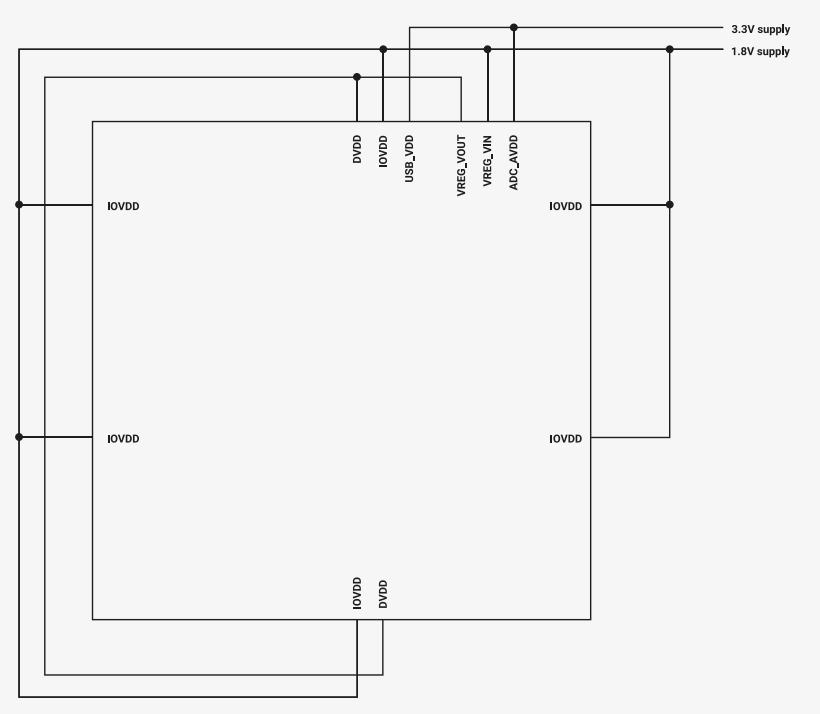
text_image
3.3V supply
1.8V supply
DVDD
IOVDD
USB_VDD
VREG_VOUT
VREG_VIN
ADC_AVDD
IOVDD
IOVDD
IOVDD
DVDD
2.9.7.4. Single 1.8V Supply
If a functional USB PHY and optimum ADC performance are not required, RP2040 can be powered from a single supply of less than 3.3V. Figure 19 shows an example with a single 1.8V supply. In this example, the core supply (DVDD) is regulated from the 1.8V supply by the on-chip voltage regulator.
Figure 19. powering the chip from a single 1.8V supply
text_image
1.8V supply
DVDD
IOVDD
USB_VDD
VREG_VOUT
VREG_VIN
ADC_AVDD
IOVDD
IOVDD
IOVDD
DVDD
2.10. Core Supply Regulator
RP2040 includes an on-chip voltage regulator, allowing the digital core supply (DVDD) to be generated from an external, nominally 1.8V to 3.3V, power supply. In most cases, the regulator’s input supply will share an external power source with the chip’s digital IO supply IOVDD, simplifying the overall power supply requirements.
To allow the chip to start up, the voltage regulator is enabled by default and will power-on as soon as its input supply is available. Once the chip is out of reset, the regulator can be disabled, placed into a high impedance state, or have its output voltage adjusted, under software control. The output voltage can be set in the range 0.80V to 1.30V in 50mV steps, but is set to a nominal 1.1V at initial power-on, or after a reset event. The voltage regulator can supply up to 100mA.
Although intended to provide the chip’s digital core supply (DVDD), the voltage regulator can be used for other purposes if DVDD is powered directly from an external power supply.
2.10.1. Application Circuit
Figure 20. voltage regulator application circuit
text_image
1.8V to 3.3V supply
100nF
GND
1µF
GND
1µF
GND
DVDD
VREG_VOUT
VREG_VIN
DVDD
100nF
GND
The regulator must have 1μF capacitors placed close to its input (VREG_VIN) and output (VREG_VOUT) pins.
2.10.2. Operating Modes
The voltage regulator operates in one of three modes. The mode to be used being selected by writing to the EN and HIZ fields in the VREG register, as shown in Table 187. At initial power-on, or following a reset event, the voltage regulator will be in Normal Operation mode.
Table 187. Voltage Regulator Mode Select
| Mode | EN | HIZ |
| Normal Operationa | 1 | 0 |
| High Impedance | 1 | 1 |
| Shutdown | 0 | X |
a the voltage regulator will be in normal mode at initial power-on or following a reset event
2.10.2.1. Normal Operation Mode
In Normal Operation mode, the voltage regulator’s output is in regulation at the selected voltage, and the regulator is able to supply power.
2.10.2.2. High Impedance Mode
In High Impedance mode, the voltage regulator is disabled and its output pin (VREG_VOUT) is set to a high impedance state. In this mode, the regulator’s power consumption is minimised. This mode allows a load connected to VREG_VOUT to be powered from a power source other than the on-chip regulator. This could allow, for example, the load to be initially powered from the on-chip voltage regulator, and then switched to an external regulator under software control. The external regulator would also need to support a high impedance mode, with only one regulator supplying the load at a time. The supply voltage is maintained by the regulator’s output capacitor during the brief period when both regulators are in high impedance mode.
2.10.2.3. Shutdown Mode
In Shutdown mode, the voltage regulator is disabled, power consumption is minimized and the regulator’s output pin (VREG_VOUT) is pulled to 0V.
Shutdown mode is only useful if the voltage regulator is not providing the RP2040’s digital core supply (DVDD). If the regulator is supplying DVDD, and brown-out detection is enabled, entering shutdown mode will cause a reset event and the voltage regulator will return to normal mode. If brown-out detection isn’t enabled, the voltage regulator will shut down and will remain in shutdown mode until its input supply (VREG_VIN) is power cycled.
2.10.3. Output Voltage Select
The required output voltage can be selected by writing to the VSEL field in the VREG register. The voltage regulator’s output voltage can be set in the range 0.80V to 1.30V in 50mV intervals. The regulator output voltage is set to 1.1V at initial power-on or following a reset event. For details, see the VREG register description.
Note that RP2040 may not operate reliably with its digital core supply (DVDD) outside of operating conditions (see Section 5.6); it is recommended to set the regulator to 1.10V for most applications.
2.10.4. Status
The VREG register contains a single status field, ROK, which indicates whether the voltage regulator’s output is being correctly regulated.
At power on, ROK remains low until the regulator has started up and the output voltage reaches the ROK assertion threshold $\left( \mathsf { R O K } _ { \mathsf { T H } , \mathsf { A S S E R T } } \right)$ . It then remains high until the voltage drops below the ROK deassertion threshold $( R 0 K _ { \mathsf { T H } . \mathsf { D E A S S E R T } } )$ , remaining low until the output voltage is above the assertion threshold again. ROKTH.ASSERT is nominally 90% of the selected output voltage, 0.99V if the selected output voltage is 1.1V, and ROKTH.DEASSERT is nominally 87% of the selected output voltage, 0.957V if the selected output voltage is 1.1V.
Note that adjusting the output voltage to a higher voltage will cause ROK to go low until the assertion threshold for the higher voltage is reached. ROK will also go low if the regulator is placed in high impedance mode.
2.10.5. Current Limit
The voltage regulator includes a current limit to prevent the load current exceeding the maximum rated value. The output voltage will not be regulated and will drop below the selected value when the current limit is active.
2.10.6. List of Registers
The voltage regulator shares a register address space with the chip-level reset subsystem. The registers for both subsystems are listed here. Only, the VREG register is part of the voltage register subsystem. The BOD and CHIP_RESET registers are part of the chip-level reset subsystem. The shared address space is referred to as vreg_and_chip_reset elsewhere in this document.
The VREG_AND_CHIP_RESET registers start at a base address of 0x40064000 (defined as VREG_AND_CHIP_RESET_BASE in SDK).
Table 188.List of VREG_AND_CHIP_RES ET registers
| Offset | Name | Info |
| 0x0 | VREG | Voltage regulator control and status |
| 0x4 | BOD | brown-out detection control |
| 0x8 | CHIP_RESET | Chip reset control and status |
VREG_AND_CHIP_RESET: VREG Register
Offset: 0x0
Description
Voltage regulator control and status
Table 189. VREG Register
| Bits | Description | Type | Reset |
| 31:13 | Reserved. | - | - |
| 12 | ROK: regulation status0=not in regulation, 1=in regulation | RO | 0x0 |
| 11:8 | Reserved. | - | - |
| 7:4 | VSEL: output voltage select0000 to 0101 - 0.80V0110 - 0.85V0111 - 0.90V1000 - 0.95V1001 - 1.00V1010 - 1.05V1011 - 1.10V (default)1100 - 1.15V1101 - 1.20V1110 - 1.25V1111 - 1.30V | RW | 0xb |
| 3:2 | Reserved. | - | - |
| 1 | HIZ: high impedance mode select0=not in high impedance mode, 1=in high impedance mode | RW | 0x0 |
| 0 | EN: enable0=not enabled, 1=enabled | RW | 0x1 |
VREG_AND_CHIP_RESET: BOD Register
Offset: 0x4
Description
brown-out detection control
Table 190. BOD Register
| Bits | Description | Type | Reset |
| 31:8 | Reserved. | - | - |
| 7:4 | VSEL: threshold select0000 - 0.473V0001 - 0.516V0010 - 0.559V0011 - 0.602V0100 - 0.645V0101 - 0.688V0110 - 0.731V0111 - 0.774V1000 - 0.817V1001 - 0.860V (default)1010 - 0.903V1011 - 0.946V1100 - 0.989V1101 - 1.032V1110 - 1.075V1111 - 1.118V | RW | 0x9 |
| 3:1 | Reserved. | - | - |
| 0 | EN: enable0=not enabled, 1=enabled | RW | 0x1 |
VREG_AND_CHIP_RESET: CHIP_RESET Register
Offset: 0x8
Description
Chip reset control and status
Table 191. CHIP_RESET Register
| Bits | Description | Type | Reset |
| 31:25 | Reserved. | - | - |
| 24 | PSM_RESTART_FLAG: This is set by psm_restart from the debugger. Its purpose is to branch bootcode to a safe mode when the debugger has issued a psm_restart in order to recover from a boot lock-up. In the safe mode the debugger can repair the boot code, clear this flag then reboot the processor. | WC | 0x0 |
| 23:21 | Reserved. | - | - |
| 20 | HAD_PSM_RESTART: Last reset was from the debug port | RO | 0x0 |
| 19:17 | Reserved. | - | - |
| 16 | HAD_RUN: Last reset was from the RUN pin | RO | 0x0 |
| 15:9 | Reserved. | - | - |
| 8 | HAD_POR: Last reset was from the power-on reset or brown-out detection blocks | RO | 0x0 |
| 7:0 | Reserved. | - | - |
Table 192. Voltage Regulator Detailed Specifications
2.10.7. Detailed Specifications
| Parameter | Description | Min | Typ | Max | Units |
| $V_{VREG\_VIN}$ | input supply voltage | 1.63 | 1.8 - 3.3 | 3.63 | V |
| $\Delta V_{VREG\_VOUT}$ | output voltage variation | -3 | +3 | % of selected output voltage | |
| $I_{MAX}$ | output current | 100 | mA | ||
| $I_{LIMIT}$ | current limit | 150 | 350 | 450 | mA |
| $ROK_{TH.ASSERT}$ | ROK assertion threshold | 87 | 90 | 93 | % of selected output voltage |
| $ROK_{TH.DEASSERT}$ | ROK deassertion threshold | 84 | 87 | 90 | % of selected output voltage |
| $t_{POWER-ON}^{a}$ | power-up time | 275 | 350 | μs |
a values will vary with load current and capacitance on VREG_VOUT. Conditions: EN = 1, load current = 0mA, VREG_VIN ramps up in 100μs
2.11. Power Control
RP2040 provides a range of options for reducing dynamic power:
• Top-level clock gating of individual peripherals and functional blocks
• Automatic control of top-level clock gates based on processor sleep state
• On-the-fly changes to system clock frequency or system clock source (e.g. switch to internal ring oscillator, and disable PLLs and crystal oscillator)
• Zero-dynamic-power DORMANT state, waking on GPIO event or RTC IRQ
All digital logic on RP2040 is in a single core power domain. The following options are available for static power reduction:
• Placing memories into state-retaining power down state
• Power gating on peripherals that support this, e.g. ADC, temperature sensor
2.11.1. Top-level Clock Gates
Each clock domain (for example, the system clock) may drive a large number of distinct hardware blocks, not all of which may be required at once. To avoid unnecessary power dissipation, each individual endpoint of each clock (for example, the UART system clock input) may be disabled at any time.
Enabling and disabling a clock gate is glitch-free. If a peripheral clock is temporarily disabled, and subsequently reenabled, the peripheral will be in the same state as prior to the clock being disabled. No reset or reinitialisation should be required.
Clock gates are controlled by two sets of registers: the WAKE_ENx registers (starting at WAKE_EN0) and SLEEP_ENx registers (starting at SLEEP_EN0). These two sets of registers are identical at the bit level, each possessing a flag to control each clock endpoint. The WAKE_EN registers specify which clocks are enabled whilst the system is awake, and the SLEEP_ENx registers select which clocks are enabled while the processor is in the SLEEP state (Section 2.11.2).
The two Cortex-M0+ processors do not have externally-controllable clock gates. Instead, the processors gate the clocks of their subsystems autonomously, based on execution of WFI/WFE instructions, and external Event and IRQ signals.
2.11.2. SLEEP State
RP2040 enters the SLEEP state when all of the following are true:
• Both processors are asleep (e.g. in a WFE or WFI instruction)
• The system DMA has no outstanding transfers on any channel
RP2040 exits the SLEEP state when either processor is awoken by an interrupt.
When in the SLEEP state, the top-level clock gates are masked by the SLEEP_ENx registers (starting at SLEEP_EN0), rather than the WAKE_ENx registers. This permits more aggressive pruning of the clock tree when the processors are asleep.

NOTE
Though it is possible for a clock to be enabled during SLEEP and disabled outside of SLEEP, this is generally not useful
For example, if the system is sleeping until a character interrupt from a UART, the entire system except for the UART can be clock-gated (SLEEP_ENx = all-zeroes except for CLK_SYS_UART0 and CLK_PERI_UART0). This includes system infrastructure such as the bus fabric.
When the UART asserts its interrupt, and wakes a processor, RP2040 leaves SLEEP mode, and switches back to the WAKE_ENx clock mask. At the minimum this should include the bus fabric, and the memory devices containing the processor’s stack and interrupt vectors.
A system-level clock request handshake holds the processors off the bus until the clocks are re-enabled.
2.11.3. DORMANT State
The DORMANT state is a true zero-dynamic-power sleep state, where all clocks (and all oscillators) are disabled. The system can awake from the DORMANT state upon a GPIO event (high/low level or rising/falling edge), or an RTC interrupt: this restarts one of the oscillators (either ring oscillator or crystal oscillator), and ungates the oscillator output once it is stable. System state is retained, so code execution resumes immediately upon leaving the DORMANT state.
Note that, if relying on the RTC (Section 4.8) to wake from the DORMANT state, the RTC must have some external clock source. The RTC accepts clock frequencies as low as 1Hz.
Note also that DORMANT does not halt PLLs. To avoid unnecessary power dissipation, software should power down PLLs before entering the DORMANT state, and power up and reconfigure the PLLs again after exiting.
The DORMANT state is entered by writing a keyword to the DORMANT register in whichever oscillator is active: ring oscillator (Section 2.17) or crystal oscillator (Section 2.16). If both are active then the one providing the processor clock must be stopped last because it will stop software from executing.
2.11.4. Memory Power Down
The main system memories (SRAM0…5, mapped to bus addresses 0x20000000 to 0x20041fff), as well as the USB DPRAM, can be powered down via the MEMPOWERDOWN register in the Syscfg registers (see Section 2.21). When powered down, memories retain their current contents, but cannot be accessed. Static power is reduced.

CAUTION
Memories must not be accessed when powered down. Doing so can corrupt memory contents.
When powering a memory back up, a 20ns delay is required before accessing the memory again.
The XIP cache (see Section 2.6.3) can also be powered down, with CTRL.POWER_DOWN. The XIP hardware will not generate cache accesses whilst the cache is powered down. Note that this is unlikely to produce a net power savings if code continues to execute from XIP, due to the comparatively high voltages and switching capacitances of the external QSPI bus.
2.11.5. Programmer’s Model
2.11.5.1. Sleep
The hello_sleep example, https://github.com/raspberrypi/pico-playground/blob/master/sleep/hello\_sleep/ hello_sleep_aon.c, demonstrates sleep mode. The hello_sleep application (and underlying functions) takes the following steps:
• Run all clocks in the system from XOSC
• Configure an alarm in the RTC for 10 seconds in the future
• Set clk_rtc as the only clock running in sleep mode using the SLEEP_ENx registers (see SLEEP_EN0)
• Enable deep sleep in the processor
• Call __wfi on processor which will put the processor into deep sleep until woken by the RTC interrupt
• The RTC interrupt clears the alarm and then calls a user supplied callback function
• The callback function ends the example application

NOTE
It is necessary to enable deep sleep on both proc0 and proc1 and call __wfi, as well as ensure the DMA is stopped to enter sleep mode.
hello_sleep makes use of functions in pico_sleep of the Pico Extras. In particular, sleep_goto_sleep_until puts the processor to sleep until woken up by an RTC time assumed to be in the future.
Pico Extras: https://github.com/raspberrypi/pico-extras/blob/master/src/rp2\_common/pico\_sleep/sleep.c Lines 159 - 183
void sleep_goto_sleep_until(struct timespec *ts, aon_timer_alarm_handler_t callback)
{
    // We should have already called the sleep_run_from_dormant_source function
    // This is only needed for dormancy although it saves power running from xosc while sleeping
    //assert(dormant_source_valid(_dormant_source));
    clocks_hw->sleep_en0 = CLOCKS_SLEEP_EN0_CLK_RTC_RTC_BITS;
    clocks_hw->sleep_en1 = 0x0;
    aon_timer_enable_alarm(ts, callback, false);
    stdio_flush();
    // Enable deep sleep at the proc
    processor_deep_sleep();
175
176 // Go to sleep
177 _wfi();
178 }
2.11.5.2. Dormant
The hello_dormant example, https://github.com/raspberrypi/pico-playground/blob/master/sleep/hello\_dormant/ hello_dormant_gpio.c, demonstrates dormant mode. The example takes the following steps:
• Run all clocks in the system from XOSC
• Configure a GPIO interrupt for the "dormant_wake" hardware which can wake both the ROSC and XOSC from dormant mode
• Put the XOSC into dormant mode which stops all processor execution (and all other clocked logic on the chip) immediately
• When GPIO 10 goes high, the XOSC is started again and execution of the program continues
hello_dormant uses sleep_goto_dormant_until_pin under the hood:
Pico Extras: https://github.com/raspberrypi/pico-extras/blob/master/src/rp2\_common/pico\_sleep/sleep.c Lines 258 - 282
void sleep_goto_dormant_until_pin(uint gpio_pin, bool edge, bool high) {
    bool low = !high;
    bool level = !edge;

    // Configure the appropriate IRQ at IO bank 0
    assert(gpio_pin < NUM_BANK0_GPIOS);

    uint32_t event = 0;

    if (level && low) event = IO_BANK0_DORMANT_WAKE_INTE0_GPIO0_LEVEL_LOW_BITS;
    if (level && high) event = IO_BANK0_DORMANT_WAKE_INTE0_GPIO0_LEVEL_HIGH_BITS;
    if (edge && high) event = IO_BANK0_DORMANT_WAKE_INTE0_GPIO0_EDGE_HIGH_BITS;
    if (edge && low) event = IO_BANK0_DORMANT_WAKE_INTE0_GPIO0_EDGE_LOW_BITS;

    gpio_init(gpio_pin);
    gpio_set_input_enabled(gpio_pin, true);
    gpio_set_dormant_irq_enabled(gpio_pin, event, true);

    _go_dormant();
    // Execution stops here until woken up

    // Clear the irq so we can go back to dormant mode again if we want
    gpio_acknowledge_irq(gpio_pin, event);
    gpio_set_input_enabled(gpio_pin, false);
}
2.12. Chip-Level Reset
2.12.1. Overview
The chip-level reset subsystem resets the whole chip, placing it in a default state. This happens at initial power-on, during a power supply brown-out event or when the chip’s RUN pin is taken low. The chip can also be reset via the
Rescue Debug Port. See Section 2.3.4.2, “Rescue DP” for details.
The subsystem has two reset outputs. rst_n_psm, which resets the whole chip, except the debug port, and rst_n_dp, which only resets the Rescue DP. Both resets are held low at initial power-on, during a brown-out event or when RUN is low. rst_n_psm can additionally be held low by the Rescue DP via the subsystem’s psm_restart input. This allows the chip to be reset via the Rescue DP without resetting the Rescue DP itself. The subsystem releases chip level reset by taking rst_n_psm high, handing control to the Power-on State Machine, which continues to start up the chip. See Section 2.13, “Power-On State Machine” for details.
The chip level reset subsystem is shown in Figure 21, and more information is available in the following sections.
Figure 21. The chiplevel reset subsystem
flowchart
graph TD
    A["VREG_VIN"] --> B["initialise_por_n"]
    B --> C["Supply Monitor"]
    C --> D["AND"]
    D --> E["initialise_n _por_n"]
    E --> F["Power-on Reset"]
    F --> G["AND"]
    G --> H["psm_restart"]
    G --> I["rst_n_psm"]
    G --> J["rst_n_dp"]
    K["DVDD"] --> E
    L["DVDD"] --> M["bod_n enable"]
    M --> N["Brown-out Detection"]
    N --> E
    O["external result (RUN)"] --> P["AND"]
    P --> G
2.12.2. Power-on Reset
The power-on reset block makes sure the chip starts up cleanly when power is first applied by holding it in reset until the digital core supply (DVDD) can reliably power the chip’s core logic. The block holds its por_n output low until DVDD has been above the power-on reset threshold $( \mathsf { D V D D } _ { \mathsf { T H } . \mathsf { P O R } } )$ for a period greater than the power-on reset assertion delay $( \mathtt { t _ { P 0 R . A S S E R T } } )$ . Once high, por_n remains high even if DVDD subsequently falls below $\mathsf { D V D D } _ { \mathsf { T H } . \mathsf { P O R } } ,$ unless brown-out detection is enabled. The behaviour of $\mathsf { p o r _ n }$ when power is applied is shown in Figure 22.
$\mathsf { D V D D } _ { \mathsf { T H } . \mathsf { P O R } }$ is fixed at a nominal 0.957V, which should result in a threshold between 0.924V and 0.99V. The threshold assumes a nominal DVDD of 1.1V at initial power-on, and por_n may never go high if a lower voltage is used. Once the chip is out of reset, DVDD can be reduced without por_n going low, as long as brown-out detection has been disabled or a suitable threshold voltage has been set.
Figure 22. A power-on reset cycle
text_image
DVDD
DVDD_TH.POR
tpor.assert
por_n
2.12.2.1. Detailed Specifications
Table 193. Power-on Reset Parameters
| Parameter | Description | Min | Typ | Max | Units |
| $DVDD_{TH.POR}$ | power-on reset threshold | 0.924 | 0.957 | 0.99 | V |
| $t_{POR.ASSERT}$ | power-on reset assertion delay | 3 | 10 | μs |
2.12.3. Brown-out Detection
The brown-out detection block prevents unreliable operation by initiating a power-on reset cycle if the digital core supply (DVDD) drops below a safe operating level. The block’s bod_n output is taken low if DVDD drops below the brown-out detection threshold $( \mathsf { D V D D } _ { \mathsf { T H . B O D } } )$ for a period longer than the brown-out detection assertion delay (tBOD.ASSERT). This reinitialises the power-on reset block, which resets the chip, by taking its por_n output low, and holds it in reset until DVDD returns to a safe operating level. Figure 23 shows a brown-out event and the subsequent power-on reset cycle.
Figure 23. A brown-out detection cycle
text_image
DVDD
DVDD_TH,BOD
DVDD_TH,POR
t_POR Alpha
por_n
t_BOD Alpha
bod_n
2.12.3.1. Detection Enable
Brown-out detection is automatically enabled at initial power-on or after a brown-out initiated reset. There is, however, a short delay, the brown-out detection activation delay $( \mathsf { t } _ { \mathsf { B O D } . \mathsf { A C T I V E } } )$ , between por_n going high and detection becoming active. This is shown in Figure 24.
Figure 24. Activation of brown-out detection at initial power-on and following a brown-out event.
text_image
DVDD
DVDD_TH_POR
DVDD_TH_BOD
DVDD_TH_POR
t_POR_ASSERT
t_POR_ASSERT
por_n
t_BOD_ASSERT
bod_n
t_BOD_ACTIVE
t_BOD_ACTIVE
detection inactive
detection active
detection inactive
detection active
Once the chip is out of reset, detection can be disabled under software control. This also saves a small amount of power. If detection is subsequently re-enabled, there will be another short delay, the brown-out detection enable delay (t ), before it becomes active again. This is shown in Figure 25.
Figure 25. Disabling and enabling brownout detection
Detection is disabled by writing a zero to the EN field in the BOD register and is re-enabled by writing a one to the same field. The block’s bod_n output is high when detection is disabled.

flowchart
graph TD
    A["EN"] --> B["1"]
    B --> C["0"]
    C --> D["1"]
    D --> E["tBOD.ENABLE"]
    E --> F["detection inactive"]
    E --> G["detection inactive"]
    E --> H["detection active"]
Detection is re-enabled if the BOD register is reset, as this sets the register’s EN field to one. Again, detection will become active after a delay equal to the brown-out detection enable delay (tBOD.ENABLE).

NOTE
If the BOD register is reset by a power-on or brown-out initiated reset, the delay between the register being reset and brown-out detection becoming active will be equal to the brown-out detection activation delay (tBOD.ACTIVE). The delay will be equal to the brown-out detection enable delay $( \ t _ { \mathsf { B O D . E N A B L E } } )$ for all other reset sources.
2.12.3.2. Adjusting the Detection Threshold
The brown-out detection threshold $( \mathsf { D V D D } _ { \mathsf { T H . B O D } } )$ has a nominal value of 0.86V at initial power-on or after a reset event. This should result in a detection threshold between 0.83V and 0.89V. Once out of reset, the threshold can be adjusted under software control. The new detection threshold will take effect after the brown-out detection programming delay $( ( \mathrm { t } _ { \mathsf { B O D } . \mathsf { P R O G } } )$ . An example of this is shown in Figure 26.
The threshold is adjusted by writing to the VSEL field in the BOD register. See the BOD register description for details.
Figure 26. Adjusting the brown-out detection threshold
text_image
VSEL 1001 0111
tBOD.PROG
threshold 0.86V threshold 0.774V
2.12.3.3. Detailed Specifications
Table 194. Brown-out Detection Parameters
| Parameter | Description | Min | Typ | Max | Units |
| $DVDD_{TH.BOD}$ | brown-out detection threshold | 96.5 | 100 | 103.5 | % of selected threshold voltage |
| $t_{BOD.ACTIVE}$ | brown-out detection activation delay | 55 | 80 | μs | |
| $t_{BOD.ASSERT}$ | brown-out detection assertion delay | 3 | 10 | μs | |
| $t_{BOD.ENABLE}$ | brown-out detection enable delay | 35 | 55 | μs | |
| $t_{BOD.PROG}$ | brown-out detection programming delay | 20 | 30 | μs |
2.12.4. Supply Monitor
The power-on and brown-out reset blocks are powered by the on-chip voltage regulator’s input supply (VREG_VIN). The blocks are initialised when power is first applied, but may not be reliably re-initialised if power is removed and then reapplied before VREG_VIN has dropped to a sufficiently low level. To prevent this happening, VREG_VIN is monitored and the power-on reset block is re-initialised if it drops below the VREG_VIN activation threshold $( \mathsf { V R E G _ V I N } _ { \mathsf { T H A C T I V E } } ) .$ . $\mathsf { V R E G _ V I N } _ { \mathsf { T H A C T I V E } }$ is fixed at a nominal 1.1V, which should result in a threshold between 0.87V and 1.26V. This threshold does not represent a safe operating voltage. It is the voltage that VREG_VIN must drop below to reliably re-initialise the power-on reset block. For safe operation, VREG_VIN must be at a nominal voltage between 1.8V and 3.3V.
2.12.4.1. Detailed Specifications
Table 195. Voltage Regulator Input Supply Monitor Parameters
| Parameter | Description | Min | Typ | Max | Units |
| $VREG\_VIN_{TH.ACTIVE}$ | VREG_VINactivationthreshold | 0.87 | 1.1 | 1.26 | V |
2.12.5. External Reset
The chip can also be reset by taking its RUN pin low. Taking RUN low will hold the chip in reset irrespective of the state of the core power supply (DVDD) and the power-on reset / brown-out detection blocks. The chip will come out of reset as soon as RUN is taken high, if all other reset sources have been released. RUN can be used to extend the initial poweron reset, or can be driven from an external source to start and stop the chip as required. If RUN is not used, it should be tied high.
2.12.6. Rescue Debug Port Reset
The chip can also be reset via the Rescue Debug Port. This allows the chip to be recovered from a locked up state. In addition to resetting the chip, a Rescue Debug Port reset also sets the PSM_RESTART_FLAG in the CHIP_RESET register. This is checked by the bootcode at startup, causing it to enter a safe state if the bit is set. See Section 2.3.4.2, “Rescue DP” for more information.
2.12.7. Source of Last Reset
The source of the most recent chip-level reset can be determined by reading the state of the HAD_POR, HAD_RUN and HAD_PSM_RESTART fields in the CHIP_RESET register. A one in the HAD_POR field indicates a power supply related reset, i.e. either a power-on or brown-out initiated reset, a one in the HAD_RUN field indicates the chip was last reset by the RUN pin, and a one in the HAD_PSM_RESTART field indicates the chip has been reset via Rescue Debug Port. There should never be more than one field set to one.
2.12.8. List of Registers
The chip-level reset subsystem shares a register address space with the on-chip voltage regulator. The registers for both subsystems are listed in Section 2.10.6. The shared address space is referred to as vreg_and_chip_reset elsewhere in this document.
2.13. Power-On State Machine
2.13.1. Overview
The power-on state machine removes the reset from various hardware blocks in a specific order. Each peripheral in the power-on state machine is controlled by an internal rst_n active-low reset signal and generates an internal rst_done active-high reset done signal. The power-on state machine deasserts the reset to each peripheral, waits for that peripheral to assert its rst_done and then deasserts the reset to the next peripheral. An important use of this is to wait for a clock source to be running cleanly in the chip before the reset to the clock generators is deasserted. This avoids potentially glitchy clocks being distributed to the chip.
The power-on state machine is itself taken out of reset when the Chip-Level Reset subsystem confirms that the digital core supply (DVDD) is powered and stable, and the RUN pin is high. The power-on state machine takes a number of other blocks out of reset at this point via its rst_n_run output. This is used to reset things that need to be reset at start-up but must not be reset if the power-on state machine is restarted. This list includes:
• Power on logic in the ring oscillator and crystal oscillator
• Clock dividers which must keep on running during a power-on state machine restart (clk_ref and clk_sys)
• Watchdog (contains scratch registers which need to persist through a soft-restart of the power-on state machine)
2.13.2. Power On Sequence
Figure 27. Power-On State Machine Sequence.
flowchart
graph TD
    A["Chip Level Reset Released"] --> B["Ring Oscillator"]
    B --> C["Crystal Oscillator"]
    C --> D["Clock Generators"]
    D --> E["Reset Controller"]
    E --> F["Bus Fabric"]
    F --> G["XIP (Execute-In-Place)"]
    G --> H["Chip Level Reset and Voltage Regulator Registers"]
    H --> I["Processor Complex"]
    G <--> J["ROM / SRAM"]
The power-on state machine sequence is as follows:
• Chip-Level Reset subsystem deasserts power-on state machine reset once digital core supply (DVDD) is powered and stable, and RUN pin is high (rst_n_run is also deasserted at this point)
• Ring Oscillator is started. rst_done is asserted once the ripple counter has seen a sufficient number of clock edges to indicate the ring oscillator is stable
• Crystal Oscillator reset is deasserted. The crystal oscillator is not started at this point, so rst_done is asserted instantly.
• clk_ref and clk_sys clock generators are taken out of reset. In the initial configuration clk_ref is running from the ring oscillator with no divider. clk_sys is running from clk_ref. These clocks are needed for the rest of the sequence to progress.
The rest of the sequence is fairly simple, with the following coming out of reset in order one by one:
• Reset Controller - used to reset all non-boot peripherals
• Chip-Level Reset and Voltage Regulator registers - used by the bootrom to check the boot state of the chip. In particular, the PSM_RESTART_FLAG flag in the CHIP_RESET register can be set via SWD to indicate to the boot code that there is bad code in flash and it should stop executing. The reset state of the CHIP_RESET register is determined by the Chip-Level Reset subsystem and is not affected by reset coming from the power-on state machine
• XIP (Execute-In-Place) - used by the bootrom to execute code from an external SPI flash
• ROM and SRAM - Boot code is executed from the ROM. SRAM is used by processors and Bus Fabric.
• Bus Fabric - Allows the processors to communicate with peripherals
• Processor complex - Finally the processors can start running
The final thing to come out of reset is the processor complex. This includes both core0 and core1. Both cores will start executing the bootcode from ROM. One of the first things the bootrom does is read the core id. At this point, core1 will go to sleep leaving core0 to continue with the bootrom execution. The processor complex has its own reset control and various low-power modes which is why both the core0 and core1 resets are deasserted, despite only core0 being needed for the bootrom.
2.13.3. Register Control
The power-on state machine is a fully automated piece of hardware. It requires no input from the user to work. There are register controls that can be used to override and see the status of the power-on state machine. This allows hardware blocks in the power-on state machine to be reset by software if necessary. There is also a WDSEL register which is used to control what is reset by a Watchdog reset.
2.13.4. Interaction with Watchdog
The power-on state machine can be restarted from a software-programmable position if the Watchdog fires. For example, in the case the processor is stuck in an infinite loop, or the programmer has somehow misconfigured the chip. It is important to note that if a peripheral in the power-on state machine has the WDSEL bit set, every peripheral after it in the power-on sequence will also be reset because the rst_done of the selected peripheral will be deasserted, asserting rst_n for the remaining peripherals.
2.13.5. List of Registers
The PSM registers start at a base address of 0x40010000 (defined as PSM_BASE in SDK).
Table 196. List of PSM registers
| Offset | Name | Info |
| 0x0 | FRCE_ON | Force block out of reset (i.e. power it on) |
| 0x4 | FRCE_OFF | Force into reset (i.e. power it off) |
| 0x8 | WDSEL | Set to 1 if this peripheral should be reset when the watchdog fires. |
| 0xc | DONE | Indicates the peripheral's registers are ready to access. |
PSM: FRCE_ON Register
Offset: 0x0
Description
Force block out of reset (i.e. power it on)
Table 197. FRCE_ON Register
| Bits | Description | Type | Reset |
| 31:17 | Reserved. | - | - |
| 16 | PROC1 | RW | 0x0 |
| 15 | PROC0 | RW | 0x0 |
| 14 | SIO | RW | 0x0 |
| 13 | VREG_AND_CHIP_RESET | RW | 0x0 |
| 12 | XIP | RW | 0x0 |
| 11 | SRAM5 | RW | 0x0 |
| 10 | SRAM4 | RW | 0x0 |
| 9 | SRAM3 | RW | 0x0 |
| 8 | SRAM2 | RW | 0x0 |
| 7 | SRAM1 | RW | 0x0 |
| 6 | SRAM0 | RW | 0x0 |
| 5 | ROM | RW | 0x0 |
| 4 | BUSFABRIC | RW | 0x0 |
| 3 | RESETS | RW | 0x0 |
| 2 | CLOCKS | RW | 0x0 |
| 1 | XOSC | RW | 0x0 |
| 0 | ROSC | RW | 0x0 |
PSM: FRCE_OFF Register
Offset: 0x4
Description
Force into reset (i.e. power it off)
Table 198. FRCE_OFF Register
| Bits | Description | Type | Reset |
| 31:17 | Reserved. | - | - |
| 16 | PROC1 | RW | 0x0 |
| 15 | PROC0 | RW | 0x0 |
| 14 | SIO | RW | 0x0 |
| 13 | VREG_AND_CHIP_RESET | RW | 0x0 |
| 12 | XIP | RW | 0x0 |
| 11 | SRAM5 | RW | 0x0 |
| 10 | SRAM4 | RW | 0x0 |
| 9 | SRAM3 | RW | 0x0 |
| 8 | SRAM2 | RW | 0x0 |
| 7 | SRAM1 | RW | 0x0 |
| 6 | SRAM0 | RW | 0x0 |
| 5 | ROM | RW | 0x0 |
| 4 | BUSFABRIC | RW | 0x0 |
| 3 | RESETS | RW | 0x0 |
| 2 | CLOCKS | RW | 0x0 |
| 1 | XOSC | RW | 0x0 |
| 0 | ROSC | RW | 0x0 |
PSM: WDSEL Register
Offset: 0x8
Description
Set to 1 if this peripheral should be reset when the watchdog fires.
Table 199. WDSEL Register
| Bits | Description | Type | Reset |
| 31:17 | Reserved. | - | - |
| 16 | PROC1 | RW | 0x0 |
| 15 | PROC0 | RW | 0x0 |
| 14 | SIO | RW | 0x0 |
| 13 | VREG_AND_CHIP_RESET | RW | 0x0 |
| 12 | XIP | RW | 0x0 |
| 11 | SRAM5 | RW | 0x0 |
| 10 | SRAM4 | RW | 0x0 |
| 9 | SRAM3 | RW | 0x0 |
| 8 | SRAM2 | RW | 0x0 |
| 7 | SRAM1 | RW | 0x0 |
| 6 | SRAM0 | RW | 0x0 |
| 5 | ROM | RW | 0x0 |
| 4 | BUSFABRIC | RW | 0x0 |
| 3 | RESETS | RW | 0x0 |
| 2 | CLOCKS | RW | 0x0 |
| 1 | XOSC | RW | 0x0 |
| 0 | ROSC | RW | 0x0 |
PSM: DONE Register
Offset: 0xc
Description
Indicates the peripheral’s registers are ready to access.
Table 200. DONE Register
| Bits | Description | Type | Reset |
| 31:17 | Reserved. | - | - |
| 16 | PROC1 | RO | 0x0 |
| 15 | PROC0 | RO | 0x0 |
| 14 | SIO | RO | 0x0 |
| 13 | VREG_AND_CHIP_RESET | RO | 0x0 |
| 12 | XIP | RO | 0x0 |
| 11 | SRAM5 | RO | 0x0 |
| 10 | SRAM4 | RO | 0x0 |
| 9 | SRAM3 | RO | 0x0 |
| 8 | SRAM2 | RO | 0x0 |
| 7 | SRAM1 | RO | 0x0 |
| 6 | SRAM0 | RO | 0x0 |
| 5 | ROM | RO | 0x0 |
| 4 | BUSFABRIC | RO | 0x0 |
| 3 | RESETS | RO | 0x0 |
| 2 | CLOCKS | RO | 0x0 |
| 1 | XOSC | RO | 0x0 |
| 0 | ROSC | RO | 0x0 |
2.14. Subsystem Resets
2.14.1. Overview
The reset controller allows software control of the resets to all of the peripherals that are not critical to boot the processor in RP2040. This includes:
• USB Controller
• PIO
• Peripherals such as UART, I2C, SPI, PWM, Timer, ADC
• PLLs
• IO and Pad registers
The full list can be seen in the register descriptions.
Every peripheral reset by the reset controller is held in reset at power-up. It is up to software to deassert the reset of peripherals it intends to use. Note that if you are using the SDK some peripherals may already be out of reset.
2.14.2. Programmer’s Model
The SDK defines a struct to represent the resets registers.
SDK: https://github.com/raspberrypi/pico-sdk/blob/master/src/rp2040/hardware\_structs/include/hardware/structs/resets.h Lines 59 - 146
59 typedef struct {
60 _REG_(RESETS_RESET_OFFSET) // RESETS_RESET
61 // Reset control.
62 // 0x01000000 [24] USBCTRL (1)
63 // 0x00800000 [23] UART1 (1)
64 // 0x00400000 [22] UART0 (1)
65 // 0x00200000 [21] TIMER (1)
66 // 0x00100000 [20] TBMAN (1)
67 // 0x00080000 [19] SYSINFO (1)
68 // 0x00040000 [18] SYSCFG (1)
69 // 0x00020000 [17] SPI1 (1)
70 // 0x00010000 [16] SPI0 (1)
71 // 0x00008000 [15] RTC (1)
72 // 0x00004000 [14] PWM (1)
73 // 0x00002000 [13] PLL_USB (1)
74 // 0x00001000 [12] PLL_SYS (1)
75 // 0x00000800 [11] PIO1 (1)
76 // 0x00000400 [10] PIO0 (1)
77 // 0x00000200 [9] PADS_QSPI (1)
78 // 0x00000100 [8] PADS_BANKO (1)
79 // 0x000008O [7] JTAG (1)
80 // 0x000004O [6] IO_QSPI (1)
81 // 0x000002O [5] IO_BANKO (1)
82 // 0x000001O [4] I2C1 (1)
83 // 0x000008O [3] I2CQ (1)
84 // 0x00008O4 [2] DMA (1)
85 // 0x00888888888888888888888888888888888888888888888
io_rw_32 reset;
REG_(RESETS_WDSEL_OFFSET) // RESETS_WDSEL
Watchdog select.
// Watchdog select.
// 0x1111111111111111111111111111111111111
// Watchdog select.
// Watchdog select.
// Watchdog select.
// Watchdog select.
// Watchdog select.
// Watchdog select.
// Watchdog select.
// Watchdog select.
// Watchdog select.
// Watchdog select.
// Watchdog select.
// Watchdog select.
// Watchdog select.
// Watchdog select.
// Watchdog select.
// Watchdog select.
// Watchdog select.
// Watchdog select.
// Watchdog select.
// Watchdog select.
// Watchdog select.

SYSINFO (O)
SYSCFG (O)
SPI1 (O)
SPIO (O)
RTC (O)
PWM (O)
PLL_USB (O)
103 // 0x00001000 [12] PLL_SYS (0)
104 // 0x00000800 [11] PIO1 (0)
105 // 0x00000400 [10] PIO0 (0)
106 // 0x00000200 [9] PADS_QSPI (0)
107 // 0x00000100 [8] PADS_BANK0 (0)
108 // 0x00000080 [7] JTAG (0)
109 // 0x00000040 [6] IO_QSPI (0)
110 // 0x00000020 [5] IO_BANK0 (0)
111 // 0x00000010 [4] I2C1 (0)
112 // 0x00000008 [3] I2C0 (0)
113 // 0x00000004 [2] DMA (0)
114 // 0x00000002 [1] BUSCTRL (0)
115 // 0x00000001 [0] ADC (0)
116 io_rw_32 wdsel;
117
118 _REG_(RESETS_RESET_DONE_OFFSET) // RESETS_RESET_DONE
119 // Reset done.
120 // 0x0100000 [24] USBCTRL (0)
121 // 0x0080000 [23] UART1 (0)
122 // 0x0040000 [22] UART0 (0)
123 // 0x0020000 [21] TIMER (0)
124 // 0x0010000 [20] TBMAN (0)
125 // 0x0088888 [19] SYSINFO (0)
126 // 0x0888888 [18] SYSCFG (0)
127 // 0x8888888 [17] SPI1 (0)
128 // 0x8888888 [16] SPIO (0)
129 // 0x8888888 [15] RTC (0)
130 // 0x8888888 [14] PWM (0)
131 // 0x8888888 [13] PLL_USB (0)
132 // 0x8888888 [12] PLL_SYS (0)
133 // 0x8888888 [11] PIO1 (0)
134 // 0x8888888 [10] PIOO (0)
135 // 0x8888888 [9] PADS_QSPI (O)
136 // 0x8888888 [8] PADS_BANKO (O)
137 // 0x8888888 [7] JTAG (O)
138 // 0x8888888 [6] IO_QSPI (O)
139 // 0x8888888 [5] IO_BANKO (O)
140 // 0x8888888 [4] I2C1 (O)
141 // 0x8888888 [3] I2CQ (O)
142 // 0x8888888 [2] DMA (O)
143 // 0x8888888 [1] BUSCTRL (O)
144 // 0x8888888 [O] ADC (O)
145 io_ro_32 reset_done;
146 } resets_hw_t;
Three registers are defined:
• reset: this register contains a bit for each peripheral that can be reset. If the bit is set to 1 then the reset is asserted. If the bit is cleared then the reset is deasserted.
• wdsel: if the bit is set then this peripheral will be reset if the watchdog fires (note that the power on state machine can potentially reset the whole reset controller, which will reset everything)
• reset_done: a bit for each peripheral, that gets set once the peripheral is out of reset. This allows software to wait for this status bit in case the peripheral has some initialisation to do before it can be used.
The reset functions in the SDK are defined as follows:
SDK: https://github.com/raspberrypi/pico-sdk/blob/master/src/rp2\_common/hardware\_resets/include/hardware/resets.h Lines 121 - 123
121 static __force_inline void reset_block(uint32_t bits) {
122 reset_block_mask(bits);
123 }
SDK: https://github.com/raspberrypi/pico-sdk/blob/master/src/rp2\_common/hardware\_resets/include/hardware/resets.h Lines 125 - 127
125 static __force_inline void unreset_block(uint32_t bits) {
126    unreset_block_mask(bits);
127 }
SDK: https://github.com/raspberrypi/pico-sdk/blob/master/src/rp2\_common/hardware\_resets/include/hardware/resets.h Lines 129 - 131
129 static __force_inline void unreset_block_wait(uint32_t bits) {
130    return unreset_block_mask_wait_blocking(bits);
131 }
An example use of these is in the UART driver, where the driver defines a uart_reset function, selecting a different bit of the reset register depending on the uart specified:
SDK: https://github.com/raspberrypi/pico-sdk/blob/master/src/rp2\_common/hardware\_uart/uart.c Lines 32 - 38
32 static inline void uart_reset(uart_inst_t *uart) {
33    reset_block_num(uart_get_reset_num(uart));
34 }
35
36 static inline void uart_unreset(uart_inst_t *uart) {
37    unreset_block_num_wait_blocking(uart_get_reset_num(uart));
38 }
2.14.3. List of Registers
The reset controller registers start at a base address of 0x4000c000 (defined as RESETS_BASE in SDK).
Table 201. List of RESETS registers
| Offset | Name | Info |
| 0x0 | RESET | Reset control. |
| 0x4 | WDSEL | Watchdog select. |
| 0x8 | RESET_DONE | Reset done. |
RESETS: RESET Register
Offset: 0x0
Description
Reset control. If a bit is set it means the peripheral is in reset. 0 means the peripheral’s reset is deasserted.
Table 202. RESET Register
| Bits | Description | Type | Reset |
| 31:25 | Reserved. | - | - |
| 24 | USBCTRL | RW | 0x1 |
| 23 | UART1 | RW | 0x1 |
| 22 | UART0 | RW | 0x1 |
| 21 | TIMER | RW | 0x1 |
| 20 | TBMAN | RW | 0x1 |
| 19 | SYSINFO | RW | 0x1 |
| 18 | SYSCFG | RW | 0x1 |
| 17 | SPI1 | RW | 0x1 |
| 16 | SPI0 | RW | 0x1 |
| 15 | RTC | RW | 0x1 |
| 14 | PWM | RW | 0x1 |
| 13 | PLL_USB | RW | 0x1 |
| 12 | PLL_SYS | RW | 0x1 |
| 11 | PIO1 | RW | 0x1 |
| 10 | PIO0 | RW | 0x1 |
| 9 | PADS_QSPI | RW | 0x1 |
| 8 | PADS_BANK0 | RW | 0x1 |
| 7 | JTAG | RW | 0x1 |
| 6 | IO_QSPI | RW | 0x1 |
| 5 | IO_BANK0 | RW | 0x1 |
| 4 | I2C1 | RW | 0x1 |
| 3 | I2C0 | RW | 0x1 |
| 2 | DMA | RW | 0x1 |
| 1 | BUSCTRL | RW | 0x1 |
| 0 | ADC | RW | 0x1 |
RESETS: WDSEL Register
Offset: 0x4
Description
Watchdog select. If a bit is set then the watchdog will reset this peripheral when the watchdog fires.
Table 203. WDSEL Register
| Bits | Description | Type | Reset |
| 31:25 | Reserved. | - | - |
| 24 | USBCTRL | RW | 0x0 |
| 23 | UART1 | RW | 0x0 |
| 22 | UART0 | RW | 0x0 |
| 21 | TIMER | RW | 0x0 |
| 20 | TBMAN | RW | 0x0 |
| 19 | SYSINFO | RW | 0x0 |
| 18 | SYSCFG | RW | 0x0 |
| 17 | SPI1 | RW | 0x0 |
| 16 | SPI0 | RW | 0x0 |
| 15 | RTC | RW | 0x0 |
| 14 | PWM | RW | 0x0 |
| 13 | PLL_USB | RW | 0x0 |
| 12 | PLL_SYS | RW | 0x0 |
| 11 | PIO1 | RW | 0x0 |
| 10 | PIO0 | RW | 0x0 |
| 9 | PADS_QSPI | RW | 0x0 |
| 8 | PADS_BANK0 | RW | 0x0 |
| 7 | JTAG | RW | 0x0 |
| 6 | IO_QSPI | RW | 0x0 |
| 5 | IO_BANK0 | RW | 0x0 |
| 4 | I2C1 | RW | 0x0 |
| 3 | I2C0 | RW | 0x0 |
| 2 | DMA | RW | 0x0 |
| 1 | BUSCTRL | RW | 0x0 |
| 0 | ADC | RW | 0x0 |
RESETS: RESET_DONE Register
Offset: 0x8
Description
Reset done. If a bit is set then a reset done signal has been returned by the peripheral. This indicates that the peripheral’s registers are ready to be accessed.
Table 204. RESET_DONE Register
| Bits | Description | Type | Reset |
| 31:25 | Reserved. | - | - |
| 24 | USBCTRL | RO | 0x0 |
| 23 | UART1 | RO | 0x0 |
| 22 | UART0 | RO | 0x0 |
| 21 | TIMER | RO | 0x0 |
| 20 | TBMAN | RO | 0x0 |
| 19 | SYSINFO | RO | 0x0 |
| 18 | SYSCFG | RO | 0x0 |
| 17 | SPI1 | RO | 0x0 |
| 16 | SPI0 | RO | 0x0 |
| 15 | RTC | RO | 0x0 |
| 14 | PWM | RO | 0x0 |
| 13 | PLL_USB | RO | 0x0 |
| 12 | PLL_SYS | RO | 0x0 |
| 11 | PIO1 | RO | 0x0 |
| 10 | PIO0 | RO | 0x0 |
| 9 | PADS_QSPI | RO | 0x0 |
| 8 | PADS_BANK0 | RO | 0x0 |
| 7 | JTAG | RO | 0x0 |
| 6 | IO_QSPI | RO | 0x0 |
| 5 | IO_BANK0 | RO | 0x0 |
| 4 | I2C1 | RO | 0x0 |
| 3 | I2C0 | RO | 0x0 |
| 2 | DMA | RO | 0x0 |
| 1 | BUSCTRL | RO | 0x0 |
| 0 | ADC | RO | 0x0 |
2.15. Clocks
2.15.1. Overview
The clocks block provides independent clocks to on-chip and external components. It takes inputs from a variety of clock sources allowing the user to trade off performance against cost, board area and power consumption. From these sources it uses multiple clock generators to provide the required clocks. This architecture allows the user flexibility to start and stop clocks independently and to vary some clock frequencies whilst maintaining others at their optimum frequencies.
Figure 28. Clocks overview
flowchart
graph LR
    A["External clocks or Relaxation oscillators"] --> B["GPCLK0 - 1 from GPIO Muxing"]
    C["Clock sources"] --> D["USB PLL"]
    C --> E["System PLL"]
    F["Clock sources"] --> G["Crystal Oscillator (XOSC)"]
    F --> H["Ring Oscillator (ROSC)"]
    B --> I["Clock sources"]
    E --> I
    G --> I
    H --> I
    I --> J["Clocks"]
    J --> K["GPIO Muxing"]
    J --> L["ADC"]
    J --> M["USB"]
    J --> N["RTC"]
    J --> O["UART+SPI"]
    J --> P["Processors, Bus fabric, Memories & Memory -mapped registers"]
    J --> Q["Watchdog & Timers"]
    J --> R["Frequency counter"]
    J --> S["Resus"]
    J --> T["clk_gpout0-3"]
    J --> U["clk_adc"]
    J --> V["clk_usb"]
    J --> W["clk_rtc"]
    J --> X["clk_peri"]
    J --> Y["clk_sys"]
    J --> Z["clk_ref"]
For very low cost or low power applications where precise timing is not required, the chip can be run from the internal Ring Oscillator (ROSC). Alternatively the user can provide external clocks or construct simple relaxation oscillators using the GPIOs and appropriate external passive components. Where timing is more critical, the Crystal Oscillator (XOSC) can provide an accurate reference to the 2 on-chip PLLs to provide fast clocking at precise frequencies.
The clock generators select from the clock sources and optionally divide the selected clock before outputting through enable logic which provides automatic clock disabling in SLEEP mode (see Section 2.11.2).
An on-chip frequency counter facilitates debugging of the clock setup and also allows measurement of the frequencies of external clocks. The on-chip resus component restarts the system clock from a known good clock if it is accidentally stopped. This allows the software debugger to access registers and debug the problem.
The chip has an ultra-low power mode called DORMANT (see Section 2.11.3) in which all on-chip clock sources are stopped to save power. External sources are not stopped and can be used to provide a clock to the on-chip RTC which can provide an alarm to wake the chip from DORMANT mode. Alternatively the GPIO interrupts can be configured to wake the chip from DORMANT mode in response to an external event.
Up to 4 generated clocks can be output to GPIOs at up to 50MHz. This allows the user to supply clocks to external devices, thus reducing component counts in power, space and cost sensitive applications.
2.15.2. Clock sources
The RP2040 can be run from a variety of clock sources. This flexibility allows the user to optimise the clock setup for performance, cost, board area and power consumption. The sources include the on-chip Ring Oscillator (Section 2.17), the Crystal Oscillator (Section 2.16), external clocks from GPIOs (Section 2.15.6.4) and the PLLs (Section 2.18).
The list of clock sources is different per clock generator and can be found as enumerated values in the CTRL register. See CLK_SYS_CTRL as an example.
2.15.2.1. Ring Oscillator
The on-chip Ring Oscillator (Section 2.17) requires no external components. It runs automatically from power-up and is used to clock the chip during the initial boot stages. The startup frequency is typically 6MHz but varies with PVT (Process, Voltage and Temperature). The frequency is likely to be in the range 4-8MHz and is guaranteed to be in the range 1.8-12MHz.
For low cost applications where frequency accuracy is unimportant, the chip can continue to run from the ROSC. If greater performance is required the frequency can be increased by programming the registers as described in Section 2.17. The frequency will vary with PVT (Process, Voltage and Temperature) so the user must take care to avoid exceeding the maximum frequencies described in the clock generators section. This variation can be mitigated in various ways (see Section 2.15.2.1.1) if the user wants to continue running from the ROSC at a frequency close to the maximum. Alternatively, the user can use an external clock or the XOSC to provide a stable reference clock and use the PLLs to generate higher frequencies. This will require external components, which will cost board area and increase power consumption.
If an external clock or the XOSC is used then the ROSC can be stopped to save power. However, the reference clock generator and the system clock generator must be switched to an alternate source before doing so.
The ROSC is not affected by SLEEP mode. If required the frequency can be reduced before entering SLEEP mode to save power. On entering DORMANT mode the ROSC is automatically stopped and is restarted in the same configuration when exiting DORMANT mode. If the ROSC is driving clocks at close to their maximum frequencies then it is recommended to drop the frequency before entering SLEEP or DORMANT mode to allow for frequency variation due to changes in environmental conditions during SLEEP or DORMANT mode.
If the user wants to use the ROSC clock externally then it can be output to a GPIO pin using one of the clk_gpclk0-3 generators.
The following sections describe techniques for mitigating PVT variation of the ROSC frequency. They also provide some interesting design challenges for use in teaching both the effects of PVT and writing software to control real time functions.

NOTE
The ROSC frequency varies with PVT so the user can send its output to the frequency counter and use it to measure any 1 of these 3 variables if the other 2 are known.
2.15.2.1.1. Mitigating ROSC frequency variation due to process
Process varies for two reasons. Firstly, chips leave the factory with a spread of process parameters which cause variation in the ROSC frequency across chips. Secondly, process parameters vary slightly as the chip ages, though this will only be observable over many thousands of hours of operation. To mitigate for process variation, the user can characterise individual chips and program the ROSC frequency accordingly. This is an adequate solution for small numbers of chips but is not suitable for volume production. In such applications the user should consider using the automatic mitigation techniques described below.
2.15.2.1.2. Mitigating ROSC frequency variation due to voltage
Supply voltage varies for two reasons. Firstly, the power supply itself may vary, and secondly, there will be varying onchip IR drop as chip activity varies. If the application has a minimum performance target then the user needs to calibrate for that application and adjust the ROSC frequency to ensure it always exceeds the minimum required.
2.15.2.1.3. Mitigating ROSC frequency variation due to temperature
Temperature varies for two reasons. Firstly, the ambient temperature may vary, and secondly, the chip temperature will vary as chip activity varies due to self-heating. This can be mitigated by stabilising the temperature using a temperature controlled environment and passive or active cooling. Alternatively the user can track the temperature using the on-chip temperature sensor and adjust the ROSC frequency so it remains within the required bounds.
2.15.2.1.4. Automatic mitigation of ROSC frequency variation due to PVT
Techniques for automatic ROSC frequency control avoid the need to calibrate individual chips but require periodic access to a clock reference or to a time reference. If a clock reference is available then it can be used to periodically measure the ROSC frequency and adjust it accordingly. The reference could be the on-chip XOSC which can be turned on periodically for this purpose. This may be useful in a very low power application where it is too costly to run the XOSC continuously and too costly to use the PLLs to achieve high frequencies. If a time reference is available then the user could clock the on-chip RTC from the ROSC and periodically compare it against the time reference, then adjust the ROSC frequency as necessary. Using these techniques the ROSC frequency will drift due to VT variation so the user must take care that these variations do not allow the ROSC frequency to drift out of the acceptable range.
2.15.2.1.5. Automatic overclocking using the ROSC
The datasheet maximum frequencies for any digital device are quoted for worst case PVT. Most chips in most normal environments can run significantly faster than the quoted maximum and can therefore be overclocked. If the RP2040 is running from the ROSC then both the ROSC and the digital components are similarly affected by PVT, so, as the ROSC gets faster, the processors can also run faster. This means the user can overclock from the ROSC then rely on the ROSC frequency tracking with PVT variations. The tracking of ROSC frequency and the processor capability is not perfect and currently there is insufficient data to specify a safe ROSC setting for this mode of operation, so some experimentation is required.
This mode of operation will maximise processor performance but will lead to variations in the time taken to complete a task, which may be unacceptable in some applications. Also, if the user wants to use frequency sensitive interfaces such as USB or UART then the XOSC and PLL must be used to provide a precise clock for those components.
2.15.2.2. Crystal Oscillator
The Crystal Oscillator (Section 2.16) provides a precise, stable clock reference and should be used where accurate timing is required and no suitable external clocks are available. The frequency is determined by the external crystal and the oscillator supports frequencies in the range 1MHz to 15MHz. The on-chip PLLs can be used to synthesise higher frequencies if required. The RP2040 reference design (see the Minimal Design Example in Hardware design with RP2040) uses a 12MHz crystal. Using the XOSC and the PLLs, the on-chip components can be run at their maximum frequencies. Appropriate margin is built into the design to tolerate up to 1000ppm variation in the XOSC frequency.
The XOSC is inactive on power up. If required it must be enabled in software. XOSC startup takes several milliseconds and the software must wait for the XOSC_STABLE flag to be set before starting the PLLs and before changing any clock generators to use it. Prior to that the output from the XOSC may be non-existent or may have very short pulse widths which will corrupt logic if used. Once it is running the reference clock (clk_ref) and the system clock (clk_sys) can be switched to run from the XOSC and the ROSC can be stopped to save power.
The XOSC is not affected by SLEEP mode. It is automatically stopped and restarted in the same configuration when entering and exiting DORMANT mode.
If the user wants to use the XOSC clock externally then it can be output to a GPIO pin using one of the clk_gpclk0-3 generators. It cannot be taken directly from the XIN or XOUT pins.
2.15.2.3. External Clocks
If external clocks exist in your hardware design then they can be used to clock the RP2040 either on their own or in conjunction with the XOSC or ROSC. This will potentially save power and will allow components on the RP2040 to be run synchronously with external components to simplify data transfer between chips. External clocks can be input on the
GPIN0 & GPIN1 GPIO inputs and on the XIN input to the XOSC. If the XIN input is used in this way the XOSC must be configured to pass through the XIN signal. All 3 inputs are limited to 50MHz but the on-chip PLLs can be used to synthesise higher frequencies from the XIN input if required. If the frequency accuracy of the external clocks is poorer than 1000ppm then the generated clocks should not be run at their maximum frequencies because they may exceed their design margins.
Once the external clocks are running, the reference clock (clk_ref) and the system clock (clk_sys) can be switched to run from the external clocks and the ROSC can be stopped to save power.
The external clock sources are not affected by SLEEP mode or DORMANT mode.
2.15.2.4. Relaxation Oscillators
If the user wants to use external clocks to replace or supplement the other clock sources but does not have an appropriate clock available, then 1 or 2 relaxation oscillators can be constructed using external passive components. Simply send the clock source (GPIN0 or GPIN1) to one of the gpclk0-3 generators, invert it through the GPIO inverter OUTOVER and connect back to the clock source input via an RC circuit.
Figure 29. Simple relaxation oscillator example
flowchart
graph LR
    A["×"] --> B["GPIN∅ from GPIO Muxing"]
    B --> C["÷1"]
    C --> D["gpclk0"]
    D --> E["×"]
    E --> F["Output"]
The frequency of clocks generated from relaxation oscillators will depend on the delay through the chip and the drive current from the GPIO output both of which vary with PVT. They will also depend on the quality and accuracy of the external components. It may be possible to improve the frequency accuracy using more elaborate external components such as ceramic resonators but that will increase cost and complexity and can never rival the XOSC. For that reason they are not discussed here. Given that these oscillators will not achieve 1000ppm then they cannot be used to drive internal clocks at their maximum frequencies.
The relaxation oscillators are not affected by SLEEP mode or DORMANT mode.
2.15.2.5. PLLs
The PLLs (Section 2.18) are used to provide fast clocks when running from the XOSC (or an external clock source driven into the XIN pin). In a fully featured application the USB PLL provides a fixed 48MHz clock to the ADC and USB while clk_rtc and clk_ref are driven from the XOSC or external source. This allows the user to drive clk_sys from the system PLL and vary the frequency according to demand to save power without having to change the setups of the other clocks. clk_peri can be driven either from the fixed frequency USB PLL or from the variable frequency system PLL. If clk_sys never needs to exceed 48MHz then one PLL can be used and the divider in the clk_sys clock generator can be used to scale the clk_sys frequency according to demand.
When a PLL is started, its output cannot be used until the PLL locks as indicated by the LOCK bit in the STATUS register. Thereafter the PLL output cannot be used during changes to the reference clock divider, the output dividers or the bypass mode. The output can be used during feedback divisor changes with the proviso that the output frequency may overshoot or undershoot on large changes to the feedback divisor. For more information, see Section 2.18.
If the PLL reference clock is accurate to 1000ppm then the PLLs can be used to drive clocks at their maximum frequency because the frequency of the generated clocks will be within the margins allowed in the design.
The PLLs are not affected by SLEEP mode. If the user wants to save power in SLEEP mode then all clock generators must be switched away from the PLLs and they must be stopped in software before entering SLEEP mode. The PLLs are not stopped and restarted automatically when entering and exiting DORMANT mode. If they are left running on entry to DORMANT mode they will be corrupted and will generate out of control clocks that will consume power unnecessarily. This happens because their reference clock from XOSC will be stopped. It is therefore essential to switch all clock generators away from the PLLs and stop the PLLs in software before entering DORMANT mode.
2.15.3. Clock Generators
The clock generators are built on a standard design which incorporates clock source multiplexing, division, duty cycle correction and SLEEP mode enabling. To save chip area and power, the individual clock generators do not support all features.
Figure 30. A generic clock generator
flowchart
graph LR
    A["clock sources"] --> B["Glitchless"]
    B --> C["÷"]
    C --> D["Duty cycle correction"]
    D --> E["Wake and Sleep enable"]
    E --> F["Generated clock"]
    C --> G["Divider enable"]
2.15.3.1. Instances
RP2040 has several clock generators which are listed below.
Table 205. RP2040 clock generators
| Clock | Description | Nominal Frequency |
| clk_gpout0 | Clock output to GPIO. Can be used to clock external devices or debug on chip clocks with a logic analyser or oscilloscope. | N/A |
| clk_gpout1 | ||
| clk_gpout2 | ||
| clk_gpout3 | ||
| clk_ref | Reference clock that is always running unless in DORMANT mode. Runs from Ring Oscillator (ROSC) at power-up but can be switched to Crystal Oscillator (XOSC) for more accuracy. | 6 - 12MHz |
| clk_sys | System clock that is always running unless in DORMANT mode. Runs from clk_ref at power-up but is typically switched to a PLL. | 125MHz |
| clk_peri | Peripheral clock. Typically runs from clk_sys but allows peripherals to run at a consistent speed if clk_sys is changed by software. | 12 - 125MHz |
| clk_usb | USB reference clock. Must be 48MHz. | 48MHz |
| clk_adc | ADC reference clock. Must be 48MHz. | 48MHz |
| clk_rtc | RTC reference clock. The RTC divides this clock to generate a 1 second reference. | 46875Hz |
NOTE
clk_sys (and clk_peri) have a maximum frequency of 133MHz across all process, voltage and temperature variations. You can achieve 200MHz by running at an elevated core supply (DVDD) and setting VREG VSEL to 1.15V. For more information, see Section 2.10.6.
For a full list of clock sources for each clock generator see the appropriate CTRL register. For example, CLK_SYS_CTRL.
2.15.3.2. Multiplexers
All clock generators have a multiplexer referred to as the auxiliary (aux) mux. This mux has a conventional design whose output will glitch when changing the select control. Two clock generators (clk_sys and clk_ref) have an additional multiplexer, referred to as the glitchless mux. The glitchless mux can switch between clock sources without generating a glitch on the output.
Clock glitches should be avoided at all costs because they may corrupt the logic running on that clock. This means that any clock generator with only an aux mux must be disabled while switching the clock source. If the clock generator has a glitchless mux (clk_sys and clk_ref), then the glitchless mux should switch away from the aux mux while changing the aux mux source. The clock generators require 2 cycles of the source clock to stop the output and 2 cycles of the new source to restart the output. The user must wait for the generator to stop before changing the auxiliary mux, and therefore must be aware of the source clock frequency.
The glitchless mux is only implemented for always-on clocks. On RP2040 the always-on clocks are the reference clock (clk_ref) and the system clock (clk_sys). Such clocks must run continuously unless the chip is in DORMANT mode. The glitchless mux has a status output (SELECTED) which indicates which source is selected and can be read from software to confirm that a change of clock source has been completed.
The recommended control sequences are as follows.
To switch the glitchless mux:
• switch the glitchless mux to an alternate source
• poll the SELECTED register until the switch is completed
To switch the auxiliary mux when the generator has a glitchless mux:
• switch the glitchless mux to a source that isn’t the aux mux
• poll the SELECTED register until the switch is completed
• change the auxiliary mux select control
• switch the glitchless mux back to the aux mux
• if required, poll the SELECTED register until the switch is completed
To switch the auxiliary mux when the generator does not have a glitchless mux:
• disable the clock divider
• wait for the generated clock to stop (2 cycles of the clock source)
• change the auxiliary mux select control
• enable the clock divider
• if required, wait for the clock generator to restart (2 cycles of the clock source)
See Section 2.15.6.1 for a code example of this.
2.15.3.3. Divider
A fully featured divider divides by 1 or a fractional number in the range 2.0 to 2^24-0.01. Fractional division is achieved by toggling between 2 integer divisors therefore it yields a jittery clock which may not be suitable for some applications. For example, when dividing by 2.4 the divider will divide by 2 for 3 cycles and by 3 for 2 cycles. For divisors with large integer components the jitter will be much smaller and less critical.
Figure 31. An example of fractional division.
text_image
Clock source
Generated clock
Divide by 2
Divide by 3
Divide by 2.4
All dividers support on-the-fly divisor changes meaning the output clock will switch cleanly from one divisor to another. The clock generator does not need to be stopped during clock divisor changes. It does this by synchronising the divisor change to the end of the clock cycle. Similarly, the enable is synchronised to the end of the clock cycle so will not generate glitches when the clock generator is enabled or disabled. Clock generators for always-on clocks are permanently enabled and therefore do not have an enable control.
In the event that a clock generator locks up and never completes the current clock cycle it can be forced to stop using the KILL control. This may result in an output glitch which may corrupt the logic driven by the clock. It is therefore recommended the destination logic is reset prior to this operation. It is worth mentioning that this clock generator design has been used in numerous chips and has never been known to lock up. The KILL control is inelegant and unnecessary and should not be used as an alternative to the enable. Clock generators for always-on clocks are permanently active and therefore do not have a KILL control.
2.15.3.4. Duty Cycle Correction
The divider operates on the rising edge of the input clock and so does not generate an even duty cycle clock when dividing by odd numbers.
Divide by 3 will give a duty cycle of 33.3%, divide by 5 will be 40% etc. If enabled, the duty cycle correction logic will shift the falling edge of the output clock to the falling edge of the input clock and restore a 50% duty cycle. The duty cycle correction can be enabled and disabled while the clock is running. It will not operate when dividing by an even number.
Figure 32. An example of duty_cycle_correction.
text_image
Clock source
Generated clock
without DCC
Generated clock
with DCC
2.15.3.5. Clock Enables
Each clock goes to multiple destinations and, with a few exceptions, there are 2 enables for each destination. The WAKE_EN registers are used to enable the clocks when the system is awake and the SLEEP_EN registers are used to enable the clocks when the system is in sleep mode. The purpose of these enables is to reduce power in the clock distribution networks for components that are not being used. It is worth noting that a component which is not clocked will retain its configuration so can be restarted quickly.
NOTE
The WAKE_EN and SLEEP_EN registers reset to 0x1, which means that by default all clocks are enabled. The programmer only needs to use this feature if they desire a low-power design.
2.15.3.5.1. Clock Enable Exceptions
The processor cores do not have clock enables because they require a clock at all times to manage their own power saving features.
clk_sys_busfabric cannot be disabled in wake mode because that would prevent the cores from accessing any chip registers, including those that control the clock enables.
clk_sys_clocks does not have a wake mode enable because disabling it would prevent the cores from accessing the clocks control registers.
The gpclks do not have clock enables.
2.15.3.5.2. System Sleep Mode
System sleep mode is entered automatically when both cores are in sleep and the DMA has no outstanding transactions. In system sleep mode, the clock enables described in the previous paragraphs are switched from the WAKE_EN registers to the SLEEP_EN registers. The intention is to reduce power consumed in the clock distribution networks when the chip is inactive. If the user has not configured the WAKE_EN and SLEEP_EN registers then system sleep will do nothing.
There is little value in using system sleep without taking other measures to reduce power before the cores are put to sleep. Things to consider include:
• stop unused clock sources such as the PLLs and Crystal Oscillator
• reduce the frequencies of generated clocks by increasing the clock divisors
• stop external clocks
For maximum power saving when the chip is inactive, the user should consider DORMANT (see Section 2.11.3) mode in which clocks are sourced from the Crystal Oscillator and/or the Ring Oscillator and those clock sources are stopped.
2.15.4. Frequency Counter
The frequency counter measures the frequency of internal and external clocks by counting the clock edges seen over a test interval. The interval is defined by counting cycles of clk_ref which must be driven either from XOSC or from a stable external source of known frequency.
The user can pick between accuracy and test time using the FC0_INTERVAL register. Table 206 shows the trade off.
Table 206. Frequency Counter Test Interval vs Accuracy
| Interval Register | Test Interval | Accuracy |
| 0 | 1μs | 2048kHz |
| 1 | 2μs | 1024kHz |
| 2 | 4μs | 512kHz |
| 3 | 8μs | 256kHz |
| 4 | 16μs | 128kHz |
| 5 | 32μs | 64kHz |
| 6 | 64μs | 32kHz |
| 7 | 125μs | 16kHz |
| 8 | 250μs | 8kHz |
| 9 | 500μs | 4kHz |
| 10 | 1ms | 2kHz |
| 11 | 2ms | 1kHz |
| 12 | 4ms | 500Hz |
| 13 | 8ms | 250Hz |
| 14 | 16ms | 125Hz |
| 15 | 32ms | 62.5Hz |
2.15.5. Resus
It is possible to write software that inadvertently stops clk_sys. This will normally cause an unrecoverable lock-up of the cores and the on-chip debugger, leaving the user unable to trace the problem. To mitigate against that, an automatic resuscitation circuit is provided which will switch clk_sys to a known good clock source if no edges are detected over a user-defined interval. The known good source is clk_ref which can be driven from the XOSC, ROSC or an external source.
The resus block counts edges on clk_sys during a timeout interval controlled by clk_ref, and forces clk_sys to be driven from clk_ref if no clk_sys edges are detected. The interval is programmable via CLK_SYS_RESUS_CTRL.

WARNING
There is no way for resus to revive the chip if clk_ref is also stopped.
To enable the resus, the programmer must set the timeout interval and then set the ENABLE bit in CLK_SYS_RESUS_CTRL. To detect a resus event, the CLK_SYS_RESUS interrupt must be enabled by setting the interrupt enable bit in INTE. The CLOCKS_DEFAULT_IRQ (see Section 2.3.2) must also be enabled at the processor.
Resus is intended as a debugging aid. The intention is for the user to trace the software error that triggered the resus, then correct the error and reboot. It is possible to continue running after a resus event by reconfiguring clk_sys then clearing the resus by writing the CLEAR bit in CLK_SYS_RESUS_CTRL. However, it should be noted that a resus can be triggered by clk_sys running more slowly than expected and that could result in a clk_sys glitch when resus is triggered. That glitch could corrupt the chip. This would be a rare event but is tolerable in a debugging scenario. However it is unacceptable in normal operation therefore it is recommended to only use resus for debug.

WARNING
Resus is a debugging aid and should not be used as a means of switching clocks in normal operation.
2.15.6. Programmer’s Model
2.15.6.1. Configuring a clock generator
The SDK defines an enum of clocks:
SDK: https://github.com/raspberrypi/pico-sdk/blob/master/src/rp2040/hardware\_structs/include/hardware/structs/clocks.h Lines 30 - 42
30 typedef enum clock_num_rp2040 {
31 clk_gpout0 = 0, //< Select CLK_GPOUT0 as clock source
32 clk_gpout1 = 1, //< Select CLK_GPOUT1 as clock source
33 clk_gpout2 = 2, //< Select CLK_GPOUT2 as clock source
34 clk_gpout3 = 3, //< Select CLK_GPOUT3 as clock source
35 clk_ref = 4, //< Select CLK_REF as clock source
36 clk_sys = 5, //< Select CLK_SYS as clock source
37 clk_peri = 6, //< Select CLK_PERI as clock source
38 clk_usb = 7, //< Select CLK_USB as clock source
39 clk_adc = 8, //< Select CLK_ADC as clock source
40 clk_rtc = 9, //< Select CLK_RTC as clock source
41 CLK_COUNT
42 } clock_num_t;
And also a struct to describe the registers of a clock generator:
SDK: https://github.com/raspberrypi/pico-sdk/blob/master/src/rp2040/hardware\_structs/include/hardware/structs/clocks.h Lines 100 - 121
100 typedef struct {
101    _REG_(CLOCKS_CLK_GPOUTO_CTRL_OFFSET) // CLOCKS_CLK_GPOUTO_CTRL
102    // Clock control, can be changed on-the-fly (except for auxsrc)
103    // 0x00100000 [20]    NUDGE    (0) An edge on this signal shifts the phase of the output by...
104    // 0x00030000 [17:16] PHASE    (0x0) This delays the enable signal by up to 3 cycles of the...
105    // 0x00001000 [12]    DC50    (0) Enables duty cycle correction for odd divisors
106    // 0x00000800 [11]    ENABLE    (0) Starts and stops the clock generator cleanly
107    // 0x00000400 [10]    KILL    (0) Asynchronously kills the clock generator
108    // 0x000001e0 [8:5]    AUXSRC    (0x0) Selects the auxiliary clock source, will glitch when switching
109    io_rw_32 ctrl;
110    _REG_(CLOCKS_CLK_GPOUTO_DIV_OFFSET) // CLOCKS_CLK_GPOUTO_DIV
111    // Clock divisor, can be changed on-the-fly
112    // 0xfffffff00 [31:8]    INT    (0x000001) Integer component of the divisor, 0 -> divide by 2^16
113    // 0x000000ff [7:0]    FRAC    (0x00) Fractional component of the divisor
114    io_rw_32 div;
115    _REG_(CLOCKS_CLK_GPOUTO_SELECTED_OFFSET) // CLOCKS_CLK_GPOUTO_SELECTED
116    // Indicates which SRC is currently selected by the glitchless mux (one-hot)
117    // 0xfffffff [31:0]    CLK_GPOUTO_SELECTED (0x00000001) This slice does not have a glitchless mux (only the...
118    io_ro_32 selected;
119 } clock_hw_t;
To configure a clock, we need to know the following pieces of information:
• The frequency of the clock source
• The mux / aux mux position of the clock source
• The desired output frequency
The SDK provides clock_configure to configure a clock:
SDK: https://github.com/raspberrypi/pico-sdk/blob/master/src/rp2\_common/hardware\_clocks/clocks.c Lines 40 - 133
static void clock_configure_internal(clock_handle_t clock, uint32_t src, uint32_t auxsrc, uint32_t actual_freq, uint32_t div) {
    clock_hw_t *clock_hw = &clocks_hw->clk[clock];
    // If increasing divisor, set divisor before source. Otherwise set source
    // before divisor. This avoids a momentary overspeed when e.g. switching
    // to a faster source and increasing divisor to compensate.
    if (div > clock_hw->div)
    clock_hw->div = div;
    // If switching a glitchless slice (ref or sys) to an aux source, switch
    // away from aux *first* to avoid passing glitches when changing aux mux.
    // Assume (!!!) glitchless source 0 is no faster than the aux source.
    if (has_glitchless_mux(clock) && src == CLOCKS_CLK_SYS_CTRL_SRC_VALUE_CLKSRC_CLK_SYS_AUX) {
    hw_clear_bits(&clock_hw->ctrl, CLOCKS_CLK_REF_CTRL_SRC_BITS);
while (!(clock_hw->selected & 1u))
    tight_loop_contents();
}

// If no glitchless mux, cleanly stop the clock to avoid glitches
// propagating when changing aux mux. Note it would be a really bad idea
// to do this on one of the glitchless clocks (clk_sys, clk_ref).
else {
    // Disable clock. On clk_ref and clk_sys this does nothing,
    // all other clocks have the ENABLE bit in the same position.
    hw_clear_bits(&clock_hw->ctrl, CLOCKS_CLK_GPOUTO_CTRL_ENABLE_BITS);
    if (configured_freq[clock] > 0) {
    // Delay for 3 cycles of the target clock, for ENABLE propagation.
    // Note XOSC_COUNT is not helpful here because XOSC is not
    // necessarily running, nor is timer...
    uint delay_cyc = configured_freq[clk_sys] / configured_freq[clock] + 1;
    busy_wait_at_least_cycles(delay_cyc * 3);
    }
}

// Set aux mux first, and then glitchless mux if this clock has one
hw_write_masked(&clock_hw->ctrl,
    (auxsrc << CLOCKS_CLK_SYS_CTRL_AUXSRC_LSB),
    CLOCKS_CLK_SYS_CTRL_AUXSRC_BITS
);

if (has_glitchless_mux(clock)) {
    hw_write_masked(&clock_hw->ctrl,
    src << CLOCKS_CLK_REF_CTRL_SRC_LSB,
    CLOCKS_CLK_REF_CTRL_SRC_BITS
    );
    while (!(clock_hw->selected & (1u << src)))
    tight_loop_contents();
}

// Enable clock. On clk_ref and clk_sys this does nothing,
// all other clocks have the ENABLE bit in the same position.
hw_set_bits(&clock_hw->ctrl, CLOCKS_CLK_GPOUTO_CTRL_ENABLE_BITS);

// Now that the source is configured, we can trust that the user-supplied
// divisor is a safe value.
clock_hw->div = div;
configured_freq[clock] = actual_freq;
}

bool clock_configure(clock_handle_t clock, uint32_t src, uint32_t auxsrc, uint32_t src_freq, uint32_t freq) {
    assert(src_freq >= freq);

    if (freq > src_freq)
    return false;

    uint64_t div64 = (((uint64_t) src_freq) << CLOCKS_CLK_GPOUTO_DIV_INT_LSB) / freq);
    uint32_t div, actual_freq;
    if (div64 >> 32) {
    // set div to 0 for maximum clock divider
    div = 0;
    actual_freq = src_freq >> (32 - CLOCKS_CLK_GPOUTO_DIV_INT_LSB);
    } else {
    div = (uint32_t) div64;
    // on RP2040 only clock divider of 1, or >= 2 are supported
    if (div < (2u << CLOCKS_CLK_GPOUTO_DIV_INT_LSB)) {
    div = (1u << CLOCKS_CLK_GPOUTO_DIV_INT_LSB);
    }
    actual_freq = (uint32_t) (((uint64_t) src_freq) << CLOCKS_CLK_GPOUTO_DIV_INT_LSB) /
div);
117 }
118
119 clock_configure_internal(clock, src, auxsrc, actual_freq, div);
120 // Store the configured frequency
121 return true;
122 }
123
124 void clock_configure_int_divider(clock_handle_t clock, uint32_t src, uint32_t auxsrc, uint32_t src_freq, uint32_t int_divider) {
125 clock_configure_internal(clock, src, auxsrc, src_freq / int_divider, int_divider << CLOCKS_CLK_GPOUT0_DIV_INT_LSB);
126 }
127
128 void clock_configure_undivided(clock_handle_t clock, uint32_t src, uint32_t auxsrc, uint32_t src_freq) {
129 clock_configure_internal(clock, src, auxsrc, src_freq, 1u << CLOCKS_CLK_GPOUT0_DIV_INT_LSB);
130 }
It is called in clocks_init for each clock. The following example shows the clk_sys configuration:
SDK: https://github.com/raspberrypi/pico-sdk/blob/master/src/rp2\_common/pico\_runtime\_init/runtime\_init\_clocks.c Lines 100 - 104
// CLK SYS = PLL SYS (usually) 125MHz / 1 = 125MHz
clock_configure_undivided(clk_sys,
    CLOCKS_CLK_SYS_CTRL_SRC_VALUE_CLKSRC_CLK_SYS_AUX,
    CLOCKS_CLK_SYS_CTRL_AUXSRC_VALUE_CLKSRC_PLL_SYS,
    SYS_CLK_HZ);
Once a clock is configured, clock_get_hz can be called to get the output frequency in Hz.
SDK: https://github.com/raspberrypi/pico-sdk/blob/master/src/rp2\_common/hardware\_clocks/clocks.c Lines 137 - 139
137 uint32_t clock_get_hz(clock_handle_t clock) {
138    return configured_freq[clock];
139 }
WARNING
It is assumed the source frequency the programmer provides is correct. If it is not then the frequency returned by clock_get_hz will be inaccurate.
2.15.6.2. Using the frequency counter
To use the frequency counter, the programmer must:
• Set the reference frequency: clk_ref
• Set the mux position of the source they want to measure. See FC0_SRC
• Wait for the DONE status bit in FC0_STATUS to be set
• Read the result
The SDK defines a frequency_count function which takes the source as an argument and returns the frequency in kHz:
SDK: https://github.com/raspberrypi/pico-sdk/blob/master/src/rp2\_common/hardware\_clocks/clocks.c Lines 147 - 174
uint32_t frequency_count_khz(uint src) {
    fc_hw_t *fc = &clocks_hw->fc0;

    // If frequency counter is running need to wait for it. It runs even if the source is NULL
    while(fc->status & CLOCKS_FC0_STATUS_RUNNING_BITS) {
    tight_loop_contents();
    }

    // Set reference freq
    fc->ref_khz = clock_get_hz(clk_ref) / 1000;

    // FIXME: Don't pick random interval. Use best interval
    fc->interval = 10;

    // No min or max
    fc->min_khz = 0;
    fc->max_khz = 0xffffff;

    // Set SRC which automatically starts the measurement
    fc->src = src;

    while(!(fc->status & CLOCKS_FC0_STATUS_DONE_BITS)) {
    tight_loop_contents();
    }

    // Return the result
    return fc->result >> CLOCKS_FC0_RESULT_KHZ_LSB;
}
There is also a wrapper function to change the unit to MHz:
SDK: https://github.com/raspberrypi/pico-sdk/blob/master/src/rp2\_common/hardware\_clocks/include/hardware/clocks.h Lines 377 - 379
377 static inline float frequency_count_mhz(uint src) {
378    return ((float)(frequency_count_khz(src)) / KHZ;
379 }

NOTE
The frequency counter can also be used in a test mode. This allows the hardware to check if the frequency is within a minimum frequency and a maximum frequency, set in FC0_MIN_KHZ and FC0_MAX_KHZ. In this mode, the PASS bit in FC0_STATUS will be set when DONE is set if the frequency is within the specified range. Otherwise, either the FAST or SLOW bit will be set.
If the programmer attempts to count a stopped clock, or the clock stops running then the DIED bit will be set. If any of DIED, FAST, or SLOW are set then FAIL will be set.
2.15.6.3. Configuring a GPIO output clock
SDK: https://github.com/raspberrypi/pico-sdk/blob/master/src/rp2\_common/hardware\_clocks/clocks.c Lines 245 - 276
245 void clock_gpio_init_int_frac16(uint gpio, uint src, uint32_t div_int, uint16_t div_frac16)
{
246    // Bit messy but it's as much code to loop through a lookup
247    // table. The sources for each gpout generators are the same
// so just call with the sources from GP0
uint gpclk = 0;
if (gpio == 21) gpclk = clk_gpout0;
else if (gpio == 23) gpclk = clk_gpout1;
else if (gpio == 24) gpclk = clk_gpout2;
else if (gpio == 25) gpclk = clk_gpout3;
else {
    invalid_params_if(HARDWARE_CLOCKS, true);
}

invalid_params_if(HARDWARE_CLOCKS, div_int >> REG_FIELD_WIDTH(CLOCKS_CLK_GPOUT0_DIV_INT));
// Set up the gpclk generator
clocks_hw->clk[gpclk].ctrl = (src << CLOCKS_CLK_GPOUT0_CTRL_AUXSRC_LSB) |
CLOCKS_CLK_GPOUT0_CTRL_ENABLE_BITS;
#ifdef REG_FIELD_WIDTH(CLOCKS_CLK_GPOUT0_DIV_FRAC) == 16
clocks_hw->clk[gpclk].div = (div_int << CLOCKS_CLK_GPOUT0_DIV_INT_LSB) | (div_frac16 << CLOCKS_CLK_GPOUT0_DIV_FRAC_LSB);
#elif REG_FIELD_WIDTH(CLOCKS_CLK_GPOUT0_DIV_FRAC) == 8
clocks_hw->clk[gpclk].div = (div_int << CLOCKS_CLK_GPOUT0_DIV_INT_LSB) | ((div_frac16 >>8u) << CLOCKS_CLK_GPOUT0_DIV_FRAC_LSB);
#else
#error unsupported number of fractional bits
#endif

// Set gpio pin to gpclock function
gpio_set_function(gpio, GPIO_FUNC_GPCK);
}
2.15.6.4. Configuring a GPIO input clock
SDK: https://github.com/raspberrypi/pico-sdk/blob/master/src/rp2\_common/hardware\_clocks/clocks.c Lines 313 - 343
bool clock_configure_gpin(clock_handle_t clock, uint gpio, uint32_t src_freq, uint32_t freq)
{
    // Configure a clock to run from a GPIO input
    uint gpin = 0;
    if (gpio == 20) gpin = 0;
    else if (gpio == 22) gpin = 1;
    else {
    invalid_params_if(HARDWARE_CLOCKS, true);
    }

    // Work out sources. GPIN is always an auxsrc
    uint src = 0;
    // GPIN1 == GPIN0 + 1
    uint auxsrc = gpin0_src[clock] + gpin;
    if (has_glitchless_mux(clock)) {
    // AUX src is always 1
    src = 1;
    }

    // Set the GPIO function
    gpio_set_function(gpio, GPIO_FUNC_GPCK);

    // Now we have the src, auxsrc, and configured the gpio input
    // call clock configure to run the clock from a gpio
    return clock_configure(clock, src, auxsrc, src_freq, freq);
339 }
2.15.6.5. Enabling resus
SDK: https://github.com/raspberrypi/pico-sdk/blob/master/src/rp2\_common/hardware\_clocks/clocks.c Lines 221 - 243
void clocks_enable_resus(resus_callback_t resus_callback) {
    // Restart clk_sys if it is stopped by forcing it
    // to the default source of clk_ref. If clk_ref stops running this will
    // not work.
    // Store user's resus callback
    _resus_callback = resus_callback;
    irq_set_exclusive_handler(CLOCKS_IRQ, clocks_irq_handler);
    // Enable the resus interrupt in clocks
    clocks_hw->inte = CLOCKS_INTE_CLK_SYS_RESUS_BITS;
    // Enable the clocks irq
    irq_set_enabled(CLOCKS_IRQ, true);
    // 2 * clk_ref freq / clk_sys_min_freq;
    // assume clk_ref is 3MHz and we want clk_sys to be no lower than 1MHz
    uint timeout = 2 * 3 * 1;
    // Enable resus with the maximum timeout
    clocks_hw->resus.ctrl = CLOCKS_CLK_SYS_RESUS_CTRL_ENABLE_BITS | timeout;
}
2.15.6.6. Configuring sleep mode
Sleep mode is active when neither processor core or the DMA are requesting clocks. For example, the DMA is not active and both core0 and core1 are waiting for an interrupt. The SLEEP_EN registers set what clocks are running in sleep mode. The hello_sleep example (https://github.com/raspberrypi/pico-playground/blob/master/sleep/hello\_sleep/ hello_sleep_aon.c) illustrates how to put the chip to sleep until the RTC fires. In this case, only the RTC clock is enabled in the SLEEP_EN0 register.
NOTE
clk_sys is always sent to proc0 and proc1 during sleep mode as some logic needs to be clocked for the processor to wake up again.
Pico Extras: https://github.com/raspberrypi/pico-extras/blob/master/src/rp2\_common/pico\_sleep/sleep.c Lines 159 - 183
159 void sleep_goto_sleep_until(struct timespec *ts, aon_timer_alarm_handler_t callback)
160 {
161
162    // We should have already called the sleep_run_from_dormant_source function
163    // This is only needed for dormancy although it saves power running from xosc while sleeping
164    //assert(dormant_source_valid(_dormant_source));
165
166    clocks_hw->sleep_en0 = CLOCKS_SLEEP_EN0_CLK_RTC_RTC_BITS;
167    clocks_hw->sleep_en1 = 0x0;
168
169 aon_timer_enable_alarm(ts, callback, false);
170
171 stdio_flush();
172
173 // Enable deep sleep at the proc
174 processor_deep_sleep();
175
176 // Go to sleep
177 __wifi();
178 }
2.15.7. List of Registers
The Clocks registers start at a base address of 0x40008000 (defined as CLOCKS_BASE in SDK).
Table 207. List of CLOCKS registers
| Offset | Name | Info |
| 0x00 | CLK_GPOUT0_CTRL | Clock control, can be changed on-the-fly (except for auxsrc) |
| 0x04 | CLK_GPOUT0_DIV | Clock divisor, can be changed on-the-fly |
| 0x08 | CLK_GPOUT0_SELECTED | Indicates which SRC is currently selected by the glitchless mux (one-hot). |
| 0x0c | CLK_GPOUT1_CTRL | Clock control, can be changed on-the-fly (except for auxsrc) |
| 0x10 | CLK_GPOUT1_DIV | Clock divisor, can be changed on-the-fly |
| 0x14 | CLK_GPOUT1_SELECTED | Indicates which SRC is currently selected by the glitchless mux (one-hot). |
| 0x18 | CLK_GPOUT2_CTRL | Clock control, can be changed on-the-fly (except for auxsrc) |
| 0x1c | CLK_GPOUT2_DIV | Clock divisor, can be changed on-the-fly |
| 0x20 | CLK_GPOUT2_SELECTED | Indicates which SRC is currently selected by the glitchless mux (one-hot). |
| 0x24 | CLK_GPOUT3_CTRL | Clock control, can be changed on-the-fly (except for auxsrc) |
| 0x28 | CLK_GPOUT3_DIV | Clock divisor, can be changed on-the-fly |
| 0x2c | CLK_GPOUT3_SELECTED | Indicates which SRC is currently selected by the glitchless mux (one-hot). |
| 0x30 | CLK_REF_CTRL | Clock control, can be changed on-the-fly (except for auxsrc) |
| 0x34 | CLK_REF_DIV | Clock divisor, can be changed on-the-fly |
| 0x38 | CLK_REF_SELECTED | Indicates which SRC is currently selected by the glitchless mux (one-hot). |
| 0x3c | CLK_SYS_CTRL | Clock control, can be changed on-the-fly (except for auxsrc) |
| 0x40 | CLK_SYS_DIV | Clock divisor, can be changed on-the-fly |
| 0x44 | CLK_SYS_SELECTED | Indicates which SRC is currently selected by the glitchless mux (one-hot). |
| 0x48 | CLK_PERI_CTRL | Clock control, can be changed on-the-fly (except for auxsrc) |
| 0x50 | CLK_PERI_SELECTED | Indicates which SRC is currently selected by the glitchless mux (one-hot). |
| 0x54 | CLK_USB_CTRL | Clock control, can be changed on-the-fly (except for auxsrc) |
| 0x58 | CLK_USB_DIV | Clock divisor, can be changed on-the-fly |
| 0x5c | CLK_USB_SELECTED | Indicates which SRC is currently selected by the glitchless mux (one-hot). |
| 0x60 | CLK_ADC_CTRL | Clock control, can be changed on-the-fly (except for auxsrc) |
| 0x64 | CLK_ADC_DIV | Clock divisor, can be changed on-the-fly |
| 0x68 | CLK_ADC_SELECTED | Indicates which SRC is currently selected by the glitchless mux (one-hot). |
| 0x6c | CLK_RTC_CTRL | Clock control, can be changed on-the-fly (except for auxsrc) |
| 0x70 | CLK_RTC_DIV | Clock divisor, can be changed on-the-fly |
| 0x74 | CLK_RTC_SELECTED | Indicates which SRC is currently selected by the glitchless mux (one-hot). |
| 0x78 | CLK_SYS_RESUS_CTRL | |
| 0x7c | CLK_SYS_RESUS_STATUS | |
| 0x80 | FCO_REF_KHZ | Reference clock frequency in kHz |
| 0x84 | FCO_MIN_KHZ | Minimum pass frequency in kHz. This is optional. Set to 0 if you are not using the pass/fail flags |
| 0x88 | FCO_MAX_KHZ | Maximum pass frequency in kHz. This is optional. Set to 0x1ffffff if you are not using the pass/fail flags |
| 0x8c | FCO_DELAY | Delays the start of frequency counting to allow the mux to settle Delay is measured in multiples of the reference clock period |
| 0x90 | FCO_INTERVAL | The test interval is 0.98us * 2**interval, but let's call it 1us * 2**intervalThe default gives a test interval of 250us |
| 0x94 | FCO_SRC | Clock sent to frequency counter, set to 0 when not requiredWriting to this register initiates the frequency count |
| 0x98 | FCO_STATUS | Frequency counter status |
| 0x9c | FCO_RESULT | Result of frequency measurement, only valid when status_done=1 |
| 0xa0 | WAKE_EN0 | enable clock in wake mode |
| 0xa4 | WAKE_EN1 | enable clock in wake mode |
| 0xa8 | SLEEP_EN0 | enable clock in sleep mode |
| 0xac | SLEEP_EN1 | enable clock in sleep mode |
| 0xb0 | ENABLED0 | indicates the state of the clock enable |
| 0xb4 | ENABLED1 | indicates the state of the clock enable |
| 0xb8 | INTR | Raw Interrupts |
| 0xbc | INTE | Interrupt Enable |
| 0xc0 | INTF | Interrupt Force |
| 0xc4 | INTS | Interrupt status after masking & forcing |
CLOCKS: CLK_GPOUT0_CTRL Register
Offset: 0x00
Description
Clock control, can be changed on-the-fly (except for auxsrc)
Table 208. CLK_GPOUT0_CTRL Register
| Bits | Description | Type | Reset |
| 31:21 | Reserved. | - | - |
| 20 | NUDGE: An edge on this signal shifts the phase of the output by 1 cycle of the input clockThis can be done at any time | RW | 0x0 |
| 19:18 | Reserved. | - | - |
| 17:16 | PHASE: This delays the enable signal by up to 3 cycles of the input clockThis must be set before the clock is enabled to have any effect | RW | 0x0 |
| 15:13 | Reserved. | - | - |
| 12 | DC50: Enables duty cycle correction for odd divisors | RW | 0x0 |
| 11 | ENABLE: Starts and stops the clock generator cleanly | RW | 0x0 |
| 10 | KILL: Asynchronously kills the clock generator | RW | 0x0 |
| 9 | Reserved. | - | - |
| 8:5 | AUXSRC: Selects the auxiliary clock source, will glitch when switching | RW | 0x0 |
| Enumerated values: | |||
| 0x0 → CLKSRC_PLL_SYS | |||
| 0x1 → CLKSRC_GPIN0 | |||
| 0x2 → CLKSRC_GPIN1 | |||
| 0x3 → CLKSRC_PLL_USB | |||
| 0x4 → ROSC_CLKSRC | |||
| 0x5 → XOSC_CLKSRC | |||
| 0x6 → CLK_SYS | |||
| 0x7 → CLK_USB | |||
| 0x8 → CLK_ADC | |||
| 0x9 → CLK_RTC | |||
| 0xa → CLK_REF | |||
| 4:0 | Reserved. | - | - |
CLOCKS: CLK_GPOUT0_DIV Register
Offset: 0x04
Description
Clock divisor, can be changed on-the-fly
Table 209.
CLK_GPOUT0_DIV
Register
| Bits | Description | Type | Reset |
| 31:8 | INT: Integer component of the divisor, 0 → divide by 2^16 | RW | 0x000001 |
| 7:0 | FRAC: Fractional component of the divisor | RW | 0x00 |
CLOCKS: CLK_GPOUT0_SELECTED Register
Offset: 0x08
Description
Indicates which SRC is currently selected by the glitchless mux (one-hot).
Table 210.
CLK_GPOUT0_SELECT
ED Register
| Bits | Description | Type | Reset |
| 31:0 | This slice does not have a glitchless mux (only the AUX_SRC field is present, not SRC) so this register is hardwired to 0x1. | RO | 0x00000001 |
CLOCKS: CLK_GPOUT1_CTRL Register
Offset: 0x0c
Description
Clock control, can be changed on-the-fly (except for auxsrc)
Table 211.
CLK_GPOUT1_CTRL
Register
| Bits | Description | Type | Reset |
| 31:21 | Reserved. | - | - |
| 20 | NUDGE: An edge on this signal shifts the phase of the output by 1 cycle of the input clockThis can be done at any time | RW | 0x0 |
| 19:18 | Reserved. | - | - |
| 17:16 | PHASE: This delays the enable signal by up to 3 cycles of the input clockThis must be set before the clock is enabled to have any effect | RW | 0x0 |
| 15:13 | Reserved. | - | - |
| 12 | DC50: Enables duty cycle correction for odd divisors | RW | 0x0 |
| 11 | ENABLE: Starts and stops the clock generator cleanly | RW | 0x0 |
| 10 | KILL: Asynchronously kills the clock generator | RW | 0x0 |
| 9 | Reserved. | - | - |
| 8:5 | AUXSRC: Selects the auxiliary clock source, will glitch when switching | RW | 0x0 |
| Enumerated values: | |||
| 0x0 → CLKSRC_PLL_SYS | |||
| 0x1 → CLKSRC_GPIN0 | |||
| 0x2 → CLKSRC_GPIN1 | |||
| 0x3 → CLKSRC_PLL_USB | |||
| 0x4 → ROSC_CLKSRC | |||
| 0x5 → XOSC_CLKSRC | |||
| 0x6 → CLK_SYS | |||
| 0x7 → CLK_USB | |||
| 0x8 → CLK_ADC | |||
| 0x9 → CLK_RTC | |||
| 0xa → CLK_REF | |||
| 4:0 | Reserved. | - | - |
CLOCKS: CLK_GPOUT1_DIV Register
Offset: 0x10
Description
Clock divisor, can be changed on-the-fly
Table 212. CLK_GPOUT1_DIV Register
| Bits | Description | Type | Reset |
| 31:8 | INT: Integer component of the divisor, 0 → divide by 2^16 | RW | 0x000001 |
| 7:0 | FRAC: Fractional component of the divisor | RW | 0x00 |
CLOCKS: CLK_GPOUT1_SELECTED Register
Offset: 0x14
Description
Indicates which SRC is currently selected by the glitchless mux (one-hot).
Table 213. CLK_GPOUT1_SELECT ED Register
| Bits | Description | Type | Reset |
| 31:0 | This slice does not have a glitchless mux (only the AUX_SRC field is present, not SRC) so this register is hardwired to 0x1. | RO | 0x00000001 |
CLOCKS: CLK_GPOUT2_CTRL Register
Offset: 0x18
Description
Clock control, can be changed on-the-fly (except for auxsrc)
Table 214. CLK_GPOUT2_CTRL Register
| Bits | Description | Type | Reset |
| 31:21 | Reserved. | - | - |
| 20 | NUDGE: An edge on this signal shifts the phase of the output by 1 cycle of the input clockThis can be done at any time | RW | 0x0 |
| 19:18 | Reserved. | - | - |
| 17:16 | PHASE: This delays the enable signal by up to 3 cycles of the input clockThis must be set before the clock is enabled to have any effect | RW | 0x0 |
| 15:13 | Reserved. | - | - |
| 12 | DC50: Enables duty cycle correction for odd divisors | RW | 0x0 |
| 11 | ENABLE: Starts and stops the clock generator cleanly | RW | 0x0 |
| 10 | KILL: Asynchronously kills the clock generator | RW | 0x0 |
| 9 | Reserved. | - | - |
| 8:5 | AUXSRC: Selects the auxiliary clock source, will glitch when switching | RW | 0x0 |
| Enumerated values: | |||
| 0x0 → CLKSRC_PLL_SYS | |||
| 0x1 → CLKSRC_GPIN0 | |||
| 0x2 → CLKSRC_GPIN1 | |||
| 0x3 → CLKSRC_PLL_USB | |||
| 0x4 → ROSC_CLKSRC_PH | |||
| 0x5 → XOSC_CLKSRC | |||
| 0x6 → CLK_SYS | |||
| 0x7 → CLK_USB | |||
| 0x8 → CLK_ADC | |||
| 0x9 → CLK_RTC | |||
| 0xa → CLK_REF | |||
| 4:0 | Reserved. | - | - |
CLOCKS: CLK_GPOUT2_DIV Register
Offset: 0x1c
Description
Clock divisor, can be changed on-the-fly
Table 215. CLK_GPOUT2_DIV Register
| Bits | Description | Type | Reset |
| 31:8 | INT: Integer component of the divisor, 0 → divide by 2^16 | RW | 0x000001 |
| 7:0 | FRAC: Fractional component of the divisor | RW | 0x00 |
CLOCKS: CLK_GPOUT2_SELECTED Register
Offset: 0x20
Description
Indicates which SRC is currently selected by the glitchless mux (one-hot).
Table 216. CLK_GPOUT2_SELECT ED Register
| Bits | Description | Type | Reset |
| 31:0 | This slice does not have a glitchless mux (only the AUX_SRC field is present, not SRC) so this register is hardwired to 0x1. | RO | 0x00000001 |
CLOCKS: CLK_GPOUT3_CTRL Register
Offset: 0x24
Description
Clock control, can be changed on-the-fly (except for auxsrc)
Table 217. CLK_GPOUT3_CTRL Register
| Bits | Description | Type | Reset |
| 31:21 | Reserved. | - | - |
| Bits | Description | Type | Reset |
| 20 | NUDGE: An edge on this signal shifts the phase of the output by 1 cycle of the input clockThis can be done at any time | RW | 0x0 |
| 19:18 | Reserved. | - | - |
| 17:16 | PHASE: This delays the enable signal by up to 3 cycles of the input clockThis must be set before the clock is enabled to have any effect | RW | 0x0 |
| 15:13 | Reserved. | - | - |
| 12 | DC50: Enables duty cycle correction for odd divisors | RW | 0x0 |
| 11 | ENABLE: Starts and stops the clock generator cleanly | RW | 0x0 |
| 10 | KILL: Asynchronously kills the clock generator | RW | 0x0 |
| 9 | Reserved. | - | - |
| 8:5 | AUXSRC: Selects the auxiliary clock source, will glitch when switching | RW | 0x0 |
| Enumerated values: | |||
| 0x0 → CLKSRC_PLL_SYS | |||
| 0x1 → CLKSRC_GPIN0 | |||
| 0x2 → CLKSRC_GPIN1 | |||
| 0x3 → CLKSRC_PLL_USB | |||
| 0x4 → ROSC_CLKSRC_PH | |||
| 0x5 → XOSC_CLKSRC | |||
| 0x6 → CLK_SYS | |||
| 0x7 → CLK_USB | |||
| 0x8 → CLK_ADC | |||
| 0x9 → CLK_RTC | |||
| 0xa → CLK_REF | |||
| 4:0 | Reserved. | - | - |
CLOCKS: CLK_GPOUT3_DIV Register
Offset: 0x28
Description
Clock divisor, can be changed on-the-fly
Table 218. CLK_GPOUT3_DIV Register
| Bits | Description | Type | Reset |
| 31:8 | INT: Integer component of the divisor, 0 → divide by 2^16 | RW | 0x000001 |
| 7:0 | FRAC: Fractional component of the divisor | RW | 0x00 |
CLOCKS: CLK_GPOUT3_SELECTED Register
Offset: 0x2c
Description
Indicates which SRC is currently selected by the glitchless mux (one-hot).
| Table 219. |
| CLK_GPOUT3_SELECT |
| ED Register |
| Bits | Description | Type | Reset |
| 31:0 | This slice does not have a glitchless mux (only the AUX_SRC field is present, not SRC) so this register is hardwired to 0x1. | RO | 0x00000001 |
CLOCKS: CLK_REF_CTRL Register
Offset: 0x30
Description
Clock control, can be changed on-the-fly (except for auxsrc)
| Table 220. |
| CLK_REF_CTRL |
| Register |
| Bits | Description | Type | Reset |
| 31:7 | Reserved. | - | - |
| 6:5 | AUXSRC: Selects the auxiliary clock source, will glitch when switching | RW | 0x0 |
| Enumerated values: | |||
| 0x0 → CLKSRC_PLL_USB | |||
| 0x1 → CLKSRC_GPIN0 | |||
| 0x2 → CLKSRC_GPIN1 | |||
| 4:2 | Reserved. | - | - |
| 1:0 | SRC: Selects the clock source glitchlessly, can be changed on-the-fly | RW | - |
| Enumerated values: | |||
| 0x0 → ROSC_CLKSRC_PH | |||
| 0x1 → CLKSRC_CLK_REF_AUX | |||
| 0x2 → XOSC_CLKSRC |
CLOCKS: CLK_REF_DIV Register
Offset: 0x34
Description
Clock divisor, can be changed on-the-fly
| Table 221. |
| CLK_REF_DIV Register |
| Bits | Description | Type | Reset |
| 31:10 | Reserved. | - | - |
| 9:8 | INT: Integer component of the divisor, 0 → divide by 2^16 | RW | 0x1 |
| 7:0 | Reserved. | - | - |
CLOCKS: CLK_REF_SELECTED Register
Offset: 0x38
Description
Indicates which SRC is currently selected by the glitchless mux (one-hot).
Table 222. CLK_REF_SELECTED Register
| Bits | Description | Type | Reset |
| 31:0 | The glitchless multiplexer does not switch instantaneously (to avoid glitches), so software should poll this register to wait for the switch to complete. This register contains one decoded bit for each of the clock sources enumerated in the CTRL SRC field. At most one of these bits will be set at any time, indicating that clock is currently present at the output of the glitchless mux. Whilst switching is in progress, this register may briefly show all-0s. | RO | 0x00000001 |
CLOCKS: CLK_SYS_CTRL Register
Offset: 0x3c
Description
Clock control, can be changed on-the-fly (except for auxsrc)
Table 223. CLK_SYS_CTRL Register
| Bits | Description | Type | Reset |
| 31:8 | Reserved. | - | - |
| 7:5 | AUXSRC: Selects the auxiliary clock source, will glitch when switching | RW | 0x0 |
| Enumerated values: | |||
| 0x0 → CLKSRC_PLL_SYS | |||
| 0x1 → CLKSRC_PLL_USB | |||
| 0x2 → ROSC_CLKSRC | |||
| 0x3 → XOSC_CLKSRC | |||
| 0x4 → CLKSRC_GPIN0 | |||
| 0x5 → CLKSRC_GPIN1 | |||
| 4:1 | Reserved. | - | - |
| 0 | SRC: Selects the clock source glitchlessly, can be changed on-the-fly | RW | 0x0 |
| Enumerated values: | |||
| 0x0 → CLK_REF | |||
| 0x1 → CLKSRC_CLK_SYS_AUX |
CLOCKS: CLK_SYS_DIV Register
Offset: 0x40
Description
Clock divisor, can be changed on-the-fly
Table 224. CLK_SYS_DIV Register
| Bits | Description | Type | Reset |
| 31:8 | INT: Integer component of the divisor, 0 → divide by 2^16 | RW | 0x000001 |
| 7:0 | FRAC: Fractional component of the divisor | RW | 0x00 |
CLOCKS: CLK_SYS_SELECTED Register
Offset: 0x44
Description
Indicates which SRC is currently selected by the glitchless mux (one-hot).
| Table 225. |
| CLK_SYS_SELECTED |
| Register |
| Bits | Description | Type | Reset |
| 31:0 | The glitchless multiplexer does not switch instantaneously (to avoid glitches), so software should poll this register to wait for the switch to complete. This register contains one decoded bit for each of the clock sources enumerated in the CTRL SRC field. At most one of these bits will be set at any time, indicating that clock is currently present at the output of the glitchless mux. Whilst switching is in progress, this register may briefly show all-0s. | RO | 0x00000001 |
CLOCKS: CLK_PERI_CTRL Register
Offset: 0x48
Description
Clock control, can be changed on-the-fly (except for auxsrc)
| Table 226. |
| CLK_PERI_CTRL |
| Register |
| Bits | Description | Type | Reset |
| 31:12 | Reserved. | - | - |
| 11 | ENABLE: Starts and stops the clock generator cleanly | RW | 0x0 |
| 10 | KILL: Asynchronously kills the clock generator | RW | 0x0 |
| 9:8 | Reserved. | - | - |
| 7:5 | AUXSRC: Selects the auxiliary clock source, will glitch when switching | RW | 0x0 |
| Enumerated values: | |||
| 0x0 → CLK_SYS | |||
| 0x1 → CLKSRC_PLL_SYS | |||
| 0x2 → CLKSRC_PLL_USB | |||
| 0x3 → ROSC_CLKSRC_PH | |||
| 0x4 → XOSC_CLKSRC | |||
| 0x5 → CLKSRC_GPIN0 | |||
| 0x6 → CLKSRC_GPIN1 | |||
| 4:0 | Reserved. | - | - |
CLOCKS: CLK_PERI_SELECTED Register
Offset: 0x50
Description
Indicates which SRC is currently selected by the glitchless mux (one-hot).
| Table 227. |
| CLK_PERI_SELECTED |
| Register |
| Bits | Description | Type | Reset |
| 31:0 | This slice does not have a glitchless mux (only the AUX_SRC field is present, not SRC) so this register is hardwired to 0x1. | RO | 0x00000001 |
CLOCKS: CLK_USB_CTRL Register
Offset: 0x54
Description
Clock control, can be changed on-the-fly (except for auxsrc)
Table 228. CLK_USB_CTRL Register
| Bits | Description | Type | Reset |
| 31:21 | Reserved. | - | - |
| 20 | NUDGE: An edge on this signal shifts the phase of the output by 1 cycle of the input clockThis can be done at any time | RW | 0x0 |
| 19:18 | Reserved. | - | - |
| 17:16 | PHASE: This delays the enable signal by up to 3 cycles of the input clockThis must be set before the clock is enabled to have any effect | RW | 0x0 |
| 15:12 | Reserved. | - | - |
| 11 | ENABLE: Starts and stops the clock generator cleanly | RW | 0x0 |
| 10 | KILL: Asynchronously kills the clock generator | RW | 0x0 |
| 9:8 | Reserved. | - | - |
| 7:5 | AUXSRC: Selects the auxiliary clock source, will glitch when switching | RW | 0x0 |
| Enumerated values: | |||
| 0x0 → CLKSRC_PLL_USB | |||
| 0x1 → CLKSRC_PLL_SYS | |||
| 0x2 → ROSC_CLKSRC_PH | |||
| 0x3 → XOSC_CLKSRC | |||
| 0x4 → CLKSRC_GPIN0 | |||
| 0x5 → CLKSRC_GPIN1 | |||
| 4:0 | Reserved. | - | - |
CLOCKS: CLK_USB_DIV Register
Offset: 0x58
Description
Clock divisor, can be changed on-the-fly
Table 229. CLK_USB_DIV Register
| Bits | Description | Type | Reset |
| 31:10 | Reserved. | - | - |
| 9:8 | INT: Integer component of the divisor, 0 → divide by 2^16 | RW | 0x1 |
| 7:0 | Reserved. | - | - |
CLOCKS: CLK_USB_SELECTED Register
Offset: 0x5c
Description
Indicates which SRC is currently selected by the glitchless mux (one-hot).
| Table 230. |
| CLK_USB_SELECTED |
| Register |
| Bits | Description | Type | Reset |
| 31:0 | This slice does not have a glitchless mux (only the AUX_SRC field is present, not SRC) so this register is hardwired to 0x1. | RO | 0x00000001 |
CLOCKS: CLK_ADC_CTRL Register
Offset: 0x60
Description
Clock control, can be changed on-the-fly (except for auxsrc)
| Table 231. |
| CLK_ADC_CTRL |
| Register |
| Bits | Description | Type | Reset |
| 31:21 | Reserved. | - | - |
| 20 | NUDGE: An edge on this signal shifts the phase of the output by 1 cycle of the input clockThis can be done at any time | RW | 0x0 |
| 19:18 | Reserved. | - | - |
| 17:16 | PHASE: This delays the enable signal by up to 3 cycles of the input clockThis must be set before the clock is enabled to have any effect | RW | 0x0 |
| 15:12 | Reserved. | - | - |
| 11 | ENABLE: Starts and stops the clock generator cleanly | RW | 0x0 |
| 10 | KILL: Asynchronously kills the clock generator | RW | 0x0 |
| 9:8 | Reserved. | - | - |
| 7:5 | AUXSRC: Selects the auxiliary clock source, will glitch when switching | RW | 0x0 |
| Enumerated values: | |||
| 0x0 → CLKSRC_PLL_USB | |||
| 0x1 → CLKSRC_PLL_SYS | |||
| 0x2 → ROSC_CLKSRC_PH | |||
| 0x3 → XOSC_CLKSRC | |||
| 0x4 → CLKSRC_GPIN0 | |||
| 0x5 → CLKSRC_GPIN1 | |||
| 4:0 | Reserved. | - | - |
CLOCKS: CLK_ADC_DIV Register
Offset: 0x64
Description
Clock divisor, can be changed on-the-fly
| Table 232. |
| CLK_ADC_DIV Register |
| Bits | Description | Type | Reset |
| 31:10 | Reserved. | - | - |
| 9:8 | INT: Integer component of the divisor, 0 → divide by 2^16 | RW | 0x1 |
| 7:0 | Reserved. | - | - |
CLOCKS: CLK_ADC_SELECTED Register
Offset: 0x68
Description
Indicates which SRC is currently selected by the glitchless mux (one-hot).
Table 233. CLK_ADC_SELECTED Register
| Bits | Description | Type | Reset |
| 31:0 | This slice does not have a glitchless mux (only the AUX_SRC field is present, not SRC) so this register is hardwired to 0x1. | RO | 0x00000001 |
CLOCKS: CLK_RTC_CTRL Register
Offset: 0x6c
Description
Clock control, can be changed on-the-fly (except for auxsrc)
Table 234. CLK_RTC_CTRL Register
| Bits | Description | Type | Reset |
| 31:21 | Reserved. | - | - |
| 20 | NUDGE: An edge on this signal shifts the phase of the output by 1 cycle of the input clockThis can be done at any time | RW | 0x0 |
| 19:18 | Reserved. | - | - |
| 17:16 | PHASE: This delays the enable signal by up to 3 cycles of the input clockThis must be set before the clock is enabled to have any effect | RW | 0x0 |
| 15:12 | Reserved. | - | - |
| 11 | ENABLE: Starts and stops the clock generator cleanly | RW | 0x0 |
| 10 | KILL: Asynchronously kills the clock generator | RW | 0x0 |
| 9:8 | Reserved. | - | - |
| 7:5 | AUXSRC: Selects the auxiliary clock source, will glitch when switching | RW | 0x0 |
| Enumerated values: | |||
| 0x0 → CLKSRC_PLL_USB | |||
| 0x1 → CLKSRC_PLL_SYS | |||
| 0x2 → ROSC_CLKSRC_PH | |||
| 0x3 → XOSC_CLKSRC | |||
| 0x4 → CLKSRC_GPIN0 | |||
| 0x5 → CLKSRC_GPIN1 | |||
| 4:0 | Reserved. | - | - |
CLOCKS: CLK_RTC_DIV Register
Offset: 0x70
Description
Clock divisor, can be changed on-the-fly
| Table 235. |
| CLK_RTC_DIV Register |
| Bits | Description | Type | Reset |
| 31:8 | INT: Integer component of the divisor, 0 → divide by 2^16 | RW | 0x000001 |
| 7:0 | FRAC: Fractional component of the divisor | RW | 0x00 |
CLOCKS: CLK_RTC_SELECTED Register
Offset: 0x74
Description
Indicates which SRC is currently selected by the glitchless mux (one-hot).
| Table 236. |
| CLK_RTC_SELECTED |
| Register |
| Bits | Description | Type | Reset |
| 31:0 | This slice does not have a glitchless mux (only the AUX_SRC field is present, not SRC) so this register is hardwired to 0x1. | RO | 0x00000001 |
CLOCKS: CLK_SYS_RESUS_CTRL Register
Offset: 0x78
| Table 237. |
| CLK_SYS_RESUS_CTR |
| L Register |
| Bits | Description | Type | Reset |
| 31:17 | Reserved. | - | - |
| 16 | CLEAR: For clearing the resus after the fault that triggered it has been corrected | RW | 0x0 |
| 15:13 | Reserved. | - | - |
| 12 | FRCE: Force a resus, for test purposes only | RW | 0x0 |
| 11:9 | Reserved. | - | - |
| 8 | ENABLE: Enable resus | RW | 0x0 |
| 7:0 | TIMEOUT: This is expressed as a number of clk_ref cycles and must be >= 2x clk_ref_freq/min_clk_tst_freq | RW | 0xff |
CLOCKS: CLK_SYS_RESUS_STATUS Register
Offset: 0x7c
| Table 238. |
| CLK_SYS_RESUS_STATUS Register |
| Bits | Description | Type | Reset |
| 31:1 | Reserved. | - | - |
| 0 | RESUSSED: Clock has been resuscitated, correct the error then send ctrl_clear=1 | RO | 0x0 |
CLOCKS: FC0_REF_KHZ Register
Offset: 0x80
| Table 239. |
| FC0_REF_KHZ Register |
| Bits | Description | Type | Reset |
| 31:20 | Reserved. | - | - |
| 19:0 | Reference clock frequency in kHz | RW | 0x00000 |
CLOCKS: FC0_MIN_KHZ Register
Offset: 0x84
| Table 240. |
| FC0_MIN_KHZ |
| Register |
| Bits | Description | Type | Reset |
| 31:25 | Reserved. | - | - |
| 24:0 | Minimum pass frequency in kHz. This is optional. Set to 0 if you are not using the pass/fail flags | RW | 0x0000000 |
CLOCKS: FC0_MAX_KHZ Register
Offset: 0x88
| Table 241. |
| FC0_MAX_KHZ |
| Register |
| Bits | Description | Type | Reset |
| 31:25 | Reserved. | - | - |
| 24:0 | Maximum pass frequency in kHz. This is optional. Set to 0x1ffffff if you are not using the pass/fail flags | RW | 0x1ffffff |
CLOCKS: FC0_DELAY Register
Offset: 0x8c
| Table 242. FC0_DELAYRegister |
| Bits | Description | Type | Reset |
| 31:3 | Reserved. | - | - |
| 2:0 | Delays the start of frequency counting to allow the mux to settleDelay is measured in multiples of the reference clock period | RW | 0x1 |
CLOCKS: FC0_INTERVAL Register
Offset: 0x90
| Table 243. |
| FC0_INTERVAL |
| Register |
| Bits | Description | Type | Reset |
| 31:4 | Reserved. | - | - |
| 3:0 | The test interval is 0.98us * 2**interval, but let's call it 1us * 2**intervalThe default gives a test interval of 250us | RW | 0x8 |
CLOCKS: FC0_SRC Register
Offset: 0x94
| Table 244. FC0_SRCRegister |
| Bits | Description | Type | Reset |
| 31:8 | Reserved. | - | - |
| 7:0 | Clock sent to frequency counter, set to 0 when not requiredWriting to this register initiates the frequency count | RW | 0x00 |
| Enumerated values: | |||
| 0x00 → NULL | |||
| 0x01 → PLL_SYS_CLKSRC_PRIMARY | |||
| 0x02 → PLL_USB_CLKSRC_PRIMARY | |||
| 0x03 → ROSC_CLKSRC | |||
| 0x04 → ROSC_CLKSRC_PH | |||
| 0x05 → XOSC_CLKSRC | |||
| 0x06 → CLKSRC_GPIN0 | |||
| 0x07 → CLKSRC_GPIN1 | |||
| 0x08 → CLK_REF | |||
| 0x09 → CLK_SYS | |||
| 0x0a → CLK_PERI | |||
| 0x0b → CLK_USB | |||
| 0x0c → CLK_ADC | |||
| 0x0d → CLK_RTC |
CLOCKS: FC0_STATUS Register
Offset: 0x98
Description
Frequency counter status
Table 245. FC0_STATUS Register
| Bits | Description | Type | Reset |
| 31:29 | Reserved. | - | - |
| 28 | DIED: Test clock stopped during test | RO | 0x0 |
| 27:25 | Reserved. | - | - |
| 24 | FAST: Test clock faster than expected, only valid when status_done=1 | RO | 0x0 |
| 23:21 | Reserved. | - | - |
| 20 | SLOW: Test clock slower than expected, only valid when status_done=1 | RO | 0x0 |
| 19:17 | Reserved. | - | - |
| 16 | FAIL: Test failed | RO | 0x0 |
| 15:13 | Reserved. | - | - |
| 12 | WAITING: Waiting for test clock to start | RO | 0x0 |
| 11:9 | Reserved. | - | - |
| 8 | RUNNING: Test running | RO | 0x0 |
| 7:5 | Reserved. | - | - |
| 4 | DONE: Test complete | RO | 0x0 |
| 3:1 | Reserved. | - | - |
| 0 | PASS: Test passed | RO | 0x0 |
CLOCKS: FC0_RESULT Register
Offset: 0x9c
Description
Result of frequency measurement, only valid when status_done=1
Table 246. FC0_RESULT Register
| Bits | Description | Type | Reset |
| 31:30 | Reserved. | - | - |
| 29:5 | KHZ | RO | 0x0000000 |
| 4:0 | FRAC | RO | 0x00 |
CLOCKS: WAKE_EN0 Register
Offset: 0xa0
Description
enable clock in wake mode
Table 247. WAKE_EN0 Register
| Bits | Description | Type | Reset |
| 31 | CLK_SYS_SRAM3 | RW | 0x1 |
| 30 | CLK_SYS_SRAM2 | RW | 0x1 |
| 29 | CLK_SYS_SRAM1 | RW | 0x1 |
| 28 | CLK_SYS_SRAM0 | RW | 0x1 |
| 27 | CLK_SYS_SPI1 | RW | 0x1 |
| 26 | CLK_PERI_SPI1 | RW | 0x1 |
| 25 | CLK_SYS_SPI0 | RW | 0x1 |
| 24 | CLK_PERI_SPI0 | RW | 0x1 |
| 23 | CLK_SYS_SIO | RW | 0x1 |
| 22 | CLK_SYS_RTC | RW | 0x1 |
| 21 | CLK_RTC_RTC | RW | 0x1 |
| 20 | CLK_SYS_ROSC | RW | 0x1 |
| 19 | CLK_SYS_ROM | RW | 0x1 |
| 18 | CLK_SYS_RESETS | RW | 0x1 |
| 17 | CLK_SYS_PWM | RW | 0x1 |
| 16 | CLK_SYS_PSM | RW | 0x1 |
| 15 | CLK_SYS_PLL_USB | RW | 0x1 |
| 14 | CLK_SYS_PLL_SYS | RW | 0x1 |
| 13 | CLK_SYS_PIO1 | RW | 0x1 |
| 12 | CLK_SYS_PIO0 | RW | 0x1 |
| 11 | CLK_SYSPADS | RW | 0x1 |
| 10 | CLK_SYS_VREG_AND_CHIP_RESET | RW | 0x1 |
| 9 | CLK_SYS_JTAG | RW | 0x1 |
| 8 | CLK_SYS_IO | RW | 0x1 |
| 7 | CLK_SYS_I2C1 | RW | 0x1 |
| 6 | CLK_SYS_I2C0 | RW | 0x1 |
| 5 | CLK_SYS_DMA | RW | 0x1 |
| 4 | CLK_SYS_BUSFABRIC | RW | 0x1 |
| 3 | CLK_SYS_BUSCTRL | RW | 0x1 |
| 2 | CLK_SYS_ADC | RW | 0x1 |
| 1 | CLK_ADC_ADC | RW | 0x1 |
| 0 | CLK_SYS_CLOCKS | RW | 0x1 |
CLOCKS: WAKE_EN1 Register
Offset: 0xa4
Description
enable clock in wake mode
Table 248. WAKE_EN1 Register
| Bits | Description | Type | Reset |
| 31:15 | Reserved. | - | - |
| 14 | CLK_SYS_XOSC | RW | 0x1 |
| 13 | CLK_SYS_XIP | RW | 0x1 |
| 12 | CLK_SYS_WATCHDOG | RW | 0x1 |
| 11 | CLK_USB_USBCTRL | RW | 0x1 |
| 10 | CLK_SYS_USBCTRL | RW | 0x1 |
| 9 | CLK_SYS_UART1 | RW | 0x1 |
| 8 | CLK_PERI_UART1 | RW | 0x1 |
| 7 | CLK_SYS_UART0 | RW | 0x1 |
| 6 | CLK_PERI_UART0 | RW | 0x1 |
| 5 | CLK_SYS_TIMER | RW | 0x1 |
| 4 | CLK_SYS_TBMAN | RW | 0x1 |
| 3 | CLK_SYS_SYSINFO | RW | 0x1 |
| 2 | CLK_SYS_SYSCFG | RW | 0x1 |
| 1 | CLK_SYS_SRAM5 | RW | 0x1 |
| 0 | CLK_SYS_SRAM4 | RW | 0x1 |
CLOCKS: SLEEP_EN0 Register
Offset: 0xa8
Description
enable clock in sleep mode
Table 249. SLEEP_EN0 Register
| Bits | Description | Type | Reset |
| 31 | CLK_SYS_SRAM3 | RW | 0x1 |
| 30 | CLK_SYS_SRAM2 | RW | 0x1 |
| 29 | CLK_SYS_SRAM1 | RW | 0x1 |
| 28 | CLK_SYS_SRAM0 | RW | 0x1 |
| 27 | CLK_SYS_SPI1 | RW | 0x1 |
| 26 | CLK_PERI_SPI1 | RW | 0x1 |
| 25 | CLK_SYS_SPI0 | RW | 0x1 |
| 24 | CLK_PERI_SPI0 | RW | 0x1 |
| 23 | CLK_SYS_SIO | RW | 0x1 |
| 22 | CLK_SYS_RTC | RW | 0x1 |
| 21 | CLK_RTC_RTC | RW | 0x1 |
| 20 | CLK_SYS_ROSC | RW | 0x1 |
| 19 | CLK_SYS_ROM | RW | 0x1 |
| 18 | CLK_SYS_RESETS | RW | 0x1 |
| 17 | CLK_SYS_PWM | RW | 0x1 |
| 16 | CLK_SYS_PSM | RW | 0x1 |
| 15 | CLK_SYS_PLL_USB | RW | 0x1 |
| 14 | CLK_SYS_PLL_SYS | RW | 0x1 |
| 13 | CLK_SYS PIO1 | RW | 0x1 |
| 12 | CLK_SYS PIO0 | RW | 0x1 |
| 11 | CLK_SYSPADS | RW | 0x1 |
| 10 | CLK_SYS_VREG_AND_CHIP_RESET | RW | 0x1 |
| 9 | CLK_SYS_JTAG | RW | 0x1 |
| 8 | CLK_SYS_IO | RW | 0x1 |
| 7 | CLK_SYS_I2C1 | RW | 0x1 |
| 6 | CLK_SYS_I2C0 | RW | 0x1 |
| 5 | CLK_SYS_DMA | RW | 0x1 |
| 4 | CLK_SYS_BUSFABRIC | RW | 0x1 |
| 3 | CLK_SYS_BUSCTRL | RW | 0x1 |
| 2 | CLK_SYS_ADC | RW | 0x1 |
| 1 | CLK_ADC_ADC | RW | 0x1 |
| 0 | CLK_SYS_CLOCKS | RW | 0x1 |
CLOCKS: SLEEP_EN1 Register
Offset: 0xac
Description
enable clock in sleep mode
Table 250. SLEEP_EN1 Register
| Bits | Description | Type | Reset |
| 31:15 | Reserved. | - | - |
| 14 | CLK_SYS_XOSC | RW | 0x1 |
| 13 | CLK_SYS_XIP | RW | 0x1 |
| 12 | CLK_SYS_WATCHDOG | RW | 0x1 |
| 11 | CLK_USB_USBCTRL | RW | 0x1 |
| 10 | CLK_SYS_USBCTRL | RW | 0x1 |
| 9 | CLK_SYS_UART1 | RW | 0x1 |
| 8 | CLK_PERI_UART1 | RW | 0x1 |
| 7 | CLK_SYS_UART0 | RW | 0x1 |
| 6 | CLK_PERI_UART0 | RW | 0x1 |
| 5 | CLK_SYS_TIMER | RW | 0x1 |
| 4 | CLK_SYS_TBMAN | RW | 0x1 |
| 3 | CLK_SYS_SYSINFO | RW | 0x1 |
| 2 | CLK_SYS_SYSCFG | RW | 0x1 |
| 1 | CLK_SYS_SRAM5 | RW | 0x1 |
| 0 | CLK_SYS_SRAM4 | RW | 0x1 |
CLOCKS: ENABLED0 Register
Offset: 0xb0
Description
indicates the state of the clock enable
Table251ENABLED0 Register
| Bits | Description | Type | Reset |
| 31 | CLK_SYS_SRAM3 | RO | 0x0 |
| 30 | CLK_SYS_SRAM2 | RO | 0x0 |
| 29 | CLK_SYS_SRAM1 | RO | 0x0 |
| 28 | CLK_SYS_SRAM0 | RO | 0x0 |
| 27 | CLK_SYS_SPI1 | RO | 0x0 |
| 26 | CLK_PERI_SPI1 | RO | 0x0 |
| 25 | CLK_SYS_SPI0 | RO | 0x0 |
| 24 | CLK_PERI_SPI0 | RO | 0x0 |
| 23 | CLK_SYS_SIO | RO | 0x0 |
| 22 | CLK_SYS_RTC | RO | 0x0 |
| 21 | CLK_RTC_RTC | RO | 0x0 |
| 20 | CLK_SYS_ROSC | RO | 0x0 |
| 19 | CLK_SYS_ROM | RO | 0x0 |
| 18 | CLK_SYS_RESETS | RO | 0x0 |
| 17 | CLK_SYS_PWM | RO | 0x0 |
| 16 | CLK_SYS_PSM | RO | 0x0 |
| 15 | CLK_SYS_PLL_USB | RO | 0x0 |
| 14 | CLK_SYS_PLL_SYS | RO | 0x0 |
| 13 | CLK_SYS_PIO1 | RO | 0x0 |
| 12 | CLK_SYS_PIO0 | RO | 0x0 |
| 11 | CLK_SYSPADS | RO | 0x0 |
| 10 | CLK_SYS_VREG_AND_CHIP_RESET | RO | 0x0 |
| 9 | CLK_SYS_JTAG | RO | 0x0 |
| 8 | CLK_SYS_IO | RO | 0x0 |
| 7 | CLK_SYS_I2C1 | RO | 0x0 |
| 6 | CLK_SYS_I2C0 | RO | 0x0 |
| 5 | CLK_SYS_DMA | RO | 0x0 |
| 4 | CLK_SYS_BUSFABRIC | RO | 0x0 |
| 3 | CLK_SYS_BUSCTRL | RO | 0x0 |
| 2 | CLK_SYS_ADC | RO | 0x0 |
| 1 | CLK_ADC_ADC | RO | 0x0 |
| 0 | CLK_SYS_CLOCKS | RO | 0x0 |
CLOCKS: ENABLED1 Register
Offset: 0xb4
Description
indicates the state of the clock enable
Table 252. ENABLED1 Register
| Bits | Description | Type | Reset |
| 31:15 | Reserved. | - | - |
| 14 | CLK_SYS_XOSC | RO | 0x0 |
| 13 | CLK_SYS_XIP | RO | 0x0 |
| 12 | CLK_SYS_WATCHDOG | RO | 0x0 |
| 11 | CLK_USB_USBCTRL | RO | 0x0 |
| 10 | CLK_SYS_USBCTRL | RO | 0x0 |
| 9 | CLK_SYS_UART1 | RO | 0x0 |
| 8 | CLK_PERI_UART1 | RO | 0x0 |
| 7 | CLK_SYS_UART0 | RO | 0x0 |
| 6 | CLK_PERI_UART0 | RO | 0x0 |
| 5 | CLK_SYS_TIMER | RO | 0x0 |
| 4 | CLK_SYS_TBMAN | RO | 0x0 |
| 3 | CLK_SYS_SYSINFO | RO | 0x0 |
| 2 | CLK_SYS_SYSCFG | RO | 0x0 |
| 1 | CLK_SYS_SRAM5 | RO | 0x0 |
| 0 | CLK_SYS_SRAM4 | RO | 0x0 |
CLOCKS: INTR Register
Offset: 0xb8
Description
Raw Interrupts
Table 253. INTR Register
| Bits | Description | Type | Reset |
| 31:1 | Reserved. | - | - |
| 0 | CLK_SYS_RESUS | RO | 0x0 |
CLOCKS: INTE Register
Offset: 0xbc
Description
Interrupt Enable
Table 254. INTE Register
| Bits | Description | Type | Reset |
| 31:1 | Reserved. | - | - |
| 0 | CLK_SYS_RESUS | RW | 0x0 |
CLOCKS: INTF Register
Offset: 0xc0
Description
Interrupt Force
Table 255. INTF Register
| Bits | Description | Type | Reset |
| 31:1 | Reserved. | - | - |
| 0 | CLK_SYS_RESUS | RW | 0x0 |
CLOCKS: INTS Register
Offset: 0xc4
Description
Interrupt status after masking & forcing
Table 256. INTS Register
| Bits | Description | Type | Reset |
| 31:1 | Reserved. | - | - |
| 0 | CLK_SYS_RESUS | RO | 0x0 |
2.16. Crystal Oscillator (XOSC)
2.16.1. Overview
The Crystal Oscillator (XOSC) uses an external crystal to produce an accurate reference clock. The RP2040 supports 1MHz to 15MHz crystals and the RP2040 reference design (see the Minimal Design Example in Hardware design with RP2040) uses a 12MHz crystal. The reference clock is distributed to the PLLs, which can be used to multiply the XOSC frequency to provide accurate high speed clocks. For example, they can generate a 48MHz clock which meets the frequency accuracy requirement of the USB interface and a 133MHz maximum speed system clock. The XOSC clock is also a clock source for the clock generators, so can be used directly if required.
If the user already has an accurate clock source then it is possible to drive an external clock directly into XIN (aka XI), and disable the oscillator circuit. In this mode XIN can be driven at up to 50MHz.
If the user wants to use the XOSC clock outside the RP2040 then it must be routed out to a GPIO via a clk_gpout clock generator. It is not recommended to take it directly from XIN (aka XI) or XOUT (aka XO).
Figure 33. XOSC overview
flowchart
graph TD
    A["xout"] --> B["XOSC"]
    C["xin"] --> B
    B --> D["Startup delay"]
    D --> E["xosc_clkrc"]
    F["control & status"] --> B
    F --> D
    G["counter"] --> D
2.16.1.1. Recommended Crystals
For the best performance and stability across typical operating temperature ranges, it is recommended to use the Abracon ABM8-272-T3. You can source the ABM8-272-T3 directly from Abracon or from an authorised reseller. The Abracon ABM8-272-T3 has the following specifications:
Table 257. Key Crystal Specifications.
| Parameters | Minimum | Typical | Maximum | Units | Notes |
| Center Frequency | 12.000 | 12.000 | 12.000 | MHz | |
| Operation Mode | Fundamental-AT | Fundamental-AT | Fundamental-AT | ||
| Operating Temperature | -40 | +85 | °C | ||
| Storage Temperature | -55 | +125 | °C | ||
| Frequency Tolerance (25°C) | -30 | +30 | ppm | ||
| Frequency Stability (25°C) | -30 | +30 | ppm | ||
| Equivalent Series Resistance (R1) | 50 | Ω | |||
| Shunt Capacitance (C0) | 3.0 | pF | |||
| Load Capacitance (CL) | 10 | 10 | 10 | pF | |
| Drive Level | 10 | 200 | μW | ||
| Aging | -5 | +5 | ppm | @25±3°C, 1st year | |
| Insulation Resistance | 500 | MΩ | @100Vdc±15V |
Even if you use a crystal with similar specifications, you will need to test the circuit over a range of temperatures to ensure stability.
The crystal oscillator is powered from the VDDIO voltage. As a result, the Abracon crystal and that particular damping resistor are tuned for 3.3V operation. If you use a different IO voltage, you will need to re-tune.
Any changes to crystal parameters risk instability across any components connected to the crystal circuit.
If you can’t source the recommended crystal directly from Abracon or a reseller, contact applications@raspberrypi.com.
Raspberry Pi Pico has been specifically tuned for the specifications of the Abracon ABM8-272-T3 crystal. For an example of how to use a crystal with RP2040, see the Raspberry Pi Pico board schematic in Appendix B of the Raspberry Pi Pico Datasheet and the Raspberry Pi Pico design files.
2.16.2. Usage
The XOSC is disabled on chip startup and the RP2040 boots using the Ring Oscillator (ROSC). To start the XOSC, the programmer must set the CTRL_ENABLE register. The XOSC is not immediately usable because it takes time for the oscillations to build to sufficient amplitude. This time will be dependent on the chosen crystal but will be of the order of a few milliseconds. The XOSC incorporates a timer controlled by the STARTUP_DELAY register for automatically managing this and setting a flag (STATUS_STABLE) when the XOSC clock is usable.
2.16.3. Startup Delay
The STARTUP_DELAY register specifies how many clock cycles must be seen from the crystal before it can be used. This is specified in multiples of 256. The SDK xosc_init function sets this value. The 1ms default is sufficient for the RP2040 reference design (see the Minimal Design Example in Hardware design with RP2040) which runs the XOSC at 12MHz. When the timer expires, the STATUS_STABLE flag will be set to indicate the XOSC output can be used.
Before starting the XOSC the programmer must ensure the STARTUP_DELAY register is correctly configured. The required value can be calculated by:
$$
(f \text { Crystal } \times t \text { Stable }) \div 2 5 6
$$
So with a 12MHz crystal and a 1ms wait time, the calculation is:
$$
(1 2 \times 1 0 ^ {6} \cdot 1 \times 1 0 ^ {- 3}) \div 2 5 6 \approx 4 7
$$
NOTE
The value is rounded up to the nearest integer so the wait time will be just over 1ms
2.16.4. XOSC Counter
The COUNT register provides a method of managing short software delays. Writing a value to the COUNT register automatically triggers it to start counting down to zero at the XOSC frequency. The programmer then simply polls the register until it reaches zero. This is preferable to using NOPs in software loops because it is independent of the core clock frequency, the compiler and the execution time of the compiled code.
2.16.5. DORMANT mode
In DORMANT mode (see Section 2.11.3) all of the on-chip clocks can be paused to save power. This is particularly useful in battery-powered applications. The RP2040 is woken from DORMANT mode by an interrupt either from an external event such as an edge on a GPIO pin or from the on-chip RTC. This must be configured before entering DORMANT mode. If the RTC is being used to trigger wake-up then it must be clocked from an external source. To enter DORMANT mode the programmer must then switch all internal clocks to be driven from XOSC or ROSC and stop the PLLs. Then a specific 32-bit value must be written to the DORMANT register in the chosen oscillator (XOSC or ROSC) to stop it oscillating. When exiting DORMANT mode the chosen oscillator will restart. If XOSC is chosen then the frequency will be more precise but the restart time is longer due to the startup delay (>1ms on the RP2040 reference design (see the Minimal Design Example in Hardware design with RP2040)). If ROSC is chosen then the frequency is less precise but the start-up time is very short (approximately 1μs).

NOTE
The PLLs must be stopped before entering DORMANT mode
SDK: https://github.com/raspberrypi/pico-sdk/blob/master/src/rp2\_common/hardware\_xosc/xosc.c Lines 56 - 63
56 void xosc_dormant(void) {
57    // WARNING: This stops the xosc until woken up by an irq
58    xosc_hw->dormant = XOSC_DORMANT_VALUE_DORMANT;
59    // Wait for it to become stable once woken up
60    while(!(xosc_hw->status & XOSC_STATUS_STABLE_BITS)) {
61    tight_loop_contents();
62    }
63 }

WARNING
If no IRQ is configured before going into DORMANT mode the XOSC or ROSC will never restart.
See Section 2.11.5.2 for a complete example of DORMANT mode using the XOSC.
2.16.6. Programmer’s Model
SDK: https://github.com/raspberrypi/pico-sdk/blob/master/src/rp2040/hardware\_structs/include/hardware/structs/xosc.h Lines 27 - 59
27 typedef struct {
28    _REG_(XOSC_CTRL_OFFSET) // XOSC_CTRL
29    // Crystal Oscillator Control
30    // 0x00fff000 [23:12] ENABLE (-) On power-up this field is initialised to DISABLE and the...
31    // 0x00000fff [11:0] FREQ_RANGE (-) Frequency range
32    io_rw_32 ctrl;
33
34    _REG_(XOSC_STATUS_OFFSET) // XOSC_STATUS
35    // Crystal Oscillator Status
36    // 0x80000000 [31] STABLE (0) Oscillator is running and stable
37    // 0x01000000 [24] BADWRITE (0) An invalid value has been written to CTRL_ENABLE or...
38    // 0x00001000 [12] ENABLED (-) Oscillator is enabled but not necessarily running and...
39    // 0x00000003 [1:0] FREQ_RANGE (-) The current frequency range setting, always reads 0
40    io_rw_32 status;
41
REG_(XOSC_DORMANT_OFFSET) // XOSC_DORMANT
// Crystal Oscillator pause control
// 0xffffff [31:0] DORMANT (-) This is used to save power by pausing the XOSC +
io_rw_32 dormant;

REG_(XOSC_STARTUP_OFFSET) // XOSC_STARTUP
// Controls the startup delay
// 0x00100000 [20] X4 (-) Multiplies the startup_delay by 4
// 0x00003fff [13:0] DELAY (-) in multiples of 256*xtal_period
io_rw_32 startup;

uint32_t _pad0[3];

REG_(XOSC_COUNT_OFFSET) // XOSC_COUNT
// A down counter running at the XOSC frequency which counts to zero and stops.
// 0x000000ff [7:0] COUNT (0x00)
io_rw_32 count;
} xosc_hw_t;
SDK: https://github.com/raspberrypi/pico-sdk/blob/master/src/rp2\_common/hardware\_xosc/xosc.c Lines 29 - 43
void xosc_init(void) {
    // Assumes 1-15 MHz input, checked above.
    xosc_hw->ctrl = XOSC_CTRL_FREQ_RANGE_VALUE_1_15MHZ;

    // Set xosc startup delay
    xosc_hw->startup = STARTUP_DELAY;

    // Set the enable bit now that we have set freq range and startup delay
    hw_set_bits(&xosc_hw->ctrl, XOSC_CTRL_ENABLE_VALUE_ENABLE << XOSC_CTRL_ENABLE_LSB);

    // Wait for XOSC to be stable
    while(!(xosc_hw->status & XOSC_STATUS_STABLE_BITS)) {
    tight_loop_contents();
    }
}
2.16.7. List of Registers
The XOSC registers start at a base address of 0x40024000 (defined as XOSC_BASE in SDK).
Table 258. List of XOSC registers
| Offset | Name | Info |
| 0x00 | CTRL | Crystal Oscillator Control |
| 0x04 | STATUS | Crystal Oscillator Status |
| 0x08 | DORMANT | Crystal Oscillator pause control |
| 0x0c | STARTUP | Controls the startup delay |
| 0x1c | COUNT | A down counter running at the XOSC frequency which counts to zero and stops. |
XOSC: CTRL Register
Offset: 0x00
Description
Crystal Oscillator Control
Table 259. CTRL Register
| Bits | Description | Type | Reset |
| 31:24 | Reserved. | - | - |
| 23:12 | ENABLE: On power-up this field is initialised to DISABLE and the chip runs from the ROSC.If the chip has subsequently been programmed to run from the XOSC then setting this field to DISABLE may lock-up the chip. If this is a concern then run the clk_ref from the ROSC and enable the clk_sys RESUS feature.The 12-bit code is intended to give some protection against accidental writes.An invalid setting will enable the oscillator. | RW | - |
| Enumerated values: | |||
| 0xd1e → DISABLE | |||
| 0xfb → ENABLE | |||
| 11:0 | FREQ_RANGE: Frequency range. This resets to 0xAA0 and cannot be changed. | RW | - |
| Enumerated values: | |||
| 0xaa0 → 1_15MHZ | |||
| 0xaa1 → RESERVED_1 | |||
| 0xaa2 → RESERVED_2 | |||
| 0xaa3 → RESERVED_3 |
XOSC: STATUS Register
Offset: 0x04
Description
Crystal Oscillator Status
Table 260. STATUS Register
| Bits | Description | Type | Reset |
| 31 | STABLE: Oscillator is running and stable | RO | 0x0 |
| 30:25 | Reserved. | - | - |
| 24 | BADWRITE: An invalid value has been written to CTRL_ENABLE or CTRL_FREQ_RANGE or DORMANT | WC | 0x0 |
| 23:13 | Reserved. | - | - |
| 12 | ENABLED: Oscillator is enabled but not necessarily running and stable, resets to 0 | RO | - |
| 11:2 | Reserved. | - | - |
| 1:0 | FREQ_RANGE: The current frequency range setting, always reads 0 | RO | - |
| Enumerated values: | |||
| 0x0 → 1_15MHZ | |||
| 0x1 → RESERVED_1 | |||
| 0x2 → RESERVED_2 | |||
| 0x3 → RESERVED_3 |
XOSC: DORMANT Register
Offset: 0x08
Description
Crystal Oscillator pause control
Table 261. DORMANT Register
| Bits | Description | Type | Reset |
| 31:0 | This is used to save power by pausing the XOSCOn power-up this field is initialised to WAKEAn invalid write will also select WAKEWARNING: stop the PLLs before selecting dormant modeWARNING: setup the irq before selecting dormant mode | RW | - |
| Enumerated values: | |||
| 0x636f6d61 → DORMANT | |||
| 0x77616b65 → WAKE |
XOSC: STARTUP Register
Offset: 0x0c
Description
Controls the startup delay
Table 262. STARTUP Register
| Bits | Description | Type | Reset |
| 31:21 | Reserved. | - | - |
| 20 | X4: Multiplies the startup_delay by 4. This is of little value to the user given that the delay can be programmed directly. | RW | 0x0 |
| 19:14 | Reserved. | - | - |
| 13:0 | DELAY: in multiples of 256*xtal_period. The reset value of 0xc4 corresponds to approx 50 000 cycles. | RW | 0x00c4 |
XOSC: COUNT Register
Offset: 0x1c
Table263.COUNT Register
| Bits | Description | Type | Reset |
| 31:8 | Reserved. | - | - |
| 7:0 | A down counter running at the xosc frequency which counts to zero and stops.To start the counter write a non-zero value.Can be used for short software pauses when setting up time sensitive hardware. | RW | 0x00 |
2.17. Ring Oscillator (ROSC)
2.17.1. Overview
The Ring Oscillator (ROSC) is an on-chip oscillator built from a ring of inverters. It requires no external components and is started automatically during RP2040 power up. It provides the clock to the cores during boot. The frequency of the
ROSC is programmable and it can directly provide a high speed clock to the cores, but the frequency varies with Process, Voltage and Temperature (PVT) so it cannot provide clocks for components which require an accurate frequency such as the RTC, USB and ADC. Methods for mitigating the frequency variation are discussed in Section 2.15 but these are only relevant to very low power design. For most applications requiring accurate clock frequencies it is recommended to switch to the XOSC and PLLs. During boot the ROSC runs at a nominal 6.5MHz and is guaranteed to be in the range 1.8MHz to 12MHz.
Once the chip has booted the programmer can choose to continue running from the ROSC and increase its frequency or start the Crystal Oscillator (XOSC) and PLLs. The ROSC can be disabled after the system clocks have been switched to the XOSC. Each oscillator has advantages and the programmer can switch between them to achieve the best solution for the application.
Figure 34. ROSC overview.
flowchart
graph TD
    A["ROSC"] --> B["divider"]
    C["random bit"] --> B
    D["counter"] --> B
    E["phase shift"] --> B
    F["control & status"] --> B
    G["rosc_clksrc"] --> B
    H["rosc_clksrc_ph"] --> B
2.17.2. ROSC/XOSC trade-offs
The advantages of the ROSC are its flexibility and its low power. Also, there is no requirement for internal or external components when using the ROSC to provide clocks. Its frequency is programmable so it can be used to provide a fast core clock without starting the PLLs and can be divided by clock generators (Section 2.15) to generate slower peripheral clocks. The ROSC starts immediately and responds immediately to the frequency controls. It will retain the frequency setting when entering and exiting the DORMANT state (see Section 2.11.3). However, the user must be aware that the frequency may have drifted when exiting the DORMANT state due to changes in the supply voltage and the chip temperature.
The disadvantage of the ROSC is its frequency variation with PVT (Process, Voltage & Temperature) which makes it unsuitable for generating precise clocks or for applications where software execution timing is important. However, the PVT frequency variation can be exploited to provide automatic frequency scaling to maximise performance. This is discussed in Section 2.15.
The only advantage of the XOSC is its accurate frequency, but this is an overriding requirement in many applications.
The disadvantages of the XOSC are its requirement for external components (a crystal etc), its higher power consumption, slow startup time (>1ms) and fixed, low frequency. PLLs are required to produce higher frequency clocks. They consume more power and take significant time to start up and to change frequency. Exiting DORMANT mode is much slower than for ROSC because the XOSC must be restarted and the PLLs must be reconfigured.
2.17.3. Modifying the frequency
The ROSC is arranged as 8 stages, each with programmable drive. There are 2 methods of controlling the frequency. The frequency range controls the number of stages in the ROSC loop and the FREQA & FREQB registers control the drive strength of the stages.
The frequency range is changed by writing to the FREQ_RANGE register which controls the number of stages in the ROSC loop. The default LOW range has 8 (stages 0-7), MEDIUM has 6 (stages 2-7), HIGH has 4 (stages 4-7) and TOOHIGH has 2 (stages 6-7). It is recommended to change FREQ_RANGE one step at a time until the desired range is reached. The ROSC output will not glitch when increasing the frequency range, so the output clock can continue to be used. However, that is not true when going back down the frequency range. An alternate clock source must be selected for the modules clocked by ROSC, or they must be held in reset during the transition. The behaviour has not been fully characterised but the MEDIUM range will be approximately 1.33 times the LOW RANGE, the HIGH range will be 2 times the LOW range and the TOOHIGH range will be 4 times the LOW range. The TOOHIGH range is aptly named. It should not be used because the internal logic of the ROSC will not run at that frequency.
The FREQA & FREQB registers control the drive strength of the stages in the ROSC loop. Increasing the drive strength reduces the delay through the stage and increases the oscillation frequency. Each stage has 3 drive strength control bits. Each bit turns on additional drive, therefore each stage has 4 drive strength settings equal to the number of bits set, with 0 being the default, 1 being double drive, 2 being triple drive and 3 being quadruple drive. Turning on extra drive will not have a linear effect on frequency, setting a second bit will have less impact than setting the first bit and so on. To ensure smooth transitions it is recommended to change one drive strength bit at a time. When FREQ_RANGE is used to shorten the ROSC loop, the bypassed stages still propagate the signal and therefore their drive strengths must be set to at least the same level as the lowest drive strength in the stages that are in the loop. This will not affect the oscillation frequency.
2.17.4. ROSC divider
The ROSC frequency is too fast to be used directly so is divided in an integer divider controlled by the DIV register. DIV can be changed while the ROSC is running, the output clock will change frequency without glitching. The default divisor is 16 which ensures the output clock is in the range 1.8 to 12MHz on chip startup.
The divider has 2 outputs, rosc_clksrc and rosc_clksrc_ph, the second being a phase shifted version of the first. This is primarily intended for use during product development and the outputs will be identical if the PHASE register is left in its default state.
2.17.5. Random Number Generator
If the system clocks are running from the XOSC and/or PLLs the ROSC can be used to generate random numbers. Simply enable the ROSC and read the RANDOMBIT register to get a 1-bit random number and read it n times to get an nbit value. This does not meet the requirements of randomness for security systems because it can be compromised, but it may be useful in less critical applications. If the cores are running from the ROSC then the value will not be random because the timing of the register read will be correlated to the phase of the ROSC.
2.17.6. ROSC Counter
The COUNT register provides a method of managing short software delays. Writing a value to the COUNT register automatically triggers it to start counting down to zero at the ROSC frequency. The programmer then simply polls the register until it reaches zero. This is preferable to using NOPs in software loops because it is independent of the core clock frequency, the compiler and the execution time of the compiled code.
2.17.7. DORMANT mode
In DORMANT mode (see Section 2.11.3) all of the on-chip clocks can be paused to save power. This is particularly useful in battery-powered applications. The RP2040 is woken from DORMANT mode by an interrupt either from an external event such as an edge on a GPIO pin or from the on-chip RTC. This must be configured before entering DORMANT mode. If the RTC is being used to trigger wake-up then it must be clocked from an external source. To enter DORMANT mode the programmer must then switch all internal clocks to be driven from XOSC or ROSC and stop the PLLs. Then a specific 32-bit value must be written to the DORMANT register in the chosen oscillator (XOSC or ROSC) to stop it oscillating. When exiting DORMANT mode the chosen oscillator will restart. If XOSC is chosen then the frequency will be more precise but the restart time is longer due to the startup delay (>1ms on the RP2040 reference design (see the Minimal Design Example in Hardware design with RP2040)). If ROSC is chosen then the frequency is less precise but the start-up time is very short (approximately 1μs).
Pico Extras: https://github.com/raspberrypi/pico-extras/blob/master/src/rp2\_common/hardware\_rosc/rosc.c Lines 56 - 61
56 void rosc_set_dormant(void) {
57    // WARNING: This stops the rosc until woken up by an irq
58    rosc_write(&rosc_hw->dormant, ROSC_DORMANT_VALUE_DORMANT);
59    // Wait for it to become stable once woken up
60    while(!(rosc_hw->status & ROSC_STATUS_STABLE_BITS));
61 }

WARNING
If no IRQ is configured before going into dormant mode the ROSC will never restart.
See Section 2.11.5.2 for a some examples of dormant mode.
2.17.8. List of Registers
The ROSC registers start at a base address of 0x40060000 (defined as ROSC_BASE in SDK).
Table 264. List of ROSC registers
| Offset | Name | Info |
| 0x00 | CTRL | Ring Oscillator control |
| 0x04 | FREQA | Ring Oscillator frequency control A |
| 0x08 | FREQB | Ring Oscillator frequency control B |
| 0x0c | DORMANT | Ring Oscillator pause control |
| 0x10 | DIV | Controls the output divider |
| 0x14 | PHASE | Controls the phase shifted output |
| 0x18 | STATUS | Ring Oscillator Status |
| 0x1c | RANDOMBIT | Returns a 1 bit random value |
| 0x20 | COUNT | A down counter running at the ROSC frequency which counts to zero and stops. |
ROSC: CTRL Register
Offset: 0x00
Description
Ring Oscillator control
Table 265. CTRL Register
| Bits | Description | Type | Reset |
| 31:24 | Reserved. | - | - |
| 23:12 | ENABLE: On power-up this field is initialised to ENABLEThe system clock must be switched to another source before setting this field to DISABLE otherwise the chip will lock upThe 12-bit code is intended to give some protection against accidental writes.An invalid setting will enable the oscillator. | RW | - |
| Enumerated values: | |||
| 0xd1e → DISABLE | |||
| 0xfb → ENABLE | |||
| 11:0 | FREQ_RANGE: Controls the number of delay stages in the ROSC ringLOW uses stages 0 to 7MEDIUM uses stages 2 to 7HIGH uses stages 4 to 7TOOHIGH uses stages 6 to 7 and should not be used because its frequency exceeds design specificationsThe clock output will not glitch when changing the range up one step at a timeThe clock output will glitch when changing the range downNote: the values here are gray coded which is why HIGH comes beforeTOOHIGH | RW | 0xaa0 |
| Enumerated values: | |||
| 0xfa4 → LOW | |||
| 0xfa5 → MEDIUM | |||
| 0xfa7 → HIGH | |||
| 0xfa6 → TOOHIGH |
ROSC: FREQA Register
Offset: 0x04
Description
The FREQA & FREQB registers control the frequency by controlling the drive strength of each stage
The drive strength has 4 levels determined by the number of bits set
Increasing the number of bits set increases the drive strength and increases the oscillation frequency
0 bits set is the default drive strength
1 bit set doubles the drive strength
2 bits set triples drive strength
3 bits set quadruples drive strength
Table 266. FREQA Register
| Bits | Description | Type | Reset |
| 31:16 | PASSWD: Set to 0x9696 to apply the settingsAny other value in this field will set all drive strengths to 0 | RW | 0x0000 |
| Enumerated values: | |||
| 0x9696 → PASS | |||
| 15 | Reserved. | - | - |
| 14:12 | DS3: Stage 3 drive strength | RW | 0x0 |
| 11 | Reserved. | - | - |
| 10:8 | DS2: Stage 2 drive strength | RW | 0x0 |
| 7 | Reserved. | - | - |
| 6:4 | DS1: Stage 1 drive strength | RW | 0x0 |
| 3 | Reserved. | - | - |
| 2:0 | DS0: Stage 0 drive strength | RW | 0x0 |
ROSC: FREQB Register
Offset: 0x08
Description
For a detailed description see freqa register
Table 267. FREQB Register
| Bits | Description | Type | Reset |
| 31:16 | PASSWD: Set to 0x9696 to apply the settingsAny other value in this field will set all drive strengths to 0 | RW | 0x0000 |
| Enumerated values: | |||
| 0x9696 → PASS | |||
| 15 | Reserved. | - | - |
| 14:12 | DS7: Stage 7 drive strength | RW | 0x0 |
| 11 | Reserved. | - | - |
| 10:8 | DS6: Stage 6 drive strength | RW | 0x0 |
| 7 | Reserved. | - | - |
| 6:4 | DS5: Stage 5 drive strength | RW | 0x0 |
| 3 | Reserved. | - | - |
| 2:0 | DS4: Stage 4 drive strength | RW | 0x0 |
ROSC: DORMANT Register
Offset: 0x0c
Description
Ring Oscillator pause control
Table 268. DORMANT Register
| Bits | Description | Type | Reset |
| 31:0 | This is used to save power by pausing the ROSCOn power-up this field is initialised to WAKEAn invalid write will also select WAKESarning: setup the irq before selecting dormant mode | RW | - |
| Enumerated values: | |||
| 0x636f6d61 → DORMANT | |||
| 0x77616b65 → WAKE |
ROSC: DIV Register
Offset: 0x10
Description
Controls the output divider
Table 269. DIV Register
| Bits | Description | Type | Reset |
| 31:12 | Reserved. | - | - |
| 11:0 | set to 0xaa0 + div wherediv = 0 divides by 32div = 1-31 divides by divany other value sets div=31this register resets to div=16 | RW | - |
| Enumerated values: | |||
| 0xaa0 → PASS |
ROSC: PHASE Register
Offset: 0x14
Description
Controls the phase shifted output
Table 270. PHASE Register
| Bits | Description | Type | Reset |
| 31:12 | Reserved. | - | - |
| 11:4 | PASSWD: set to 0xaaany other value enables the output with shift=0 | RW | 0x00 |
| 3 | ENABLE: enable the phase-shifted outputthis can be changed on-the-fly | RW | 0x1 |
| 2 | FLIP: invert the phase-shifted outputthis is ignored when div=1 | RW | 0x0 |
| 1:0 | SHIFT: phase shift the phase-shifted output by SHIFT input clocksthis can be changed on-the-flymust be set to 0 before setting div=1 | RW | 0x0 |
ROSC: STATUS Register
Offset: 0x18
Description
Ring Oscillator Status
Table 271. STATUS Register
| Bits | Description | Type | Reset |
| 31 | STABLE: Oscillator is running and stable | RO | 0x0 |
| 30:25 | Reserved. | - | - |
| 24 | BADWRITE: An invalid value has been written to CTRL_ENABLE or CTRL_FREQ_RANGE or FREQA or FREQB or DIV or PHASE or DORMANT | WC | 0x0 |
| 23:17 | Reserved. | - | - |
| 16 | DIV_RUNNING: post-divider is running this resets to 0 but transitions to 1 during chip startup | RO | - |
| 15:13 | Reserved. | - | - |
| 12 | ENABLED: Oscillator is enabled but not necessarily running and stable this resets to 0 but transitions to 1 during chip startup | RO | - |
| 11:0 | Reserved. | - | - |
ROSC: RANDOMBIT Register
Offset: 0x1c
Table 272. RANDOMBIT Register
| Bits | Description | Type | Reset |
| 31:1 | Reserved. | - | - |
| 0 | This just reads the state of the oscillator output so randomness is compromised if the ring oscillator is stopped or run at a harmonic of the bus frequency | RO | 0x1 |
ROSC: COUNT Register
Offset: 0x20
Table 273. COUNT Register
| Bits | Description | Type | Reset |
| 31:8 | Reserved. | - | - |
| 7:0 | A down counter running at the ROSC frequency which counts to zero and stops.To start the counter write a non-zero value.Can be used for short software pauses when setting up time sensitive hardware. | RW | 0x00 |
2.18. PLL
2.18.1. Overview
The PLL is designed to take a reference clock, and multiply it using a VCO (Voltage Controlled Oscillator) with a feedback loop. The VCO must run at high frequencies (between 750 and 1600MHz), so there are two dividers, known as post dividers that can divide the VCO frequency before it is distributed to the clock generators on the chip.
There are two PLLs in RP2040. They are:
• pll_sys - Used to generate up to a 133MHz system clock
• pll_usb - Used to generate a 48MHz USB reference clock
Figure 35. On both PLLs, the FREF (reference) input is connected to the crystal oscillator’s XI input. The PLL contains a VCO, which is locked to a constant ratio of the reference clock via the feedback loop (phase-frequency detector and loop filter). This can synthesise very high frequencies, which may be divided down by the post-dividers.
flowchart
graph TD
    A["FREF"] --> B["÷1-63"]
    B --> C["PFD"]
    C --> D["Feedback Divide ÷16-320"]
    D --> E["VCO"]
    E --> F["÷1-7"]
    F --> G["÷1-7"]
    G --> H["BYPASS"]
    H --> I["LOCK"]
    H --> J["FOUTVCO"]
    H --> K["FOUTPOSTDIV"]
    L["CLKSSCG"] --> M["Analog circuits"]
    L --> N["Post divider rate circuits"]
    L --> O["Reference rate circuits"]
    P["REFDIV"] --> Q["6b"]
    R["FBDIV"] --> S["12b"]
    T["Lock Detect"] --> U["Symbol: VCO"]
    U --> V["÷1-7"]
    V --> W["POSTDIV1"]
    V --> X["POSTDIV2"]
    Y["CLKSSCG"] --> Z["Analog circuits"]
    Y --> AA["Post divider rate circuits"]
    Y --> AB["Reference rate circuits"]
2.18.2. Calculating PLL parameters
To configure the PLL, you must know the frequency of the reference clock, which on RP2040 is routed directly from the crystal oscillator. This will often be a 12MHz crystal, for compatibility with RP2040’s USB bootrom. The PLL’s final output frequency FOUTPOSTDIV can then be calculated as (FREF / REFDIV) × FBDIV / (POSTDIV1 × POSTDIV2). With a desired output frequency in mind, you must select PLL parameters according to the following constraints of the PLL design:
• Minimum reference frequency (FREF / REFDIV) is 5MHz
• Oscillator frequency (FOUTVCO) must be in the range 750MHz → 1600MHz
• Feedback divider (FBDIV) must be in the range 16 → 320
• The post dividers POSTDIV1 and POSTDIV2 must be in the range 1 → 7
• Maximum input frequency (FREF / REFDIV) is VCO frequency divided by 16, due to minimum feedback divisor
Additionally, the maximum frequencies of the chip’s clock generators (attached to FOUTPOSTDIV) must be respected. For the system PLL this is 133MHz, and for the USB PLL, 48MHz.

NOTE
The crystal oscillator on RP2040 is designed for crystals between 5 and 15MHz, so typically REFDIV should be 1. If the application circuit drives a faster reference directly into the XI input, and a low VCO frequency is desired, the reference divisor can be increased to keep the PLL input within a suitable range.

TIP
When two different values are required for POSTDIV1 and POSTDIV2, it’s preferable to assign the higher value to POSTDIV1, for lower power consumption.
In the RP2040 reference design (see the Minimal Design Example in Hardware design with RP2040), which attaches a 12MHz crystal to the crystal oscillator, this implies that the minimum achievable and legal VCO frequency is 12MHz × 63 = 756MHz, and the maximum VCO is 12MHz × 133 = 1596MHz, so FBDIV must remain in the range 63 → 133. For example, setting FBDIV to 100 would synthesise a 1200MHz VCO frequency. A POSTDIV1 value of 6 and a POSTDIV2 value of 2 would divide this by 12 in total, producing a clean 100MHz at the PLL’s final output.
2.18.2.1. Jitter vs Power Consumption
There are often several sets of PLL configuration parameters which achieve, or are very close to, the desired output frequency. It is up to the programmer to decide whether to prioritise low PLL power consumption, or lower jitter, which is cycle-to-cycle variation in the PLL’s output clock period. This is not a concern as far as system stability is concerned, because RP2040’s digital logic is designed with margin for the worst-case possible jitter on the system clock, but a highly accurate clock is often needed for audio and video applications, or where data is being transmitted and received in accordance with a specification. For example, the USB specification defines a maximum amount of allowable jitter.
Jitter is minimised by running the VCO at the highest possible frequency, so that higher post-divide values can be used. For example, 1500MHz VCO / 6 / 2 = 125MHz. To reduce power consumption, the VCO frequency should be as low as possible. For example: 750MHz VCO / 6 / 1 = 125MHz.
Another consideration here is that slightly adjusting the output frequency may allow a much lower VCO frequency to be achieved, by bringing the output to a closer rational multiple of the input. Indeed the exact desired frequency may not be exactly achievable with any allowable VCO frequency, or combination of divisors.
SDK provides a Python script that searches for the best VCO and post divider options for a desired output frequency:
#!/usr/bin/env python3
import argparse
import sys
# Fixed hardware parameters
fbdiv_range = range(16, 320 + 1)
postdiv_range = range(1, 7 + 1)
ref_min = 5
refdiv_min = 1
refdiv_max = 63
def validRefdiv(string):
    if ((int(string) < refdiv_min) or (int(string) > refdiv_max)):
    raise ValueError("REFDIV must be in the range {} to{}".format(refdiv_min, refdiv_max))
    return int(string)

parser = argparse.ArgumentParser(description="PLL parameter calculator")
parser.add_argument("--input", "-i", default=12, help="Input (reference) frequency. Default 12 MHz", type=float)
parser.add_argument("--ref-min", default=5, help="Override minimum reference frequency. Default 5 MHz", type=float)
parser.add_argument("--vco-max", default=1600, help="Override maximum VCO frequency. Default 1600 MHz", type=float)
parser.add_argument("--vco-min", default=750, help="Override minimum VCO frequency. Default 750 MHz", type=float)
parser.add_argument("--cmake", action="store_true", help="Print out a CMake snippet to apply the selected PLL parameters to your program")
parser.add_argument("--cmake-only", action="store_true", help="Same as --cmake, but do not print anything other than the CMake output")
parser.add_argument("--cmake-executable-name", default="<program>", help="Set the executable name to use in the generated CMake output")
parser.add_argument("--lock-refdiv", help="Lock REFDIV to specified number in the range {} to{}".format(refdiv_min, refdiv_max), type=validRefdiv)
parser.add_argument("--low-vco", "-l", action="store_true", help="Use a lower VCO frequency when possible. This reduces power consumption, at the cost of increased jitter")
parser.add_argument("output", help="Output frequency in MHz.", type=float)
args = parser.parse_args()
refdiv_range = range(refdiv_min, max(refdiv_min, min(refdiv_max, int(args.input / args .ref_min))) + 1)
if args.lock_refdiv:
    print("Locking REFDIV to", args.lock_refdiv)
    refdiv_range = [args.lock_refdiv]
best = (0, 0, 0, 0, 0, 0)
best_margin = args.output

for refdiv in refdiv_range:
    for fbdiv in fbdiv_range:
    vco = args.input / refdiv * fbdiv
    if vco < args.vco_min or vco > args.vco_max:
    continue
    # pd1 is inner loop so that we prefer higher ratios of pd1:pd2
    for pd2 in postdiv_range:
    for pd1 in postdiv_range:
    out = vco / pd1 / pd2
    margin = abs(out - args.output)
    vco_is_better = vco < best[5] if args.low_vco else vco > best[5]
    if ((vco * 1000) % (pd1 * pd2)):
    continue
    if margin < best_margin or (abs(margin - best_margin) < 1e-9 and vco_is_better):
    best = (out, fbdiv, pd1, pd2, refdiv, vco)
    best_margin = margin

best_out, best_fbdiv, best_pd1, best_pd2, best_refdiv, best_vco = best

if best[0] > 0:
    cmake_output = \
f"""target_compile_definitions({args.cmake_executable_name} PRIVATE
    PLL_SYS_REFDIV={best_refdiv}
    PLL_SYS_VCO_FREQ_HZ={int((args.input * 1_000_000) / best_refdiv * best_fbdiv)}
    PLL_SYS_POSTDIV1={best_pd1}
64 PLL_SYS_POSTDIV2={best_pd2}
65 SYS_CLK_HZ={int((args.input * 1_000_000) / (best_refdiv * best_pd1 * best_pd2) * best_fbdiv)}
66 )
67 ""
68 if not args.cmake_only:
69    print("Requested: {} MHz".format(args.output))
70    print("Achieved: {} MHz".format(best_out))
71    print("REFDIV: {}",format(best_refdiv))
72    print("FBDIV: {} (VCO = {} MHz)".format(best_fbdiv, args.input / best_refdiv * best_fbdiv))
73    print("PD1: {}",format(best_pd1))
74    print("PD2: {}",format(best_pd2))
75    if best_refdiv != 1:
76    print( "\nThis requires a non-default REFDIV value.\n" "Add the following to your CMakeLists.txt to apply the REFDIV:\n" )
77    elif args.cmake or args.cmake_only:
78    print("")
79    if args.cmake or args.cmake_only or best_refdiv != 1:
80    print(cmake_output)
81 else:
82 sys.exit("No solution found")
Given an input and output frequency, this script will find the best possible set of PLL parameters to get as close as possible. Where multiple equally good combinations are found, it returns the parameters which yield the highest VCO frequency, for best output stability. The -l or --low-vco flag will instead prefer lower frequencies, for reduced power consumption.
Here a 48MHz output is requested:
$ ./vcocalc.py 48
Requested: 48.0 MHz
Achieved: 48.0 MHz
FBDIV: 120 (VCO = 1440 MHz)
PD1: 6
PD2: 5
Asking for a 48MHz output with a lower VCO frequency, if possible:
$ ./vcocalc.py -l 48
Requested: 48.0 MHz
Achieved: 48.0 MHz
FBDIV: 64 (VCO = 768 MHz)
PD1: 4
PD2: 4
For a 125MHz system clock with a 12MHz input, the minimum VCO frequency is quite high.
$ ./vcocalc.py -l 125
Requested: 125.0 MHz
Achieved: 125.0 MHz
FBDIV: 125 (VCO = 1500 MHz)
PD1: 6
PD2: 2
We can restrict the search to lower VCO frequencies, so that the script will consider looser frequency matches. Note that, whilst a 750MHz VCO would be ideal here, we can’t achieve exactly 750MHz by multiplying the 12MHz input by an integer, which is why the previous invocation returned such a high VCO frequency.
$ ./vcocalc.py -l 125 --vco-max 800
Requested: 125.0 MHz
Achieved: 126.0 MHz
FBDIV: 63 (VCO = 756 MHz)
PD1: 6
PD2: 1
A 126MHz system clock may be a tolerable deviation from the desired 125MHz, and generating this clock consumes less power at the PLL.
2.18.3. Configuration
The SDK uses the following PLL settings:
SDK: https://github.com/raspberrypi/pico-sdk/blob/master/src/rp2\_common/hardware\_clocks/include/hardware/clocks.h Lines 143 - 164
143 // There are two PLLs in RP-series microcontrollers:
144 // 1. The 'SYS PLL' generates the system clock, the frequency is defined by `SYS_CLK_KHZ`.
145 // 2. The 'USB PLL' generates the USB clock, the frequency is defined by `USB_CLK_KHZ`.
146 //
147 // The two PLLs use the crystal oscillator output directly as their reference frequency input; the PLLs reference
148 // frequency cannot be reduced by the dividers present in the clocks block. The crystal frequency is defined by `XOSC_HZ` (or
149 // `XOSC_KHZ` or `XOSC_MHZ将来).
150 //
151 // The system's default definitions are correct for the above frequencies with a 12MHz
152 // crystal frequency. If different frequencies are required, these must be defined in
153 // the board configuration file together with the revised PLL settings
154 // Use `vcocalc.py` to check and calculate new PLL settings if you change any of these frequencies.
155 //
156 // Default PLL configuration RP2040:
157 // REF FBDIV VCO POSTDIV
158 // PLL SYS: 12 / 1 = 12MHz * 125 = 1500MHz / 6 / 2 = 125MHz
159 // PLL USB: 12 / 1 = 12MHz * 100 = 1200MHz / 5 / 5 = 48MHz
160 //
161 // Default PLL configuration RP2350:
162 // REF FBDIV VCO POSTDIV
163 // PLL SYS: 12 / 1 = 12MHz * 125 = 1500MHz / 5 / 2 = 150MHz
164 // PLL USB: 12 / 1 = 12MHz * 100 = 1200MHz / 5 / 5 = 48MHz
The pll_init function in the SDK, which we will examine below, asserts that all of these conditions are true before attempting to configure the PLL.
The SDK defines the PLL control registers as a struct. It then maps them into memory for each instance of the PLL.
SDK: https://github.com/raspberrypi/pico-sdk/blob/master/src/rp2040/hardware\_structs/include/hardware/structs/pll.h Lines 27 - 53
27 typedef struct {
28    _REG_(PLL_CS_OFFSET) // PLL_CS
29    // Control and Status
30    // 0x80000000 [31]   LOCK    (0) PLL is locked
31    // 0x00000100 [8]   BYPASS    (0) Passes the reference clock to the output instead of the...
32    // 0x0000003f [5:0]   REFDIV    (0x01) Divides the PLL input reference clock
33    io_rw_32 cs;
34
35    _REG_(PLL_PWR_OFFSET) // PLL_PWR
36    // Controls the PLL power modes
37    // 0x00000020 [5]   VCOPD    (1) PLL VCO powerdown +
38    // 0x00000008 [3]   POSTDIVPD    (1) PLL post divider powerdown +
39    // 0x00000004 [2]   DSMPD    (1) PLL DSM powerdown +
40    // 0x00000001 [0]   PD    (1) PLL powerdown +
41    io_rw_32 pwr;
42
43    _REG_(PLL_FBDIV_INT_OFFSET) // PLL_FBDIV_INT
44    // Feedback divisor
45    // 0x00000fff [11:0]   FBDIV_INT    (0x000) see ctrl reg description for constraints
46    io_rw_32 fbdiv_int;
47
48    _REG_(PLL_PRIM_OFFSET) // PLL_PRIM
49    // Controls the PLL post dividers for the primary output
50    // 0x00070000 [18:16]   POSTDIV1    (0x7) divide by 1-7
51    // 0x00007000 [14:12]   POSTDIV2    (0x7) divide by 1-7
52    io_rw_32 prim;
53 } pll_hw_t;
The SDK defines pll_init which is used to configure, or reconfigure a PLL. It starts by clearing any previous power state in the PLL, then calculates the appropriate feedback divider value. There are assertions to check these values satisfy the constraints above.
SDK: https://github.com/raspberrypi/pico-sdk/blob/master/src/rp2\_common/hardware\_pll/pll.c Lines 13 - 21
void pll_init(PLL pll, uint refdiv, uint vco_freq, uint post_div1, uint post_div2) {
    uint32_t ref_freq = XOSC_HZ / refdiv;

    // Check vco freq is in an acceptable range
    assert(vco_freq >= PICO_PLL_VCO_MIN_FREQ_HZ && vco_freq <= PICO_PLL_VCO_MAX_FREQ_HZ);

    // What are we multiplying the reference clock by to get the vco freq
    // (The regs are called div, because you divide the vco output and compare it to the refclk)
    uint32_t fbdiv = vco_freq / ref_freq;
The programming sequence for the PLL is as follows:
• Program the reference clock divider (is a divide by 1 in the RP2040 case)
• Program the feedback divider
• Turn on the main power and VCO
• Wait for the VCO to lock (i.e. keep its output frequency stable)
• Set up post dividers and turn them on
SDK: https://github.com/raspberrypi/pico-sdk/blob/master/src/rp2\_common/hardware\_pll/pll.c Lines 42 - 69
if ((pll->cs & PLL_CS_LOCK_BITS) &&
    (refdiv == (pll->cs & PLL_CS_REFDIV_BITS)) &&
    (fbdiv == (pll->fbdiv_int & PLL_FBDIV_INT_BITS)) &&
    (pdiv == (pll->prim & (PLL_PRIM_POSTDIV1_BITS | PLL_PRIM_POSTDIV2_BITS))) {
    // do not disrupt PLL that is already correctly configured and operating
    return;
}

reset_unreset_block_num_wait_blocking(PLL_RESET_NUM(pll));

// Load VCO-related dividers before starting VCO
pll->cs = refdiv;
pll->fbdiv_int = fbdiv;

// Turn on PLL
uint32_t power = PLL_PWR_PD_BITS | // Main power
PLL_PWR_VCOPD_BITS; // VCO Power

hw_clear_bits(&pll->pwr, power);

// Wait for PLL to lock
while (!(pll->cs & PLL_CS_LOCK_BITS)) tight_loop_contents();

// Set up post dividers
pll->prim = pdiv;

// Turn on post divider
hw_clear_bits(&pll->pwr, PLL_PWR_POSTDIVPD_BITS);
Note the VCO is turned on first, followed by the post dividers so the PLL does not output a dirty clock while the VCO is locking.
2.18.4. List of Registers
The PLL_SYS and PLL_USB registers start at base addresses of 0x40028000 and 0x4002c000 respectively (defined as PLL_SYS_BASE and PLL_USB_BASE in SDK).
| Offset | Name | Info |
| 0x0 | CS | Control and Status |
| 0x4 | PWR | Controls the PLL power modes. |
| 0x8 | FBDIV_INT | Feedback divisor |
| 0xc | PRIM | Controls the PLL post dividers for the primary output |
PLL: CS Register
Offset: 0x0
Description
Control and Status
GENERAL CONSTRAINTS:
Reference clock frequency min=5MHz, max=800MHz
Feedback divider min=16, max=320
VCO frequency min=750MHz, max=1600MHz
Table 274. List of PLL registers
Table 275. CS Register
| Bits | Description | Type | Reset |
| 31 | LOCK: PLL is locked | RO | 0x0 |
| 30:9 | Reserved. | - | - |
| 8 | BYPASS: Passes the reference clock to the output instead of the divided VCO. The VCO continues to run so the user can switch between the reference clock and the divided VCO but the output will glitch when doing so. | RW | 0x0 |
| 7:6 | Reserved. | - | - |
| 5:0 | REFDIV: Divides the PLL input reference clock.Behaviour is undefined for div=0.PLL output will be unpredictable during refdiv changes, wait for lock=1 before using it. | RW | 0x01 |
PLL: PWR Register
Offset: 0x4
Description
Controls the PLL power modes.
Table 276. PWR Register
| Bits | Description | Type | Reset |
| 31:6 | Reserved. | - | - |
| 5 | VCOPD: PLL VCO powerdownTo save power set high when PLL output not required or bypass=1. | RW | 0x1 |
| 4 | Reserved. | - | - |
| 3 | POSTDIVPD: PLL post divider powerdownTo save power set high when PLL output not required or bypass=1. | RW | 0x1 |
| 2 | DSMPD: PLL DSM powerdownNothing is achieved by setting this low. | RW | 0x1 |
| 1 | Reserved. | - | - |
| 0 | PD: PLL powerdownTo save power set high when PLL output not required. | RW | 0x1 |
PLL: FBDIV_INT Register
Offset: 0x8
Description
Feedback divisor
(note: this PLL does not support fractional division)
Table 277. FBDIV_INT Register
| Bits | Description | Type | Reset |
| 31:12 | Reserved. | - | - |
| 11:0 | see ctrl reg description for constraints | RW | 0x000 |
PLL: PRIM Register
Offset: 0xc
Description
Controls the PLL post dividers for the primary output
Table 278. PRIM Register
(note: this PLL does not have a secondary output)
the primary output is driven from VCO divided by postdiv1*postdiv2
| Bits | Description | Type | Reset |
| 31:19 | Reserved. | - | - |
| 18:16 | POSTDIV1: divide by 1-7 | RW | 0x7 |
| 15 | Reserved. | - | - |
| 14:12 | POSTDIV2: divide by 1-7 | RW | 0x7 |
| 11:0 | Reserved. | - | - |
2.19. GPIO
2.19.1. Overview
RP2040 has 36 multi-functional General Purpose Input / Output (GPIO) pins, divided into two banks. In a typical use case, the pins in the QSPI bank (QSPI_SS, QSPI_SCLK and QSPI_SD0 to QSPI_SD3) are used to execute code from an external flash device, leaving the User bank (GPIO0 to GPIO29) for the programmer to use. All GPIOs support digital input and output, but GPIO26 to GPIO29 can also be used as inputs to the chip’s Analogue to Digital Converter (ADC). Each GPIO can be controlled directly by software running on the processors, or by a number of other functional blocks.
The User GPIO bank supports the following functions:
• Software control via SIO (Single-Cycle IO) - Section 2.3.1.2, “GPIO Control”
• Programmable IO (PIO) - Chapter 3, PIO
• 2 × SPI - Section 4.4, “SPI”
• 2 × UART - Section 4.2, “UART”
• 2 × I2C (two-wire serial interface) - Section 4.3, “I2C”
• 8 × two-channel PWM - Section 4.5, “PWM”
• 2 × external clock inputs - Section 2.15.2.3, “External Clocks”
• 4 × general purpose clock output - Section 2.15, “Clocks”
• 4 × input to ADC - Section 4.9, “ADC and Temperature Sensor”
• USB VBUS management - Section 4.1.2.10, “VBUS Control”
• External interrupt requests, level or edge-sensitive
The QSPI bank supports the following functions:
• Software control via SIO (Single-Cycle IO) - Section 2.3.1.2, “GPIO Control”
• Flash execute in place (XIP) - Section 2.6.3, “Flash”
The logical structure of an example IO is shown in Figure 36.
Figure 36. Logical structure of a GPIO. Each GPIO can be controlled by one of a number of peripherals, or by software control registers in the SIO. The function select (FSEL) selects which peripheral output is in control of the GPIO’s direction and output level, and/or which peripheral input can see this GPIO’s input level. These three signals (output level, output enable, input level) can also be inverted, or forced high or low, using the GPIO control registers.
flowchart
graph LR
    A["GPIO"] --> M["Maxing"]
    B["PIO"] --> M
    C["SPI"] --> M
    D["UART"] --> M
    E["I2C"] --> M
    F["PWM"] --> M
    G["GPCLK"] --> M
    H["IRQ"] --> I["Inversion / Override Logic"]
    I --> J["Output Value"]
    I --> K["Output Enable"]
    I --> L["Input"]
    M --> M
    M --> M
    M --> M
    M --> M
    M --> M
    M --> M
    M --> M
    M --> M
    M --> M
    M --> M
    M --> M
    M --> M
    M --> M
    M --> M
    M --> M
    M --> M
    M --> M
    M --> M
    M --> M
    M --> M
    M --> M

    subgraph IO PAD
        I1["Inversion / Override Logic"] --> J1["Output Value"]
        I2["Inversion / Override Logic"] --> J2["Output Enable"]
        I3["Inversion / Override Logic"] <--> J3["Input"]
        I4["Inversion / Override Logic"] <--> J4["Input"]
        I5["Inversion / Override Logic"] <--> J5["Input"]
        I6["Inversion / Override Logic"] <--> J6["Input"]
        I7["Inversion / Override Logic"] <--> J7["Input"]
        I8["Inversion / Override Logic"] <--> J8["Input"]
        I9["Inversion / Override Logic"] <--> J9["Input"]
        I10["Inversion / Override Logic"] <--> J10["Output Value"]
        I11["Inversion / Override Logic"] <--> J11["Output Enable"]
        I12["Inversion / Override Logic"] <--> J12["Output Enable"]
        I13["Inversion / Override Logic"] <--> J13["Output Enable"]
        I14["Inversion / Override Logic"] <--> J14["Output Enable"]
        I15["Inversion / Override Logic"] <--> J15["Output Enable"]
        I16["Inversion / Override Logic"] <--> J16["Output Enable"]
        I17["Inversion / Override Logic"] <--> J17["Output Enable"]
        I18["Inversion / Override Logic"] <--> J18["Output Enable"]
        I19["Inversion / Override Logic"] <--> J19["Output Enable"]
        I20["Inversion / Override Logic"] <--> J20["Output Enable"]
        I21["Inversion / Override Logic"] <--> J21["Output Enable"]
        I22["Inversion / Override Logic"] <--> J22["Output Enable"]
        I23["Inversion / Override Logic"] <--> J23["Output Enable"]
        I24["Inversion / Override Logic"] <--> J24["Output Enable"]
        I25["Inversion / Override Logic"] <--> J25["Output Enable"]
        I26["Inversion / Override Logic"] <--> J26["Output Enable"]
        I27["Inversion / Override Logic"] <--> J27["Output Enable"]
        I28["Inversion / Override Logic"] <--> J28["Output Enable"]
        I29["Inversion / Override Logic"] <--> J29["Output Enable"]
        I30["Inversion / Override Logic"] <--> J30["Output Enable"]
        I31["Inversion / Override Logic"] <--> J31["Output Enable"]
        I32["Inversion / Override Logic"] <--> J32["Output Enable"]
        I33["Inversion / Override Logic"] <--> J33["Output Enable"]
        I34["Inversion / Override Logic"] <--> J34["Output Enable"]
        I35["Inversion / Override Logic"] <--> J35["Output Enable"]
        I36["Inversion / Override Logic"] <--> J36["Output Enable"]
        I37["Inversion / Override Logic"] <--> J37["Output Enable"]
        I38["Inversion / Override Logic"] <--> J38["Output Enable"]
        I39["Inversion / Override Logic"] <--> J39["Output Enable"]
        I40["Inversion / Override Logic"] <--> J40["Output Enable"]
        I41["Inversion / Override Logic"] <--> J41["Output Enable"]
        I42["Inversion / Override Logic"] <--> J42["Output Enable"]
        I43["Inversion / Override Logic"] <--> J43["Output Enable"]
        I44["Inversion / Override Logic"] <--> J44["Output Enable"]
        I45["Inversion / Override Logic"] <--> J45["Output Enable"]
        I46["Inversion / Override Logic"] <--> J46["Output Enable"]
        I47["Inversion / Override Logic"] <--> J47["Output Enable"]
        I48["Inversion / Override Logic"] <--> J48["Output Enable"]
        I49["Inversion / Override Logic"] <--> J49["Output Enable"]
        I50["Inversion / Override Logic"] <--> J50["Output Enable"]
        I51["Inversion / Override Logic"] <--> J51["Output Enable"]
        I52["Inversion / Override Logic"] <--> J52["Output Enable"]
        I53["Inversion / Override Logic"] <--> J53["Output Enable"]
        I54["Inversion / Override Logic"] <--> J54["Output Enable"]
        I55["Inversion / Override Logic"] <--> J55["Output Enable"]
        I56["Inversion / Override Logic"] <--> J56["Output Enable"]
        I57["Inversion / Override Logic"] <--> J57["Output Enable"]
        I58["Inversion / Override Logic"] <--> J58["Output Enable"]
        I59["Inversion / Override Logic"] <--> J59["Output Enable"]
        I60["Inversion / Override Logic"] <--> J60["Output Enable"]
        I61["Inversion / Override Logic"] <--> J61["Output Enable"]
        I62["Inversion / Override Logic"] <--> J62["Output Enable"]
        I63["Inversion / Override Logic"] <--> J63["Output Enable"]
        I64["Inversion / Override Logic"] <--> J64["Output Enable"]
        I65["Inversion / Override Logic"] <--> J65["Output Enable"]
        I66["Inversion / Override Logic"] <--> J66["Output Enable"]
        I67["Inversion / Override Logic"] <--> J67["Output Enable"]
        I68["Inversion / Override Logic"] <--> J68["Output Enable"]
        I69["Inversion / Override Logic"] <--> J69["Output Enable"]
        I70["Inversion / Override Logic"] <--> J70["Output Enable"]
        I71["Inversion / Override Logic"] <--> J71["Output Enable"]
        I72["Inversion / Override Logic"] <--> J72["Output Enable"]
        I73["Inversion / Override Logic"] <--> J73["Output Enable"]
        I74["Inversion / Override Logic"] <--> J74["Output Enable"]
        I75["Inversion / Override Logic"] <--> J75["Output Enable"]
        I76["Inversion / Override Logic"] <--> J76["Output Enable"]
        I77["Inversion / Override Logic"] <--> J77["Output Enable"]
        I78["Inversion / Override Logic"] <--> J78["Output Enable"]
        I79["Inversion / Override Logic"] <--> J79["Output Enable"]
        I80["Inversion / Override Logic"] <--> J80["Output Enable"]
        I81["Inversion / Override Logic"] <--> J81["Output Enable"]
        I82["Inversion / Override Logic"] <--> J82["Output Enable"]
        I83["Inversion / Override Logic"] <--> J83["Output Enable"]
        I84["Inversion / Override Logic"] <--> J84["Output Enable"]
        I85["Inversion / Override Logic"] <--> J85["Output Enable"]
        I86["Inversion / Override Logic"] <--> J86["Output Enable"]
        I87["Inversion / Override Logic"] <--> J87["Output Enable"]
        I88["Inversion / Override Logic"] <--> J88["Output Enable"]
        I89["Inversion / Override Logic"] <--> J89["Output Enable"]
        I90["Inversion / Override Logic"] <--> J90["Output Enable"]
        I91["Inversion / Override Logic"] <--> J91["Output Enable"]
        I92["Inversion / Override Logic"] <--> J92["Output Enable"]
        I93["Inversion / Override Logic"] <--> J93["Output Enable"]
        I94["Inversion / Override Logic"] <--> J94["Output Enable"]
        I95["Inversion / Override Logic"] <--> J95["Output Enable"]
        I96["Inversion / Override Logic"] <--> J96["Output Enable"]
        I97["Inversion / Override Logic"] <--> J97["Output Enable"]
        I98["Inversion / Override Logic"] <--> J98["Output Enable"]
        I99["Inversion / Override Logic"] <--> J99["Output Enable"]
    end
2.19.2. Function Select
The function allocated to each GPIO is selected by writing to the FUNCSEL field in the GPIO’s CTRL register. See GPIO0_CTRL as an example. The functions available on each IO are shown in Table 279 and Table 281.
Table 279. General Purpose Input/Output (GPIO) User Bank Functions
| Function | |||||||||
| GPIO | F1 | F2 | F3 | F4 | F5 | F6 | F7 | F8 | F9 |
| 0 | SPI0 RX | UART0 TX | I2C0 SDA | PWM0 A | SIO | PIO0 | PIO1 | USB OVCUR DET | |
| 1 | SPI0 CSn | UART0 RX | I2C0 SCL | PWM0 B | SIO | PIO0 | PIO1 | USB VBUS DET | |
| 2 | SPI0 SCK | UART0 CTS | I2C1 SDA | PWM1 A | SIO | PIO0 | PIO1 | USB VBUS EN | |
| 3 | SPI0 TX | UART0 RTS | I2C1 SCL | PWM1 B | SIO | PIO0 | PIO1 | USB OVCUR DET | |
| 4 | SPI0 RX | UART1 TX | I2C0 SDA | PWM2 A | SIO | PIO0 | PIO1 | USB VBUS DET | |
| 5 | SPI0 CSn | UART1 RX | I2C0 SCL | PWM2 B | SIO | PIO0 | PIO1 | USB VBUS EN | |
| 6 | SPI0 SCK | UART1 CTS | I2C1 SDA | PWM3 A | SIO | PIO0 | PIO1 | USB OVCUR DET | |
| 7 | SPI0 TX | UART1 RTS | I2C1 SCL | PWM3 B | SIO | PIO0 | PIO1 | USB VBUS DET | |
| 8 | SPI1 RX | UART1 TX | I2C0 SDA | PWM4 A | SIO | PIO0 | PIO1 | USB VBUS EN | |
| 9 | SPI1 CSn | UART1 RX | I2C0 SCL | PWM4 B | SIO | PIO0 | PIO1 | USB OVCUR DET | |
| 10 | SPI1 SCK | UART1 CTS | I2C1 SDA | PWM5 A | SIO | PIO0 | PIO1 | USB VBUS DET | |
| 11 | SPI1 TX | UART1 RTS | I2C1 SCL | PWM5 B | SIO | PIO0 | PIO1 | USB VBUS EN | |
| 12 | SPI1 RX | UART0 TX | I2C0 SDA | PWM6 A | SIO | PIO0 | PIO1 | USB OVCUR DET | |
| 13 | SPI1 CSn | UART0 RX | I2C0 SCL | PWM6 B | SIO | PIO0 | PIO1 | USB VBUS DET | |
| 14 | SPI1 SCK | UART0 CTS | I2C1 SDA | PWM7 A | SIO | PIO0 | PIO1 | USB VBUS EN | |
| 15 | SPI1 TX | UART0 RTS | I2C1 SCL | PWM7 B | SIO | PIO0 | PIO1 | USB OVCUR DET | |
| 16 | SPI0 RX | UART0 TX | I2C0 SDA | PWM0 A | SIO | PIO0 | PIO1 | USB VBUS DET | |
| 17 | SPI0 CSn | UART0 RX | I2C0 SCL | PWM0 B | SIO | PIO0 | PIO1 | USB VBUS EN | |
| 18 | SPI0 SCK | UART0 CTS | I2C1 SDA | PWM1 A | SIO | PIO0 | PIO1 | USB OVCUR DET | |
| 19 | SPI0 TX | UART0 RTS | I2C1 SCL | PWM1 B | SIO | PIO0 | PIO1 | USB VBUS DET | |
| 20 | SPI0 RX | UART1 TX | I2C0 SDA | PWM2 A | SIO | PIO0 | PIO1 | CLOCK GPIN0 | USB VBUS EN |
| 21 | SPI0 CSn | UART1 RX | I2C0 SCL | PWM2 B | SIO | PIO0 | PIO1 | CLOCK GPOUT0 | USB OVCUR DET |
| 22 | SPI0 SCK | UART1 CTS | I2C1 SDA | PWM3 A | SIO | PIO0 | PIO1 | CLOCK GPIN1 | USB VBUS DET |
| 23 | SPI0 TX | UART1 RTS | I2C1 SCL | PWM3 B | SIO | PIO0 | PIO1 | CLOCK GPOUT1 | USB VBUS EN |
| 24 | SPI1 RX | UART1 TX | I2C0 SDA | PWM4 A | SIO | PIO0 | PIO1 | CLOCK GPOUT2 | USB OVCUR DET |
| 25 | SPI1 CSn | UART1 RX | I2C0 SCL | PWM4 B | SIO | PIO0 | PIO1 | CLOCK GPOUT3 | USB VBUS DET |
| 26 | SPI1 SCK | UART1 CTS | I2C1 SDA | PWM5 A | SIO | PIO0 | PIO1 | USB VBUS EN | |
| 27 | SPI1 TX | UART1 RTS | I2C1 SCL | PWM5 B | SIO | PIO0 | PIO1 | USB OVCUR DET | |
| 28 | SPI1 RX | UART0 TX | I2C0 SDA | PWM6 A | SIO | PIO0 | PIO1 | USB VBUS DET | |
| 29 | SPI1 CSn | UART0 RX | I2C0 SCL | PWM6 B | SIO | PIO0 | PIO1 | USB VBUS EN | |
Each GPIO can have one function selected at a time. Likewise, each peripheral input (e.g. UART0 RX) should only be selected on one GPIO at a time. If the same peripheral input is connected to multiple GPIOs, the peripheral sees the logical OR of these GPIO inputs.
Table 280. GPIO User Bank function descriptions
| Function Name | Description |
| SPIx | Connect one of the internal PL022 SPI peripherals to GPIO |
| UARTx | Connect one of the internal PL011 UART peripherals to GPIO |
| I2Cx | Connect one of the internal DW I2C peripherals to GPIO |
| PWMx A/B | Connect a PWM slice to GPIO. There are eight PWM slices, each with two output channels (A/B). The B pin can also be used as an input, for frequency and duty cycle measurement. |
| SIO | Software control of GPIO, from the single-cycle IO (SIO) block. The SIO function (F5) must be selected for the processors to drive a GPIO, but the input is always connected, so software can check the state of GPIOs at any time. |
| PIOx | Connect one of the programmable IO blocks (PIO) to GPIO. PIO can implement a wide variety of interfaces, and has its own internal pin mapping hardware, allowing flexible placement of digital interfaces on user bank GPIOs. The PIO function (F6, F7) must be selected for PIO to drive a GPIO, but the input is always connected, so the PIOs can always see the state of all pins. |
| CLOCK GPINx | General purpose clock inputs. Can be routed to a number of internal clock domains on RP2040, e.g. to provide a 1Hz clock for the RTC, or can be connected to an internal frequency counter. |
| CLOCK GPOUTx | General purpose clock outputs. Can drive a number of internal clocks onto GPIOs, with optional integer divide. |
| USB OVCUR DET/VBUS DET/VBUS EN | USB power control signals to/from the internal USB controller |
Table 281. General Purpose Input/Output (GPIO) QSPI Bank Functions
| Function | ||||||||||
| IO | F0 | F1 | F2 | F3 | F4 | F5 | F6 | F7 | F8 | F9 |
| QSPI SCK | XIP SCK | SIO | ||||||||
| QSPI CSn | XIP CSn | SIO | ||||||||
| QSPI SD0 | XIP SD0 | SIO | ||||||||
Table 282. GPIO QSPI Bank function descriptions
| Function | ||||||||||
| QSPI SD1 | XIP SD1 | SIO | ||||||||
| QSPI SD2 | XIP SD2 | SIO | ||||||||
| QSPI SD3 | XIP SD3 | SIO | ||||||||
| Function Name | Description |
| XIP | Connection to the synchronous serial interface (SSI) inside the flash execute in place (XIP) subsystem. This allows processors to execute code directly from an external SPI, Dual-SPI or Quad-SPI flash |
| SIO | Software control of GPIO, from the single-cycle IO (SIO) block. The SIO function (F5) must be selected for the processors to drive a GPIO, but the input is always connected, so software can check the state of GPIOs at any time. The QSPI IOs are controlled via the $SI0\_GPI0\_HI\_x$ registers, and are mapped to register bits in the order SCK, CSn, SD0, SD1, SD2, SD3, starting at the LSB. |
The six QSPI Bank GPIO pins are typically used by the XIP peripheral to communicate with an external flash device. However, there are two scenarios where the pins can be used as software-controlled GPIOs:
• If a SPI or Dual-SPI flash device is used for execute-in-place, then the SD2 and SD3 pins are not used for flash access, and can be used for other GPIO functions on the circuit board.
• If RP2040 is used in a flashless configuration (USB boot only), then all six pins can be used for software-controlled GPIO functions
2.19.3. Interrupts
An interrupt can be generated for every GPIO pin in four scenarios:
• Level High: the GPIO pin is a logical 1
• Level Low: the GPIO pin is a logical 0
• Edge High: the GPIO has transitioned from a logical 0 to a logical 1
• Edge Low: the GPIO has transitioned from a logical 1 to a logical 0
The level interrupts are not latched. This means that if the pin is a logical 1 and the level high interrupt is active, it will become inactive as soon as the pin changes to a logical 0. The edge interrupts are stored in the INTR register and can be cleared by writing to the INTR register.
There are enable, status, and force registers for three interrupt destinations: proc 0, proc 1, and dormant_wake. For proc 0 the registers are enable (PROC0_INTE0), status (PROC0_INTS0), and force (PROC0_INTF0). Dormant wake is used to wake the ROSC or XOSC up from dormant mode. See Section 2.11.5.2 for more information on dormant mode.
All interrupts are ORed together per-bank per-destination resulting in a total of six GPIO interrupts:
• IO bank 0 to dormant wake
• IO bank 0 to proc 0
• IO bank 0 to proc 1
• IO QSPI to dormant wake
• IO QSPI to proc 0
• IO QSPI to proc 1
This means the user can watch for several GPIO events at once.
2.19.4. Pads
Each GPIO is connected to the off-chip world via a "pad". Pads are the electrical interface between the chip’s internal logic and external circuitry. They translate signal voltage levels, support higher currents and offer some protection against electrostatic discharge (ESD) events. Pad electrical behaviour can be adjusted to meet the requirements of the external circuitry. The following adjustments are available:
• Output drive strength can be set to 2mA, 4mA, 8mA or 12mA
• Output slew rate can be set to slow or fast
• Input hysteresis (schmitt trigger mode) can be enabled
• A pull-up or pull-down can be enabled, to set the output signal level when the output driver is disabled
• The input buffer can be disabled, to reduce current consumption when the pad is unused, unconnected or connected to an analogue signal.
An example pad is shown in Figure 37.
Figure 37. Diagram of a single IO pad.
flowchart
graph TD
    A["GPIO Muxing"] --> B["Slew Rate"]
    A --> C["Output Enable"]
    A --> D["Output Data"]
    A --> E["Drive Strength"]
    A --> F["Input Enable"]
    A --> G["Input Data"]
    A --> H["Schmitt Trigger"]
    A --> I["Pull-Up / Pull-Down"]
    B --> J["Amplifier"]
    C --> J
    D --> J
    E --> J
    F --> J
    G --> J
    H --> J
    I --> J
    J --> K["Pad"]
    K --> L["Resistor"]
    L --> M["Ground"]
    style A fill:#cce5ff,stroke:#333
    style K fill:#ffcccc,stroke:#333
The pad’s Output Enable, Output Data and Input Data ports are connected, via the IO mux, to the function controlling the pad. All other ports are controlled from the pad control register. The register also allows the pad’s output driver to be disabled, by overriding the Output Enable signal from the function controlling the pad. See GPIO0 for an example of a pad control register.
Both the output signal level and acceptable input signal level at the pad are determined by the digital IO supply (IOVDD). IOVDD can be any nominal voltage between 1.8V and 3.3V, but to meet specification when powered at 1.8V, the pad input thresholds must be adjusted by writing a 1 to the pad VOLTAGE_SELECT registers. By default the pad input thresholds are valid for an IOVDD voltage between 2.5V and 3.3V. Using a voltage of 1.8V with the default input thresholds is a safe operating mode, though it will result in input thresholds that don’t meet specification.

WARNING
Using IOVDD voltages greater than 1.8V, with the input thresholds set for 1.8V may result in damage to the chip.
Pad input threshold are adjusted on a per bank basis, with separate VOLTAGE_SELECT registers for the pads associated with the User IO bank (IO Bank 0) and the QSPI IO bank. However, both banks share the same digital IO supply (IOVDD), so both register should always be set to the same value.
Pad register details are available in Section 2.19.6.3, “Pad Control - User Bank” and Section 2.19.6.4, “Pad Control - QSPI Bank”.
2.19.4.1. Bus Keeper Mode
For each pad, only the pull-up or the pull-down resistor can be enabled at any given time. It is impossible to enable both simultaneously. Instead, if you set both the GPIO0.PDE and GPIO0.PUE bits simultaneously then you enable bus keeper
mode, where the pad is:
• pulled up when its input is high, and
• pulled down when its input is low
When the output buffer is disabled, and the pad is not driven by any external source, this mode weakly retains the pad’s current logical state. The pad does not float to mid-rail.
2.19.5. Software Examples
2.19.5.1. Select an IO function
An IO pin can perform many different functions and must be configured before use. For example, you may want it to be a UART_TX pin, or a PWM output. The SDK provides gpio_set_function for this purpose. Many SDK examples will call gpio_set_function at the beginning so that it can print to a UART.
The SDK starts by defining a structure to represent the registers of IO bank 0, the User IO bank. Each IO has a status register, followed by a control register. There are 30 IOs, so the structure containing a status and control register is instantiated as io[30] to repeat it 30 times.
SDK: https://github.com/raspberrypi/pico-sdk/blob/master/src/rp2040/hardware\_structs/include/hardware/structs/io\_bank0.h Lines 181 - 229
typedef struct {
    io_bank0_status_ctrl_hw_t io[30];

    // (Description copied from array index 0 register IO_BANK0_INTR0 applies similarly to other array indexes)
    _REG_(IO_BANK0_INTR0_OFFSET) // IO_BANK0_INTR0

    // Raw Interrupts
    // 0x80000000 [31] GPIO7_EDGE_HIGH (0)
    // 0x40000000 [30] GPIO7_EDGE_LOW (0)
    // 0x20000000 [29] GPIO7_LEVEL_HIGH (0)
    // 0x10000000 [28] GPIO7_LEVEL_LOW (0)
    // 0x08000000 [27] GPIO6_EDGE_HIGH (0)
    // 0x04000000 [26] GPIO6_EDGE_LOW (0)
    // 0x02000000 [25] GPIO6_LEVEL_HIGH (0)
    // 0x01000000 [24] GPIO6_LEVEL_LOW (0)
    // 0x00800000 [23] GPIO5_EDGE_HIGH (0)
    // 0x00400000 [22] GPIO5_EDGE_LOW (0)
    // 0x00200000 [21] GPIO5_LEVEL_HIGH (0)
    // 0x00100000 [20] GPIO5_LEVEL_LOW (0)
    // 0x00080000 [19] GPIO4_EDGE_HIGH (0)
    // 0x00040000 [18] GPIO4_EDGE_LOW (0)
    // 0x00020000 [17] GPIO4_LEVEL_HIGH (0)
    // 0x00010000 [16] GPIO4_LEVEL_LOW (0)
    // 0x00088888 [15] GPIO3_EDGE_HIGH (0)
    // 0x00888888 [14] GPIO3_EDGE_LOW (0)
    // 0x08888888 [13] GPIO3_LEVEL_HIGH (0)
    // 0x88888888 [12] GPIO3_LEVEL_LOW (0)
    // 0x88888888 [11] GPIO2_EDGE_HIGH (0)
    // 0x88888888 [10] GPIO2_EDGE_LOW (0)
    // 0x88888888 [9] GPIO2_LEVEL_HIGH (0)
    // 0x88888888 [8] GPIO2_LEVEL_LOW (0)
    // 0x88888888 [7] GPIO1_EDGE_HIGH (0)
    // 0x88888888 [6] GPIO1_EDGE_LOW (0)
    // 0x88888888 [5] GPIO1_LEVEL_HIGH (0)
    // 0x88888888 [4] GPIO1_LEVEL_LOW (0)
    // 0x88888888 [3] GPIOO_EDGE_HIGH (0)
    // 0x88888888 [2] GPIOO_EDGE_LOW (O)
217 // 0x00000002 [1] GPIO0_LEVEL_HIGH (0)
218 // 0x00000001 [0] GPIO0_LEVEL_LOW (0)
219 io_rw_32 intr[4];
220
221 union {
222    struct {
223    io_bank0_irq_ctrl_hw_t proc0_irq_ctrl;
224    io_bank0_irq_ctrl_hw_t proc1_irq_ctrl;
225    io_bank0_irq_ctrl_hw_t dormant_wake_irq_ctrl;
226    };
227    io_bank0_irq_ctrl_hw_t irq_ctrl[3];
228 };
229 } io_bank0_hw_t;
A similar structure is defined for the pad control registers for IO bank 1. By default, all pads come out of reset ready to use, with their input enabled and output disable set to 0. Regardless, gpio_set_function in the SDK sets these to make sure the pad is ready to use by the selected function. Finally, the desired function select is written to the IO control register (see GPIO0_CTRL for an example of an IO control register).
SDK: https://github.com/raspberrypi/pico-sdk/blob/master/src/rp2\_common/hardware\_gpio/gpio.c Lines 36 - 53
36 // Select function for this GPIO, and ensure input/output are enabled at the pad.
37 // This also clears the input/output/irq override bits.
38 void gpio_set_function(uint gpio, gpio_function_t fn) {
39    check_gpio_param(gpio);
40 invalid_params_if(HARDWARE_GPIO, ((uint32_t)fn << IO_BANK0_GPIO0_CTRL_FUNCSEL_LSB) & ~IO_BANK0_GPIO0_CTRL_FUNCSEL_BITS);
41    // Set input enable on, output disable off
42    hw_write_masked(&pads_bank0_hw->io[gpio],
43    PADS_BANK0_GPIO0_IE_BITS,
44    PADS_BANK0_GPIO0_IE_BITS | PADS_BANK0_GPIO0_OD_BITS
45    );
46    // Zero all fields apart from fsel; we want this IO to do what the peripheral tells it.
47    // This doesn't affect e.g. pullup/pulldown, as these are in pad controls.
48 io_bank0_hw->io[gpio].ctrl = fn << IO_BANK0_GPIO0_CTRL_FUNCSEL_LSB;
49 }
2.19.5.2. Enable a GPIO interrupt
The SDK provides a method of being interrupted when a GPIO pin changes state:
SDK: https://github.com/raspberrypi/pico-sdk/blob/master/src/rp2\_common/hardware\_gpio/gpio.c Lines 186 - 196
void gpio_set_irq_enabled(uint gpio, uint32_t events, bool enabled) {
    // either this call disables the interrupt or callback should already be set.
    // this protects against enabling the interrupt without callback set
    assert(!enabled || irq_has_handler(IO_IRQ_BANK0));
    // Separate mask/force/status per-core, so check which core called, and
    // set the relevant IRQ controls.
    io_bank0_irq_ctrl_hw_t *irq_ctrl_base = get_core_num() ?
    &io_bank0_hw->proc1_irq_ctrl : &io_bank0_hw->proc0_irq_ctrl;
    _gpio_set_irq_enabled(gpio, events, enabled, irq_ctrl_base);
}
gpio_set_irq_enabled uses a lower level function _gpio_set_irq_enabled:
SDK: https://github.com/raspberrypi/pico-sdk/blob/master/src/rp2\_common/hardware\_gpio/gpio.c Lines 173 - 184
static void _gpio_set_irq_enabled(uint gpio, uint32_t events, bool enabled, io_bank0_irq_ctrl_hw_t *irq_ctrl_base) {
    // Clear stale events which might cause immediate spurious handler entry
    gpio_acknowledge_irq(gpio, events);
    io_rw_32 *en_reg = &irq_ctrl_base->inte[gpio / 8];
    events <<= 4 * (gpio % 8);
    if (enabled)
    hw_set_bits(en_reg, events);
    else
    hw_clear_bits(en_reg, events);
}
The user provides a pointer to a callback function that is called when the GPIO event happens. An example application that uses this system is hello_gpio_irq:
Pico Examples: https://github.com/raspberrypi/pico-examples/blob/master/gpio/hello\_gpio\_irq/hello\_gpio\_irq.c
/**
 * Copyright (c) 2020 Raspberry Pi (Trading) Ltd.
 *
 * SPDX-License-Identifier: BSD-3-Clause
 */
#include <stdio.h>
#include "pico/stdlib.h"
#include "hardware/gpio.h"

#define GPIO_WATCH_PIN 2

static char event_str[128];

void gpio_event_string(char *buf, uint32_t events);

void gpio_callback(uint gpio, uint32_t events) {
    // Put the GPIO event(s) that just happened into event_str
    // so we can print it
    gpio_event_string(event_str, events);
    printf("GPIO %d %s\n", gpio, event_str);
}

int main() {
    stdio_init_all();

    printf("Hello GPIO IRQ\n");
    gpio_init(GPIO_WATCH_PIN);
    gpio_set_irq_enabled_with_callback(GPIO_WATCH_PIN, GPIO_IRQ_EDGE_RISE | GPIO_IRQ_EDGE_FALL, true, &gpio_callback);

    // Wait forever
    while (1);
}

static const char *gpio_irq_str[] = {
    "LEVEL_LOW", // 0x1
    "LEVEL_HIGH", // 0x2
    "EDGE_FALL", // 0x4
    "EDGE_RISE" // 0x8
41 };
42
43 void gpio_event_string(char *buf, uint32_t events) {
44    for (uint i = 0; i < 4; i++) {
45    uint mask = (1 << i);
46    if (events & mask) {
47    // Copy this event string into the user string
48    const char *event_str = gpio_irq_str[i];
49    while (*event_str != '\0') {
50    *buf++ = *event_str++;
51    }
52    events &= ~mask;
53
54    // If more events add ", "
55    if (events) {
56    *buf++ = ',';
57    *buf++ = ' ';
58    }
59    }
60    }
61    *buf++ = '\0';
62 }
2.19.6. List of Registers
2.19.6.1. IO - User Bank
The User Bank IO registers start at a base address of 0x40014000 (defined as IO_BANK0_BASE in SDK).
Table 283. List of IO_BANK0 registers
| Offset | Name | Info |
| 0x000 | GPIO0_STATUS | GPIO status |
| 0x004 | GPIO0_CTRL | GPIO control including function select and overrides. |
| 0x008 | GPIO1_STATUS | GPIO status |
| 0x00c | GPIO1_CTRL | GPIO control including function select and overrides. |
| 0x010 | GPIO2_STATUS | GPIO status |
| 0x014 | GPIO2_CTRL | GPIO control including function select and overrides. |
| 0x018 | GPIO3_STATUS | GPIO status |
| 0x01c | GPIO3_CTRL | GPIO control including function select and overrides. |
| 0x020 | GPIO4_STATUS | GPIO status |
| 0x024 | GPIO4_CTRL | GPIO control including function select and overrides. |
| 0x028 | GPIO5_STATUS | GPIO status |
| 0x02c | GPIO5_CTRL | GPIO control including function select and overrides. |
| 0x030 | GPIO6_STATUS | GPIO status |
| 0x034 | GPIO6_CTRL | GPIO control including function select and overrides. |
| 0x038 | GPIO7_STATUS | GPIO status |
| 0x03c | GPIO7_CTRL | GPIO control including function select and overrides. |
| 0x040 | GPIO8_STATUS | GPIO status |
| 0x044 | GPIO8_CTRL | GPIO control including function select and overrides. |
| 0x048 | GPIO9_STATUS | GPIO status |
| 0x04c | GPIO9_CTRL | GPIO control including function select and overrides. |
| 0x050 | GPIO10_STATUS | GPIO status |
| 0x054 | GPIO10_CTRL | GPIO control including function select and overrides. |
| 0x058 | GPIO11_STATUS | GPIO status |
| 0x05c | GPIO11_CTRL | GPIO control including function select and overrides. |
| 0x060 | GPIO12_STATUS | GPIO status |
| 0x064 | GPIO12_CTRL | GPIO control including function select and overrides. |
| 0x068 | GPIO13_STATUS | GPIO status |
| 0x06c | GPIO13_CTRL | GPIO control including function select and overrides. |
| 0x070 | GPIO14_STATUS | GPIO status |
| 0x074 | GPIO14_CTRL | GPIO control including function select and overrides. |
| 0x078 | GPIO15_STATUS | GPIO status |
| 0x07c | GPIO15_CTRL | GPIO control including function select and overrides. |
| 0x080 | GPIO16_STATUS | GPIO status |
| 0x084 | GPIO16_CTRL | GPIO control including function select and overrides. |
| 0x088 | GPIO17_STATUS | GPIO status |
| 0x08c | GPIO17_CTRL | GPIO control including function select and overrides. |
| 0x090 | GPIO18_STATUS | GPIO status |
| 0x094 | GPIO18_CTRL | GPIO control including function select and overrides. |
| 0x098 | GPIO19_STATUS | GPIO status |
| 0x09c | GPIO19_CTRL | GPIO control including function select and overrides. |
| 0x0a0 | GPIO20_STATUS | GPIO status |
| 0x0a4 | GPIO20_CTRL | GPIO control including function select and overrides. |
| 0x0a8 | GPIO21_STATUS | GPIO status |
| 0x0ac | GPIO21_CTRL | GPIO control including function select and overrides. |
| 0x0b0 | GPIO22_STATUS | GPIO status |
| 0x0b4 | GPIO22_CTRL | GPIO control including function select and overrides. |
| 0x0b8 | GPIO23_STATUS | GPIO status |
| 0x0bc | GPIO23_CTRL | GPIO control including function select and overrides. |
| 0x0c0 | GPIO24_STATUS | GPIO status |
| 0x0c4 | GPIO24_CTRL | GPIO control including function select and overrides. |
| 0x0c8 | GPIO25_STATUS | GPIO status |
| 0x0cc | GPIO25_CTRL | GPIO control including function select and overrides. |
| 0x0d0 | GPIO26_STATUS | GPIO status |
| 0x0d4 | GPIO26_CTRL | GPIO control including function select and overrides. |
| 0x0d8 | GPIO27_STATUS | GPIO status |
| 0x0dc | GPIO27_CTRL | GPIO control including function select and overrides. |
| 0x0e0 | GPIO28_STATUS | GPIO status |
| 0x0e4 | GPIO28_CTRL | GPIO control including function select and overrides. |
| 0x0e8 | GPIO29_STATUS | GPIO status |
| 0x0ec | GPIO29_CTRL | GPIO control including function select and overrides. |
| 0x0f0 | INTR0 | Raw Interrupts |
| 0x0f4 | INTR1 | Raw Interrupts |
| 0x0f8 | INTR2 | Raw Interrupts |
| 0x0fc | INTR3 | Raw Interrupts |
| 0x100 | PROC0_INTE0 | Interrupt Enable for proc0 |
| 0x104 | PROC0_INTE1 | Interrupt Enable for proc0 |
| 0x108 | PROC0_INTE2 | Interrupt Enable for proc0 |
| 0x10c | PROC0_INTE3 | Interrupt Enable for proc0 |
| 0x110 | PROC0_INTF0 | Interrupt Force for proc0 |
| 0x114 | PROC0_INTF1 | Interrupt Force for proc0 |
| 0x118 | PROC0_INTF2 | Interrupt Force for proc0 |
| 0x11c | PROC0_INTF3 | Interrupt Force for proc0 |
| 0x120 | PROC0_INTS0 | Interrupt status after masking & forcing for proc0 |
| 0x124 | PROC0_INTS1 | Interrupt status after masking & forcing for proc0 |
| 0x128 | PROC0_INTS2 | Interrupt status after masking & forcing for proc0 |
| 0x12c | PROC0_INTS3 | Interrupt status after masking & forcing for proc0 |
| 0x130 | PROC1_INTE0 | Interrupt Enable for proc1 |
| 0x134 | PROC1_INTE1 | Interrupt Enable for proc1 |
| 0x138 | PROC1_INTE2 | Interrupt Enable for proc1 |
| 0x13c | PROC1_INTE3 | Interrupt Enable for proc1 |
| 0x140 | PROC1_INTF0 | Interrupt Force for proc1 |
| 0x144 | PROC1_INTF1 | Interrupt Force for proc1 |
| 0x148 | PROC1_INTF2 | Interrupt Force for proc1 |
| 0x14c | PROC1_INTF3 | Interrupt Force for proc1 |
| 0x150 | PROC1_INTS0 | Interrupt status after masking & forcing for proc1 |
| 0x154 | PROC1_INTS1 | Interrupt status after masking & forcing for proc1 |
| 0x158 | PROC1_INTS2 | Interrupt status after masking & forcing for proc1 |
| 0x15c | PROC1_INTS3 | Interrupt status after masking & forcing for proc1 |
| 0x160 | DORMANT_WAKE_INTE0 | Interrupt Enable for dormant_wake |
| 0x164 | DORMANT_WAKE_INTE1 | Interrupt Enable for dormant_wake |
| 0x168 | DORMANT_WAKE_INTE2 | Interrupt Enable for dormant_wake |
| 0x16c | DORMANT_WAKE_INTE3 | Interrupt Enable for dormant_wake |
| 0x170 | DORMANT_WAKE_INTF0 | Interrupt Force for dormant_wake |
| 0x174 | DORMANT_WAKE_INTF1 | Interrupt Force for dormant_wake |
| 0x178 | DORMANT_WAKE_INTF2 | Interrupt Force for dormant_wake |
| 0x17c | DORMANT_WAKE_INTF3 | Interrupt Force for dormant_wake |
| 0x180 | DORMANT_WAKE_INTS0 | Interrupt status after masking & forcing for dormant_wake |
| 0x184 | DORMANT_WAKE_INTS1 | Interrupt status after masking & forcing for dormant_wake |
| 0x188 | DORMANT_WAKE_INTS2 | Interrupt status after masking & forcing for dormant_wake |
| 0x18c | DORMANT_WAKE_INTS3 | Interrupt status after masking & forcing for dormant_wake |
IO_BANK0: GPIO0_STATUS, GPIO1_STATUS, …, GPIO28_STATUS, GPIO29_STATUS Registers
Offsets: 0x000, 0x008, …, 0x0e0, 0x0e8
Description
GPIO status
Table 284. GPIO0_STATUS, GPIO1_STATUS, …, GPIO28_STATUS, GPIO29_STATUS Registers
| Bits | Description | Type | Reset |
| 31:27 | Reserved. | - | - |
| 26 | IRQTOPROC: interrupt to processors, after override is applied | RO | 0x0 |
| 25 | Reserved. | - | - |
| 24 | IRQFROMPAD: interrupt from pad before override is applied | RO | 0x0 |
| 23:20 | Reserved. | - | - |
| 19 | INTOPERI: input signal to peripheral, after override is applied | RO | 0x0 |
| 18 | Reserved. | - | - |
| 17 | INFROMPAD: input signal from pad, before override is applied | RO | 0x0 |
| 16:14 | Reserved. | - | - |
| 13 | OETOPAD: output enable to pad after register override is applied | RO | 0x0 |
| 12 | OEFROMPERI: output enable from selected peripheral, before register override is applied | RO | 0x0 |
| 11:10 | Reserved. | - | - |
| 9 | OUTTOPAD: output signal to pad after register override is applied | RO | 0x0 |
| 8 | OUTFROMPERI: output signal from selected peripheral, before register override is applied | RO | 0x0 |
| 7:0 | Reserved. | - | - |
IO_BANK0: GPIO0_CTRL, GPIO1_CTRL, …, GPIO28_CTRL, GPIO29_CTRL
Registers
Offsets: 0x004, 0x00c, …, 0x0e4, 0x0ec
Description
GPIO control including function select and overrides.
Table 285. GPIO0_CTRL, GPIO1_CTRL, …, GPIO28_CTRL, GPIO29_CTRL Registers
| Bits | Description | Type | Reset |
| 31:30 | Reserved. | - | - |
| 29:28 | IRQOVER | RW | 0x0 |
| Enumerated values: | |||
| 0x0 → NORMAL: don't invert the interrupt | |||
| 0x1 → INVERT: invert the interrupt | |||
| 0x2 → LOW: drive interrupt low | |||
| 0x3 → HIGH: drive interrupt high | |||
| 27:18 | Reserved. | - | - |
| 17:16 | INOVER | RW | 0x0 |
| Enumerated values: | |||
| 0x0 → NORMAL: don't invert the peri input | |||
| 0x1 → INVERT: invert the peri input | |||
| 0x2 → LOW: drive peri input low | |||
| 0x3 → HIGH: drive peri input high | |||
| 15:14 | Reserved. | - | - |
| 13:12 | OEOVER | RW | 0x0 |
| Enumerated values: | |||
| 0x0 → NORMAL: drive output enable from peripheral signal selected by funcsel | |||
| 0x1 → INVERT: drive output enable from inverse of peripheral signal selected by funcsel | |||
| 0x2 → DISABLE: disable output | |||
| 0x3 → ENABLE: enable output | |||
| 11:10 | Reserved. | - | - |
| 9:8 | OUTOVER | RW | 0x0 |
| Enumerated values: | |||
| 0x0 → NORMAL: drive output from peripheral signal selected by funcsel | |||
| 0x1 → INVERT: drive output from inverse of peripheral signal selected by funcsel | |||
| 0x2 → LOW: drive output low | |||
| 0x3 → HIGH: drive output high | |||
| 7:5 | Reserved. | - | - |
| 4:0 | FUNCSEL: Function select. 31 == NULL. See GPIO function table for available functions. | RW | 0x1f |
IO_BANK0: INTR0 Register
Offset: 0x0f0
Description
Raw Interrupts
Table 286. INTR0 Register
| Bits | Description | Type | Reset |
| 31 | GPIO7_EDGE_HIGH | WC | 0x0 |
| 30 | GPIO7_EDGE_LOW | WC | 0x0 |
| 29 | GPIO7_LEVEL_HIGH | RO | 0x0 |
| 28 | GPIO7_LEVEL_LOW | RO | 0x0 |
| 27 | GPIO6_EDGE_HIGH | WC | 0x0 |
| 26 | GPIO6_EDGE_LOW | WC | 0x0 |
| 25 | GPIO6_LEVEL_HIGH | RO | 0x0 |
| 24 | GPIO6_LEVEL_LOW | RO | 0x0 |
| 23 | GPIO5_EDGE_HIGH | WC | 0x0 |
| 22 | GPIO5_EDGE_LOW | WC | 0x0 |
| 21 | GPIO5_LEVEL_HIGH | RO | 0x0 |
| 20 | GPIO5_LEVEL_LOW | RO | 0x0 |
| 19 | GPIO4_EDGE_HIGH | WC | 0x0 |
| 18 | GPIO4_EDGE_LOW | WC | 0x0 |
| 17 | GPIO4_LEVEL_HIGH | RO | 0x0 |
| 16 | GPIO4_LEVEL_LOW | RO | 0x0 |
| 15 | GPIO3_EDGE_HIGH | WC | 0x0 |
| 14 | GPIO3_EDGE_LOW | WC | 0x0 |
| 13 | GPIO3_LEVEL_HIGH | RO | 0x0 |
| 12 | GPIO3_LEVEL_LOW | RO | 0x0 |
| 11 | GPIO2_EDGE_HIGH | WC | 0x0 |
| 10 | GPIO2_EDGE_LOW | WC | 0x0 |
| 9 | GPIO2_LEVEL_HIGH | RO | 0x0 |
| 8 | GPIO2_LEVEL_LOW | RO | 0x0 |
| 7 | GPIO1_EDGE_HIGH | WC | 0x0 |
| 6 | GPIO1_EDGE_LOW | WC | 0x0 |
| 5 | GPIO1_LEVEL_HIGH | RO | 0x0 |
| 4 | GPIO1_LEVEL_LOW | RO | 0x0 |
| 3 | GPIO0_EDGE_HIGH | WC | 0x0 |
| 2 | GPIO0_EDGE_LOW | WC | 0x0 |
| 1 | GPIO0_LEVEL_HIGH | RO | 0x0 |
| 0 | GPIO0_LEVEL_LOW | RO | 0x0 |
IO_BANK0: INTR1 Register
Offset: 0x0f4
Description
Raw Interrupts
Table 287. INTR1 Register
| Bits | Description | Type | Reset |
| 31 | GPIO15_EDGE_HIGH | WC | 0x0 |
| 30 | GPIO15_EDGE_LOW | WC | 0x0 |
| 29 | GPIO15_LEVEL_HIGH | RO | 0x0 |
| 28 | GPIO15_LEVEL_LOW | RO | 0x0 |
| 27 | GPIO14_EDGE_HIGH | WC | 0x0 |
| 26 | GPIO14_EDGE_LOW | WC | 0x0 |
| 25 | GPIO14_LEVEL_HIGH | RO | 0x0 |
| 24 | GPIO14_LEVEL_LOW | RO | 0x0 |
| 23 | GPIO13_EDGE_HIGH | WC | 0x0 |
| 22 | GPIO13_EDGE_LOW | WC | 0x0 |
| 21 | GPIO13_LEVEL_HIGH | RO | 0x0 |
| 20 | GPIO13_LEVEL_LOW | RO | 0x0 |
| 19 | GPIO12_EDGE_HIGH | WC | 0x0 |
| 18 | GPIO12_EDGE_LOW | WC | 0x0 |
| 17 | GPIO12_LEVEL_HIGH | RO | 0x0 |
| 16 | GPIO12_LEVEL_LOW | RO | 0x0 |
| 15 | GPIO11_EDGE_HIGH | WC | 0x0 |
| 14 | GPIO11_EDGE_LOW | WC | 0x0 |
| 13 | GPIO11_LEVEL_HIGH | RO | 0x0 |
| 12 | GPIO11_LEVEL_LOW | RO | 0x0 |
| 11 | GPIO10_EDGE_HIGH | WC | 0x0 |
| 10 | GPIO10_EDGE_LOW | WC | 0x0 |
| 9 | GPIO10_LEVEL_HIGH | RO | 0x0 |
| 8 | GPIO10_LEVEL_LOW | RO | 0x0 |
| 7 | GPIO9_EDGE_HIGH | WC | 0x0 |
| 6 | GPIO9_EDGE_LOW | WC | 0x0 |
| 5 | GPIO9_LEVEL_HIGH | RO | 0x0 |
| 4 | GPIO9_LEVEL_LOW | RO | 0x0 |
| 3 | GPIO8_EDGE_HIGH | WC | 0x0 |
| 2 | GPIO8_EDGE_LOW | WC | 0x0 |
| 1 | GPIO8_LEVEL_HIGH | RO | 0x0 |
| 0 | GPIO8_LEVEL_LOW | RO | 0x0 |
IO_BANK0: INTR2 Register
Offset: 0x0f8
Description
Raw Interrupts
Table 288. INTR2 Register
| Bits | Description | Type | Reset |
| 31 | GPIO23_EDGE_HIGH | WC | 0x0 |
| 30 | GPIO23_EDGE_LOW | WC | 0x0 |
| 29 | GPIO23_LEVEL_HIGH | RO | 0x0 |
| 28 | GPIO23_LEVEL_LOW | RO | 0x0 |
| 27 | GPIO22_EDGE_HIGH | WC | 0x0 |
| 26 | GPIO22_EDGE_LOW | WC | 0x0 |
| 25 | GPIO22_LEVEL_HIGH | RO | 0x0 |
| 24 | GPIO22_LEVEL_LOW | RO | 0x0 |
| 23 | GPIO21_EDGE_HIGH | WC | 0x0 |
| 22 | GPIO21_EDGE_LOW | WC | 0x0 |
| 21 | GPIO21_LEVEL_HIGH | RO | 0x0 |
| 20 | GPIO21_LEVEL_LOW | RO | 0x0 |
| 19 | GPIO20_EDGE_HIGH | WC | 0x0 |
| 18 | GPIO20_EDGE_LOW | WC | 0x0 |
| 17 | GPIO20_LEVEL_HIGH | RO | 0x0 |
| 16 | GPIO20_LEVEL_LOW | RO | 0x0 |
| 15 | GPIO19_EDGE_HIGH | WC | 0x0 |
| 14 | GPIO19_EDGE_LOW | WC | 0x0 |
| 13 | GPIO19_LEVEL_HIGH | RO | 0x0 |
| 12 | GPIO19_LEVEL_LOW | RO | 0x0 |
| 11 | GPIO18_EDGE_HIGH | WC | 0x0 |
| 10 | GPIO18_EDGE_LOW | WC | 0x0 |
| 9 | GPIO18_LEVEL_HIGH | RO | 0x0 |
| 8 | GPIO18_LEVEL_LOW | RO | 0x0 |
| 7 | GPIO17_EDGE_HIGH | WC | 0x0 |
| 6 | GPIO17_EDGE_LOW | WC | 0x0 |
| 5 | GPIO17_LEVEL_HIGH | RO | 0x0 |
| 4 | GPIO17_LEVEL_LOW | RO | 0x0 |
| 3 | GPIO16_EDGE_HIGH | WC | 0x0 |
| 2 | GPIO16_EDGE_LOW | WC | 0x0 |
| 1 | GPIO16_LEVEL_HIGH | RO | 0x0 |
| 0 | GPIO16_LEVEL_LOW | RO | 0x0 |
IO_BANK0: INTR3 Register
Offset: 0x0fc
Description
Raw Interrupts
Table 289. INTR3 Register
| Bits | Description | Type | Reset |
| 31:24 | Reserved. | - | - |
| 23 | GPIO29_EDGE_HIGH | WC | 0x0 |
| 22 | GPIO29_EDGE_LOW | WC | 0x0 |
| 21 | GPIO29_LEVEL_HIGH | RO | 0x0 |
| 20 | GPIO29_LEVEL_LOW | RO | 0x0 |
| 19 | GPIO28_EDGE_HIGH | WC | 0x0 |
| 18 | GPIO28_EDGE_LOW | WC | 0x0 |
| 17 | GPIO28_LEVEL_HIGH | RO | 0x0 |
| 16 | GPIO28_LEVEL_LOW | RO | 0x0 |
| 15 | GPIO27_EDGE_HIGH | WC | 0x0 |
| 14 | GPIO27_EDGE_LOW | WC | 0x0 |
| 13 | GPIO27_LEVEL_HIGH | RO | 0x0 |
| 12 | GPIO27_LEVEL_LOW | RO | 0x0 |
| 11 | GPIO26_EDGE_HIGH | WC | 0x0 |
| 10 | GPIO26_EDGE_LOW | WC | 0x0 |
| 9 | GPIO26_LEVEL_HIGH | RO | 0x0 |
| 8 | GPIO26_LEVEL_LOW | RO | 0x0 |
| 7 | GPIO25_EDGE_HIGH | WC | 0x0 |
| 6 | GPIO25_EDGE_LOW | WC | 0x0 |
| 5 | GPIO25_LEVEL_HIGH | RO | 0x0 |
| 4 | GPIO25_LEVEL_LOW | RO | 0x0 |
| 3 | GPIO24_EDGE_HIGH | WC | 0x0 |
| 2 | GPIO24_EDGE_LOW | WC | 0x0 |
| 1 | GPIO24_LEVEL_HIGH | RO | 0x0 |
| 0 | GPIO24_LEVEL_LOW | RO | 0x0 |
IO_BANK0: PROC0_INTE0 Register
Offset: 0x100
Description
Interrupt Enable for proc0
Table 290. PROC0_INTE0 Register
| Bits | Description | Type | Reset |
| 31 | GPIO7_EDGE_HIGH | RW | 0x0 |
| 30 | GPIO7_EDGE_LOW | RW | 0x0 |
| 29 | GPIO7_LEVEL_HIGH | RW | 0x0 |
| 28 | GPIO7_LEVEL_LOW | RW | 0x0 |
| 27 | GPIO6_EDGE_HIGH | RW | 0x0 |
| 26 | GPIO6_EDGE_LOW | RW | 0x0 |
| 25 | GPIO6_LEVEL_HIGH | RW | 0x0 |
| 24 | GPIO6_LEVEL_LOW | RW | 0x0 |
| 23 | GPIO5_EDGE_HIGH | RW | 0x0 |
| 22 | GPIO5_EDGE_LOW | RW | 0x0 |
| 21 | GPIO5_LEVEL_HIGH | RW | 0x0 |
| 20 | GPIO5_LEVEL_LOW | RW | 0x0 |
| 19 | GPIO4_EDGE_HIGH | RW | 0x0 |
| 18 | GPIO4_EDGE_LOW | RW | 0x0 |
| 17 | GPIO4_LEVEL_HIGH | RW | 0x0 |
| 16 | GPIO4_LEVEL_LOW | RW | 0x0 |
| 15 | GPIO3_EDGE_HIGH | RW | 0x0 |
| 14 | GPIO3_EDGE_LOW | RW | 0x0 |
| 13 | GPIO3_LEVEL_HIGH | RW | 0x0 |
| 12 | GPIO3_LEVEL_LOW | RW | 0x0 |
| 11 | GPIO2_EDGE_HIGH | RW | 0x0 |
| 10 | GPIO2_EDGE_LOW | RW | 0x0 |
| 9 | GPIO2_LEVEL_HIGH | RW | 0x0 |
| 8 | GPIO2_LEVEL_LOW | RW | 0x0 |
| 7 | GPIO1_EDGE_HIGH | RW | 0x0 |
| 6 | GPIO1_EDGE_LOW | RW | 0x0 |
| 5 | GPIO1_LEVEL_HIGH | RW | 0x0 |
| 4 | GPIO1_LEVEL_LOW | RW | 0x0 |
| 3 | GPIO0_EDGE_HIGH | RW | 0x0 |
| 2 | GPIO0_EDGE_LOW | RW | 0x0 |
| 1 | GPIO0_LEVEL_HIGH | RW | 0x0 |
| 0 | GPIO0_LEVEL_LOW | RW | 0x0 |
IO_BANK0: PROC0_INTE1 Register
Offset: 0x104
Description
Interrupt Enable for proc0
Table 291. PROC0_INTE1 Register
| Bits | Description | Type | Reset |
| 31 | GPIO15_EDGE_HIGH | RW | 0x0 |
| 30 | GPIO15_EDGE_LOW | RW | 0x0 |
| 29 | GPIO15_LEVEL_HIGH | RW | 0x0 |
| 28 | GPIO15_LEVEL_LOW | RW | 0x0 |
| 27 | GPIO14_EDGE_HIGH | RW | 0x0 |
| 26 | GPIO14_EDGE_LOW | RW | 0x0 |
| 25 | GPIO14_LEVEL_HIGH | RW | 0x0 |
| 24 | GPIO14_LEVEL_LOW | RW | 0x0 |
| 23 | GPIO13_EDGE_HIGH | RW | 0x0 |
| 22 | GPIO13_EDGE_LOW | RW | 0x0 |
| 21 | GPIO13_LEVEL_HIGH | RW | 0x0 |
| 20 | GPIO13_LEVEL_LOW | RW | 0x0 |
| 19 | GPIO12_EDGE_HIGH | RW | 0x0 |
| 18 | GPIO12_EDGE_LOW | RW | 0x0 |
| 17 | GPIO12_LEVEL_HIGH | RW | 0x0 |
| 16 | GPIO12_LEVEL_LOW | RW | 0x0 |
| 15 | GPIO11_EDGE_HIGH | RW | 0x0 |
| 14 | GPIO11_EDGE_LOW | RW | 0x0 |
| 13 | GPIO11_LEVEL_HIGH | RW | 0x0 |
| 12 | GPIO11_LEVEL_LOW | RW | 0x0 |
| 11 | GPIO10_EDGE_HIGH | RW | 0x0 |
| 10 | GPIO10_EDGE_LOW | RW | 0x0 |
| 9 | GPIO10_LEVEL_HIGH | RW | 0x0 |
| 8 | GPIO10_LEVEL_LOW | RW | 0x0 |
| 7 | GPIO9_EDGE_HIGH | RW | 0x0 |
| 6 | GPIO9_EDGE_LOW | RW | 0x0 |
| 5 | GPIO9_LEVEL_HIGH | RW | 0x0 |
| 4 | GPIO9_LEVEL_LOW | RW | 0x0 |
| 3 | GPIO8_EDGE_HIGH | RW | 0x0 |
| 2 | GPIO8_EDGE_LOW | RW | 0x0 |
| 1 | GPIO8_LEVEL_HIGH | RW | 0x0 |
| 0 | GPIO8_LEVEL_LOW | RW | 0x0 |
IO_BANK0: PROC0_INTE2 Register
Offset: 0x108
Description
Interrupt Enable for proc0
Table 292. PROC0_INTE2 Register
| Bits | Description | Type | Reset |
| 31 | GPIO23_EDGE_HIGH | RW | 0x0 |
| 30 | GPIO23_EDGE_LOW | RW | 0x0 |
| 29 | GPIO23_LEVEL_HIGH | RW | 0x0 |
| 28 | GPIO23_LEVEL_LOW | RW | 0x0 |
| 27 | GPIO22_EDGE_HIGH | RW | 0x0 |
| 26 | GPIO22_EDGE_LOW | RW | 0x0 |
| 25 | GPIO22_LEVEL_HIGH | RW | 0x0 |
| 24 | GPIO22_LEVEL_LOW | RW | 0x0 |
| 23 | GPIO21_EDGE_HIGH | RW | 0x0 |
| 22 | GPIO21_EDGE_LOW | RW | 0x0 |
| 21 | GPIO21_LEVEL_HIGH | RW | 0x0 |
| 20 | GPIO21_LEVEL_LOW | RW | 0x0 |
| 19 | GPIO20_EDGE_HIGH | RW | 0x0 |
| 18 | GPIO20_EDGE_LOW | RW | 0x0 |
| 17 | GPIO20_LEVEL_HIGH | RW | 0x0 |
| 16 | GPIO20_LEVEL_LOW | RW | 0x0 |
| 15 | GPIO19_EDGE_HIGH | RW | 0x0 |
| 14 | GPIO19_EDGE_LOW | RW | 0x0 |
| 13 | GPIO19_LEVEL_HIGH | RW | 0x0 |
| 12 | GPIO19_LEVEL_LOW | RW | 0x0 |
| 11 | GPIO18_EDGE_HIGH | RW | 0x0 |
| 10 | GPIO18_EDGE_LOW | RW | 0x0 |
| 9 | GPIO18_LEVEL_HIGH | RW | 0x0 |
| 8 | GPIO18_LEVEL_LOW | RW | 0x0 |
| 7 | GPIO17_EDGE_HIGH | RW | 0x0 |
| 6 | GPIO17_EDGE_LOW | RW | 0x0 |
| 5 | GPIO17_LEVEL_HIGH | RW | 0x0 |
| 4 | GPIO17_LEVEL_LOW | RW | 0x0 |
| 3 | GPIO16_EDGE_HIGH | RW | 0x0 |
| 2 | GPIO16_EDGE_LOW | RW | 0x0 |
| 1 | GPIO16_LEVEL_HIGH | RW | 0x0 |
| 0 | GPIO16_LEVEL_LOW | RW | 0x0 |
IO_BANK0: PROC0_INTE3 Register
Offset: 0x10c
Description
Interrupt Enable for proc0
Table 293. PROC0_INTE3 Register
| Bits | Description | Type | Reset |
| 31:24 | Reserved. | - | - |
| 23 | GPIO29_EDGE_HIGH | RW | 0x0 |
| 22 | GPIO29_EDGE_LOW | RW | 0x0 |
| 21 | GPIO29_LEVEL_HIGH | RW | 0x0 |
| 20 | GPIO29_LEVEL_LOW | RW | 0x0 |
| 19 | GPIO28_EDGE_HIGH | RW | 0x0 |
| 18 | GPIO28_EDGE_LOW | RW | 0x0 |
| 17 | GPIO28_LEVEL_HIGH | RW | 0x0 |
| 16 | GPIO28_LEVEL_LOW | RW | 0x0 |
| 15 | GPIO27_EDGE_HIGH | RW | 0x0 |
| 14 | GPIO27_EDGE_LOW | RW | 0x0 |
| 13 | GPIO27_LEVEL_HIGH | RW | 0x0 |
| 12 | GPIO27_LEVEL_LOW | RW | 0x0 |
| 11 | GPIO26_EDGE_HIGH | RW | 0x0 |
| 10 | GPIO26_EDGE_LOW | RW | 0x0 |
| 9 | GPIO26_LEVEL_HIGH | RW | 0x0 |
| 8 | GPIO26_LEVEL_LOW | RW | 0x0 |
| 7 | GPIO25_EDGE_HIGH | RW | 0x0 |
| 6 | GPIO25_EDGE_LOW | RW | 0x0 |
| 5 | GPIO25_LEVEL_HIGH | RW | 0x0 |
| 4 | GPIO25_LEVEL_LOW | RW | 0x0 |
| 3 | GPIO24_EDGE_HIGH | RW | 0x0 |
| 2 | GPIO24_EDGE_LOW | RW | 0x0 |
| 1 | GPIO24_LEVEL_HIGH | RW | 0x0 |
| 0 | GPIO24_LEVEL_LOW | RW | 0x0 |
IO_BANK0: PROC0_INTF0 Register
Offset: 0x110
Description
Interrupt Force for proc0
Table 294. PROC0_INTF0 Register
| Bits | Description | Type | Reset |
| 31 | GPIO7_EDGE_HIGH | RW | 0x0 |
| 30 | GPIO7_EDGE_LOW | RW | 0x0 |
| 29 | GPIO7_LEVEL_HIGH | RW | 0x0 |
| 28 | GPIO7_LEVEL_LOW | RW | 0x0 |
| 27 | GPIO6_EDGE_HIGH | RW | 0x0 |
| 26 | GPIO6_EDGE_LOW | RW | 0x0 |
| 25 | GPIO6_LEVEL_HIGH | RW | 0x0 |
| 24 | GPIO6_LEVEL_LOW | RW | 0x0 |
| 23 | GPIO5_EDGE_HIGH | RW | 0x0 |
| 22 | GPIO5_EDGE_LOW | RW | 0x0 |
| 21 | GPIO5_LEVEL_HIGH | RW | 0x0 |
| 20 | GPIO5_LEVEL_LOW | RW | 0x0 |
| 19 | GPIO4_EDGE_HIGH | RW | 0x0 |
| 18 | GPIO4_EDGE_LOW | RW | 0x0 |
| 17 | GPIO4_LEVEL_HIGH | RW | 0x0 |
| 16 | GPIO4_LEVEL_LOW | RW | 0x0 |
| 15 | GPIO3_EDGE_HIGH | RW | 0x0 |
| 14 | GPIO3_EDGE_LOW | RW | 0x0 |
| 13 | GPIO3_LEVEL_HIGH | RW | 0x0 |
| 12 | GPIO3_LEVEL_LOW | RW | 0x0 |
| 11 | GPIO2_EDGE_HIGH | RW | 0x0 |
| 10 | GPIO2_EDGE_LOW | RW | 0x0 |
| 9 | GPIO2_LEVEL_HIGH | RW | 0x0 |
| 8 | GPIO2_LEVEL_LOW | RW | 0x0 |
| 7 | GPIO1_EDGE_HIGH | RW | 0x0 |
| 6 | GPIO1_EDGE_LOW | RW | 0x0 |
| 5 | GPIO1_LEVEL_HIGH | RW | 0x0 |
| 4 | GPIO1_LEVEL_LOW | RW | 0x0 |
| 3 | GPIO0_EDGE_HIGH | RW | 0x0 |
| 2 | GPIO0_EDGE_LOW | RW | 0x0 |
| 1 | GPIO0_LEVEL_HIGH | RW | 0x0 |
| 0 | GPIO0_LEVEL_LOW | RW | 0x0 |
IO_BANK0: PROC0_INTF1 Register
Offset: 0x114
Description
Interrupt Force for proc0
Table 295. PROC0_INTF1 Register
| Bits | Description | Type | Reset |
| 31 | GPIO15_EDGE_HIGH | RW | 0x0 |
| 30 | GPIO15_EDGE_LOW | RW | 0x0 |
| 29 | GPIO15_LEVEL_HIGH | RW | 0x0 |
| 28 | GPIO15_LEVEL_LOW | RW | 0x0 |
| 27 | GPIO14_EDGE_HIGH | RW | 0x0 |
| 26 | GPIO14_EDGE_LOW | RW | 0x0 |
| 25 | GPIO14_LEVEL_HIGH | RW | 0x0 |
| 24 | GPIO14_LEVEL_LOW | RW | 0x0 |
| 23 | GPIO13_EDGE_HIGH | RW | 0x0 |
| 22 | GPIO13_EDGE_LOW | RW | 0x0 |
| 21 | GPIO13_LEVEL_HIGH | RW | 0x0 |
| 20 | GPIO13_LEVEL_LOW | RW | 0x0 |
| 19 | GPIO12_EDGE_HIGH | RW | 0x0 |
| 18 | GPIO12_EDGE_LOW | RW | 0x0 |
| 17 | GPIO12_LEVEL_HIGH | RW | 0x0 |
| 16 | GPIO12_LEVEL_LOW | RW | 0x0 |
| 15 | GPIO11_EDGE_HIGH | RW | 0x0 |
| 14 | GPIO11_EDGE_LOW | RW | 0x0 |
| 13 | GPIO11_LEVEL_HIGH | RW | 0x0 |
| 12 | GPIO11_LEVEL_LOW | RW | 0x0 |
| 11 | GPIO10_EDGE_HIGH | RW | 0x0 |
| 10 | GPIO10_EDGE_LOW | RW | 0x0 |
| 9 | GPIO10_LEVEL_HIGH | RW | 0x0 |
| 8 | GPIO10_LEVEL_LOW | RW | 0x0 |
| 7 | GPIO9_EDGE_HIGH | RW | 0x0 |
| 6 | GPIO9_EDGE_LOW | RW | 0x0 |
| 5 | GPIO9_LEVEL_HIGH | RW | 0x0 |
| 4 | GPIO9_LEVEL_LOW | RW | 0x0 |
| 3 | GPIO8_EDGE_HIGH | RW | 0x0 |
| 2 | GPIO8_EDGE_LOW | RW | 0x0 |
| 1 | GPIO8_LEVEL_HIGH | RW | 0x0 |
| 0 | GPIO8_LEVEL_LOW | RW | 0x0 |
IO_BANK0: PROC0_INTF2 Register
Offset: 0x118
Description
Interrupt Force for proc0
Table 296. PROC0_INTF2 Register
| Bits | Description | Type | Reset |
| 31 | GPIO23_EDGE_HIGH | RW | 0x0 |
| 30 | GPIO23_EDGE_LOW | RW | 0x0 |
| 29 | GPIO23_LEVEL_HIGH | RW | 0x0 |
| 28 | GPIO23_LEVEL_LOW | RW | 0x0 |
| 27 | GPIO22_EDGE_HIGH | RW | 0x0 |
| 26 | GPIO22_EDGE_LOW | RW | 0x0 |
| 25 | GPIO22_LEVEL_HIGH | RW | 0x0 |
| 24 | GPIO22_LEVEL_LOW | RW | 0x0 |
| 23 | GPIO21_EDGE_HIGH | RW | 0x0 |
| 22 | GPIO21_EDGE_LOW | RW | 0x0 |
| 21 | GPIO21_LEVEL_HIGH | RW | 0x0 |
| 20 | GPIO21_LEVEL_LOW | RW | 0x0 |
| 19 | GPIO20_EDGE_HIGH | RW | 0x0 |
| 18 | GPIO20_EDGE_LOW | RW | 0x0 |
| 17 | GPIO20_LEVEL_HIGH | RW | 0x0 |
| 16 | GPIO20_LEVEL_LOW | RW | 0x0 |
| 15 | GPIO19_EDGE_HIGH | RW | 0x0 |
| 14 | GPIO19_EDGE_LOW | RW | 0x0 |
| 13 | GPIO19_LEVEL_HIGH | RW | 0x0 |
| 12 | GPIO19_LEVEL_LOW | RW | 0x0 |
| 11 | GPIO18_EDGE_HIGH | RW | 0x0 |
| 10 | GPIO18_EDGE_LOW | RW | 0x0 |
| 9 | GPIO18_LEVEL_HIGH | RW | 0x0 |
| 8 | GPIO18_LEVEL_LOW | RW | 0x0 |
| 7 | GPIO17_EDGE_HIGH | RW | 0x0 |
| 6 | GPIO17_EDGE_LOW | RW | 0x0 |
| 5 | GPIO17_LEVEL_HIGH | RW | 0x0 |
| 4 | GPIO17_LEVEL_LOW | RW | 0x0 |
| 3 | GPIO16_EDGE_HIGH | RW | 0x0 |
| 2 | GPIO16_EDGE_LOW | RW | 0x0 |
| 1 | GPIO16_LEVEL_HIGH | RW | 0x0 |
| 0 | GPIO16_LEVEL_LOW | RW | 0x0 |
IO_BANK0: PROC0_INTF3 Register
Offset: 0x11c
Description
Interrupt Force for proc0
Table 297. PROC0_INTF3 Register
| Bits | Description | Type | Reset |
| 31:24 | Reserved. | - | - |
| 23 | GPIO29_EDGE_HIGH | RW | 0x0 |
| 22 | GPIO29_EDGE_LOW | RW | 0x0 |
| 21 | GPIO29_LEVEL_HIGH | RW | 0x0 |
| 20 | GPIO29_LEVEL_LOW | RW | 0x0 |
| 19 | GPIO28_EDGE_HIGH | RW | 0x0 |
| 18 | GPIO28_EDGE_LOW | RW | 0x0 |
| 17 | GPIO28_LEVEL_HIGH | RW | 0x0 |
| 16 | GPIO28_LEVEL_LOW | RW | 0x0 |
| 15 | GPIO27_EDGE_HIGH | RW | 0x0 |
| 14 | GPIO27_EDGE_LOW | RW | 0x0 |
| 13 | GPIO27_LEVEL_HIGH | RW | 0x0 |
| 12 | GPIO27_LEVEL_LOW | RW | 0x0 |
| 11 | GPIO26_EDGE_HIGH | RW | 0x0 |
| 10 | GPIO26_EDGE_LOW | RW | 0x0 |
| 9 | GPIO26_LEVEL_HIGH | RW | 0x0 |
| 8 | GPIO26_LEVEL_LOW | RW | 0x0 |
| 7 | GPIO25_EDGE_HIGH | RW | 0x0 |
| 6 | GPIO25_EDGE_LOW | RW | 0x0 |
| 5 | GPIO25_LEVEL_HIGH | RW | 0x0 |
| 4 | GPIO25_LEVEL_LOW | RW | 0x0 |
| 3 | GPIO24_EDGE_HIGH | RW | 0x0 |
| 2 | GPIO24_EDGE_LOW | RW | 0x0 |
| 1 | GPIO24_LEVEL_HIGH | RW | 0x0 |
| 0 | GPIO24_LEVEL_LOW | RW | 0x0 |
IO_BANK0: PROC0_INTS0 Register
Offset: 0x120
Description
Interrupt status after masking & forcing for proc0
Table 298. PROC0_INTS0 Register
| Bits | Description | Type | Reset |
| 31 | GPIO7_EDGE_HIGH | RO | 0x0 |
| 30 | GPIO7_EDGE_LOW | RO | 0x0 |
| 29 | GPIO7_LEVEL_HIGH | RO | 0x0 |
| 28 | GPIO7_LEVEL_LOW | RO | 0x0 |
| 27 | GPIO6_EDGE_HIGH | RO | 0x0 |
| 26 | GPIO6_EDGE_LOW | RO | 0x0 |
| 25 | GPIO6_LEVEL_HIGH | RO | 0x0 |
| 24 | GPIO6_LEVEL_LOW | RO | 0x0 |
| 23 | GPIO5_EDGE_HIGH | RO | 0x0 |
| 22 | GPIO5_EDGE_LOW | RO | 0x0 |
| 21 | GPIO5_LEVEL_HIGH | RO | 0x0 |
| 20 | GPIO5_LEVEL_LOW | RO | 0x0 |
| 19 | GPIO4_EDGE_HIGH | RO | 0x0 |
| 18 | GPIO4_EDGE_LOW | RO | 0x0 |
| 17 | GPIO4_LEVEL_HIGH | RO | 0x0 |
| 16 | GPIO4_LEVEL_LOW | RO | 0x0 |
| 15 | GPIO3_EDGE_HIGH | RO | 0x0 |
| 14 | GPIO3_EDGE_LOW | RO | 0x0 |
| 13 | GPIO3_LEVEL_HIGH | RO | 0x0 |
| 12 | GPIO3_LEVEL_LOW | RO | 0x0 |
| 11 | GPIO2_EDGE_HIGH | RO | 0x0 |
| 10 | GPIO2_EDGE_LOW | RO | 0x0 |
| 9 | GPIO2_LEVEL_HIGH | RO | 0x0 |
| 8 | GPIO2_LEVEL_LOW | RO | 0x0 |
| 7 | GPIO1_EDGE_HIGH | RO | 0x0 |
| 6 | GPIO1_EDGE_LOW | RO | 0x0 |
| 5 | GPIO1_LEVEL_HIGH | RO | 0x0 |
| 4 | GPIO1_LEVEL_LOW | RO | 0x0 |
| 3 | GPIO0_EDGE_HIGH | RO | 0x0 |
| 2 | GPIO0_EDGE_LOW | RO | 0x0 |
| 1 | GPIO0_LEVEL_HIGH | RO | 0x0 |
| 0 | GPIO0_LEVEL_LOW | RO | 0x0 |
IO_BANK0: PROC0_INTS1 Register
Offset: 0x124
Description
Interrupt status after masking & forcing for proc0
Table 299.
PROC0_INTS1
Register
| Bits | Description | Type | Reset |
| 31 | GPIO15_EDGE_HIGH | RO | 0x0 |
| 30 | GPIO15_EDGE_LOW | RO | 0x0 |
| 29 | GPIO15_LEVEL_HIGH | RO | 0x0 |
| 28 | GPIO15_LEVEL_LOW | RO | 0x0 |
| 27 | GPIO14_EDGE_HIGH | RO | 0x0 |
| 26 | GPIO14_EDGE_LOW | RO | 0x0 |
| 25 | GPIO14_LEVEL_HIGH | RO | 0x0 |
| 24 | GPIO14_LEVEL_LOW | RO | 0x0 |
| 23 | GPIO13_EDGE_HIGH | RO | 0x0 |
| 22 | GPIO13_EDGE_LOW | RO | 0x0 |
| 21 | GPIO13_LEVEL_HIGH | RO | 0x0 |
| 20 | GPIO13_LEVEL_LOW | RO | 0x0 |
| 19 | GPIO12_EDGE_HIGH | RO | 0x0 |
| 18 | GPIO12_EDGE_LOW | RO | 0x0 |
| 17 | GPIO12_LEVEL_HIGH | RO | 0x0 |
| 16 | GPIO12_LEVEL_LOW | RO | 0x0 |
| 15 | GPIO11_EDGE_HIGH | RO | 0x0 |
| 14 | GPIO11_EDGE_LOW | RO | 0x0 |
| 13 | GPIO11_LEVEL_HIGH | RO | 0x0 |
| 12 | GPIO11_LEVEL_LOW | RO | 0x0 |
| 11 | GPIO10_EDGE_HIGH | RO | 0x0 |
| 10 | GPIO10_EDGE_LOW | RO | 0x0 |
| 9 | GPIO10_LEVEL_HIGH | RO | 0x0 |
| 8 | GPIO10_LEVEL_LOW | RO | 0x0 |
| 7 | GPIO9_EDGE_HIGH | RO | 0x0 |
| 6 | GPIO9_EDGE_LOW | RO | 0x0 |
| 5 | GPIO9_LEVEL_HIGH | RO | 0x0 |
| 4 | GPIO9_LEVEL_LOW | RO | 0x0 |
| 3 | GPIO8_EDGE_HIGH | RO | 0x0 |
| 2 | GPIO8_EDGE_LOW | RO | 0x0 |
| 1 | GPIO8_LEVEL_HIGH | RO | 0x0 |
| 0 | GPIO8_LEVEL_LOW | RO | 0x0 |
IO_BANK0: PROC0_INTS2 Register
Offset: 0x128
Description
Interrupt status after masking & forcing for proc0
Table 300. PROC0_INTS2 Register
| Bits | Description | Type | Reset |
| 31 | GPIO23_EDGE_HIGH | RO | 0x0 |
| 30 | GPIO23_EDGE_LOW | RO | 0x0 |
| 29 | GPIO23_LEVEL_HIGH | RO | 0x0 |
| 28 | GPIO23_LEVEL_LOW | RO | 0x0 |
| 27 | GPIO22_EDGE_HIGH | RO | 0x0 |
| 26 | GPIO22_EDGE_LOW | RO | 0x0 |
| 25 | GPIO22_LEVEL_HIGH | RO | 0x0 |
| 24 | GPIO22_LEVEL_LOW | RO | 0x0 |
| 23 | GPIO21_EDGE_HIGH | RO | 0x0 |
| 22 | GPIO21_EDGE_LOW | RO | 0x0 |
| 21 | GPIO21_LEVEL_HIGH | RO | 0x0 |
| 20 | GPIO21_LEVEL_LOW | RO | 0x0 |
| 19 | GPIO20_EDGE_HIGH | RO | 0x0 |
| 18 | GPIO20_EDGE_LOW | RO | 0x0 |
| 17 | GPIO20_LEVEL_HIGH | RO | 0x0 |
| 16 | GPIO20_LEVEL_LOW | RO | 0x0 |
| 15 | GPIO19_EDGE_HIGH | RO | 0x0 |
| 14 | GPIO19_EDGE_LOW | RO | 0x0 |
| 13 | GPIO19_LEVEL_HIGH | RO | 0x0 |
| 12 | GPIO19_LEVEL_LOW | RO | 0x0 |
| 11 | GPIO18_EDGE_HIGH | RO | 0x0 |
| 10 | GPIO18_EDGE_LOW | RO | 0x0 |
| 9 | GPIO18_LEVEL_HIGH | RO | 0x0 |
| 8 | GPIO18_LEVEL_LOW | RO | 0x0 |
| 7 | GPIO17_EDGE_HIGH | RO | 0x0 |
| 6 | GPIO17_EDGE_LOW | RO | 0x0 |
| 5 | GPIO17_LEVEL_HIGH | RO | 0x0 |
| 4 | GPIO17_LEVEL_LOW | RO | 0x0 |
| 3 | GPIO16_EDGE_HIGH | RO | 0x0 |
| 2 | GPIO16_EDGE_LOW | RO | 0x0 |
| 1 | GPIO16_LEVEL_HIGH | RO | 0x0 |
| 0 | GPIO16_LEVEL_LOW | RO | 0x0 |
IO_BANK0: PROC0_INTS3 Register
Offset: 0x12c
Description
Interrupt status after masking & forcing for proc0
Table 301. PROC0_INTS3 Register
| Bits | Description | Type | Reset |
| 31:24 | Reserved. | - | - |
| 23 | GPIO29_EDGE_HIGH | RO | 0x0 |
| 22 | GPIO29_EDGE_LOW | RO | 0x0 |
| 21 | GPIO29_LEVEL_HIGH | RO | 0x0 |
| 20 | GPIO29_LEVEL_LOW | RO | 0x0 |
| 19 | GPIO28_EDGE_HIGH | RO | 0x0 |
| 18 | GPIO28_EDGE_LOW | RO | 0x0 |
| 17 | GPIO28_LEVEL_HIGH | RO | 0x0 |
| 16 | GPIO28_LEVEL_LOW | RO | 0x0 |
| 15 | GPIO27_EDGE_HIGH | RO | 0x0 |
| 14 | GPIO27_EDGE_LOW | RO | 0x0 |
| 13 | GPIO27_LEVEL_HIGH | RO | 0x0 |
| 12 | GPIO27_LEVEL_LOW | RO | 0x0 |
| 11 | GPIO26_EDGE_HIGH | RO | 0x0 |
| 10 | GPIO26_EDGE_LOW | RO | 0x0 |
| 9 | GPIO26_LEVEL_HIGH | RO | 0x0 |
| 8 | GPIO26_LEVEL_LOW | RO | 0x0 |
| 7 | GPIO25_EDGE_HIGH | RO | 0x0 |
| 6 | GPIO25_EDGE_LOW | RO | 0x0 |
| 5 | GPIO25_LEVEL_HIGH | RO | 0x0 |
| 4 | GPIO25_LEVEL_LOW | RO | 0x0 |
| 3 | GPIO24_EDGE_HIGH | RO | 0x0 |
| 2 | GPIO24_EDGE_LOW | RO | 0x0 |
| 1 | GPIO24_LEVEL_HIGH | RO | 0x0 |
| 0 | GPIO24_LEVEL_LOW | RO | 0x0 |
IO_BANK0: PROC1_INTE0 Register
Offset: 0x130
Description
Interrupt Enable for proc1
Table 302. PROC1_INTE0 Register
| Bits | Description | Type | Reset |
| 31 | GPIO7_EDGE_HIGH | RW | 0x0 |
| 30 | GPIO7_EDGE_LOW | RW | 0x0 |
| 29 | GPIO7_LEVEL_HIGH | RW | 0x0 |
| 28 | GPIO7_LEVEL_LOW | RW | 0x0 |
| 27 | GPIO6_EDGE_HIGH | RW | 0x0 |
| 26 | GPIO6_EDGE_LOW | RW | 0x0 |
| 25 | GPIO6_LEVEL_HIGH | RW | 0x0 |
| 24 | GPIO6_LEVEL_LOW | RW | 0x0 |
| 23 | GPIO5_EDGE_HIGH | RW | 0x0 |
| 22 | GPIO5_EDGE_LOW | RW | 0x0 |
| 21 | GPIO5_LEVEL_HIGH | RW | 0x0 |
| 20 | GPIO5_LEVEL_LOW | RW | 0x0 |
| 19 | GPIO4_EDGE_HIGH | RW | 0x0 |
| 18 | GPIO4_EDGE_LOW | RW | 0x0 |
| 17 | GPIO4_LEVEL_HIGH | RW | 0x0 |
| 16 | GPIO4_LEVEL_LOW | RW | 0x0 |
| 15 | GPIO3_EDGE_HIGH | RW | 0x0 |
| 14 | GPIO3_EDGE_LOW | RW | 0x0 |
| 13 | GPIO3_LEVEL_HIGH | RW | 0x0 |
| 12 | GPIO3_LEVEL_LOW | RW | 0x0 |
| 11 | GPIO2_EDGE_HIGH | RW | 0x0 |
| 10 | GPIO2_EDGE_LOW | RW | 0x0 |
| 9 | GPIO2_LEVEL_HIGH | RW | 0x0 |
| 8 | GPIO2_LEVEL_LOW | RW | 0x0 |
| 7 | GPIO1_EDGE_HIGH | RW | 0x0 |
| 6 | GPIO1_EDGE_LOW | RW | 0x0 |
| 5 | GPIO1_LEVEL_HIGH | RW | 0x0 |
| 4 | GPIO1_LEVEL_LOW | RW | 0x0 |
| 3 | GPIO0_EDGE_HIGH | RW | 0x0 |
| 2 | GPIO0_EDGE_LOW | RW | 0x0 |
| 1 | GPIO0_LEVEL_HIGH | RW | 0x0 |
| 0 | GPIO0_LEVEL_LOW | RW | 0x0 |
IO_BANK0: PROC1_INTE1 Register
Offset: 0x134
Description
Interrupt Enable for proc1
Table 303. PROC1_INTE1 Register
| Bits | Description | Type | Reset |
| 31 | GPIO15_EDGE_HIGH | RW | 0x0 |
| 30 | GPIO15_EDGE_LOW | RW | 0x0 |
| 29 | GPIO15_LEVEL_HIGH | RW | 0x0 |
| 28 | GPIO15_LEVEL_LOW | RW | 0x0 |
| 27 | GPIO14_EDGE_HIGH | RW | 0x0 |
| 26 | GPIO14_EDGE_LOW | RW | 0x0 |
| 25 | GPIO14_LEVEL_HIGH | RW | 0x0 |
| 24 | GPIO14_LEVEL_LOW | RW | 0x0 |
| 23 | GPIO13_EDGE_HIGH | RW | 0x0 |
| 22 | GPIO13_EDGE_LOW | RW | 0x0 |
| 21 | GPIO13_LEVEL_HIGH | RW | 0x0 |
| 20 | GPIO13_LEVEL_LOW | RW | 0x0 |
| 19 | GPIO12_EDGE_HIGH | RW | 0x0 |
| 18 | GPIO12_EDGE_LOW | RW | 0x0 |
| 17 | GPIO12_LEVEL_HIGH | RW | 0x0 |
| 16 | GPIO12_LEVEL_LOW | RW | 0x0 |
| 15 | GPIO11_EDGE_HIGH | RW | 0x0 |
| 14 | GPIO11_EDGE_LOW | RW | 0x0 |
| 13 | GPIO11_LEVEL_HIGH | RW | 0x0 |
| 12 | GPIO11_LEVEL_LOW | RW | 0x0 |
| 11 | GPIO10_EDGE_HIGH | RW | 0x0 |
| 10 | GPIO10_EDGE_LOW | RW | 0x0 |
| 9 | GPIO10_LEVEL_HIGH | RW | 0x0 |
| 8 | GPIO10_LEVEL_LOW | RW | 0x0 |
| 7 | GPIO9_EDGE_HIGH | RW | 0x0 |
| 6 | GPIO9_EDGE_LOW | RW | 0x0 |
| 5 | GPIO9_LEVEL_HIGH | RW | 0x0 |
| 4 | GPIO9_LEVEL_LOW | RW | 0x0 |
| 3 | GPIO8_EDGE_HIGH | RW | 0x0 |
| 2 | GPIO8_EDGE_LOW | RW | 0x0 |
| 1 | GPIO8_LEVEL_HIGH | RW | 0x0 |
| 0 | GPIO8_LEVEL_LOW | RW | 0x0 |
IO_BANK0: PROC1_INTE2 Register
Offset: 0x138
Description
Interrupt Enable for proc1
Table 304. PROC1_INTE2 Register
| Bits | Description | Type | Reset |
| 31 | GPIO23_EDGE_HIGH | RW | 0x0 |
| 30 | GPIO23_EDGE_LOW | RW | 0x0 |
| 29 | GPIO23_LEVEL_HIGH | RW | 0x0 |
| 28 | GPIO23_LEVEL_LOW | RW | 0x0 |
| 27 | GPIO22_EDGE_HIGH | RW | 0x0 |
| 26 | GPIO22_EDGE_LOW | RW | 0x0 |
| 25 | GPIO22_LEVEL_HIGH | RW | 0x0 |
| 24 | GPIO22_LEVEL_LOW | RW | 0x0 |
| 23 | GPIO21_EDGE_HIGH | RW | 0x0 |
| 22 | GPIO21_EDGE_LOW | RW | 0x0 |
| 21 | GPIO21_LEVEL_HIGH | RW | 0x0 |
| 20 | GPIO21_LEVEL_LOW | RW | 0x0 |
| 19 | GPIO20_EDGE_HIGH | RW | 0x0 |
| 18 | GPIO20_EDGE_LOW | RW | 0x0 |
| 17 | GPIO20_LEVEL_HIGH | RW | 0x0 |
| 16 | GPIO20_LEVEL_LOW | RW | 0x0 |
| 15 | GPIO19_EDGE_HIGH | RW | 0x0 |
| 14 | GPIO19_EDGE_LOW | RW | 0x0 |
| 13 | GPIO19_LEVEL_HIGH | RW | 0x0 |
| 12 | GPIO19_LEVEL_LOW | RW | 0x0 |
| 11 | GPIO18_EDGE_HIGH | RW | 0x0 |
| 10 | GPIO18_EDGE_LOW | RW | 0x0 |
| 9 | GPIO18_LEVEL_HIGH | RW | 0x0 |
| 8 | GPIO18_LEVEL_LOW | RW | 0x0 |
| 7 | GPIO17_EDGE_HIGH | RW | 0x0 |
| 6 | GPIO17_EDGE_LOW | RW | 0x0 |
| 5 | GPIO17_LEVEL_HIGH | RW | 0x0 |
| 4 | GPIO17_LEVEL_LOW | RW | 0x0 |
| 3 | GPIO16_EDGE_HIGH | RW | 0x0 |
| 2 | GPIO16_EDGE_LOW | RW | 0x0 |
| 1 | GPIO16_LEVEL_HIGH | RW | 0x0 |
| 0 | GPIO16_LEVEL_LOW | RW | 0x0 |
IO_BANK0: PROC1_INTE3 Register
Offset: 0x13c
Description
Interrupt Enable for proc1
Table 305. PROC1_INTE3 Register
| Bits | Description | Type | Reset |
| 31:24 | Reserved. | - | - |
| 23 | GPIO29_EDGE_HIGH | RW | 0x0 |
| 22 | GPIO29_EDGE_LOW | RW | 0x0 |
| 21 | GPIO29_LEVEL_HIGH | RW | 0x0 |
| 20 | GPIO29_LEVEL_LOW | RW | 0x0 |
| 19 | GPIO28_EDGE_HIGH | RW | 0x0 |
| 18 | GPIO28_EDGE_LOW | RW | 0x0 |
| 17 | GPIO28_LEVEL_HIGH | RW | 0x0 |
| 16 | GPIO28_LEVEL_LOW | RW | 0x0 |
| 15 | GPIO27_EDGE_HIGH | RW | 0x0 |
| 14 | GPIO27_EDGE_LOW | RW | 0x0 |
| 13 | GPIO27_LEVEL_HIGH | RW | 0x0 |
| 12 | GPIO27_LEVEL_LOW | RW | 0x0 |
| 11 | GPIO26_EDGE_HIGH | RW | 0x0 |
| 10 | GPIO26_EDGE_LOW | RW | 0x0 |
| 9 | GPIO26_LEVEL_HIGH | RW | 0x0 |
| 8 | GPIO26_LEVEL_LOW | RW | 0x0 |
| 7 | GPIO25_EDGE_HIGH | RW | 0x0 |
| 6 | GPIO25_EDGE_LOW | RW | 0x0 |
| 5 | GPIO25_LEVEL_HIGH | RW | 0x0 |
| 4 | GPIO25_LEVEL_LOW | RW | 0x0 |
| 3 | GPIO24_EDGE_HIGH | RW | 0x0 |
| 2 | GPIO24_EDGE_LOW | RW | 0x0 |
| 1 | GPIO24_LEVEL_HIGH | RW | 0x0 |
| 0 | GPIO24_LEVEL_LOW | RW | 0x0 |
IO_BANK0: PROC1_INTF0 Register
Offset: 0x140
Description
Interrupt Force for proc1
Table 306. PROC1_INTF0 Register
| Bits | Description | Type | Reset |
| 31 | GPIO7_EDGE_HIGH | RW | 0x0 |
| 30 | GPIO7_EDGE_LOW | RW | 0x0 |
| 29 | GPIO7_LEVEL_HIGH | RW | 0x0 |
| 28 | GPIO7_LEVEL_LOW | RW | 0x0 |
| 27 | GPIO6_EDGE_HIGH | RW | 0x0 |
| 26 | GPIO6_EDGE_LOW | RW | 0x0 |
| 25 | GPIO6_LEVEL_HIGH | RW | 0x0 |
| 24 | GPIO6_LEVEL_LOW | RW | 0x0 |
| 23 | GPIO5_EDGE_HIGH | RW | 0x0 |
| 22 | GPIO5_EDGE_LOW | RW | 0x0 |
| 21 | GPIO5_LEVEL_HIGH | RW | 0x0 |
| 20 | GPIO5_LEVEL_LOW | RW | 0x0 |
| 19 | GPIO4_EDGE_HIGH | RW | 0x0 |
| 18 | GPIO4_EDGE_LOW | RW | 0x0 |
| 17 | GPIO4_LEVEL_HIGH | RW | 0x0 |
| 16 | GPIO4_LEVEL_LOW | RW | 0x0 |
| 15 | GPIO3_EDGE_HIGH | RW | 0x0 |
| 14 | GPIO3_EDGE_LOW | RW | 0x0 |
| 13 | GPIO3_LEVEL_HIGH | RW | 0x0 |
| 12 | GPIO3_LEVEL_LOW | RW | 0x0 |
| 11 | GPIO2_EDGE_HIGH | RW | 0x0 |
| 10 | GPIO2_EDGE_LOW | RW | 0x0 |
| 9 | GPIO2_LEVEL_HIGH | RW | 0x0 |
| 8 | GPIO2_LEVEL_LOW | RW | 0x0 |
| 7 | GPIO1_EDGE_HIGH | RW | 0x0 |
| 6 | GPIO1_EDGE_LOW | RW | 0x0 |
| 5 | GPIO1_LEVEL_HIGH | RW | 0x0 |
| 4 | GPIO1_LEVEL_LOW | RW | 0x0 |
| 3 | GPIO0_EDGE_HIGH | RW | 0x0 |
| 2 | GPIO0_EDGE_LOW | RW | 0x0 |
| 1 | GPIO0_LEVEL_HIGH | RW | 0x0 |
| 0 | GPIO0_LEVEL_LOW | RW | 0x0 |
IO_BANK0: PROC1_INTF1 Register
Offset: 0x144
Description
Interrupt Force for proc1
Table 307. PROC1_INTF1 Register
| Bits | Description | Type | Reset |
| 31 | GPIO15_EDGE_HIGH | RW | 0x0 |
| 30 | GPIO15_EDGE_LOW | RW | 0x0 |
| 29 | GPIO15_LEVEL_HIGH | RW | 0x0 |
| 28 | GPIO15_LEVEL_LOW | RW | 0x0 |
| 27 | GPIO14_EDGE_HIGH | RW | 0x0 |
| 26 | GPIO14_EDGE_LOW | RW | 0x0 |
| 25 | GPIO14_LEVEL_HIGH | RW | 0x0 |
| 24 | GPIO14_LEVEL_LOW | RW | 0x0 |
| 23 | GPIO13_EDGE_HIGH | RW | 0x0 |
| 22 | GPIO13_EDGE_LOW | RW | 0x0 |
| 21 | GPIO13_LEVEL_HIGH | RW | 0x0 |
| 20 | GPIO13_LEVEL_LOW | RW | 0x0 |
| 19 | GPIO12_EDGE_HIGH | RW | 0x0 |
| 18 | GPIO12_EDGE_LOW | RW | 0x0 |
| 17 | GPIO12_LEVEL_HIGH | RW | 0x0 |
| 16 | GPIO12_LEVEL_LOW | RW | 0x0 |
| 15 | GPIO11_EDGE_HIGH | RW | 0x0 |
| 14 | GPIO11_EDGE_LOW | RW | 0x0 |
| 13 | GPIO11_LEVEL_HIGH | RW | 0x0 |
| 12 | GPIO11_LEVEL_LOW | RW | 0x0 |
| 11 | GPIO10_EDGE_HIGH | RW | 0x0 |
| 10 | GPIO10_EDGE_LOW | RW | 0x0 |
| 9 | GPIO10_LEVEL_HIGH | RW | 0x0 |
| 8 | GPIO10_LEVEL_LOW | RW | 0x0 |
| 7 | GPIO9_EDGE_HIGH | RW | 0x0 |
| 6 | GPIO9_EDGE_LOW | RW | 0x0 |
| 5 | GPIO9_LEVEL_HIGH | RW | 0x0 |
| 4 | GPIO9_LEVEL_LOW | RW | 0x0 |
| 3 | GPIO8_EDGE_HIGH | RW | 0x0 |
| 2 | GPIO8_EDGE_LOW | RW | 0x0 |
| 1 | GPIO8_LEVEL_HIGH | RW | 0x0 |
| 0 | GPIO8_LEVEL_LOW | RW | 0x0 |
IO_BANK0: PROC1_INTF2 Register
Offset: 0x148
Description
Interrupt Force for proc1
Table 308. PROC1_INTF2 Register
| Bits | Description | Type | Reset |
| 31 | GPIO23_EDGE_HIGH | RW | 0x0 |
| 30 | GPIO23_EDGE_LOW | RW | 0x0 |
| 29 | GPIO23_LEVEL_HIGH | RW | 0x0 |
| 28 | GPIO23_LEVEL_LOW | RW | 0x0 |
| 27 | GPIO22_EDGE_HIGH | RW | 0x0 |
| 26 | GPIO22_EDGE_LOW | RW | 0x0 |
| 25 | GPIO22_LEVEL_HIGH | RW | 0x0 |
| 24 | GPIO22_LEVEL_LOW | RW | 0x0 |
| 23 | GPIO21_EDGE_HIGH | RW | 0x0 |
| 22 | GPIO21_EDGE_LOW | RW | 0x0 |
| 21 | GPIO21_LEVEL_HIGH | RW | 0x0 |
| 20 | GPIO21_LEVEL_LOW | RW | 0x0 |
| 19 | GPIO20_EDGE_HIGH | RW | 0x0 |
| 18 | GPIO20_EDGE_LOW | RW | 0x0 |
| 17 | GPIO20_LEVEL_HIGH | RW | 0x0 |
| 16 | GPIO20_LEVEL_LOW | RW | 0x0 |
| 15 | GPIO19_EDGE_HIGH | RW | 0x0 |
| 14 | GPIO19_EDGE_LOW | RW | 0x0 |
| 13 | GPIO19_LEVEL_HIGH | RW | 0x0 |
| 12 | GPIO19_LEVEL_LOW | RW | 0x0 |
| 11 | GPIO18_EDGE_HIGH | RW | 0x0 |
| 10 | GPIO18_EDGE_LOW | RW | 0x0 |
| 9 | GPIO18_LEVEL_HIGH | RW | 0x0 |
| 8 | GPIO18_LEVEL_LOW | RW | 0x0 |
| 7 | GPIO17_EDGE_HIGH | RW | 0x0 |
| 6 | GPIO17_EDGE_LOW | RW | 0x0 |
| 5 | GPIO17_LEVEL_HIGH | RW | 0x0 |
| 4 | GPIO17_LEVEL_LOW | RW | 0x0 |
| 3 | GPIO16_EDGE_HIGH | RW | 0x0 |
| 2 | GPIO16_EDGE_LOW | RW | 0x0 |
| 1 | GPIO16_LEVEL_HIGH | RW | 0x0 |
| 0 | GPIO16_LEVEL_LOW | RW | 0x0 |
IO_BANK0: PROC1_INTF3 Register
Offset: 0x14c
Description
Interrupt Force for proc1
Table 309. PROC1_INTF3 Register
| Bits | Description | Type | Reset |
| 31:24 | Reserved. | - | - |
| 23 | GPIO29_EDGE_HIGH | RW | 0x0 |
| 22 | GPIO29_EDGE_LOW | RW | 0x0 |
| 21 | GPIO29_LEVEL_HIGH | RW | 0x0 |
| 20 | GPIO29_LEVEL_LOW | RW | 0x0 |
| 19 | GPIO28_EDGE_HIGH | RW | 0x0 |
| 18 | GPIO28_EDGE_LOW | RW | 0x0 |
| 17 | GPIO28_LEVEL_HIGH | RW | 0x0 |
| 16 | GPIO28_LEVEL_LOW | RW | 0x0 |
| 15 | GPIO27_EDGE_HIGH | RW | 0x0 |
| 14 | GPIO27_EDGE_LOW | RW | 0x0 |
| 13 | GPIO27_LEVEL_HIGH | RW | 0x0 |
| 12 | GPIO27_LEVEL_LOW | RW | 0x0 |
| 11 | GPIO26_EDGE_HIGH | RW | 0x0 |
| 10 | GPIO26_EDGE_LOW | RW | 0x0 |
| 9 | GPIO26_LEVEL_HIGH | RW | 0x0 |
| 8 | GPIO26_LEVEL_LOW | RW | 0x0 |
| 7 | GPIO25_EDGE_HIGH | RW | 0x0 |
| 6 | GPIO25_EDGE_LOW | RW | 0x0 |
| 5 | GPIO25_LEVEL_HIGH | RW | 0x0 |
| 4 | GPIO25_LEVEL_LOW | RW | 0x0 |
| 3 | GPIO24_EDGE_HIGH | RW | 0x0 |
| 2 | GPIO24_EDGE_LOW | RW | 0x0 |
| 1 | GPIO24_LEVEL_HIGH | RW | 0x0 |
| 0 | GPIO24_LEVEL_LOW | RW | 0x0 |
IO_BANK0: PROC1_INTS0 Register
Offset: 0x150
Description
Interrupt status after masking & forcing for proc1
Table 310. PROC1_INTS0 Register
| Bits | Description | Type | Reset |
| 31 | GPIO7_EDGE_HIGH | RO | 0x0 |
| 30 | GPIO7_EDGE_LOW | RO | 0x0 |
| 29 | GPIO7_LEVEL_HIGH | RO | 0x0 |
| 28 | GPIO7_LEVEL_LOW | RO | 0x0 |
| 27 | GPIO6_EDGE_HIGH | RO | 0x0 |
| 26 | GPIO6_EDGE_LOW | RO | 0x0 |
| 25 | GPIO6_LEVEL_HIGH | RO | 0x0 |
| 24 | GPIO6_LEVEL_LOW | RO | 0x0 |
| 23 | GPIO5_EDGE_HIGH | RO | 0x0 |
| 22 | GPIO5_EDGE_LOW | RO | 0x0 |
| 21 | GPIO5_LEVEL_HIGH | RO | 0x0 |
| 20 | GPIO5_LEVEL_LOW | RO | 0x0 |
| 19 | GPIO4_EDGE_HIGH | RO | 0x0 |
| 18 | GPIO4_EDGE_LOW | RO | 0x0 |
| 17 | GPIO4_LEVEL_HIGH | RO | 0x0 |
| 16 | GPIO4_LEVEL_LOW | RO | 0x0 |
| 15 | GPIO3_EDGE_HIGH | RO | 0x0 |
| 14 | GPIO3_EDGE_LOW | RO | 0x0 |
| 13 | GPIO3_LEVEL_HIGH | RO | 0x0 |
| 12 | GPIO3_LEVEL_LOW | RO | 0x0 |
| 11 | GPIO2_EDGE_HIGH | RO | 0x0 |
| 10 | GPIO2_EDGE_LOW | RO | 0x0 |
| 9 | GPIO2_LEVEL_HIGH | RO | 0x0 |
| 8 | GPIO2_LEVEL_LOW | RO | 0x0 |
| 7 | GPIO1_EDGE_HIGH | RO | 0x0 |
| 6 | GPIO1_EDGE_LOW | RO | 0x0 |
| 5 | GPIO1_LEVEL_HIGH | RO | 0x0 |
| 4 | GPIO1_LEVEL_LOW | RO | 0x0 |
| 3 | GPIO0_EDGE_HIGH | RO | 0x0 |
| 2 | GPIO0_EDGE_LOW | RO | 0x0 |
| 1 | GPIO0_LEVEL_HIGH | RO | 0x0 |
| 0 | GPIO0_LEVEL_LOW | RO | 0x0 |
IO_BANK0: PROC1_INTS1 Register
Offset: 0x154
Description
Interrupt status after masking & forcing for proc1
Table 311. PROC1_INTS1 Register
| Bits | Description | Type | Reset |
| 31 | GPIO15_EDGE_HIGH | RO | 0x0 |
| 30 | GPIO15_EDGE_LOW | RO | 0x0 |
| 29 | GPIO15_LEVEL_HIGH | RO | 0x0 |
| 28 | GPIO15_LEVEL_LOW | RO | 0x0 |
| 27 | GPIO14_EDGE_HIGH | RO | 0x0 |
| 26 | GPIO14_EDGE_LOW | RO | 0x0 |
| 25 | GPIO14_LEVEL_HIGH | RO | 0x0 |
| 24 | GPIO14_LEVEL_LOW | RO | 0x0 |
| 23 | GPIO13_EDGE_HIGH | RO | 0x0 |
| 22 | GPIO13_EDGE_LOW | RO | 0x0 |
| 21 | GPIO13_LEVEL_HIGH | RO | 0x0 |
| 20 | GPIO13_LEVEL_LOW | RO | 0x0 |
| 19 | GPIO12_EDGE_HIGH | RO | 0x0 |
| 18 | GPIO12_EDGE_LOW | RO | 0x0 |
| 17 | GPIO12_LEVEL_HIGH | RO | 0x0 |
| 16 | GPIO12_LEVEL_LOW | RO | 0x0 |
| 15 | GPIO11_EDGE_HIGH | RO | 0x0 |
| 14 | GPIO11_EDGE_LOW | RO | 0x0 |
| 13 | GPIO11_LEVEL_HIGH | RO | 0x0 |
| 12 | GPIO11_LEVEL_LOW | RO | 0x0 |
| 11 | GPIO10_EDGE_HIGH | RO | 0x0 |
| 10 | GPIO10_EDGE_LOW | RO | 0x0 |
| 9 | GPIO10_LEVEL_HIGH | RO | 0x0 |
| 8 | GPIO10_LEVEL_LOW | RO | 0x0 |
| 7 | GPIO9_EDGE_HIGH | RO | 0x0 |
| 6 | GPIO9_EDGE_LOW | RO | 0x0 |
| 5 | GPIO9_LEVEL_HIGH | RO | 0x0 |
| 4 | GPIO9_LEVEL_LOW | RO | 0x0 |
| 3 | GPIO8_EDGE_HIGH | RO | 0x0 |
| 2 | GPIO8_EDGE_LOW | RO | 0x0 |
| 1 | GPIO8_LEVEL_HIGH | RO | 0x0 |
| 0 | GPIO8_LEVEL_LOW | RO | 0x0 |
IO_BANK0: PROC1_INTS2 Register
Offset: 0x158
Description
Interrupt status after masking & forcing for proc1
Table 312. PROC1_INTS2 Register
| Bits | Description | Type | Reset |
| 31 | GPIO23_EDGE_HIGH | RO | 0x0 |
| 30 | GPIO23_EDGE_LOW | RO | 0x0 |
| 29 | GPIO23_LEVEL_HIGH | RO | 0x0 |
| 28 | GPIO23_LEVEL_LOW | RO | 0x0 |
| 27 | GPIO22_EDGE_HIGH | RO | 0x0 |
| 26 | GPIO22_EDGE_LOW | RO | 0x0 |
| 25 | GPIO22_LEVEL_HIGH | RO | 0x0 |
| 24 | GPIO22_LEVEL_LOW | RO | 0x0 |
| 23 | GPIO21_EDGE_HIGH | RO | 0x0 |
| 22 | GPIO21_EDGE_LOW | RO | 0x0 |
| 21 | GPIO21_LEVEL_HIGH | RO | 0x0 |
| 20 | GPIO21_LEVEL_LOW | RO | 0x0 |
| 19 | GPIO20_EDGE_HIGH | RO | 0x0 |
| 18 | GPIO20_EDGE_LOW | RO | 0x0 |
| 17 | GPIO20_LEVEL_HIGH | RO | 0x0 |
| 16 | GPIO20_LEVEL_LOW | RO | 0x0 |
| 15 | GPIO19_EDGE_HIGH | RO | 0x0 |
| 14 | GPIO19_EDGE_LOW | RO | 0x0 |
| 13 | GPIO19_LEVEL_HIGH | RO | 0x0 |
| 12 | GPIO19_LEVEL_LOW | RO | 0x0 |
| 11 | GPIO18_EDGE_HIGH | RO | 0x0 |
| 10 | GPIO18_EDGE_LOW | RO | 0x0 |
| 9 | GPIO18_LEVEL_HIGH | RO | 0x0 |
| 8 | GPIO18_LEVEL_LOW | RO | 0x0 |
| 7 | GPIO17_EDGE_HIGH | RO | 0x0 |
| 6 | GPIO17_EDGE_LOW | RO | 0x0 |
| 5 | GPIO17_LEVEL_HIGH | RO | 0x0 |
| 4 | GPIO17_LEVEL_LOW | RO | 0x0 |
| 3 | GPIO16_EDGE_HIGH | RO | 0x0 |
| 2 | GPIO16_EDGE_LOW | RO | 0x0 |
| 1 | GPIO16_LEVEL_HIGH | RO | 0x0 |
| 0 | GPIO16_LEVEL_LOW | RO | 0x0 |
IO_BANK0: PROC1_INTS3 Register
Offset: 0x15c
Description
Interrupt status after masking & forcing for proc1
Table 313. PROC1_INTS3 Register
| Bits | Description | Type | Reset |
| 31:24 | Reserved. | - | - |
| 23 | GPIO29_EDGE_HIGH | RO | 0x0 |
| 22 | GPIO29_EDGE_LOW | RO | 0x0 |
| 21 | GPIO29_LEVEL_HIGH | RO | 0x0 |
| 20 | GPIO29_LEVEL_LOW | RO | 0x0 |
| 19 | GPIO28_EDGE_HIGH | RO | 0x0 |
| 18 | GPIO28_EDGE_LOW | RO | 0x0 |
| 17 | GPIO28_LEVEL_HIGH | RO | 0x0 |
| 16 | GPIO28_LEVEL_LOW | RO | 0x0 |
| 15 | GPIO27_EDGE_HIGH | RO | 0x0 |
| 14 | GPIO27_EDGE_LOW | RO | 0x0 |
| 13 | GPIO27_LEVEL_HIGH | RO | 0x0 |
| 12 | GPIO27_LEVEL_LOW | RO | 0x0 |
| 11 | GPIO26_EDGE_HIGH | RO | 0x0 |
| 10 | GPIO26_EDGE_LOW | RO | 0x0 |
| 9 | GPIO26_LEVEL_HIGH | RO | 0x0 |
| 8 | GPIO26_LEVEL_LOW | RO | 0x0 |
| 7 | GPIO25_EDGE_HIGH | RO | 0x0 |
| 6 | GPIO25_EDGE_LOW | RO | 0x0 |
| 5 | GPIO25_LEVEL_HIGH | RO | 0x0 |
| 4 | GPIO25_LEVEL_LOW | RO | 0x0 |
| 3 | GPIO24_EDGE_HIGH | RO | 0x0 |
| 2 | GPIO24_EDGE_LOW | RO | 0x0 |
| 1 | GPIO24_LEVEL_HIGH | RO | 0x0 |
| 0 | GPIO24_LEVEL_LOW | RO | 0x0 |
IO_BANK0: DORMANT_WAKE_INTE0 Register
Offset: 0x160
Description
Interrupt Enable for dormant_wake
Table 314. DORMANT_WAKE_INT E0 Register
| Bits | Description | Type | Reset |
| 31 | GPIO7_EDGE_HIGH | RW | 0x0 |
| 30 | GPIO7_EDGE_LOW | RW | 0x0 |
| 29 | GPIO7_LEVEL_HIGH | RW | 0x0 |
| 28 | GPIO7_LEVEL_LOW | RW | 0x0 |
| 27 | GPIO6_EDGE_HIGH | RW | 0x0 |
| 26 | GPIO6_EDGE_LOW | RW | 0x0 |
| 25 | GPIO6_LEVEL_HIGH | RW | 0x0 |
| 24 | GPIO6_LEVEL_LOW | RW | 0x0 |
| 23 | GPIO5_EDGE_HIGH | RW | 0x0 |
| 22 | GPIO5_EDGE_LOW | RW | 0x0 |
| 21 | GPIO5_LEVEL_HIGH | RW | 0x0 |
| 20 | GPIO5_LEVEL_LOW | RW | 0x0 |
| 19 | GPIO4_EDGE_HIGH | RW | 0x0 |
| 18 | GPIO4_EDGE_LOW | RW | 0x0 |
| 17 | GPIO4_LEVEL_HIGH | RW | 0x0 |
| 16 | GPIO4_LEVEL_LOW | RW | 0x0 |
| 15 | GPIO3_EDGE_HIGH | RW | 0x0 |
| 14 | GPIO3_EDGE_LOW | RW | 0x0 |
| 13 | GPIO3_LEVEL_HIGH | RW | 0x0 |
| 12 | GPIO3_LEVEL_LOW | RW | 0x0 |
| 11 | GPIO2_EDGE_HIGH | RW | 0x0 |
| 10 | GPIO2_EDGE_LOW | RW | 0x0 |
| 9 | GPIO2_LEVEL_HIGH | RW | 0x0 |
| 8 | GPIO2_LEVEL_LOW | RW | 0x0 |
| 7 | GPIO1_EDGE_HIGH | RW | 0x0 |
| 6 | GPIO1_EDGE_LOW | RW | 0x0 |
| 5 | GPIO1_LEVEL_HIGH | RW | 0x0 |
| 4 | GPIO1_LEVEL_LOW | RW | 0x0 |
| 3 | GPIO0_EDGE_HIGH | RW | 0x0 |
| 2 | GPIO0_EDGE_LOW | RW | 0x0 |
| 1 | GPIO0_LEVEL_HIGH | RW | 0x0 |
| 0 | GPIO0_LEVEL_LOW | RW | 0x0 |
IO_BANK0: DORMANT_WAKE_INTE1 Register
Offset: 0x164
Description
Interrupt Enable for dormant_wake
Table 315. DORMANT_WAKE_INT E1 Register
| Bits | Description | Type | Reset |
| 31 | GPIO15_EDGE_HIGH | RW | 0x0 |
| 30 | GPIO15_EDGE_LOW | RW | 0x0 |
| 29 | GPIO15_LEVEL_HIGH | RW | 0x0 |
| 28 | GPIO15_LEVEL_LOW | RW | 0x0 |
| 27 | GPIO14_EDGE_HIGH | RW | 0x0 |
| 26 | GPIO14_EDGE_LOW | RW | 0x0 |
| 25 | GPIO14_LEVEL_HIGH | RW | 0x0 |
| 24 | GPIO14_LEVEL_LOW | RW | 0x0 |
| 23 | GPIO13_EDGE_HIGH | RW | 0x0 |
| 22 | GPIO13_EDGE_LOW | RW | 0x0 |
| 21 | GPIO13_LEVEL_HIGH | RW | 0x0 |
| 20 | GPIO13_LEVEL_LOW | RW | 0x0 |
| 19 | GPIO12_EDGE_HIGH | RW | 0x0 |
| 18 | GPIO12_EDGE_LOW | RW | 0x0 |
| 17 | GPIO12_LEVEL_HIGH | RW | 0x0 |
| 16 | GPIO12_LEVEL_LOW | RW | 0x0 |
| 15 | GPIO11_EDGE_HIGH | RW | 0x0 |
| 14 | GPIO11_EDGE_LOW | RW | 0x0 |
| 13 | GPIO11_LEVEL_HIGH | RW | 0x0 |
| 12 | GPIO11_LEVEL_LOW | RW | 0x0 |
| 11 | GPIO10_EDGE_HIGH | RW | 0x0 |
| 10 | GPIO10_EDGE_LOW | RW | 0x0 |
| 9 | GPIO10_LEVEL_HIGH | RW | 0x0 |
| 8 | GPIO10_LEVEL_LOW | RW | 0x0 |
| 7 | GPIO9_EDGE_HIGH | RW | 0x0 |
| 6 | GPIO9_EDGE_LOW | RW | 0x0 |
| 5 | GPIO9_LEVEL_HIGH | RW | 0x0 |
| 4 | GPIO9_LEVEL_LOW | RW | 0x0 |
| 3 | GPIO8_EDGE_HIGH | RW | 0x0 |
| 2 | GPIO8_EDGE_LOW | RW | 0x0 |
| 1 | GPIO8_LEVEL_HIGH | RW | 0x0 |
| 0 | GPIO8_LEVEL_LOW | RW | 0x0 |
IO_BANK0: DORMANT_WAKE_INTE2 Register
Offset: 0x168
Description
Interrupt Enable for dormant_wake
Table 316.DORMANT_WAKE_INTE2 Register
| Bits | Description | Type | Reset |
| 31 | GPIO23_EDGE_HIGH | RW | 0x0 |
| 30 | GPIO23_EDGE_LOW | RW | 0x0 |
| 29 | GPIO23_LEVEL_HIGH | RW | 0x0 |
| 28 | GPIO23_LEVEL_LOW | RW | 0x0 |
| 27 | GPIO22_EDGE_HIGH | RW | 0x0 |
| 26 | GPIO22_EDGE_LOW | RW | 0x0 |
| 25 | GPIO22_LEVEL_HIGH | RW | 0x0 |
| 24 | GPIO22_LEVEL_LOW | RW | 0x0 |
| 23 | GPIO21_EDGE_HIGH | RW | 0x0 |
| 22 | GPIO21_EDGE_LOW | RW | 0x0 |
| 21 | GPIO21_LEVEL_HIGH | RW | 0x0 |
| 20 | GPIO21_LEVEL_LOW | RW | 0x0 |
| 19 | GPIO20_EDGE_HIGH | RW | 0x0 |
| 18 | GPIO20_EDGE_LOW | RW | 0x0 |
| 17 | GPIO20_LEVEL_HIGH | RW | 0x0 |
| 16 | GPIO20_LEVEL_LOW | RW | 0x0 |
| 15 | GPIO19_EDGE_HIGH | RW | 0x0 |
| 14 | GPIO19_EDGE_LOW | RW | 0x0 |
| 13 | GPIO19_LEVEL_HIGH | RW | 0x0 |
| 12 | GPIO19_LEVEL_LOW | RW | 0x0 |
| 11 | GPIO18_EDGE_HIGH | RW | 0x0 |
| 10 | GPIO18_EDGE_LOW | RW | 0x0 |
| 9 | GPIO18_LEVEL_HIGH | RW | 0x0 |
| 8 | GPIO18_LEVEL_LOW | RW | 0x0 |
| 7 | GPIO17_EDGE_HIGH | RW | 0x0 |
| 6 | GPIO17_EDGE_LOW | RW | 0x0 |
| 5 | GPIO17_LEVEL_HIGH | RW | 0x0 |
| 4 | GPIO17_LEVEL_LOW | RW | 0x0 |
| 3 | GPIO16_EDGE_HIGH | RW | 0x0 |
| 2 | GPIO16_EDGE_LOW | RW | 0x0 |
| 1 | GPIO16_LEVEL_HIGH | RW | 0x0 |
| 0 | GPIO16_LEVEL_LOW | RW | 0x0 |
IO_BANK0: DORMANT_WAKE_INTE3 Register
Offset: 0x16c
Description
Interrupt Enable for dormant_wake
Table 317. DORMANT_WAKE_INT E3 Register
| Bits | Description | Type | Reset |
| 31:24 | Reserved. | - | - |
| 23 | GPIO29_EDGE_HIGH | RW | 0x0 |
| 22 | GPIO29_EDGE_LOW | RW | 0x0 |
| 21 | GPIO29_LEVEL_HIGH | RW | 0x0 |
| 20 | GPIO29_LEVEL_LOW | RW | 0x0 |
| 19 | GPIO28_EDGE_HIGH | RW | 0x0 |
| 18 | GPIO28_EDGE_LOW | RW | 0x0 |
| 17 | GPIO28_LEVEL_HIGH | RW | 0x0 |
| 16 | GPIO28_LEVEL_LOW | RW | 0x0 |
| 15 | GPIO27_EDGE_HIGH | RW | 0x0 |
| 14 | GPIO27_EDGE_LOW | RW | 0x0 |
| 13 | GPIO27_LEVEL_HIGH | RW | 0x0 |
| 12 | GPIO27_LEVEL_LOW | RW | 0x0 |
| 11 | GPIO26_EDGE_HIGH | RW | 0x0 |
| 10 | GPIO26_EDGE_LOW | RW | 0x0 |
| 9 | GPIO26_LEVEL_HIGH | RW | 0x0 |
| 8 | GPIO26_LEVEL_LOW | RW | 0x0 |
| 7 | GPIO25_EDGE_HIGH | RW | 0x0 |
| 6 | GPIO25_EDGE_LOW | RW | 0x0 |
| 5 | GPIO25_LEVEL_HIGH | RW | 0x0 |
| 4 | GPIO25_LEVEL_LOW | RW | 0x0 |
| 3 | GPIO24_EDGE_HIGH | RW | 0x0 |
| 2 | GPIO24_EDGE_LOW | RW | 0x0 |
| 1 | GPIO24_LEVEL_HIGH | RW | 0x0 |
| 0 | GPIO24_LEVEL_LOW | RW | 0x0 |
IO_BANK0: DORMANT_WAKE_INTF0 Register
Offset: 0x170
Description
Interrupt Force for dormant_wake
Table 318. DORMANT_WAKE_INT F0 Register
| Bits | Description | Type | Reset |
| 31 | GPIO7_EDGE_HIGH | RW | 0x0 |
| 30 | GPIO7_EDGE_LOW | RW | 0x0 |
| 29 | GPIO7_LEVEL_HIGH | RW | 0x0 |
| 28 | GPIO7_LEVEL_LOW | RW | 0x0 |
| 27 | GPIO6_EDGE_HIGH | RW | 0x0 |
| 26 | GPIO6_EDGE_LOW | RW | 0x0 |
| 25 | GPIO6_LEVEL_HIGH | RW | 0x0 |
| 24 | GPIO6_LEVEL_LOW | RW | 0x0 |
| 23 | GPIO5_EDGE_HIGH | RW | 0x0 |
| 22 | GPIO5_EDGE_LOW | RW | 0x0 |
| 21 | GPIO5_LEVEL_HIGH | RW | 0x0 |
| 20 | GPIO5_LEVEL_LOW | RW | 0x0 |
| 19 | GPIO4_EDGE_HIGH | RW | 0x0 |
| 18 | GPIO4_EDGE_LOW | RW | 0x0 |
| 17 | GPIO4_LEVEL_HIGH | RW | 0x0 |
| 16 | GPIO4_LEVEL_LOW | RW | 0x0 |
| 15 | GPIO3_EDGE_HIGH | RW | 0x0 |
| 14 | GPIO3_EDGE_LOW | RW | 0x0 |
| 13 | GPIO3_LEVEL_HIGH | RW | 0x0 |
| 12 | GPIO3_LEVEL_LOW | RW | 0x0 |
| 11 | GPIO2_EDGE_HIGH | RW | 0x0 |
| 10 | GPIO2_EDGE_LOW | RW | 0x0 |
| 9 | GPIO2_LEVEL_HIGH | RW | 0x0 |
| 8 | GPIO2_LEVEL_LOW | RW | 0x0 |
| 7 | GPIO1_EDGE_HIGH | RW | 0x0 |
| 6 | GPIO1_EDGE_LOW | RW | 0x0 |
| 5 | GPIO1_LEVEL_HIGH | RW | 0x0 |
| 4 | GPIO1_LEVEL_LOW | RW | 0x0 |
| 3 | GPIO0_EDGE_HIGH | RW | 0x0 |
| 2 | GPIO0_EDGE_LOW | RW | 0x0 |
| 1 | GPIO0_LEVEL_HIGH | RW | 0x0 |
| 0 | GPIO0_LEVEL_LOW | RW | 0x0 |
IO_BANK0: DORMANT_WAKE_INTF1 Register
Offset: 0x174
Description
Interrupt Force for dormant_wake
Table 319. DORMANT_WAKE_INT F1 Register
| Bits | Description | Type | Reset |
| 31 | GPIO15_EDGE_HIGH | RW | 0x0 |
| 30 | GPIO15_EDGE_LOW | RW | 0x0 |
| 29 | GPIO15_LEVEL_HIGH | RW | 0x0 |
| 28 | GPIO15_LEVEL_LOW | RW | 0x0 |
| 27 | GPIO14_EDGE_HIGH | RW | 0x0 |
| 26 | GPIO14_EDGE_LOW | RW | 0x0 |
| 25 | GPIO14_LEVEL_HIGH | RW | 0x0 |
| 24 | GPIO14_LEVEL_LOW | RW | 0x0 |
| 23 | GPIO13_EDGE_HIGH | RW | 0x0 |
| 22 | GPIO13_EDGE_LOW | RW | 0x0 |
| 21 | GPIO13_LEVEL_HIGH | RW | 0x0 |
| 20 | GPIO13_LEVEL_LOW | RW | 0x0 |
| 19 | GPIO12_EDGE_HIGH | RW | 0x0 |
| 18 | GPIO12_EDGE_LOW | RW | 0x0 |
| 17 | GPIO12_LEVEL_HIGH | RW | 0x0 |
| 16 | GPIO12_LEVEL_LOW | RW | 0x0 |
| 15 | GPIO11_EDGE_HIGH | RW | 0x0 |
| 14 | GPIO11_EDGE_LOW | RW | 0x0 |
| 13 | GPIO11_LEVEL_HIGH | RW | 0x0 |
| 12 | GPIO11_LEVEL_LOW | RW | 0x0 |
| 11 | GPIO10_EDGE_HIGH | RW | 0x0 |
| 10 | GPIO10_EDGE_LOW | RW | 0x0 |
| 9 | GPIO10_LEVEL_HIGH | RW | 0x0 |
| 8 | GPIO10_LEVEL_LOW | RW | 0x0 |
| 7 | GPIO9_EDGE_HIGH | RW | 0x0 |
| 6 | GPIO9_EDGE_LOW | RW | 0x0 |
| 5 | GPIO9_LEVEL_HIGH | RW | 0x0 |
| 4 | GPIO9_LEVEL_LOW | RW | 0x0 |
| 3 | GPIO8_EDGE_HIGH | RW | 0x0 |
| 2 | GPIO8_EDGE_LOW | RW | 0x0 |
| 1 | GPIO8_LEVEL_HIGH | RW | 0x0 |
| 0 | GPIO8_LEVEL_LOW | RW | 0x0 |
IO_BANK0: DORMANT_WAKE_INTF2 Register
Offset: 0x178
Description
Interrupt Force for dormant_wake
Table 320. DORMANT_WAKE_INT F2 Register
| Bits | Description | Type | Reset |
| 31 | GPIO23_EDGE_HIGH | RW | 0x0 |
| 30 | GPIO23_EDGE_LOW | RW | 0x0 |
| 29 | GPIO23_LEVEL_HIGH | RW | 0x0 |
| 28 | GPIO23_LEVEL_LOW | RW | 0x0 |
| 27 | GPIO22_EDGE_HIGH | RW | 0x0 |
| 26 | GPIO22_EDGE_LOW | RW | 0x0 |
| 25 | GPIO22_LEVEL_HIGH | RW | 0x0 |
| 24 | GPIO22_LEVEL_LOW | RW | 0x0 |
| 23 | GPIO21_EDGE_HIGH | RW | 0x0 |
| 22 | GPIO21_EDGE_LOW | RW | 0x0 |
| 21 | GPIO21_LEVEL_HIGH | RW | 0x0 |
| 20 | GPIO21_LEVEL_LOW | RW | 0x0 |
| 19 | GPIO20_EDGE_HIGH | RW | 0x0 |
| 18 | GPIO20_EDGE_LOW | RW | 0x0 |
| 17 | GPIO20_LEVEL_HIGH | RW | 0x0 |
| 16 | GPIO20_LEVEL_LOW | RW | 0x0 |
| 15 | GPIO19_EDGE_HIGH | RW | 0x0 |
| 14 | GPIO19_EDGE_LOW | RW | 0x0 |
| 13 | GPIO19_LEVEL_HIGH | RW | 0x0 |
| 12 | GPIO19_LEVEL_LOW | RW | 0x0 |
| 11 | GPIO18_EDGE_HIGH | RW | 0x0 |
| 10 | GPIO18_EDGE_LOW | RW | 0x0 |
| 9 | GPIO18_LEVEL_HIGH | RW | 0x0 |
| 8 | GPIO18_LEVEL_LOW | RW | 0x0 |
| 7 | GPIO17_EDGE_HIGH | RW | 0x0 |
| 6 | GPIO17_EDGE_LOW | RW | 0x0 |
| 5 | GPIO17_LEVEL_HIGH | RW | 0x0 |
| 4 | GPIO17_LEVEL_LOW | RW | 0x0 |
| 3 | GPIO16_EDGE_HIGH | RW | 0x0 |
| 2 | GPIO16_EDGE_LOW | RW | 0x0 |
| 1 | GPIO16_LEVEL_HIGH | RW | 0x0 |
| 0 | GPIO16_LEVEL_LOW | RW | 0x0 |
IO_BANK0: DORMANT_WAKE_INTF3 Register
Offset: 0x17c
Description
Interrupt Force for dormant_wake
Table 321. DORMANT_WAKE_INT F3 Register
| Bits | Description | Type | Reset |
| 31:24 | Reserved. | - | - |
| 23 | GPIO29_EDGE_HIGH | RW | 0x0 |
| 22 | GPIO29_EDGE_LOW | RW | 0x0 |
| 21 | GPIO29_LEVEL_HIGH | RW | 0x0 |
| 20 | GPIO29_LEVEL_LOW | RW | 0x0 |
| 19 | GPIO28_EDGE_HIGH | RW | 0x0 |
| 18 | GPIO28_EDGE_LOW | RW | 0x0 |
| 17 | GPIO28_LEVEL_HIGH | RW | 0x0 |
| 16 | GPIO28_LEVEL_LOW | RW | 0x0 |
| 15 | GPIO27_EDGE_HIGH | RW | 0x0 |
| 14 | GPIO27_EDGE_LOW | RW | 0x0 |
| 13 | GPIO27_LEVEL_HIGH | RW | 0x0 |
| 12 | GPIO27_LEVEL_LOW | RW | 0x0 |
| 11 | GPIO26_EDGE_HIGH | RW | 0x0 |
| 10 | GPIO26_EDGE_LOW | RW | 0x0 |
| 9 | GPIO26_LEVEL_HIGH | RW | 0x0 |
| 8 | GPIO26_LEVEL_LOW | RW | 0x0 |
| 7 | GPIO25_EDGE_HIGH | RW | 0x0 |
| 6 | GPIO25_EDGE_LOW | RW | 0x0 |
| 5 | GPIO25_LEVEL_HIGH | RW | 0x0 |
| 4 | GPIO25_LEVEL_LOW | RW | 0x0 |
| 3 | GPIO24_EDGE_HIGH | RW | 0x0 |
| 2 | GPIO24_EDGE_LOW | RW | 0x0 |
| 1 | GPIO24_LEVEL_HIGH | RW | 0x0 |
| 0 | GPIO24_LEVEL_LOW | RW | 0x0 |
IO_BANK0: DORMANT_WAKE_INTS0 Register
Offset: 0x180
Description
Interrupt status after masking & forcing for dormant_wake
Table 322. DORMANT_WAKE_INT S0 Register
| Bits | Description | Type | Reset |
| 31 | GPIO7_EDGE_HIGH | RO | 0x0 |
| 30 | GPIO7_EDGE_LOW | RO | 0x0 |
| 29 | GPIO7_LEVEL_HIGH | RO | 0x0 |
| 28 | GPIO7_LEVEL_LOW | RO | 0x0 |
| 27 | GPIO6_EDGE_HIGH | RO | 0x0 |
| 26 | GPIO6_EDGE_LOW | RO | 0x0 |
| 25 | GPIO6_LEVEL_HIGH | RO | 0x0 |
| 24 | GPIO6_LEVEL_LOW | RO | 0x0 |
| 23 | GPIO5_EDGE_HIGH | RO | 0x0 |
| 22 | GPIO5_EDGE_LOW | RO | 0x0 |
| 21 | GPIO5_LEVEL_HIGH | RO | 0x0 |
| 20 | GPIO5_LEVEL_LOW | RO | 0x0 |
| 19 | GPIO4_EDGE_HIGH | RO | 0x0 |
| 18 | GPIO4_EDGE_LOW | RO | 0x0 |
| 17 | GPIO4_LEVEL_HIGH | RO | 0x0 |
| 16 | GPIO4_LEVEL_LOW | RO | 0x0 |
| 15 | GPIO3_EDGE_HIGH | RO | 0x0 |
| 14 | GPIO3_EDGE_LOW | RO | 0x0 |
| 13 | GPIO3_LEVEL_HIGH | RO | 0x0 |
| 12 | GPIO3_LEVEL_LOW | RO | 0x0 |
| 11 | GPIO2_EDGE_HIGH | RO | 0x0 |
| 10 | GPIO2_EDGE_LOW | RO | 0x0 |
| 9 | GPIO2_LEVEL_HIGH | RO | 0x0 |
| 8 | GPIO2_LEVEL_LOW | RO | 0x0 |
| 7 | GPIO1_EDGE_HIGH | RO | 0x0 |
| 6 | GPIO1_EDGE_LOW | RO | 0x0 |
| 5 | GPIO1_LEVEL_HIGH | RO | 0x0 |
| 4 | GPIO1_LEVEL_LOW | RO | 0x0 |
| 3 | GPIO0_EDGE_HIGH | RO | 0x0 |
| 2 | GPIO0_EDGE_LOW | RO | 0x0 |
| 1 | GPIO0_LEVEL_HIGH | RO | 0x0 |
| 0 | GPIO0_LEVEL_LOW | RO | 0x0 |
IO_BANK0: DORMANT_WAKE_INTS1 Register
Offset: 0x184
Description
Interrupt status after masking & forcing for dormant_wake
Table 323. DORMANT_WAKE_INT S1 Register
| Bits | Description | Type | Reset |
| 31 | GPIO15_EDGE_HIGH | RO | 0x0 |
| 30 | GPIO15_EDGE_LOW | RO | 0x0 |
| 29 | GPIO15_LEVEL_HIGH | RO | 0x0 |
| 28 | GPIO15_LEVEL_LOW | RO | 0x0 |
| 27 | GPIO14_EDGE_HIGH | RO | 0x0 |
| 26 | GPIO14_EDGE_LOW | RO | 0x0 |
| 25 | GPIO14_LEVEL_HIGH | RO | 0x0 |
| 24 | GPIO14_LEVEL_LOW | RO | 0x0 |
| 23 | GPIO13_EDGE_HIGH | RO | 0x0 |
| 22 | GPIO13_EDGE_LOW | RO | 0x0 |
| 21 | GPIO13_LEVEL_HIGH | RO | 0x0 |
| 20 | GPIO13_LEVEL_LOW | RO | 0x0 |
| 19 | GPIO12_EDGE_HIGH | RO | 0x0 |
| 18 | GPIO12_EDGE_LOW | RO | 0x0 |
| 17 | GPIO12_LEVEL_HIGH | RO | 0x0 |
| 16 | GPIO12_LEVEL_LOW | RO | 0x0 |
| 15 | GPIO11_EDGE_HIGH | RO | 0x0 |
| 14 | GPIO11_EDGE_LOW | RO | 0x0 |
| 13 | GPIO11_LEVEL_HIGH | RO | 0x0 |
| 12 | GPIO11_LEVEL_LOW | RO | 0x0 |
| 11 | GPIO10_EDGE_HIGH | RO | 0x0 |
| 10 | GPIO10_EDGE_LOW | RO | 0x0 |
| 9 | GPIO10_LEVEL_HIGH | RO | 0x0 |
| 8 | GPIO10_LEVEL_LOW | RO | 0x0 |
| 7 | GPIO9_EDGE_HIGH | RO | 0x0 |
| 6 | GPIO9_EDGE_LOW | RO | 0x0 |
| 5 | GPIO9_LEVEL_HIGH | RO | 0x0 |
| 4 | GPIO9_LEVEL_LOW | RO | 0x0 |
| 3 | GPIO8_EDGE_HIGH | RO | 0x0 |
| 2 | GPIO8_EDGE_LOW | RO | 0x0 |
| 1 | GPIO8_LEVEL_HIGH | RO | 0x0 |
| 0 | GPIO8_LEVEL_LOW | RO | 0x0 |
IO_BANK0: DORMANT_WAKE_INTS2 Register
Offset: 0x188
Description
Interrupt status after masking & forcing for dormant_wake
Table 324. DORMANT_WAKE_INT S2 Register
| Bits | Description | Type | Reset |
| 31 | GPIO23_EDGE_HIGH | RO | 0x0 |
| 30 | GPIO23_EDGE_LOW | RO | 0x0 |
| 29 | GPIO23_LEVEL_HIGH | RO | 0x0 |
| 28 | GPIO23_LEVEL_LOW | RO | 0x0 |
| 27 | GPIO22_EDGE_HIGH | RO | 0x0 |
| 26 | GPIO22_EDGE_LOW | RO | 0x0 |
| 25 | GPIO22_LEVEL_HIGH | RO | 0x0 |
| 24 | GPIO22_LEVEL_LOW | RO | 0x0 |
| 23 | GPIO21_EDGE_HIGH | RO | 0x0 |
| 22 | GPIO21_EDGE_LOW | RO | 0x0 |
| 21 | GPIO21_LEVEL_HIGH | RO | 0x0 |
| 20 | GPIO21_LEVEL_LOW | RO | 0x0 |
| 19 | GPIO20_EDGE_HIGH | RO | 0x0 |
| 18 | GPIO20_EDGE_LOW | RO | 0x0 |
| 17 | GPIO20_LEVEL_HIGH | RO | 0x0 |
| 16 | GPIO20_LEVEL_LOW | RO | 0x0 |
| 15 | GPIO19_EDGE_HIGH | RO | 0x0 |
| 14 | GPIO19_EDGE_LOW | RO | 0x0 |
| 13 | GPIO19_LEVEL_HIGH | RO | 0x0 |
| 12 | GPIO19_LEVEL_LOW | RO | 0x0 |
| 11 | GPIO18_EDGE_HIGH | RO | 0x0 |
| 10 | GPIO18_EDGE_LOW | RO | 0x0 |
| 9 | GPIO18_LEVEL_HIGH | RO | 0x0 |
| 8 | GPIO18_LEVEL_LOW | RO | 0x0 |
| 7 | GPIO17_EDGE_HIGH | RO | 0x0 |
| 6 | GPIO17_EDGE_LOW | RO | 0x0 |
| 5 | GPIO17_LEVEL_HIGH | RO | 0x0 |
| 4 | GPIO17_LEVEL_LOW | RO | 0x0 |
| 3 | GPIO16_EDGE_HIGH | RO | 0x0 |
| 2 | GPIO16_EDGE_LOW | RO | 0x0 |
| 1 | GPIO16_LEVEL_HIGH | RO | 0x0 |
| 0 | GPIO16_LEVEL_LOW | RO | 0x0 |
IO_BANK0: DORMANT_WAKE_INTS3 Register
Offset: 0x18c
Description
Interrupt status after masking & forcing for dormant_wake
Table 325. DORMANT_WAKE_INT S3 Register
| Bits | Description | Type | Reset |
| 31:24 | Reserved. | - | - |
| 23 | GPIO29_EDGE_HIGH | RO | 0x0 |
| 22 | GPIO29_EDGE_LOW | RO | 0x0 |
| 21 | GPIO29_LEVEL_HIGH | RO | 0x0 |
| 20 | GPIO29_LEVEL_LOW | RO | 0x0 |
| 19 | GPIO28_EDGE_HIGH | RO | 0x0 |
| 18 | GPIO28_EDGE_LOW | RO | 0x0 |
| 17 | GPIO28_LEVEL_HIGH | RO | 0x0 |
| 16 | GPIO28_LEVEL_LOW | RO | 0x0 |
| 15 | GPIO27_EDGE_HIGH | RO | 0x0 |
| 14 | GPIO27_EDGE_LOW | RO | 0x0 |
| 13 | GPIO27_LEVEL_HIGH | RO | 0x0 |
| 12 | GPIO27_LEVEL_LOW | RO | 0x0 |
| 11 | GPIO26_EDGE_HIGH | RO | 0x0 |
| 10 | GPIO26_EDGE_LOW | RO | 0x0 |
| 9 | GPIO26_LEVEL_HIGH | RO | 0x0 |
| 8 | GPIO26_LEVEL_LOW | RO | 0x0 |
| 7 | GPIO25_EDGE_HIGH | RO | 0x0 |
| 6 | GPIO25_EDGE_LOW | RO | 0x0 |
| 5 | GPIO25_LEVEL_HIGH | RO | 0x0 |
| 4 | GPIO25_LEVEL_LOW | RO | 0x0 |
| 3 | GPIO24_EDGE_HIGH | RO | 0x0 |
| 2 | GPIO24_EDGE_LOW | RO | 0x0 |
| 1 | GPIO24_LEVEL_HIGH | RO | 0x0 |
| 0 | GPIO24_LEVEL_LOW | RO | 0x0 |
2.19.6.2. IO - QSPI Bank
The QSPI Bank IO registers start at a base address of 0x40018000 (defined as IO_QSPI_BASE in SDK).
Table 326. List of IO_QSPI registers
| Offset | Name | Info |
| 0x00 | GPIO_QSPI_SCLK_STATUS | GPIO status |
| 0x04 | GPIO_QSPI_SCLK_CTRL | GPIO control including function select and overrides. |
| 0x08 | GPIO_QSPI_SS_STATUS | GPIO status |
| 0x0c | GPIO_QSPI_SS_CTRL | GPIO control including function select and overrides. |
| 0x10 | GPIO_QSPI_SD0_STATUS | GPIO status |
| 0x14 | GPIO_QSPI_SD0_CTRL | GPIO control including function select and overrides. |
| 0x18 | GPIO_QSPI_SD1_STATUS | GPIO status |
| 0x1c | GPIO_QSPI_SD1_CTRL | GPIO control including function select and overrides. |
| 0x20 | GPIO_QSPI_SD2_STATUS | GPIO status |
| 0x24 | GPIO_QSPI_SD2_CTRL | GPIO control including function select and overrides. |
| 0x28 | GPIO_QSPI_SD3_STATUS | GPIO status |
| 0x2c | GPIO_QSPI_SD3_CTRL | GPIO control including function select and overrides. |
| 0x30 | INTR | Raw Interrupts |
| 0x34 | PROC0_INTE | Interrupt Enable for proc0 |
| 0x38 | PROC0_INTF | Interrupt Force for proc0 |
| 0x3c | PROC0_INTS | Interrupt status after masking & forcing for proc0 |
| 0x40 | PROC1_INTE | Interrupt Enable for proc1 |
| 0x44 | PROC1_INTF | Interrupt Force for proc1 |
| 0x48 | PROC1_INTS | Interrupt status after masking & forcing for proc1 |
| 0x4c | DORMANT_WAKE_INTE | Interrupt Enable for dormant_wake |
| 0x50 | DORMANT_WAKE_INTF | Interrupt Force for dormant_wake |
| 0x54 | DORMANT_WAKE_INTS | Interrupt status after masking & forcing for dormant_wake |
IO_QSPI: GPIO_QSPI_SCLK_STATUS, GPIO_QSPI_SS_STATUS, …, GPIO_QSPI_SD2_STATUS, GPIO_QSPI_SD3_STATUS Registers
Offsets: 0x00, 0x08, …, 0x20, 0x28
Description
GPIO status
| Table 327. |
| GPIO_QSPI_SCLK_STATUS, |
| GPIO_QSPI_SS_STATUS, ..., |
| GPIO_QSPI_SD2_STATUS, |
| GPIO_QSPI_SD3_STATUS Registers |
| Bits | Description | Type | Reset |
| 31:27 | Reserved. | - | - |
| 26 | IRQTOPROC: interrupt to processors, after override is applied | RO | 0x0 |
| 25 | Reserved. | - | - |
| 24 | IRQFROMPAD: interrupt from pad before override is applied | RO | 0x0 |
| 23:20 | Reserved. | - | - |
| 19 | INTOPERI: input signal to peripheral, after override is applied | RO | 0x0 |
| 18 | Reserved. | - | - |
| 17 | INFROMPAD: input signal from pad, before override is applied | RO | 0x0 |
| 16:14 | Reserved. | - | - |
| 13 | OETOPAD: output enable to pad after register override is applied | RO | 0x0 |
| 12 | OEFROMPERI: output enable from selected peripheral, before register override is applied | RO | 0x0 |
| 11:10 | Reserved. | - | - |
| 9 | OUTTOPAD: output signal to pad after register override is applied | RO | 0x0 |
| 8 | OUTFROMPERI: output signal from selected peripheral, before register override is applied | RO | 0x0 |
| 7:0 | Reserved. | - | - |
IO_QSPI: GPIO_QSPI_SCLK_CTRL, GPIO_QSPI_SS_CTRL, …, GPIO_QSPI_SD2_CTRL, GPIO_QSPI_SD3_CTRL Registers
Offsets: 0x04, 0x0c, …, 0x24, 0x2c
Description
GPIO control including function select and overrides.
| Table 328. |
| GPIO_QSPI_SCLK_CTRL, |
| GPIO_QSPI_SS_CTRL,..., |
| GPIO_QSPI_SD2_CTRL, |
| GPIO_QSPI_SD3_CTRL |
| Registers |
| Bits | Description | Type | Reset |
| 31:30 | Reserved. | - | - |
| 29:28 | IRQOVER | RW | 0x0 |
| Enumerated values: | |||
| 0x0 → NORMAL: don’t invert the interrupt | |||
| 0x1 → INVERT: invert the interrupt | |||
| 0x2 → LOW: drive interrupt low | |||
| 0x3 → HIGH: drive interrupt high | |||
| 27:18 | Reserved. | - | - |
| 17:16 | INOVER | RW | 0x0 |
| Enumerated values: | |||
| 0x0 → NORMAL: don't invert the peri input | |||
| 0x1 → INVERT: invert the peri input | |||
| 0x2 → LOW: drive peri input low | |||
| 0x3 → HIGH: drive peri input high | |||
| 15:14 | Reserved. | - | - |
| 13:12 | OEOVER | RW | 0x0 |
| Enumerated values: | |||
| 0x0 → NORMAL: drive output enable from peripheral signal selected by funcsel | |||
| 0x1 → INVERT: drive output enable from inverse of peripheral signal selected by funcsel | |||
| 0x2 → DISABLE: disable output | |||
| 0x3 → ENABLE: enable output | |||
| 11:10 | Reserved. | - | - |
| 9:8 | OUTOVER | RW | 0x0 |
| Enumerated values: | |||
| 0x0 → NORMAL: drive output from peripheral signal selected by funcsel | |||
| 0x1 → INVERT: drive output from inverse of peripheral signal selected by funcsel | |||
| 0x2 → LOW: drive output low | |||
| 0x3 → HIGH: drive output high | |||
| 7:5 | Reserved. | - | - |
| 4:0 | FUNCSEL: Function select. 31 == NULL. See GPIO function table for available functions. | RW | 0x1f |
IO_QSPI: INTR Register
Offset: 0x30
Description
Raw Interrupts
Table 329. INTR Register
| Bits | Description | Type | Reset |
| 31:24 | Reserved. | - | - |
| 23 | GPIO_QSPI_SD3_EDGE_HIGH | WC | 0x0 |
| 22 | GPIO_QSPI_SD3_EDGE_LOW | WC | 0x0 |
| 21 | GPIO_QSPI_SD3_LEVEL_HIGH | RO | 0x0 |
| 20 | GPIO_QSPI_SD3_LEVEL_LOW | RO | 0x0 |
| 19 | GPIO_QSPI_SD2_EDGE_HIGH | WC | 0x0 |
| 18 | GPIO_QSPI_SD2_EDGE_LOW | WC | 0x0 |
| 17 | GPIO_QSPI_SD2_LEVEL_HIGH | RO | 0x0 |
| 16 | GPIO_QSPI_SD2_LEVEL_LOW | RO | 0x0 |
| 15 | GPIO_QSPI_SD1_EDGE_HIGH | WC | 0x0 |
| 14 | GPIO_QSPI_SD1_EDGE_LOW | WC | 0x0 |
| 13 | GPIO_QSPI_SD1_LEVEL_HIGH | RO | 0x0 |
| 12 | GPIO_QSPI_SD1_LEVEL_LOW | RO | 0x0 |
| 11 | GPIO_QSPI_SD0_EDGE_HIGH | WC | 0x0 |
| 10 | GPIO_QSPI_SD0_EDGE_LOW | WC | 0x0 |
| 9 | GPIO_QSPI_SD0_LEVEL_HIGH | RO | 0x0 |
| 8 | GPIO_QSPI_SD0_LEVEL_LOW | RO | 0x0 |
| 7 | GPIO_QSPI_SS_EDGE_HIGH | WC | 0x0 |
| 6 | GPIO_QSPI_SS_EDGE_LOW | WC | 0x0 |
| 5 | GPIO_QSPI_SS_LEVEL_HIGH | RO | 0x0 |
| 4 | GPIO_QSPI_SS_LEVEL_LOW | RO | 0x0 |
| 3 | GPIO_QSPI_SCLK_EDGE_HIGH | WC | 0x0 |
| 2 | GPIO_QSPI_SCLK_EDGE_LOW | WC | 0x0 |
| 1 | GPIO_QSPI_SCLK_LEVEL_HIGH | RO | 0x0 |
| 0 | GPIO_QSPI_SCLK_LEVEL_LOW | RO | 0x0 |
IO_QSPI: PROC0_INTE Register
Offset: 0x34
Description
Interrupt Enable for proc0
Table 330. PROC0_INTE Register
| Bits | Description | Type | Reset |
| 31:24 | Reserved. | - | - |
| 23 | GPIO_QSPI_SD3_EDGE_HIGH | RW | 0x0 |
| 22 | GPIO_QSPI_SD3_EDGE_LOW | RW | 0x0 |
| 21 | GPIO_QSPI_SD3_LEVEL_HIGH | RW | 0x0 |
| 20 | GPIO_QSPI_SD3_LEVEL_LOW | RW | 0x0 |
| 19 | GPIO_QSPI_SD2_EDGE_HIGH | RW | 0x0 |
| 18 | GPIO_QSPI_SD2_EDGE_LOW | RW | 0x0 |
| 17 | GPIO_QSPI_SD2_LEVEL_HIGH | RW | 0x0 |
| 16 | GPIO_QSPI_SD2_LEVEL_LOW | RW | 0x0 |
| 15 | GPIO_QSPI_SD1_EDGE_HIGH | RW | 0x0 |
| 14 | GPIO_QSPI_SD1_EDGE_LOW | RW | 0x0 |
| 13 | GPIO_QSPI_SD1_LEVEL_HIGH | RW | 0x0 |
| 12 | GPIO_QSPI_SD1_LEVEL_LOW | RW | 0x0 |
| 11 | GPIO_QSPI_SD0_EDGE_HIGH | RW | 0x0 |
| 10 | GPIO_QSPI_SD0_EDGE_LOW | RW | 0x0 |
| 9 | GPIO_QSPI_SD0_LEVEL_HIGH | RW | 0x0 |
| 8 | GPIO_QSPI_SD0_LEVEL_LOW | RW | 0x0 |
| 7 | GPIO_QSPI_SS_EDGE_HIGH | RW | 0x0 |
| 6 | GPIO_QSPI_SS_EDGE_LOW | RW | 0x0 |
| 5 | GPIO_QSPI_SS_LEVEL_HIGH | RW | 0x0 |
| 4 | GPIO_QSPI_SS_LEVEL_LOW | RW | 0x0 |
| 3 | GPIO_QSPI_SCLK_EDGE_HIGH | RW | 0x0 |
| 2 | GPIO_QSPI_SCLK_EDGE_LOW | RW | 0x0 |
| 1 | GPIO_QSPI_SCLK_LEVEL_HIGH | RW | 0x0 |
| 0 | GPIO_QSPI_SCLK_LEVEL_LOW | RW | 0x0 |
IO_QSPI: PROC0_INTF Register
Offset: 0x38
Description
Interrupt Force for proc0
Table 331. PROC0_INTF Register
| Bits | Description | Type | Reset |
| 31:24 | Reserved. | - | - |
| 23 | GPIO_QSPI_SD3_EDGE_HIGH | RW | 0x0 |
| 22 | GPIO_QSPI_SD3_EDGE_LOW | RW | 0x0 |
| 21 | GPIO_QSPI_SD3_LEVEL_HIGH | RW | 0x0 |
| 20 | GPIO_QSPI_SD3_LEVEL_LOW | RW | 0x0 |
| 19 | GPIO_QSPI_SD2_EDGE_HIGH | RW | 0x0 |
| 18 | GPIO_QSPI_SD2_EDGE_LOW | RW | 0x0 |
| 17 | GPIO_QSPI_SD2_LEVEL_HIGH | RW | 0x0 |
| 16 | GPIO_QSPI_SD2_LEVEL_LOW | RW | 0x0 |
| 15 | GPIO_QSPI_SD1_EDGE_HIGH | RW | 0x0 |
| 14 | GPIO_QSPI_SD1_EDGE_LOW | RW | 0x0 |
| 13 | GPIO_QSPI_SD1_LEVEL_HIGH | RW | 0x0 |
| 12 | GPIO_QSPI_SD1_LEVEL_LOW | RW | 0x0 |
| 11 | GPIO_QSPI_SD0_EDGE_HIGH | RW | 0x0 |
| 10 | GPIO_QSPI_SD0_EDGE_LOW | RW | 0x0 |
| 9 | GPIO_QSPI_SD0_LEVEL_HIGH | RW | 0x0 |
| 8 | GPIO_QSPI_SD0_LEVEL_LOW | RW | 0x0 |
| 7 | GPIO_QSPI_SS_EDGE_HIGH | RW | 0x0 |
| 6 | GPIO_QSPI_SS_EDGE_LOW | RW | 0x0 |
| 5 | GPIO_QSPI_SS_LEVEL_HIGH | RW | 0x0 |
| 4 | GPIO_QSPI_SS_LEVEL_LOW | RW | 0x0 |
| 3 | GPIO_QSPI_SCLK_EDGE_HIGH | RW | 0x0 |
| 2 | GPIO_QSPI_SCLK_EDGE_LOW | RW | 0x0 |
| 1 | GPIO_QSPI_SCLK_LEVEL_HIGH | RW | 0x0 |
| 0 | GPIO_QSPI_SCLK_LEVEL_LOW | RW | 0x0 |
IO_QSPI: PROC0_INTS Register
Offset: 0x3c
Description
Interrupt status after masking & forcing for proc0
Table 332. PROC0_INTS Register
| Bits | Description | Type | Reset |
| 31:24 | Reserved. | - | - |
| 23 | GPIO_QSPI_SD3_EDGE_HIGH | RO | 0x0 |
| 22 | GPIO_QSPI_SD3_EDGE_LOW | RO | 0x0 |
| 21 | GPIO_QSPI_SD3_LEVEL_HIGH | RO | 0x0 |
| 20 | GPIO_QSPI_SD3_LEVEL_LOW | RO | 0x0 |
| 19 | GPIO_QSPI_SD2_EDGE_HIGH | RO | 0x0 |
| 18 | GPIO_QSPI_SD2_EDGE_LOW | RO | 0x0 |
| 17 | GPIO_QSPI_SD2_LEVEL_HIGH | RO | 0x0 |
| 16 | GPIO_QSPI_SD2_LEVEL_LOW | RO | 0x0 |
| 15 | GPIO_QSPI_SD1_EDGE_HIGH | RO | 0x0 |
| 14 | GPIO_QSPI_SD1_EDGE_LOW | RO | 0x0 |
| 13 | GPIO_QSPI_SD1_LEVEL_HIGH | RO | 0x0 |
| 12 | GPIO_QSPI_SD1_LEVEL_LOW | RO | 0x0 |
| 11 | GPIO_QSPI_SD0_EDGE_HIGH | RO | 0x0 |
| 10 | GPIO_QSPI_SD0_EDGE_LOW | RO | 0x0 |
| 9 | GPIO_QSPI_SD0_LEVEL_HIGH | RO | 0x0 |
| 8 | GPIO_QSPI_SD0_LEVEL_LOW | RO | 0x0 |
| 7 | GPIO_QSPI_SS_EDGE_HIGH | RO | 0x0 |
| 6 | GPIO_QSPI_SS_EDGE_LOW | RO | 0x0 |
| 5 | GPIO_QSPI_SS_LEVEL_HIGH | RO | 0x0 |
| 4 | GPIO_QSPI_SS_LEVEL_LOW | RO | 0x0 |
| 3 | GPIO_QSPI_SCLK_EDGE_HIGH | RO | 0x0 |
| 2 | GPIO_QSPI_SCLK_EDGE_LOW | RO | 0x0 |
| 1 | GPIO_QSPI_SCLK_LEVEL_HIGH | RO | 0x0 |
| 0 | GPIO_QSPI_SCLK_LEVEL_LOW | RO | 0x0 |
IO_QSPI: PROC1_INTE Register
Offset: 0x40
Description
Interrupt Enable for proc1
Table 333. PROC1_INTE Register
| Bits | Description | Type | Reset |
| 31:24 | Reserved. | - | - |
| 23 | GPIO_QSPI_SD3_EDGE_HIGH | RW | 0x0 |
| 22 | GPIO_QSPI_SD3_EDGE_LOW | RW | 0x0 |
| 21 | GPIO_QSPI_SD3_LEVEL_HIGH | RW | 0x0 |
| 20 | GPIO_QSPI_SD3_LEVEL_LOW | RW | 0x0 |
| 19 | GPIO_QSPI_SD2_EDGE_HIGH | RW | 0x0 |
| 18 | GPIO_QSPI_SD2_EDGE_LOW | RW | 0x0 |
| 17 | GPIO_QSPI_SD2_LEVEL_HIGH | RW | 0x0 |
| 16 | GPIO_QSPI_SD2_LEVEL_LOW | RW | 0x0 |
| 15 | GPIO_QSPI_SD1_EDGE_HIGH | RW | 0x0 |
| 14 | GPIO_QSPI_SD1_EDGE_LOW | RW | 0x0 |
| 13 | GPIO_QSPI_SD1_LEVEL_HIGH | RW | 0x0 |
| 12 | GPIO_QSPI_SD1_LEVEL_LOW | RW | 0x0 |
| 11 | GPIO_QSPI_SD0_EDGE_HIGH | RW | 0x0 |
| 10 | GPIO_QSPI_SD0_EDGE_LOW | RW | 0x0 |
| 9 | GPIO_QSPI_SD0_LEVEL_HIGH | RW | 0x0 |
| 8 | GPIO_QSPI_SD0_LEVEL_LOW | RW | 0x0 |
| 7 | GPIO_QSPI_SS_EDGE_HIGH | RW | 0x0 |
| 6 | GPIO_QSPI_SS_EDGE_LOW | RW | 0x0 |
| 5 | GPIO_QSPI_SS_LEVEL_HIGH | RW | 0x0 |
| 4 | GPIO_QSPI_SS_LEVEL_LOW | RW | 0x0 |
| 3 | GPIO_QSPI_SCLK_EDGE_HIGH | RW | 0x0 |
| 2 | GPIO_QSPI_SCLK_EDGE_LOW | RW | 0x0 |
| 1 | GPIO_QSPI_SCLK_LEVEL_HIGH | RW | 0x0 |
| 0 | GPIO_QSPI_SCLK_LEVEL_LOW | RW | 0x0 |
IO_QSPI: PROC1_INTF Register
Offset: 0x44
Description
Interrupt Force for proc1
Table 334. PROC1_INTF Register
| Bits | Description | Type | Reset |
| 31:24 | Reserved. | - | - |
| 23 | GPIO_QSPI_SD3_EDGE_HIGH | RW | 0x0 |
| 22 | GPIO_QSPI_SD3_EDGE_LOW | RW | 0x0 |
| 21 | GPIO_QSPI_SD3_LEVEL_HIGH | RW | 0x0 |
| 20 | GPIO_QSPI_SD3_LEVEL_LOW | RW | 0x0 |
| 19 | GPIO_QSPI_SD2_EDGE_HIGH | RW | 0x0 |
| 18 | GPIO_QSPI_SD2_EDGE_LOW | RW | 0x0 |
| 17 | GPIO_QSPI_SD2_LEVEL_HIGH | RW | 0x0 |
| 16 | GPIO_QSPI_SD2_LEVEL_LOW | RW | 0x0 |
| 15 | GPIO_QSPI_SD1_EDGE_HIGH | RW | 0x0 |
| 14 | GPIO_QSPI_SD1_EDGE_LOW | RW | 0x0 |
| 13 | GPIO_QSPI_SD1_LEVEL_HIGH | RW | 0x0 |
| 12 | GPIO_QSPI_SD1_LEVEL_LOW | RW | 0x0 |
| 11 | GPIO_QSPI_SD0_EDGE_HIGH | RW | 0x0 |
| 10 | GPIO_QSPI_SD0_EDGE_LOW | RW | 0x0 |
| 9 | GPIO_QSPI_SD0_LEVEL_HIGH | RW | 0x0 |
| 8 | GPIO_QSPI_SD0_LEVEL_LOW | RW | 0x0 |
| 7 | GPIO_QSPI_SS_EDGE_HIGH | RW | 0x0 |
| 6 | GPIO_QSPI_SS_EDGE_LOW | RW | 0x0 |
| 5 | GPIO_QSPI_SS_LEVEL_HIGH | RW | 0x0 |
| 4 | GPIO_QSPI_SS_LEVEL_LOW | RW | 0x0 |
| 3 | GPIO_QSPI_SCLK_EDGE_HIGH | RW | 0x0 |
| 2 | GPIO_QSPI_SCLK_EDGE_LOW | RW | 0x0 |
| 1 | GPIO_QSPI_SCLK_LEVEL_HIGH | RW | 0x0 |
| 0 | GPIO_QSPI_SCLK_LEVEL_LOW | RW | 0x0 |
IO_QSPI: PROC1_INTS Register
Offset: 0x48
Description
Interrupt status after masking & forcing for proc1
Table 335. PROC1_INTS Register
| Bits | Description | Type | Reset |
| 31:24 | Reserved. | - | - |
| 23 | GPIO_QSPI_SD3_EDGE_HIGH | RO | 0x0 |
| 22 | GPIO_QSPI_SD3_EDGE_LOW | RO | 0x0 |
| 21 | GPIO_QSPI_SD3_LEVEL_HIGH | RO | 0x0 |
| 20 | GPIO_QSPI_SD3_LEVEL_LOW | RO | 0x0 |
| 19 | GPIO_QSPI_SD2_EDGE_HIGH | RO | 0x0 |
| 18 | GPIO_QSPI_SD2_EDGE_LOW | RO | 0x0 |
| 17 | GPIO_QSPI_SD2_LEVEL_HIGH | RO | 0x0 |
| 16 | GPIO_QSPI_SD2_LEVEL_LOW | RO | 0x0 |
| 15 | GPIO_QSPI_SD1_EDGE_HIGH | RO | 0x0 |
| 14 | GPIO_QSPI_SD1_EDGE_LOW | RO | 0x0 |
| 13 | GPIO_QSPI_SD1_LEVEL_HIGH | RO | 0x0 |
| 12 | GPIO_QSPI_SD1_LEVEL_LOW | RO | 0x0 |
| 11 | GPIO_QSPI_SD0_EDGE_HIGH | RO | 0x0 |
| 10 | GPIO_QSPI_SD0_EDGE_LOW | RO | 0x0 |
| 9 | GPIO_QSPI_SD0_LEVEL_HIGH | RO | 0x0 |
| 8 | GPIO_QSPI_SD0_LEVEL_LOW | RO | 0x0 |
| 7 | GPIO_QSPI_SS_EDGE_HIGH | RO | 0x0 |
| 6 | GPIO_QSPI_SS_EDGE_LOW | RO | 0x0 |
| 5 | GPIO_QSPI_SS_LEVEL_HIGH | RO | 0x0 |
| 4 | GPIO_QSPI_SS_LEVEL_LOW | RO | 0x0 |
| 3 | GPIO_QSPI_SCLK_EDGE_HIGH | RO | 0x0 |
| 2 | GPIO_QSPI_SCLK_EDGE_LOW | RO | 0x0 |
| 1 | GPIO_QSPI_SCLK_LEVEL_HIGH | RO | 0x0 |
| 0 | GPIO_QSPI_SCLK_LEVEL_LOW | RO | 0x0 |
IO_QSPI: DORMANT_WAKE_INTE Register
Offset: 0x4c
Description
Interrupt Enable for dormant_wake
Table 336.DORMANT_WAKE_INTE Register
| Bits | Description | Type | Reset |
| 31:24 | Reserved. | - | - |
| 23 | GPIO_QSPI_SD3_EDGE_HIGH | RW | 0x0 |
| 22 | GPIO_QSPI_SD3_EDGE_LOW | RW | 0x0 |
| 21 | GPIO_QSPI_SD3_LEVEL_HIGH | RW | 0x0 |
| 20 | GPIO_QSPI_SD3_LEVEL_LOW | RW | 0x0 |
| 19 | GPIO_QSPI_SD2_EDGE_HIGH | RW | 0x0 |
| 18 | GPIO_QSPI_SD2_EDGE_LOW | RW | 0x0 |
| 17 | GPIO_QSPI_SD2_LEVEL_HIGH | RW | 0x0 |
| 16 | GPIO_QSPI_SD2_LEVEL_LOW | RW | 0x0 |
| 15 | GPIO_QSPI_SD1_EDGE_HIGH | RW | 0x0 |
| 14 | GPIO_QSPI_SD1_EDGE_LOW | RW | 0x0 |
| 13 | GPIO_QSPI_SD1_LEVEL_HIGH | RW | 0x0 |
| 12 | GPIO_QSPI_SD1_LEVEL_LOW | RW | 0x0 |
| 11 | GPIO_QSPI_SD0_EDGE_HIGH | RW | 0x0 |
| 10 | GPIO_QSPI_SD0_EDGE_LOW | RW | 0x0 |
| 9 | GPIO_QSPI_SD0_LEVEL_HIGH | RW | 0x0 |
| 8 | GPIO_QSPI_SD0_LEVEL_LOW | RW | 0x0 |
| 7 | GPIO_QSPI_SS_EDGE_HIGH | RW | 0x0 |
| 6 | GPIO_QSPI_SS_EDGE_LOW | RW | 0x0 |
| 5 | GPIO_QSPI_SS_LEVEL_HIGH | RW | 0x0 |
| 4 | GPIO_QSPI_SS_LEVEL_LOW | RW | 0x0 |
| 3 | GPIO_QSPI_SCLK_EDGE_HIGH | RW | 0x0 |
| 2 | GPIO_QSPI_SCLK_EDGE_LOW | RW | 0x0 |
| 1 | GPIO_QSPI_SCLK_LEVEL_HIGH | RW | 0x0 |
| 0 | GPIO_QSPI_SCLK_LEVEL_LOW | RW | 0x0 |
IO_QSPI: DORMANT_WAKE_INTF Register
Offset: 0x50
Description
Interrupt Force for dormant_wake
Table 337. DORMANT_WAKE_INT F Register
| Bits | Description | Type | Reset |
| 31:24 | Reserved. | - | - |
| 23 | GPIO_QSPI_SD3_EDGE_HIGH | RW | 0x0 |
| 22 | GPIO_QSPI_SD3_EDGE_LOW | RW | 0x0 |
| 21 | GPIO_QSPI_SD3_LEVEL_HIGH | RW | 0x0 |
| 20 | GPIO_QSPI_SD3_LEVEL_LOW | RW | 0x0 |
| 19 | GPIO_QSPI_SD2_EDGE_HIGH | RW | 0x0 |
| 18 | GPIO_QSPI_SD2_EDGE_LOW | RW | 0x0 |
| 17 | GPIO_QSPI_SD2_LEVEL_HIGH | RW | 0x0 |
| 16 | GPIO_QSPI_SD2_LEVEL_LOW | RW | 0x0 |
| 15 | GPIO_QSPI_SD1_EDGE_HIGH | RW | 0x0 |
| 14 | GPIO_QSPI_SD1_EDGE_LOW | RW | 0x0 |
| 13 | GPIO_QSPI_SD1_LEVEL_HIGH | RW | 0x0 |
| 12 | GPIO_QSPI_SD1_LEVEL_LOW | RW | 0x0 |
| 11 | GPIO_QSPI_SD0_EDGE_HIGH | RW | 0x0 |
| 10 | GPIO_QSPI_SD0_EDGE_LOW | RW | 0x0 |
| 9 | GPIO_QSPI_SD0_LEVEL_HIGH | RW | 0x0 |
| 8 | GPIO_QSPI_SD0_LEVEL_LOW | RW | 0x0 |
| 7 | GPIO_QSPI_SS_EDGE_HIGH | RW | 0x0 |
| 6 | GPIO_QSPI_SS_EDGE_LOW | RW | 0x0 |
| 5 | GPIO_QSPI_SS_LEVEL_HIGH | RW | 0x0 |
| 4 | GPIO_QSPI_SS_LEVEL_LOW | RW | 0x0 |
| 3 | GPIO_QSPI_SCLK_EDGE_HIGH | RW | 0x0 |
| 2 | GPIO_QSPI_SCLK_EDGE_LOW | RW | 0x0 |
| 1 | GPIO_QSPI_SCLK_LEVEL_HIGH | RW | 0x0 |
| 0 | GPIO_QSPI_SCLK_LEVEL_LOW | RW | 0x0 |
IO_QSPI: DORMANT_WAKE_INTS Register
Offset: 0x54
Description
Interrupt status after masking & forcing for dormant_wake
Table 338. DORMANT_WAKE_INT S Register
| Bits | Description | Type | Reset |
| 31:24 | Reserved. | - | - |
| 23 | GPIO_QSPI_SD3_EDGE_HIGH | RO | 0x0 |
| 22 | GPIO_QSPI_SD3_EDGE_LOW | RO | 0x0 |
| 21 | GPIO_QSPI_SD3_LEVEL_HIGH | RO | 0x0 |
| 20 | GPIO_QSPI_SD3_LEVEL_LOW | RO | 0x0 |
| 19 | GPIO_QSPI_SD2_EDGE_HIGH | RO | 0x0 |
| 18 | GPIO_QSPI_SD2_EDGE_LOW | RO | 0x0 |
| 17 | GPIO_QSPI_SD2_LEVEL_HIGH | RO | 0x0 |
| 16 | GPIO_QSPI_SD2_LEVEL_LOW | RO | 0x0 |
| 15 | GPIO_QSPI_SD1_EDGE_HIGH | RO | 0x0 |
| 14 | GPIO_QSPI_SD1_EDGE_LOW | RO | 0x0 |
| 13 | GPIO_QSPI_SD1_LEVEL_HIGH | RO | 0x0 |
| 12 | GPIO_QSPI_SD1_LEVEL_LOW | RO | 0x0 |
| 11 | GPIO_QSPI_SD0_EDGE_HIGH | RO | 0x0 |
| 10 | GPIO_QSPI_SD0_EDGE_LOW | RO | 0x0 |
| 9 | GPIO_QSPI_SD0_LEVEL_HIGH | RO | 0x0 |
| 8 | GPIO_QSPI_SD0_LEVEL_LOW | RO | 0x0 |
| 7 | GPIO_QSPI_SS_EDGE_HIGH | RO | 0x0 |
| 6 | GPIO_QSPI_SS_EDGE_LOW | RO | 0x0 |
| 5 | GPIO_QSPI_SS_LEVEL_HIGH | RO | 0x0 |
| 4 | GPIO_QSPI_SS_LEVEL_LOW | RO | 0x0 |
| 3 | GPIO_QSPI_SCLK_EDGE_HIGH | RO | 0x0 |
| 2 | GPIO_QSPI_SCLK_EDGE_LOW | RO | 0x0 |
| 1 | GPIO_QSPI_SCLK_LEVEL_HIGH | RO | 0x0 |
| 0 | GPIO_QSPI_SCLK_LEVEL_LOW | RO | 0x0 |
2.19.6.3. Pad Control - User Bank
The User Bank Pad Control registers start at a base address of 0x4001c000 (defined as PADS_BANK0_BASE in SDK).
Table 339. List of PADS_BANK0 registers
| Offset | Name | Info |
| 0x00 | VOLTAGE_SELECT | Voltage select. Per bank control |
| 0x04 | GPIO0 | Pad control register |
| 0x08 | GPIO1 | Pad control register |
| 0x0c | GPIO2 | Pad control register |
| 0x10 | GPIO3 | Pad control register |
| 0x14 | GPIO4 | Pad control register |
| 0x18 | GPIO5 | Pad control register |
| 0x1c | GPIO6 | Pad control register |
| 0x20 | GPIO7 | Pad control register |
| 0x24 | GPIO8 | Pad control register |
| 0x28 | GPIO9 | Pad control register |
| 0x2c | GPIO10 | Pad control register |
| 0x30 | GPIO11 | Pad control register |
| 0x34 | GPIO12 | Pad control register |
| 0x38 | GPIO13 | Pad control register |
| 0x3c | GPIO14 | Pad control register |
| 0x40 | GPIO15 | Pad control register |
| 0x44 | GPIO16 | Pad control register |
| 0x48 | GPIO17 | Pad control register |
| 0x4c | GPIO18 | Pad control register |
| 0x50 | GPIO19 | Pad control register |
| 0x54 | GPIO20 | Pad control register |
| 0x58 | GPIO21 | Pad control register |
| 0x5c | GPIO22 | Pad control register |
| 0x60 | GPIO23 | Pad control register |
| 0x64 | GPIO24 | Pad control register |
| 0x68 | GPIO25 | Pad control register |
| 0x6c | GPIO26 | Pad control register |
| 0x70 | GPIO27 | Pad control register |
| 0x74 | GPIO28 | Pad control register |
| 0x78 | GPIO29 | Pad control register |
| 0x7c | SWCLK | Pad control register |
| 0x80 | SWD | Pad control register |
PADS_BANK0: VOLTAGE_SELECT Register
Offset: 0x00
Table 340. VOLTAGE_SELECT Register
| Bits | Description | Type | Reset |
| 31:1 | Reserved. | - | - |
| 0 | Voltage select. Per bank control | RW | 0x0 |
| Enumerated values: | |||
| 0x0 → 3V3: Set voltage to 3.3V (DVDD >= 2V5) | |||
| 0x1 → 1V8: Set voltage to 1.8V (DVDD ⇌ 1V8) |
PADS_BANK0: GPIO0, GPIO1, …, GPIO28, GPIO29 Registers
Offsets: 0x04, 0x08, …, 0x74, 0x78
Description
Pad control register
Table 341. GPIO0, GPIO1, …, GPIO28, GPIO29 Registers
| Bits | Description | Type | Reset |
| 31:8 | Reserved. | - | - |
| 7 | OD: Output disable. Has priority over output enable from peripherals | RW | 0x0 |
| 6 | IE: Input enable | RW | 0x1 |
| 5:4 | DRIVE: Drive strength. | RW | 0x1 |
| Enumerated values: | |||
| 0x0 → 2MA | |||
| 0x1 → 4MA | |||
| 0x2 → 8MA | |||
| 0x3 → 12MA | |||
| 3 | PUE: Pull up enable | RW | 0x0 |
| 2 | PDE: Pull down enable | RW | 0x1 |
| 1 | SCHMITT: Enable schmitt trigger | RW | 0x1 |
| 0 | SLEWFAST: Slew rate control. 1 = Fast, 0 = Slow | RW | 0x0 |
PADS_BANK0: SWCLK Register
Offset: 0x7c
Description
Pad control register
Table 342. SWCLK Register
| Bits | Description | Type | Reset |
| 31:8 | Reserved. | - | - |
| 7 | OD: Output disable. Has priority over output enable from peripherals | RW | 0x1 |
| 6 | IE: Input enable | RW | 0x1 |
| 5:4 | DRIVE: Drive strength. | RW | 0x1 |
| Enumerated values: | |||
| 0x0 → 2MA | |||
| 0x1 → 4MA | |||
| 0x2 → 8MA | |||
| 0x3 → 12MA | |||
| 3 | PUE: Pull up enable | RW | 0x1 |
| 2 | PDE: Pull down enable | RW | 0x0 |
| 1 | SCHMITT: Enable schmitt trigger | RW | 0x1 |
| 0 | SLEWFAST: Slew rate control. 1 = Fast, 0 = Slow | RW | 0x0 |
PADS_BANK0: SWD Register
Offset: 0x80
Description
Pad control register
Table 343. SWD Register
| Bits | Description | Type | Reset |
| 31:8 | Reserved. | - | - |
| 7 | OD: Output disable. Has priority over output enable from peripherals | RW | 0x0 |
| 6 | IE: Input enable | RW | 0x1 |
| 5:4 | DRIVE: Drive strength. | RW | 0x1 |
| Enumerated values: | |||
| 0x0 → 2MA | |||
| 0x1 → 4MA | |||
| 0x2 → 8MA | |||
| 0x3 → 12MA | |||
| 3 | PUE: Pull up enable | RW | 0x1 |
| 2 | PDE: Pull down enable | RW | 0x0 |
| 1 | SCHMITT: Enable schmitt trigger | RW | 0x1 |
| 0 | SLEWFAST: Slew rate control. 1 = Fast, 0 = Slow | RW | 0x0 |
2.19.6.4. Pad Control - QSPI Bank
The QSPI Bank Pad Control registers start at a base address of 0x40020000 (defined as PADS_QSPI_BASE in SDK).
Table 344. List of PADS_QSPI registers
| Offset | Name | Info |
| 0x00 | VOLTAGE_SELECT | Voltage select. Per bank control |
| 0x04 | GPIO_QSPI_SCLK | Pad control register |
| 0x08 | GPIO_QSPI_SD0 | Pad control register |
| 0x0c | GPIO_QSPI_SD1 | Pad control register |
| 0x10 | GPIO_QSPI_SD2 | Pad control register |
| 0x14 | GPIO_QSPI_SD3 | Pad control register |
| 0x18 | GPIO_QSPI_SS | Pad control register |
PADS_QSPI: VOLTAGE_SELECT Register
Offset: 0x00
Table 345. VOLTAGE_SELECT Register
| Bits | Description | Type | Reset |
| 31:1 | Reserved. | - | - |
| 0 | Voltage select. Per bank control | RW | 0x0 |
| Enumerated values: | |||
| 0x0 → 3V3: Set voltage to 3.3V (DVDD >= 2V5) | |||
| 0x1 → 1V8: Set voltage to 1.8V (DVDD ⇌ 1V8) |
PADS_QSPI: GPIO_QSPI_SCLK Register
Offset: 0x04
Description
Pad control register
Table 346. GPIO_QSPI_SCLK Register
| Bits | Description | Type | Reset |
| 31:8 | Reserved. | - | - |
| 7 | OD: Output disable. Has priority over output enable from peripherals | RW | 0x0 |
| 6 | IE: Input enable | RW | 0x1 |
| 5:4 | DRIVE: Drive strength. | RW | 0x1 |
| Enumerated values: | |||
| 0x0 → 2MA | |||
| 0x1 → 4MA | |||
| 0x2 → 8MA | |||
| 0x3 → 12MA | |||
| 3 | PUE: Pull up enable | RW | 0x0 |
| 2 | PDE: Pull down enable | RW | 0x1 |
| 1 | SCHMITT: Enable schmitt trigger | RW | 0x1 |
| 0 | SLEWFAST: Slew rate control. 1 = Fast, 0 = Slow | RW | 0x0 |
PADS_QSPI: GPIO_QSPI_SD0, GPIO_QSPI_SD1, GPIO_QSPI_SD2, GPIO_QSPI_SD3 Registers
Offsets: 0x08, 0x0c, 0x10, 0x14
Description
Pad control register
Table 347.
GPIO_QSPI_SD0,
GPIO_QSPI_SD1,
GPIO_QSPI_SD2,
GPIO_QSPI_SD3
Registers
| Bits | Description | Type | Reset |
| 31:8 | Reserved. | - | - |
| 7 | OD: Output disable. Has priority over output enable from peripherals | RW | 0x0 |
| 6 | IE: Input enable | RW | 0x1 |
| 5:4 | DRIVE: Drive strength. | RW | 0x1 |
| Enumerated values: | |||
| 0x0 → 2MA | |||
| 0x1 → 4MA | |||
| 0x2 → 8MA | |||
| 0x3 → 12MA | |||
| 3 | PUE: Pull up enable | RW | 0x0 |
| 2 | PDE: Pull down enable | RW | 0x0 |
| 1 | SCHMITT: Enable schmitt trigger | RW | 0x1 |
| 0 | SLEWFAST: Slew rate control. 1 = Fast, 0 = Slow | RW | 0x0 |
PADS_QSPI: GPIO_QSPI_SS Register
Offset: 0x18
Description
Pad control register
Table 348. GPIO_QSPI_SS Register
| Bits | Description | Type | Reset |
| 31:8 | Reserved. | - | - |
| 7 | OD: Output disable. Has priority over output enable from peripherals | RW | 0x0 |
| 6 | IE: Input enable | RW | 0x1 |
| 5:4 | DRIVE: Drive strength. | RW | 0x1 |
| Enumerated values: | |||
| 0x0 → 2MA | |||
| 0x1 → 4MA | |||
| 0x2 → 8MA | |||
| 0x3 → 12MA | |||
| 3 | PUE: Pull up enable | RW | 0x1 |
| 2 | PDE: Pull down enable | RW | 0x0 |
| 1 | SCHMITT: Enable schmitt trigger | RW | 0x1 |
| 0 | SLEWFAST: Slew rate control. 1 = Fast, 0 = Slow | RW | 0x0 |
2.20. Sysinfo
2.20.1. Overview
The sysinfo block contains system information. The first register contains the Chip ID, which allows the programmer to know which version of the chip software is running on. The second register will always read as 1 on the device.
2.20.2. List of Registers
The sysinfo registers start at a base address of 0x40000000 (defined as SYSINFO_BASE in SDK).
Table 349. List of SYSINFO registers
| Offset | Name | Info |
| 0x00 | CHIP_ID | JEDEC JEP-106 compliant chip identifier. |
| 0x04 | PLATFORM | Platform register. Allows software to know what environment it is running in. |
| 0x40 | GITREF_RP2040 | Git hash of the chip source. Used to identify chip version. |
SYSINFO: CHIP_ID Register
Offset: 0x00
Description
JEDEC JEP-106 compliant chip identifier.
Table 350. CHIP_ID Register
| Bits | Description | Type | Reset |
| 31:28 | REVISION | RO | - |
| 27:12 | PART | RO | - |
| 11:0 | MANUFACTURER | RO | - |
SYSINFO: PLATFORM Register
Offset: 0x04
Description
Platform register. Allows software to know what environment it is running in.
Table 351. PLATFORM Register
| Bits | Description | Type | Reset |
| 31:2 | Reserved. | - | - |
| 1 | ASIC | RO | 0x0 |
| 0 | FPGA | RO | 0x0 |
SYSINFO: GITREF_RP2040 Register
Offset: 0x40
Table 352. GITREF_RP2040 Register
| Bits | Description | Type | Reset |
| 31:0 | Git hash of the chip source. Used to identify chip version. | RO | - |
2.21. Syscfg
2.21.1. Overview
The system config block controls miscellaneous chip settings including:
• NMI (Non-Maskable-Interrupt) mask to pick sources that generate the NMI
• Processor config
◦ DAP Instance ID (to change the address that the SWD uses to communicate with the core in debug)
◦ Processor status (If the processor is halted, which may be useful in debug)
• Processor IO config
◦ Input synchroniser control (to allow input synchronisers to be bypassed to reduce latency where clocks are synchronous)
• Debug control
◦ Provides the ability to control the SWD interface from inside the chip. This means Core 0 could debug Core 1, which may make debug connectivity easier.
• Memory power down (each memory can be powered down if not being used to save a small amount of extra power).
2.21.2. List of Registers
The system config registers start at a base address of 0x40004000 (defined as SYSCFG_BASE in SDK).
Table 353. List of SYSCFG registers
| Offset | Name | Info |
| 0x00 | PROC0_NMI_MASK | Processor core 0 NMI source mask |
| 0x04 | PROC1_NMI_MASK | Processor core 1 NMI source mask |
| 0x08 | PROC_CONFIG | Configuration for processors |
| 0x0c | PROC_IN_SYNC_BYPASS | For each bit, if 1, bypass the input synchronizer between that GPIOand the GPIO input register in the SIO. The input synchronizers shouldgenerally be unbypassed, to avoid injecting metastabilities into processors.If you're feeling brave, you can bypass to save two cycles of inputlatency. This register applies to GPIO 0...29. |
| 0x10 | PROC_IN_SYNC_BYPASS_HI | For each bit, if 1, bypass the input synchronizer between that GPIOand the GPIO input register in the SIO. The input synchronizers shouldgenerally be unbypassed, to avoid injecting metastabilities into processors.If you're feeling brave, you can bypass to save two cycles of inputlatency. This register applies to GPIO 30...35 (the QSPI IOs). |
| 0x14 | DBGFORCE | Directly control the SWD debug port of either processor |
| 0x18 | MEMPOWERDOWN | Control power downs to memories. Set high to power down memories.Use with extreme caution |
SYSCFG: PROC0_NMI_MASK Register
Offset: 0x00
Description
Processor core 0 NMI source mask
Table 354. PROC0_NMI_MASK Register
| Bits | Description | Type | Reset |
| 31:0 | Set a bit high to enable NMI from that IRQ | RW | 0x00000000 |
SYSCFG: PROC1_NMI_MASK Register
Offset: 0x04
Description
Processor core 1 NMI source mask
Table 355. PROC1_NMI_MASK Register
| Bits | Description | Type | Reset |
| 31:0 | Set a bit high to enable NMI from that IRQ | RW | 0x00000000 |
SYSCFG: PROC_CONFIG Register
Offset: 0x08
Description
Configuration for processors
Table 356. PROC_CONFIG Register
| Bits | Description | Type | Reset |
| 31:28 | PROC1_DAP_INSTID: Configure proc1 DAP instance ID.Recommend that this is NOT changed until you require debug access in multi-chip environmentWARNING: do not set to 15 as this is reserved for RescueDP | RW | 0x1 |
| 27:24 | PROC0_DAP_INSTID: Configure proc0 DAP instance ID.Recommend that this is NOT changed until you require debug access in multi-chip environmentWARNING: do not set to 15 as this is reserved for RescueDP | RW | 0x0 |
| 23:2 | Reserved. | - | - |
| 1 | PROC1_HALTED: Indication that proc1 has halted | RO | 0x0 |
| 0 | PROC0_HALTED: Indication that proc0 has halted | RO | 0x0 |
SYSCFG: PROC_IN_SYNC_BYPASS Register
Offset: 0x0c
Table 357. PROC_IN_SYNC_BYPA SS Register
| Bits | Description | Type | Reset |
| 31:30 | Reserved. | - | - |
| 29:0 | For each bit, if 1, bypass the input synchronizer between that GPIO and the GPIO input register in the SIO. The input synchronizers should generally be unbypassed, to avoid injecting metastabilities into processors. If you're feeling brave, you can bypass to save two cycles of input latency. This register applies to GPIO 0...29. | RW | 0x00000000 |
SYSCFG: PROC_IN_SYNC_BYPASS_HI Register
Offset: 0x10
Table 358. PROC_IN_SYNC_BYPA SS_HI Register
| Bits | Description | Type | Reset |
| 31:6 | Reserved. | - | - |
| 5:0 | For each bit, if 1, bypass the input synchronizer between that GPIO and the GPIO input register in the SIO. The input synchronizers should generally be unbypassed, to avoid injecting metastabilities into processors. If you're feeling brave, you can bypass to save two cycles of input latency. This register applies to GPIO 30...35 (the QSPI IOs). | RW | 0x00 |
SYSCFG: DBGFORCE Register
Offset: 0x14
Description
Directly control the SWD debug port of either processor
Table 359. DBGFORCE Register
| Bits | Description | Type | Reset |
| 31:8 | Reserved. | - | - |
| 7 | PROC1_ATTACH: Attach processor 1 debug port to syscfg controls, and disconnect it from external SWD pads. | RW | 0x0 |
| 6 | PROC1_SWCLK: Directly drive processor 1 SWCLK, if PROC1_ATTACH is set | RW | 0x1 |
| 5 | PROC1_SWDI: Directly drive processor 1 SWDIO input, if PROC1_ATTACH is set | RW | 0x1 |
| 4 | PROC1_SWDO: Observe the value of processor 1 SWDIO output. | RO | - |
| 3 | PROC0_ATTACH: Attach processor 0 debug port to syscfg controls, and disconnect it from external SWD pads. | RW | 0x0 |
| 2 | PROC0_SWCLK: Directly drive processor 0 SWCLK, if PROC0_ATTACH is set | RW | 0x1 |
| 1 | PROC0_SWDI: Directly drive processor 0 SWDIO input, if PROC0_ATTACH is set | RW | 0x1 |
| 0 | PROC0_SWDO: Observe the value of processor 0 SWDIO output. | RO | - |
SYSCFG: MEMPOWERDOWN Register
Offset: 0x18
Description
Control power downs to memories. Set high to power down memories.
Use with extreme caution
Table 360. MEMPOWERDOWN Register
| Bits | Description | Type | Reset |
| 31:8 | Reserved. | - | - |
| 7 | ROM | RW | 0x0 |
| 6 | USB | RW | 0x0 |
| 5 | SRAM5 | RW | 0x0 |
| 4 | SRAM4 | RW | 0x0 |
| 3 | SRAM3 | RW | 0x0 |
| 2 | SRAM2 | RW | 0x0 |
| 1 | SRAM1 | RW | 0x0 |
| 0 | SRAM0 | RW | 0x0 |
2.22. TBMAN
TBMAN refers to the testbench manager, which is used during chip development simulations to verify the design. During these simulations TBMAN allows software running on RP2040 to control the testbench and simulation environment. On the real chip it has no effect other than providing a single PLATFORM register to indicate that this is the real chip. This PLATFORM functionality is duplicated in the sysinfo (Section 2.20) registers.
2.22.1. List of Registers
The TBMAN registers start at a base address of 0x4006c000 (defined as TBMAN_BASE in SDK).
Table 361. List of TBMAN registers
| Offset | Name | Info |
| 0x0 | PLATFORM | Indicates the type of platform in use |
TBMAN: PLATFORM Register
Offset: 0x0
Description
Indicates the type of platform in use
Table 362. PLATFORMRegister
| Bits | Description | Type | Reset |
| 31:2 | Reserved. | - | - |
| 1 | FPGA: Indicates the platform is an FPGA | RO | 0x0 |
| 0 | ASIC: Indicates the platform is an ASIC | RO | 0x1 |
Chapter 3. PIO
3.1. Overview
There are 2 identical PIO blocks in RP2040. Each PIO block has dedicated connections to the bus fabric, GPIO and interrupt controller. The diagram for a single PIO block is show in Figure 38.
Figure 38. PIO blocklevel diagram. There are two PIO blocks with four state machines each. The four state machines simultaneously execute programs from a shared instruction memory. FIFO data queues buffer data transferred between PIO and the system. GPIO mapping logic allows each state machine to observe and manipulate up to 30 GPIOs.
flowchart
graph TD
    A["IRQ Masking"] --> B["FIFO IRQs"]
    B --> C["State Machine 0"]
    B --> D["State Machine 1"]
    B --> E["State Machine 2"]
    B --> F["State Machine 3"]
    C --> G["IO Mapping"]
    D --> G
    E --> G
    F --> G
    G --> H["GPIO Output Level ×32"]
    G --> I["GPIO Output Enable ×32"]
    G --> J["GPIO Input ×32"]
    K["AHB-lite Bus Slave"] --> L["FIFO"]
    L --> M["FIFO"]
    M --> N["FIFO"]
    N --> O["FIFO"]
    O --> P["FIFO"]
    P --> Q["FIFO"]
    Q --> R["FIFO"]
    R --> S["FIFO"]
    S --> T["FIFO"]
    T --> U["FIFO"]
    U --> V["FIFO"]
    V --> W["FIFO"]
    W --> X["FIFO"]
    X --> Y["FIFO"]
    Y --> Z["FIFO"]
    Z --> AA["FIFO"]
    AA --> AB["FIFO"]
    AB --> AC["FIFO"]
    AC --> AD["FIFO"]
    AD --> AE["FIFO"]
    AE --> AF["FIFO"]
    AF --> AG["FIFO"]
    AG --> AH["FIFO"]
    AH --> AI["FIFO"]
    AI --> AJ["FIFO"]
    AJ --> AK["FIFO"]
    AK --> AL["FIFO"]
    AL --> AM["FIFO"]
    AM --> AN["FIFO"]
    AN --> AO["FIFO"]
    AO --> AP["FIFO"]
    AP --> AQ["FIFO"]
    AQ --> AR["FIFO"]
    AR --> AS["FIFO"]
    AS --> AT["FIFO"]
    AT --> AU["FIFO"]
    AU --> AV["FIFO"]
    AV --> AW["FIFO"]
    AW --> AX["FIFO"]
    AX --> AY["FIFO"]
    AY --> AZ["FIFO"]
    AZ --> BA["FIFO"]
    BA --> BB["FIFO"]
    BB --> BC["FIFO"]
    BC --> BD["FIFO"]
    BD --> BE["FIFO"]
    BE --> BF["FIFO"]
    BF --> BG["FIFO"]
    BG --> BH["FIFO"]
    BH --> BI["FIFO"]
    BI --> BJ["FIFO"]
    BJ --> BK["FIFO"]
    BK --> BL["FIFO"]
    BL --> BM["FIFO"]
    BM --> BN["FIFO"]
    BN --> BO["FIFO"]
    BO --> BP["FIFO"]
    BP --> BQ["FIFO"]
    BQ --> BR["FIFO"]
    BR --> BS["FIFO"]
    BS --> BT["FIFO"]
    BT --> BU["FIFO"]
    BU --> BV["FIFO"]
    BV --> BW["FIFO"]
    BW --> BX["FIFO"]
    BX --> BY["FIFO"]
    BY --> BZ["FIFO"]
    BZ --> CA["FIFO"]
    CA --> CB["FIFO"]
    CB --> CC["FIFO"]
    CC --> CD["FIFO"]
    CD --> CE["FIFO"]
    CE --> CF["FIFO"]
    CF --> CG["FIFO"]
    CG --> CH["FIFO"]
    CH --> CI["FIFO"]
    CI --> CJ["FIFO"]
    CJ --> CK["FIFO"]
    CK --> CL["FIFO"]
    CL --> CM["FIFO"]
    CM --> CN["FIFO"]
    CN --> CO["FIFO"]
    CO --> CP["FIFO"]
    CP --> CQ["FIFO"]
The programmable input/output block (PIO) is a versatile hardware interface. It can support a variety of IO standards, including:
• 8080 and 6800 parallel bus
• I2C
• 3-pin I2S
• SDIO
• SPI, DSPI, QSPI
• UART
• DPI or VGA (via resistor DAC)
PIO is programmable in the same sense as a processor. There are two PIO blocks with four state machines each, that can independently execute sequential programs to manipulate GPIOs and transfer data. Unlike a general purpose processor, PIO state machines are highly specialised for IO, with a focus on determinism, precise timing, and close integration with fixed-function hardware. Each state machine is equipped with:
• Two 32-bit shift registers – either direction, any shift count
• Two 32-bit scratch registers
• 4×32-bit bus FIFO in each direction (TX/RX), reconfigurable as 8×32 in a single direction
• Fractional clock divider (16 integer, 8 fractional bits)
• Flexible GPIO mapping
• DMA interface, sustained throughput up to 1 word per clock from system DMA
• IRQ flag set/clear/status
Each state machine, along with its supporting hardware, occupies approximately the same silicon area as a standard serial interface block, such as an SPI or I2C controller. However, PIO state machines can be configured and reconfigured dynamically to implement numerous different interfaces.
Making state machines programmable in a software-like manner, rather than a fully configurable logic fabric like a CPLD, allows more hardware interfaces to be offered in the same cost and power envelope. This also presents a more familiar programming model, and simpler tool flow, to those who wish to exploit PIO’s full flexibility by programming it directly, rather than using a premade interface from the PIO library.
PIO is highly performant as well as flexible, thanks to a carefully selected set of fixed-function hardware inside each state machine. When outputting DPI, PIO can sustain 360Mbps during the active scanline period when running from a 48MHz system clock. In this example, one state machine is handling frame/scanline timing and generating the pixel clock, while another is handling the pixel data, and unpacking run-length-encoded scanlines.
State machines' inputs and outputs are mapped to up to 32 GPIOs (limited to 30 GPIOs for RP2040), and all state machines have independent, simultaneous access to any GPIO. For example, the standard UART code allows TX, RX, CTS and RTS to be any four arbitrary GPIOs, and I2C permits the same for SDA and SCL. The amount of freedom available depends on how exactly a given PIO program chooses to use PIO’s pin mapping resources, but at the minimum, an interface can be freely shifted up or down by some number of GPIOs.
3.2. Programmer’s Model
The four state machines execute from a shared instruction memory. System software loads programs into this memory, configures the state machines and IO mapping, and then sets the state machines running. PIO programs come from various sources: assembled directly by the user, drawn from the PIO library, or generated programmatically by user software.
From this point on, state machines are generally autonomous, and system software interacts through DMA, interrupts and control registers, as with other peripherals on RP2040. For more complex interfaces, PIO provides a small but flexible set of primitives which allow system software to be more hands-on with state machine control flow.
Figure 39. State machine overview. Data flows in and out through a pair of FIFOs. The state machine executes a program which transfers data between these FIFOs, a set of internal registers, and the pins. The clock divider can reduce the state machine’s execution speed by a constant factor.
flowchart
graph TD
    A["From instruction memory (or bus)"] --> B["Control Logic"]
    C["To instruction memory"] --> D["PC"]
    E["To RX FIFO"] --> F["In Shift"]
    G["From TX FIFO"] --> H["Out Shift"]
    I["To GPIO"] --> J["Scratch X"]
    K["Clock Div"] --> L["Scratch Y"]
    M["IRQ Set, Clear, Status"] --> N["Control Logic"]
    style A fill:#f9f,stroke:#333
    style B fill:#bbf,stroke:#333
    style C fill:#bfb,stroke:#333
    style D fill:#ffb,stroke:#333
    style E fill:#ffb,stroke:#333
    style F fill:#ffb,stroke:#333
    style G fill:#ffb,stroke:#333
    style H fill:#bbf,stroke:#333
    style I fill:#bbf,stroke:#333
    style J fill:#bbf,stroke:#333
    style K fill:#bbf,stroke:#333
    style L fill:#bbf,stroke:#333
    style M fill:#bbf,stroke:#333
    style N fill:#bbf,stroke:#333
3.2.1. PIO Programs
PIO state machines execute short, binary programs.
Programs for common interfaces, such as UART, SPI, or I2C, are available in the PIO library, so in many cases, it is not necessary to write PIO programs. However, the PIO is much more flexible when programmed directly, supporting a wide variety of interfaces which may not have been foreseen by its designers.
The PIO has a total of nine instructions: JMP, WAIT, IN, OUT, PUSH, PULL, MOV, IRQ, and SET. See Section 3.4 for details on these instructions.
Though the PIO only has a total of nine instructions, it would be difficult to edit PIO program binaries by hand. PIO assembly is a textual format, describing a PIO program, where each command corresponds to one instruction in the output binary. Below is an example program in PIO assembly:
Pico Examples: https://github.com/raspberrypi/pico-examples/blob/master/pio/squarewave/squarewave.pio Lines 8 - 13
8 .program squarewave
9 set pindirs, 1 ; Set pin to output
10 again:
11 set pins, 1 [1] ; Drive pin high and then delay for one cycle
12 set pins, 0 ; Drive pin low
13 jmp again ; Set PC to label `again`
The PIO assembler is included with the SDK, and is called pioasm. This program processes a PIO assembly input text file, which may contain multiple programs, and writes out the assembled programs ready for use. For the SDK these assembled programs are emitted in form of C headers, containing constant arrays: For more information see Section 3.3
3.2.2. Control Flow
On every system clock cycle, each state machine fetches, decodes and executes one instruction. Each instruction takes precisely one cycle, unless it explicitly stalls (such as the WAIT instruction). Instructions may also insert a delay of up to 31 cycles before the next instruction is executed to aid the writing of cycle-exact programs.
The program counter, or PC, points to the location in the instruction memory being executed on this cycle. Generally, PC increments by one each cycle, wrapping at the end of the instruction memory. Jump instructions are an exception and explicitly provide the next value that PC will take.
Our example assembly program (listed as .program squarewave above) shows both of these concepts in practice. It drives a 50/50 duty cycle square wave onto a GPIO, with a period of four cycles. Using some other features (e.g. side-set) this can be made as low as two cycles.
NOTE
Side-set is where a state machine drives a small number of GPIOs in addition to the main side effects of the instruction it executes. It’s described fully in Section 3.5.1.
The system has write-only access to the instruction memory, which is used to load programs:
Pico Examples: https://github.com/raspberrypi/pico-examples/blob/master/pio/squarewave/squarewave.c Lines 34 - 38
// Load the assembled program directly into the PIO's instruction memory.
// Each PIO instance has a 32-slot instruction memory, which all 4 state
// machines can see. The system has write-only access.
for (uint i = 0; i < count_of(squarewave_program_instructions); ++i)
    pio->instr_mem[i] = squarewave_program_instructions[i];
The clock divider slows the state machine’s execution by a constant factor, represented as a 16.8 fixed-point fractional number. Using the above example, if a clock division of 2.5 were programmed, the square wave would have a period of cycles. This is useful for setting a precise baud rate for a serial interface, such as a UART.
Pico Examples: https://github.com/raspberrypi/pico-examples/blob/master/pio/squarewave/squarewave.c Lines 42 - 47
// Configure state machine 0 to run at sysclk/2.5. The state machines can
// run as fast as one instruction per clock cycle, but we can scale their
// speed down uniformly to meet some precise frequency target, e.g. for a
// UART baud rate. This register has 16 integer divisor bits and 8
// fractional divisor bits.
pio->sm[0].clkdiv = (uint32_t) (2.5f * (1 << 16));
The above code fragments are part of a complete code example which drives a 12.5MHz square wave out of GPIO 0 (or any other pins we might choose to map). We can also use pins WAIT PIN instruction to stall a state machine’s execution for some amount of time, or a JMP PIN instruction to branch on the state of a pin, so control flow can vary based on pin state.
Pico Examples: https://github.com/raspberrypi/pico-examples/blob/master/pio/squarewave/squarewave.c Lines 51 - 59
// There are five pin mapping groups (out, in, set, side-set, jmp pin)
// which are used by different instructions or in different circumstances.
// Here we're just using SET instructions. Configure state machine 0 SETs
// to affect GPIO 0 only; then configure GPIO0 to be controlled by PIO0,
// as opposed to e.g. the processors.
pio->sm[0].pinctrl =
(1 << PIO_SM0_PINCTRL_SET_COUNT_LSB) |
(0 << PIO_SM0_PINCTRL_SET_BASE_LSB);
gpio_set_function(0, pio_get_funcsel(pio));
The system can start and stop each state machine at any time, via the CTRL register. Multiple state machines can be started simultaneously, and the deterministic nature of PIO means they can stay perfectly synchronised.
Pico Examples: https://github.com/raspberrypi/pico-examples/blob/master/pio/squarewave/squarewave.c Lines 63 - 67
// Set the state machine running. The PIO CTRL register is global within a
// PIO instance, so you can start/stop multiple state machines
// simultaneously. We're using the register's hardware atomic set alias to
// make one bit high without doing a read-modify-write on the register.
hw_set_bits(&pio->ctrl, 1 << (PIO_CTRL_SM_ENABLE_LSB + 0));
Most instructions are executed from the instruction memory, but there are other sources, which can be freely mixed:
• Instructions written to a special configuration register (SMx INSTR) are immediately executed, momentarily interrupting other execution. For example, a JMP instruction written to SMx INSTR will cause the state machine to start executing from a different location.
• Instructions can be executed from a register, using the MOV EXEC instruction.
• Instructions can be executed from the output shifter, using the OUT EXEC instruction
The last of these is particularly versatile: instructions can be embedded in the stream of data passing through the FIFO. The I2C example uses this to embed e.g. STOP and RESTART line conditions alongside normal data. In the case of MOV and OUT EXEC, the MOV/OUT itself executes in one cycle, and the executee on the next.
3.2.3. Registers
Each state machine possesses a small number of internal registers. These hold input or output data, and temporary values such as loop counter variables.
3.2.3.1. Output Shift Register (OSR)
Figure 40. Output Shift Register (OSR). Data is parcelled out 1…32 bits at a time, and unused data is recycled by a bidirectional shifter. Once empty, the OSR is reloaded from the TX FIFO.
flowchart
graph LR
    A["System"] --> B["TX FIFO"]
    B --> C["PULL"]
    C --> D["Multi-UX"]
    D --> E["Output Shift Register"]
    E --> F["OUT"]
    F --> G["Pins Output enables Other OUT dests"]
    G --> H["Unused OUT data"]
    H --> I["Shifter"]
    I --> D
The Output Shift Register (OSR) holds and shifts output data, between the TX FIFO and the pins (or other destinations, such as the scratch registers).
• PULL instructions: remove a 32-bit word from the TX FIFO and place into the OSR.
• OUT instructions shift data from the OSR to other destinations, 1…32 bits at a time.
• The OSR fills with zeroes as data is shifted out
• Shift direction can be left/right, configurable by the processor via configuration registers
• The state machine will automatically refill the OSR from the FIFO on an OUT instruction, once some total shift count threshold is reached, if autopull is enabled
For example, to stream data through the FIFO and output to the pins at a rate of one byte per two clocks:
1 .program pull_example1
2 loop:
3    out pins, 8
4 public entry_point:
5    pull
6    out pins, 8 [1]
7    out pins, 8 [1]
8    out pins, 8
9    jmp loop
Autopull (see Section 3.5.4) allows the hardware to automatically refill the OSR in the majority of cases, with the state machine stalling if it tries to OUT from an empty OSR. This has two benefits:
• No instructions spent on explicitly pulling from FIFO at the right time
• Higher throughput: can output up to 32 bits on every single clock cycle, if the FIFO stays topped up
After configuring autopull, the above program can be simplified to the following, which behaves identically:
1 .program pull_example2
2
3 loop:
4    out pins, 8
5 public entry_point:
6    jmp loop
Program wrapping (Section 3.5.2) allows further simplification and, if desired, an output of 1 byte every system clock cycle.
1 .program pull_example3
2
3 public entry_point:
4 .wrap_target
5    out pins, 8 [1]
6 .wrap
3.2.3.2. Input Shift Register (ISR)
Figure 41. Input Shift Register (ISR). Data enters 1…32 bits at a time, and current contents is shifted left or right to make room. Once full, contents is written to the RX FIFO.
flowchart
graph LR
    A["RS FIFO"] -->|PUSH| B["Input Shift Register"]
    B -->|IN| C["Shifter"]
    C --> D["Pins Other IN sources"]
    D -->|From previous INs| C
    C --> A
• IN instructions shift 1…32 bits at a time into the register.
• PUSH instructions write the ISR contents to the RX FIFO.
• The ISR is cleared to all-zeroes when pushed.
• The state machine will automatically push the ISR on an IN instruction, once some shift threshold is reached, if autopush is enabled.
• Shift direction is configurable by the processor via configuration registers
Some peripherals, like UARTs, must shift in from the left to get correct bit order, since the wire order is LSB-first; however, the processor may expect the resulting byte to be right-aligned. This is solved by the special null input source, which allows the programmer to shift some number of zeroes into the ISR, following the data.
3.2.3.3. Shift Counters
State machines remember how many bits, in total, have been shifted out of the OSR via OUT instructions, and into the ISR via IN instructions. This information is tracked at all times by a pair of hardware counters — the output shift counter and the input shift counter — each capable of holding values from 0 to 32 inclusive. With each shift operation, the relevant counter is incremented by the shift count, up to the maximum value of 32 (equal to the width of the shift register). The state machine can be configured to perform certain actions when a counter reaches a configurable threshold:
• The OSR can be automatically refilled once some number of bits have been shifted out. See Section 3.5.4
• The ISR can be automatically emptied once some number of bits have been shifted in. See Section 3.5.4
• PUSH or PULL instructions can be conditioned on the input or output shift counter, respectively
On PIO reset, or the assertion of CTRL_SM_RESTART, the input shift counter is cleared to 0 (nothing yet shifted in), and the output shift counter is initialised to 32 (nothing remaining to be shifted out; fully exhausted). Some other instructions affect the shift counters:
• A successful PULL clears the output shift counter to 0
• A successful PUSH clears the input shift counter to 0
• MOV OSR, … (i.e. any MOV instruction that writes OSR) clears the output shift counter to 0
• MOV ISR, … (i.e. any MOV instruction that writes ISR) clears the input shift counter to 0
• OUT ISR, count sets the input shift counter to count
3.2.3.4. Scratch Registers
Each state machine has two 32-bit internal scratch registers, called X and Y.
They are used as:
• Source/destination for IN/OUT/SET/MOV
• Source for branch conditions
For example, suppose we wanted to produce a long pulse for "1" data bits, and a short pulse for "0" data bits:
1 .program ws2812_led
2
3 public entry_point:
4 pull
5 set x, 23 ; Loop over 24 bits
6 bitloop:
7 set pins, 1 ; Drive pin high
8 out y, 1 [5] ; Shift 1 bit out, and write it to y
9 jmp !y skip ; Skip the extra delay if the bit was 0
10 nop [5]
11 skip:
12 set pins, 0 [5]
13 jmp x-- bitloop ; Jump if x nonzero, and decrement x
14 jmp entry_point
Here X is used as a loop counter, and Y is used as a temporary variable for branching on single bits from the OSR. This program can be used to drive a WS2812 LED interface, although more compact implementations are possible (as few as 3 instructions).
MOV allows the use of the scratch registers to save/restore the shift registers if, for example, you would like to repeatedly shift out the same sequence.

NOTE
A much more compact WS2812 example (4 instructions total) is shown in Section 3.6.2
3.2.3.5. FIFOs
Each state machine has a pair of 4-word deep FIFOs, one for data transfer from system to state machine (TX), and the other for state machine to system (RX). The TX FIFO is written to by system busmasters, such as a processor or DMA controller, and the RX FIFO is written to by the state machine. FIFOs decouple the timing of the PIO state machines and the system bus, allowing state machines to go for longer periods without processor intervention.
FIFOs also generate data request (DREQ) signals, which allow a system DMA controller to pace its reads/writes based on the presence of data in an RX FIFO, or space for new data in a TX FIFO. This allows a processor to set up a long transaction, potentially involving many kilobytes of data, which will proceed with no further processor intervention.
Often, a state machine is only transferring data in one direction. In this case the SHIFTCTRL_FJOIN option can merge the two FIFOs into a single 8-entry FIFO going in one direction only. This is useful for high-bandwidth interfaces such as DPI.
3.2.4. Stalling
State machines may momentarily pause execution for a number of reasons:
• A WAIT instruction’s condition is not yet met
• A blocking PULL when the TX FIFO is empty, or a blocking PUSH when the RX FIFO is full
• An IRQ WAIT instruction which has set an IRQ flag, and is waiting for it to clear
• An OUT instruction when autopull is enabled, and OSR has already reached its shift threshold
• An IN instruction when autopush is enabled, ISR reaches its shift threshold, and the RX FIFO is full
In this case, the program counter does not advance, and the state machine will continue executing this instruction on the next cycle. If the instruction specifies some number of delay cycles before the next instruction starts, these do not begin until after the stall clears.

NOTE
Side-set (Section 3.5.1) is not affected by stalls, and always takes place on the first cycle of the attached instruction.
3.2.5. Pin Mapping
PIO controls the output level and direction of up to 32 GPIOs, and can observe their input levels. On every system clock cycle, each state machine may do none, one, or both of the following:
• Change the level or direction of some GPIOs via an OUT or SET instruction, or read some GPIOs via an IN instruction
• Change the level or direction of some GPIOs via a side-set operation
Each of these operations is on one of four contiguous ranges of GPIOs, with the base and count of each range configured via each state machine’s PINCTRL register. There is a range for each of OUT, SET, IN and side-set operations. Each range can cover any of the GPIOs accessible to a given PIO block (on RP2040 this is the 30 user GPIOs), and the ranges can overlap.
For each individual GPIO output (level and direction separately), PIO considers all 8 writes that may have occurred on that cycle, and applies the write from the highest-numbered state machine. If the same state machine performs a SET /OUT and a side-set on the same GPIO simultaneously, the side-set is used. If no state machine writes to this GPIO output, its value does not change from the previous cycle.
Generally each state machine’s outputs are mapped to a distinct group of GPIOs, implementing some peripheral interface.
3.2.6. IRQ Flags
IRQ flags are state bits which can be set or cleared by state machines or the system. There are 8 in total: all 8 are visible to all state machines, and the lower 4 can also be masked into one of PIO’s interrupt request lines, via the IRQ0_INTE and IRQ1_INTE control registers.
They have two main uses:
• Asserting system level interrupts from a state machine program, and optionally waiting for the interrupt to be acknowledged
• Synchronising execution between two state machines
State machines interact with the flags via the IRQ and WAIT instructions.
3.2.7. Interactions Between State Machines
The instruction memory is implemented as a 1-write 4-read register file, so all four state machines can read an instruction on the same cycle, without stalling.
There are three ways to apply the multiple state machines:
• Pointing multiple state machines at the same program
• Pointing multiple state machines at different programs
• Using multiple state machines to run different parts of the same interface, e.g. TX and RX side of a UART, or clock/hsync and pixel data on a DPI display
State machines can not communicate data, but they can synchronise with one another by using the IRQ flags. There are 8 flags total (the lower four of which can be masked for use as system IRQs), and each state machine can set or clear any flag using the IRQ instruction, and can wait for a flag to go high or low using the WAIT IRQ instruction. This allows cycle-accurate synchronisation between state machines.
3.3. PIO Assembler (pioasm)
The PIO Assembler parses a PIO source file and outputs the assembled version ready for inclusion in an RP2040 application. This includes C and C++ applications built against the SDK, and Python programs running on the RP2040 MicroPython port.
This section briefly introduces the directives and instructions that can be used in pioasm input. A deeper discussion of how to use pioasm, how it is integrated into the SDK build system, extended features such as code pass through, and the various output formats it can produce, is given in the Raspberry Pi Pico-series C/C++ SDK book.
3.3.1. Directives
The following directives control the assembly of PIO programs:
| Table 363. pioasm directives | .define (PUBLIC) | Define an integer symbol namedwith the value(see Section 3.3.2). If this .define appears before the first program in the input file, then the define is global to all programs, otherwise it is local to the program in which it occurs. If PUBLIC is specified the symbol will be emitted into the assembled output for use by user code. For the SDK this takes the form of:#define<program_name>_<symbol> value for program symbols or #define<symbol> value for global symbols |
| .program | Start a new program with the name.<name>. Note that that name is used in code so should be alphanumeric/underscore not starting with a digit. The program lasts until another .program directive or the end of the source file. PIO instructions are only allowed within a program | |
| .origin | Optional directive to specify the PIO instruction memory offset at which the program must load. Most commonly this is used for programs that must load at offset 0, because they use data based JMPs with the (absolute) jmp target being stored in only a few bits. This directive is invalid outside of a program | |
| .side_set(opt) (pindirs) | If this directive is present,(opt) indicates the number of side-set bits to be used. Additionally opt may be specified to indicate that a side <value> is optional for instructions (note this requires stealing an extra bit – in addition to the <count> bits – from those available for the instruction delay). Finally, pindirs may be specified to indicate that the side set values should be applied to the PINDIRs and not the PINs. This directive is only valid within a program before the first instruction | |
| .wrap_target | Place prior to an instruction, this directive specifies the instruction where execution continues due to program wrapping. This directive is invalid outside of a program, may only be used once within a program, and if not specified defaults to the start of the program | |
| .wrap | Placed after an instruction, this directive specifies the instruction after which, in normal control flow (i.e. jmp with false condition, or no jmp), the program wraps (to .wrap_target instruction). This directive is invalid outside of a program, may only be used once within a program, and if not specified defaults to after the last program instruction. | |
| .lang_opt | ||
| .word | Specifies an option for the program related to a particular language generator. (See Language generators). This directive is invalid outside of a program | |
| .word | Stores a raw 16-bit value as an instruction in the program. This directive is invalid outside of a program. |
3.3.2. Values
The following types of values can be used to define integer numbers or branch targets
Table 364. Values in pioasm, i.e. <value>
| integer | An integer value e.g. 3 or -7 |
| hex | A hexadecimal value e.g. 0xf |
| binary | A binary value e.g. 0b1001 |
| symbol | A value defined by a .define (see pioasm_define) |
| The instruction offset of the label within the program. This makes most sense when used with a JMP instruction (see Section 3.4.2) | |
| ( ) | An expression to be evaluated; see expressions. Note that the parentheses are necessary. |
3.3.3. Expressions
Expressions may be freely used within pioasm values.
Table 365. Expressions in pioasm i.e. <expression>
| The sum of two expressions | |
| The difference of two expressions | |
| The multiplication of two expressions | |
| The integer division of two expressions | |
| - | The negation of another expression |
| :: | The bit reverse of another expression |
| Any value (see Section 3.3.2) |
3.3.4. Comments
Line comments are supported with // or ;
C-style block comments are supported via /* and */
3.3.5. Labels
Labels are of the form:
<symbol>:
or
PUBLIC <symbol>:
at the start of a line.
TIP
A label is really just an automatic .define with a value set to the current program instruction offset. A PUBLIC label is exposed to the user code in the same way as a PUBLIC .define.
3.3.6. Instructions
All pioasm instructions follow a common pattern:
<instruction> (side <side_set_value>) ([<delay_value>])
where:
<instruction> Is an assembly instruction detailed in the following sections. (See Section 3.4)
<side_set_value> Is a value (see Section 3.3.2) to apply to the side_set pins at the start of the instruction. Note that the rules for a side-set value via side <side_set_value> are dependent on the .side_set (see pioasm_side_set) directive for the program. If no .side_set is specified then the side <side_set_value> is invalid, if an optional number of sideset pins is specified then side <side_set_value> may be present, and if a non-optional number of sideset pins is specified, then side <side_set_value> is required. The <side_set_value> must fit within the number of side-set bits specified in the .side_set directive.
<delay_value> Specifies the number of cycles to delay after the instruction completes. The delay_value is specified as a value (see Section 3.3.2), and in general is between 0 and 31 inclusive (a 5-bit value), however the number of bits is reduced when sideset is enabled via the .side_set (see pioasm_side_set) directive. If the <delay_value> is not present, then the instruction has no delay
NOTE
pioasm instruction names, keywords and directives are case insensitive; lower case is used in the Assembly Syntax sections below as this is the style used in the SDK.
NOTE
Commas appear in some Assembly Syntax sections below, but are entirely optional, e.g. out pins, 3 may be written out pins 3, and jmp x-- label may be written as jmp x--, label. The Assembly Syntax sections below uses the first style in each case as this is the style used in the SDK.
3.3.7. Pseudoinstructions
Currently pioasm provides one pseudoinstruction, as a convenience:
nop Assembles to mov y, y. "No operation", has no particular side effect, but a useful vehicle for a side-set operation or an extra delay.
3.4. Instruction Set
3.4.1. Summary
PIO instructions are 16 bits long, and have the following encoding:
Table 366. PIO instruction encoding
| Bit: | 15 | 14 | 13 | 12 | 11 | 10 | 9 | 8 | 7 | 6 | 5 | 4 | 3 | 2 | 1 | 0 |
| JMP | 0 | 0 | 0 | Delay/side-set | Condition | Address | ||||||||||
| WAIT | 0 | 0 | 1 | Delay/side-set | Pol | Source | Index | |||||||||
| IN | 0 | 1 | 0 | Delay/side-set | Source | Bit count | ||||||||||
| OUT | 0 | 1 | 1 | Delay/side-set | Destination | Bit count | ||||||||||
| PUSH | 1 | 0 | 0 | Delay/side-set | 0 | IfF | Blk | 0 | 0 | 0 | 0 | 0 | ||||
| PULL | 1 | 0 | 0 | Delay/side-set | 1 | IfE | Blk | 0 | 0 | 0 | 0 | 0 | ||||
| MOV | 1 | 0 | 1 | Delay/side-set | Destination | Op | Source | |||||||||
| IRQ | 1 | 1 | 0 | Delay/side-set | 0 | Clr | Wait | Index | ||||||||
| SET | 1 | 1 | 1 | Delay/side-set | Destination | Data | ||||||||||
All PIO instructions execute in one clock cycle.
The function of the 5-bit Delay/side-set field depends on the state machine’s SIDESET_COUNT configuration:
• Up to 5 LSBs (5 minus SIDESET_COUNT) encode a number of idle cycles inserted between this instruction and the next.
• Up to 5 MSBs, set by SIDESET_COUNT, encode a side-set (Section 3.5.1), which can assert a constant onto some GPIOs, concurrently with main instruction execution.
3.4.2. JMP
3.4.2.1. Encoding
| Bit: | 15 | 14 | 13 | 12 | 11 | 10 | 9 | 8 | 7 | 6 | 5 | 4 | 3 | 2 | 1 | 0 |
| JMP | 0 | 0 | 0 | Delay/side-set | Condition | Address | ||||||||||
3.4.2.2. Operation
Set program counter to Address if Condition is true, otherwise no operation.
Delay cycles on a JMP always take effect, whether Condition is true or false, and they take place after Condition is evaluated and the program counter is updated.
• Condition:
◦ 000: (no condition): Always
◦ 001: !X: scratch X zero
◦ 010: X--: scratch X non-zero, prior to decrement
◦ 011: !Y: scratch Y zero
◦ 100: Y--: scratch Y non-zero, prior to decrement
◦ 101: X!=Y: scratch X not equal scratch Y
◦ 110: PIN: branch on input pin
◦ 111: !OSRE: output shift register not empty
• Address: Instruction address to jump to. In the instruction encoding this is an absolute address within the PIO instruction memory.
JMP PIN branches on the GPIO selected by EXECCTRL_JMP_PIN, a configuration field which selects one out of the maximum of 32 GPIO inputs visible to a state machine, independently of the state machine’s other input mapping. The branch is taken if the GPIO is high.
!OSRE compares the bits shifted out since the last PULL with the shift count threshold configured by SHIFTCTRL_PULL_THRESH. This is the same threshold used by autopull (Section 3.5.4).
JMP X-- and JMP Y-- always decrement scratch register X or Y, respectively. The decrement is not conditional on the current value of the scratch register. The branch is conditioned on the initial value of the register, i.e. before the decrement took place: if the register is initially nonzero, the branch is taken.
3.4.2.3. Assembler Syntax
jmp ( <cond> ) <target>
where:
| Is an optional condition listed above (e.g. !x for scratch X zero). If a condition code is not specified, the branch is always taken | |
| Is a program label or value (see Section 3.3.2) representing instruction offset within the program (the first instruction being offset 0). Note that because the PIO JMP instruction uses absolute addresses in the PIO instruction memory, JMPs need to be adjusted based on the program load offset at runtime. This is handled for you when loading a program with the SDK, but care should be taken when encoding JMP instructions for use by OUT EXEC |
3.4.3. WAIT
3.4.3.1. Encoding
| Bit: | 15 | 14 | 13 | 12 | 11 | 10 | 9 | 8 | 7 | 6 | 5 | 4 | 3 | 2 | 1 | 0 |
| WAIT | 0 | 0 | 1 | Delay/side-set | Pol | Source | Index | |||||||||
3.4.3.2. Operation
Stall until some condition is met.
Like all stalling instructions (Section 3.2.4), delay cycles begin after the instruction completes. That is, if any delay cycles are present, they do not begin counting until after the wait condition is met.
• Polarity:
◦ 1: wait for a 1.
◦ 0: wait for a 0.
• Source: what to wait on. Values are:
◦ 00: GPIO: System GPIO input selected by Index. This is an absolute GPIO index, and is not affected by the state machine’s input IO mapping.
◦ 01: PIN: Input pin selected by Index. This state machine’s input IO mapping is applied first, and then Index selects which of the mapped bits to wait on. In other words, the pin is selected by adding Index to the PINCTRL_IN_BASE configuration, modulo 32.
◦ 10: IRQ: PIO IRQ flag selected by Index
◦ 11: Reserved
• Index: which pin or bit to check.
WAIT x IRQ behaves slightly differently from other WAIT sources:
• If Polarity is 1, the selected IRQ flag is cleared by the state machine upon the wait condition being met.
• The flag index is decoded in the same way as the IRQ index field: if the MSB is set, the state machine ID (0…3) is added to the IRQ index, by way of modulo-4 addition on the two LSBs. For example, state machine 2 with a flag value of '0x11' will wait on flag 3, and a flag value of '0x13' will wait on flag 1. This allows multiple state machines running the same program to synchronise with each other.

CAUTION
WAIT 1 IRQ x should not be used with IRQ flags presented to the interrupt controller, to avoid a race condition with a system interrupt handler
3.4.3.3. Assembler Syntax
wait <polarity> gpio <gpio_num>
wait <polarity> pin <pin_num>
wait <polarity> irq <irq_num> ( rel )
where:
<polarity> Is a value (see Section 3.3.2) specifying the polarity (either 0 or 1)
<pin_num> Is a value (see Section 3.3.2) specifying the input pin number (as mapped by the SM input pin mapping)
<gpio_num> Is a value (see Section 3.3.2) specifying the actual GPIO pin number
<irq_num> (rel) Is a value (see Section 3.3.2) specifying The irq number to wait on (0-7). If rel is present, then the actual irq number used is calculating by replacing the low two bits of the irq number (irq_num ${10}$ ) with the low two bits of the sum (irq_num ${10}$ + sm_num ${10}$ ) where sm_num ${10}$ is the state machine number
3.4.4. IN
3.4.4.1. Encoding
| Bit: | 15 | 14 | 13 | 12 | 11 | 10 | 9 | 8 | 7 | 6 | 5 | 4 | 3 | 2 | 1 | 0 |
| IN | 0 | 1 | 0 | Delay/side-set | Source | Bit count | ||||||||||
3.4.4.2. Operation
Shift Bit count bits from Source into the Input Shift Register (ISR). Shift direction is configured for each state machine by SHIFTCTRL_IN_SHIFTDIR. Additionally, increase the input shift count by Bit count, saturating at 32.
• Source:
◦ 000: PINS
◦ 001: X (scratch register X)
◦ 010: Y (scratch register Y)
◦ 011: NULL (all zeroes)
◦ 100: Reserved
◦ 101: Reserved
◦ 110: ISR
◦ 111: OSR
• Bit count: How many bits to shift into the ISR. 1…32 bits, 32 is encoded as 00000.
If automatic push is enabled, IN will also push the ISR contents to the RX FIFO if the push threshold is reached (SHIFTCTRL_PUSH_THRESH). IN still executes in one cycle, whether an automatic push takes place or not. The state machine will stall if the RX FIFO is full when an automatic push occurs. An automatic push clears the ISR contents to all-zeroes, and clears the input shift count. See Section 3.5.4.
IN always uses the least significant Bit count bits of the source data. For example, if PINCTRL_IN_BASE is set to 5, the instruction IN PINS, 3 will take the values of pins 5, 6 and 7, and shift these into the ISR. First the ISR is shifted to the left or right to make room for the new input data, then the input data is copied into the gap this leaves. The bit order of the input data is not dependent on the shift direction.
NULL can be used for shifting the ISR’s contents. For example, UARTs receive the LSB first, so must shift to the right. After 8 IN PINS, 1 instructions, the input serial data will occupy bits 31…24 of the ISR. An IN NULL, 24 instruction will shift in 24 zero bits, aligning the input data at ISR bits 7…0. Alternatively, the processor or DMA could perform a byte read from FIFO address + 3, which would take bits 31…24 of the FIFO contents.
3.4.4.3. Assembler Syntax
in <source>, <bit_count>
where:
<source> Is one of the sources specified above.
<bit_count> Is a value (see Section 3.3.2) specifying the number of bits to shift (valid range 1-32)
3.4.5. OUT
3.4.5.1. Encoding
| Bit: | 15 | 14 | 13 | 12 | 11 | 10 | 9 | 8 | 7 | 6 | 5 | 4 | 3 | 2 | 1 | 0 |
| OUT | 0 | 1 | 1 | Delay/side-set | Destination | Bit count | ||||||||||
3.4.5.2. Operation
Shift Bit count bits out of the Output Shift Register (OSR), and write those bits to Destination. Additionally, increase the output shift count by Bit count, saturating at 32.
• Destination:
◦ 000: PINS
◦ 001: X (scratch register X)
◦ 010: Y (scratch register Y)
◦ 011: NULL (discard data)
◦ 100: PINDIRS
◦ 101: PC
◦ 110: ISR (also sets ISR shift counter to Bit count)
◦ 111: EXEC (Execute OSR shift data as instruction)
• Bit count: how many bits to shift out of the OSR. 1…32 bits, 32 is encoded as 00000.
A 32-bit value is written to Destination: the lower Bit count bits come from the OSR, and the remainder are zeroes. This value is the least significant Bit count bits of the OSR if SHIFTCTRL_OUT_SHIFTDIR is to the right, otherwise it is the most significant bits.
PINS and PINDIRS use the OUT pin mapping, as described in Section 3.5.6.
If automatic pull is enabled, the OSR is automatically refilled from the TX FIFO if the pull threshold, SHIFTCTRL_PULL_THRESH, is reached. The output shift count is simultaneously cleared to 0. In this case, the OUT will stall if the TX FIFO is empty, but otherwise still executes in one cycle. The specifics are given in Section 3.5.4.
OUT EXEC allows instructions to be included inline in the FIFO datastream. The OUT itself executes on one cycle, and the instruction from the OSR is executed on the next cycle. There are no restrictions on the types of instructions which can be executed by this mechanism. Delay cycles on the initial OUT are ignored, but the executee may insert delay cycles as normal.
OUT PC behaves as an unconditional jump to an address shifted out from the OSR.
3.4.5.3. Assembler Syntax
out <destination>, <bit_count>
where:
<destination> Is one of the destinations specified above.
<bit_count> Is a value (see Section 3.3.2) specifying the number of bits to shift (valid range 1-32)
3.4.6. PUSH
3.4.6.1. Encoding
| Bit: | 15 | 14 | 13 | 12 | 11 | 10 | 9 | 8 | 7 | 6 | 5 | 4 | 3 | 2 | 1 | 0 |
| PUSH | 1 | 0 | 0 | Delay/side-set | 0 | IfF | Blk | 0 | 0 | 0 | 0 | 0 | ||||
3.4.6.2. Operation
Push the contents of the ISR into the RX FIFO, as a single 32-bit word. Clear ISR to all-zeroes.
• IfFull: If 1, do nothing unless the total input shift count has reached its threshold, SHIFTCTRL_PUSH_THRESH (the same as for autopush; see Section 3.5.4).
Block: If 1, stall execution if RX FIFO is full.
PUSH IFFULL helps to make programs more compact, like autopush. It is useful in cases where the IN would stall at an inappropriate time if autopush were enabled, e.g. if the state machine is asserting some external control signal at this point.
The PIO assembler sets the Block bit by default. If the Block bit is not set, the PUSH does not stall on a full RX FIFO, instead continuing immediately to the next instruction. The FIFO state and contents are unchanged when this happens. The ISR is still cleared to all-zeroes, and the FDEBUG_RXSTALL flag is set (the same as a blocking PUSH or autopush to a full RX FIFO) to indicate data was lost.
3.4.6.3. Assembler Syntax
push ( iffull )
push ( iffull ) block
push ( iffull ) noblock
where:
iffull Is equivalent to IfFull == 1 above. i.e. the default if this is not specified is IfFull == 0
block Is equivalent to Block == 1 above. This is the default if neither block nor noblock are specified
noblock Is equivalent to Block == 0 above.
3.4.7. PULL
3.4.7.1. Encoding
| Bit: | 15 | 14 | 13 | 12 | 11 | 10 | 9 | 8 | 7 | 6 | 5 | 4 | 3 | 2 | 1 | 0 |
| PULL | 1 | 0 | 0 | Delay/side-set | 1 | IfE | Blk | 0 | 0 | 0 | 0 | 0 | ||||
3.4.7.2. Operation
Load a 32-bit word from the TX FIFO into the OSR.
• IfEmpty: If 1, do nothing unless the total output shift count has reached its threshold, SHIFTCTRL_PULL_THRESH (the same as for autopull; see Section 3.5.4).
• Block: If 1, stall if TX FIFO is empty. If 0, pulling from an empty FIFO copies scratch X to OSR.
Some peripherals (UART, SPI…) should halt when no data is available, and pick it up as it comes in; others (I2S) should clock continuously, and it is better to output placeholder or repeated data than to stop clocking. This can be achieved with the Block parameter.
A nonblocking PULL on an empty FIFO has the same effect as MOV OSR, X. The program can either preload scratch register X with a suitable default, or execute a MOV X, OSR after each PULL NOBLOCK, so that the last valid FIFO word will be recycled until new data is available.
PULL IFEMPTY is useful if an OUT with autopull would stall in an inappropriate location when the TX FIFO is empty. IfEmpty permits some of the same program simplifications as autopull — for example, the elimination of an outer loop counter — but the stall occurs at a controlled point in the program.

NOTE
When autopull is enabled, any PULL instruction is a no-op when the OSR is full, so that the PULL instruction behaves as a barrier. OUT NULL, 32 can be used to explicitly discard the OSR contents. See Section 3.5.4.2 for more detail.
3.4.7.3. Assembler Syntax
pull ( ifempty )
pull ( ifempty ) block
pull ( ifempty ) noblock
where:
ifempty Is equivalent to IfEmpty == 1 above. i.e. the default if this is not specified is IfEmpty == 0
block Is equivalent to Block == 1 above. This is the default if neither block nor noblock are specified
noblock Is equivalent to Block == 0 above.
3.4.8. MOV
3.4.8.1. Encoding
| Bit: | 15 | 14 | 13 | 12 | 11 | 10 | 9 | 8 | 7 | 6 | 5 | 4 | 3 | 2 | 1 | 0 |
| MOV | 1 | 0 | 1 | Delay/side-set | Destination | Op | Source | |||||||||
3.4.8.2. Operation
Copy data from Source to Destination.
• Destination:
◦ 000: PINS (Uses same pin mapping as OUT)
◦ 001: X (Scratch register X)
◦ 010: Y (Scratch register Y)
◦ 011: Reserved
◦ 100: EXEC (Execute data as instruction)
◦ 101: PC
◦ 110: ISR (Input shift counter is reset to 0 by this operation, i.e. empty)
◦ 111: OSR (Output shift counter is reset to 0 by this operation, i.e. full)
• Operation:
◦ 00: None
◦ 01: Invert (bitwise complement)
◦ 10: Bit-reverse
◦ 11: Reserved
• Source:
◦ 000: PINS (Uses same pin mapping as IN)
◦ 001: X
◦ 010: Y
◦ 011: NULL
◦ 100: Reserved
◦ 101: STATUS
◦ 110: ISR
◦ 111: OSR
MOV PC causes an unconditional jump. MOV EXEC has the same behaviour as OUT EXEC (Section 3.4.5), and allows register contents to be executed as an instruction. The MOV itself executes in 1 cycle, and the instruction in Source on the next cycle. Delay cycles on MOV EXEC are ignored, but the executee may insert delay cycles as normal.
The STATUS source has a value of all-ones or all-zeroes, depending on some state machine status such as FIFO full/empty, configured by EXECCTRL_STATUS_SEL.
MOV can manipulate the transferred data in limited ways, specified by the Operation argument. Invert sets each bit in Destination to the logical NOT of the corresponding bit in Source, i.e. 1 bits become 0 bits, and vice versa. Bit reverse sets each bit n in Destination to bit 31 - n in Source, assuming the bits are numbered 0 to 31.
MOV dst, PINS reads pins using the IN pin mapping, and writes the full 32-bit value to the destination without masking. The LSB of the read value is the pin indicated by PINCTRL_IN_BASE, and each successive bit comes from a highernumbered pin, wrapping after 31.
3.4.8.3. Assembler Syntax
mov <destination>, ( op ) <source>
where:
<destination> Is one of the destinations specified above.
<op> If present, is:
! or ~ for NOT (Note: this is always a bitwise NOT)
:: for bit reverse
<source> Is one of the sources specified above.
3.4.9. IRQ
3.4.9.1. Encoding
| Bit: | 15 | 14 | 13 | 12 | 11 | 10 | 9 | 8 | 7 | 6 | 5 | 4 | 3 | 2 | 1 | 0 |
| IRQ | 1 | 1 | 0 | Delay/side-set | 0 | Clr | Wait | Index | ||||||||
3.4.9.2. Operation
Set or clear the IRQ flag selected by Index argument.
• Clear: if 1, clear the flag selected by Index, instead of raising it. If Clear is set, the Wait bit has no effect.
• Wait: if 1, halt until the raised flag is lowered again, e.g. if a system interrupt handler has acknowledged the flag.
• Index:
◦ The 3 LSBs specify an IRQ index from 0-7. This IRQ flag will be set/cleared depending on the Clear bit.
◦ If the MSB is set, the state machine ID (0…3) is added to the IRQ index, by way of modulo-4 addition on the two LSBs. For example, state machine 2 with a flag value of 0x11 will raise flag 3, and a flag value of 0x13 will raise flag 1.
IRQ flags 4-7 are visible only to the state machines; IRQ flags 0-3 can be routed out to system level interrupts, on either of the PIO’s two external interrupt request lines, configured by IRQ0_INTE and IRQ1_INTE.
The modulo addition bit allows relative addressing of 'IRQ' and 'WAIT' instructions, for synchronising state machines which are running the same program. Bit 2 (the third LSB) is unaffected by this addition.
If Wait is set, Delay cycles do not begin until after the wait period elapses.
3.4.9.3. Assembler Syntax
irq <irq_num> ( rel )
irq set <irq_num> ( rel )
irq nowait <irq_num> ( rel )
irq wait <irq_num> ( rel )
irq clear <irq_num> ( rel )
where:
<irq_num> ( rel ) Is a value (see Section 3.3.2) specifying The irq number to wait on (0-7). If rel is present, then the actual irq number used is calculating by replacing the low two bits of the irq number (irq_num10) with the low two bits of the sum (irq_num10 + sm_num10) where sm_num10 is the state machine number
irq Means set the IRQ without waiting
irq set Also means set the IRQ without waiting
irq nowait Again, means set the IRQ without waiting
irq wait Means set the IRQ and wait for it to be cleared before proceeding
irq clear Means clear the IRQ
3.4.10. SET
3.4.10.1. Encoding
| Bit: | 15 | 14 | 13 | 12 | 11 | 10 | 9 | 8 | 7 | 6 | 5 | 4 | 3 | 2 | 1 | 0 |
| SET | 1 | 1 | 1 | Delay/side-set | Destination | Data | ||||||||||
3.4.10.2. Operation
Write immediate value Data to Destination.
• Destination:
◦ 000: PINS
◦ 001: X (scratch register X) 5 LSBs are set to Data, all others cleared to 0.
◦ 010: Y (scratch register Y) 5 LSBs are set to Data, all others cleared to 0.
◦ 011: Reserved
◦ 100: PINDIRS
◦ 101: Reserved
◦ 110: Reserved
◦ 111: Reserved
• Data: 5-bit immediate value to drive to pins or register.
This can be used to assert control signals such as a clock or chip select, or to initialise loop counters. As Data is 5 bits in size, scratch registers can be SET to values from 0-31, which is sufficient for a 32-iteration loop.
The mapping of SET and OUT onto pins is configured independently. They may be mapped to distinct locations, for example if one pin is to be used as a clock signal, and another for data. They may also be overlapping ranges of pins: a UART transmitter might use SET to assert start and stop bits, and OUT instructions to shift out FIFO data to the same pins.
3.4.10.3. Assembler Syntax
set <destination>, <value>
where:
<destination> Is one of the destinations specified above.
<value> The value (see Section 3.3.2) to set (valid range 0-31)
3.5. Functional Details
3.5.1. Side-set
Side-set is a feature that allows state machines to change the level or direction of up to 5 pins, concurrently with the main execution of the instruction.
One example where this is necessary is a fast SPI interface: here a clock transition (toggling 1→0 or 0→1) must be simultaneous with a data transition, where a new data bit is shifted from the OSR to a GPIO. In this case an OUT with a side-set would achieve both of these at once.
This makes the timing of the interface more precise, reduces the overall program size (as a separate SET instruction is not needed to toggle the clock pin), and also increases the maximum frequency the SPI can run at.
Side-set also makes GPIO mapping much more flexible, as its mapping is independent from SET. The example I2C code allows SDA and SCL to be mapped to any two arbitrary pins, if clock stretching is disabled. Normally, SCL toggles to synchronise data transfer, and SDA contains the data bits being shifted out. However, some particular I2C sequences such as Start and Stop line conditions, need a fixed pattern to be driven on SDA as well as SCL. The mapping I2C uses to achieve this is:
• Side-set → SCL
• OUT → SDA
• SET → SDA
This lets the state machine serve the two use cases of data on SDA and clock on SCL, or fixed transitions on both SDA and SCL, while still allowing SDA and SCL to be mapped to any two GPIOs of choice.
The side-set data is encoded in the Delay/side-set field of each instruction. Any instruction can be combined with sideset, including instructions which write to the pins, such as OUT PINS or SET PINS. Side-set’s pin mapping is independent from OUT and SET mappings, though it may overlap. If side-set and an OUT or SET write to the same pin simultaneously, the side-set data is used.
NOTE
If an instruction stalls, the side-set still takes effect immediately.
1 .program spi_tx_fast
2 .side_set 1
3
4 loop:
5    out pins, 1 side 0
6    jmp loop   side 1
The spi_tx_fast example shows two benefits of this: data and clock transitions can be more precisely co-aligned, and programs can be made faster overall, with an output of one bit per two system clock cycles in this case. Programs can also be made smaller.
There are four things to configure when using side-set:
- The number of MSBs of the Delay/side-set field to use for side-set rather than delay. This is configured by PINCTRL_SIDESET_COUNT. If this is set to 5, delay cycles are not available. If set to 0, no side-set will take place.
- Whether to use the most significant of these bits as an enable. Side-set takes place on instructions where the enable is high. If there is no enable bit, every instruction on that state machine will perform a side-set, if SIDESET_COUNT is nonzero. This is configured by EXECCTRL_SIDE_EN.
- The GPIO number to map the least-significant side-set bit to. Configured by PINCTRL_SIDESET_BASE.
- Whether side-set writes to GPIO levels or GPIO directions. Configured by EXECCTRL_SIDE_PINDIR
In the above example, we have only one side-set data bit, and every instruction performs a side-set, so no enable bit is required. SIDESET_COUNT would be 1, SIDE_EN would be false. SIDE_PINDIR would also be false, as we want to drive the clock high and low, not high- and low-impedance. SIDESET_BASE would select the GPIO the clock is driven from.
3.5.2. Program Wrapping
PIO programs often have an "outer loop": they perform the same sequence of steps, repetitively, as they transfer a stream of data between the FIFOs and the outside world. The square wave program from the introduction is a minimal example of this:
Pico Examples: https://github.com/raspberrypi/pico-examples/blob/master/pio/squarewave/squarewave.pio Lines 8 - 13
8 .program squarewave
9    set pindirs, 1 ; Set pin to output
10 again:
11    set pins, 1 [1] ; Drive pin high and then delay for one cycle
12    set pins, 0 ; Drive pin low
13 jmp again ; Set PC to label `again`
The main body of the program drives a pin high, and then low, producing one period of a square wave. The entire program then loops, driving a periodic output. The jump itself takes one cycle, as does each set instruction, so to keep the high and low periods of the same duration, the set pins, 1 has a single delay cycle added, which makes the state machine idle for one cycle before executing the set pins, 0 instruction. In total, each loop takes four cycles. There are two frustrations here:
• The JMP takes up space in the instruction memory that could be used for other programs
• The extra cycle taken to execute the JMP ends up halving the maximum output rate
As the Program Counter (PC) naturally wraps to 0 when incremented past 31, we could solve the second of these by filling the entire instruction memory with a repeating pattern of set pins, 1 and set pins, 0, but this is wasteful. State machines have a hardware feature, configured via their EXECCTRL control register, which solves this common case.
Pico Examples: https://github.com/raspberrypi/pico-examples/blob/master/pio/squarewave/squarewave\_wrap.pio Lines 12 - 20
12 .program squarewave_wrap
13 ; Like squarewave, but use the state machine's .wrap hardware instead of an
14 ; explicit jmp. This is a free (0-cycle) unconditional jump.
15
16    set pindirs, 1    ; Set pin to output
17 .wrap_target
18    set pins, 1 [1]   ; Drive pin high and then delay for one cycle
19    set pins, 0 [1]   ; Drive pin low and then delay for one cycle
20 .wrap
After executing an instruction from the program memory, state machines use the following logic to update PC:
- If the current instruction is a JMP, and the Condition is true, set PC to the Target
- Otherwise, if PC matches EXECCTRL_WRAP_TOP, set PC to EXECCTRL_WRAP_BOTTOM
- Otherwise, increment PC, or set to 0 if the current value is 31.
The .wrap_target and .wrap assembly directives in pioasm are essentially labels. They export constants which can be written to the WRAP_BOTTOM and WRAP_TOP control fields, respectively:
Pico Examples: https://github.com/raspberrypi/pico-examples/blob/master/pio/squarewave/generated/squarewave\_wrap.pio.h
1 // ---- //
2 // This file is autogenerated by pioasm; do not edit! //
3 // ---- //
4
5 #pragma once
6
7 #include "hardware/pio.h"
8
9 // ---- //
10 // squarewave_wrap //
11 // ---- //
12
13 #define squarewave_wrap_wrap_target 1
14 #define squarewave_wrap_wrap 2
15 #define squarewave_wrap_pio_version 0
16
17 static const uint16_t squarewave_wrap_program_instructions[] = {
18 0xe081, // 0: set pindirs, 1
19 // .wrap_target
20 0xe101, // 1: set pins, 1 [1]
21 0xe100, // 2: set pins, 0 [1]
// .wrap
};
static const struct pio_program squarewave_wrap_program = {
    .instructions = squarewave_wrap_program_instructions,
    .length = 3,
    .origin = -1,
    .pio_version = squarewave_wrap_pio_version,
    .used_gpio_ranges = 0x0
#endif
};
static inline pio_sm_config squarewave_wrap_program_get_default_config(uint offset) {
    pio_sm_config c = pio_get_default_sm_config();
    sm_config_set_wrap(&c, offset + squarewave_wrap_wrap_target, offset + squarewave_wrap_wrap);
    return c;
}
This is raw output from the PIO assembler, pioasm, which has created a default pio_sm_config object containing the WRAP register values from the program listing. The control register fields could also be initialised directly.
NOTE
WRAP_BOTTOM and WRAP_TOP are absolute addresses in the PIO instruction memory. If a program is loaded at an offset, the wrap addresses must be adjusted accordingly.
The squarewave_wrap example has delay cycles inserted, so that it behaves identically to the original squarewave program. Thanks to program wrapping, these can now be removed, so that the output toggles twice as fast, while maintaining an even balance of high and low periods.
Pico Examples: https://github.com/raspberrypi/pico-examples/blob/master/pio/squarewave/squarewave\_fast.pio Lines 12 - 18
12 .program squarewave_fast
13 ; Like squarewave_wrap, but remove the delay cycles so we can run twice as fast.
14    set pindirs, 1    ; Set pin to output
15 .wrap_target
16    set pins, 1    ; Drive pin high
17    set pins, 0    ; Drive pin low
18 .wrap
3.5.3. FIFO Joining
By default, each state machine possesses a 4-entry FIFO in each direction: one for data transfer from system to state machine (TX), the other for the reverse direction (RX). However, many applications do not require bidirectional data transfer between the system and an individual state machine, but may benefit from deeper FIFOs: in particular, highbandwidth interfaces such as DPI. For these cases, SHIFTCTRL_FJOIN can merge the two 4-entry FIFOs into a single 8-entry FIFO.
Figure 42. Joinable dual FIFO. A pair of four-entry FIFOs, implemented with four data registers, a 1:4 decoder and a 4:1 multiplexer. Additional multiplexing allows write data and read data to cross between the TX and RX lanes, so that all 8 entries are accessible from both ports
flowchart
graph TD
    A["TX Write (System)"] --> B["Process 1"]
    A --> C["Process 2"]
    D["RX Write (PUSH)"] --> E["Process 3"]
    D --> F["Process 4"]
    G["TX Read (PULL)"] --> H["Output"]
    I["RX Read (System)"] --> J["Output"]
    B --> K["Block 1"]
    B --> L["Block 2"]
    B --> M["Block 3"]
    C --> N["Block 4"]
    C --> O["Block 5"]
    D --> P["Block 6"]
    E --> Q["Block 7"]
    F --> R["Block 8"]
    G --> S["Block 9"]
    H --> T["Block 10"]
    I --> U["Block 11"]
    J --> V["Block 12"]
Another example is a UART: because the TX/CTS and RX/RTS parts a of a UART are asynchronous, they are implemented on two separate state machines. It would be wasteful to leave half of each state machine’s FIFO resources idle. The ability to join the two halves into just a TX FIFO for the TX/CTS state machine, or just an RX FIFO in the case of the RX/RTS state machine, allows full utilisation. A UART equipped with an 8-deep FIFO can be left alone for twice as long between interrupts as one with only a 4-deep FIFO.
When one FIFO is increased in size (from 4 to 8), the other FIFO on that state machine is reduced to zero. For example, if joining to TX, the RX FIFO is unavailable, and any PUSH instruction will stall. The RX FIFO will appear both RXFULL and RXEMPTY in the FSTAT register. The converse is true if joining to RX: the TX FIFO is unavailable, and the TXFULL and TXEMPTY bits for this state machine will both be set in FSTAT. Setting both FJOIN_RX and FJOIN_TX makes both FIFOs unavailable.
8 FIFO entries is sufficient for 1 word per clock through the RP2040 system DMA, provided the DMA is not slowed by contention with other masters.

CAUTION
Changing FJOIN discards any data present in the state machine’s FIFOs. If this data is irreplaceable, it must be drained beforehand.
3.5.4. Autopush and Autopull
With each OUT instruction, the OSR gradually empties, as data is shifted out. Once empty, it must be refilled: for example, a PULL transfers one word of data from the TX FIFO to the OSR. Similarly, the ISR must be emptied once full. One approach to this is a loop which performs a PULL after an appropriate amount of data has been shifted:
1 .program manual_pull
2 .side_set 1 opt
3
4 .wrap_target
5    set x, 2    ; X = bit count - 2
6    pull    side 1 [1] ; Stall here if no TX data
7 bitloop:
8    out pins, 1    side 0 [1] ; Shift out data bit and toggle clock low
9    jmp x-- bitloop   side 1 [1] ; Loop runs 3 times
10    out pins, 1    side 0    ; Shift out last bit before reloading X
11 .wrap
This program shifts out 4 bits from each FIFO word, with an accompanying bit clock, at a constant rate of 1 bit per 4 cycles. When the TX FIFO is empty, it stalls with the clock high (noting that side-set still takes place on cycles where the instruction stalls). Figure 43 shows how a state machine would execute this program.
Figure 43. Execution of manual_pull program. X is used as a loop counter. On each iteration, one data bit is shifted out, and the clock is asserted low, then high. A delay cycle on each instruction brings the total up to four cycles per iteration. After the third loop, a fourth bit is shifted out, and the state machine immediately returns to the start of the program to reload the loop counter and pull fresh data, while maintaining the 4 cycles/bit cadence.
text_image
System Clock
Instruction
SET PULL OUT JMP OUT JMP OUT JMP OUT SET PULL
Scratch X
2 1 0 -1 2
Data pin (OUT)
Bit 0 Bit 1 Bit 2 Bit 3
Clock pin (side -set)
OSR shift count
32 0 1 2 3 4
This program has some limitations:
• It occupies 5 instruction slots, but only 2 of these are immediately useful (out pins, 1 set 0 and … set 1), for outputting serial data and a clock.
• Its throughput is limited to system clock over 4, due to the extra cycles required to pull in new data, and reload the loop counter
This is a common type of problem for PIO, so each state machine has some extra hardware to handle it. State machines keep track of the total shift count OUT of the OSR and IN to the ISR, and trigger certain actions once these counters reach a programmable threshold.
• On an OUT instruction which reaches or exceeds the pull threshold, the state machine can simultaneously refill the OSR from the TX FIFO, if data is available.
• On an IN instruction which reaches or exceeds the push threshold, the state machine can write the shift result directly to the RX FIFO, and clear the ISR.
The manual_pull example can be rewritten to take advantage of automatic pull (autopull):
1 .program autopull
2 .side_set 1
3
4 .wrap_target
5 out pins, 1 side 0 [1]
6 nop side 1 [1]
7 .wrap
This is shorter and simpler than the original, and can run twice as fast, if the delay cycles are removed, since the hardware refills the OSR "for free". Note that the program does not determine the total number of bits to be shifted before the next pull; the hardware automatically pulls once the programmable threshold, SHIFCTRL_PULL_THRESH, is reached, so the same program could also shift out e.g. 16 or 32 bits from each FIFO word.
Finally, note that the above program is not exactly the same as the original, since it stalls with the clock output low, rather than high. We can change the location of the stall, using the PULL IFEMPTY instruction, which uses the same configurable threshold as autopull:
1 .program somewhat_manual_pull
2 .side_set 1
3
4 .wrap_target
5    out pins, 1   side 0    [1]
6    pull ifempty   side 1    [1]
7 .wrap
Below is a complete example (PIO program, plus a C program to load and run it) which illustrates autopull and autopush both enabled on the same state machine. It programs state machine 0 to loopback data from the TX FIFO to the RX FIFO, with a throughput of one word per two clocks. It also demonstrates how the state machine will stall if it tries to OUT when both the OSR and TX FIFO are empty.
1 .program auto_push_pull
2
3 .wrap_target
4    out x, 32
5    in x, 32
6 .wrap
#include "tb.h" // TODO this is built against existing sw tree, so that we get printf etc
#include "platform.h"
#include "pio_regs.h"
#include "system.h"
#include "hardware.h"
#include "auto_push_pull.pio.h"
int main()
{
    tb_init();
    // Load program and configure state machine 0 for autopush/pull with
    // threshold of 32, and wrapping on program boundary. A threshold of 32 is
    // encoded by a register value of 00000.
    for (int i = 0; i < count_of(auto_push_pull_program); ++i)
    mm_pio->instr_mem[i] = auto_push_pull_program[i];
    mm_pio->sm[0].shiftctrl =
    (1u << PIO_SM0_SHIFTCTRL_AUTOPUSH_LSB) |
    (1u << PIO_SM0_SHIFTCTRL_AUTOPULL_LSB) |
    (0u << PIO_SM0_SHIFTCTRL_PUSH_THRESH_LSB) |
    (0u << PIO_SM0_SHIFTCTRL_PULL_THRESH_LSB);
    mm_pio->sm[0].execctrl =
    (auto_push_pull_wrap_target << PIO_SM0_EXECCTRL_WRAP_BOTTOM_LSB) |
    (auto_push_pull_wrap << PIO_SM0_EXECCTRL_WRAP_TOP_LSB);

    // Start state machine 0
    hw_set_bits(&mm_pio->ctrl, 1u << (PIO_CTRL_SM_ENABLE_LSB + 0));

    // Push data into TX FIFO, and pop from RX FIFO
    for (int i = 0; i < 5; ++i)
    mm_pio->txf[0] = i;
    for (int i = 0; i < 5; ++i)
    printf("%d\n", mm_pio->rxf[0]);

    return 0;
}
Figure 44 shows how the state machine executes the example program. Initially the OSR is empty, so the state machine stalls on the first OUT instruction. Once data is available in the TX FIFO, the state machine transfers this into the OSR. On the next cycle, the OUT can execute using the data in the OSR (in this case, transferring this data to the X scratch register), and the state machine simultaneously refills the OSR with fresh data from the FIFO. Since every IN instruction immediately fills the ISR, the ISR remains empty, and IN transfers data directly from scratch X to the RX FIFO.
Figure 44. Execution of auto_push_pull program. The state machine stalls on an OUT until data has travelled through the TX FIFO into the OSR. Subsequently, the OSR is refilled simultaneously with each OUT operation (due to bit count of 32), and IN data bypasses the ISR and goes straight to the RX FIFO. The state machine stalls again when the FIFO has drained, and the OSR is once again empty.
text_image
clock
Current Instruction
Stall
TX FIFO Empty
TX FIFO Pop
OSR Count (0=full)
RX FIFO Push
ISR Count (0=empty)
RX FIFO Push
To trigger automatic push or pull at the correct time, the state machine tracks the total shift count of the ISR and OSR, using a pair of saturating 6-bit counters.
• At reset, or upon CTRL_SM_RESTART assertion, ISR shift counter is set to 0 (nothing shifted in), and OSR to 32 (nothing left to be shifted out)
• An OUT instruction increases the OSR shift counter by Bit count
• An IN instruction increases the ISR shift counter by Bit count
• A PULL instruction or autopull clears the OSR counter to 0
• A PUSH instruction or autopush clears the ISR counter to 0
• A MOV OSR, x or MOV ISR, x clears the OSR or ISR shift counter to 0, respectively
• A OUT ISR, n instruction sets the ISR shift counter to n
On any OUT or IN instruction, the state machine compares the shift counters to the values of SHIFTCTRL_PULL_THRESH and SHIFTCTRL_PUSH_THRESH to decide whether action is required. Autopull and autopush are individually enabled by the SHIFTCTRL_AUTOPULL and SHIFTCTRL_AUTOPUSH fields.
3.5.4.1. Autopush Details
Pseudocode for an 'IN' with autopush enabled:
1 isr = shift_in(isr, input())
2 isr count = saturate(isr count + in count)
3
4 if rx count >= threshold:
5    if rx fifo is full:
6    stall
7    else:
8    push(isr)
9    isr = 0
10    isr count = 0
Note that the hardware performs the above steps in a single machine clock cycle (unless there is a stall).
Threshold is configurable from 1 to 32.
3.5.4.2. Autopull Details
On non-'OUT' cycles, the hardware performs the equivalent of the following pseudocode:
1 if MOV or PULL:
2    osr count = 0
3
4 if osr count >= threshold:
5    if tx fifo not empty:
6    osr = pull()
7    osr count = 0
An autopull can therefore occur at any point between two 'OUT' s, depending on when the data arrives in the FIFO.
On 'OUT' cycles, the sequence is a little different:
1 if osr count >= threshold:
2    if tx fifo not empty:
3    osr = pull()
4    osr count = 0
5    stall
6 else:
7    output(osr)
8    osr = shift(osr, out count)
9    osr count = saturate(osr count + out count)
10
11    if osr count >= threshold:
12    if tx fifo not empty:
13    osr = pull()
14    osr count = 0
The hardware is capable of refilling the OSR simultaneously with shifting out the last of the shift data, as these two operations can proceed in parallel. However, it cannot fill an empty OSR and 'OUT' it on the same cycle, due to the long logic path this would create.
The refill is somewhat asynchronous to your program, but an 'OUT' behaves as a data fence, and the state machine will never 'OUT' data which you didn’t write into the FIFO.
Note that a 'MOV' from the OSR is undefined whilst autopull is enabled; you will read either any residual data that has not been shifted out, or a fresh word from the FIFO, depending on a race against system DMA. Likewise, a 'MOV' to the OSR may overwrite data which has just been autopulled. However, data which you 'MOV' into the OSR will never be overwritten, since 'MOV' updates the shift counter.
If you do need to read the OSR contents, you should perform an explicit 'PULL' of some kind. The nondeterminism described above is the cost of the hardware managing pulls automatically. When autopull is enabled, the behaviour of 'PULL' is altered: it becomes a no-op if the OSR is full. This is to avoid a race condition against the system DMA. It behaves as a fence: either an autopull has already taken place, in which case the 'PULL' has no effect, or the program will stall on the 'PULL' until data becomes available in the FIFO.
'PUSH' does not need a similar behaviour, because autopush does not have the same nondeterminism.
3.5.5. Clock Dividers
PIO runs off the system clock, but this is simply too fast for many interfaces, and the number of Delay cycles which can be inserted is limited. Some devices, such as UART, require the signalling rate to be precisely controlled and varied, and ideally multiple state machines can be varied independently while running identical programs. Each state machine is equipped with a clock divider, for this purpose.
Rather than slowing the system clock itself, the clock divider redefines how many system clock periods are considered to be "one cycle", for execution purposes. It does this by generating a clock enable signal, which can pause and resume execution on a per-system-clock-cycle basis. The clock divider generates clock enable pulses at regular intervals, so that the state machine runs at some steady pace, potentially much slower than the system clock.
Implementing the clock dividers in this way allows interfacing between the state machines and the system to be simpler, lower-latency, and with a smaller footprint. The state machine is completely idle on cycles where clock enable is low, though the system can still access the state machine’s FIFOs and change its configuration.
The clock dividers are 16-bit integer, 8-bit fractional, with first-order delta-sigma for the fractional divider. The clock divisor can vary between 1 and 65536, in increments of .
If the clock divisor is set to 1, the state machine runs on every cycle, i.e. full speed:
Figure 45. State machine operation with a clock divisor of 1. Once the state machine is enabled via the CTRL register, its clock enable is asserted on every cycle.
Figure 46. Integer clock divisors yield a periodic clock enable. The clock divider repeatedly counts down from n, and emits an enable pulse when it reaches 1.
text_image
System Clock
CLKDIV_INT
CLKDIV_FRAC
CTRL_SM_ENABLE
Clock Enable
In general, an integer clock divisor of n will cause the state machine to run 1 cycle in every n, giving an effective clock speed of $f _ { s y s } / n$ .

text_image
System Clock
CLKDIV_INT
CLKDIV_FRAC
CTRL_SM_ENABLE
Clock Enable
Fractional division will maintain a steady state division rate of , where n and f are the integer and fractional fields of this state machine’s CLKDIV register. It does this by selectively extending some division periods from cycles to n+1.
Figure 47. Fractional clock division with an average divisor of 2.5. The clock divider maintains a running total of the fractional value from each division period, and every time this value wraps through 1, the integer divisor is increased by one for the next division period.
text_image
System Clock
CLKDIV_INT
2
CLKDIV_FRAC
5
CTRL_SM_ENABLE
Clock Enable
For small n, the jitter introduced by a fractional divider may be unacceptable. However, for larger values, this effect is much less apparent.

NOTE
For fast asynchronous serial, it is recommended to use even divisions or multiples of 1 Mbaud where possible, rather than the traditional multiples of 300, to avoid unnecessary jitter.
3.5.6. GPIO Mapping
Internally, PIO has a 32-bit register for the output levels of each GPIO it can drive, and another register for the output enables (Hi/Lo-Z). On every system clock cycle, each state machine can write to some or all of the GPIOs in each of these registers.
Figure 48. The state machine has two independent output channels, one shared by OUT/SET, and another used by sideset (which can happen at any time). Three independent mappings (first GPIO, number of GPIOs) control which GPIOs OUT, SET and side-set are directed to. Input data is rotated according to which GPIO is mapped to the LSB of the IN data.
flowchart
graph TD
    A["State Machine"] --> B["Per-state-machine output mapping (Rotate + Mask)"]
    B --> C["SET count"]
    B --> D["SET base"]
    B --> E["OUT count"]
    B --> F["OUT base"]
    B --> G["Side-set count"]
    B --> H["Side-set base"]
    B --> I["Side-set pins/pindirs"]
    A --> J["JMP pin"]
    A --> K["OUT/SET Strobe /1"]
    A --> L["OUT/SET pins/pindirs /1"]
    A --> M["OUT or SET ? /1"]
    A --> N["OUT/SET Data /32"]
    A --> O["Side-set Strobe /1"]
    A --> P["Side-set Data /5"]
    B --> Q["Pins write data /32"]
    B --> R["Pins write mask /32"]
    B --> S["Pindirs write data /32"]
    B --> T["Pindirs write mask /32"]
    B --> U["To priority select"]
    A --> V["IN data /32"]
    A --> W["Unmapped data for JMP PIN, WAIT GPIO /32"]
    V --> X["In base"]
    W --> Y["From GPIOs /32"]
The write data and write masks for the output level and output enable registers come from the following sources:
• An OUT instruction writes to up to 32 bits. Depending on the instruction’s Destination field, this is applied to either pins or pindirs. The least-significant bit of OUT data is mapped to PINCTRL_OUT_BASE, and this mapping continues for PINCTRL_OUT_COUNT bits, wrapping after GPIO31.
• A SET instruction writes up to 5 bits. Depending on the instruction’s Destination field, this is applied to either pins or pindirs. The least-significant bit of SET data is mapped to PINCTRL_SET_BASE, and this mapping continues for PINCTRL_SET_COUNT bits, wrapping after GPIO31.
• A side-set operation writes up to 5 bits. Depending on the register field EXECCTRL_SIDE_PINDIR, this is applied to either pins or pindirs. The least-significant bit of side-set data is mapped to PINCTRL_SIDESET_BASE, continuing for PINCTRL_SIDESET_COUNT pins, minus one if EXECCTRL_SIDE_EN is set.
Each OUT/SET/side-set operation writes to a contiguous range of pins, but each of these ranges is independently sized and positioned in the 32-bit GPIO space. This is sufficiently flexible for many applications. For example, if one state machine is implementing some interface such as an SPI on a group of pins, another state machine can run the same program, mapped to a different group of pins, and provide a second SPI interface.
On any given clock cycle, the state machine may perform an OUT or a SET, and may simultaneously perform a side-set. The pin mapping logic generates a 32-bit write mask and write data bus for the output level and output enable registers, based on this request, and the pin mapping configuration.
If a side-set overlaps with an OUT/SET performed by that state machine on the same cycle, the side-set takes precedence in the overlapping region.
3.5.6.1. Output Priority
Figure 49. Per-GPIO priority select of write masks from each state machine. Each GPIO considers level and direction writes from each of the four state machines, and applies the value from the highest-numbered state machine.
flowchart
graph LR
    A["State Machine 0"] --> B["Output Mapping"]
    C["State Machine 1"] --> D["Output Mapping"]
    E["State Machine 2"] --> F["Output Mapping"]
    G["State Machine 3"] --> H["Output Mapping"]
    B --> I["PINS"]
    D --> J["PINDIRS"]
    F --> K["Per-GPIO Priority Mask"]
    H --> L["Per-GPIO Priority Mask"]
    I --> M["D"]
    J --> N["E"]
    M --> O["GPIO output level (×32)"]
    N --> P["GPIO output direction (×32)"]
    O --> Q["Q"]
    P --> Q
Each state machine may assert an OUT/SET and a side-set through its pin mapping hardware on each cycle. This generates 32 bits of write data and write mask for the GPIO output level and output enable registers, from each state machine.
For each GPIO, PIO collates the writes from all four state machines, and applies the write from the highest-numbered state machine. This occurs separately for output levels and output directions — it is possible for a state machine to change both the level and direction of the same pin on the same cycle (e.g. via simultaneous SET and side-set), or for one state machine to change a GPIO’s direction while another changes that GPIO’s level. If no state machine asserts a write to a GPIO’s level or direction, the value does not change.
There is a register stage between each state machine and the pin mapping logic, and a register stage between the input mapping logic and each state machine. Assuming zero propagation delay, a state machine observing its own outputs is subject to the following delays:
• when bypassing synchronisers, a two-cycle delay
• when synchronisers are engaged, a four-cycle delay
3.5.6.2. Input Mapping
The data observed by IN instructions is mapped such that the LSB is the GPIO selected by PINCTRL_IN_BASE, and successively more-significant bits come from successively higher-numbered GPIOs, wrapping after 31.
In other words, the IN bus is a right-rotate of the GPIO input values, by PINCTRL_IN_BASE. If fewer than 32 GPIOs are present, the PIO input is padded with zeroes up to 32 bits.
Some instructions, such as WAIT GPIO, use an absolute GPIO number, rather than an index into the IN data bus. In this case, the right-rotate is not applied.
3.5.6.3. Input Synchronisers
To protect PIO from metastabilities, each GPIO input is equipped with a standard 2-flipflop synchroniser. This adds two cycles of latency to input sampling, but the benefit is that state machines can perform an IN PINS at any point, and will see only a clean high or low level, not some intermediate value that could disturb the state machine circuitry. This is absolutely necessary for asynchronous interfaces such as UART RX.
It is possible to bypass these synchronisers, on a per-GPIO basis. This reduces input latency, but it is then up to the user to guarantee that the state machine does not sample its inputs at inappropriate times. Generally this is only possible for synchronous interfaces such as SPI. Synchronisers are bypassed by setting the corresponding bit in INPUT_SYNC_BYPASS.

WARNING
Sampling a metastable input can lead to unpredictable state machine behaviour. This should be avoided. Do not disable the synchronizers unless data applied to the pins meets setup and hold times relative to CLK_SYS.
3.5.7. Forced and EXEC’d Instructions
Besides the instruction memory, state machines can execute instructions from 3 other sources:
• MOV EXEC which executes an instruction from some register Source
• OUT EXEC which executes data shifted out from the OSR
• The SMx_INSTR control registers, to which the system can write instructions for immediate execution
1 .program exec_example
2
3 hang:
4 jmp hang
5 execute:
6 out exec, 32
7 jmp execute
8
9 .program instructions_to_push
10
11 out x, 32
12 in x, 32
13 push
#include "tb.h" // TODO this is built against existing sw tree, so that we get printf etc
#include "platform.h"
#include "pio_regs.h"
#include "system.h"
#include "hardware.h"
#include "exec_example.pio.h"
int main()
{
    tb_init();
    for (int i = 0; i < count_of(exec_example_program); ++i)
    mm_pio->instr_mem[i] = exec_example_program[i];
    // Enable autopull, threshold of 32
    mm_pio->sm[0].shiftctrl = (1u << PIO_SM0_SHIFTCTRL_AUTOPULL_LSB);
    // Start state machine 0 -- will sit in "hang" loop
    hw_set_bits(&mm_pio->ctrl, 1u << (PIO_CTRL_SM_ENABLE_LSB + 0));
    // Force a jump to program location 1
    mm_pio->sm[0].instr = 0x0000 | 0x1; // jmp execute
    // Feed a mixture of instructions and data into FIFO
    mm_pio->txf[0] = instructions_to_push_program[0]; // out x, 32
    mm_pio->txf[0] = 12345678; // data to be OUTed
    mm_pio->txf[0] = instructions_to_push_program[1]; // in x, 32
    mm_pio->txf[0] = instructions_to_push_program[2]; // push
    // The program pushed into TX FIFO will return some data in RX FIFO
    while (mm_pio->fstat & (1u << PIO_FSTAT_RXEMPTY_LSB))
    printf("%d\n", mm_pio->rxf[0]);
    return 0;
}
Here we load an example program into the state machine, which does two things:
• Enters an infinite loop
• Enters a loop which repeatedly pulls 32 bits of data from the TX FIFO, and executes the lower 16 bits as an instruction
The C program sets the state machine running, at which point it enters the hang loop. While the state machine is still running, the C program forces in a jmp instruction, which causes the state machine to break out of the loop.
When an instruction is written to the INSTR register, the state machine immediately decodes and executes that instruction, rather than the instruction it would have fetched from the PIO’s instruction memory. The program counter does not advance, so on the next cycle (assuming the instruction forced into the INSTR interface did not stall) the state machine continues to execute its current program from the point where it left off, unless the written instruction itself
manipulated PC.
Delay cycles are ignored on instructions written to the INSTR register, and execute immediately, ignoring the state machine clock divider. This interface is provided for performing initial setup and effecting control flow changes, so it executes instructions in a timely manner, no matter how the state machine is configured.
Instructions written to the INSTR register are permitted to stall, in which case the state machine will latch this instruction internally until it completes. This is signified by the EXECCTRL_EXEC_STALLED flag. This can be cleared by restarting the state machine, or writing a NOP to INSTR.
In the second phase of the example state machine program, the OUT EXEC instruction is used. The OUT itself occupies one execution cycle, and the instruction which the OUT executes is on the next execution cycle. Note that one of the instructions we execute is also an OUT — the state machine is only capable of executing one OUT instruction on any given cycle.
OUT EXEC works by writing the OUT shift data to an internal instruction latch. On the next cycle, the state machine remembers it must execute from this latch rather than the instruction memory, and also knows to not advance PC on this second cycle.
This program will print "12345678" when run.

CAUTION
If an instruction written to INSTR stalls, it is stored in the same instruction latch used by OUT EXEC and MOV EXEC, and will overwrite an in-progress instruction there. If EXEC instructions are used, instructions written to INSTR must not stall.
3.6. Examples
These examples illustrate some of PIO’s hardware features, by implementing common I/O interfaces.
Looking to get started?
The Raspberry Pi Pico-series C/C++ SDK book has a comprehensive PIO chapter, which walks through writing and building a first PIO application, and goes on to walk through some programs line-by-line. It also covers broader topics such as using PIO with DMA, and goes into much more depth on how PIO can be integrated into your software.
3.6.1. Duplex SPI
Figure 50. In SPI, a host and device exchange data over a bidirectional pair of serial data lines, synchronous with a clock (SCK). Two flags, CPOL and CPHA, specify the clock’s behaviour. CPOL is the idle state of the clock: 0 for low, 1 for high. The clock pulses a number of times, transferring one bit in each direction per pulse, but always returns to its idle state. CPHA determines on which edge of the clock data is captured: 0 for leading edge, and 1 for trailing edge. The arrows in the figure show the clock edge where data is captured by both the host and device.
text_image
Chip Select
SDO/SDI 7 6 5 4 3 2 1 0
CPHA=0 CPOL=0
CPHA=0 CPOL=1
Chip Select
SDO/SDI 7 6 5 4 3 2 1 0
CPHA=1 CPOL=0
CPHA=1 CPOL=1
SPI is a common serial interface with a twisty history. The following program implements full-duplex (i.e. transferring data in both directions simultaneously) SPI, with a CPHA parameter of 0.
Pico Examples: https://github.com/raspberrypi/pico-examples/blob/master/pio/spi/spi.pio Lines 14 - 32
14 .program spi_cpha0
15 .side_set 1
16
17 ; Pin assignments:
18 ; - SCK is side-set pin 0
19 ; - MOSI is OUT pin 0
20 ; - MISO is IN pin 0
21 ;
22 ; Autopush and autopull must be enabled, and the serial frame size is set by
23 ; configuring the push/pull threshold. Shift left/right is fine, but you must
24 ; justify the data yourself. This is done most conveniently for frame sizes of
25 ; 8 or 16 bits by using the narrow store replication and narrow load byte
26 ; picking behaviour of RP2040's IO fabric.
27
28 ; Clock phase = 0: data is captured on the leading edge of each SCK pulse, and
29 ; transitions on the trailing edge, or some time before the first leading edge.
30
31 out pins, 1 side 0 [1] ; Stall here on empty (sideset proceeds even if
32 in pins, 1 side 1 [1] ; instruction stalls, so we stall with SCK low)
This code uses autopush and autopull to continuously stream data from the FIFOs. The entire program runs once for every bit that is transferred, and then loops. The state machine tracks how many bits have been shifted in/out, and automatically pushes/pulls the FIFOs at the correct point. A similar program handles the CPHA=1 case:
Pico Examples: https://github.com/raspberrypi/pico-examples/blob/master/pio/spi/spi.pio Lines 34 - 42
34 .program spi_cpha1
35 .side_set 1
36
37 ; Clock phase = 1: data transitions on the leading edge of each SCK pulse, and
38 ; is captured on the trailing edge.
39
40    out x, 1    side 0    ; Stall here on empty (keep SCK deasserted)
41    mov pins, x side 1 [1] ; Output data, assert SCK (mov pins uses OUT mapping)
42    in pins, 1    side 0    ; Input data, deassert SCK

NOTE
These programs do not control the chip select line; chip select is often implemented as a software-controlled GPIO, due to wildly different behaviour between different SPI hardware. The full spi.pio source linked above contains some examples how PIO can implement a hardware chip select line.
A C helper function configures the state machine, connects the GPIOs, and sets the state machine running. Note that the SPI frame size — that is, the number of bits transferred for each FIFO record — can be programmed to any value from 1 to 32, without modifying the program. Once configured, the state machine is set running.
Pico Examples: https://github.com/raspberrypi/pico-examples/blob/master/pio/spi/spi.pio Lines 46 - 72
static inline void pio_spi_init(PIO pio, uint sm, uint prog_offs, uint n_bits,
    float clkdiv, bool cpha, bool cpol, uint pin_sck, uint pin_mosi, uint pin_miso) {
    pio_sm_config c = cpha ? spi_cpha1_program_get_default_config(prog_offs) :
    spi_cpha0_program_get_default_config(prog_offs);
    sm_config_set_out_pins(&c, pin_mosi, 1);
    sm_config_set_in_pins(&c, pin_miso);
    sm_config_set_sideset_pins(&c, pin_sck);
    // Only support MSB-first in this example code (shift to left, auto push/pull,
    threshold=nbits)
    sm_config_set_out_shift(&c, false, true, n_bits);
    sm_config_set_in_shift(&c, false, true, n_bits);
    sm_config_set_clkdiv(&c, clkdiv);

    // MOSI, SCK output are low, MISO is input
    pio_sm_set_pins_with_mask(pio, sm, 0, (1u << pin_sck) | (1u << pin_mosi));
    pio_sm_set_pindirs_with_mask(pio, sm, (1u << pin_sck) | (1u << pin_mosi), (1u << pin_sck) |
    | (1u << pin_mosi) | (1u << pin_miso));

    pio_gpio_init(pio, pin_mosi);
    pio_gpio_init(pio, pin_miso);
    pio_gpio_init(pio, pin_sck);

    // The pin muxes can be configured to invert the output (among other things
    // and this is a cheesy way to get CPOL=1
    gpio_set_outover(pin_sck, cpol ? GPIO_OVERRIDE_INVERT : GPIO_OVERRIDE_NORMAL);
    // SPI is synchronous, so bypass input synchroniser to reduce input delay.
    hw_set_bits(&pio->input_sync_bypass, 1u << pin_miso);

    pio_sm_init(pio, sm, prog_offs, &c);
    pio_sm_set_enabled(pio, sm, true);
}
The state machine will now immediately begin to shift out any data appearing in the TX FIFO, and push received data into the RX FIFO.
Pico Examples: https://github.com/raspberrypi/pico-examples/blob/master/pio/spi/pio\_spi.c Lines 18 - 34
void __time_critical_func(pio_spi_write8_blocking)(const pio_spi_inst_t *spi, const uint8_t *src, size_t len) {
    size_t tx_remain = len, rx_remain = len;
    // Do 8 bit accesses on FIFO, so that write data is byte-replicated. This
    // gets us the left-justification for free (for MSB-first shift-out)
    io_rw_8 *txfifo = (io_rw_8 *) &spi->pio->txf[spi->sm];
    io_rw_8 *rxfifo = (io_rw_8 *) &spi->pio->rxf[spi->sm];
    while (tx_remain || rx_remain) {
    if (tx_remain && !pio_sm_is_tx_fifo_full(spi->pio, spi->sm)) {
    *txfifo = *src++;
    --tx_remain;
    }
    }
}
29 if (rx_remain && !pio_sm_is_rx_fifo_empty(spi->pio, spi->sm)) {
30    (void) *rxfifo;
31    --rx_remain;
32 }
33 }
34 }
Putting this all together, this complete C program will loop back some data through a PIO SPI at 1MHz, with all four CPOL/CPHA combinations:
Pico Examples: https://github.com/raspberrypi/pico-examples/blob/master/pio/spi/spi\_loopback.c
/**
 * Copyright (c) 2020 Raspberry Pi (Trading) Ltd.
 *
 * SPDX-License-Identifier: BSD-3-Clause
 */

#include <stdlib.h>
#include <stdio.h>

#include "pico/stdlib.h"
#include "pio_spi.h"

// This program instantiates a PIO SPI with each of the four possible
// CPOL/CPHA combinations, with the serial input and output pin mapped to the
// same GPIO. Any data written into the state machine's TX FIFO should then be
// serialised, deserialised, and reappear in the state machine's RX FIFO.

#define PIN_SCK 18
#define PIN_MOSI 16
#define PIN_MISO 16 // same as MOSI, so we get loopback

#define BUF_SIZE 20

void test(const pio_spi_inst_t *spi) {
    static uint8_t txbuf[BUF_SIZE];
    static uint8_t rxbuf[BUF_SIZE];
    printf("TX:");
    for (int i = 0; i < BUF_SIZE; ++i) {
    txbuf[i] = rand() >> 16;
    rxbuf[i] = 0;
    printf("%02x", (int) txbuf[i]);
    }

    printf("\n");

    pio_spi_write8_read8_blocking(spi, txbuf, rxbuf, BUF_SIZE);

    printf("RX:");
    bool mismatch = false;
    for (int i = 0; i < BUF_SIZE; ++i) {
    printf("%02x", (int) rxbuf[i]);
    mismatch = mismatch || rxbuf[i] != txbuf[i];
    }

    if (mismatch)
    printf("\nNope\n");
    else
    printf("\nOK\n");
}

int main() {
    stdio_init_all();
51
52    pio_spi_inst_t spi = {
53    .pio = pio0,
54    .sm = 0
55 };
56 float clkdiv = 31.25f; // 1 MHz @ 125 clk_sys
57 uint cpha0_prog_offs = pio_add_program(spi.pio, &spi_cpha0_program);
58 uint cpha1_prog_offs = pio_add_program(spi.pio, &spi_cpha1_program);
59
60 for (int cpha = 0; cpha <= 1; ++cpha) {
61    for (int cpol = 0; cpol <= 1; ++cpol) {
62    printf("CPHA = %d, CPOL = %d\n", cpha, cpol);
63    pio_spi_init(spi.pio, spi.sm,
64    cpha ? cpha1_prog_offs : cpha0_prog_offs,
65    8, // 8 bits per SPI frame
66    clkdiv,
67    cpha,
68    cpol,
69    PIN_SCK,
70    PIN_MOSI,
71    PIN_MISO
72    );
73    test(&spi);
74    sleep_ms(10);
75    }
76 }
77 }
3.6.2. WS2812 LEDs
WS2812 LEDs are driven by a proprietary pulse-width serial format, with a wide positive pulse representing a "1" bit, and narrow positive pulse a "0". Each LED has a serial input and a serial output; LEDs are connected in a chain, with each serial input connected to the previous LED’s serial output.
Figure 51. WS2812 line format. Wide positive pulse for 1, narrow positive pulse for 0, very long negative pulse for latch enable
LEDs consume 24 bits of pixel data, then pass any additional input data on to their output. In this way a single serial burst can individually program the colour of each LED in a chain. A long negative pulse latches the pixel data into the LEDs.
Pico Examples: https://github.com/raspberrypi/pico-examples/blob/master/pio/ws2812/ws2812.pio Lines 8 - 31
8 .program ws2812
9 .side_set 1
10
11 ; The following constants are selected for broad compatibility with WS2812,
12 ; WS2812B, and SK6812 LEDs. Other constants may support higher bandwidths for
13 ; specific LEDs, such as (7,10,8) for WS2812B LEDs.
14
15 .define public T1 3
16 .define public T2 3
17 .define public T3 4
18
19 .lang_opt python sideset_init = pico.PIO.OUT_HIGH
20 .lang_opt python out_init = pico.PIO.OUT_HIGH
21 .lang_opt python out_shiftdir = 1
22
23 .wrap_target
24 bitloop:
25    out x, 1    side 0 [T3 - 1] ; Side-set still takes place when instruction stalls
26    jmp !x do_zero side 1 [T1 - 1] ; Branch on the bit we shifted out. Positive pulse
27 do_one:
28    jmp bitloop   side 1 [T2 - 1] ; Continue driving high, for a long pulse
29 do_zero:
30    nop    side 0 [T2 - 1] ; Or drive low, for a short pulse
31 .wrap
This program shifts bits from the OSR into X, and produces a wide or narrow pulse on side-set pin 0, based on the value of each data bit. Autopull must be configured, with a threshold of 24. Software can then write 24-bit pixel values into the FIFO, and these will be serialised to a chain of WS2812 LEDs. The .pio file contains a C helper function to set this up:
Pico Examples: https://github.com/raspberrypi/pico-examples/blob/master/pio/ws2812/ws2812.pio Lines 36 - 52
static inline void ws2812_program_init(PIO pio, uint sm, uint offset, uint pin, float freq, bool rgbw) {
    pio_gpio_init(pio, pin);
    pio_sm_set_consecutive_pindirs(pio, sm, pin, 1, true);

    pio_sm_config c = ws2812_program_get_default_config(offset);
    sm_config_set_sideset_pins(&c, pin);
    sm_config_set_out_shift(&c, false, true, rgbw ? 32 : 24);
    sm_config_set_fifo_join(&c, PIO_FIFO_JOIN_TX);

    int cycles_per_bit = ws2812_T1 + ws2812_T2 + ws2812_T3;
    float div = clock_get_hz(clk_sys) / (freq * cycles_per_bit);
    sm_config_set_clkdiv(&c, div);

    pio_sm_init(pio, sm, offset, &c);
    pio_sm_set_enabled(pio, sm, true);
}
Because the shift is MSB-first, and our pixels aren’t a power of two size (so we can’t rely on the narrow write replication behaviour on RP2040 to fan out the bits for us), we need to preshift the values written to the TX FIFO.
Pico Examples: https://github.com/raspberrypi/pico-examples/blob/master/pio/ws2812/ws2812.c Lines 43 - 45
43 static inline void put_pixel(PIO pio, uint sm, uint32_t pixel_grb) {
44    pio_sm_put_blocking(pio, sm, pixel_grb << 8u);
45 }
To DMA the pixels, we could instead set the autopull threshold to 8 bits, set the DMA transfer size to 8 bits, and write a byte at a time into the FIFO. Each pixel would be 3 one-byte transfers. Because of how the bus fabric and DMA on RP2040 work, each byte the DMA transfers will appear replicated four times when written to a 32-bit IO register, so effectively your data is at both ends of the shift register, and you can shift in either direction without worry.
More detail?
The WS2812 example is the subject of a tutorial in the Raspberry Pi Pico-series C/C++ SDK document, in the PIO chapter. The tutorial dissects the ws2812 program line by line, traces through how the program executes, and shows wave diagrams of the GPIO output at every point in the program.
3.6.3. UART TX
Figure 52. UART serial format. The line is high when idle. The transmitter pulls the line down for one bit period to signify the start of a serial frame (the "start bit"), and a small, fixed number of data bits follows. The line returns to the idle state for at least one bit period (the "stop bit") before the next serial frame can begin.
text_image
Bit Clock
TX
State
Idle Start Data (LSB first) Stop
This program implements the transmit component of a universal asynchronous receive/transmit (UART) serial peripheral. Perhaps it would be more correct to refer to this as a UAT.
Pico Examples: https://github.com/raspberrypi/pico-examples/blob/master/pio/uart\_tx/uart\_tx.pio Lines 8 - 18
8 .program uart_tx
9 .side_set 1 opt
10
11 ; An 8n1 UART transmit program.
12 ; OUT pin 0 and side-set pin 0 are both mapped to UART TX pin.
13
14 pull side 1 [7] ; Assert stop bit, or stall with line in idle state
15 set x, 7 side 0 [7] ; Preload bit counter, assert start bit for 8 clocks
16 bitloop: ; This loop will run 8 times (8n1 UART)
17 out pins, 1 ; Shift 1 bit from OSR to the first OUT pin
18 jmp x-- bitloop [6] ; Each loop iteration is 8 cycles.
As written, it will:
• Stall with the pin driven high until data appears (noting that side-set takes effect even when the state machine is stalled)
• Assert a start bit, for 8 SM execution cycles
• Shift out 8 data bits, each lasting for 8 cycles
• Return to the idle line state for at least 8 cycles before asserting the next start bit
If the state machine’s clock divider is configured to run at 8 times the desired baud rate, this program will transmit wellformed UART serial frames, whenever data is pushed to the TX FIFO either by software or the system DMA. To extend the program to cover different frame sizes (different numbers of data bits), the set x, 7 could be replaced with mov x, y, so that the y scratch register becomes a per-SM configuration register for UART frame size.
The .pio file in the SDK also contains this function, for configuring the pins and the state machine, once the program has been loaded into the PIO instruction memory:
Pico Examples: https://github.com/raspberrypi/pico-examples/blob/master/pio/uart\_tx/uart\_tx.pio Lines 24 - 51
24 static inline void uart_tx_program_init(PIO pio, uint sm, uint offset, uint pin_tx, uint baud) {
25    // Tell PIO to initially drive output-high on the selected pin, then map PIO
26    // onto that pin with the IO muxes.
27    pio_sm_set_pins_with_mask64(pio, sm, 1ull << pin_tx, 1ull << pin_tx);
28    pio_sm_set_pindirs_with_mask64(pio, sm, 1ull << pin_tx, 1ull << pin_tx);
29    pio_gpio_init(pio, pin_tx);
30
31    pio_sm_config c = uart_tx_program_get_default_config(offset);
32
33    // OUT shifts to right, no autopull
34    sm_config_set_out_shift(&c, true, false, 32);
35
36    // We are mapping both OUT and side-set to the same pin, because sometimes
37    // we need to assert user data onto the pin (with OUT) and sometimes
38    // assert constant values (start/stop bit)
39    sm_config_set_out_pins(&c, pin_tx, 1);
40    sm_config_set_sideset_pins(&c, pin_tx);
// We only need TX, so get an 8-deep FIFO!
sm_config_set_fifo_join(&c, PIO_FIFO_JOIN_TX);
// SM transmits 1 bit per 8 execution cycles.
float div = (float)clock_get_hz(clk_sys) / (8 * baud);
sm_config_set_clkdiv(&c, div);
pio_sm_init(pio, sm, offset, &c);
pio_sm_set_enabled(pio, sm, true);
The state machine is configured to shift right in out instructions, because UARTs typically send data LSB-first. Once configured, the state machine will print any characters pushed to the TX FIFO.
Pico Examples: https://github.com/raspberrypi/pico-examples/blob/master/pio/uart\_tx/uart\_tx.pio Lines 53 - 55
53 static inline void uart_tx_program_putc(PIO pio, uint sm, char c) {
54    pio_sm_put_blocking(pio, sm, (uint32_t)c);
55 }
Pico Examples: https://github.com/raspberrypi/pico-examples/blob/master/pio/uart\_tx/uart\_tx.pio Lines 57 - 60
57 static inline void uart_tx_program_puts(PIO pio, uint sm, const char *s) {
58    while (*s)
59    uart_tx_program_putc(pio, sm, *s++);
60 }
The example program in the SDK will configure one PIO state machine as a UART TX peripheral, and use it to print a message on GPIO 0 at 115200 baud once per second.
Pico Examples: https://github.com/raspberrypi/pico-examples/blob/master/pio/uart\_tx/uart\_tx.c
/**
 * Copyright (c) 2020 Raspberry Pi (Trading) Ltd.
 *
 * SPDX-License-Identifier: BSD-3-Clause
 */
#include "pico/stdlib.h"
#include "hardware/pio.h"
#include "uart_tx.pio.h"

// We're going to use PIO to print "Hello, world!" on the same GPIO which we
// normally attach UART0 to.
#define PIO_TX_PIN 0

// Check the pin is compatible with the platform
#error Attempting to use a pin>=32 on a platform that does not support it

int main() {
    // This is the same as the default UART baud rate on Pico
    const uint SERIAL_BAUD = 115200;

    PIO pio;
    uint sm;
    uint offset;
// This will find a free pio and state machine for our program and load it for us
// We use pio_claim_free_sm_and_add_program_for_gpio_range (for_gpio_range variant)
// so we will get a PIO instance suitable for addressing gpios >= 32 if needed and supported by the hardware
bool success = pio_claim_free_sm_and_add_program_for_gpio_range(&uart_tx_program, &pio, &sm, &offset, PIO_TX_PIN, 1, true);
hard_assert(success);
uart_tx_program_init(pio, sm, offset, PIO_TX_PIN, SERIAL_BAUD);
while (true) {
    uart_tx_program_puts(pio, sm, "Hello, world! (from PIO!)\r\n");
    sleep_ms(1000);
}
// This will free resources and unload our program
pio_remove_program_and_unclaim_sm(&uart_tx_program, pio, sm, offset);
}
With the two PIO instances on RP2040, this could be extended to 8 additional UART TX interfaces, on 8 different pins, with 8 different baud rates.
3.6.4. UART RX
Recalling Figure 52 showing the format of an 8n1 UART:

text_image
Bit Clock
TX
State
Idle Start Data (LSB first) Stop
We can recover the data by waiting for the start bit, sampling 8 times with the correct timing, and pushing the result to the RX FIFO. Below is possibly the shortest program which can do this:
Pico Examples: https://github.com/raspberrypi/pico-examples/blob/master/pio/uart\_rx/uart\_rx.pio Lines 8 - 19
8 .program uart_rx_mini
9
10 ; Minimum viable 8n1 UART receiver. Wait for the start bit, then sample 8 bits
11 ; with the correct timing.
12 ; IN pin 0 is mapped to the GPIO used as UART RX.
13 ; Autopush must be enabled, with a threshold of 8.
14
15 wait 0 pin 0 ; Wait for start bit
16 set x, 7 [10] ; Preload bit counter, delay until eye of first data bit
17 bitloop: ; Loop 8 times
18 in pins, 1 ; Sample data
19 jmp x-- bitloop [6] ; Each iteration is 8 cycles
This works, but it has some annoying characteristics, like repeatedly outputting NUL characters if the line is stuck low. Ideally, we would want to drop data that is not correctly framed by a start and stop bit (and set some sticky flag to indicate this has happened), and pause receiving when the line is stuck low for long periods. We can add these to our program, at the cost of a few more instructions.
Pico Examples: https://github.com/raspberrypi/pico-examples/blob/master/pio/uart\_rx/uart\_rx.pio Lines 44 - 63
44 .program uart_rx
45
46 ; Slightly more fleshed-out 8n1 UART receiver which handles framing errors and
47 ; break conditions more gracefully.
48 ; IN pin 0 and JMP pin are both mapped to the GPIO used as UART RX.
49
50 start:
51 wait 0 pin 0 ; Stall until start bit is asserted
52 set x, 7 [10] ; Preload bit counter, then delay until halfway through
53 bitloop: ; the first data bit (12 cycles incl wait, set).
54 in pins, 1 ; Shift data bit into ISR
55 jmp x-- bitloop [6] ; Loop 8 times, each loop iteration is 8 cycles
56 jmp pin good_stop ; Check stop bit (should be high)
57
58 irq 4 rel ; Either a framing error or a break. Set a sticky flag,
59 wait 1 pin 0 ; and wait for line to return to idle state.
60 jmp start ; Don't push data if we didn't see good framing.
61
62 good_stop: ; No delay before returning to start; a little slack is
63 push ; important in case the TX clock is slightly too fast.
The second example does not use autopush (Section 3.5.4), preferring instead to use an explicit push instruction, so that it can condition the push on whether a correct stop bit is seen. The .pio file includes a helper function which configures the state machine and connects it to a GPIO with the pull-up enabled:
Pico Examples: https://github.com/raspberrypi/pico-examples/blob/master/pio/uart\_rx/uart\_rx.pio Lines 67 - 85
static inline void uart_rx_program_init(PIO pio, uint sm, uint offset, uint pin, uint baud) {
    pio_sm_set_consecutive_pindirs(pio, sm, pin, 1, false);
    pio_gpio_init(pio, pin);
    gpio_pull_up(pin);

    pio_sm_config c = uart_rx_program_get_default_config(offset);
    sm_config_set_in_pins(&c, pin); // for WAIT, IN
    sm_config_set_jmp_pin(&c, pin); // for JMP
    // Shift to right, autopush disabled
    sm_config_set_in_shift(&c, true, false, 32);
    // Deeper FIFO as we're not doing any TX
    sm_config_set_fifo_join(&c, PIO_FIFO_JOIN_RX);
    // SM transmits 1 bit per 8 execution cycles.
    float div = (float)clock_get_hz(clk_sys) / (8 * baud);
    sm_config_set_clkdiv(&c, div);

    pio_sm_init(pio, sm, offset, &c);
    pio_sm_set_enabled(pio, sm, true);
}
To correctly receive data which is sent LSB-first, the ISR is configured to shift to the right. After shifting in 8 bits, this unfortunately leaves our 8 data bits in bits 31:24 of the ISR, with 24 zeroes in the LSBs. One option here is an in null, 24 instruction to shuffle the ISR contents down to 7:0. Another is to read from the FIFO at an offset of 3 bytes, with an 8-bit read, so that the processor’s bus hardware (or the DMA’s) picks out the relevant byte for free:
Pico Examples: https://github.com/raspberrypi/pico-examples/blob/master/pio/uart\_rx/uart\_rx.pio Lines 87 - 93
87 static inline char uart_rx_program_getc(PIO pio, uint sm) {
88    // 8-bit read from the uppermost byte of the FIFO, as data is left-justified
89    io_rw_8 *rxfifo_shift = (io_rw_8*)&pio->rxf[sm] + 3;
90    while (pio_sm_is_rx_fifo_empty(pio, sm))
91    tight_loop_contents();
92    return (char)*rxfifo_shift;
93 }
An example program shows how this UART RX program can be used to receive characters sent by one of the hardware UARTs on RP2040. A wire must be connected from GPIO4 to GPIO3 for this program to function. To make the wrangling of 3 different serial ports a little easier, this program uses core 1 to print out a string on the test UART (UART 1), and the code running on core 0 will pull out characters from the PIO state machine, and pass them along to the UART used for the debug console (UART 0). Another approach here would be interrupt-based IO, using PIO’s FIFO IRQs. If the SM0_RXNEMPTY bit is set in the IRQ0_INTE register, then PIO will raise its first interrupt request line whenever there is a character in state machine 0’s RX FIFO.
Pico Examples: https://github.com/raspberrypi/pico-examples/blob/master/pio/uart\_rx/uart\_rx.c
/**
 * Copyright (c) 2020 Raspberry Pi (Trading) Ltd.
 *
 * SPDX-License-Identifier: BSD-3-Clause
 */
#include <stdio.h>
#include "pico/stdlib.h"
#include "pico/multicore.h"
#include "hardware/pio.h"
#include "hardware/uart.h"
#include "uart_rx.pio.h"

// This program
// - Uses UART1 (the spare UART, by default) to transmit some text
// - Uses a PIO state machine to receive that text
// - Prints out the received text to the default console (UART0)
// This might require some reconfiguration on boards where UART1 is the
// default UART.

#define SERIAL_BAUD PICO_DEFAULT_UART_BAUD_RATE
#define HARD_UART_INST uart1

// You'll need a wire from GPIO4 -> GPIO3
#define HARD_UART_TX_PIN 4
#define PIO_RX_PIN 3

// Check the pin is compatible with the platform
#error Attempting to use a pin>=32 on a platform that does not support it
// Ask core 1 to print a string, to make things easier on core 0
void core1_main() {
    const char *s = (const char *) multicore_fifo_pop_blocking();
    uart_puts(HARD_UART_INST, s);
}

int main() {
    // Console output (also a UART, yes it's confusing)
    setup_default_uart();
    printf("Starting PIO UART RX example\n");

    // Set up the hard UART we're going to use to print characters
    uart_init(HARD_UART_INST, SERIAL_BAUD);
    gpio_set_function(HARD_UART_TX_PIN, GPIO_FUNC_UART);

    // Set up the state machine we're going to use to receive them.
    PIO pio;
    uint sm;
    uint offset;

    // This will find a free pio and state machine for our program and load it for us
// We use pio_claim_free_sm_and_add_program_for_gpio_range (for_gpio_range variant)
// so we will get a PIO instance suitable for addressing gpios >= 32 if needed and supported by the hardware
bool success = pio_claim_free_sm_and_add_program_for_gpio_range(&uart_rx_program, &pio, &sm, &offset, PIO_RX_PIN, 1, true);
hard_assert(success);
uart_rx_program_init(pio, sm, offset, PIO_RX_PIN, SERIAL_BAUD);
//uart_rx_mini_program_init(pio, sm, offset, PIO_RX_PIN, SERIAL_BAUD);
// Tell core 1 to print some text to uart1 as fast as it can
multicore_launch_core1(core1_main);
const char *text = "Hello, world from PIO! (Plus 2 UARTs and 2 cores, for complex reasons)\n";
multicore_fifo_push_blocking((uint32_t) text);
// Echo characters received from PIO to the console
while (true) {
    char c = uart_rx_program_getc(pio, sm);
    putchar(c);
}
// This will free resources and unload our program
pio_remove_program_and_unclaim_sm(&uart_rx_program, pio, sm, offset);
}
3.6.5. Manchester Serial TX and RX
Figure 53. Manchester serial line code. Each data bit is represented by either a high pulse followed by a low pulse (representing a '0' bit) or a low pulse followed by a high pulse (a '1' bit).
Pico Examples: https://github.com/raspberrypi/pico-examples/blob/master/pio/manchester\_encoding/manchester\_encoding.pio Lines 8 - 30
8 .program manchester_tx
9 .side_set 1 opt
10
11 ; Transmit one bit every 12 cycles. a '0' is encoded as a high-low sequence
12 ; (each part lasting half a bit period, or 6 cycles) and a '1' is encoded as a
13 ; low-high sequence.
14 ;
15 ; Side-set bit 0 must be mapped to the GPIO used for TX.
16 ; Autopull must be enabled -- this program does not care about the threshold.
17 ; The program starts at the public label 'start'.
18
19 .wrap_target
20 do_1:
21    nop    side 0 [5] ; Low for 6 cycles (5 delay, +1 for nop)
22    jmp get_bit side 1 [3] ; High for 4 cycles. 'get_bit' takes another 2 cycles
23 do_0:
24    nop    side 1 [5] ; Output high for 6 cycles
25    nop    side 0 [3] ; Output low for 4 cycles
26 public start:
27 get_bit:
28    out x, 1    ; Always shift out one bit from OSR to X, so we can
29    jmp !x do_0    ; branch on it. Autopull refills the OSR when empty.
30 .wrap
Starting from the label called start, this program shifts one data bit at a time into the X register, so that it can branch on the value. Depending on the outcome, it uses side-set to drive either a 1-0 or 0-1 sequence onto the chosen GPIO. This program uses autopull (Section 3.5.4.2) to automatically replenish the OSR from the TX FIFO once a certain amount of data has been shifted out, without interrupting program control flow or timing. This feature is enabled by a helper function in the .pio file which configures and starts the state machine:
Pico Examples: https://github.com/raspberrypi/pico-examples/blob/master/pio/manchester\_encoding/manchester\_encoding.pio Lines 33 - 46
static inline void manchester_tx_program_init(PIO pio, uint sm, uint offset, uint pin, float div) {
    pio_sm_set_pins_with_mask(pio, sm, 0, 1u << pin);
    pio_sm_set_consecutive_pindirs(pio, sm, pin, 1, true);
    pio_gpio_init(pio, pin);

    pio_sm_config c = manchester_tx_program_get_default_config(offset);
    sm_config_set_sideset_pins(&c, pin);
    sm_config_set_out_shift(&c, true, true, 32);
    sm_config_set_fifo_join(&c, PIO_FIFO_JOIN_TX);
    sm_config_set_clkdiv(&c, div);
    pio_sm_init(pio, sm, offset + manchester_tx_offset_start, &c);

    pio_sm_set_enabled(pio, sm, true);
}
Another state machine can be programmed to recover the original data from the transmitted signal:
Pico Examples: https://github.com/raspberrypi/pico-examples/blob/master/pio/manchester\_encoding/manchester\_encoding.pio Lines 49 - 71
49 .program manchester_rx
50
51 ; Assumes line is idle low, first bit is 0
52 ; One bit is 12 cycles
53 ; a '0' is encoded as 10
54 ; a '1' is encoded as 01
55 ;
56 ; Both the IN base and the JMP pin mapping must be pointed at the GPIO used for RX.
57 ; Autopush must be enabled.
58 ; Before enabling the SM, it should be placed in a 'wait 1, pin` state, so that
59 ; it will not start sampling until the initial line idle state ends.
60
61 start_of_0: ; We are 0.25 bits into a 0 - signal is high
62 wait 0 pin 0 ; Wait for the 1->0 transition - at this point we are 0.5 into the bit
63 in y, 1 [8] ; Emit a 0, sleep 3/4 of a bit
64 jmp pin start_of_0 ; If signal is 1 again, it's another 0 bit, otherwise it's a 1
65
66 .wrap_target
67 start_of_1: ; We are 0.25 bits into a 1 - signal is 1
68 wait 1 pin 0 ; Wait for the 0->1 transition - at this point we are 0.5 into the bit
69 in x, 1 [8] ; Emit a 1, sleep 3/4 of a bit
70 jmp pin start_of_0 ; If signal is 0 again, it's another 1 bit otherwise it's a 0
71 .wrap
The main complication here is staying aligned to the input transitions, as the transmitter’s and receiver’s clocks may drift relative to one another. In Manchester code there is always a transition in the centre of the symbol, and based on the initial line state (high or low) we know the direction of this transition, so we can use a wait instruction to resynchronise to the line transitions on every data bit.
This program expects the X and Y registers to be initialised with the values 1 and 0 respectively, so that a constant 1 or 0 can be provided to the in instruction. The code that configures the state machine initialises these registers by executing some set instructions before setting the program running.
Pico Examples: https://github.com/raspberrypi/pico-examples/blob/master/pio/manchester\_encoding/manchester\_encoding.pio Lines 74 - 94
static inline void manchester_rx_program_init(PIO pio, uint sm, uint offset, uint pin, float div) {
    pio_sm_set_consecutive_pindirs(pio, sm, pin, 1, false);
    pio_gpio_init(pio, pin);

    pio_sm_config c = manchester_rx_program_get_default_config(offset);
    sm_config_set_in_pins(&c, pin); // for WAIT
    sm_config_set_jmp_pin(&c, pin); // for JMP
    sm_config_set_in_shift(&c, true, true, 32);
    sm_config_set_fifo_join(&c, PIO_FIFO_JOIN_RX);
    sm_config_set_clkdiv(&c, div);
    pio_sm_init(pio, sm, offset, &c);

    // X and Y are set to 0 and 1, to conveniently emit these to ISR/FIFO.
    pio_sm_exec(pio, sm, pio_encode_set(pio_x, 1));
    pio_sm_exec(pio, sm, pio_encode_set(pio_y, 0));
    // Assume line is idle low, and first transmitted bit is 0. Put SM in a
    // wait state before enabling. RX will begin once the first 0 symbol is
    // detected.
    pio_sm_exec(pio, sm, pio_encode_wait_pin(1, 0) | pio_encode_delay(2));
    pio_sm_set_enabled(pio, sm, true);
}
The example C program in the SDK will transmit Manchester serial data from GPIO2 to GPIO3 at approximately 10Mbps (assuming a system clock of 125MHz).
Pico Examples: https://github.com/raspberrypi/pico-examples/blob/master/pio/manchester\_encoding/manchester\_encoding.c Lines 20 - 43
int main() {
    stdio_init_all();
    PIO pio = pio0;
    uint sm_tx = 0;
    uint sm_rx = 1;

    uint offset_tx = pio_add_program(pio, &manchester_tx_program);
    uint offset_rx = pio_add_program(pio, &manchester_rx_program);
    printf("Transmit program loaded at %d\n", offset_tx);
    printf("Receive program loaded at %d\n", offset_rx);

    manchester_tx_program_init(pio, sm_tx, offset_tx, pin_tx, 1.f);
    manchester_rx_program_init(pio, sm_rx, offset_rx, pin_rx, 1.f);

    pio_sm_set_enabled(pio, sm_tx, false);
    pio_sm_put_blocking(pio, sm_tx, 0);
    pio_sm_put_blocking(pio, sm_tx, 0x0ff0a55a);
    pio_sm_put_blocking(pio, sm_tx, 0x12345678);
    pio_sm_set_enabled(pio, sm_tx, true);

    for (int i = 0; i < 3; ++i)
    printf("%08x\n", pio_sm_get_blocking(pio, sm_rx));
}
3.6.6. Differential Manchester (BMC) TX and RX
Figure 54. Differential Manchester serial line code, also known as biphase mark code (BMC). The line transitions at the start of every bit period. The presence of a transition in the centre of the bit period signifies a 1 data bit, and the absence, a 0 bit. These encoding rules are the same whether the line has an initial high or low state.
text_image
Data
Idle 0 0 1 1 0 1
Line (starting low)
Line (starting high)
The transmit program is similar to the Manchester example: it repeatedly shifts a bit from the OSR into X (relying on autopull to refill the OSR in the background), branches, and drives a GPIO up and down based on the value of this bit. The added complication is that the pattern we drive onto the pin depends not just on the value of the data bit, as with vanilla Manchester encoding, but also on the state the line was left in at the end of the last bit period. This is illustrated in Figure 54, where the pattern is inverted if the line is initially high. To cope with this, there are two copies of the testand-drive code, one for each initial line state, and these are linked together in the correct order by a sequence of jumps.
Pico Examples: https://github.com/raspberrypi/pico-examples/blob/master/pio/differential\_manchester/differential\_manchester.pio Lines 8 - 35
8 .program differential_manchester_tx
9 .side_set 1 opt
10
11 ; Transmit one bit every 16 cycles. In each bit period:
12 ; - A '0' is encoded as a transition at the start of the bit period
13 ; - A '1' is encoded as a transition at the start *and* in the middle
14 ;
15 ; Side-set bit 0 must be mapped to the data output pin.
16 ; Autopull must be enabled.
17
18 public start:
19 initial_high:
20    out x, 1    ; Start of bit period: always assert transition
21    jmp !x high_0   side 1 [6] ; Test the data bit we just shifted out of OSR
22 high_1:
23    nop
24    jmp initial_high   side 0 [6] ; For `1` bits, also transition in the middle
25 high_0:
26    jmp initial_low    [7] ; Otherwise, the line is stable in the middle
27
28 initial_low:
29    out x, 1    ; Always shift 1 bit from OSR to X so we can
30    jmp !x low_0   side 0 [6] ; branch on it. Autopull refills OSR for us.
31 low_1:
32    nop
33    jmp initial_low   side 1 [6] ; If there are two transitions, return to
34 low_0:
35    jmp initial_high    [7] ; the initial line state is flipped!
The .pio file also includes a helper function to initialise a state machine for differential Manchester TX, and connect it to a chosen GPIO. We arbitrarily choose a 32-bit frame size and LSB-first serialisation (shift_to_right is true in sm_config_set_out_shift), but as the program operates on one bit at a time, we could change this by reconfiguring the state machine.
Pico Examples: https://github.com/raspberrypi/pico-examples/blob/master/pio/differential\_manchester/differential\_manchester.pio Lines 38 - 53
static inline void differential_manchester_tx_program_init(PIO pio, uint sm, uint offset, uint pin, float div) {
    pio_sm_set_pins_with_mask(pio, sm, 0, 1u << pin);
    pio_sm_set_consecutive_pindirs(pio, sm, pin, 1, true);
    pio_gpio_init(pio, pin);
    pio_sm_config c = differential_manchester_tx_program_get_default_config(offset);
    sm_config_set_sideset_pins(&c, pin);
    sm_config_set_out_shift(&c, true, true, 32);
    sm_config_set_fifo_join(&c, PIO_FIFO_JOIN_TX);
    sm_config_set_clkdiv(&c, div);
48    pio_sm_init(pio, sm, offset + differential_manchester_tx_offset_start, &c);
49
50    // Execute a blocking pull so that we maintain the initial line state until data is available
51    pio_sm_exec(pio, sm, pio_encode_pull(false, true));
52    pio_sm_set_enabled(pio, sm, true);
53 }
The RX program uses the following strategy:
• Wait until the initial transition at the start of the bit period, so we stay aligned to the transmit clock
• Then wait 3/4 of the configured bit period, so that we are centred on the second half-bit-period (see Figure 54)
• Sample the line at this point to determine whether there are one or two transitions in this bit period
• Repeat
Pico Examples: https://github.com/raspberrypi/pico-examples/blob/master/pio/differential\_manchester/differential\_manchester.pio Lines 55 - 85
55 .program differential_manchester_rx
56
57 ; Assumes line is idle low
58 ; One bit is 16 cycles. In each bit period:
59 ; - A '0' is encoded as a transition at time 0
60 ; - A '1' is encoded as a transition at time 0 and a transition at time T/2
61 ;
62 ; The IN mapping and the JMP pin select must both be mapped to the GPIO used for
63 ; RX data. Autopush must be enabled.
64
65 public start:
66 initial_high:    ; Find rising edge at start of bit period
67 wait 1 pin, 0 [11] ; Delay to eye of second half-period (i.e 3/4 of way
68 jmp pin high_0    ; through bit) and branch on RX pin high/low.
69 high_1:
70 in x, 1    ; Second transition detected (a `1` data symbol)
71 jmp initial_high
72 high_0:
73 in y, 1 [1]    ; Line still high, no centre transition (data is `0`)
74 ; Fall-through
75
76 .wrap_target
77 initial_low:    ; Find falling edge at start of bit period
78 wait 0 pin, 0 [11] ; Delay to eye of second half-period
79 jmp pin low_1
80 low_0:
81 in y, 1    ; Line still low, no centre transition (data is `0`)
82 jmp initial_high
83 low_1:    ; Second transition detected (data is `1`)
84 in x, 1 [1]
85 .wrap
This code assumes that X and Y have the values 1 and 0, respectively. This is arranged for by the included C helper function:
Pico Examples: https://github.com/raspberrypi/pico-examples/blob/master/pio/differential\_manchester/differential\_manchester.pio Lines 88 - 104
88 static inline void differential_manchester_rx_program_init(PIO pio, uint sm, uint offset, uint pin, float div) {
89    pio_sm_set_consecutive_pindirs(pio, sm, pin, 1, false);
90    pio_gpio_init(pio, pin);
91
pio_sm_config c = differential_manchester_rx_program_get_default_config(offset);
sm_config_set_in_pins(&c, pin); // for WAIT
sm_config_set_jmp_pin(&c, pin); // for JMP
sm_config_set_in_shift(&c, true, true, 32);
sm_config_set_fifo_join(&c, PIO_FIFO_JOIN_RX);
sm_config_set_clkdiv(&c, div);
pio_sm_init(pio, sm, offset, &c);

// X and Y are set to 0 and 1, to conveniently emit these to ISR/FIFO.
pio_sm_exec(pio, sm, pio_encode_set(pio_x, 1));
pio_sm_exec(pio, sm, pio_encode_set(pio_y, 0));
pio_sm_set_enabled(pio, sm, true);
}
All the pieces now exist to loopback some serial data over a wire between two GPIOs.
Pico Examples: https://github.com/raspberrypi/pico-examples/blob/master/pio/differential\_manchester/differential\_manchester.c
/**
 * Copyright (c) 2020 Raspberry Pi (Trading) Ltd.
 *
 * SPDX-License-Identifier: BSD-3-Clause
 */

#include <stdio.h>

#include "pico/stdlib.h"
#include "hardware/pio.h"
#include "differential_manchester.pio.h"

// Differential serial transmit/receive example
// Need to connect a wire from GPIO2 -> GPIO3

const uint pin_tx = 2;
const uint pin_rx = 3;

int main() {
    stdio_init_all();

    PIO pio = pio0;
    uint sm_tx = 0;
    uint sm_rx = 1;

    uint offset_tx = pio_add_program(pio, &differential_manchester_tx_program);
    uint offset_rx = pio_add_program(pio, &differential_manchester_rx_program);
    printf("Transmit program loaded at %d\n", offset_tx);
    printf("Receive program loaded at %d\n", offset_rx);

    // Configure state machines, set bit rate at 5 Mbps
    differential_manchester_tx_program_init(pio, sm_tx, offset_tx, pin_tx, 125.f / (16 * 5));
    differential_manchester_rx_program_init(pio, sm_rx, offset_rx, pin_rx, 125.f / (16 * 5));

    pio_sm_set_enabled(pio, sm_tx, false);
    pio_sm_put_blocking(pio, sm_tx, 0);
    pio_sm_put_blocking(pio, sm_tx, 0x0ff0a55a);
    pio_sm_put_blocking(pio, sm_tx, 0x12345678);
    pio_sm_set_enabled(pio, sm_tx, true);

    for (int i = 0; i < 3; ++i)
    printf("%08x\n", pio_sm_get_blocking(pio, sm_rx));
}
3.6.7. I2C
Figure 55. A 1-byte I2C read transfer. In the idle state, both lines float high. The initiator drives SDA low (a Start condition), followed by 7 address bits A6-A0, and a direction bit (Read/nWrite). The target drives SDA low to acknowledge the address (ACK). Data bytes follow. The target serialises data on SDA, clocked out by SCL. Every 9th clock, the initiator pulls SDA low to acknowledge the data, except on the last byte, where it leaves the line high (NAK). Releasing SDA whilst SCL is high is a Stop condition, returning the bus to idle.
text_image
State
Idle Start A6 A5 A4 A3 A2 A1 A0 Read ACK D7 D6 D5 D4 D3 D2 D1 D0 NAK Stop IDle
SCL
SDA
I2C is an ubiquitous serial bus first described in the Dead Sea Scrolls, and later used by Philips Semiconductor. Two wires with pull-up resistors form an open-drain bus, and multiple agents address and signal one another over this bus by driving the bus lines low, or releasing them to be pulled high. It has a number of unusual attributes:
• SCL can be held low at any time, for any duration, by any member of the bus (not necessarily the target or initiator of the transfer). This is known as clock stretching. The bus does not advance until all drivers release the clock.
• Members of the bus can be a target of one transfer and initiate other transfers (the master/slave roles are not fixed). However this is poorly supported by most I2C hardware.
• SCL is not an edge-sensitive clock, rather SDA must be valid the entire time SCL is high
• In spite of the transparency of SDA against SCL, transitions of SDA whilst SCL is high are used to mark beginning and end of transfers (Start/Stop), or a new address phase within one (Restart)
The PIO program listed below handles serialisation, clock stretching, and checking of ACKs in the initiator role. It provides a mechanism for escaping PIO instructions in the FIFO datastream, to issue Start/Stop/Restart sequences at appropriate times. Provided no unexpected NAKs are received, this can perform long sequences of I2C transfers from a DMA buffer, without processor intervention.
Pico Examples: https://github.com/raspberrypi/pico-examples/blob/master/pio/i2c/i2c.pio Lines 8 - 73
8 .program i2c
9 .side_set 1 opt pindirs
10
11 ; TX Encoding:
12 ; | 15:10 | 9    | 8:1 | 0    |
13 ; | Instr | Final | Data | NAK |
14 ;
15 ; If Instr has a value n > 0, then this FIFO word has no
16 ; data payload, and the next n + 1 words will be executed as instructions.
17 ; Otherwise, shift out the 8 data bits, followed by the ACK bit.
18 ;
19 ; The Instr mechanism allows stop/start/repstart sequences to be programmed
20 ; by the processor, and then carried out by the state machine at defined points
21 ; in the datastream.
22 ;
23 ; The "Final" field should be set for the final byte in a transfer.
24 ; This tells the state machine to ignore a NAK: if this field is not
25 ; set, then any NAK will cause the state machine to halt and interrupt.
26 ;
27 ; Autopull should be enabled, with a threshold of 16.
28 ; Autopush should be enabled, with a threshold of 8.
29 ; The TX FIFO should be accessed with halfword writes, to ensure
30 ; the data is immediately available in the OSR.
31 ;
32 ; Pin mapping:
33 ; - Input pin 0 is SDA, 1 is SCL (if clock stretching used)
34 ; - Jump pin is SDA
35 ; - Side-set pin 0 is SCL
36 ; - Set pin 0 is SDA
37 ; - OUT pin 0 is SDA
38 ; - SCL must be SDA + 1 (for wait mapping)
39 ;
40 ; The OE outputs should be inverted in the system IO controls!
41 ; (It's possible for the inversion to be done in this program,
42 ; but costs 2 instructions: 1 for inversion, and one to cope
43 ; with the side effect of the MOV on TX shift counter.)

44

45 do_nack:

46 jmp y-- entry_point ; Continue if NAK was expected
47 irq wait 0 rel ; Otherwise stop, ask for help
48

49 do_byte:

50 set x, 7 ; Loop 8 times
51 bitloop:

52 out pindirs, 1 [7] ; Serialise write data (all-ones if reading)
53 nop side 1 [2] ; SCL rising edge
54 wait 1 pin, 1 [4] ; Allow clock to be stretched
55 in pins, 1 [7] ; Sample read data in middle of SCL pulse
56 jmp x-- bitloop side 0 [7] ; SCL falling edge
57

58 ; Handle ACK pulse

59 out pindirs, 1 [7] ; On reads, we provide the ACK.
60 nop side 1 [7] ; SCL rising edge
61 wait 1 pin, 1 [7] ; Allow clock to be stretched
62 jmp pin do_nack side 0 [2] ; Test SDA for ACK/NAK, fall through if ACK
63

64 public entry_point:

65 .wrap_target

66 out x, 6 ; Unpack Instr count
67 out y, 1 ; Unpack the NAK ignore bit
68 jmp !x do_byte ; Instr == 0, this is a data record.
69 out null, 32 ; Instr > 0, remainder of this OSR is invalid
70 do_exec:

71 out exec, 16 ; Execute one instruction per FIFO word
72 jmp x-- do_exec ; Repeat n + 1 times
73 .wrap
The IO mapping required by the I2C program is quite complex, due to the different ways that the two serial lines must be driven and sampled. One interesting feature is that state machine must drive the output enable high when the output is low, since the bus is open-drain, so the sense of the data is inverted. This could be handled in the PIO program (e.g. mov osr, ~osr), but instead we can use the IO controls on RP2040 to perform this inversion in the GPIO muxes, saving an instruction.
Pico Examples: https://github.com/raspberrypi/pico-examples/blob/master/pio/i2c/i2c.pio Lines 81 - 121
static inline void i2c_program_init(PIO pio, uint sm, uint offset, uint pin_sda, uint pin_scl) {
    assert(pin_scl == pin_sda + 1);
    pio_sm_config c = i2c_program_get_default_config(offset);

    // IO mapping
    sm_config_set_out_pins(&c, pin_sda, 1);
    sm_config_set_set_pins(&c, pin_sda, 1);
    sm_config_set_in_pins(&c, pin_sda);
    sm_config_set_sideset_pins(&c, pin_scl);
    sm_config_set_jmp_pin(&c, pin_sda);

    sm_config_set_out_shift(&c, false, true, 16);
    sm_config_set_in_shift(&c, false, true, 8);

    float div = (float)clock_get_hz(clk_sys) / (32 * 100000);
    sm_config_set_clkdiv(&c, div);

    // Try to avoid glitching the bus while connecting the IOs. Get things set
    // up so that pin is driven down when PIO asserts OE low, and pulled up
    // otherwise.
101 gpio_pull_up(pin_scl);
102 gpio_pull_up(pin_sda);
103 uint32_t both_pins = (1u << pin_sda) | (1u << pin_scl);
104 pio_sm_set_pins_with_mask(pio, sm, both_pins, both_pins);
105 pio_sm_set_pindirs_with_mask(pio, sm, both_pins, both_pins);
106 pio_gpio_init(pio, pin_sda);
107 gpio_set_oeover(pin_sda, GPIO_OVERRIDE_INVERT);
108 pio_gpio_init(pio, pin_scl);
109 gpio_set_oeover(pin_scl, GPIO_OVERRIDE_INVERT);
110 pio_sm_set_pins_with_mask(pio, sm, 0, both_pins);
111
112 // Clear IRQ flag before starting, and make sure flag doesn't actually
113 // assert a system-level interrupt (we're using it as a status flag)
114 pio_set_irq0_source_enabled(pio, (enum pio_interrupt_source) ((uint) pis_interrupt0 + sm), false);
115 pio_set_irq1_source_enabled(pio, (enum pio_interrupt_source) ((uint) pis_interrupt0 + sm), false);
116 pio_interrupt_clear(pio, sm);
117
118 // Configure and start SM
119 pio_sm_init(pio, sm, offset + i2c_offset_entry_point, &c);
120 pio_sm_set_enabled(pio, sm, true);
121 }
We can also use the PIO assembler to generate a table of instructions for passing through the FIFO, for Start/Stop/Restart conditions.
Pico Examples: https://github.com/raspberrypi/pico-examples/blob/master/pio/i2c/i2c.pio Lines 126 - 136
126 .program set_scl_sda
127 .side_set 1 opt
128
129 ; Assemble a table of instructions which software can select from, and pass
130 ; into the FIFO, to issue START/STOP/RSTART. This isn't intended to be run as
131 ; a complete program.
132
133    set pindirs, 0 side 0 [7] ; SCL = 0, SDA = 0
134    set pindirs, 1 side 0 [7] ; SCL = 0, SDA = 1
135    set pindirs, 0 side 1 [7] ; SCL = 1, SDA = 0
136    set pindirs, 1 side 1 [7] ; SCL = 1, SDA = 1
The example code does blocking software IO on the state machine’s FIFOs, to avoid the extra complexity of setting up the system DMA. For example, an I2C start condition is enqueued like so:
Pico Examples: https://github.com/raspberrypi/pico-examples/blob/master/pio/i2c/pio\_i2c.c Lines 69 - 73
69 void pio_i2c_start(PIO pio, uint sm) {
70    pio_i2c_put_or_err(pio, sm, 1u << PIO_I2C_ICOUNT_LSB); // Escape code for 2 instruction sequence
71    pio_i2c_put_or_err(pio, sm, set_scl_sda_program_instructions[I2C_SC1_SD0]); // We are already in idle state, just pull SDA low
72    pio_i2c_put_or_err(pio, sm, set_scl_sda_program_instructions[I2C_SC0_SD0]); // Also pull clock low so we can present data
73 }
Because I2C can go wrong at so many points, we need to be able to check the error flag asserted by the state machine, clear the halt and restart it, before asserting a Stop condition and releasing the bus.
Pico Examples: https://github.com/raspberrypi/pico-examples/blob/master/pio/i2c/pio\_i2c.c Lines 15 - 17
15 bool pio_i2c_check_error(PIO pio, uint sm) {
16    return pio_interrupt_get(pio, sm);
17 }
Pico Examples: https://github.com/raspberrypi/pico-examples/blob/master/pio/i2c/pio\_i2c.c Lines 19 - 23
19 void pio_i2c_resume_after_error(PIO pio, uint sm) {
20    pio_sm_drain_tx_fifo(pio, sm);
21    pio_sm_exec(pio, sm, (pio->sm[sm].execctrl & PIO_SM0_EXECCTRL_WRAP_BOTTOM_BITS) >>
    PIO_SM0_EXECCTRL_WRAP_BOTTOM_LSB);
22    pio_interrupt_clear(pio, sm);
23 }
We need some higher-level functions to pass correctly-formatted data though the FIFOs and insert Starts, Stops, NAKs and so on at the correct points. This is enough to present a similar interface to the other hardware I2Cs on RP2040.
Pico Examples: https://github.com/raspberrypi/pico-examples/blob/master/pio/i2c/i2c\_bus\_scan.c Lines 13 - 42
int main() {
    stdio_init_all();

    PIO pio = pio0;
    uint sm = 0;
    uint offset = pio_add_program(pio, &i2c_program);
    i2c_program_init(pio, sm, offset, PIN_SDA, PIN_SCL);

    printf("\nPIO I2C Bus Scan\n");
    printf(" 0 1 2 3 4 5 6 7 8 9 A B C D E F\n");

    for (int addr = 0; addr < (1 << 7); ++addr) {
    if (addr % 16 == 0) {
    printf("%02x ", addr);
    }
    // Perform a 0-byte read from the probe address. The read function
    // returns a negative result NAK'd any time other than the last data
    // byte. Skip over reserved addresses.
    int result;
    if (reserved_addr(addr))
    result = -1;
    else
    result = pio_i2c_read_blocking(pio, sm, addr, NULL, 0);

    printf(result < 0 ? "." : "@");
    printf(addr % 16 == 15 ? "\n" : " ");
    }

    printf("Done.\n");
    return 0;
}
3.6.8. PWM
Figure 56. Pulse width modulation (PWM). The state machine outputs positive voltage pulses at regular intervals. The width of these pulses is controlled, so that the line is high for some controlled fraction of the time (the duty cycle). One use of this is to smoothly vary the brightness of an LED, by pulsing it faster than human persistence of vision.
text_image
Max count
Counter
Level
Pulse output
This program repeatedly counts down to 0 with the Y register, whilst comparing the Y count to a pulse width held in the X register. The output is asserted low before counting begins, and asserted high when the value in Y reaches X. Once Y reaches 0, the process repeats, and the output is once more driven low. The fraction of time that the output is high is therefore proportional to the pulse width stored in X.
Pico Examples: https://github.com/raspberrypi/pico-examples/blob/master/pio/pwm/pwm.pio Lines 10 - 22
10 .program pwm
11 .side_set 1 opt
12
13 pull noblock side 0 ; Pull from FIFO to OSR if available, else copy X to OSR.
14 mov x, osr ; Copy most-recently-pulled value back to scratch X
15 mov y, isr ; ISR contains PWM period. Y used as counter.
16 countloop:
17 jmp x!=y noset ; Set pin high if X == Y, keep the two paths length matched
18 jmp skip side 1
19 noset:
20 nop ; Single dummy cycle to keep the two paths the same length
21 skip:
22 jmp y-- countloop ; Loop until Y hits 0, then pull a fresh PWM value from FIFO
Often, a PWM can be left at a particular pulse width for thousands of pulses, rather than supplying a new pulse width each time. This example highlights how a nonblocking PULL (Section 3.4.7) can achieve this: if the TX FIFO is empty, a nonblocking PULL will copy X to the OSR. After pulling, the program copies the OSR into X, so that it can be compared to the count value in Y. The net effect is that, if a new duty cycle value has not been supplied through the TX FIFO at the start of this period, the duty cycle from the previous period (which has been copied from X to OSR via the failed PULL, and then back to X via the MOV) is reused, for as many periods as necessary.
Another useful technique shown here is using the ISR as a configuration register, if IN instructions are not required. System software can load an arbitrary 32-bit value into the ISR (by executing instructions directly on the state machine), and the program will copy this value into Y each time it begins counting. The ISR can be used to configure the range of PWM counting, and the state machine’s clock divider controls the rate of counting.
To start modulating some pulses, we first need to map the state machine’s side-set pins to the GPIO we want to output PWM on, and tell the state machine where the program is loaded in the PIO instruction memory:
Pico Examples: https://github.com/raspberrypi/pico-examples/blob/master/pio/pwm/pwm.pio Lines 25 - 31
25 static inline void pwm_program_init(PIO pio, uint sm, uint offset, uint pin) {
26    pio_gpio_init(pio, pin);
27    pio_sm_set_consecutive_pindirs(pio, sm, pin, 1, true);
28    pio_sm_config c = pwm_program_get_default_config(offset);
29    sm_config_set_sideset_pins(&c, pin);
30    pio_sm_init(pio, sm, offset, &c);
31 }
A little footwork is required to load the ISR with the desired counting range:
Pico Examples: https://github.com/raspberrypi/pico-examples/blob/master/pio/pwm/pwm.c Lines 14 - 20
14 void pio_pwm_set_period(PIO pio, uint sm, uint32_t period) {
15    pio_sm_set_enabled(pio, sm, false);
16    pio_sm_put_blocking(pio, sm, period);
17    pio_sm_exec(pio, sm, pio_encode_pull(false, false));
18    pio_sm_exec(pio, sm, pio_encode_out(pio_isr, 32));
19    pio_sm_set_enabled(pio, sm, true);
20 }
Once this is done, the state machine can be enabled, and PWM values written directly to its TX FIFO.
Pico Examples: https://github.com/raspberrypi/pico-examples/blob/master/pio/pwm/pwm.c Lines 23 - 25
23 void pio_pwm_set_level(PIO pio, uint sm, uint32_t level) {
24    pio_sm_put_blocking(pio, sm, level);
25 }
Pico Examples: https://github.com/raspberrypi/pico-examples/blob/master/pio/pwm/pwm.c Lines 27 - 51
int main() {
    stdio_init_all();
#ifdef PICO_DEFAULT_LED_PIN
    #warning pio/pwm example requires a board with a regular LED
    puts("Default LED pin was not defined");
#else
    // todo get free sm
    PIO pio = pio0;
    int sm = 0;
    uint offset = pio_add_program(pio, &pwm_program);
    printf("Loaded program at %d\n", offset);
    pwm_program_init(pio, sm, offset, PICO_DEFAULT_LED_PIN);
    pio_pwm_set_period(pio, sm, (1u << 16) - 1);
    int level = 0;
    while (true) {
    printf("Level = %d\n", level);
    pio_pwm_set_level(pio, sm, level * level);
    level = (level + 1) % 256;
    sleep_ms(10);
    }
#endif
}
If the TX FIFO is kept topped up with fresh pulse width values, this program will consume a new pulse width for each pulse. Once the FIFO runs dry, the program will again start reusing the most recently supplied value.
3.6.9. Addition
Although not designed for computation, PIO is quite likely Turing-complete, provided a long enough piece of tape can be found. It is conjectured that it could run DOOM, given a sufficiently high clock speed.
Pico Examples: https://github.com/raspberrypi/pico-examples/blob/master/pio/addition/addition.pio Lines 7 - 25
7 .program addition
8
9 ; Pop two 32 bit integers from the TX FIFO, add them together, and push the
10 ; result to the TX FIFO. Autopush/pull should be disabled as we're using
11 ; explicit push and pull instructions.
12 ;
13 ; This program uses the two's complement identity x + y == ~(~x - y)
14
15 pull
16 mov x, ~osr
17 pull
18 mov y, osr
19 jmp test ; this loop is equivalent to the following C code:
20 incr: ; while (y--)
21 jmp x-- test ; x--;
22 test: ; This has the effect of subtracting y from x, eventually.
23 jmp y-- incr
24 mov isr, ~x
25 push
A full 32-bit addition takes only around one minute at 125MHz. The program pulls two numbers from the TX FIFO and pushes their sum to the RX FIFO, which is perfect for use either with the system DMA, or directly by the processor:
Pico Examples: https://github.com/raspberrypi/pico-examples/blob/master/pio/addition/addition.c
/**
 * Copyright (c) 2020 Raspberry Pi (Trading) Ltd.
 *
 * SPDX-License-Identifier: BSD-3-Clause
 */
#include <stdlib.h>
#include <stdio.h>

#include "pico/stdlib.h"
#include "hardware/pio.h"
#include "addition.pio.h"

// Pop quiz: how many additions does the processor do when calling this function
uint32_t do_addition(PIO pio, uint sm, uint32_t a, uint32_t b) {
    pio_sm_put_blocking(pio, sm, a);
    pio_sm_put_blocking(pio, sm, b);
    return pio_sm_get_blocking(pio, sm);
}

int main() {
    stdio_init_all();

    PIO pio = pio0;
    uint sm = 0;
    uint offset = pio_add_program(pio, &addition_program);
    addition_program_init(pio, sm, offset);

    printf("Doing some random additions:\n");
    for (int i = 0; i < 10; ++i) {
    uint a = rand() % 100;
    uint b = rand() % 100;
    printf("%u + %u = %u\n", a, b, do_addition(pio, sm, a, b));
    }
}
3.6.10. Further Examples
The Raspberry Pi Pico-series C/C++ SDK book has a PIO chapter which goes into depth on some software-centric topics not presented here. It includes a PIO + DMA logic analyser example that can sample every GPIO on every cycle (a bandwidth of nearly 4Gbps at 125MHz, although this does fill up RP2040’s RAM quite quickly).
There are also further examples in the pio/ directory in the Pico Examples repository.
Some of the more experimental example code, such as DPI and SD card support, is currently located in the Pico Extras and Pico Playground repositories. The PIO parts of these are functional, but the surrounding software stacks are still in an experimental state.
3.7. List of Registers
The PIO0 and PIO1 registers start at base addresses of 0x50200000 and 0x50300000 respectively (defined as PIO0_BASE and PIO1_BASE in SDK).
Table 367. List of PIO registers
| Offset | Name | Info |
| 0x000 | CTRL | PIO control register |
| 0x004 | FSTAT | FIFO status register |
| 0x008 | FDEBUG | FIFO debug register |
| 0x00c | FLEVEL | FIFO levels |
| 0x010 | TXF0 | Direct write access to the TX FIFO for this state machine. Each write pushes one word to the FIFO. Attempting to write to a full FIFO has no effect on the FIFO state or contents, and sets the sticky FDEBUG_TXOVER error flag for this FIFO. |
| 0x014 | TXF1 | Direct write access to the TX FIFO for this state machine. Each write pushes one word to the FIFO. Attempting to write to a full FIFO has no effect on the FIFO state or contents, and sets the sticky FDEBUG_TXOVER error flag for this FIFO. |
| 0x018 | TXF2 | Direct write access to the TX FIFO for this state machine. Each write pushes one word to the FIFO. Attempting to write to a full FIFO has no effect on the FIFO state or contents, and sets the sticky FDEBUG_TXOVER error flag for this FIFO. |
| 0x01c | TXF3 | Direct write access to the TX FIFO for this state machine. Each write pushes one word to the FIFO. Attempting to write to a full FIFO has no effect on the FIFO state or contents, and sets the sticky FDEBUG_TXOVER error flag for this FIFO. |
| 0x020 | RXF0 | Direct read access to the RX FIFO for this state machine. Each read pops one word from the FIFO. Attempting to read from an empty FIFO has no effect on the FIFO state, and sets the sticky FDEBUG_RXUNDER error flag for this FIFO. The data returned to the system on a read from an empty FIFO is undefined. |
| 0x024 | RXF1 | Direct read access to the RX FIFO for this state machine. Each read pops one word from the FIFO. Attempting to read from an empty FIFO has no effect on the FIFO state, and sets the sticky FDEBUG_RXUNDER error flag for this FIFO. The data returned to the system on a read from an empty FIFO is undefined. |
| 0x028 | RXF2 | Direct read access to the RX FIFO for this state machine. Each read pops one word from the FIFO. Attempting to read from an empty FIFO has no effect on the FIFO state, and sets the sticky FDEBUG_RXUNDER error flag for this FIFO. The data returned to the system on a read from an empty FIFO is undefined. |
| 0x02c | RXF3 | Direct read access to the RX FIFO for this state machine. Each read pops one word from the FIFO. Attempting to read from an empty FIFO has no effect on the FIFO state, and sets the sticky FDEBUG_RXUNDER error flag for this FIFO. The data returned to the system on a read from an empty FIFO is undefined. |
| 0x030 | IRQ | State machine IRQ flags register. Write 1 to clear. There are 8 state machine IRQ flags, which can be set, cleared, and waited on by the state machines. There's no fixed association between flags and state machines – any state machine can use any flag.Any of the 8 flags can be used for timing synchronisation between state machines, using IRQ and WAIT instructions. The lower four of these flags are also routed out to system-level interrupt requests, alongside FIFO status interrupts – see e.g. IRQ0_INTE. |
| 0x034 | IRQ_FORCE | Writing a 1 to each of these bits will forcibly assert the corresponding IRQ. Note this is different to the INTF register: writing here affects PIO internal state. INTF just asserts the processor-facing IRQ signal for testing ISRs, and is not visible to the state machines. |
| 0x038 | INPUT_SYNC_BYPASS | There is a 2-flipflop synchronizer on each GPIO input, which protects PIO logic from metastabilities. This increases input delay, and for fast synchronous IO (e.g. SPI) these synchronizers may need to be bypassed. Each bit in this register corresponds to one GPIO.0 → input is synchronized (default)1 → synchronizer is bypassedIf in doubt, leave this register as all zeroes. |
| 0x03c | DBG_PADOUT | Read to sample the pad output values PIO is currently driving to the GPIOs. On RP2040 there are 30 GPIOs, so the two most significant bits are hardwired to 0. |
| 0x040 | DBG_PADOE | Read to sample the pad output enables (direction) PIO is currently driving to the GPIOs. On RP2040 there are 30 GPIOs, so the two most significant bits are hardwired to 0. |
| 0x044 | DBG_CFGINFO | The PIO hardware has some free parameters that may vary between chip products.These should be provided in the chip datasheet, but are also exposed here. |
| 0x048 | INSTR_MEM0 | Write-only access to instruction memory location 0 |
| 0x04c | INSTR_MEM1 | Write-only access to instruction memory location 1 |
| 0x050 | INSTR_MEM2 | Write-only access to instruction memory location 2 |
| 0x054 | INSTR_MEM3 | Write-only access to instruction memory location 3 |
| 0x058 | INSTR_MEM4 | Write-only access to instruction memory location 4 |
| 0x05c | INSTR_MEM5 | Write-only access to instruction memory location 5 |
| 0x060 | INSTR_MEM6 | Write-only access to instruction memory location 6 |
| 0x064 | INSTR_MEM7 | Write-only access to instruction memory location 7 |
| 0x068 | INSTR_MEM8 | Write-only access to instruction memory location 8 |
| 0x06c | INSTR_MEM9 | Write-only access to instruction memory location 9 |
| 0x070 | INSTR_MEM10 | Write-only access to instruction memory location 10 |
| 0x074 | INSTR_MEM11 | Write-only access to instruction memory location 11 |
| 0x078 | INSTR_MEM12 | Write-only access to instruction memory location 12 |
| 0x07c | INSTR_MEM13 | Write-only access to instruction memory location 13 |
| 0x080 | INSTR_MEM14 | Write-only access to instruction memory location 14 |
| 0x084 | INSTR_MEM15 | Write-only access to instruction memory location 15 |
| 0x088 | INSTR_MEM16 | Write-only access to instruction memory location 16 |
| 0x08c | INSTR_MEM17 | Write-only access to instruction memory location 17 |
| 0x090 | INSTR_MEM18 | Write-only access to instruction memory location 18 |
| 0x094 | INSTR_MEM19 | Write-only access to instruction memory location 19 |
| 0x098 | INSTR_MEM20 | Write-only access to instruction memory location 20 |
| 0x09c | INSTR_MEM21 | Write-only access to instruction memory location 21 |
| 0x0a0 | INSTR_MEM22 | Write-only access to instruction memory location 22 |
| 0x0a4 | INSTR_MEM23 | Write-only access to instruction memory location 23 |
| 0x0a8 | INSTR_MEM24 | Write-only access to instruction memory location 24 |
| 0x0ac | INSTR_MEM25 | Write-only access to instruction memory location 25 |
| 0x0b0 | INSTR_MEM26 | Write-only access to instruction memory location 26 |
| 0x0b4 | INSTR_MEM27 | Write-only access to instruction memory location 27 |
| 0x0b8 | INSTR_MEM28 | Write-only access to instruction memory location 28 |
| 0x0bc | INSTR_MEM29 | Write-only access to instruction memory location 29 |
| 0x0c0 | INSTR_MEM30 | Write-only access to instruction memory location 30 |
| 0x0c4 | INSTR_MEM31 | Write-only access to instruction memory location 31 |
| 0x0c8 | SM0_CLKDIV | Clock divisor register for state machine 0Frequency = clock freq / (CLKDIV_INT + CLKDIV_FRAC / 256) |
| 0x0cc | SM0_EXECCTRL | Execution/behavioural settings for state machine 0 |
| 0x0d0 | SM0_SHIFTCTRL | Control behaviour of the input/output shift registers for state machine 0 |
| 0x0d4 | SM0_ADDR | Current instruction address of state machine 0 |
| 0x0d8 | SM0_INSTR | Read to see the instruction currently addressed by state machine 0's program counterWrite to execute an instruction immediately (including jumps) and then resume execution. |
| 0x0dc | SM0_PINCTRL | State machine pin control |
| 0x0e0 | SM1_CLKDIV | Clock divisor register for state machine 1Frequency = clock freq / (CLKDIV_INT + CLKDIV_FRAC / 256) |
| 0x0e4 | SM1_EXECCTRL | Execution/behavioural settings for state machine 1 |
| 0x0e8 | SM1_SHIFTCTRL | Control behaviour of the input/output shift registers for state machine 1 |
| 0x0ec | SM1_ADDR | Current instruction address of state machine 1 |
| 0x0f0 | SM1_INSTR | Read to see the instruction currently addressed by state machine 1's program counterWrite to execute an instruction immediately (including jumps) and then resume execution. |
| 0x0f4 | SM1_PINCTRL | State machine pin control |
| 0x0f8 | SM2_CLKDIV | Clock divisor register for state machine 2Frequency = clock freq / (CLKDIV_INT + CLKDIV_FRAC / 256) |
| 0x0fc | SM2_EXECCTRL | Execution/behavioural settings for state machine 2 |
| 0x100 | SM2_SHIFTCTRL | Control behaviour of the input/output shift registers for state machine 2 |
| 0x104 | SM2_ADDR | Current instruction address of state machine 2 |
| 0x108 | SM2_INSTR | Read to see the instruction currently addressed by state machine 2's program counterWrite to execute an instruction immediately (including jumps) and then resume execution. |
| 0x10c | SM2_PINCTRL | State machine pin control |
| 0x110 | SM3_CLKDIV | Clock divisor register for state machine 3Frequency = clock freq / (CLKDIV_INT + CLKDIV_FRAC / 256) |
| 0x114 | SM3_EXECCTRL | Execution/behavioural settings for state machine 3 |
| 0x118 | SM3_SHIFTCTRL | Control behaviour of the input/output shift registers for state machine 3 |
| 0x11c | SM3_ADDR | Current instruction address of state machine 3 |
| 0x120 | SM3_INSTR | Read to see the instruction currently addressed by state machine 3's program counterWrite to execute an instruction immediately (including jumps) and then resume execution. |
| 0x124 | SM3_PINCTRL | State machine pin control |
| 0x128 | INTR | Raw Interrupts |
| 0x12c | IRQ0_INTE | Interrupt Enable for irq0 |
| 0x130 | IRQ0_INTF | Interrupt Force for irq0 |
| 0x134 | IRQ0_INTS | Interrupt status after masking & forcing for irq0 |
| 0x138 | IRQ1_INTE | Interrupt Enable for irq1 |
| 0x13c | IRQ1_INTF | Interrupt Force for irq1 |
| 0x140 | IRQ1_INTS | Interrupt status after masking & forcing for irq1 |
PIO: CTRL Register
Offset: 0x000
Description
PIO control register
Table 368. CTRL Register
| Bits | Description | Type | Reset |
| 31:12 | Reserved. | - | - |
| 11:8 | CLKDIV_RESTART: Restart a state machine's clock divider from an initial phase of 0. Clock dividers are free-running, so once started, their output (including fractional jitter) is completely determined by the integer/fractional divisor configured in SMx_CLKDIV. This means that, if multiple clock dividers with the same divisor are restarted simultaneously, by writing multiple 1 bits to this field, the execution clocks of those state machines will run in precise lockstep.Note that setting/clearing SM_ENABLE does not stop the clock divider from running, so once multiple state machines' clocks are synchronised, it is safe to disable/reenable a state machine, whilst keeping the clock dividers in sync.Note also that CLKDIV_RESTART can be written to whilst the state machine is running, and this is useful to resynchronise clock dividers after the divisors (SMx_CLKDIV) have been changed on-the-fly. | SC | 0x0 |
| 7:4 | SM_RESTART: Write 1 to instantly clear internal SM state which may be otherwise difficult to access and will affect future execution.Specifically, the following are cleared: input and output shift counters; the contents of the input shift register; the delay counter; the waiting-on-IRQ state; any stalled instruction written to SMx_INSTR or run by OUT/MOV EXEC; any pin write left asserted due to OUT_STICKY.The program counter, the contents of the output shift register and the X/Y scratch registers are not affected. | SC | 0x0 |
| 3:0 | SM_ENABLE: Enable/disable each of the four state machines by writing 1/0 to each of these four bits. When disabled, a state machine will cease executing instructions, except those written directly to SMx_INSTR by the system. Multiple bits can be set/cleared at once to run/halt multiple state machines simultaneously. | RW | 0x0 |
PIO: FSTAT Register
Offset: 0x004
Description
FIFO status register
Table 369. FSTAT Register
| Bits | Description | Type | Reset |
| 31:28 | Reserved. | - | - |
| 27:24 | TXEMPTY: State machine TX FIFO is empty | RO | 0xf |
| 23:20 | Reserved. | - | - |
| 19:16 | TXFULL: State machine TX FIFO is full | RO | 0x0 |
| 15:12 | Reserved. | - | - |
| 11:8 | RXEMPTY: State machine RX FIFO is empty | RO | 0xf |
| 7:4 | Reserved. | - | - |
| 3:0 | RXFULL: State machine RX FIFO is full | RO | 0x0 |
PIO: FDEBUG Register
Offset: 0x008
Description
FIFO debug register
Table 370. FDEBUG Register
| Bits | Description | Type | Reset |
| 31:28 | Reserved. | - | - |
| 27:24 | TXSTALL: State machine has stalled on empty TX FIFO during a blocking PULL, or an OUT with autopull enabled. Write 1 to clear. | WC | 0x0 |
| 23:20 | Reserved. | - | - |
| 19:16 | TXOVER: TX FIFO overflow (i.e. write-on-full by the system) has occurred. Write 1 to clear. Note that write-on-full does not alter the state or contents of the FIFO in any way, but the data that the system attempted to write is dropped, so if this flag is set, your software has quite likely dropped some data on the floor. | WC | 0x0 |
| 15:12 | Reserved. | - | - |
| 11:8 | RXUNDER: RX FIFO underflow (i.e. read-on-empty by the system) has occurred. Write 1 to clear. Note that read-on-empty does not perturb the state of the FIFO in any way, but the data returned by reading from an empty FIFO is undefined, so this flag generally only becomes set due to some kind of software error. | WC | 0x0 |
| 7:4 | Reserved. | - | - |
| 3:0 | RXSTALL: State machine has stalled on full RX FIFO during a blocking PUSH, or an IN with autopush enabled. This flag is also set when a nonblocking PUSH to a full FIFO took place, in which case the state machine has dropped data. Write 1 to clear. | WC | 0x0 |
PIO: FLEVEL Register
Offset: 0x00c
Description
FIFO levels
Table 371. FLEVEL Register
| Bits | Description | Type | Reset |
| 31:28 | RX3 | RO | 0x0 |
| 27:24 | TX3 | RO | 0x0 |
| 23:20 | RX2 | RO | 0x0 |
| 19:16 | TX2 | RO | 0x0 |
| 15:12 | RX1 | RO | 0x0 |
| 11:8 | TX1 | RO | 0x0 |
| 7:4 | RX0 | RO | 0x0 |
| 3:0 | TX0 | RO | 0x0 |
PIO: TXF0, TXF1, TXF2, TXF3 Registers
Offsets: 0x010, 0x014, 0x018, 0x01c
Table 372. TXF0, TXF1, TXF2, TXF3 Registers
| Bits | Description | Type | Reset |
| 31:0 | Direct write access to the TX FIFO for this state machine. Each write pushes one word to the FIFO. Attempting to write to a full FIFO has no effect on the FIFO state or contents, and sets the sticky FDEBUG_TXOVER error flag for this FIFO. | WF | 0x00000000 |
PIO: RXF0, RXF1, RXF2, RXF3 Registers
Offsets: 0x020, 0x024, 0x028, 0x02c
Table 373. RXF0, RXF1, RXF2, RXF3 Registers
| Bits | Description | Type | Reset |
| 31:0 | Direct read access to the RX FIFO for this state machine. Each read pops one word from the FIFO. Attempting to read from an empty FIFO has no effect on the FIFO state, and sets the sticky FDEBUG_RXUNDER error flag for this FIFO. The data returned to the system on a read from an empty FIFO is undefined. | RF | - |
PIO: IRQ Register
Offset: 0x030
Table 374. IRQ Register
| Bits | Description | Type | Reset |
| 31:8 | Reserved. | - | - |
| 7:0 | State machine IRQ flags register. Write 1 to clear. There are 8 state machine IRQ flags, which can be set, cleared, and waited on by the state machines. There's no fixed association between flags and state machines – any state machine can use any flag.Any of the 8 flags can be used for timing synchronisation between state machines, using IRQ and WAIT instructions. The lower four of these flags are also routed out to system-level interrupt requests, alongside FIFO status interrupts – see e.g. IRQ0_INTE. | WC | 0x00 |
PIO: IRQ_FORCE Register
Offset: 0x034
Table 375. IRQ_FORCE Register
| Bits | Description | Type | Reset |
| 31:8 | Reserved. | - | - |
| 7:0 | Writing a 1 to each of these bits will forcibly assert the corresponding IRQ. Note this is different to the INTF register: writing here affects PIO internal state. INTF just asserts the processor-facing IRQ signal for testing ISRs, and is not visible to the state machines. | WF | 0x00 |
PIO: INPUT_SYNC_BYPASS Register
Offset: 0x038
Table 376. INPUT_SYNC_BYPASS Register
| Bits | Description | Type | Reset |
| 31:0 | There is a 2-flipflop synchronizer on each GPIO input, which protects PIO logic from metastabilities. This increases input delay, and for fast synchronous IO (e.g. SPI) these synchronizers may need to be bypassed. Each bit in this register corresponds to one GPIO.0 → input is synchronized (default)1 → synchronizer is bypassedIf in doubt, leave this register as all zeroes. | RW | 0x00000000 |
PIO: DBG_PADOUT Register
Offset: 0x03c
Table 377. DBG_PADOUT Register
| Bits | Description | Type | Reset |
| 31:0 | Read to sample the pad output values PIO is currently driving to the GPIOs. On RP2040 there are 30 GPIOs, so the two most significant bits are hardwired to 0. | RO | 0x00000000 |
PIO: DBG_PADOE Register
Offset: 0x040
Table 378. DBG_PADOE Register
| Bits | Description | Type | Reset |
| 31:0 | Read to sample the pad output enables (direction) PIO is currently driving to the GPIOs. On RP2040 there are 30 GPIOs, so the two most significant bits are hardwired to 0. | RO | 0x00000000 |
PIO: DBG_CFGINFO Register
Offset: 0x044
Description
The PIO hardware has some free parameters that may vary between chip products.
These should be provided in the chip datasheet, but are also exposed here.
Table 379. DBG_CFGINFO Register
| Bits | Description | Type | Reset |
| 31:22 | Reserved. | - | - |
| 21:16 | IMEM_SIZE: The size of the instruction memory, measured in units of one instruction | RO | - |
| 15:12 | Reserved. | - | - |
| 11:8 | SM_COUNT: The number of state machines this PIO instance is equipped with. | RO | - |
| 7:6 | Reserved. | - | - |
| 5:0 | FIFO_DEPTH: The depth of the state machine TX/RX FIFOs, measured in words. Joining fifos via SHIFTCTRL_FJOIN gives one FIFO with double this depth. | RO | - |
PIO: INSTR_MEM0, INSTR_MEM1, …, INSTR_MEM30, INSTR_MEM31 Registers
Offsets: 0x048, 0x04c, …, 0x0c0, 0x0c4
| Table 380. |
| INSTR_MEM0, |
| INSTR_MEM1, ..., |
| INSTR_MEM30, |
| INSTR_MEM31 |
| Registers |
| Bits | Description | Type | Reset |
| 31:16 | Reserved. | - | - |
| 15:0 | Write-only access to instruction memory location N | WO | 0x0000 |
PIO: SM0_CLKDIV, SM1_CLKDIV, SM2_CLKDIV, SM3_CLKDIV Registers
Offsets: 0x0c8, 0x0e0, 0x0f8, 0x110
Description
Clock divisor register for state machine N
Frequency = clock freq / (CLKDIV_INT + CLKDIV_FRAC / 256)
| Table 381. |
| SM0_CLKDIV, |
| SM1_CLKDIV, |
| SM2_CLKDIV, |
| SM3_CLKDIV |
| Registers |
| Bits | Description | Type | Reset |
| 31:16 | INT: Effective frequency is sysclk/(int + frac/256).Value of 0 is interpreted as 65536. If INT is 0, FRAC must also be 0. | RW | 0x0001 |
| 15:8 | FRAC: Fractional part of clock divisor | RW | 0x00 |
| 7:0 | Reserved. | - | - |
PIO: SM0_EXECCTRL, SM1_EXECCTRL, SM2_EXECCTRL, SM3_EXECCTRLRegisters
Offsets: 0x0cc, 0x0e4, 0x0fc, 0x114
Description
Execution/behavioural settings for state machine N
| Table 382. |
| SM0_EXECCTRL, |
| SM1_EXECCTRL, |
| SM2_EXECCTRL, |
| SM3_EXECCTRL |
| Registers |
| Bits | Description | Type | Reset |
| 31 | EXEC_STALLED: If 1, an instruction written to SMx_INSTR is stalled, and latched by the state machine. Will clear to 0 once this instruction completes. | RO | 0x0 |
| 30 | SIDE_EN: If 1, the MSB of the Delay/Side-set instruction field is used as side-set enable, rather than a side-set data bit. This allows instructions to perform side-set optionally, rather than on every instruction, but the maximum possible side-set width is reduced from 5 to 4. Note that the value of PINCTRL_SIDESET_COUNT is inclusive of this enable bit. | RW | 0x0 |
| 29 | SIDE_PINDIR: If 1, side-set data is asserted to pin directions, instead of pin values | RW | 0x0 |
| 28:24 | JMP_PIN: The GPIO number to use as condition for JMP PIN. Unaffected by input mapping. | RW | 0x00 |
| 23:19 | OUT_EN_SEL: Which data bit to use for inline OUT enable | RW | 0x00 |
| 18 | INLINE_OUT_EN: If 1, use a bit of OUT data as an auxiliary write enable When used in conjunction with OUT_STICKY, writes with an enable of 0 will deassert the latest pin write. This can create useful masking/override behaviour due to the priority ordering of state machine pin writes (SM0 < SM1 < ...) | RW | 0x0 |
| 17 | OUT_STICKY: Continuously assert the most recent OUT/SET to the pins | RW | 0x0 |
| 16:12 | WRAP_TOP: After reaching this address, execution is wrapped to wrap_bottom.If the instruction is a jump, and the jump condition is true, the jump takes priority. | RW | 0x1f |
| 11:7 | WRAP_BOTTOM: After reaching wrap_top, execution is wrapped to this address. | RW | 0x00 |
| 6:5 | Reserved. | - | - |
| 4 | STATUS_SEL: Comparison used for the MOV x, STATUS instruction. | RW | 0x0 |
| Enumerated values: | |||
| 0x0 → TXLEVEL: All-ones if TX FIFO level < N, otherwise all-zeroes | |||
| 0x1 → RXLEVEL: All-ones if RX FIFO level < N, otherwise all-zeroes | |||
| 3:0 | STATUS_N: Comparison level for the MOV x, STATUS instruction | RW | 0x0 |
PIO: SM0_SHIFTCTRL, SM1_SHIFTCTRL, SM2_SHIFTCTRL, SM3_SHIFTCTRL Registers
Offsets: 0x0d0, 0x0e8, 0x100, 0x118
Description
Control behaviour of the input/output shift registers for state machine N
Table 383. SM0_SHIFTCTRL, SM1_SHIFTCTRL, SM2_SHIFTCTRL, SM3_SHIFTCTRL Registers
| Bits | Description | Type | Reset |
| 31 | FJOIN_RX: When 1, RX FIFO steals the TX FIFO's storage, and becomes twice as deep.TX FIFO is disabled as a result (always reads as both full and empty).FIFOs are flushed when this bit is changed. | RW | 0x0 |
| 30 | FJOIN_TX: When 1, TX FIFO steals the RX FIFO's storage, and becomes twice as deep.RX FIFO is disabled as a result (always reads as both full and empty).FIFOs are flushed when this bit is changed. | RW | 0x0 |
| 29:25 | PULL_THRESH: Number of bits shifted out of OSR before autopull, or conditional pull (PULL IFEMPTY), will take place.Write 0 for value of 32. | RW | 0x00 |
| 24:20 | PUSH_THRESH: Number of bits shifted into ISR before autopush, or conditional push (PUSH IFFULL), will take place.Write 0 for value of 32. | RW | 0x00 |
| 19 | OUT_SHIFTDIR: 1 = shift out of output shift register to right. 0 = to left. | RW | 0x1 |
| 18 | IN_SHIFTDIR: 1 = shift input shift register to right (data enters from left). 0 = to left. | RW | 0x1 |
| 17 | AUTOPULL: Pull automatically when the output shift register is emptied, i.e. on or following an OUT instruction which causes the output shift counter to reach or exceed PULL_THRESH. | RW | 0x0 |
| 16 | AUTOPUSH: Push automatically when the input shift register is filled, i.e. on an IN instruction which causes the input shift counter to reach or exceed PUSH_THRESH. | RW | 0x0 |
| 15:0 | Reserved. | - | - |
PIO: SM0_ADDR, SM1_ADDR, SM2_ADDR, SM3_ADDR Registers
Offsets: 0x0d4, 0x0ec, 0x104, 0x11c
| Table 384. SM0_ADDR, |
| SM1_ADDR, |
| SM2_ADDR, |
| SM3_ADDR Registers |
| Bits | Description | Type | Reset |
| 31:5 | Reserved. | - | - |
| 4:0 | Current instruction address of state machine N | RO | 0x00 |
PIO: SM0_INSTR, SM1_INSTR, SM2_INSTR, SM3_INSTR Registers
Offsets: 0x0d8, 0x0f0, 0x108, 0x120
| Table 385. |
| SM0_INSTR, |
| SM1_INSTR, |
| SM2_INSTR, |
| SM3_INSTR Registers |
| Bits | Description | Type | Reset |
| 31:16 | Reserved. | - | - |
| 15:0 | Read to see the instruction currently addressed by state machine N's program counter.Write to execute an instruction immediately (including jumps) and then resume execution. | RW | - |
PIO: SM0_PINCTRL, SM1_PINCTRL, SM2_PINCTRL, SM3_PINCTRL Registers
Offsets: 0x0dc, 0x0f4, 0x10c, 0x124
Description
State machine pin control
| Table 386. |
| SM0_PINCTRL, |
| SM1_PINCTRL, |
| SM2_PINCTRL, |
| SM3_PINCTRL |
| Registers |
| Bits | Description | Type | Reset |
| 31:29 | SIDESET_COUNT: The number of MSBs of the Delay/Side-set instruction field which are used for side-set. Inclusive of the enable bit, if present. Minimum of 0 (all delay bits, no side-set) and maximum of 5 (all side-set, no delay). | RW | 0x0 |
| 28:26 | SET_COUNT: The number of pins asserted by a SET. In the range 0 to 5 inclusive. | RW | 0x5 |
| 25:20 | OUT_COUNT: The number of pins asserted by an OUT PINS, OUT PINDIRS or MOV PINS instruction. In the range 0 to 32 inclusive. | RW | 0x00 |
| 19:15 | IN_BASE: The pin which is mapped to the least-significant bit of a state machine's IN data bus. Higher-numbered pins are mapped to consecutively more-significant data bits, with a modulo of 32 applied to pin number. | RW | 0x00 |
| 14:10 | SIDESET_BASE: The lowest-numbered pin that will be affected by a side-set operation. The MSBs of an instruction's side-set/delay field (up to 5, determined by SIDESET_COUNT) are used for side-set data, with the remaining LSBs used for delay. The least-significant bit of the side-set portion is the bit written to this pin, with more-significant bits written to higher-numbered pins. | RW | 0x00 |
| 9:5 | SET_BASE: The lowest-numbered pin that will be affected by a SET PINS or SET PINDIRS instruction. The data written to this pin is the least-significant bit of the SET data. | RW | 0x00 |
| 4:0 | OUT_BASE: The lowest-numbered pin that will be affected by an OUT PINS, OUT PINDIRS or MOV PINS instruction. The data written to this pin will always be the least-significant bit of the OUT or MOV data. | RW | 0x00 |
PIO: INTR Register
Offset: 0x128
Description
Raw Interrupts
Table 387. INTR Register
| Bits | Description | Type | Reset |
| 31:12 | Reserved. | - | - |
| 11 | SM3 | RO | 0x0 |
| 10 | SM2 | RO | 0x0 |
| 9 | SM1 | RO | 0x0 |
| 8 | SM0 | RO | 0x0 |
| 7 | SM3_TXNFULL | RO | 0x0 |
| 6 | SM2_TXNFULL | RO | 0x0 |
| 5 | SM1_TXNFULL | RO | 0x0 |
| 4 | SM0_TXNFULL | RO | 0x0 |
| 3 | SM3_RXNEMPTY | RO | 0x0 |
| 2 | SM2_RXNEMPTY | RO | 0x0 |
| 1 | SM1_RXNEMPTY | RO | 0x0 |
| 0 | SM0_RXNEMPTY | RO | 0x0 |
PIO: IRQ0_INTE Register
Offset: 0x12c
Description
Interrupt Enable for irq0
Table 388. IRQ0_INTE Register
| Bits | Description | Type | Reset |
| 31:12 | Reserved. | - | - |
| 11 | SM3 | RW | 0x0 |
| 10 | SM2 | RW | 0x0 |
| 9 | SM1 | RW | 0x0 |
| 8 | SM0 | RW | 0x0 |
| 7 | SM3_TXNFULL | RW | 0x0 |
| 6 | SM2_TXNFULL | RW | 0x0 |
| 5 | SM1_TXNFULL | RW | 0x0 |
| 4 | SM0_TXNFULL | RW | 0x0 |
| 3 | SM3_RXNEMPTY | RW | 0x0 |
| 2 | SM2_RXNEMPTY | RW | 0x0 |
| 1 | SM1_RXNEMPTY | RW | 0x0 |
| 0 | SM0_RXNEMPTY | RW | 0x0 |
PIO: IRQ0_INTF Register
Offset: 0x130
Description
Interrupt Force for irq0
Table 389. IRQ0_INTF Register
| Bits | Description | Type | Reset |
| 31:12 | Reserved. | - | - |
| 11 | SM3 | RW | 0x0 |
| 10 | SM2 | RW | 0x0 |
| 9 | SM1 | RW | 0x0 |
| 8 | SM0 | RW | 0x0 |
| 7 | SM3_TXNFULL | RW | 0x0 |
| 6 | SM2_TXNFULL | RW | 0x0 |
| 5 | SM1_TXNFULL | RW | 0x0 |
| 4 | SM0_TXNFULL | RW | 0x0 |
| 3 | SM3_RXNEMPTY | RW | 0x0 |
| 2 | SM2_RXNEMPTY | RW | 0x0 |
| 1 | SM1_RXNEMPTY | RW | 0x0 |
| 0 | SM0_RXNEMPTY | RW | 0x0 |
PIO: IRQ0_INTS Register
Offset: 0x134
Description
Interrupt status after masking & forcing for irq0
Table 390. IRQ0_INTS Register
| Bits | Description | Type | Reset |
| 31:12 | Reserved. | - | - |
| 11 | SM3 | RO | 0x0 |
| 10 | SM2 | RO | 0x0 |
| 9 | SM1 | RO | 0x0 |
| 8 | SM0 | RO | 0x0 |
| 7 | SM3_TXNFULL | RO | 0x0 |
| 6 | SM2_TXNFULL | RO | 0x0 |
| 5 | SM1_TXNFULL | RO | 0x0 |
| 4 | SM0_TXNFULL | RO | 0x0 |
| 3 | SM3_RXNEMPTY | RO | 0x0 |
| 2 | SM2_RXNEMPTY | RO | 0x0 |
| 1 | SM1_RXNEMPTY | RO | 0x0 |
| 0 | SM0_RXNEMPTY | RO | 0x0 |
PIO: IRQ1_INTE Register
Offset: 0x138
Description
Interrupt Enable for irq1
Table 391. IRQ1_INTE Register
| Bits | Description | Type | Reset |
| 31:12 | Reserved. | - | - |
| 11 | SM3 | RW | 0x0 |
| 10 | SM2 | RW | 0x0 |
| 9 | SM1 | RW | 0x0 |
| 8 | SM0 | RW | 0x0 |
| 7 | SM3_TXNFULL | RW | 0x0 |
| 6 | SM2_TXNFULL | RW | 0x0 |
| 5 | SM1_TXNFULL | RW | 0x0 |
| 4 | SM0_TXNFULL | RW | 0x0 |
| 3 | SM3_RXNEMPTY | RW | 0x0 |
| 2 | SM2_RXNEMPTY | RW | 0x0 |
| 1 | SM1_RXNEMPTY | RW | 0x0 |
| 0 | SM0_RXNEMPTY | RW | 0x0 |
PIO: IRQ1_INTF Register
Offset: 0x13c
Description
Interrupt Force for irq1
Table 392. IRQ1_INTF Register
| Bits | Description | Type | Reset |
| 31:12 | Reserved. | - | - |
| 11 | SM3 | RW | 0x0 |
| 10 | SM2 | RW | 0x0 |
| 9 | SM1 | RW | 0x0 |
| 8 | SM0 | RW | 0x0 |
| 7 | SM3_TXNFULL | RW | 0x0 |
| 6 | SM2_TXNFULL | RW | 0x0 |
| 5 | SM1_TXNFULL | RW | 0x0 |
| 4 | SM0_TXNFULL | RW | 0x0 |
| 3 | SM3_RXNEMPTY | RW | 0x0 |
| 2 | SM2_RXNEMPTY | RW | 0x0 |
| 1 | SM1_RXNEMPTY | RW | 0x0 |
| 0 | SM0_RXNEMPTY | RW | 0x0 |
PIO: IRQ1_INTS Register
Offset: 0x140
Description
Interrupt status after masking & forcing for irq1
Table 393. IRQ1_INTS Register
| Bits | Description | Type | Reset |
| 31:12 | Reserved. | - | - |
| 11 | SM3 | RO | 0x0 |
| 10 | SM2 | RO | 0x0 |
| 9 | SM1 | RO | 0x0 |
| 8 | SM0 | RO | 0x0 |
| 7 | SM3_TXNFULL | RO | 0x0 |
| 6 | SM2_TXNFULL | RO | 0x0 |
| 5 | SM1_TXNFULL | RO | 0x0 |
| 4 | SM0_TXNFULL | RO | 0x0 |
| 3 | SM3_RXNEMPTY | RO | 0x0 |
| 2 | SM2_RXNEMPTY | RO | 0x0 |
| 1 | SM1_RXNEMPTY | RO | 0x0 |
| 0 | SM0_RXNEMPTY | RO | 0x0 |
Chapter 4. Peripherals
4.1. USB
4.1.1. Overview
Prerequisite Knowledge Required
This section requires knowledge of the USB protocol. We recommend USB Made Simple if you are unclear on the terminology used in this section.
RP2040 contains a USB 2.0 controller that can operate as either:
• a Full Speed device (12Mbps)
• a host that can communicate with both Low Speed (1.5Mbps) and Full Speed devices. This includes multiple downstream devices connected to a USB hub.
There is an integrated USB 1.1 PHY which interfaces the USB controller with the DP and DM pins of the chip.
4.1.1.1. Features
The USB controller hardware handles the low level USB protocol, meaning the main job of the programmer is to configure the controller and then provide / consume data buffers in response to events on the bus. The controller interrupts the processor when it needs attention. The USB controller has 4kB of DPSRAM which is used for configuration and data buffers.
4.1.1.1.1. Device Mode
• USB 2.0-compatible Full Speed device (12Mbps)
• Supports up to 32 endpoints (Endpoints 0 → 15 in both in and out directions)
• Supports Control, Isochronous, Bulk, and Interrupt endpoint types
• Supports double buffering
• 3840 bytes of usable buffer space in DPSRAM. This is equivalent to 60 × 64-byte buffers.
4.1.1.1.2. Host Mode
• Can communicate with Full Speed (12Mbps) devices and Low Speed devices (1.5Mbps)
• Can communicate with multiple devices via a USB hub, including Low Speed devices connected to a Full Speed hub
• Can poll up to 15 interrupt endpoints in hardware. (Interrupt endpoints are used by hubs to notify the host of connect/disconnect events, mice to notify the host of movement etc.)
4.1.2. Architecture
4.1.2.1. Clock speed
This controller requires clk_usb to be running at 48MHz.

NOTE
clk_sys must also be running at > 48MHz. See RP2040-E16.
4.1.2.2. Overview
Figure 57. A simplified overview of the USB controller architecture.
flowchart
graph LR
A["Host Controller"] --> B["Device / Host Mode?"]
C["Device Controller"] --> B
B --> D["Control / Data input from DPSRAM"]
B --> E["Control / Data output from DPSRAM"]
B --> F["Read / Write Addresses"]
D --> G["DPSRAM"]
E --> G
F --> G
G --> H["AHBL slave"]
H --> I["Control Registers"]
I --> J["Write to DPSRAM"]
J --> K["Line State Detection"]
I --> L["Serial RX Engine"]
L --> M["USB PHY"]
M --> N["Serial TX Engine"]
N --> O["Read from DPSRAM"]
The USB controller is an area efficient design that muxes a device controller or host controller onto a common set of components. Each component is detailed below.
4.1.2.3. USB PHY
The USB PHY provides the electrical interface between the USB DP and DM pins and the digital logic of the controller. The DP and DM pins are a differential pair, meaning the values are always the inverse of each other, except to encode a specific line state (SE0, etc). The USB PHY drives the DP and DM pins to transmit data, as well as performing a differential receive of any incoming data. The USB PHY provides both single-ended and differential receive data to the line state detection module.
The USB PHY has built in pull-up and pull-down resistors. If the controller is acting as a Full Speed device then the DP pin is pulled up to indicate to the host that a Full Speed device has been connected. In host mode, a weak pull down is applied to DP and DM so that the lines are pulled to a logical zero until the device pulls up DP for Full Speed or DM for Low Speed.
4.1.2.4. Line state detection
The [2] defines several line states (Bus Reset, Connected, Suspend, Resume, Data 1, Data 0, etc) that need to be detected. The line state detection module has several state machines to detect these states and signal events to the other hardware components. There is no shared clock signal in USB, so the RX data must be sampled by an internal clock. The maximum data rate of USB Full Speed is 12Mbps. The RX data is sampled at 48MHz, giving 4 clock cycles to capture and filter the bus state. The line state detection module distributes the filtered RX data to the Serial RX Engine.
4.1.2.5. Serial RX Engine
The serial receive engine decodes receive data captured by the line state detection module. It produces the following information:
• The PID of the incoming data packet
• The device address for the incoming data
• The device endpoint for the incoming data
• Data bytes
The serial receive engine also detects errors in RX data by performing a CRC check on the incoming data. Any errors are signalled to the other hardware blocks and can raise an interrupt.
NOTE
If you disconnect the USB cable during a packet in either host or device mode you will see errors raised by the hardware. Your software will need to take this scenario into account if you enable error interrupts.
4.1.2.6. Serial TX Engine
The serial transmit engine is a mirror of the serial receive engine. It is connected to the currently active controller (either device or host). It creates TOKEN and DATA packets, including calculating the CRC, and transmits them on the bus.
4.1.2.7. DPSRAM
The USB controller has 4kB (4096 bytes) of DPSRAM (Dual Port SRAM). The DPSRAM is used to store control registers and data buffers. The DPSRAM is accessible as a 32-bit wide memory at address 0 of the USB controller (0x50100000).
The DPSRAM has the following characteristics, which are different to most registers on RP2040:
• Supports 8/16/32-bit accesses. Registers typically support 32-bit accesses only
• The DPSRAM does not support set / clear aliases. RP2040 registers typically support these
Data Buffers are typically 64 bytes long as this is the max normal packet size for most FS packets. For Isochronous endpoints a maximum buffer size of 1023 bytes is supported. For other packet types the maximum size is 64 bytes per buffer.
4.1.2.7.1. Concurrent access
The DPSRAM in the USB controller should be considered asynchronous and not atomic. It is a dual port SRAM which means the processor has a port to read/write the memory and the USB controller also has a port to read/write the memory. This means that both the processor and the USB controller can access the same memory address at the same time. One could be writing and one could be reading. It is possible to get inconsistent data if the controller is reading the memory while the processor is writing the memory. Care must be taken to avoid this scenario.
The AVAILABLE bit in the buffer control register is used to indicate who has ownership of a buffer. This bit should be set to 1 by the processor to give the controller ownership of the buffer. The controller will set the bit back to 0 when it has used the buffer. The AVAILABLE bit should be set separately to the rest of the data in the buffer control register, so that the rest of the data in the buffer control register is accurate when the AVAILABLE bit is set.
This is necessary because the processor clock clk_sys can be running several times faster than the clk_usb clock. Therefore clk_sys can update the data during a read by the USB controller on a slower clock. The correct process is:
• Write buffer information (length, etc.) to buffer control register
• nop for some clk_sys cycles to ensure that at least one clk_usb cycle has passed. For example if clk_sys was running at 125MHz and clk_usb was running at 48MHz then 125/48 rounded up would be 3 nop instructions
• Set AVAILABLE bit
If clk_sys and clk_usb are running at the same frequency then it is not necessary to set the AVAILABLE bit separately.

NOTE
When the controller is writing status back to the DPSRAM it does a 16 bit write to the lower 2 bytes for buffer 0 and the upper 2 bytes for buffer 1. Therefore, if using double buffered mode, it is safest to treat the buffer control register as two 16 bit registers when updating it in software.
4.1.2.7.2. Layout
Addresses 0x0-0xff are used for control registers containing configuration data. The remaining space, addresses 0x100- 0xfff (3840 bytes) can be used for data buffers. The controller has control registers that start at address 0x10000.
The memory layout is different depending on if the controller is in Device or Host mode. In device mode, there are multiple endpoints a host can access so there must be endpoint control and buffer control registers for each endpoint. In host mode, the host software running on the processor is deciding which endpoints and which devices to access, so there only needs to be one set of endpoint control and buffer control registers. As well as software driven transfers, the host controller can poll up to 15 interrupt endpoints and has a register for each of these interrupt endpoints.
Table 394. DPSRAM layout
| Offset | Device Function | Host Function |
| 0x0 | Setup packet (8 bytes) | |
| 0x8 | EP1 in control | Interrupt endpoint control 1 |
| 0xc | EP1 out control | Spare |
| 0x10 | EP2 in control | Interrupt endpoint control 2 |
| 0x14 | EP2 out control | Spare |
| 0x18 | EP3 in control | Interrupt endpoint control 3 |
| 0x1c | EP3 out control | Spare |
| 0x20 | EP4 in control | Interrupt endpoint control 4 |
| 0x24 | EP4 out control | Spare |
| 0x28 | EP5 in control | Interrupt endpoint control 5 |
| 0x2c | EP5 out control | Spare |
| 0x30 | EP6 in control | Interrupt endpoint control 6 |
| 0x34 | EP6 out control | Spare |
| 0x38 | EP7 in control | Interrupt endpoint control 7 |
| 0x3c | EP7 out control | Spare |
| 0x40 | EP8 in control | Interrupt endpoint control 8 |
| 0x44 | EP8 out control | Spare |
| 0x48 | EP9 in control | Interrupt endpoint control 9 |
| 0x4c | EP9 out control | Spare |
| 0x50 | EP10 in control | Interrupt endpoint control 10 |
| 0x54 | EP10 out control | Spare |
| 0x58 | EP11 in control | Interrupt endpoint control 11 |
| 0x5c | EP11 out control | Spare |
| 0x60 | EP12 in control | Interrupt endpoint control 12 |
| 0x64 | EP12 out control | Spare |
| 0x68 | EP13 in control | Interrupt endpoint control 13 |
| 0x6c | EP13 out control | Spare |
| 0x70 | EP14 in control | Interrupt endpoint control 14 |
| 0x74 | EP14 out control | Spare |
| 0x78 | EP15 in control | Interrupt endpoint control 15 |
| 0x7c | EP15 out control | Spare |
| 0x80 | EP0 in buffer control | EPx buffer control |
| 0x84 | EP0 out buffer control | Spare |
| 0x88 | EP1 in buffer control | Interrupt endpoint buffer control 1 |
| 0x8c | EP1 out buffer control | Spare |
| 0x90 | EP2 in buffer control | Interrupt endpoint buffer control 2 |
| 0x94 | EP2 out buffer control | Spare |
| 0x98 | EP3 in buffer control | Interrupt endpoint buffer control 3 |
| 0x9c | EP3 out buffer control | Spare |
| 0xa0 | EP4 in buffer control | Interrupt endpoint buffer control 4 |
| 0xa4 | EP4 out buffer control | Spare |
| 0xa8 | EP5 in buffer control | Interrupt endpoint buffer control 5 |
| 0xac | EP5 out buffer control | Spare |
| 0xb0 | EP6 in buffer control | Interrupt endpoint buffer control 6 |
| 0xb4 | EP6 out buffer control | Spare |
| 0xb8 | EP7 in buffer control | Interrupt endpoint buffer control 7 |
| 0xbc | EP7 out buffer control | Spare |
| 0xc0 | EP8 in buffer control | Interrupt endpoint buffer control 8 |
| 0xc4 | EP8 out buffer control | Spare |
| 0xc8 | EP9 in buffer control | Interrupt endpoint buffer control 9 |
| 0xcc | EP9 out buffer control | Spare |
| 0xd0 | EP10 in buffer control | Interrupt endpoint buffer control 10 |
| 0xd4 | EP10 out buffer control | Spare |
| 0xd8 | EP11 in buffer control | Interrupt endpoint buffer control 11 |
| 0xdc | EP11 out buffer control | Spare |
| 0xe0 | EP12 in buffer control | Interrupt endpoint buffer control 12 |
| 0xe4 | EP12 out buffer control | Spare |
| 0xe8 | EP13 in buffer control | Interrupt endpoint buffer control 13 |
| 0xec | EP13 out buffer control | Spare |
| 0xf0 | EP14 in buffer control | Interrupt endpoint buffer control 14 |
| 0xf4 | EP14 out buffer control | Spare |
| 0xf8 | EP15 in buffer control | Interrupt endpoint buffer control 15 |
| 0xfc | EP15 out buffer control | Spare |
| 0x100 | EP0 buffer 0 (shared between in and out) | EPx control |
| 0x140 | Optional EP0 buffer 1 | Spare |
| 0x180 | Data buffers | |
4.1.2.7.3. Endpoint control register
The endpoint control register is used to configure an endpoint. It contains:
• The endpoint type
• The base address of its data buffer, or data buffers if double buffered
• Interrupts events on the endpoint should trigger
A device must support Endpoint 0 so that it can reply to SETUP packets and be enumerated. As a result, there is no endpoint control register for EP0. Its buffers begin at 0x100. All other endpoints can have either single or dual buffers and are mapped at the base address programmed. As EP0 has no endpoint control register, the interrupt enable controls for EP0 come from SIE_CTRL.
Table 395. Endpoint control register layout
| Bit(s) | Device Function | Host Function |
| 31 | Endpoint Enable | |
| 30 | Single buffered (64 bytes) = 0, Double buffered (64 bytes x 2) = 1 | |
| 29 | Enable Interrupt for every transferred buffer | |
| 28 | Enable Interrupt for every 2 transferred buffers (valid for double buffered only) | |
| 27:26 | Endpoint Type: Control = 0, ISO = 1, Bulk = 2, Interrupt = 3 | |
| 25:18 | N/A | The interval the host controller should poll this endpoint. Only applicable for interrupt endpoints. Specified in ms - 1. For example: a value of 9 would poll the endpoint every 10ms. |
| 17 | Interrupt on Stall | |
| 16 | Interrupt on NAK | |
| 15:6 | Address base offset in DPSRAM of data buffer(s) | |
NOTE
The data buffer base address must be 64-byte aligned as bits 0-5 are ignored
4.1.2.7.4. Buffer control register
The buffer control register contains information about the state of the data buffers for that endpoint. It is shared between the processor and the controller. If the endpoint is configured to be single buffered, only the first half (bits 0- 15) of the buffer are used.
If double buffering, the buffer select starts at buffer 0. From then on, the buffer select flips between buffer 0 and 1 unless the "reset buffer select" bit is set (which resets the buffer select to buffer 0). The value of the buffer select is internal to the controller and not accessible by the processor.
For host interrupt and isochronous packets on EPx, the buffer full bit will be set on completion even if the transfer was unsuccessful. The error bits in the SIE_STATUS register can be read to determine the error.
Table 396. Buffer control register layout
| Bit(s) | Function |
| 31 | Buffer 1 full. Should be set to 1 by the processor for an IN transaction and 0 for an OUT transaction. The controller sets this to 1 for an OUT transaction because it has filled the buffer. The controller sets it to 0 for an IN transaction because it has emptied the buffer. Only valid for double buffered |
| 30 | Last buffer of transfer for buffer 1 - only valid for double buffered |
| 29 | Data PID for buffer 1 - DATA0 = 0, DATA1 = 1 - only valid for double buffered |
| 27:28 | Double buffer offset for Isochronous mode (0 = 128, 1 = 256, 2 = 512, 3 = 1024) |
| 26 | Buffer 1 available. Whether the buffer can be used by the controller for a transfer. The processor sets this to 1 when the buffer is configured. The controller sets to 0 when it has used the buffer. i.e. has sent the data to the host for an IN transaction or has filled the buffer with data from the host for an OUT transaction. Only valid for double buffered. |
| 25:16 | Buffer 1 transfer length - only valid for double buffered |
| 15 | Buffer 0 full. Should be set to 1 by the processor for an IN transaction and 0 for an OUT transaction. The controller sets this to 1 for an OUT transaction because it has filled the buffer. The controller sets it to 0 for an IN transaction because it has emptied the buffer. |
| 14 | Last buffer of transfer for buffer 0 |
| 13 | Data PID for buffer 0 - DATA0 = 0, DATA1 = 1 |
| 12 | Reset buffer select to buffer 0 - cleared at end of transfer. For DEVICE ONLY |
| 11 | Send STALL for device, STALL received for host |
| 10 | Buffer 0 available. Whether the buffer can be used by the controller for a transfer. The processor sets this to 1 when the buffer is configured. The controller sets to 0 when it has used the buffer. i.e. has sent the data to the host for an IN transaction or has filled the buffer with data from the host for an OUT transaction. |
| 9:0 | Buffer 0 transfer length |
WARNING
If running clk_sys and clk_usb at different speeds, the available and stall bits should be set after the other data in the buffer control register. Otherwise the controller may initiate a transaction with data from a previous packet. That is to say, the controller could see the available bit set but get the data pid or length from the previous packet.
4.1.2.8. Device Controller
This section details how the device controller operates when it receives various packet types from the host.
4.1.2.8.1. SETUP
The device controller MUST always accept a setup packet from the host. That is why the first 8 bytes of the DPSRAM has dedicated space for the setup packet.
The [2] states that receiving a setup packet also clears any stall bits on EP0. For this reason, the stall bits for EP0 are gated with two bits in the EP_STALL_ARM register. These bits are cleared when a setup packet is received. This means that to send a stall on EP0, you have to set both the stall bit in the buffer control register, and the appropriate bit in EP_STALL_ARM.
Barring any errors, the setup packet will be put into the setup packet buffer at DPSRAM offset 0x0. The device controller will then reply with an ACK.
Finally, SIE_STATUS.SETUP_REC is set to indicate that a setup packet has been received. This will trigger an interrupt if the programmer has enabled the SETUP_REC interrupt (see INTE).
4.1.2.8.2. IN
From the device’s point of view, an IN transfer means transferring data INTO the host. When an IN token is received from the host the request is handled as follows:
TOKEN phase:
• If STALL is set in the buffer control register (and if EP0, the appropriate EP_STALL_ARM bit is set) then send a STALL response and go back to idle.
• If AVAILABLE and FULL bits are set in buffer control move to the phase
• Otherwise send NAK unless this is an Isochronous endpoint, in which case go to idle.
DATA phase:
• Send DATA. If Isochronous go to idle. Otherwise move to ACK phase.
ACK phase:
• Wait for ACK packet from host. If there is a timeout then raise a timeout error. If ACK is received then the packet is done, so move to status phase.
STATUS phase:
• If this was the last buffer in the transfer (i.e. if the LAST_BUFFER bit in the buffer control register was set), set SIE_STATUS.TRANS_COMPLETE.
• If the endpoint is double buffered, flip the buffer select to the other buffer.
• Set a bit in BUFF_STATUS to indicate the buffer is done. When handling this event, the programmer should read BUFF_CPU_SHOULD_HANDLE to see if it is buffer 0 or buffer 1 that is finished. If the endpoint is double buffered it is possible to have both buffers done. The cleared BUFF_STATUS bit will be set again, and BUFF_CPU_SHOULD_HANDLE will change in this instance.
• Update status in the appropriate half of the buffer control register: length, pid, and last_buff are set. Everything else is written to zero.
If a NAK gets sent to the host the host will retry again later.
4.1.2.8.3. OUT
When an OUT token is received from the host, the request is handled as follows:
TOKEN phase:
• Is the DATA pid what is specified in the buffer control register? If not raise SIE_STATUS.DATA_SEQ_ERROR. (The data pid for an Isochronous endpoint is not checked because Isochronous data is always sent with a DATA0 pid.)
• Is the AVAILABLE bit set and the FULL bit unset. If so go to the data phase, unless the STALL bit is set in which case the device controller will reply with a STALL.
DATA phase:
• Store received data in buffer. If Isochronous go to STATUS phase. Otherwise go to ACK phase.
ACK phase:
• Send ACK. Go to STATUS phase.
STATUS phase:
See status phase from Section 4.1.2.8.2. The only difference is that the FULL bit is set in the buffer control register to indicate that data has been received whereas in the IN case the FULL bit is cleared to indicate that data has been sent.
4.1.2.8.4. Suspend and Resume
The USB device controller supports both suspend and resume, as well as remote resume (triggered with SIE_CTRL.RESUME), where the device initiates the resume. There is an interrupt / status bit in SIE_STATUS. It is not necessary to enable the suspend and resume interrupts, as most devices do not need to care about suspend and resume.
The device goes into suspend when it does not see any start of frame packets (transmitted every 1ms) from the host.

NOTE
If you enable the suspend interrupt, it is likely you will see a suspend interrupt when the device is first connected but the bus is idle. The bus can be idle for a few ms before the host begins sending start of frame packets. You will also see a suspend interrupt when the device is disconnected if you do not have a VBUS detect circuit connected. This is because without VBUS detection, it is impossible to tell the difference between being disconnected and suspended.
4.1.2.8.5. Errata
There are two hardware issues with the device controller, both of which have software workarounds on RP2040B0, RP2040B1, and are fixed in hardware on RP2040B2. See RP2040-E2 and RP2040-E5 for more information.
4.1.2.9. Host Controller
The host controller design is similar to the device controller. All transactions are started by the host, so the host is always dealing with transactions it has started. For this reason there is only one set of endpoint control / endpoint buffer control registers. There is also additional hardware to poll interrupt endpoints in the background when there are no software controlled transactions taking place.
The host needs to send keep-alive packets to the device every 1ms to keep the device from suspending. In Full Speed mode this is done by sending a SOF (start of frame) packet. In Low Speed mode, an EOP (end of packet) is sent. When setting up the controller, SIE_CTRL.KEEP_ALIVE_EN and SIE_CTRL.SOF_EN should be set to enable these packets.
Several bits in SIE_CTRL are used to begin a host transaction:
• SEND_SETUP - Send a setup packet. This is typically used in conjunction with RECEIVE_TRANS so the setup packet will be sent followed by the additional data transaction expected from the device.
• SEND_TRANS - This transfer is OUT from the host
• RECEIVE_TRANS - This transfer is IN to the host
• START_TRANS - Start the transfer - non-latching
• STOP_TRANS - Stop the current transfer - non-latching
• PREAMBLE_ENABLE - Use this to send a packet to a Low Speed device on a Full Speed hub. This will send a PRE token packet before every packet the host sends (i.e. pre, token, pre, data, pre, ack).
• SOF_SYNC - The SOF Sync bit is used to delay the transaction until after the next SOF. This is useful for interrupt and isochronous endpoints. The Host controller prevents a transaction of 64bytes from clashing with the SOF packets.
For longer Isochronous packet the software is responsible for preventing a collision by using the SOF Sync bit and limiting the number of packets sent in one frame. If a transaction is set up with multiple packets the SOF Sync bit only applies to the first packet.
WARNING
The START_TRANS bit is synchronised separately to other control bits in the SIE_CTRL register. The START_TRANS bit should be set separately to the rest of the data in the SIE_CTRL register, so that the register contents are stable when the controller is prompted to start a transfer. This is necessary because the processor clock clk_sys can be asynchronous to the clk_usb clock.
• Write fields in SIE_CTRL apart from START_TRANS
• nop for some clk_sys cycles to ensure that at least two clk_usb cycles have passed. For example if clk_sys was running at 125MHz and clk_usb was running at 48MHz then 125/48 rounded up would be 6 nop instructions
• Set the START_TRANS bit.
4.1.2.9.1. SETUP
The SETUP packet sent from the host always comes from the dedicated 8 bytes of space at offset 0x0 of the DPSRAM. Like the device controller, there are no control registers associated with the setup packet. The parameters are hard coded and loaded into the hardware when you write to START_TRANS with the SEND_SETUP bit set. Once the setup packet has been sent, the host state machine will wait for an ACK from the device. If there is a timeout then an RX_TIMEOUT error will be raised. If the SEND_TRANS bit is set then the host state machine will move to the OUT phase. Most commonly the SEND_SETUP packet is used in conjunction with the RECEIVE_TRANS bit and will therefore move to the IN phase after sending a setup packet.
4.1.2.9.2. IN
An IN transfer is triggered with the RECEIVE_TRANS bit set when the START_TRANS bit is set. This may be preceded by a SETUP packet being sent if the SEND_SETUP bit was set.
CONTROL phase:
• Read EPx control register located at 0x80 to get the endpoint information:
◦ Are we double buffered?
◦ What interrupts to enable
◦ Base address of the data buffer, or data buffers if in double buffered mode
◦ Endpoint type
• Read EPx buffer control register at 0x100 to get the endpoint buffer information such as transfer length and data pid. The host state machine still checks for the presence of the AVAILABLE bit, so this needs to be set and FULL needs to be unset. The transaction will not happen until this is the case.
TOKEN phase:
• Send the IN token packet to the device. The target device address and endpoint come from the ADDR_ENDP register.
DATA phase:
• Receive the first data packet from the device. Raise RX timeout error if the device doesn’t reply. Raise DATA SEQ ERROR if the data packet has wrong DATA PID.
ACK phase:
• Send ACK to device
STATUS phase:
• Set BUFF_STATUS bit and update buffer control register. Will set FULL, LAST_BUFF if applicable, DATA_PID, WR_LEN. TRANS_COMPLETE will be set if this is the last buffer in the transfer.
CONTROL phase (pt 2):
• The host state machine will keep performing IN transactions until LAST_BUFF is seen in the buffer_control register. If the host is in double buffered mode then the host controller will toggle between BUF0 and BUF1 sections of the buffer control register. Otherwise it will keep reading the buffer control register for buffer 0 and wait for the FULL to be unset and AVAILABLE to be set before starting the next IN transaction (i.e. wait in the control phase). The device can send a zero length packet to the host to indicate that it has no more data. In which case the host state machine will stop listening for more data regardless of if the LAST_BUFF flag was set or not. The host software can tell this has happened because BUFF_DONE will be set with a data length of 0 in the buffer control register.

WARNING
The USB host controller has a bug (RP2040-E4) that means the status written back to the buffer control register can appear in the wrong half of the register. Bits 0-15 are for buffer 0, and bits 16-31 are for buffer 1. The host controller has a buffer selector that is flipped after each transfer is complete. This buffer selector is incorrectly used when writing status information back to the buffer control register even in single buffered mode. The buffer selector is not used when reading the buffer control register. The implication of this is that host software needs to keep track of the buffer selector and shift the buffer control register to the right by 16 bits if the buffer selector is 1.
For more information, see RP2040-E4.
4.1.2.9.3. OUT
An OUT transfer is triggered with the SEND_TRANS bit set when the START_TRANS bit is set. This may be preceded by a SETUP packet being sent if the SEND_SETUP bit was set.
CONTROL phase:
• Read EPx control to get endpoint information (same as Section 4.1.2.9.2)
• Read EPx buffer control to get the transfer length, data pid. AVAILABLE and FULL must be set for the transfer to start.
TOKEN phase
• Send OUT packet to the device. The target device address and endpoint come from the ADDR_ENDP register.
DATA phase:
• Send the first data packet to the device. If the endpoint type is Isochronous then there is no ACK phase so the host controller will go straight to status phase. If ACK received then go to status phase. Otherwise:
◦ If no reply is received than raise SIE_STATUS.RX_TIMEOUT.
◦ If NAK received raise SIE_STATUS.NAK_REC and send the data packet again.
◦ If STALL received then raise SIE_STATUS.STALL_REC and go to idle.
STATUS phase:
• Set BUFF_STATUS bit and update buffer control register. FULL will be set to 0. TRANS_COMPLETE will be set if this is the last buffer in the transfer.

WARNING
The bug mentioned above (RP2040-E4) in the IN section also applies to the OUT section.
CONTROL phase (pt 2):
If this isn’t the last buffer in the transfer then wait for FULL and AVAILABLE to be set in the EPx buffer control register again.
4.1.2.9.4. Interrupt Endpoints
The host controller can poll interrupt endpoints on many devices (up to a maximum of 15 endpoints). To enable these, the programmer must:
• Pick the next free interrupt endpoint slot on the host controller (starting at 1, to a maximum of 15)
• Program the appropriate endpoint control register and buffer control register like you would with a normal IN or OUT transfer. Note that interrupt endpoints are only single buffered so the BUF1 part of the buffer control register is invalid.
• Set the address and endpoint of the device in the appropriate ADDR_ENDP register (ADDR_ENDP1 to ADDR_ENDP15). The preamble bit should be set if the device is Low Speed but attached to a Full Speed hub. The endpoint direction bit should also be set.
• Set the interrupt endpoint active bit in INT_EP_CTRL (i.e. set bit 1 to 15 of that register)
Typically an interrupt endpoint will be an IN transfer. For example, a USB hub would be polled to see if the state of any of its ports have changed. If there is no changed the hub will reply with a NAK to the controller and nothing will happen. Similarly, a mouse will reply with a NAK unless the mouse has been moved since the last time the interrupt endpoint was polled.
Interrupt endpoints are polled by the controller once a SOF packet has been sent by the host controller.
The controller loops from 1 to 15 and will attempt to poll any interrupt endpoint with the EP_ACTIVE bit set to 1 in INT_EP_CTRL. The controller will then read the endpoint control register, and buffer control register to see if there is an available buffer (i.e. FULL + AVAILABLE if an OUT transfer and NOT FULL + AVAILABLE for an IN transfer). If not, the controller will move onto the next interrupt endpoint slot.
If there is an available buffer, then the transfer is dealt with the same as a normal IN or OUT transfer and the BUFF_DONE flag in BUFF_STATUS will be set when the interrupt endpoint has a valid buffer. BUFF_CPU_SHOULD_HANDLE is invalid for interrupt endpoints as there is only a single buffer that can ever be done (RP2040-E3).
4.1.2.10. VBUS Control
The USB controller can be connected up to GPIO pins (see Section 2.19) for the purpose of VBUS control:
• VBUS enable, used to enable VBUS in host mode. VBUS enable is set in SIE_CTRL
• VBUS detect, used to detect that VBUS is present in device mode. VBUS detect is a bit in SIE_STATUS and can also raise a VBUS_DETECT interrupt (enabled in INTE)
• VBUS overcurrent, used to detect an overcurrent event. Applicable to both device and host. VBUS overcurrent is a bit in SIE_STATUS.
It is not necessary to connect up any of these pins to GPIO. The host can permanently supply VBUS and detect a device being connected when either the DP or DM pin is pulled high. VBUS detect can be forced in USB_PWR.
4.1.3. Programmer’s Model
4.1.3.1. TinyUSB
The RP2040 TinyUSB port should be considered as the reference implementation for this USB controller. This port can be found in:
https://github.com/hathach/tinyusb/blob/master/src/portable/raspberrypi/rp2040/dcd\_rp2040.c
https://github.com/hathach/tinyusb/blob/master/src/portable/raspberrypi/rp2040/hcd\_rp2040.c
https://github.com/hathach/tinyusb/blob/master/src/portable/raspberrypi/rp2040/rp2040\_usb.h
4.1.3.2. Standalone device example
A standalone USB device example, dev_lowlevel, makes it easier to understand how to interact with the USB controller without needing to understand the TinyUSB abstractions. In addition to endpoint 0, the standalone device has two bulk endpoints: EP1 OUT and EP2 IN. The device is designed to send whatever data it receives on EP1 to EP2. The example comes with a small Python script that writes "Hello World" into EP1 and checks that it is correctly received on EP2.
The code included in this section will walk you through setting up to the USB device controller to receive a setup packet, and then respond to the setup packet.
Figure 58. USB analyser trace of the dev_lowlevel USB device example. The control transfers are the device enumeration. The first bulk OUT (out from the host) transfer, highlighted in blue, is the host sending "Hello World" to the device. The second bulk transfer IN (in to the host), is the device returning "Hello World" to the host.
| CHO | Packet 522 | H↓ | Reset 15.006 ms | |||||||
| Transfer | F | Control | ADDR | ENDP | bRequest | wValue | wIndex | Descriptors | ||
| 0 | S | GET | 0 | 0 | GET_DESCRIPTION | DEVICE type | 0x0000 | DEVICE Descriptor | ||
| CHO | Packet 646 | H↓ | Reset 15.006 ms | |||||||
| Transfer | F | Control | ADDR | ENDP | bRequest | wValue | wIndex | wLength | ||
| 1 | S | SET | 0 | 0 | SET_ADDRESS | New address 7 | 0x0000 | 0 | ||
| Transfer | F | Control | ADDR | ENDP | bRequest | wValue | wIndex | Descriptors | ||
| 2 | S | GET | 7 | 0 | GET_DESCRIPTION | DEVICE type | 0x0000 | DEVICE Descriptor | ||
| Transfer | F | Control | ADDR | ENDP | bRequest | wValue | wIndex | Descriptors | ||
| 3 | S | GET | 7 | 0 | GET_DESCRIPTION | CONFIGURATION type, Index 0 | 0x0000 | CONFIGURATION Descriptor | ||
| Transfer | F | Control | ADDR | ENDP | bRequest | wValue | wIndex | Descriptors | ||
| 4 | S | GET | 7 | 0 | GET_DESCRIPTION | CONFIGURATION type, Index 0 | 0x0000 | 4 Descriptors | ||
| Transfer | F | Control | ADDR | ENDP | bRequest | wValue | wIndex | Descriptors | ||
| 5 | S | GET | 7 | 0 | GET_DESCRIPTION | STRING type, LANGID codes requested | Language ID 0x0000 Lang Supported | |||
| Transfer 6 S Transfer 7 Transfer 8 Transfer 9 Transfer 10 Transfer 11 Transfer 12 Transfer 13 Transfer 14 Transfer 15 Transfer 16 Transfer 17 Transfer 18 Transfer 19 Transfer 20 Transfer 21 Transfer 22 Transfer 23 Transfer 24 Transfer 25 Transfer 26 Transfer 27 Transfer 28 Transfer 29 Transfer 30 Transfer 31 Transfer 32 Transfer 33 Transfer 34 Transfer 35 Transfer 36 Transfer 37 Transfer 38 Transfer 39 Transfer 40 Transfer 41 Transfer 42 Transfer 43 Transfer 44 Transfer 45 Transfer 46 Transfer 47 Transfer 48 Transfer 49 Transfer 50 Transfer 51 Transfer 52 Transfer 53 Transfer 54 Transfer 55 Transfer 56 Transfer 57 Transfer 58 Transfer 59 Transfer 60 Transfer 61 Transfer 62 Transfer 63 Transfer 64 Transfer 65 Transfer 66 Transfer 67 Transfer 68 Transfer 69 Transfer 70 Transfer 71 Transfer 72 Transfer 73 Transfer 74 Transfer 75 Transfer 76 Transfer 77 Transfer 78 Transfer 79 Transfer 80 Transfer 81 Transfer 82 Transfer 83 Transfer 84 Transfer 85 Transfer 86 Transfer 87 Transfer 88 Transfer 89 Transfer 90 Transfer 91 Transfer 92 Transfer 93 Transfer 94 Transfer 95 Transfer 96 Transfer 97 Transfer 98 Transfer 99 Transfer100 Byte Transferred 12 Byte Transferred 12 | ||||||||||
4.1.3.2.1. Device controller initialisation
The following code initialises the USB device.
Pico Examples: https://github.com/raspberrypi/pico-examples/blob/master/usb/device/dev\_lowlevel/dev\_lowlevel.c Lines 183 - 217
183 void usb_device_init() {
184 // Reset usb controller
185 reset_unreset_block_num_wait_blocking(RESET_USBCTRL);
186
187 // Clear any previous state in dpram just in case
188 memset(usb_dpram, 0, sizeof(*usb_dpram)); ①
189
190 // Enable USB interrupt at processor
191 irq_set_enabled(USBCTRL_IRQ, true);
192
193 // Mux the controller to the onboard usb phy
usb_hw->muxing = USB_USB_MUXING_TO_PHY_BITS | USB_USB_MUXING_SOFTCON_BITS;
// Force VBUS detect so the device thinks it is plugged into a host
usb_hw->pwr = USB_USB_PWR_VBUS_DETECT_BITS | USB_USB_PWR_VBUS_DETECT_OVERRIDE_EN_BITS;
// Enable the USB controller in device mode.
usb_hw->main_ctrl = USB_MAIN_CTRL_CONTROLLER_EN_BITS;
// Enable an interrupt per EP0 transaction
usb_hw->sie_ctrl = USB_SIE_CTRL_EP0_INT_1BUF_BITS; ②
// Enable interrupts for when a buffer is done, when the bus is reset,
// and when a setup packet is received
usb_hw->inte = USB_INTS_BUFF_STATUS_BITS |
USB_INTS_BUS_RESET_BITS |
USB_INTS_SETUP_REQ_BITS;
// Set up endpoints (endpoint control registers)
// described by device configuration
usb_setup_endpoints();
// Present full speed device by enabling pull up on DP
usb_hw_set->sie_ctrl = USB_SIE_CTRL_PULLUP_EN_BITS;
}
4.1.3.2.2. Configuring the endpoint control registers for EP1 and EP2
The function usb_configure_endpoints loops through each endpoint defined in the device configuration (including EP0 in and EP0 out, which don’t have an endpoint control register defined) and calls the usb_configure_endpoint function. This sets up the endpoint control register for that endpoint:
Pico Examples: https://github.com/raspberrypi/pico-examples/blob/master/usb/device/dev\_lowlevel/dev\_lowlevel.c Lines 149 - 164
void usb_setup_endpoint(const struct usb_endpoint_configuration *ep) {
printf("Set up endpoint 0x%x with buffer address 0x%p\n", ep->descriptor->bEndpointAddress, ep->data_buffer);
// EP0 doesn't have one so return if that is the case
if (!ep->endpoint_control) {
return;
}
// Get the data buffer as an offset of the USB controller's DPRAM
uint32_t dpram_offset = usb_buffer_offset(ep->data_buffer);
uint32_t reg = EP_CTRL_ENABLE_BITS
| EP_CTRL_INTERRUPT_PER_BUFFER
| (ep->descriptor->bmAttributes << EP_CTRL_BUFFER_TYPE_LSB)
| dpram_offset;
*ep->endpoint_control = reg;
}
4.1.3.2.3. Receiving a setup packet
An interrupt is raised when a setup packet is received, so the interrupt handler must handle this event:
Pico Examples: https://github.com/raspberrypi/pico-examples/blob/master/usb/device/dev\_lowlevel/dev\_lowlevel.c Lines 494 - 504
494 void isr_usbctrl(void) {
495 // USB interrupt handler
496 uint32_t status = usb_hw->ints;
497 uint32_t handled = 0;
498
499 // Setup packet received
500 if (status & USB_INTS_SETUP_REQ_BITS) {
501 handled |= USB_INTS_SETUP_REQ_BITS;
502 usb_hw_clear->sie_status = USB_SIE_STATUS_SETUP_REC_BITS;
503 usb_handle_setup_packet();
504 }
The setup packet gets written to the first 8 bytes of the USB ram, so the setup packet handler casts that area of memory to struct usb_setup_packet *.
Pico Examples: https://github.com/raspberrypi/pico-examples/blob/master/usb/device/dev\_lowlevel/dev\_lowlevel.c Lines 383 - 427
void usb_handle_setup_packet(void) {
volatile struct usb_setup_packet *pkt = (volatile struct usb_setup_packet *) &usb_dpram->setup_packet;
uint8_t req_direction = pkt->bmRequestType;
uint8_t req = pkt->bRequest;
// Reset PID to 1 for EP0 IN
usb_get_endpoint_configuration(EP0_IN_ADDR)->next_pid = 1u;
if (req_direction == USB_DIR_OUT) {
if (req == USB_REQUEST_SET_ADDRESS) {
usb_set_device_address(pkt);
} else if (req == USB_REQUEST_SET_CONFIGURATION) {
usb_set_device_configuration(pkt);
} else {
usb_acknowledge_out_request();
printf("Other OUT request (0x%x)\r\n", pkt->bRequest);
}
} else if (req_direction == USB_DIR_IN) {
if (req == USB_REQUEST_GET_DESCRIPTION) {
uint16_t descriptor_type = pkt->wValue >> 8;
switch (descriptor_type) {
case USB_DT_DEVICE:
usb_handle_device_descriptor(pkt);
printf("GET DEVICE DESCRIPTOR\r\n");
break;
case USB_DT_CONFIG:
usb_handle_config_descriptor(pkt);
printf("GET CONFIG DESCRIPTOR\r\n");
break;
case USB_DT_STRING:
usb_handle_string_descriptor(pkt);
printf("GET STRING DESCRIPTOR\r\n");
break;
default:
printf("Unhandled GET_DESCRIPTION type 0x%x\r\n", descriptor_type);
}
} else {
printf("Other IN request (0x%x)\r\n", pkt->bRequest);
425 }
426 }
427 }
4.1.3.2.4. Replying to a setup packet on EP0 IN
The first thing a host will request is the device descriptor, the following code handles that setup request.
Pico Examples: https://github.com/raspberrypi/pico-examples/blob/master/usb/device/dev\_lowlevel/dev\_lowlevel.c Lines 266 - 273
266 void usb_handle_device_descriptor(volatile struct usb_setup_packet *pkt) {
267 const struct usb_device_descriptor *d = dev_config.device_descriptor;
268 // EP0 in
269 struct usb_endpoint_configuration *ep = usb_get_endpoint_configuration(EP0_IN_ADDR);
270 // Always respond with pid 1
271 ep->next_pid = 1;
272 usb_start_transfer(ep, (uint8_t *) d, MIN(sizeof(struct usb_device_descriptor), pkt->wLength));
273 }
The usb_start_transfer function copies the data to send into the appropriate hardware buffer, and configures the buffer control register. Once the buffer control register has been written to, the device controller will respond to the host with the data. Before this point, the device will reply with a NAK.
Pico Examples: https://github.com/raspberrypi/pico-examples/blob/master/usb/device/dev\_lowlevel/dev\_lowlevel.c Lines 238 - 260
void usb_start_transfer(struct usb_endpoint_configuration *ep, uint8_t *buf, uint16_t len) {
// We are asserting that the length is <= 64 bytes for simplicity of the example.
// For multi packet transfers see the tinyusb port.
assert(len <= 64);
printf("Start transfer of len %d on ep addr 0x%x\n", len, ep->descriptor->bEndpointAddress);
// Prepare buffer control register value
uint32_t val = len | USB_BUF_CTRL_AVAIL;
if (ep_is_tx(ep)) {
// Need to copy the data from the user buffer to the usb memory
memcpy((void *) ep->data_buffer, (void *) buf, len);
// Mark as full
val |= USB_BUF_CTRL_FULL;
}
// Set pid and flip for next transfer
val |= ep->next_pid ? USB_BUF_CTRL_DATA1_PID : USB_BUF_CTRL_DATA0_PID;
ep->next_pid ^= 1u;
*ep->buffer_control = val;
}
4.1.4. List of Registers
The USB registers start at a base address of 0x50110000 (defined as USBCTRL_REGS_BASE in SDK).
Table 397. List of USB registers
| Offset | Name | Info |
| 0x00 | ADDR_ENDP | Device address and endpoint control |
| 0x04 | ADDR_ENDP1 | Interrupt endpoint 1. Only valid for HOST mode. |
| 0x08 | ADDR_ENDP2 | Interrupt endpoint 2. Only valid for HOST mode. |
| 0x0c | ADDR_ENDP3 | Interrupt endpoint 3. Only valid for HOST mode. |
| 0x10 | ADDR_ENDP4 | Interrupt endpoint 4. Only valid for HOST mode. |
| 0x14 | ADDR_ENDP5 | Interrupt endpoint 5. Only valid for HOST mode. |
| 0x18 | ADDR_ENDP6 | Interrupt endpoint 6. Only valid for HOST mode. |
| 0x1c | ADDR_ENDP7 | Interrupt endpoint 7. Only valid for HOST mode. |
| 0x20 | ADDR_ENDP8 | Interrupt endpoint 8. Only valid for HOST mode. |
| 0x24 | ADDR_ENDP9 | Interrupt endpoint 9. Only valid for HOST mode. |
| 0x28 | ADDR_ENDP10 | Interrupt endpoint 10. Only valid for HOST mode. |
| 0x2c | ADDR_ENDP11 | Interrupt endpoint 11. Only valid for HOST mode. |
| 0x30 | ADDR_ENDP12 | Interrupt endpoint 12. Only valid for HOST mode. |
| 0x34 | ADDR_ENDP13 | Interrupt endpoint 13. Only valid for HOST mode. |
| 0x38 | ADDR_ENDP14 | Interrupt endpoint 14. Only valid for HOST mode. |
| 0x3c | ADDR_ENDP15 | Interrupt endpoint 15. Only valid for HOST mode. |
| 0x40 | MAIN_CTRL | Main control register |
| 0x44 | SOF_WR | Set the SOF (Start of Frame) frame number in the host controller. The SOF packet is sent every 1ms and the host will increment the frame number by 1 each time. |
| 0x48 | SOF_RD | Read the last SOF (Start of Frame) frame number seen. In device mode the last SOF received from the host. In host mode the last SOF sent by the host. |
| 0x4c | SIE_CTRL | SIE control register |
| 0x50 | SIE_STATUS | SIE status register |
| 0x54 | INT_EP_CTRL | interrupt endpoint control register |
| 0x58 | BUFF_STATUS | Buffer status register. A bit set here indicates that a buffer has completed on the endpoint (if the buffer interrupt is enabled). It is possible for 2 buffers to be completed, so clearing the buffer status bit may instantly re set it on the next clock cycle. |
| 0x5c | BUFF_CPU SHOULD_HANDLE | Which of the double buffers should be handled. Only valid if using an interrupt per buffer (i.e. not per 2 buffers). Not valid for host interrupt endpoint polling because they are only single buffered. |
| 0x60 | EP_ABORT | Device only: Can be set to ignore the buffer control register for this endpoint in case you would like to revoke a buffer. A NAK will be sent for every access to the endpoint until this bit is cleared. A corresponding bit in EP_ABORT_DONE is set when it is safe to modify the buffer control register. |
| Offset | Name | Info |
| 0x64 | EP_ABORT_DONE | Device only: Used in conjunction with EP_ABORT. Set once an endpoint is idle so the programmer knows it is safe to modify the buffer control register. |
| 0x68 | EP_STALL_ARM | Device: this bit must be set in conjunction with the STALL bit in the buffer control register to send a STALL on EPO. The device controller clears these bits when a SETUP packet is received because the USB spec requires that a STALL condition is cleared when a SETUP packet is received. |
| 0x6c | NAK_POLL | Used by the host controller. Sets the wait time in microseconds before trying again if the device replies with a NAK. |
| 0x70 | EP_STATUS_STALL_NAK | Device: bits are set when the IRQ_ON_NAK or IRQ_ON_STALL bits are set. For EPO this comes from SIE_CTRL. For all other endpoints it comes from the endpoint control register. |
| 0x74 | USB_MUXING | Where to connect the USB controller. Should be to_phy by default. |
| 0x78 | USB_PWR | Overrides for the power signals in the event that the VBUS signals are not hooked up to GPIO. Set the value of the override and then the override enable to switch over to the override value. |
| 0x7c | USBPHY_DIRECT | This register allows for direct control of the USB phy. Use in conjunction with usbphy_direct_override register to enable each override bit. |
| 0x80 | USBPHY_DIRECT_OVERRIDE | Override enable for each control in usbphy_direct |
| 0x84 | USBPHY_TRIM | Used to adjust trim values of USB phy pull down resistors. |
| 0x8c | INTR | Raw Interrupts |
| 0x90 | INTE | Interrupt Enable |
| 0x94 | INTF | Interrupt Force |
| 0x98 | INTS | Interrupt status after masking & forcing |
USB: ADDR_ENDP Register
Offset: 0x00
Description
Device address and endpoint control
Table 398. ADDR_ENDP Register
| Bits | Description | Type | Reset |
| 31:20 | Reserved. | - | - |
| 19:16 | ENDPOINT: Device endpoint to send data to. Only valid for HOST mode. | RW | 0x0 |
| 15:7 | Reserved. | - | - |
| 6:0 | ADDRESS: In device mode, the address that the device should respond to. Set in response to a SET_ADDR setup packet from the host. In host mode set to the address of the device to communicate with. | RW | 0x00 |
USB: ADDR_ENDP1, ADDR_ENDP2, …, ADDR_ENDP14, ADDR_ENDP15 Registers
Offsets: 0x04, 0x08, …, 0x38, 0x3c
Description
Interrupt endpoint N. Only valid for HOST mode.
Table 399. ADDR_ENDP1, ADDR_ENDP2, …, ADDR_ENDP14, ADDR_ENDP15 Registers
| Bits | Description | Type | Reset |
| 31:27 | Reserved. | - | - |
| 26 | INTEP_PREAMBLE: Interrupt EP requires preamble (is a low speed device on a full speed hub) | RW | 0x0 |
| 25 | INTEP_DIR: Direction of the interrupt endpoint. In=0, Out=1 | RW | 0x0 |
| 24:20 | Reserved. | - | - |
| 19:16 | ENDPOINT: Endpoint number of the interrupt endpoint | RW | 0x0 |
| 15:7 | Reserved. | - | - |
| 6:0 | ADDRESS: Device address | RW | 0x00 |
USB: MAIN_CTRL Register
Offset: 0x40
Description
Main control register
Table 400. MAIN_CTRL Register
| Bits | Description | Type | Reset |
| 31 | SIM_TIMING: Reduced timings for simulation | RW | 0x0 |
| 30:2 | Reserved. | - | - |
| 1 | HOST_NDEVICE: Device mode = 0, Host mode = 1 | RW | 0x0 |
| 0 | CONTROLLER_EN: Enable controller | RW | 0x0 |
USB: SOF_WR Register
Offset: 0x44
Description
Set the SOF (Start of Frame) frame number in the host controller. The SOF packet is sent every 1ms and the host will increment the frame number by 1 each time.
Table 401. SOF_WR Register
| Bits | Description | Type | Reset |
| 31:11 | Reserved. | - | - |
| 10:0 | COUNT | WF | 0x000 |
USB: SOF_RD Register
Offset: 0x48
Description
Read the last SOF (Start of Frame) frame number seen. In device mode the last SOF received from the host. In host mode the last SOF sent by the host.
Table 402. SOF_RD Register
| Bits | Description | Type | Reset |
| 31:11 | Reserved. | - | - |
| 10:0 | COUNT | RO | 0x000 |
USB: SIE_CTRL Register
Offset: 0x4c
Description
SIE control register
Table 403. SIE_CTRL Register
| Bits | Description | Type | Reset |
| 31 | EPO_INT_STALL: Device: Set bit in EP_STATUS_STALL_NAK when EPO sends a STALL | RW | 0x0 |
| 30 | EPO_DOUBLE_BUF: Device: EP0 single buffered = 0, double buffered = 1 | RW | 0x0 |
| 29 | EPO_INT_1BUF: Device: Set bit in BUFF_STATUS for every buffer completed on EP0 | RW | 0x0 |
| 28 | EPO_INT_2BUF: Device: Set bit in BUFF_STATUS for every 2 buffers completed on EP0 | RW | 0x0 |
| 27 | EPO_INT_NAK: Device: Set bit in EP_STATUS_STALL_NAK when EP0 sends a NAK | RW | 0x0 |
| 26 | DIRECT_EN: Direct bus drive enable | RW | 0x0 |
| 25 | DIRECT_DP: Direct control of DP | RW | 0x0 |
| 24 | DIRECT_DM: Direct control of DM | RW | 0x0 |
| 23:19 | Reserved. | - | - |
| 18 | TRANSCEIVER_PD: Power down bus transceiver | RW | 0x0 |
| 17 | RPU_OPT: Device: Pull-up strength (0=1K2, 1=2k3) | RW | 0x0 |
| 16 | PULLUP_EN: Device: Enable pull up resistor | RW | 0x0 |
| 15 | PULLDOWN_EN: Host: Enable pull down resistors | RW | 0x0 |
| 14 | Reserved. | - | - |
| 13 | RESET_BUS: Host: Reset bus | SC | 0x0 |
| 12 | RESUME: Device: Remote wakeup. Device can initiate its own resume after suspend. | SC | 0x0 |
| 11 | VBUS_EN: Host: Enable VBUS | RW | 0x0 |
| 10 | KEEP_ALIVE_EN: Host: Enable keep alive packet (for low speed bus) | RW | 0x0 |
| 9 | SOF_EN: Host: Enable SOF generation (for full speed bus) | RW | 0x0 |
| 8 | SOF_SYNC: Host: Delay packet(s) until after SOF | RW | 0x0 |
| 7 | Reserved. | - | - |
| 6 | PREAMBLE_EN: Host: Preamble enable for LS device on FS hub | RW | 0x0 |
| 5 | Reserved. | - | - |
| 4 | STOP_TRANS: Host: Stop transaction | SC | 0x0 |
| 3 | RECEIVE_DATA: Host: Receive transaction (IN to host) | RW | 0x0 |
| 2 | SEND_DATA: Host: Send transaction (OUT from host) | RW | 0x0 |
| 1 | SEND_SETUP: Host: Send Setup packet | RW | 0x0 |
| 0 | START_TRANS: Host: Start transaction | SC | 0x0 |
USB: SIE_STATUS Register
Offset: 0x50
Description
SIE status register
Table 404. SIE_STATUS Register
| Bits | Description | Type | Reset |
| 31 | DATA_SEQ_ERROR: Data Sequence Error.The device can raise a sequence error in the following conditions:* A SETUP packet is received followed by a DATA1 packet (data phase should always be DATA0) * An OUT packet is received from the host but doesn't match the data pid in the buffer control register read from DPSRAMThe host can raise a data sequence error in the following conditions:* An IN packet from the device has the wrong data PID | WC | 0x0 |
| 30 | ACK_REC: ACK received. Raised by both host and device. | WC | 0x0 |
| 29 | STALL_REC: Host: STALL received | WC | 0x0 |
| 28 | NAK_REC: Host: NAK received | WC | 0x0 |
| 27 | RX_TIMEOUT: RX timeout is raised by both the host and device if an ACK is not received in the maximum time specified by the USB spec. | WC | 0x0 |
| 26 | RX_OVERFLOW: RX overflow is raised by the Serial RX engine if the incoming data is too fast. | WC | 0x0 |
| 25 | BIT_STUFF_ERROR: Bit Stuff Error. Raised by the Serial RX engine. | WC | 0x0 |
| 24 | CRC_ERROR: CRC Error. Raised by the Serial RX engine. | WC | 0x0 |
| 23:20 | Reserved. | - | - |
| 19 | BUS_RESET: Device: bus reset received | WC | 0x0 |
| 18 | TRANS_COMPLETE: Transaction complete.Raised by device if:* An IN or OUT packet is sent with the LAST_BUFF bit set in the buffer control registerRaised by host if:* A setup packet is sent when no data in or data out transaction follows * An IN packet is received and the LAST_BUFF bit is set in the buffer control register * An IN packet is received with zero length * An OUT packet is sent and the LAST_BUFF bit is set | WC | 0x0 |
| 17 | SETUP_REC: Device: Setup packet received | WC | 0x0 |
| 16 | CONNECTED: Device: connected | WC | 0x0 |
| 15:12 | Reserved. | - | - |
| 11 | RESUME: Host: Device has initiated a remote resume. Device: host has initiated a resume. | WC | 0x0 |
| 10 | VBUS_OVER_CURR: VBUS over current detected | RO | 0x0 |
| 9:8 | SPEED: Host: device speed. Disconnected = 00, LS = 01, FS = 10 | WC | 0x0 |
| 7:5 | Reserved. | - | - |
| 4 | SUSPENDED: Bus in suspended state. Valid for device and host. Host and device will go into suspend if neither Keep Alive / SOF frames are enabled. | WC | 0x0 |
| 3:2 | LINE_STATE: USB bus line state | RO | 0x0 |
| 1 | Reserved. | - | - |
| 0 | VBUS_DETECTED: Device: VBUS Detected | RO | 0x0 |
USB: INT_EP_CTRL Register
Offset: 0x54
Description
interrupt endpoint control register
Table 405. INT_EP_CTRL Register
| Bits | Description | Type | Reset |
| 31:16 | Reserved. | - | - |
| 15:1 | INT_EP_ACTIVE: Host: Enable interrupt endpoint 1 → 15 | RW | 0x0000 |
| 0 | Reserved. | - | - |
USB: BUFF_STATUS Register
Offset: 0x58
Description
Buffer status register. A bit set here indicates that a buffer has completed on the endpoint (if the buffer interrupt is enabled). It is possible for 2 buffers to be completed, so clearing the buffer status bit may instantly re set it on the next clock cycle.
Table 406. BUFF_STATUS Register
| Bits | Description | Type | Reset |
| 31 | EP15_OUT | WC | 0x0 |
| 30 | EP15_IN | WC | 0x0 |
| 29 | EP14_OUT | WC | 0x0 |
| 28 | EP14_IN | WC | 0x0 |
| 27 | EP13_OUT | WC | 0x0 |
| 26 | EP13_IN | WC | 0x0 |
| 25 | EP12_OUT | WC | 0x0 |
| 24 | EP12_IN | WC | 0x0 |
| 23 | EP11_OUT | WC | 0x0 |
| 22 | EP11_IN | WC | 0x0 |
| 21 | EP10_OUT | WC | 0x0 |
| 20 | EP10_IN | WC | 0x0 |
| 19 | EP9_OUT | WC | 0x0 |
| 18 | EP9_IN | WC | 0x0 |
| 17 | EP8_OUT | WC | 0x0 |
| 16 | EP8_IN | WC | 0x0 |
| 15 | EP7_OUT | WC | 0x0 |
| 14 | EP7_IN | WC | 0x0 |
| 13 | EP6_OUT | WC | 0x0 |
| 12 | EP6_IN | WC | 0x0 |
| 11 | EP5_OUT | WC | 0x0 |
| 10 | EP5_IN | WC | 0x0 |
| 9 | EP4_OUT | WC | 0x0 |
| 8 | EP4_IN | WC | 0x0 |
| 7 | EP3_OUT | WC | 0x0 |
| 6 | EP3_IN | WC | 0x0 |
| 5 | EP2_OUT | WC | 0x0 |
| 4 | EP2_IN | WC | 0x0 |
| 3 | EP1_OUT | WC | 0x0 |
| 2 | EP1_IN | WC | 0x0 |
| 1 | EP0_OUT | WC | 0x0 |
| 0 | EP0_IN | WC | 0x0 |
USB: BUFF_CPU_SHOULD_HANDLE Register
Offset: 0x5c
Description
Which of the double buffers should be handled. Only valid if using an interrupt per buffer (i.e. not per 2 buffers). Not valid for host interrupt endpoint polling because they are only single buffered.
Table 407. BUFF_CPU_SHOULD_H ANDLE Register
| Bits | Description | Type | Reset |
| 31 | EP15_OUT | RO | 0x0 |
| 30 | EP15_IN | RO | 0x0 |
| 29 | EP14_OUT | RO | 0x0 |
| 28 | EP14_IN | RO | 0x0 |
| 27 | EP13_OUT | RO | 0x0 |
| 26 | EP13_IN | RO | 0x0 |
| 25 | EP12_OUT | RO | 0x0 |
| 24 | EP12_IN | RO | 0x0 |
| 23 | EP11_OUT | RO | 0x0 |
| 22 | EP11_IN | RO | 0x0 |
| 21 | EP10_OUT | RO | 0x0 |
| 20 | EP10_IN | RO | 0x0 |
| 19 | EP9_OUT | RO | 0x0 |
| 18 | EP9_IN | RO | 0x0 |
| 17 | EP8_OUT | RO | 0x0 |
| 16 | EP8_IN | RO | 0x0 |
| 15 | EP7_OUT | RO | 0x0 |
| 14 | EP7_IN | RO | 0x0 |
| 13 | EP6_OUT | RO | 0x0 |
| 12 | EP6_IN | RO | 0x0 |
| 11 | EP5_OUT | RO | 0x0 |
| 10 | EP5_IN | RO | 0x0 |
| 9 | EP4_OUT | RO | 0x0 |
| 8 | EP4_IN | RO | 0x0 |
| 7 | EP3_OUT | RO | 0x0 |
| 6 | EP3_IN | RO | 0x0 |
| 5 | EP2_OUT | RO | 0x0 |
| 4 | EP2_IN | RO | 0x0 |
| 3 | EP1_OUT | RO | 0x0 |
| 2 | EP1_IN | RO | 0x0 |
| 1 | EP0_OUT | RO | 0x0 |
| 0 | EP0_IN | RO | 0x0 |
USB: EP_ABORT Register
Offset: 0x60
Description
Device only: Can be set to ignore the buffer control register for this endpoint in case you would like to revoke a buffer. A NAK will be sent for every access to the endpoint until this bit is cleared. A corresponding bit in EP_ABORT_DONE is set when it is safe to modify the buffer control register.
Table 408. EP_ABORT Register
| Bits | Description | Type | Reset |
| 31 | EP15_OUT | RW | 0x0 |
| 30 | EP15_IN | RW | 0x0 |
| 29 | EP14_OUT | RW | 0x0 |
| 28 | EP14_IN | RW | 0x0 |
| 27 | EP13_OUT | RW | 0x0 |
| 26 | EP13_IN | RW | 0x0 |
| 25 | EP12_OUT | RW | 0x0 |
| 24 | EP12_IN | RW | 0x0 |
| 23 | EP11_OUT | RW | 0x0 |
| 22 | EP11_IN | RW | 0x0 |
| 21 | EP10_OUT | RW | 0x0 |
| 20 | EP10_IN | RW | 0x0 |
| 19 | EP9_OUT | RW | 0x0 |
| 18 | EP9_IN | RW | 0x0 |
| 17 | EP8_OUT | RW | 0x0 |
| 16 | EP8_IN | RW | 0x0 |
| 15 | EP7_OUT | RW | 0x0 |
| 14 | EP7_IN | RW | 0x0 |
| 13 | EP6_OUT | RW | 0x0 |
| 12 | EP6_IN | RW | 0x0 |
| 11 | EP5_OUT | RW | 0x0 |
| 10 | EP5_IN | RW | 0x0 |
| 9 | EP4_OUT | RW | 0x0 |
| 8 | EP4_IN | RW | 0x0 |
| 7 | EP3_OUT | RW | 0x0 |
| 6 | EP3_IN | RW | 0x0 |
| 5 | EP2_OUT | RW | 0x0 |
| 4 | EP2_IN | RW | 0x0 |
| 3 | EP1_OUT | RW | 0x0 |
| 2 | EP1_IN | RW | 0x0 |
| 1 | EP0_OUT | RW | 0x0 |
| 0 | EP0_IN | RW | 0x0 |
USB: EP_ABORT_DONE Register
Offset: 0x64
Description
Device only: Used in conjunction with EP_ABORT. Set once an endpoint is idle so the programmer knows it is safe to modify the buffer control register.
Table 409.
EP_ABORT_DONE
Register
| Bits | Description | Type | Reset |
| 31 | EP15_OUT | WC | 0x0 |
| 30 | EP15_IN | WC | 0x0 |
| 29 | EP14_OUT | WC | 0x0 |
| 28 | EP14_IN | WC | 0x0 |
| 27 | EP13_OUT | WC | 0x0 |
| 26 | EP13_IN | WC | 0x0 |
| 25 | EP12_OUT | WC | 0x0 |
| 24 | EP12_IN | WC | 0x0 |
| 23 | EP11_OUT | WC | 0x0 |
| 22 | EP11_IN | WC | 0x0 |
| 21 | EP10_OUT | WC | 0x0 |
| 20 | EP10_IN | WC | 0x0 |
| 19 | EP9_OUT | WC | 0x0 |
| 18 | EP9_IN | WC | 0x0 |
| 17 | EP8_OUT | WC | 0x0 |
| 16 | EP8_IN | WC | 0x0 |
| 15 | EP7_OUT | WC | 0x0 |
| 14 | EP7_IN | WC | 0x0 |
| 13 | EP6_OUT | WC | 0x0 |
| 12 | EP6_IN | WC | 0x0 |
| 11 | EP5_OUT | WC | 0x0 |
| 10 | EP5_IN | WC | 0x0 |
| 9 | EP4_OUT | WC | 0x0 |
| 8 | EP4_IN | WC | 0x0 |
| 7 | EP3_OUT | WC | 0x0 |
| 6 | EP3_IN | WC | 0x0 |
| 5 | EP2_OUT | WC | 0x0 |
| 4 | EP2_IN | WC | 0x0 |
| 3 | EP1_OUT | WC | 0x0 |
| 2 | EP1_IN | WC | 0x0 |
| 1 | EP0_OUT | WC | 0x0 |
| 0 | EP0_IN | WC | 0x0 |
USB: EP_STALL_ARM Register
Offset: 0x68
Description
Device: this bit must be set in conjunction with the STALL bit in the buffer control register to send a STALL on EP0. The device controller clears these bits when a SETUP packet is received because the USB spec requires that a STALL condition is cleared when a SETUP packet is received.
| Table 410. |
| EP_STALL_ARM |
| Register |
| Bits | Description | Type | Reset |
| 31:2 | Reserved. | - | - |
| 1 | EP0_OUT | RW | 0x0 |
| 0 | EP0_IN | RW | 0x0 |
USB: NAK_POLL Register
Offset: 0x6c
Description
Used by the host controller. Sets the wait time in microseconds before trying again if the device replies with a NAK.
| Table 411. NAK_POLLRegister |
| Bits | Description | Type | Reset |
| 31:26 | Reserved. | - | - |
| 25:16 | DELAY_FS: NAK polling interval for a full speed device | RW | 0x010 |
| 15:10 | Reserved. | - | - |
| 9:0 | DELAY_LS: NAK polling interval for a low speed device | RW | 0x010 |
USB: EP_STATUS_STALL_NAK Register
Offset: 0x70
Description
Device: bits are set when the IRQ_ON_NAK or IRQ_ON_STALL bits are set. For EP0 this comes from SIE_CTRL. For all other endpoints it comes from the endpoint control register.
| Table 412. |
| EP_STATUS_STALL_N |
| AK Register |
| Bits | Description | Type | Reset |
| 31 | EP15_OUT | WC | 0x0 |
| 30 | EP15_IN | WC | 0x0 |
| 29 | EP14_OUT | WC | 0x0 |
| 28 | EP14_IN | WC | 0x0 |
| 27 | EP13_OUT | WC | 0x0 |
| 26 | EP13_IN | WC | 0x0 |
| 25 | EP12_OUT | WC | 0x0 |
| 24 | EP12_IN | WC | 0x0 |
| 23 | EP11_OUT | WC | 0x0 |
| 22 | EP11_IN | WC | 0x0 |
| 21 | EP10_OUT | WC | 0x0 |
| 20 | EP10_IN | WC | 0x0 |
| 19 | EP9_OUT | WC | 0x0 |
| 18 | EP9_IN | WC | 0x0 |
| 17 | EP8_OUT | WC | 0x0 |
| 16 | EP8_IN | WC | 0x0 |
| 15 | EP7_OUT | WC | 0x0 |
| 14 | EP7_IN | WC | 0x0 |
| 13 | EP6_OUT | WC | 0x0 |
| 12 | EP6_IN | WC | 0x0 |
| 11 | EP5_OUT | WC | 0x0 |
| 10 | EP5_IN | WC | 0x0 |
| 9 | EP4_OUT | WC | 0x0 |
| 8 | EP4_IN | WC | 0x0 |
| 7 | EP3_OUT | WC | 0x0 |
| 6 | EP3_IN | WC | 0x0 |
| 5 | EP2_OUT | WC | 0x0 |
| 4 | EP2_IN | WC | 0x0 |
| 3 | EP1_OUT | WC | 0x0 |
| 2 | EP1_IN | WC | 0x0 |
| 1 | EP0_OUT | WC | 0x0 |
| 0 | EP0_IN | WC | 0x0 |
USB: USB_MUXING Register
Offset: 0x74
Description
Where to connect the USB controller. Should be to_phy by default.
Table 413. USB_MUXING Register
| Bits | Description | Type | Reset |
| 31:4 | Reserved. | - | - |
| 3 | SOFTCON | RW | 0x0 |
| 2 | TO_DIGITAL_PAD | RW | 0x0 |
| 1 | TO_EXTPHY | RW | 0x0 |
| 0 | TO_PHY | RW | 0x0 |
USB: USB_PWR Register
Offset: 0x78
Description
Overrides for the power signals in the event that the VBUS signals are not hooked up to GPIO. Set the value of the override and then the override enable to switch over to the override value.
Table 414.USB PWR Register
| Bits | Description | Type | Reset |
| 31:6 | Reserved. | - | - |
| 5 | OVERCURR_DETECT_EN | RW | 0x0 |
| 4 | OVERCURR_DETECT | RW | 0x0 |
| 3 | VBUS_DETECT_OVERRIDE_EN | RW | 0x0 |
| 2 | VBUS_DETECT | RW | 0x0 |
| 1 | VBUS_EN_OVERRIDE_EN | RW | 0x0 |
| 0 | VBUS_EN | RW | 0x0 |
USB: USBPHY_DIRECT Register
Offset: 0x7c
Description
This register allows for direct control of the USB phy. Use in conjunction with usbphy_direct_override register to enable each override bit.
Table 415. USBPHY_DIRECT Register
| Bits | Description | Type | Reset |
| 31:23 | Reserved. | - | - |
| 22 | DM_OVV: DM over voltage | RO | 0x0 |
| 21 | DP_OVV: DP over voltage | RO | 0x0 |
| 20 | DM_OVCN: DM overcurrent | RO | 0x0 |
| 19 | DP_OVCN: DP overcurrent | RO | 0x0 |
| 18 | RX_DM: DPM pin state | RO | 0x0 |
| 17 | RX_DP: DPP pin state | RO | 0x0 |
| 16 | RX_DD: Differential RX | RO | 0x0 |
| 15 | TX_DIFFMODE: TX_DIFFMODE=0: Single ended modeTX_DIFFMODE=1: Differential drive mode (TX_DM, TX_DM_OE ignored) | RW | 0x0 |
| 14 | TX_FSSLEW: TX_FSSLEW=0: Low speed slew rateTX_FSSLEW=1: Full speed slew rate | RW | 0x0 |
| 13 | TX_PD: TX power down override (if override enable is set). 1 = powered down. | RW | 0x0 |
| 12 | RX_PD: RX power down override (if override enable is set). 1 = powered down. | RW | 0x0 |
| 11 | TX_DM: Output data. TX_DIFFMODE=1, IgnoredTX_DIFFMODE=0, Drives DPM only. TX_DM_OE=1 to enable drive.DPM=TX_DM | RW | 0x0 |
| 10 | TX_DP: Output data. If TX_DIFFMODE=1, Drives DPP/DPM diff pair.TX_DP_OE=1 to enable drive. DPP=TX_DP, DPM=~TX_DPIf TX_DIFFMODE=0, Drives DPP only. TX_DP_OE=1 to enable drive.DPP=TX_DP | RW | 0x0 |
| 9 | TX_DM_OE: Output enable. If TX_DIFFMODE=1, Ignored.If TX_DIFFMODE=0, OE for DPM only. 0 - DPM in Hi-Z state; 1 - DPM driving | RW | 0x0 |
| 8 | TX_DP_OE: Output enable. If TX_DIFFMODE=1, OE for DPP/DPM diff pair. 0 -DPP/DPM in Hi-Z state; 1 - DPP/DPM drivingIf TX_DIFFMODE=0, OE for DPP only. 0 - DPP in Hi-Z state; 1 - DPP driving | RW | 0x0 |
| 7 | Reserved. | - | - |
| 6 | DM_PULLDN_EN: DM pull down enable | RW | 0x0 |
| 5 | DM_PULLUP_EN: DM pull up enable | RW | 0x0 |
| 4 | DM_PULLUP_HISEL: Enable the second DM pull up resistor. 0 - Pull = Rpu2; 1 - Pull = Rpu1 + Rpu2 | RW | 0x0 |
| 3 | Reserved. | - | - |
| 2 | DP_PULLDN_EN: DP pull down enable | RW | 0x0 |
| 1 | DP_PULLUP_EN: DP pull up enable | RW | 0x0 |
| 0 | DP_PULLUP_HISEL: Enable the second DP pull up resistor. 0 - Pull = Rpu2; 1 - Pull = Rpu1 + Rpu2 | RW | 0x0 |
USB: USBPHY_DIRECT_OVERRIDE Register
Offset: 0x80
Description
Override enable for each control in usbphy_direct
Table 416. USBPHY_DIRECT_OVE RRIDE Register
| Bits | Description | Type | Reset |
| 31:16 | Reserved. | - | - |
| 15 | TX_DIFFMODE_OVERRIDE_EN | RW | 0x0 |
| 14:13 | Reserved. | - | - |
| 12 | DM_PULLUP_OVERRIDE_EN | RW | 0x0 |
| 11 | TX_FSSLEW_OVERRIDE_EN | RW | 0x0 |
| 10 | TX_PD_OVERRIDE_EN | RW | 0x0 |
| 9 | RX_PD_OVERRIDE_EN | RW | 0x0 |
| 8 | TX_DM_OVERRIDE_EN | RW | 0x0 |
| 7 | TX_DP_OVERRIDE_EN | RW | 0x0 |
| 6 | TX_DM_OE_OVERRIDE_EN | RW | 0x0 |
| 5 | TX_DP_OE_OVERRIDE_EN | RW | 0x0 |
| 4 | DM_PULLDN_EN_OVERRIDE_EN | RW | 0x0 |
| 3 | DP_PULLDN_EN_OVERRIDE_EN | RW | 0x0 |
| 2 | DP_PULLUP_EN_OVERRIDE_EN | RW | 0x0 |
| 1 | DM_PULLUP_HISEL_OVERRIDE_EN | RW | 0x0 |
| 0 | DP_PULLUP_HISEL_OVERRIDE_EN | RW | 0x0 |
USB: USBPHY_TRIM Register
Offset: 0x84
Description
Used to adjust trim values of USB phy pull down resistors.
Table 417. USBPHY_TRIM Register
| Bits | Description | Type | Reset |
| 31:13 | Reserved. | - | - |
| 12:8 | DM_PULLDN_TRIM: Value to drive to USB PHYDM pulldown resistor trim controlExperimental data suggests that the reset value will work, but this register allows adjustment if required | RW | 0x1f |
| 7:5 | Reserved. | - | - |
| 4:0 | DP_PULLDN_TRIM: Value to drive to USB PHYDP pulldown resistor trim controlExperimental data suggests that the reset value will work, but this register allows adjustment if required | RW | 0x1f |
USB: INTR Register
Offset: 0x8c
Description
Raw Interrupts
Table 418. INTR Register
| Bits | Description | Type | Reset |
| 31:20 | Reserved. | - | - |
| 19 | EP_STALL_NAK: Raised when any bit in EP_STATUS_STALL_NAK is set. Clear by clearing all bits in EP_STATUS_STALL_NAK. | RO | 0x0 |
| 18 | ABORT_DONE: Raised when any bit in ABORT_DONE is set. Clear by clearing all bits in ABORT_DONE. | RO | 0x0 |
| 17 | DEV_SOF: Set every time the device receives a SOF (Start of Frame) packet. Cleared by reading SOF_RD | RO | 0x0 |
| 16 | SETUP_REQ: Device. Source: SIE_STATUS.SETUP_REC | RO | 0x0 |
| 15 | DEV_RESUME_FROM_HOST: Set when the device receives a resume from the host. Cleared by writing to SIE_STATUS.RESUME | RO | 0x0 |
| 14 | DEV_SUSPEND: Set when the device suspend state changes. Cleared by writing to SIE_STATUS.SUSPENDED | RO | 0x0 |
| 13 | DEV_CONN_DIS: Set when the device connection state changes. Cleared by writing to SIE_STATUS.CONNECTED | RO | 0x0 |
| 12 | BUS_RESET: Source: SIE_STATUS.BUS_RESET | RO | 0x0 |
| 11 | VBUS_DETECT: Source: SIE_STATUS.VBUS_DETECTED | RO | 0x0 |
| 10 | STALL: Source: SIE_STATUS.STALL_REC | RO | 0x0 |
| 9 | ERROR_CRC: Source: SIE_STATUS.CRC_ERROR | RO | 0x0 |
| 8 | ERROR_BIT_STUFF: Source: SIE_STATUS.BIT_STUFF_ERROR | RO | 0x0 |
| 7 | ERROR_RX_OVERFLOW: Source: SIE_STATUS.RX_OVERFLOW | RO | 0x0 |
| 6 | ERROR_RX_TIMEOUT: Source: SIE_STATUS.RX_TIMEOUT | RO | 0x0 |
| 5 | ERROR_DATA_SEQ: Source: SIE_STATUS.DATA_SEQ_ERROR | RO | 0x0 |
| 4 | BUFF_STATUS: Raised when any bit in BUFF_STATUS is set. Clear by clearing all bits in BUFF_STATUS. | RO | 0x0 |
| 3 | TRANS_COMPLETE: Raised every time SIE_STATUS.TRANS_COMPLETE is set. Clear by writing to this bit. | RO | 0x0 |
| 2 | HOST_SOF: Host: raised every time the host sends a SOF (Start of Frame). Cleared by reading SOF_RD | RO | 0x0 |
| 1 | HOST_RESUME: Host: raised when a device wakes up the host. Cleared by writing to SIE_STATUS.RESUME | RO | 0x0 |
| 0 | HOST_CONN_DIS: Host: raised when a device is connected or disconnected (i.e. when SIE_STATUS.SPEED changes). Cleared by writing to SIE_STATUS.SPEED | RO | 0x0 |
USB: INTE Register
Offset: 0x90
Description
Interrupt Enable
Table 419. INTE Register
| Bits | Description | Type | Reset |
| 31:20 | Reserved. | - | - |
| 19 | EP_STALL_NAK: Raised when any bit in EP_STATUS_STALL_NAK is set. Clear by clearing all bits in EP_STATUS_STALL_NAK. | RW | 0x0 |
| 18 | ABORT_DONE: Raised when any bit in ABORT_DONE is set. Clear by clearing all bits in ABORT_DONE. | RW | 0x0 |
| 17 | DEV_SOF: Set every time the device receives a SOF (Start of Frame) packet. Cleared by reading SOF_RD | RW | 0x0 |
| 16 | SETUP_REQ: Device. Source: SIE_STATUS.SETUP_REC | RW | 0x0 |
| 15 | DEV_RESUME_FROM_HOST: Set when the device receives a resume from the host. Cleared by writing to SIE_STATUS.RESUME | RW | 0x0 |
| 14 | DEV_SUSPEND: Set when the device suspend state changes. Cleared by writing to SIE_STATUS.SUSPENDED | RW | 0x0 |
| 13 | DEV_CONN_DIS: Set when the device connection state changes. Cleared by writing to SIE_STATUS.CONNECTED | RW | 0x0 |
| 12 | BUS_RESET: Source: SIE_STATUS.BUS_RESET | RW | 0x0 |
| 11 | VBUS_DETECT: Source: SIE_STATUS.VBUS_DETECTED | RW | 0x0 |
| 10 | STALL: Source: SIE_STATUS.STALL_REC | RW | 0x0 |
| 9 | ERROR_CRC: Source: SIE_STATUS.CRC_ERROR | RW | 0x0 |
| 8 | ERROR_BIT_STUFF: Source: SIE_STATUS.BIT_STUFF_ERROR | RW | 0x0 |
| 7 | ERROR_RX_OVERFLOW: Source: SIE_STATUS.RX_OVERFLOW | RW | 0x0 |
| 6 | ERROR_RX_TIMEOUT: Source: SIE_STATUS.RX_TIMEOUT | RW | 0x0 |
| 5 | ERROR_DATA_SEQ: Source: SIE_STATUS.DATA_SEQ_ERROR | RW | 0x0 |
| 4 | BUFF_STATUS: Raised when any bit in BUFF_STATUS is set. Clear by clearing all bits in BUFF_STATUS. | RW | 0x0 |
| 3 | TRANS_COMPLETE: Raised every time SIE_STATUS.TRANS_COMPLETE is set. Clear by writing to this bit. | RW | 0x0 |
| 2 | HOST_SOF: Host: raised every time the host sends a SOF (Start of Frame). Cleared by reading SOF_RD | RW | 0x0 |
| 1 | HOST_RESUME: Host: raised when a device wakes up the host. Cleared by writing to SIE_STATUS.RESUME | RW | 0x0 |
| 0 | HOST_CONN_DIS: Host: raised when a device is connected or disconnected (i.e. when SIE_STATUS.SPEED changes). Cleared by writing to SIE_STATUS.SPEED | RW | 0x0 |
USB: INTF Register
Offset: 0x94
Description
Interrupt Force
Table 420. INTF Register
| Bits | Description | Type | Reset |
| 31:20 | Reserved. | - | - |
| 19 | EP_STALL_NAK: Raised when any bit in EP_STATUS_STALL_NAK is set. Clear by clearing all bits in EP_STATUS_STALL_NAK. | RW | 0x0 |
| 18 | ABORT_DONE: Raised when any bit in ABORT_DONE is set. Clear by clearing all bits in ABORT_DONE. | RW | 0x0 |
| 17 | DEV_SOF: Set every time the device receives a SOF (Start of Frame) packet. Cleared by reading SOF_RD | RW | 0x0 |
| 16 | SETUP_REQ: Device. Source: SIE_STATUS.SETUP_REC | RW | 0x0 |
| 15 | DEV_RESUME_FROM_HOST: Set when the device receives a resume from the host. Cleared by writing to SIE_STATUS.RESUME | RW | 0x0 |
| 14 | DEV_SUSPEND: Set when the device suspend state changes. Cleared by writing to SIE_STATUS.SUSPENDED | RW | 0x0 |
| 13 | DEV_CONN_DIS: Set when the device connection state changes. Cleared by writing to SIE_STATUS.CONNECTED | RW | 0x0 |
| 12 | BUS_RESET: Source: SIE_STATUS.BUS_RESET | RW | 0x0 |
| 11 | VBUS_DETECT: Source: SIE_STATUS.VBUS_DETECTED | RW | 0x0 |
| 10 | STALL: Source: SIE_STATUS.STALL_REC | RW | 0x0 |
| 9 | ERROR_CRC: Source: SIE_STATUS.CRC_ERROR | RW | 0x0 |
| 8 | ERROR_BIT_STUFF: Source: SIE_STATUS.BIT_STUFF_ERROR | RW | 0x0 |
| 7 | ERROR_RX_OVERFLOW: Source: SIE_STATUS.RX_OVERFLOW | RW | 0x0 |
| 6 | ERROR_RX_TIMEOUT: Source: SIE_STATUS.RX_TIMEOUT | RW | 0x0 |
| 5 | ERROR_DATA_SEQ: Source: SIE_STATUS.DATA_SEQ_ERROR | RW | 0x0 |
| 4 | BUFF_STATUS: Raised when any bit in BUFF_STATUS is set. Clear by clearing all bits in BUFF_STATUS. | RW | 0x0 |
| 3 | TRANS_COMPLETE: Raised every time SIE_STATUS.TRANS_COMPLETE is set. Clear by writing to this bit. | RW | 0x0 |
| 2 | HOST_SOF: Host: raised every time the host sends a SOF (Start of Frame). Cleared by reading SOF_RD | RW | 0x0 |
| 1 | HOST_RESUME: Host: raised when a device wakes up the host. Cleared by writing to SIE_STATUS.RESUME | RW | 0x0 |
| 0 | HOST_CONN_DIS: Host: raised when a device is connected or disconnected (i.e. when SIE_STATUS.SPEED changes). Cleared by writing to SIE_STATUS.SPEED | RW | 0x0 |
USB: INTS Register
Offset: 0x98
Description
Interrupt status after masking & forcing
Table 421. INTS Register
| Bits | Description | Type | Reset |
| 31:20 | Reserved. | - | - |
| 19 | EP_STALL_NAK: Raised when any bit in EP_STATUS_STALL_NAK is set. Clear by clearing all bits in EP_STATUS_STALL_NAK. | RO | 0x0 |
| 18 | ABORT_DONE: Raised when any bit in ABORT_DONE is set. Clear by clearing all bits in ABORT_DONE. | RO | 0x0 |
| 17 | DEV_SOF: Set every time the device receives a SOF (Start of Frame) packet. Cleared by reading SOF_RD | RO | 0x0 |
| 16 | SETUP_REQ: Device. Source: SIE_STATUS.SETUP_REC | RO | 0x0 |
| 15 | DEV_RESUME_FROM_HOST: Set when the device receives a resume from the host. Cleared by writing to SIE_STATUS.RESUME | RO | 0x0 |
| 14 | DEV_SUSPEND: Set when the device suspend state changes. Cleared by writing to SIE_STATUS.SUSPENDED | RO | 0x0 |
| 13 | DEV_CONN_DIS: Set when the device connection state changes. Cleared by writing to SIE_STATUS.CONNECTED | RO | 0x0 |
| 12 | BUS_RESET: Source: SIE_STATUS.BUS_RESET | RO | 0x0 |
| 11 | VBUS_DETECT: Source: SIE_STATUS.VBUS_DETECTED | RO | 0x0 |
| 10 | STALL: Source: SIE_STATUS.STALL_REC | RO | 0x0 |
| 9 | ERROR_CRC: Source: SIE_STATUS.CRC_ERROR | RO | 0x0 |
| 8 | ERROR_BIT_STUFF: Source: SIE_STATUS.BIT_STUFF_ERROR | RO | 0x0 |
| 7 | ERROR_RX_OVERFLOW: Source: SIE_STATUS.RX_OVERFLOW | RO | 0x0 |
| 6 | ERROR_RX_TIMEOUT: Source: SIE_STATUS.RX_TIMEOUT | RO | 0x0 |
| 5 | ERROR_DATA_SEQ: Source: SIE_STATUS.DATA_SEQ_ERROR | RO | 0x0 |
| 4 | BUFF_STATUS: Raised when any bit in BUFF_STATUS is set. Clear by clearing all bits in BUFF_STATUS. | RO | 0x0 |
| 3 | TRANS_COMPLETE: Raised every time SIE_STATUS.TRANS_COMPLETE is set. Clear by writing to this bit. | RO | 0x0 |
| 2 | HOST_SOF: Host: raised every time the host sends a SOF (Start of Frame). Cleared by reading SOF_RD | RO | 0x0 |
| 1 | HOST_RESUME: Host: raised when a device wakes up the host. Cleared by writing to SIE_STATUS.RESUME | RO | 0x0 |
| 0 | HOST_CONN_DIS: Host: raised when a device is connected or disconnected (i.e. when SIE_STATUS.SPEED changes). Cleared by writing to SIE_STATUS.SPEED | RO | 0x0 |
References
▪ [1] USB Made Simple
▪ [2] USB 2.0 Specification
4.2. UART
ARM Documentation
Excerpted from the PrimeCell UART (PL011) Technical Reference Manual. Used with permission.
RP2040 has 2 identical instances of a UART peripheral, based on the ARM Primecell UART (PL011) (Revision r1p5).
Each instance supports the following features:
• Separate 32×8 Tx and 32×12 Rx FIFOs
• Programmable baud rate generator, clocked by clk_peri (see Section 2.15.1)
• Standard asynchronous communication bits (start, stop, parity) added on transmit and removed on receive
• line break detection
• programmable serial interface (5, 6, 7, or 8 bits)
• 1 or 2 stop bits
• programmable hardware flow control
Each UART can be connected to a number of GPIO pins as defined in the GPIO muxing table in Section 2.19.2. Connections to the GPIO muxing are prefixed with the UART instance name uart0_ or uart1_, and include the following:
• Transmit data tx (referred to as UARTTXD in the following sections)
• Received data rx (referred to as UARTRXD in the following sections)
• Output flow control rts (referred to as nUARTRTS in the following sections)
• Input flow control cts (referred to as nUARTCTS in the following sections)
The modem mode and IrDA mode of the PL011 are not supported.
The UARTCLK is driven from clk_peri, and PCLK is driven from the system clock clk_sys (see Section 2.15.1).
4.2.1. Overview
The UART performs:
• Serial-to-parallel conversion on data received from a peripheral device
• Parallel-to-serial conversion on data transmitted to the peripheral device.
The CPU reads and writes data and control/status information through the AMBA APB interface. The transmit and receive paths are buffered with internal FIFO memories enabling up to 32-bytes to be stored independently in both
transmit and receive modes.
The UART:
• Includes a programmable baud rate generator that generates a common transmit and receive internal clock from the UART internal reference clock input, UARTCLK
• Offers similar functionality to the industry-standard 16C650 UART device
• Supports a maximum baud rate of UARTCLK / 16 in UART mode (7.8 Mbaud at 125MHz)
The UART operation and baud rate values are controlled by the Line Control Register, UARTLCR_H and the baud rate divisor registers (Integer Baud Rate Register, UARTIBRD and Fractional Baud Rate Register, UARTFBRD).
The UART can generate:
• Individually-maskable interrupts from the receive (including timeout), transmit, modem status and error conditions
• A single combined interrupt so that the output is asserted if any of the individual interrupts are asserted, and unmasked
• DMA request signals for interfacing with a Direct Memory Access (DMA) controller.
If a framing, parity, or break error occurs during reception, the appropriate error bit is set, and is stored in the FIFO. If an overrun condition occurs, the overrun register bit is set immediately and FIFO data is prevented from being overwritten.
You can program the FIFOs to be 1-byte deep providing a conventional double-buffered UART interface.
There is a programmable hardware flow control feature that uses the nUARTCTS input and the nUARTRTS output to automatically control the serial data flow.
4.2.2. Functional description
Figure 59. UART block diagram. Test logic is not shown for clarity.
flowchart
graph TD
A["Read data[11:0"]] --> B["32x8 transmit FIFO"]
B --> C["32x12 receive FIFO"]
C --> D["Transmitter"]
D --> E["Receiver"]
E --> F["FIFO status and interrupt generation"]
F --> G["Baud rate generator"]
G --> H["Baud rate divisor"]
H --> I["APB interface and register block"]
I --> J["Write data[7:0"]]
J --> B
I --> K["Control and status"]
K --> L["Baud16"]
L --> G
K --> M["Reference clock"]
M --> N["FIFO flags"]
N --> O["FIFO status"]
O --> P["Receiver"]
P --> Q["Receive FIFO status"]
Q --> R["FIFO status and interrupt generation"]
R --> S["FIFO status"]
S --> T["Transmit FIFO status"]
T --> U["FIFO flags"]
U --> V["APB interface and register block"]
V --> W["PCLK"]
V --> X["PRESETn"]
V --> Y["PSEL"]
V --> Z["PENABLE"]
V --> AA["PWRITE"]
V --> AB["PADDR[11:2"]]
V --> AC["PWDATA[15:0"]]
V --> AD["PRDATA[15:0"]]
V --> AE["UARTCLK"]
E --> AF["uARTTXDAR"]
E --> AG["uARTXDMCLR"]
E --> AH["uARTXDMASREQ"]
E --> AI["uARTXDMABREQ"]
E --> AJ["uARTXDMASREQ"]
E --> AK["uARTXDMABREQ"]
E --> AL["uARTTRTR"]
E --> AM["uARTTRINTR"]
E --> AN["uARTEINTR"]
E --> AO["uARTINTR"]
E --> AP["uARTTRI"]
E --> AQ["nUARTCTS"]
E --> AR["nUARTDSR"]
E --> AS["nUARTDCD"]
E --> AT["nUARTDTR"]
E --> AU["nUARTRTS"]
E --> AV["nUARTOut1"]
E --> AW["nUARTOut2"]
4.2.2.1. AMBA APB interface
The AMBA APB interface generates read and write decodes for accesses to status/control registers, and the transmit and receive FIFOs.
4.2.2.2. Register block
The register block stores data written, or to be read across the AMBA APB interface.
4.2.2.3. Baud rate generator
The baud rate generator contains free-running counters that generate the internal clocks: Baud16 and IrLPBaud16 signals. Baud16 provides timing information for UART transmit and receive control. Baud16 is a stream of pulses with a width of one UARTCLK clock period and a frequency of 16 times the baud rate.
4.2.2.4. Transmit FIFO
The transmit FIFO is an 8-bit wide, 32 location deep, FIFO memory buffer. CPU data written across the APB interface is stored in the FIFO until read out by the transmit logic. You can disable the transmit FIFO to act like a one-byte holding register.
4.2.2.5. Receive FIFO
The receive FIFO is a 12-bit wide, 32 location deep, FIFO memory buffer. Received data and corresponding error bits, are stored in the receive FIFO by the receive logic until read out by the CPU across the APB interface. The receive FIFO can be disabled to act like a one-byte holding register.
4.2.2.6. Transmit logic
The transmit logic performs parallel-to-serial conversion on the data read from the transmit FIFO. Control logic outputs the serial bit stream beginning with a start bit, data bits with the Least Significant Bit (LSB) first, followed by the parity bit, and then the stop bits according to the programmed configuration in control registers.
4.2.2.7. Receive logic
The receive logic performs serial-to-parallel conversion on the received bit stream after a valid start pulse has been detected. Overrun, parity, frame error checking, and line break detection are also performed, and their status accompanies the data that is written to the receive FIFO.
4.2.2.8. Interrupt generation logic
Individual maskable active HIGH interrupts are generated by the UART. A combined interrupt output is generated as an OR function of the individual interrupt requests and is connected to the processor interrupt controllers.
See Section 4.2.6 for more information.
4.2.2.9. DMA interface
The UART provides an interface to connect to the DMA controller as UART DMA interface in Section 4.2.5 describes.
4.2.2.10. Synchronizing registers and logic
The UART supports both asynchronous and synchronous operation of the clocks, PCLK and UARTCLK. Synchronization registers and handshaking logic have been implemented, and are active at all times. This has a minimal impact on performance or area. Synchronization of control signals is performed on both directions of data flow, that is from the PCLK to the UARTCLK domain, and from the UARTCLK to the PCLK domain.
4.2.3. Operation
4.2.3.1. Clock signals
The frequency selected for UARTCLK must accommodate the required range of baud rates:
• FUARTCLK (min) ≥ 16 × baud_rate(max)
• FUARTCLK(max) ≤ 16 × 65535 × baud_rate(min)
For example, for a range of baud rates from 110 baud to 460800 baud the UARTCLK frequency must be between 7.3728MHz to 115.34MHz.
The frequency of UARTCLK must also be within the required error limits for all baud rates to be used.
There is also a constraint on the ratio of clock frequencies for PCLK to UARTCLK. The frequency of UARTCLK must be no more than 5/3 times faster than the frequency of PCLK:
• FUARTCLK ≤ 5/3 × FPCLK
For example, in UART mode, to generate 921600 baud when UARTCLK is 14.7456MHz then PCLK must be greater than or equal to 8.85276MHz. This ensures that the UART has sufficient time to write the received data to the receive FIFO.
4.2.3.2. UART operation
Control data is written to the UART Line Control Register, UARTLCR. This register is 30-bits wide internally, but is externally accessed through the APB interface by writes to the following registers:
The UARTLCR_H register defines the:
• transmission parameters
• word length
• buffer mode
• number of transmitted stop bits
• parity mode
• break generation.
The UARTIBRD register defines the integer baud rate divider, and the UARTFBRD register defines the fractional baud rate divider.
4.2.3.2.1. Fractional baud rate divider
The baud rate divisor is a 22-bit number consisting of a 16-bit integer and a 6-bit fractional part. This is used by the baud rate generator to determine the bit period. The fractional baud rate divider enables the use of any clock with a frequency >3.6864MHz to act as UARTCLK, while it is still possible to generate all the standard baud rates.
The 16-bit integer is written to the Integer Baud Rate Register, UARTIBRD. The 6-bit fractional part is written to the Fractional Baud Rate Register, UARTFBRD. The Baud Rate Divisor has the following relationship to UARTCLK:
Baud Rate Divisor = UARTCLK/(16×Baud Rate) = $B R D _ { I } + B R D _ { F }$ where $B R D _ { I }$ is the integer part and $B R D _ { F }$ is the fractional part separated by a decimal point as Figure 60.
Figure 60. Baud rate divisor.
text_image
16-bit interger
6-bit fractional part
You can calculate the 6-bit number ( ) by taking the fractional part of the required baud rate divisor and multiplying it by 64 (that is, , where is the width of the UARTFBRD Register) and adding 0.5 to account for rounding errors:
$$
m = \text { integer } (B R D _ {F} \times 2 n + 0. 5)
$$
An internal clock enable signal, Baud16, is generated, and is a stream of one UARTCLK wide pulses with an average frequency of 16 times the required baud rate. This signal is then divided by 16 to give the transmit clock. A low number in the baud rate divisor gives a short bit period, and a high number in the baud rate divisor gives a long bit period.
4.2.3.2.2. Data transmission or reception
Data received or transmitted is stored in two 32-byte FIFOs, though the receive FIFO has an extra four bits per character for status information. For transmission, data is written into the transmit FIFO. If the UART is enabled, it causes a data frame to start transmitting with the parameters indicated in the Line Control Register, UARTLCR_H. Data continues to be transmitted until there is no data left in the transmit FIFO. The BUSY signal goes HIGH as soon as data is written to the transmit FIFO (that is, the FIFO is non-empty) and remains asserted HIGH while data is being transmitted. BUSY is negated only when the transmit FIFO is empty, and the last character has been transmitted from the shift register, including the stop bits. BUSY can be asserted HIGH even though the UART might no longer be enabled.
For each sample of data, three readings are taken and the majority value is kept. In the following paragraphs the middle sampling point is defined, and one sample is taken either side of it.
When the receiver is idle (UARTRXD continuously 1, in the marking state) and a LOW is detected on the data input (a start bit has been received), the receive counter, with the clock enabled by Baud16, begins running and data is sampled on the eighth cycle of that counter in UART mode, or the fourth cycle of the counter in SIR mode to allow for the shorter logic 0 pulses (half way through a bit period).
The start bit is valid if UARTRXD is still LOW on the eighth cycle of Baud16, otherwise a false start bit is detected and it is ignored.
If the start bit was valid, successive data bits are sampled on every 16th cycle of Baud16 (that is, one bit period later) according to the programmed length of the data characters. The parity bit is then checked if parity mode was enabled.
Lastly, a valid stop bit is confirmed if UARTRXD is HIGH, otherwise a framing error has occurred. When a full word is received, the data is stored in the receive FIFO, with any error bits associated with that word
4.2.3.2.3. Error bits
Three error bits are stored in bits [10:8] of the receive FIFO, and are associated with a particular character. There is an additional error that indicates an overrun error and this is stored in bit 11 of the receive FIFO.
4.2.3.2.4. Overrun bit
The overrun bit is not associated with the character in the receive FIFO. The overrun error is set when the FIFO is full, and the next character is completely received in the shift register. The data in the shift register is overwritten, but it is not written into the FIFO. When an empty location is available in the receive FIFO, and another character is received, the state of the overrun bit is copied into the receive FIFO along with the received character. The overrun state is then cleared. Table 422 lists the bit functions of the receive FIFO.
Table 422. Receive FIFO bit functions
| FIFO bit | Function |
| 11 | Overrun indicator |
| 10 | Break error |
| 9 | Parity error |
| 8 | Framing error |
| 7:0 | Received data |
4.2.3.2.5. Disabling the FIFOs
Additionally, you can disable the FIFOs. In this case, the transmit and receive sides of the UART have 1-byte holding registers (the bottom entry of the FIFOs). The overrun bit is set when a word has been received, and the previous one was not yet read. In this implementation, the FIFOs are not physically disabled, but the flags are manipulated to give the illusion of a 1-byte register. When the FIFOs are disabled, a write to the data register bypasses the holding register unless the transmit shift register is already in use.
4.2.3.2.6. System and diagnostic loopback testing
You can perform loopback testing for UART data by setting the Loop Back Enable (LBE) bit to 1 in the Control Register, UARTCR.
Data transmitted on UARTTXD is received on the UARTRXD input.
4.2.3.3. UART character frame
Figure 61. UART character frame.
UARTTXD
text_image
1 LSB MSB 1-2 stop bits
0 5-8 data bits
n Start Parity bit,
if enabled
4.2.4. UART hardware flow control
The hardware flow control feature is fully selectable, and enables you to control the serial data flow by using the nUARTRTS output and nUARTCTS input signals. Figure 62 shows how two devices can communicate with each other using hardware flow control.
Figure 62. Hardware flow control between two similar devices.
flowchart
graph LR
A["UART1\nRx FIFO and flow control"] -->|nUARTRTS| B["nUARTCTS"]
C["Tx FIFO and flow control"] <--|nUARTCTS| B
B -->|nUARTRTS| D["UART2\nRx FIFO and flow control"]
B -->|nUARTCTS| E["Tx FIFO and flow control"]
When the RTS flow control is enabled, nUARTRTS is asserted until the receive FIFO is filled up to the programmed watermark level. When the CTS flow control is enabled, the transmitter can only transmit data when nUARTCTS is asserted.
The hardware flow control is selectable using the RTSEn and CTSEn bits in the Control Register, UARTCR. Table 423 lists how you must set the bits to enable RTS and CTS flow control both simultaneously, and independently.
Table 423. Control bits to enable and disable hardware flow control.
| UARTCR Register bits | ||
| CTSEn | RTSEn | Description |
| 1 | 1 | Both RTS and CTS flow control enabled |
| 1 | 0 | Only CTS flow control enabled |
| 0 | 1 | Only RTS flow control enabled |
| 0 | 0 | Both RTS and CTS flow control disabled |
NOTE
When RTS flow control is enabled, the software cannot use the RTSEn bit in the Control Register, UARTCR, to control the status of nUARTRTS.
4.2.4.1. RTS flow control
The RTS flow control logic is linked to the programmable receive FIFO watermark levels. When RTS flow control is enabled, the nUARTRTS is asserted until the receive FIFO is filled up to the watermark level. When the receive FIFO watermark level is reached, the nUARTRTS signal is deasserted, indicating that there is no more room to receive any more data. The transmission of data is expected to cease after the current character has been transmitted.
The nUARTRTS signal is reasserted when data has been read out of the receive FIFO so that it is filled to less than the watermark level. If RTS flow control is disabled and the UART is still enabled, then data is received until the receive FIFO is full, or no more data is transmitted to it.
4.2.4.2. CTS flow control
If CTS flow control is enabled, then the transmitter checks the nUARTCTS signal before transmitting the next byte. If the nUARTCTS signal is asserted, it transmits the byte otherwise transmission does not occur.
The data continues to be transmitted while nUARTCTS is asserted, and the transmit FIFO is not empty. If the transmit FIFO is empty and the nUARTCTS signal is asserted no data is transmitted.
If the nUARTCTS signal is deasserted and CTS flow control is enabled, then the current character transmission is completed before stopping. If CTS flow control is disabled and the UART is enabled, then the data continues to be transmitted until the transmit FIFO is empty.
4.2.5. UART DMA Interface
The UART provides an interface to connect to a DMA controller. The DMA operation of the UART is controlled using the DMA Control Register, UARTDMACR. The DMA interface includes the following signals:
For receive:
UARTRXDMASREQ
Single character DMA transfer request, asserted by the UART. For receive, one character consists of up to 12 bits. This signal is asserted when the receive FIFO contains at least one character.
UARTRXDMABREQ
Burst DMA transfer request, asserted by the UART. This signal is asserted when the receive FIFO contains more characters than the programmed watermark level. You can program the watermark level for each FIFO using the Interrupt FIFO Level Select Register, UARTIFLS
UARTRXDMACLR
DMA request clear, asserted by a DMA controller to clear the receive request signals. If DMA burst transfer is requested, the clear signal is asserted during the transfer of the last data in the burst.
For transmit:
UARTTXDMASREQ
Single character DMA transfer request, asserted by the UART. For transmit one character consists of up to eight bits. This signal is asserted when there is at least one empty location in the transmit FIFO.
UARTTXDMABREQ
Burst DMA transfer request, asserted by the UART. This signal is asserted when the transmit FIFO contains less characters than the watermark level. You can program the watermark level for each FIFO using the Interrupt FIFO Level Select Register, UARTIFLS.
UARTTXDMACLR
DMA request clear, asserted by a DMA controller to clear the transmit request signals. If DMA burst transfer is requested, the clear signal is asserted during the transfer of the last data in the burst.
The burst transfer and single transfer request signals are not mutually exclusive, they can both be asserted at the same time. For example, when there is more data than the watermark level in the receive FIFO, the burst transfer request and the single transfer request are asserted. When the amount of data left in the receive FIFO is less than the watermark level, the single request only is asserted. This is useful for situations where the number of characters left to be received in the stream is less than a burst.
For example, if 19 characters have to be received and the watermark level is programmed to be four. The DMA controller then transfers four bursts of four characters and three single transfers to complete the stream.

NOTE
For the remaining three characters the UART cannot assert the burst request.
Each request signal remains asserted until the relevant DMACLR signal is asserted. After the request clear signal is deasserted, a request signal can become active again, depending on the conditions described previously. All request signals are deasserted if the UART is disabled or the relevant DMA enable bit, TXDMAE or RXDMAE, in the DMA Control Register, UARTDMACR, is cleared.
If you disable the FIFOs in the UART then it operates in character mode and only the DMA single transfer mode can operate, because only one character can be transferred to, or from the FIFOs at any time. UARTRXDMASREQ and UARTTXDMASREQ are the only request signals that can be asserted. See the Line Control Register, UARTLCR_H, for information about disabling the FIFOs.
When the UART is in the FIFO enabled mode, data transfers can be made by either single or burst transfers depending on the programmed watermark level and the amount of data in the FIFO. Table 424 lists the trigger points for UARTRXDMABREQ and UARTTXDMABREQ depending on the watermark level, for the transmit and receive FIFOs.
Table 424. DMA trigger points for the transmit and receive FIFOs.
| Watermark level | Burst length | |
| Transmit (number of empty locations) | Receive (number of filled locations) | |
| 1/8 | 28 | 4 |
| 1/4 | 24 | 8 |
| 1/2 | 16 | 16 |
| 3/4 | 8 | 24 |
| 7/8 | 4 | 28 |
In addition, the DMAONERR bit in the DMA Control Register, UARTDMACR, supports the use of the receive error interrupt, UARTEINTR. It enables the DMA receive request outputs, UARTRXDMASREQ or UARTRXDMABREQ, to be masked out when the UART error interrupt, UARTEINTR, is asserted. The DMA receive request outputs remain inactive until the UARTEINTR is cleared. The DMA transmit request outputs are unaffected.
Figure 63. DMA transfer waveforms.
text_image
PCLK
DMASREQ
DMABREQ
DMACLR
Figure 63 shows the timing diagram for both a single transfer request and a burst transfer request with the appropriate DMACLR signal. The signals are all synchronous to PCLK. For the sake of clarity it is assumed that there is no synchronization of the request signals in the DMA controller.
4.2.6. Interrupts
There are eleven maskable interrupts generated in the UART. On RP2040, only the combined interrupt output, UARTINTR, is connected.
You can enable or disable the individual interrupts by changing the mask bits in the Interrupt Mask Set/Clear Register, UARTIMSC. Setting the appropriate mask bit HIGH enables the interrupt.
Provision of individual outputs and the combined interrupt output, enables you to use either a global interrupt service routine, or modular device drivers to handle interrupts.
The transmit and receive dataflow interrupts UARTRXINTR and UARTTXINTR have been separated from the status interrupts. This enables you to use UARTRXINTR and UARTTXINTR so that data can be read or written in response to the FIFO trigger levels.
The error interrupt, UARTEINTR, can be triggered when there is an error in the reception of data. A number of error conditions are possible.
The modem status interrupt, UARTMSINTR, is a combined interrupt of all the individual modem status signals.
The status of the individual interrupt sources can be read either from the Raw Interrupt Status Register, UARTRIS, or from the Masked Interrupt Status Register, UARTMIS.
4.2.6.1. UARTMSINTR
The modem status interrupt is asserted if any of the modem status signals (nUARTCTS, nUARTDCD, nUARTDSR, and nUARTRI) change. It is cleared by writing a 1 to the corresponding bit(s) in the Interrupt Clear Register, UARTICR, depending on the modem status signals that generated the interrupt.
4.2.6.2. UARTRXINTR
The receive interrupt changes state when one of the following events occurs:
• If the FIFOs are enabled and the receive FIFO reaches the programmed trigger level. When this happens, the receive interrupt is asserted HIGH. The receive interrupt is cleared by reading data from the receive FIFO until it becomes less than the trigger level, or by clearing the interrupt.
• If the FIFOs are disabled (have a depth of one location) and data is received thereby filling the location, the receive interrupt is asserted HIGH. The receive interrupt is cleared by performing a single read of the receive FIFO, or by clearing the interrupt.
4.2.6.3. UARTTXINTR
The transmit interrupt changes state when one of the following events occurs:
• If the FIFOs are enabled and the transmit FIFO is equal to or lower than the programmed trigger level then the transmit interrupt is asserted HIGH. The transmit interrupt is cleared by writing data to the transmit FIFO until it becomes greater than the trigger level, or by clearing the interrupt.
• If the FIFOs are disabled (have a depth of one location) and there is no data present in the transmitters single location, the transmit interrupt is asserted HIGH. It is cleared by performing a single write to the transmit FIFO, or by clearing the interrupt.
To update the transmit FIFO you must:
• Write data to the transmit FIFO, either prior to enabling the UART and the interrupts, or after enabling the UART and interrupts.
NOTE
The transmit interrupt is based on a transition through a level, rather than on the level itself. When the interrupt and the UART is enabled before any data is written to the transmit FIFO the interrupt is not set. The interrupt is only set, after written data leaves the single location of the transmit FIFO and it becomes empty.
4.2.6.4. UARTRTINTR
The receive timeout interrupt is asserted when the receive FIFO is not empty, and no more data is received during a 32- bit period. The receive timeout interrupt is cleared either when the FIFO becomes empty through reading all the data (or by reading the holding register), or when a 1 is written to the corresponding bit of the Interrupt Clear Register, UARTICR.
4.2.6.5. UARTEINTR
The error interrupt is asserted when an error occurs in the reception of data by the UART. The interrupt can be caused by a number of different error conditions:
• framing
• parity
• break
• overrun.
You can determine the cause of the interrupt by reading the Raw Interrupt Status Register, UARTRIS, or the Masked Interrupt Status Register, UARTMIS. It can be cleared by writing to the relevant bits of the Interrupt Clear Register, UARTICR (bits 7 to 10 are the error clear bits).
4.2.6.6. UARTINTR
The interrupts are also combined into a single output, that is an OR function of the individual masked sources. You can connect this output to a system interrupt controller to provide another level of masking on a individual peripheral basis.
The combined UART interrupt is asserted if any of the individual interrupts are asserted and enabled.
4.2.7. Programmer’s Model
The SDK provides a uart_init function to configure the UART with a particular baud rate. Once the UART is initialised, the user must configure a GPIO pin as UART_TX and UART_RX. See Section 2.19.5.1 for more information on selecting a GPIO function.
To initialise the UART, the uart_init function takes the following steps:
• Deassert the reset
• Enable clk_peri
• Set enable bits in the control register
• Enable the FIFOs
• Set the baud rate divisors
• Set the format
SDK: https://github.com/raspberrypi/pico-sdk/blob/master/src/rp2\_common/hardware\_uart/uart.c Lines 42 - 92
uint uart_init(uart_inst_t *uart, uint baudrate) {
invalid_params_if(HARDWARE_UART, uart != uart0 && uart != uart1);
if (uart_clock_get_hz(uart) == 0) {
return 0;
}
uart_reset(uart);
uart_unreset(uart);
uart_set_translate_crlf(uart, PICO_UART_DEFAULT_CRLF);
// Any LCR writes need to take place before enabling the UART
uint baud = uart_set_baudrate(uart, baudrate);
// inline the uart_set_format() call, as we don't need the CR disable/re-enable
// protection, and also many people will never call it again, so having
// the generic function is not useful, and much bigger than this inlined
// code which is only a handful of instructions.
//
// The UART_UARTLCR_H_FEN_BITS setting is combined as well as it is the same register
#ifdef 0
uart_set_format(uart, 8, 1, UART_PARITY_NONE);
// Enable FIFOs (must be before setting UARTEN, as this is an LCR access)
hw_set_bits(&uart_get_hw(uart)->lcr_h, UART_UARTLCR_H_FEN_BITS);
#else
uint data_bits = 8;
uint stop_bits = 1;
uint parity = UART_PARITY_NONE;
hw_write_masked(&uart_get_hw(uart)->lcr_h,
((data_bits - 5u) << UART_UARTLCR_H_WLEN_LSB) |
((stop_bits - 1u) << UART_UARTLCR_H_STP2_LSB) |
(bool_to_bit(parity != UART_PARITY_NONE) << UART_UARTLCR_H_PEN_LSB) |
(bool_to_bit(parity == UART_PARITY_EVEN) << UART_UARTLCR_H_EPS_LSB) |
76 UART_UARTLCR_H_FEN_BITS,
77 UART_UARTLCR_H_WLEN_BITS | UART_UARTLCR_H_STP2_BITS |
78 UART_UARTLCR_H_PEN_BITS | UART_UARTLCR_H_EPS_BITS |
79 UART_UARTLCR_H_FEN_BITS);
80 #endif
81
82 // Enable the UART, both TX and RX
83 uart_get_hw(uart)->cr = UART_UARTCR_UARTEN_BITS | UART_UARTCR_TXE_BITS |
UART_UARTCR_RXE_BITS;
84 // Always enable DREQ signals -- no harm in this if DMA is not listening
85 uart_get_hw(uart)->dmacr = UART_UARTDMACR_TXDMAE_BITS | UART_UARTDMACR_RXDMAE_BITS;
86
87 return baud;
88 }
4.2.7.1. Baud Rate Calculation
The uart baud rate is derived from dividing clk_peri.
If the required baud rate is 115200 and UARTCLK = 125MHz then:
Baud Rate Divisor = (125 * 10^6)/(16 * 115200) ~= 67.817
Therefore, BRDI = 67 and BRDF = 0.817,
Therefore, fractional part, m = integer((0.817 * 64) + 0.5) = 52
Generated baud rate divider = 67 + 52/64 = 67.8125
Generated baud rate = (125 * 10^6)/(16 * 67.8125) ~= 115207
Error = (abs(115200 - 115207) / 115200) * 100 ~= 0.006%
SDK: https://github.com/raspberrypi/pico-sdk/blob/master/src/rp2\_common/hardware\_uart/uart.c Lines 155 - 180
uint uart_set_baudrate(uart_inst_t *uart, uint baudrate) {
invalid_params_if(HARDWARE_UART, baudrate == 0);
uint32_t baud_rate_div = (8 * uart_clock_get_hz(uart) / baudrate) + 1;
uint32_t baud_ibrd = baud_rate_div >> 7;
uint32_t baud_fbrd;
if (baud_ibrd == 0) {
baud_ibrd = 1;
baud_fbrd = 0;
} else if (baud_ibrd >= 65535) {
baud_ibrd = 65535;
baud_fbrd = 0;
} else {
baud_fbrd = (baud_rate_div & 0x7f) >> 1;
}
uart_get_hw(uart)->ibrd = baud_ibrd;
uart_get_hw(uart)->fbrd = baud_fbrd;
// PL011 needs a (dummy) LCR_H write to latch in the divisors.
// We don't want to actually change LCR_H contents here.
uart_write_lcr_bits_masked(uart, 0, 0);
// See datasheet
return (4 * uart_clock_get_hz(uart)) / (64 * baud_ibrd + baud_fbrd);
}
4.2.8. List of Registers
The UART0 and UART1 registers start at base addresses of 0x40034000 and 0x40038000 respectively (defined as UART0_BASE and UART1_BASE in SDK).
Table 425. List of UART registers
| Offset | Name | Info |
| 0x000 | UARTDR | Data Register, UARTDR |
| 0x004 | UARTRSR | Receive Status Register/Error Clear Register, UARTRSR/UARTECR |
| 0x018 | UARTFR | Flag Register, UARTFR |
| 0x020 | UARTILPR | IrDA Low-Power Counter Register, UARTILPR |
| 0x024 | UARTIBRD | Integer Baud Rate Register, UARTIBRD |
| 0x028 | UARTFBRD | Fractional Baud Rate Register, UARTFBRD |
| 0x02c | UARTLCR_H | Line Control Register, UARTLCR_H |
| 0x030 | UARTCR | Control Register, UARTCR |
| 0x034 | UARTIFLS | Interrupt FIFO Level Select Register, UARTIFLS |
| 0x038 | UARTIMSC | Interrupt Mask Set/Clear Register, UARTIMSC |
| 0x03c | UARTRIS | Raw Interrupt Status Register, UARTRIS |
| 0x040 | UARTMIS | Masked Interrupt Status Register, UARTMIS |
| 0x044 | UARTICR | Interrupt Clear Register, UARTICR |
| 0x048 | UARTDMACR | DMA Control Register, UARTDMACR |
| 0xfe0 | UARTPERIPHID0 | UARTPeriphID0 Register |
| 0xfe4 | UARTPERIPHID1 | UARTPeriphID1 Register |
| 0xfe8 | UARTPERIPHID2 | UARTPeriphID2 Register |
| 0xfc | UARTPERIPHID3 | UARTPeriphID3 Register |
| 0xff0 | UARTPCELLID0 | UARTPCellID0 Register |
| 0xff4 | UARTPCELLID1 | UARTPCellID1 Register |
| 0xff8 | UARTPCELLID2 | UARTPCellID2 Register |
| 0xffc | UARTPCELLID3 | UARTPCellID3 Register |
UART: UARTDR Register
Offset: 0x000
Description
Data Register, UARTDR
Table 426. UARTDR Register
| Bits | Description | Type | Reset |
| 31:12 | Reserved. | - | - |
| 11 | OE: Overrun error. This bit is set to 1 if data is received and the receive FIFO is already full. This is cleared to 0 once there is an empty space in the FIFO and a new character can be written to it. | RO | - |
| 10 | BE: Break error. This bit is set to 1 if a break condition was detected, indicating that the received data input was held LOW for longer than a full-word transmission time (defined as start, data, parity and stop bits). In FIFO mode, this error is associated with the character at the top of the FIFO. When a break occurs, only one 0 character is loaded into the FIFO. The next character is only enabled after the receive data input goes to a 1 (marking state), and the next valid start bit is received. | RO | - |
| 9 | PE: Parity error. When set to 1, it indicates that the parity of the received data character does not match the parity that the EPS and SPS bits in the Line Control Register, UARTLCR_H. In FIFO mode, this error is associated with the character at the top of the FIFO. | RO | - |
| 8 | FE: Framing error. When set to 1, it indicates that the received character did not have a valid stop bit (a valid stop bit is 1). In FIFO mode, this error is associated with the character at the top of the FIFO. | RO | - |
| 7:0 | DATA: Receive (read) data character. Transmit (write) data character. | RWF | - |
UART: UARTRSR Register
Offset: 0x004
Description
Receive Status Register/Error Clear Register, UARTRSR/UARTECR
Table427.UARTRSR Register
| Bits | Description | Type | Reset |
| 31:4 | Reserved. | - | - |
| 3 | OE: Overrun error. This bit is set to 1 if data is received and the FIFO is already full. This bit is cleared to 0 by a write to UARTECR. The FIFO contents remain valid because no more data is written when the FIFO is full, only the contents of the shift register are overwritten. The CPU must now read the data, to empty the FIFO. | WC | 0x0 |
| 2 | BE: Break error. This bit is set to 1 if a break condition was detected, indicating that the received data input was held LOW for longer than a full-word transmission time (defined as start, data, parity, and stop bits). This bit is cleared to 0 after a write to UARTECR. In FIFO mode, this error is associated with the character at the top of the FIFO. When a break occurs, only one 0 character is loaded into the FIFO. The next character is only enabled after the receive data input goes to a 1 (marking state) and the next valid start bit is received. | WC | 0x0 |
| 1 | PE: Parity error. When set to 1, it indicates that the parity of the received data character does not match the parity that the EPS and SPS bits in the Line Control Register, UARTLCR_H. This bit is cleared to 0 by a write to UARTECR. In FIFO mode, this error is associated with the character at the top of the FIFO. | WC | 0x0 |
| 0 | FE: Framing error. When set to 1, it indicates that the received character did not have a valid stop bit (a valid stop bit is 1). This bit is cleared to 0 by a write to UARTECR. In FIFO mode, this error is associated with the character at the top of the FIFO. | WC | 0x0 |
UART: UARTFR Register
Offset: 0x018
Description
Flag Register, UARTFR
Table 428. UARTFR Register
| Bits | Description | Type | Reset |
| 31:9 | Reserved. | - | - |
| 8 | RI: Ring indicator. This bit is the complement of the UART ring indicator, nUARTRI, modem status input. That is, the bit is 1 when nUARTRI is LOW. | RO | - |
| 7 | TXFE: Transmit FIFO empty. The meaning of this bit depends on the state of the FEN bit in the Line Control Register, UARTLCR_H. If the FIFO is disabled, this bit is set when the transmit holding register is empty. If the FIFO is enabled, the TXFE bit is set when the transmit FIFO is empty. This bit does not indicate if there is data in the transmit shift register. | RO | 0x1 |
| 6 | RXFF: Receive FIFO full. The meaning of this bit depends on the state of the FEN bit in the UARTLCR_H Register. If the FIFO is disabled, this bit is set when the receive holding register is full. If the FIFO is enabled, the RXFF bit is set when the receive FIFO is full. | RO | 0x0 |
| 5 | TXFF: Transmit FIFO full. The meaning of this bit depends on the state of the FEN bit in the UARTLCR_H Register. If the FIFO is disabled, this bit is set when the transmit holding register is full. If the FIFO is enabled, the TXFF bit is set when the transmit FIFO is full. | RO | 0x0 |
| 4 | RXFE: Receive FIFO empty. The meaning of this bit depends on the state of the FEN bit in the UARTLCR_H Register. If the FIFO is disabled, this bit is set when the receive holding register is empty. If the FIFO is enabled, the RXFE bit is set when the receive FIFO is empty. | RO | 0x1 |
| 3 | BUSY: UART busy. If this bit is set to 1, the UART is busy transmitting data. This bit remains set until the complete byte, including all the stop bits, has been sent from the shift register. This bit is set as soon as the transmit FIFO becomes non-empty, regardless of whether the UART is enabled or not. | RO | 0x0 |
| 2 | DCD: Data carrier detect. This bit is the complement of the UART data carrier detect, nUARTDCD, modem status input. That is, the bit is 1 when nUARTDCD is LOW. | RO | - |
| 1 | DSR: Data set ready. This bit is the complement of the UART data set ready, nUARTDSR, modem status input. That is, the bit is 1 when nUARTDSR is LOW. | RO | - |
| 0 | CTS: Clear to send. This bit is the complement of the UART clear to send, nUARTCTS, modem status input. That is, the bit is 1 when nUARTCTS is LOW. | RO | - |
UART: UARTILPR Register
Offset: 0x020
Description
IrDA Low-Power Counter Register, UARTILPR
Table 429. UARTILPR Register
| Bits | Description | Type | Reset |
| 31:8 | Reserved. | - | - |
| 7:0 | ILPDVSR: 8-bit low-power divisor value. These bits are cleared to 0 at reset. | RW | 0x00 |
UART: UARTIBRD Register
Offset: 0x024
Description
Integer Baud Rate Register, UARTIBRD
Table 430. UARTIBRD Register
| Bits | Description | Type | Reset |
| 31:16 | Reserved. | - | - |
| 15:0 | BAUD_DIVINT: The integer baud rate divisor. These bits are cleared to 0 on reset. | RW | 0x0000 |
UART: UARTFBRD Register
Offset: 0x028
Description
Fractional Baud Rate Register, UARTFBRD
Table 431. UARTFBRD Register
| Bits | Description | Type | Reset |
| 31:6 | Reserved. | - | - |
| 5:0 | BAUD_DIVFRAC: The fractional baud rate divisor. These bits are cleared to 0 on reset. | RW | 0x00 |
UART: UARTLCR_H Register
Offset: 0x02c
Description
Line Control Register, UARTLCR_H
Table 432. UARTLCR_H Register
| Bits | Description | Type | Reset |
| 31:8 | Reserved. | - | - |
| 7 | SPS: Stick parity select. 0 = stick parity is disabled 1 = either: * if the EPS bit is 0 then the parity bit is transmitted and checked as a 1 * if the EPS bit is 1 then the parity bit is transmitted and checked as a 0. This bit has no effect when the PEN bit disables parity checking and generation. | RW | 0x0 |
| 6:5 | WLEN: Word length. These bits indicate the number of data bits transmitted or received in a frame as follows: b11 = 8 bits b10 = 7 bits b01 = 6 bits b00 = 5 bits. | RW | 0x0 |
| 4 | FEN: Enable FIFOs: 0 = FIFOs are disabled (character mode) that is, the FIFOs become 1-byte-deep holding registers 1 = transmit and receive FIFO buffers are enabled (FIFO mode). | RW | 0x0 |
| 3 | STP2: Two stop bits select. If this bit is set to 1, two stop bits are transmitted at the end of the frame. The receive logic does not check for two stop bits being received. | RW | 0x0 |
| 2 | EPS: Even parity select. Controls the type of parity the UART uses during transmission and reception: 0 = odd parity. The UART generates or checks for an odd number of 1s in the data and parity bits. 1 = even parity. The UART generates or checks for an even number of 1s in the data and parity bits. This bit has no effect when the PEN bit disables parity checking and generation. | RW | 0x0 |
| 1 | PEN: Parity enable: 0 = parity is disabled and no parity bit added to the data frame 1 = parity checking and generation is enabled. | RW | 0x0 |
| 0 | BRK: Send break. If this bit is set to 1, a low-level is continually output on the UARTTXD output, after completing transmission of the current character. For the proper execution of the break command, the software must set this bit for at least two complete frames. For normal use, this bit must be cleared to 0. | RW | 0x0 |
UART: UARTCR Register
Offset: 0x030
Description
Control Register, UARTCR
Table 433. UARTCR Register
| Bits | Description | Type | Reset |
| 31:16 | Reserved. | - | - |
| 15 | CTSEN: CTS hardware flow control enable. If this bit is set to 1, CTS hardware flow control is enabled. Data is only transmitted when the nUARTCTS signal is asserted. | RW | 0x0 |
| 14 | RTSEN: RTS hardware flow control enable. If this bit is set to 1, RTS hardware flow control is enabled. Data is only requested when there is space in the receive FIFO for it to be received. | RW | 0x0 |
| 13 | OUT2: This bit is the complement of the UART Out2 (nUARTOut2) modem status output. That is, when the bit is programmed to a 1, the output is 0. For DTE this can be used as Ring Indicator (RI). | RW | 0x0 |
| 12 | OUT1: This bit is the complement of the UART Out1 (nUARTOut1) modem status output. That is, when the bit is programmed to a 1 the output is 0. For DTE this can be used as Data Carrier Detect (DCD). | RW | 0x0 |
| 11 | RTS: Request to send. This bit is the complement of the UART request to send, nUARTRTS, modem status output. That is, when the bit is programmed to a 1 then nUARTRTS is LOW. | RW | 0x0 |
| 10 | DTR: Data transmit ready. This bit is the complement of the UART data transmit ready, nUARTDTR, modem status output. That is, when the bit is programmed to a 1 then nUARTDTR is LOW. | RW | 0x0 |
| 9 | RXE: Receive enable. If this bit is set to 1, the receive section of the UART is enabled. Data reception occurs for either UART signals or SIR signals depending on the setting of the SIREN bit. When the UART is disabled in the middle of reception, it completes the current character before stopping. | RW | 0x1 |
| 8 | TXE: Transmit enable. If this bit is set to 1, the transmit section of the UART is enabled. Data transmission occurs for either UART signals, or SIR signals depending on the setting of the SIREN bit. When the UART is disabled in the middle of transmission, it completes the current character before stopping. | RW | 0x1 |
| 7 | LBE: Loopback enable. If this bit is set to 1 and the SIREN bit is set to 1 and the SIRTEST bit in the Test Control Register, UARTTCR is set to 1, then the nSIROUT path is inverted, and fed through to the SIRIN path. The SIRTEST bit in the test register must be set to 1 to override the normal half-duplex SIR operation. This must be the requirement for accessing the test registers during normal operation, and SIRTEST must be cleared to 0 when loopback testing is finished. This feature reduces the amount of external coupling required during system test. If this bit is set to 1, and the SIRTEST bit is set to 0, the UARTTXD path is fed through to the UARTRXD path. In either SIR mode or UART mode, when this bit is set, the modem outputs are also fed through to the modem inputs. This bit is cleared to 0 on reset, to disable loopback. | RW | 0x0 |
| 6:3 | Reserved. | - | - |
| 2 | SIRLP: SIR low-power IrDA mode. This bit selects the IrDA encoding mode. If this bit is cleared to 0, low-level bits are transmitted as an active high pulse with a width of 3 / 16th of the bit period. If this bit is set to 1, low-level bits are transmitted with a pulse width that is 3 times the period of the IrLPBaud16 input signal, regardless of the selected bit rate. Setting this bit uses less power, but might reduce transmission distances. | RW | 0x0 |
| 1 | SIREN: SIR enable: 0 = IrDA SIR ENDEC is disabled. nSIROUT remains LOW (no light pulse generated), and signal transitions on SIRIN have no effect. 1 = IrDA SIR ENDEC is enabled. Data is transmitted and received on nSIROUT and SIRIN. UARTTXD remains HIGH, in the marking state. Signal transitions on UARTRXD or modem status inputs have no effect. This bit has no effect if the UARTEN bit disables the UART. | RW | 0x0 |
| 0 | UARTEN: UART enable: 0 = UART is disabled. If the UART is disabled in the middle of transmission or reception, it completes the current character before stopping. 1 = the UART is enabled. Data transmission and reception occurs for either UART signals or SIR signals depending on the setting of the SIREN bit. | RW | 0x0 |
UART: UARTIFLS Register
Offset: 0x034
Description
Interrupt FIFO Level Select Register, UARTIFLS
Table 434. UARTIFLS Register
| Bits | Description | Type | Reset |
| 31:6 | Reserved. | - | - |
| 5:3 | RXIFLSEL:Receive interrupt FIFO level select. The trigger points for the receive interrupt are as follows: b000 = Receive FIFO becomes >= 1 / 8 full b001 =Receive FIFO becomes >= 1 / 4 full b010 =Receive FIFO becomes >= 1 / 2 fullb011 =Receive FIFO becomes >= 3 / 4 full b100 =Receive FIFO becomes >= 7/ 8 full b101-b111 = reserved. | RW | 0x2 |
| 2:0 | TXIFLSEL:Transmit interrupt FIFO level select. The trigger points for the transmit interrupt are as follows: b000 = Transmit FIFO becomes <= 1 / 8 fullb001 = Transmit FIFO becomes <= 1 / 4 full b010 = Transmit FIFO becomes <= 1 / 2 full b011 = Transmit FIFO becomes <= 3 / 4 full b100 = Transmit FIFO becomes <= 7 / 8 full b101-b111 = reserved. | RW | 0x2 |
UART: UARTIMSC Register
Offset: 0x038
Description
Interrupt Mask Set/Clear Register, UARTIMSC
Table 435. UARTIMSC Register
| Bits | Description | Type | Reset |
| 31:11 | Reserved. | - | - |
| 10 | OEIM: Overrun error interrupt mask. A read returns the current mask for the UARTOEINTR interrupt. On a write of 1, the mask of the UARTOEINTR interrupt is set. A write of 0 clears the mask. | RW | 0x0 |
| 9 | BEIM: Break error interrupt mask. A read returns the current mask for the UARTBEINTR interrupt. On a write of 1, the mask of the UARTBEINTR interrupt is set. A write of 0 clears the mask. | RW | 0x0 |
| 8 | PEIM: Parity error interrupt mask. A read returns the current mask for the UARTPEINTR interrupt. On a write of 1, the mask of the UARTPEINTR interrupt is set. A write of 0 clears the mask. | RW | 0x0 |
| 7 | FEIM: Framing error interrupt mask. A read returns the current mask for the UARTFEINTR interrupt. On a write of 1, the mask of the UARTFEINTR interrupt is set. A write of 0 clears the mask. | RW | 0x0 |
| 6 | RTIM: Receive timeout interrupt mask. A read returns the current mask for the UARTRTINTR interrupt. On a write of 1, the mask of the UARTRTINTR interrupt is set. A write of 0 clears the mask. | RW | 0x0 |
| 5 | TXIM: Transmit interrupt mask. A read returns the current mask for the UARTTXINTR interrupt. On a write of 1, the mask of the UARTTXINTR interrupt is set. A write of 0 clears the mask. | RW | 0x0 |
| 4 | RXIM: Receive interrupt mask. A read returns the current mask for the UARTRXINTR interrupt. On a write of 1, the mask of the UARTRXINTR interrupt is set. A write of 0 clears the mask. | RW | 0x0 |
| 3 | DSRMIM: nUARTDSR modem interrupt mask. A read returns the current mask for the UARTDSRINTR interrupt. On a write of 1, the mask of the UARTDSRINTR interrupt is set. A write of 0 clears the mask. | RW | 0x0 |
| 2 | DCDMIM: nUARTDCD modem interrupt mask. A read returns the current mask for the UARTDCDINTR interrupt. On a write of 1, the mask of the UARTDCDINTR interrupt is set. A write of 0 clears the mask. | RW | 0x0 |
| 1 | CTSMIM: nUARTCTS modem interrupt mask. A read returns the current mask for the UARTCTSINTR interrupt. On a write of 1, the mask of the UARTCTSINTR interrupt is set. A write of 0 clears the mask. | RW | 0x0 |
| 0 | RIMIM: nUARTRI modem interrupt mask. A read returns the current mask for the UARTRIINTR interrupt. On a write of 1, the mask of the UARTRIINTR interrupt is set. A write of 0 clears the mask. | RW | 0x0 |
UART: UARTRIS Register
Offset: 0x03c
Description
Raw Interrupt Status Register, UARTRIS
Table 436.UARTRIS Register
| Bits | Description | Type | Reset |
| 31:11 | Reserved. | - | - |
| 10 | OERIS: Overrun error interrupt status. Returns the raw interrupt state of the UARTOEINTR interrupt. | RO | 0x0 |
| 9 | BERIS: Break error interrupt status. Returns the raw interrupt state of the UARTBEINTR interrupt. | RO | 0x0 |
| 8 | PERIS: Parity error interrupt status. Returns the raw interrupt state of the UARTPEINTR interrupt. | RO | 0x0 |
| 7 | FERIS: Framing error interrupt status. Returns the raw interrupt state of the UARTFEINTR interrupt. | RO | 0x0 |
| 6 | RTRIS: Receive timeout interrupt status. Returns the raw interrupt state of the UARTRTINTR interrupt. a | RO | 0x0 |
| 5 | TXRIS: Transmit interrupt status. Returns the raw interrupt state of the UARTTXINTR interrupt. | RO | 0x0 |
| 4 | RXRIS: Receive interrupt status. Returns the raw interrupt state of the UARTRXINTR interrupt. | RO | 0x0 |
| 3 | DSRRMIS: nUARTDSR modem interrupt status. Returns the raw interrupt state of the UARTDSRINTR interrupt. | RO | - |
| 2 | DCDRMIS: nUARTDCD modem interrupt status. Returns the raw interrupt state of the UARTDCDINTR interrupt. | RO | - |
| 1 | CTSRMIS: nUARTCTS modem interrupt status. Returns the raw interrupt state of the UARTCTSINTR interrupt. | RO | - |
| 0 | RIRMIS: nUARTRI modem interrupt status. Returns the raw interrupt state of the UARTRIINTR interrupt. | RO | - |
UART: UARTMIS Register
Offset: 0x040
Description
Masked Interrupt Status Register, UARTMIS
Table 437. UARTMIS Register
| Bits | Description | Type | Reset |
| 31:11 | Reserved. | - | - |
| 10 | OEMIS: Overrun error masked interrupt status. Returns the masked interrupt state of the UARTOEINTR interrupt. | RO | 0x0 |
| 9 | BEMIS: Break error masked interrupt status. Returns the masked interrupt state of the UARTBEINTR interrupt. | RO | 0x0 |
| 8 | PEMIS: Parity error masked interrupt status. Returns the masked interrupt state of the UARTPEINTR interrupt. | RO | 0x0 |
| 7 | FEMIS: Framing error masked interrupt status. Returns the masked interrupt state of the UARTFEINTR interrupt. | RO | 0x0 |
| 6 | RTMIS: Receive timeout masked interrupt status. Returns the masked interrupt state of the UARTRTINTR interrupt. | RO | 0x0 |
| 5 | TXMIS: Transmit masked interrupt status. Returns the masked interrupt state of the UARTTXINTR interrupt. | RO | 0x0 |
| 4 | RXMIS:Receive masked interrupt status. Returns the masked interrupt state of the UARTRXINTR interrupt. | RO | 0x0 |
| 3 | DSRMMIS:nUARTDSR modem masked interrupt status. Returns the masked interrupt state of the UARTDSRINTR interrupt. | RO | - |
| 2 | DCDMMIS:nUARTDCD modem masked interrupt status. Returns the masked interrupt state of the UARTDCDINTR interrupt. | RO | - |
| 1 | CTSMMIS:nUARTCTS modem masked interrupt status. Returns the masked interrupt state of the UARTCTSINTR interrupt. | RO | - |
| 0 | RIMMIS:nUARTRI modem masked interrupt status. Returns the masked interrupt state of the UARTRIINTR interrupt. | RO | - |
UART: UARTICR Register
Offset: 0x044
Description
Interrupt Clear Register, UARTICR
Table 438. UARTICR Register
| Bits | Description | Type | Reset |
| 31:11 | Reserved. | - | - |
| 10 | OEIC: Overrun error interrupt clear. Clears the UARTOEINTR interrupt. | WC | - |
| 9 | BEIC: Break error interrupt clear. Clears the UARTBEINTR interrupt. | WC | - |
| 8 | PEIC: Parity error interrupt clear. Clears the UARTPEINTR interrupt. | WC | - |
| 7 | FEIC: Framing error interrupt clear. Clears the UARTFEINTR interrupt. | WC | - |
| 6 | RTIC: Receive timeout interrupt clear. Clears the UARTRTINTR interrupt. | WC | - |
| 5 | TXIC: Transmit interrupt clear. Clears the UARTTXINTR interrupt. | WC | - |
| 4 | RXIC: Receive interrupt clear. Clears the UARTRXINTR interrupt. | WC | - |
| 3 | DSRMIC: nUARTDSR modem interrupt clear. Clears the UARTDSRINTR interrupt. | WC | - |
| 2 | DCDMIC: nUARTDCD modem interrupt clear. Clears the UARTDCDINTR interrupt. | WC | - |
| 1 | CTSMIC: nUARTCTS modem interrupt clear. Clears the UARTCTSINTR interrupt. | WC | - |
| 0 | RIMIC: nUARTRI modem interrupt clear. Clears the UARTRIINTR interrupt. | WC | - |
UART: UARTDMACR Register
Offset: 0x048
Description
DMA Control Register, UARTDMACR
Table 439. UARTDMACR Register
| Bits | Description | Type | Reset |
| 31:3 | Reserved. | - | - |
| 2 | DMAONERR: DMA on error. If this bit is set to 1, the DMA receive request outputs, UARTRXDMASREQ or UARTRXDMABREQ, are disabled when the UART error interrupt is asserted. | RW | 0x0 |
| 1 | TXDMAE: Transmit DMA enable. If this bit is set to 1, DMA for the transmit FIFO is enabled. | RW | 0x0 |
| 0 | RXDMAE: Receive DMA enable. If this bit is set to 1, DMA for the receive FIFO is enabled. | RW | 0x0 |
UART: UARTPERIPHID0 Register
Offset: 0xfe0
Description
UARTPeriphID0 Register
Table 440. UARTPERIPHID0 Register
| Bits | Description | Type | Reset |
| 31:8 | Reserved. | - | - |
| 7:0 | PARTNUMBER0: These bits read back as 0x11 | RO | 0x11 |
UART: UARTPERIPHID1 Register
Offset: 0xfe4
Description
UARTPeriphID1 Register
Table 441. UARTPERIPHID1 Register
| Bits | Description | Type | Reset |
| 31:8 | Reserved. | - | - |
| 7:4 | DESIGNERO: These bits read back as 0x1 | RO | 0x1 |
| 3:0 | PARTNUMBER1: These bits read back as 0x0 | RO | 0x0 |
UART: UARTPERIPHID2 Register
Offset: 0xfe8
Description
UARTPeriphID2 Register
Table 442. UARTPERIPHID2 Register
| Bits | Description | Type | Reset |
| 31:8 | Reserved. | - | - |
| 7:4 | REVISION: This field depends on the revision of the UART: r1p0 0x0 r1p1 0x1 r1p3 0x2 r1p4 0x2 r1p5 0x3 | RO | 0x3 |
| 3:0 | DESIGNER1: These bits read back as 0x4 | RO | 0x4 |
UART: UARTPERIPHID3 Register
Offset: 0xfec
Description
UARTPeriphID3 Register
| Table 443. |
| UARTPERIPHID3 |
| Register |
| Bits | Description | Type | Reset |
| 31:8 | Reserved. | - | - |
| 7:0 | CONFIGURATION: These bits read back as 0x00 | RO | 0x00 |
UART: UARTPCELLID0 Register
Offset: 0xff0
Description
UARTPCellID0 Register
| Table 444. |
| UARTPCELLID0 |
| Register |
| Bits | Description | Type | Reset |
| 31:8 | Reserved. | - | - |
| 7:0 | UARTPCELLID0: These bits read back as 0x0D | RO | 0x0d |
UART: UARTPCELLID1 Register
Offset: 0xff4
Description
UARTPCellID1 Register
| Table 445. |
| UARTPCELLID1 |
| Register |
| Bits | Description | Type | Reset |
| 31:8 | Reserved. | - | - |
| 7:0 | UARTPCELLID1: These bits read back as 0xF0 | RO | 0xf0 |
UART: UARTPCELLID2 Register
Offset: 0xff8
Description
UARTPCellID2 Register
| Table 446. |
| UARTPCELLID2 |
| Register |
| Bits | Description | Type | Reset |
| 31:8 | Reserved. | - | - |
| 7:0 | UARTPCELLID2: These bits read back as 0x05 | RO | 0x05 |
UART: UARTPCELLID3 Register
Offset: 0xffc
Description
UARTPCellID3 Register
| Table 447. |
| UARTPCELLID3 |
| Register |
| Bits | Description | Type | Reset |
| 31:8 | Reserved. | - | - |
| 7:0 | UARTPCELLID3: These bits read back as 0xB1 | RO | 0xb1 |
4.3. I2C
Synopsys Documentation
Synopsys Proprietary. Used with permission.
I2C is a commonly used 2-wire interface that can be used to connect devices for low speed data transfer using clock SCL and data SDA wires.
RP2040 has two identical instances of an I2C controller. The external pins of each controller are connected to GPIO pins as defined in the GPIO muxing table in Section 2.19.2. The muxing options give some IO flexibility.
4.3.1. Features
Each I2C controller is based on a configuration of the Synopsys DW_apb_i2c (v2.01) IP. The following features are supported:
• Master or Slave (Default to Master mode)
• Standard mode, Fast mode or Fast mode plus
• Default slave address 0x055
• Supports 10-bit addressing in Master mode
• 16-element transmit buffer
• 16-element receive buffer
• Can be driven from DMA
• Can generate interrupts
4.3.1.1. Standard
The I2C controller was designed for I2C Bus specification, version 6.0, dated April 2014.
4.3.1.2. Clocking
All clocks in the I2C controller are connected to clk_sys, including ic_clk which is mentioned in later sections. The I2C clock is generated by dividing down this clock, controlled by registers inside the block.
4.3.1.3. IOs
Each controller must connect its clock SCL and data SDA to one pair of GPIOs. The I2C standard requires that drivers drive a signal low, or when not driven the signal will be pulled high. This applies to SCL and SDA. The GPIO pads should be configured for:
• pull-up enabled
• slew rate limited
• schmitt trigger enabled

NOTE
There should also be external pull-ups on the board as the internal pad pull-ups may not be strong enough to pull up external circuits.
4.3.2. IP Configuration
I2C configuration details (each instance is fully independent):
• 32-bit APB access
• Supports Standard mode, Fast mode or Fast mode plus (not High speed)
• Default slave address of 0x055
• Master or Slave mode
• Master by default (Slave mode disabled at reset)
• 10-bit addressing supported in master mode (7-bit by default)
• 16 entry transmit buffer
• 16 entry receive buffer
• Allows restart conditions when a master (can be disabled for legacy device support)
• Configurable timing to adjust TsuDAT/ThDAT
• General calls responded to on reset
• Interface to DMA
• Single interrupt output
• Configurable timing to adjust clock frequency
• Spike suppression (default 7 clk_sys cycles)
• Can NACK after data received by Slave
• Hold transfer when TX FIFO empty
• Hold bus until space available in RX FIFO
• Restart detect interrupt in Slave mode
• Optional blocking Master commands (not enabled by default)
4.3.3. I2C Overview
The I2C bus is a 2-wire serial interface, consisting of a serial data line SDA and a serial clock SCL. These wires carry information between the devices connected to the bus. Each device is recognized by a unique address and can operate as either a “transmitter” or “receiver”, depending on the function of the device. Devices can also be considered as masters or slaves when performing data transfers. A master is a device that initiates a data transfer on the bus and generates the clock signals to permit that transfer. At that time, any device addressed is considered a slave.

NOTE
The I2C block must only be programmed to operate in either master OR slave mode only. Operating as a master and slave simultaneously is not supported.
The I2C block can operate in these modes:
• standard mode (with data rates from 0 to 100kbps),
• fast mode (with data rates less than or equal to 400kbps),
• fast mode plus (with data rates less than or equal to 1000kbps).
These modes are not supported:
• High-speed mode (with data rates less than or equal to 3.4Mbps),
• Ultra-Fast Speed Mode (with data rates less than or equal to 5Mbps).

NOTE
References to fast mode also apply to fast mode plus, unless specifically stated otherwise.
The I2C block can communicate with devices in one of these modes as long as they are attached to the bus. Additionally, fast mode devices are downward compatible. For instance, fast mode devices can communicate with standard mode devices in 0 to 100kbps I2C bus system. However standard mode devices are not upward compatible and should not be incorporated in a fast-mode I2C bus system as they cannot follow the higher transfer rate and unpredictable states would occur.
An example of high-speed mode devices are LCD displays, high-bit count ADCs, and high capacity EEPROMs. These devices typically need to transfer large amounts of data. Most maintenance and control applications, the common use for the I2C bus, typically operate at 100kHz (in standard and fast modes). Any DW_apb_i2c device can be attached to an I2C-bus and every device can talk with any master, passing information back and forth. There needs to be at least one master (such as a microcontroller or DSP) on the bus but there can be multiple masters, which require them to arbitrate for ownership. Multiple masters and arbitration are explained later in this chapter. The I2C block does not support SMBus and PMBus protocols (for System Management and Power management).
The DW_apb_i2c is made up of an AMBA APB slave interface, an I2C interface, and FIFO logic to maintain coherency between the two interfaces. The blocks of the component are illustrated in Figure 64.
Figure 64. I2C Block diagram
flowchart
graph TD
A["AMBA Bus Interface Unit"] --> B["Register File"]
B --> C["Slave State Machine"]
C --> D["Master State Machine"]
E["Clock Generator"] --> F["Rx Shift"]
F --> G["Tx Shift"]
G --> H["Rx Filter"]
I["Toggle"] --> J["Synchronizer"]
J --> K["DMA Interface"]
K --> L["Interrupt Controller"]
M["RX FIFO"] --> N["TX FIFO"]
The following define the functions of the blocks in Figure 64:
• AMBA Bus Interface Unit — Takes the APB interface signals and translates them into a common generic interface that allows the register file to be bus protocol-agnostic.
• Register File — Contains configuration registers and is the interface with software.
• Slave State Machine — Follows the protocol for a slave and monitors bus for address match.
• Master State Machine — Generates the I2C protocol for the master transfers.
• Clock Generator — Calculates the required timing to do the following:
◦ Generate the SCL clock when configured as a master
◦ Check for bus idle
◦ Generate a START and a STOP
◦ Setup the data and hold the data
• Rx Shift — Takes data into the design and extracts it in byte format.
• Tx Shift — Presents data supplied by CPU for transfer on the I2C bus.
• Rx Filter — Detects the events in the bus; for example, start, stop and arbitration lost.
• Toggle — Generates pulses on both sides and toggles to transfer signals across clock domains.
• Synchronizer — Transfers signals from one clock domain to another.
• DMA Interface — Generates the handshaking signals to the central DMA controller in order to automate the data transfer without CPU intervention.
• Interrupt Controller — Generates the raw interrupt and interrupt flags, allowing them to be set and cleared.
• RX FIFO/TX FIFO — Holds the RX FIFO and TX FIFO register banks and controllers, along with their status levels.
4.3.4. I2C Terminology
The following terms are used and are defined as follows:
4.3.4.1. I2C Bus Terms
The following terms relate to how the role of the I2C device and how it interacts with other I2C devices on the bus.
• Transmitter – the device that sends data to the bus. A transmitter can either be a device that initiates the data transmission to the bus (a master-transmitter) or responds to a request from the master to send data to the bus (a slave-transmitter).
• Receiver – the device that receives data from the bus. A receiver can either be a device that receives data on its own request (a master-receiver) or in response to a request from the master (a slave-receiver).
• Master – the component that initializes a transfer (START command), generates the clock SCL signal and terminates the transfer (STOP command). A master can be either a transmitter or a receiver.
• Slave – the device addressed by the master. A slave can be either receiver or transmitter.
• Multi-master – the ability for more than one master to co-exist on the bus at the same time without collision or data loss.
• Arbitration – the predefined procedure that authorizes only one master at a time to take control of the bus. For more information about this behaviour, refer to Section 4.3.8.
• Synchronization – the predefined procedure that synchronizes the clock signals provided by two or more masters. For more information about this feature, refer to Section 4.3.9.
• SDA – data signal line (Serial Data)
• SCL – clock signal line (Serial Clock)
4.3.4.2. Bus Transfer Terms
The following terms are specific to data transfers that occur to/from the I2C bus.
• START (RESTART) – data transfer begins with a START or RESTART condition. The level of the SDA data line changes from high to low, while the SCL clock line remains high. When this occurs, the bus becomes busy.

NOTE
START and RESTART conditions are functionally identical.
• STOP – data transfer is terminated by a STOP condition. This occurs when the level on the SDA data line passes from the low state to the high state, while the SCL clock line remains high. When the data transfer has been terminated, the bus is free or idle once again. The bus stays busy if a RESTART is generated instead of a STOP condition.
4.3.5. I2C Behaviour
The DW_apb_i2c can be controlled via software to be either:
• An I2C master only, communicating with other I2C slaves; OR
• An I2C slave only, communicating with one or more I2C masters.
The master is responsible for generating the clock and controlling the transfer of data. The slave is responsible for either transmitting or receiving data to/from the master. The acknowledgement of data is sent by the device that is receiving data, which can be either a master or a slave. As mentioned previously, the I2C protocol also allows multiple masters to reside on the I2C bus and uses an arbitration procedure to determine bus ownership.
Each slave has a unique address that is determined by the system designer. When a master wants to communicate with a slave, the master transmits a START/RESTART condition that is then followed by the slave’s address and a control bit (R/W) to determine if the master wants to transmit data or receive data from the slave. The slave then sends an acknowledge (ACK) pulse after the address.
If the master (master-transmitter) is writing to the slave (slave-receiver), the receiver gets one byte of data. This transaction continues until the master terminates the transmission with a STOP condition. If the master is reading from a slave (master-receiver), the slave transmits (slave-transmitter) a byte of data to the master, and the master then acknowledges the transaction with the ACK pulse. This transaction continues until the master terminates the transmission by not acknowledging (NACK) the transaction after the last byte is received, and then the master issues a STOP condition or addresses another slave after issuing a RESTART condition. This behaviour is illustrated in Figure 65.
Figure 65.Data transfer on the I2C Bus
text_image
SDA
SCL
S or R
1 2 7 8 9 1 2 3-8 9
from slave
from receiver
P or R
R or P
START or RESTART Condition
Byte Complete Interrupt
within Slave
STOP AND RESTART Condition
The DW_apb_i2c is a synchronous serial interface. The SDA line is a bidirectional signal and changes only while the SCL line is low, except for STOP, START, and RESTART conditions. The output drivers are open-drain or open-collector to perform wire-AND functions on the bus. The maximum number of devices on the bus is limited by only the maximum capacitance specification of 400 pF. Data is transmitted in byte packages.
The I2C protocols implemented in DW_apb_i2c are described in more details in Section 4.3.6.
4.3.5.1. START and STOP Generation
When operating as an I2C master, putting data into the transmit FIFO causes the DW_apb_i2c to generate a START condition on the I2C bus. Writing a 1 to IC_DATA_CMD.STOP causes the DW_apb_i2c to generate a STOP condition on the I2C bus; a STOP condition is not issued if this bit is not set, even if the transmit FIFO is empty.
When operating as a slave, the DW_apb_i2c does not generate START and STOP conditions, as per the protocol. However, if a read request is made to the DW_apb_i2c, it holds the SCL line low until read data has been supplied to it. This stalls the I2C bus until read data is provided to the slave DW_apb_i2c, or the DW_apb_i2c slave is disabled by writing a 0 to IC_ENABLE.ENABLE.
4.3.5.2. Combined Formats
The DW_apb_i2c supports mixed read and write combined format transactions in both 7-bit and 10-bit addressing modes. The DW_apb_i2c does not support mixed address and mixed address format—that is, a 7-bit address transaction followed by a 10-bit address transaction or vice versa—combined format transactions. To initiate combined format transfers, IC_CON.IC_RESTART_EN should be set to 1. With this value set and operating as a master, when the DW_apb_i2c completes an I2C transfer, it checks the transmit FIFO and executes the next transfer. If the direction of this transfer differs from the previous transfer, the combined format is used to issue the transfer. If the transmit FIFO is empty when the current I2C transfer completes:
• IC_DATA_CMD.STOP is checked and:
◦ If set to 1, a STOP bit is issued.
◦ If set to 0, the SCL is held low until the next command is written to the transmit FIFO.
For more details, refer to Section 4.3.7.
4.3.6. I2C Protocols
The DW_apb_i2c has the protocols discussed in this section.
4.3.6.1. START and STOP Conditions
When the bus is idle, both the SCL and SDA signals are pulled high through external pull-up resistors on the bus. When the master wants to start a transmission on the bus, the master issues a START condition. This is defined to be a high-tolow transition of the SDA signal while SCL is 1. When the master wants to terminate the transmission, the master issues a STOP condition. This is defined to be a low-to-high transition of the SDA line while SCL is 1. Figure 66 shows the timing of the START and STOP conditions. When data is being transmitted on the bus, the SDA line must be stable when SCL is 1.
Figure 66. I2C START and STOP Condition
text_image
SDA
SCL
Start Condition Change of Data Allowed Data line Stable Data Valid Change of Data Allowed Stop Condition
P
NOTE
The signal transitions for the START/STOP conditions, as depicted in Figure 66, reflect those observed at the output signals of the Master driving the I2C bus. Care should be taken when observing the SDA/SCL signals at the input signals of the Slave(s), because unequal line delays may result in an incorrect SDA/SCL timing relationship.
4.3.6.2. Addressing Slave Protocol
There are two address formats: the 7-bit address format and the 10-bit address format.
4.3.6.2.1. 7-bit Address Format
During the 7-bit address format, the first seven bits (bits 7:1) of the first byte set the slave address and the LSB bit (bit 0) is the R/W bit as shown in Figure 67. When bit 0 (R/W) is set to 0, the master writes to the slave. When bit 0 (R/W) is set to 1, the master reads from the slave.
Figure 67. I2C 7-bit Address Format
text_image
S A6 A5 A4 A3 A2 A1 A0 R/W ACK
Slave Address sent by slave
S = START Condition ACK = Acknowledge R/W = Read/Write Pulse
4.3.6.2.2. 10-bit Address Format
During 10-bit addressing, two bytes are transferred to set the 10-bit address. The transfer of the first byte contains the following bit definition. The first five bits (bits 7:3) notify the slaves that this is a 10-bit transfer followed by the next two bits (bits 2:1), which set the slaves address bits 9:8, and the LSB bit (bit 0) is the R/W bit. The second byte transferred sets bits 7:0 of the slave address. Figure 68 shows the 10-bit address format.
Figure 68. 10-bit Address Format
text_image
S '1' '1' '1' '0' A9 A8 R/W ACK A7 A6 A5 A4 A3 A2 A1 A0 ACK
Reserved for 10-bit Address sent by slave sent by slave
S = START Condition ACK = Acknowledge R/W = Read/Write Pulse
This table defines the special purpose and reserved first byte addresses.
Table 448. I2C/SMBus Definition of Bits in First Byte
| Slave Address | R/W Bit | Description |
| 0000 000 | 0 | General Call Address. DW_apb_i2c places the data in the receive buffer and issues a General Call interrupt. |
| 0000 000 | 1 | START byte. For more details, refer to Section 4.3.6.4. |
| 0000 001 | X | CBUS address. DW_apb_i2c ignores these accesses. |
| 0000 010 | X | Reserved. |
| 0000 011 | X | Reserved. |
| 0000 1XX | X | High-speed master code (for more information, refer to Section 4.3.8). |
| 1111 1XX | X | Reserved. |
| 1111 0XX | X | 10-bit slave addressing. |
| 0001 000 | X | SMbus Host (not supported) |
| 0001 100 | X | SMBus Alert Response Address (not supported) |
| 1100 001 | X | SMBus Device Default Address (not supported) |
DW_apb_i2c does not restrict you from using these reserved addresses. However, if you use these reserved addresses,
you may run into incompatibilities with other I2C components.
4.3.6.3. Transmitting and Receiving Protocol
The master can initiate data transmission and reception to/from the bus, acting as either a master-transmitter or master-receiver. A slave responds to requests from the master to either transmit data or receive data to/from the bus, acting as either a slave-transmitter or slave-receiver, respectively.
4.3.6.3.1. Master-Transmitter and Slave-Receiver
All data is transmitted in byte format, with no limit on the number of bytes transferred per data transfer. After the master sends the address and R/W bit or the master transmits a byte of data to the slave, the slave-receiver must respond with the acknowledge signal (ACK). When a slave-receiver does not respond with an ACK pulse, the master aborts the transfer by issuing a STOP condition. The slave must leave the SDA line high so that the master can abort the transfer. If the master-transmitter is transmitting data as shown in Figure 69, then the slave-receiver responds to the mastertransmitter with an acknowledge pulse after every byte of data is received.
Figure 69. I2C Master-Transmitter Protocol
For 7-bit Address
text_image
S Slave Address R/W A DATA A DATA A/A P
'0' (read)
For 10-bit Address

text_image
S Slave Address
First 7 bits R/W A Slave Address
Second Byte A DATA A/A P
'11110xxx' '0' (write)
From Master to Slave
From Slave to Master
A = Acknowledge (SDA low)
A = No Acknowledge (SDA high)
S = START Condition
P = STOP Condition
4.3.6.3.2. Master-Receiver and Slave-Transmitter
If the master is receiving data as shown in Figure 70, then the master responds to the slave-transmitter with an acknowledge pulse after a byte of data has been received, except for the last byte. This is the way the master-receiver notifies the slave-transmitter that this is the last byte. The slave-transmitter relinquishes the SDA line after detecting the No Acknowledge (NACK) so that the master can issue a STOP condition.
Figure 70. I2C Master-Receiver Protocol
For 7-bit Address
text_image
S Slave Address R/W A DATA A DATA A̅ P
'1' (read)
For 10-bit Address

text_image
S
Slave Address
First 7 bits
R/W
A
Slave Address
Second Byte
A
Sr
Slave Address
First 7 bits
R/W
A
DATA
A
P
'11110xxx'
'0' (write)
'11110xxx'
'1' (read)
From Master to Slave
From Slave to Master
A = Acknowledge (SDA low)
A = No Acknowledge (SDA high)
R = RESTART Condition
P = STOP Condition
S = START Condition
When a master does not want to relinquish the bus with a STOP condition, the master can issue a RESTART condition. This is identical to a START condition except it occurs after the ACK pulse. Operating in master mode, the DW_apb_i2c can then communicate with the same slave using a transfer of a different direction. For a description of the combined format transactions that the DW_apb_i2c supports, refer to Section 4.3.5.2.

NOTE
The DW_apb_i2c must be completely disabled before the target slave address register (IC_TAR) can be reprogrammed.
4.3.6.4. START BYTE Transfer Protocol
The START BYTE transfer protocol is set up for systems that do not have an on-board dedicated I2C hardware module. When the DW_apb_i2c is addressed as a slave, it always samples the I2C bus at the highest speed supported so that it never requires a START BYTE transfer. However, when DW_apb_i2c is a master, it supports the generation of START BYTE transfers at the beginning of every transfer in case a slave device requires it.
This protocol consists of seven zeros being transmitted followed by a one, as illustrated in Figure 71. This allows the processor that is polling the bus to under-sample the address phase until zero is detected. Once the microcontroller detects a zero, it switches from the under sampling rate to the correct rate of the master.
Figure 71. I2C Start Byte Transfer
text_image
SDA
dummy
acknowledge
SCL
(HIGH)
S
1
2
7
8
9
Ack
Sr
start byte 00000001
The START BYTE procedure is as follows:
- Master generates a START condition.
- Master transmits the START byte (0000 0001).
- Master transmits the ACK clock pulse. (Present only to conform with the byte handling format used on the bus)
- No slave sets the ACK signal to zero.
- Master generates a RESTART (R) condition.
A hardware receiver does not respond to the START BYTE because it is a reserved address and resets after the RESTART condition is generated.
4.3.7. Tx FIFO Management and START, STOP and RESTART Generation
When operating as a master, the DW_apb_i2c component supports the mode of Tx FIFO management illustrated in Figure 72
4.3.7.1. Tx FIFO Management
The component does not generate a STOP if the Tx FIFO becomes empty; in this situation the component holds the SCL line low, stalling the bus until a new entry is available in the Tx FIFO. A STOP condition is generated only when the user specifically requests it by setting bit nine (Stop bit) of the command written to IC_DATA_CMD register. Figure 72 shows the bits in the IC_DATA_CMD register.
Figure 72. IC_DATA_CMD Register
text_image
IC_DATA_CMD
Restart Stop CMD DATA
9 8 7 0
Data Read/Write field; data retrieved from slave is read from this field; data to be sent to slave is written to this field
CMD Write-only field; this bit determines whether transfer to be carried out is Read (CMD=1) or Write (CMD=0)
Stop Write-only field; this bit determines whether STOP is generated after data byte is sent or received
Restart Write-only field; this bit determines whether RESTART (or STOP followed by START in case or rest capability is not enabled) is generated before data is sent or received
Figure 73 illustrates the behaviour of the DW_apb_i2c when the Tx FIFO becomes empty while operating as a master transmitter, as well as showing the generation of a STOP condition.
Figure 73. Master Transmitter - Tx FIFO Empties/STOP Generation
flowchart
graph LR
A["SDA"] --> B["SCL"]
B --> C["FIFO Empty"]
C --> D["Data availability triggers START condition on bus"]
D --> E["Tx FIFO loaded with data (write data in this example)"]
E --> F["Last byte popped from Tx FIFO, with STOP bit not set"]
F --> G["Because STOP bit was not set on last byte popped from Tx FIFO, Master holds SCL low"]
G --> H["Tx FIFO loaded with new data"]
H --> I["Last byte popped from Tx FIFO with STOP bit set"]
I --> J["STOP bit enabled triggers STOP condition on bus"]
Figure 74 illustrates the behaviour of the DW_apb_i2c when the Tx FIFO becomes empty while operating as a master receiver, as well as showing the generation of a STOP condition.
Figure 74. Master Receiver - Tx FIFO Empties/STOP Generation
flowchart
graph LR
subgraph SDA
A1["A0"] --> B1["A1"] --> C1["A2"] --> D1["A3"] --> E1["R"] --> F1["ACK"] --> G1["D1"] --> H1["D2"] --> I1["D3"] --> J1["D4"] --> K1["D5"] --> L1["D6"] --> M1["D7"] --> N1["D8"] --> O1["D9"] --> P1["ACK"]
end
subgraph SCL
Q["S"] --> R["S"]
end
subgraph FIFO
S["FIFO"] --> T["FIFO"]
T["FIFO"] --> U["EMPTY"]
end
subgraph STOP
V["S"] --> W["S"]
end
X["S"] --> Y["S"]
Z["S"] --> AA["S"]
AB["Command availability triggers START condition on bus"] --> AC["Tx FIFO loaded with command (read operation in this example)"]
AD["Because STOP bit was not set on last command popped from Tx FIFO, Master holds SCL low"] --> AE["Last command popped from Tx FIFO, with STOP bit not set"]
AF["Tx FIFO loaded with new command"] --> AG["Last command popped from Tx FIFO with STOP bit set"]
AH["STOP bit enabled triggers STOP condition on bus"] --> AI["Master releases SCL line and resumes transmission because new command became available"]
Figure 75 and Figure 76 illustrate configurations where the user can control the generation of RESTART conditions on the I2C bus. If bit 10 (Restart) of the IC_DATA_CMD register is set and the restart capability is enabled (IC_RESTART_EN=1), a RESTART is generated before the data byte is written to or read from the slave. If the restart capability is not enabled a STOP followed by a START is generated in place of the RESTART. Figure 75 illustrates this situation during operation as a master transmitter.
Figure 75. Master Transmitter — Restart Bitof IC DATA CMD Is Set
text_image
SDA
SCL
FIFO
EMPTY
Data availability triggers
START condition on bus
Tx FIFO loaded with data
(write data in this example)
Next byte in Tx FIFO
has RESTART bit set
Because next byte on Tx FIFO has
been tagged with RESTART bit,
Master issues RESTART and
initiates new transmission
Figure 76 illustrates the same situation, but during operation as a master receiver.
Figure 76. Master Receiver — Restart Bit of IC_DATA_CMD Is Set
text_image
SDA
SCL
FIFO
EMPTY
Command availability triggers
START condition on bus
Tx FIFO loaded with command
(read operation in this example)
Next command in Tx FIFO
has RESTART bit set
Master issues NOT ACK as
required before RESTART
when operating as receiver
S
S1
A1 A2 A3 A4 A5 A6 R Ack D7 D8 D9 D10 D11 D12 D13 D14 D15 D16 Nak
A1 A2 A3 A4 A5 A6 R Ack D7 D8 D9 D10 D11 D12 D13 D14 D15 D16 Nak
Because next command on Tx FIFO
has been tagged with RESTART bit,
Master issues RESTART and
initiates new transmission
Figure 77 illustrates operation as a master transmitter where the Stop bit of the IC_DATA_CMD register is set and the Tx FIFO is not empty
Figure 77. Master Transmitter — Stop Bit of IC_DATA_CMD Set/Tx FIFO Not Empty
text_image
SDA
S
SCL
FIFO
EMPTY
Data availability triggers
START condition on bus
Tx FIFO loaded with data
(write data in this example)
One byte (not last one)
is popped from Tx FIFO
with STOP bit set
Because STOP bit was set on last
byte popped from Tx FIFO Master
generates STOP condition
Because more data is available in
Tx FIFO, a new transmission is
immediately initiated (provided
master is granted access to bus)
Figure 78 illustrates operation as a master transmitter where the first byte loaded into the Tx FIFO is allowed to go empty with the Restart bit set
Figure 78. Master Transmitter — First Byte Loaded Into Tx FIFO Allowed to Empty, Restart Bit Set
text_image
SDA
SCL
FIFO Empty
Data availability triggers START condition on bus
Tx FIFO loaded with data (write data in this example)
Last byte popped from Tx FIFO with STOP bit not set
Because STOP bit was not set on last byte, popped from Tx FIFO, Master holds SCL low
Tx FIFO loaded with new command
Master issues RESTART and initiates new transmission
Figure 79 illustrates operation as a master receiver where the Stop bit of the IC_DATA_CMD register is set and the Tx FIFO is not empty
Figure 79. Master Receiver — Stop Bit of IC_DATA_CMD Set/Tx FIFO Not Empty
text_image
SDA
SCL
FIFO Empty
Command availability triggers START condition on bus
Tx FIFO loaded with command (read operation in this example)
Ack D1 D2 D3 D4 D5 D6 D7 D8 D9 Nak
P
A0 A1 A2 A3 A4 A5 A6 A7 A8 A9 R Ack D1 D2 D3 D4 D5 D6 D7 D8 D9 Nak
Because STOP bit was set on last command popped from Tx FIFO, Master generates STOP condition
One command (not last one) is popped from Tx FIFO with STOP bit set
Because more commands are available inTx FIFO, a new transmission is immediately initiated (provided master is granted access to bus)
Figure 80 illustrates operation as a master receiver where the first command loaded after the Tx FIFO is allowed to empty and the Restart bit is set
Figure 80. Master Receiver — First Command Loaded After Tx FIFO Allowed to Empty/Restart Bit Set
text_image
SDA
SCL
FIFO
EMPTY
Command availability triggers
START condition on bus
Tx FIFO loaded with command
(read operation in this example)
Sx
Nak
Last command popped
from Tx FIFO with
STOP bit not set
Because STOP bit
was not set on last
command popped
from Tx FIFO, Master
holds SCL low
Master issues NOT ACK as
required before RESTART
when operating as receiver
Next command loaded into
Tx FIFO has RESTART bit set
Tx FIFO loaded
with new command
4.3.8. Multiple Master Arbitration
The DW_apb_i2c bus protocol allows multiple masters to reside on the same bus. If there are two masters on the same I2C-bus, there is an arbitration procedure if both try to take control of the bus at the same time by generating a START condition at the same time. Once a master (for example, a microcontroller) has control of the bus, no other master can take control until the first master sends a STOP condition and places the bus in an idle state.
Arbitration takes place on the SDA line, while the SCL line is one. The master, which transmits a one while the other master transmits zero, loses arbitration and turns off its data output stage. The master that lost arbitration can continue to generate clocks until the end of the byte transfer. If both masters are addressing the same slave device, the arbitration could go into the data phase.
Upon detecting that it has lost arbitration to another master, the DW_apb_i2c will stop generating SCL (will disable the output driver). Figure 81 illustrates the timing of when two masters are arbitrating on the bus.
Figure 81. Multiple Master Arbitration
flowchart
graph TD
A["CLKA"] --> B["MSB"]
B --> C["'1'"]
C --> D["DATA1 loses arbitration"]
E["DATA2"] --> F["MSB"]
F --> G["'0'"]
G --> H["SDA mirrors DATA2"]
I["SDA"] --> J["MSB"]
J --> K["SCL"]
style A fill:#f9f,stroke:#333
style E fill:#f9f,stroke:#333
style I fill:#f9f,stroke:#333
style B fill:#ccf,stroke:#333
style F fill:#ccf,stroke:#333
style J fill:#ccf,stroke:#333
style K fill:#ccf,stroke:#333
Control of the bus is determined by address or master code and data sent by competing masters, so there is no central master nor any order of priority on the bus.
Arbitration is not allowed between the following conditions:
• A RESTART condition and a data bit
• A STOP condition and a data bit
• A RESTART condition and a STOP condition
NOTE
Slaves are not involved in the arbitration process.
4.3.9. Clock Synchronization
When two or more masters try to transfer information on the bus at the same time, they must arbitrate and synchronize the SCL clock. All masters generate their own clock to transfer messages. Data is valid only during the high period of SCL clock. Clock synchronization is performed using the wired-AND connection to the SCL signal. When the master transitions the SCL clock to zero, the master starts counting the low time of the SCL clock and transitions the SCL clock signal to one at the beginning of the next clock period. However, if another master is holding the SCL line to 0, then the master goes into a HIGH wait state until the SCL clock line transitions to one.
All masters then count off their high time, and the master with the shortest high time transitions the SCL line to zero. The masters then count out their low time and the one with the longest low time forces the other masters into a HIGH wait state. Therefore, a synchronized SCL clock is generated, which is illustrated in Figure 82. Optionally, slaves may hold the SCL line low to slow down the timing on the I2C bus.
Figure 82. Multi-Master Clock Synchronization
text_image
Wait State
Start counting HIGH period
CLKA
CLKB
SCL
SCL LOW transition Resets all CLKs
to start counting their LOW periods
SCL transitions HIGH when
all CLKs are in HIGH state
4.3.10. Operation Modes
This section provides information on operation modes.
NOTE
It is important to note that the DW_apb_i2c should only be set to operate as an I2C Master, or I2C Slave, but not both simultaneously. This is achieved by ensuring that IC_CON.IC_SLAVE_DISABLE and IC_CON.MASTER_MODE are never set to zero and one, respectively.
4.3.10.1. Slave Mode Operation
This section discusses slave mode procedures.
4.3.10.1.1. Initial Configuration
To use the DW_apb_i2c as a slave, perform the following steps:
- Disable the DW_apb_i2c by writing a ‘0’ to IC_ENABLE.ENABLE.
- Write to the IC_SAR register (bits 9:0) to set the slave address. This is the address to which the DW_apb_i2c responds.
- Write to the IC_CON register to specify which type of addressing is supported (7-bit or 10-bit by setting bit 3). Enable the DW_apb_i2c in slave-only mode by writing a ‘0’ into bit six (IC_SLAVE_DISABLE) and a ‘0’ to bit zero (MASTER_MODE).
NOTE
Slaves and masters do not have to be programmed with the same type of addressing 7-bit or 10-bit address. For instance, a slave can be programmed with 7-bit addressing and a master with 10-bit addressing, and vice versa.
- Enable the DW_apb_i2c by writing a ‘1’ to IC_ENABLE.ENABLE.
NOTE
Depending on the reset values chosen, steps two and three may not be necessary because the reset values can be configured. For instance, if the device is only going to be a master, there would be no need to set the slave address because you can configure DW_apb_i2c to have the slave disabled after reset and to enable the master after reset. The values stored are static and do not need to be reprogrammed if the DW_apb_i2c is disabled.
WARNING
It is recommended that the DW_apb_i2c Slave be brought out of reset only when the I2C bus is IDLE. De-asserting the reset when a transfer is ongoing on the bus causes internal synchronization flip-flops used to synchronize SDA and SCL to toggle from a reset value of one to the actual value on the bus. This can result in SDA toggling from one to zero while SCL is one, thereby causing a false START condition to be detected by the DW_apb_i2c Slave. This scenario can also be avoided by configuring the DW_apb_i2c with IC_SLAVE_DISABLE = 1 and MASTER_MODE = 1 so that the Slave interface is disabled after reset. It can then be enabled by programming IC_CON[0] = 0 and IC_CON[6] = 0 after the internal SDA and SCL have synchronized to the value on the bus; this takes approximately six ic_clk cycles after reset de-assertion.
4.3.10.1.2. Slave-Transmitter Operation for a Single Byte
When another I2C master device on the bus addresses the DW_apb_i2c and requests data, the DW_apb_i2c acts as a slave-transmitter and the following steps occur:
- The other I2C master device initiates an I2C transfer with an address that matches the slave address in the IC_SAR register of the DW_apb_i2c.
- The DW_apb_i2c acknowledges the sent address and recognizes the direction of the transfer to indicate that it is acting as a slave-transmitter.
- The DW_apb_i2c asserts the RD_REQ interrupt (bit five of the IC_RAW_INTR_STAT register) and holds the SCL line low. It is in a wait state until software responds. If the RD_REQ interrupt has been masked, due to IC_INTR_MASK.M_RD_REQ being set to zero, then it is recommended that a hardware and/or software timing routine be used to instruct the CPU to perform periodic reads of the IC_RAW_INTR_STAT register.
a. Reads that indicate IC_RAW_INTR_STAT.RD_REQ being set to one must be treated as the equivalent of the RD_REQ interrupt being asserted.
b. Software must then act to satisfy the I2C transfer.
c. The timing interval used should be in the order of 10 times the fastest SCL clock period the DW_apb_i2c can handle. For example, for 400kbps, the timing interval is 25μs.
NOTE
The value of 10 is recommended here because this is approximately the amount of time required for a single byte of data transferred on the I2C bus.
- If there is any data remaining in the Tx FIFO before receiving the read request, then the DW_apb_i2c asserts a TX_ABRT interrupt (bit six of the IC_RAW_INTR_STAT register) to flush the old data from the TX FIFO. If the TX_ABRT interrupt has been masked, due to IC_INTR_MASK.M_TX_ABRT being set to zero, then it is recommended that re-using the timing routine (described in the previous step), or a similar one, be used to read the IC_RAW_INTR_STAT register.
NOTE
Because the DW_apb_i2c’s Tx FIFO is forced into a flushed/reset state whenever a TX_ABRT event occurs, it is necessary for software to release the DW_apb_i2c from this state by reading the IC_CLR_TX_ABRT register before attempting to write into the Tx FIFO. See register IC_RAW_INTR_STAT for more details.
a. Reads that indicate bit six (R_TX_ABRT) being set to one must be treated as the equivalent of the TX_ABRT interrupt being asserted.
b. There is no further action required from software.
c. The timing interval used should be similar to that described in the previous step for the IC_RAW_INTR_STAT.RD_REQ register.
- Software writes to the IC_DATA_CMD register with the data to be written (by writing a ‘0’ in bit 8).
- Software must clear the RD_REQ and TX_ABRT interrupts (bits five and six, respectively) of the IC_RAW_INTR_STAT register before proceeding. If the RD_REQ and/or TX_ABRT interrupts have been masked, then clearing of the IC_RAW_INTR_STAT register will have already been performed when either the R_RD_REQ or R_TX_ABRT bit has been read as one.
- The DW_apb_i2c releases the SCL and transmits the byte.
- The master may hold the I2C bus by issuing a RESTART condition or release the bus by issuing a STOP condition.

NOTE
Slave-Transmitter Operation for a Single Byte is not applicable in Ultra-Fast Mode as Read transfers are not supported.
4.3.10.1.3. Slave-Receiver Operation for a Single Byte
When another I2C master device on the bus addresses the DW_apb_i2c and is sending data, the DW_apb_i2c acts as a slave-receiver and the following steps occur:
- The other I2C master device initiates an I2C transfer with an address that matches the DW_apb_i2c’s slave address in the IC_SAR register.
- The DW_apb_i2c acknowledges the sent address and recognizes the direction of the transfer to indicate that the DW_apb_i2c is acting as a slave-receiver.
- DW_apb_i2c receives the transmitted byte and places it in the receive buffer.

NOTE
If the Rx FIFO is completely filled with data when a byte is pushed, then the DW_apb_i2c slave holds the I2C SCL line low until the Rx FIFO has some space, and then continues with the next read request.
- DW_apb_i2c asserts the RX_FULL interrupt IC_RAW_INTR_STAT.RX_FULL. If the RX_FULL interrupt has been masked, due to setting IC_INTR_MASK.M_RX_FULL register to zero or setting IC_TX_TL to a value larger than zero, then it is recommended that a timing routine (described in Section 4.3.10.1.2) be implemented for periodic reads of the IC_STATUS register. Reads of the IC_STATUS register, with bit 3 (RFNE) set at one, must then be treated by software as the equivalent of the RX_FULL interrupt being asserted.
- Software may read the byte from the IC_DATA_CMD register (bits 7:0).
- The other master device may hold the I2C bus by issuing a RESTART condition, or release the bus by issuing a STOP condition.
4.3.10.1.4. Slave-Transfer Operation For Bulk Transfers
In the standard I2C protocol, all transactions are single byte transactions and the programmer responds to a remote master read request by writing one byte into the slave’s TX FIFO. When a slave (slave-transmitter) is issued with a read request (RD_REQ) from the remote master (master-receiver), at a minimum there should be at least one entry placed into the slave-transmitter’s TX FIFO. DW_apb_i2c is designed to handle more data in the TX FIFO so that subsequent read requests can take that data without raising an interrupt to get more data. Ultimately, this eliminates the possibility of significant latencies being incurred between raising the interrupt for data each time had there been a restriction of having only one entry placed in the TX FIFO. This mode only occurs when DW_apb_i2c is acting as a slave-transmitter. If the remote master acknowledges the data sent by the slave-transmitter and there is no data in the slave’s TX FIFO, the DW_apb_i2c holds the I2C SCL line low while it raises the read request interrupt (RD_REQ) and waits for data to be written into the TX FIFO before it can be sent to the remote master.
If the RD_REQ interrupt is masked, due to IC_INTR_STAT.R_RD_REQ set to zero, then it is recommended that a timing routine be used to activate periodic reads of the IC_RAW_INTR_STAT register. Reads of IC_RAW_INTR_STAT that return bit five (RD_REQ) set to one must be treated as the equivalent of the RD_REQ interrupt referred to in this section. This timing routine is similar to that described in Section 4.3.10.1.2.
The RD_REQ interrupt is raised upon a read request, and like interrupts, must be cleared when exiting the interrupt service handling routine (ISR). The ISR allows you to either write one byte or more than one byte into the Tx FIFO. During the transmission of these bytes to the master, if the master acknowledges the last byte, then the slave must raise the RD_REQ again because the master is requesting for more data. If the programmer knows in advance that the remote master is requesting a packet of 'n' bytes, then when another master addresses DW_apb_i2c and requests data, the Tx FIFO could be written with 'n' bytes and the remote master receives it as a continuous stream of data. For example, the
DW_apb_i2c slave continues to send data to the remote master as long as the remote master is acknowledging the data sent and there is data available in the Tx FIFO. There is no need to hold the SCL line low or to issue RD_REQ again.
If the remote master is to receive 'n' bytes from the DW_apb_i2c but the programmer wrote a number of bytes larger than 'n' to the Tx FIFO, then when the slave finishes sending the requested 'n' bytes, it clears the Tx FIFO and ignores any excess bytes.
The DW_apb_i2c generates a transmit abort (TX_ABRT) event to indicate the clearing of the Tx FIFO in this example. At the time an ACK/NACK is expected, if a NACK is received, then the remote master has all the data it wants. At this time, a flag is raised within the slave’s state machine to clear the leftover data in the Tx FIFO. This flag is transferred to the processor bus clock domain where the FIFO exists and the contents of the Tx FIFO is cleared at that time.
4.3.10.2. Master Mode Operation
This section discusses master mode procedures.
4.3.10.2.1. Initial Configuration
To use the DW_apb_i2c as a master perform the following steps:
- Disable the DW_apb_i2c by writing zero to IC_ENABLE.ENABLE.
- Write to the IC_CON register to set the maximum speed mode supported (bits 2:1) and the desired speed of the DW_apb_i2c master-initiated transfers, either 7-bit or 10-bit addressing (bit 4). Ensure that bit six (IC_SLAVE_DISABLE) is written with a ‘1’ and bit zero (MASTER_MODE) is written with a ‘1’.
Note: Slaves and masters do not have to be programmed with the same type of 7-bit or 10-bit address. For instance, a slave can be programmed with 7-bit addressing and a master with 10-bit addressing, and vice versa.
- Write to the IC_TAR register the address of the I2C device to be addressed (bits 9:0). This register also indicates whether a General Call or a START BYTE command is going to be performed by I2C.
- Enable the DW_apb_i2c by writing a one to IC_ENABLE.ENABLE.
- Now write transfer direction and data to be sent to the IC_DATA_CMD register. If the IC_DATA_CMD register is written before the DW_apb_i2c is enabled, the data and commands are lost as the buffers are kept cleared when DW_apb_i2c is disabled. This step generates the START condition and the address byte on the DW_apb_i2c. Once DW_apb_i2c is enabled and there is data in the TX FIFO, DW_apb_i2c starts reading the data.
NOTE
Depending on the reset values chosen, steps two, three, four, and five may not be necessary because the reset values can be configured. The values stored are static and do not need to be reprogrammed if the DW_apb_i2c is disabled, with the exception of the transfer direction and data.
4.3.10.2.2. Master Transmit and Master Receive
The DW_apb_i2c supports switching back and forth between reading and writing dynamically. To transmit data, write the data to be written to the lower byte of the I2C Rx/Tx Data Buffer and Command Register (IC_DATA_CMD). The CMD bit [8] should be written to zero for I2C write operations. Subsequently, a read command may be issued by writing “don’t cares” to the lower byte of the IC_DATA_CMD register, and a one should be written to the CMD bit. The DW_apb_i2c master continues to initiate transfers as long as there are commands present in the transmit FIFO. If the transmit FIFO becomes empty the master either inserts a STOP condition after completing the current transfers.
• If set to one, it issues a STOP condition after completing the current transfer.
• If set to zero, it holds SCL low until next command is written to the transmit FIFO.
For more details, refer to Section 4.3.7.
4.3.10.3. Disabling DW_apb_i2c
The register IC_ENABLE_STATUS is added to allow software to unambiguously determine when the hardware has completely shutdown in response to IC_ENABLE.ENABLE being set from one to zero.
Only one register is required to be monitored, as opposed to monitoring two registers (IC_STATUS and IC_RAW_INTR_STAT) which was a requirement for earlier versions of DW_apb_i2c.

NOTE
The DW_apb_i2c Master can be disabled only if the current command being processed—when the ic_enable deassertion occurs—has the STOP bit set to one. When an attempt is made to disable the DW_apb_i2c Master while processing a command without the STOP bit set, the DW_apb_i2c Master continues to remain active, holding the SCL line low until a new command is received in the Tx FIFO. When the DW_apb_i2c Master is processing a command without the STOP bit set, you can issue the ABORT (IC_ENABLE.ABORT) to relinquish the I2C bus and then disable DW_apb_i2c.
4.3.10.3.1. Procedure
- Define a timer interval $( \mathtt { t } _ { 1 2 \mathtt { c } _ { - } \mathtt { p } \mathtt { o } 1 \mathtt { i } } )$ equal to the 10 times the signalling period for the highest I2C transfer speed used in the system and supported by DW_apb_i2c. For example, if the highest I2C transfer mode is 400kbps, then this ti2c_poll is 25μs.
- Define a maximum time-out parameter, MAX_T_POLL_COUNT, such that if any repeated polling operation exceeds this maximum value, an error is reported.
- Execute a blocking thread/process/function that prevents any further I2C master transactions to be started by software, but allows any pending transfers to be completed.

NOTE
This step can be ignored if DW_apb_i2c is programmed to operate as an I2C slave only.
- The variable POLL_COUNT is initialized to zero.
- Set bit zero of the IC_ENABLE register to zero.
- Read the IC_ENABLE_STATUS register and test the IC_EN bit (bit 0). Increment POLL_COUNT by one. If POLL_COUNT >= MAX_T_POLL_COUNT, exit with the relevant error code.
- If IC_ENABLE_STATUS[0] is one, then sleep for $\displaystyle \mathrm { t } _ { \mathrm { i } 2 \mathrm { c } _ { - } \mathrm { p } \mathrm { o } 1 | }$ and proceed to the previous step. Otherwise, exit with a relevant success code.
4.3.10.4. Aborting I2C Transfers
The ABORT control bit of the IC_ENABLE register allows the software to relinquish the I2C bus before completing the issued transfer commands from the Tx FIFO. In response to an ABORT request, the controller issues the STOP condition over the I2C bus, followed by Tx FIFO flush. Aborting the transfer is allowed only in master mode of operation.
4.3.10.4.1. Procedure
Stop filling the Tx FIFO (IC_DATA_CMD) with new commands.
When operating in DMA mode, disable the transmit DMA by setting TDMAE to zero.
Set IC_ENABLE.ABORT to one.
Wait for the M_TX_ABRT interrupt.
Read the IC_TX_ABRT_SOURCE register to identify the source as ABRT_USER_ABRT.
4.3.11. Spike Suppression
The DW_apb_i2c contains programmable spike suppression logic that match requirements imposed by the I2C Bus Specification for SS/FS modes. This logic is based on counters that monitor the input signals (SCL and SDA), checking if they remain stable for a predetermined amount of ic_clk cycles before they are sampled internally. There is one separate counter for each signal (SCL and SDA). The number of ic_clk cycles can be programmed by the user and should be calculated taking into account the frequency of ic_clk and the relevant spike length specification. Each counter is started whenever its input signal changes its value. Depending on the behaviour of the input signal, one of the following scenarios occurs:
• The input signal remains unchanged until the counter reaches its count limit value. When this happens, the internal version of the signal is updated with the input value, and the counter is reset and stopped. The counter is not restarted until a new change on the input signal is detected.
• The input signal changes again before the counter reaches its count limit value. When this happens, the counter is reset and stopped, but the internal version of the signal is not updated. The counter remains stopped until a new change on the input signal is detected.
The timing diagram in Figure 83 illustrates the behaviour described above.
Figure 83. Spike Suppression Example
text_image
Recovery Clocks
SCL
Spike length counter 0 1 2 3 0 1 2 3 4 5 0
Internal filtered SCL
NOTE
There is a 2-stage synchronizer on the SCL input, but for the sake of simplicity this synchronization delay was not included in the timing diagram in Figure 83.
The I2C Bus Specification calls for different maximum spike lengths according to the operating mode — 50ns for SS and FS, so this register is required to store the values needed:
• Register IC_FS_SPKLEN holds the maximum spike length for SS and FS modes
This register is 8 bits wide and accessible through the APB interface for read and write purposes; however, they can be written to only when the DW_apb_i2c is disabled. The minimum value that can be programmed into these registers is one; attempting to program a value smaller than one results in the value one being written.
The default value for these registers is based on the value of 100ns for ic_clk period, so should be updated for the clk_sys period in use on RP2040.

NOTE
• Because the minimum value that can be programmed into the IC_FS_SPKLEN register is one, the spike length specification can be exceeded for low frequencies of ic_clk. Consider the simple example of a 10MHz (100ns period) ic_clk; in this case, the minimum spike length that can be programmed is 100ns, which means that spikes up to this length are suppressed.
• Standard synchronization logic (two flip-flops in series) is implemented upstream of the spike suppression logic and is not affected in any way by the contents of the spike length registers or the operation of the spike suppression logic; the two operations (synchronization and spike suppression) are completely independent. Because the SCL and SDA inputs are asynchronous to ic_clk, there is one ic_clk cycle uncertainty in the sampling of these signals; that is, depending on when they occur relative to the rising edge of ic_clk, spikes of the same original length might show a difference of one ic_clk cycle after being sampled.
• Spike suppression is symmetrical; that is, the behaviour is exactly the same for transitions from zero to one and from one to zero.
4.3.12. Fast Mode Plus Operation
In fast mode plus, the DW_apb_i2c allows the fast mode operation to be extended to support speeds up to 1000kbps. To enable the DW_apb_i2c for fast mode plus operation, perform the following steps before initiating any data transfer:
Set ic_clk frequency greater than or equal to 32MHz (refer to Section 4.3.14.2.1).
Program the IC_CON register [2:1] = 2’b10 for fast mode or fast mode plus.
Program the IC_FS_SPKLEN register to suppress the maximum spike of 50ns.
Program the IC_SDA_SETUP register to meet the minimum data setup time (tSU; DAT).
Program IC_FS_SCL_LCNT and IC_FS_SCL_HCNT registers to meet the fast mode plus SCL (refer to Section 4.3.14).
4.3.13. Bus Clear Feature
DW_apb_i2c supports the bus clear feature that provides graceful recovery of data SDA and clock SCL lines during unlikely events in which either the clock or data line is stuck at LOW.
4.3.13.1. SDA Line Stuck at LOW Recovery
In case of SDA line stuck at LOW, the master performs the following actions to recover as shown in Figure 84 and Figure 85:
- Master sends a maximum of nine clock pulses to recover the bus LOW within those nine clocks.
◦ The number of clock pulses will vary with the number of bits that remain to be sent by the slave. As the maximum number of bits is nine, master sends up to nine clock pluses and allows the slave to recover it.
◦ The master attempts to assert a Logic 1 on the SDA line and check whether SDA is recovered. If the SDA is not recovered, it will continue to send a maximum of nine SCL clocks.
If SDA line is recovered within nine clock pulses then the master will send the STOP to release the bus.
If SDA line is not recovered even after the ninth clock pulse then system needs a hardware reset.
Figure 84. SDA Recovery with 9 SCL Clocks
text_image
Recovery Clocks 0 1 2 3 4 5 6 7 8 9 10
SCL
SDA
MST_SDA Master drives 9 clocks to recover SDA stuck at low
Figure 85. SDA Recovery with 6 SCL Clocks
text_image
Recovery Clocks
0 1 2 3 4 5 6 7
SCL
SDA
MST_SDA
Master drives 6 clocks to recover SDA stuck at low
4.3.13.2. SCL Line is Stuck at LOW
In the unlikely event (due to an electric failure of a circuit) where the clock (SCL) is stuck to LOW, there is no effective method to overcome this problem but to reset the bus using the hardware reset signal.
4.3.14. IC_CLK Frequency Configuration
When the DW_apb_i2c is configured as a Standard (SS), Fast (FS)/Fast-Mode Plus (FM+), the *CNT registers must be set before any I2C bus transaction can take place in order to ensure proper I/O timing. The *CNT registers are:
• IC_SS_SCL_HCNT
• IC_SS_SCL_LCNT
• IC_FS_SCL_HCNT
• IC_FS_SCL_LCNT
NOTE
The tBUF timing and setup/hold time of START, STOP and RESTART registers uses *HCNT/*LCNT register settings for the corresponding speed mode.
NOTE
It is not necessary to program any of the *CNT registers if the DW_apb_i2c is enabled to operate only as an I2C slave, since these registers are used only to determine the SCL timing requirements for operation as an I2C master.
Table 449 lists the derivation of I2C timing parameters from the *CNT programming registers.
| Table 449. Derivation of I2C Timing Parameters from *CNT Registers |
| Timing Parameter | Symbol | Standard Speed | Fast Speed / Fast Speed Plus |
| LOW period of theSCLclock | tLOW | IC_SS_SCL_LCNT | IC_FS_SCL_LCNT |
| HIGH period of theSCLclock | tHIGH | IC_SS_SCL_HCNT | IC_FS_SCL_HCNT |
| Setup time for a repeated START condition | tSU;STA | IC_SS_SCL_LCNT | IC_FS_SCL_HCNT |
| Hold time (repeated) START condition* | tHD;STA | IC_SS_SCL_HCNT | IC_FS_SCL_HCNT |
| Setup time for STOP condition | tSU;STO | IC_SS_SCL_HCNT | IC_FS_SCL_HCNT |
| Bus free time between a STOP and a START condition | tBUF | IC_SS_SCL_LCNT | IC_FS_SCL_LCNT |
| Spike length | tSP | IC_FS_SPKLEN | IC_FS_SPKLEN |
| Data hold time | tHD;DAT | IC_SDA_HOLD | IC_SDA_HOLD |
| Data setup time | tSU;DAT | IC_SDA_SETUP | IC_SDA_SETUP |
4.3.14.1. Minimum High and Low Counts in SS, FS, and FM+ Modes.
When the DW_apb_i2c operates as an I2C master, in both transmit and receive transfers:
• IC_SS_SCL_LCNT and IC_FS_SCL_LCNT register values must be larger than IC_FS_SPKLEN + 7.
• IC_SS_SCL_HCNT and IC_FS_SCL_HCNT register values must be larger than IC_FS_SPKLEN + 5.
Details regarding the DW_apb_i2c high and low counts are as follows:
• The minimum value of IC_*_SPKLEN + 7 for the *_LCNT registers is due to the time required for the DW_apb_i2c to drive SDA after a negative edge of SCL.
• The minimum value of IC_*_SPKLEN + 5 for the *_HCNT registers is due to the time required for the DW_apb_i2c to sample SDA during the high period of SCL.
• The DW_apb_i2c adds one cycle to the programmed *_LCNT value in order to generate the low period of the SCL clock; this is due to the counting logic for SCL low counting to (*_LCNT + 1).
• The DW_apb_i2c adds IC_*_SPKLEN + 7 cycles to the programmed *_HCNT value in order to generate the high period of the SCL clock; this is due to the following factors:
◦ The counting logic for SCL high counts to (*_HCNT+1).
◦ The digital filtering applied to the SCL line incurs a delay of SPKLEN + 2 ic_clk cycles, where SPKLEN is:
▪ IC_FS_SPKLEN if the component is operating in SS or FS
◦ Whenever SCL is driven one to zero by the DW_apb_i2c—that is, completing the SCL high time—an internal logic latency of three ic_clk cycles is incurred. Consequently, the minimum SCL low time of which the DW_apb_i2c is capable is nine ic_clk periods (7 + 1 + 1), while the minimum SCL high time is thirteen ic_clk periods (6 + 1 + 3 + 3).
NOTE
The total high time and low time of SCL generated by the DW_apb_i2c master is also influenced by the rise time and fall time of the SCL line, as shown in the illustration and equations in Figure 86. It should be noted that the SCL rise and fall time parameters vary, depending on external factors such as:
• Characteristics of IO driver
• Pull-up resistor value
• Total capacitance on SCL line, and so on
These characteristics are beyond the control of the DW_apb_i2c.
Figure 86. Impact of SCL Rise Time and Fall Time on Generated SCL
text_image
ic_clk
ic_clk_in_a/SCL
HCNT + IC_*_SPKLEN + 7
SCL
rise time
SCL
fall time
LCNT + 1
SCL
rise time
SCL_High_time = [(HCNT + IC_*_SPKLEN + 7) * ic_clk] + SCL_Fall_time SCL_low_time = [(LCNT + 1) * ic_clk] - SCL_Fall_time + SCL_Rise_time
4.3.14.2. Minimum IC_CLK Frequency
This section describes the minimum ic_clk frequencies that the DW_apb_i2c supports for each speed mode, and the associated high and low count values. In Slave mode, IC_SDA_HOLD (Thd;dat) and IC_SDA_SETUP (Tsu:dat) need to be programmed to satisfy the I2C protocol timing requirements. The following examples are for the case where IC_FS_SPKLEN is programmed to two.
4.3.14.2.1. Standard Mode (SM), Fast Mode (FM), and Fast Mode Plus (FM+)
This section details how to derive a minimum ic_clk value for standard and fast modes of the DW_apb_i2c. Although the following method shows how to do fast mode calculations, you can also use the same method in order to do calculations for standard mode and fast mode plus.

NOTE
The following computations do not consider the SCL_Rise_time and SCL_Fall_time.
Given conditions and calculations for the minimum DW_apb_i2c ic_clk value in fast mode:
• Fast mode has data rate of 400kbps; implies SCL period of 1/400kHz = 2.5μs
• Minimum hcnt value of 14 as a seed value; IC_HCNT_FS = 14
• Protocol minimum SCL high and low times:
◦ MIN_SCL_LOWtime_FS = 1300ns
◦ MIN_SCL_HIGHtime_FS = 600ns
Derived equations:
SCL_PERIOD_FS / (IC_HCNT_FS + IC_LCNT_FS) = IC_CLK_PERIOD
IC_LCNT_FS × IC_CLK_PERIOD = MIN_SCL_LOWtime_FS
Combined, the previous equations produce the following:
IC_LCNT_FS × (SCL_PERIOD_FS / (IC_LCNT_FS + IC_HCNT_FS)) = MIN_SCL_LOWtime_FS
Solving for IC_LCNT_FS:
IC_LCNT_FS × (2.5μs / (IC_LCNT_FS + 14)) = 1.3μs
The previous equation gives:
IC_LCNT_FS = roundup(15.166) = 16
These calculations produce IC_LCNT_FS = 16 and IC_HCNT_FS = 14, giving an ic_clk value of:
2.5μs / (16 + 14) = 83.3ns = 12MHz
Testing these results shows that protocol requirements are satisfied.
Table 450 lists the minimum ic_clk values for all modes with high and low count values.
| Speed Mode | ic_clkfreq (MHz) | Minimum Value of IC_*_SPKLEN | SCL Low Time in `ic_clk`s | SCL Low Program Value | SCL Low Time | SCL High Time in `ic_clk`s | SCL High Program Value | SCL High Time |
| SS | 2.7 | 1 | 13 | 12 | 4.7μs | 14 | 6 | 5.2μs |
| FS | 12.0 | 1 | 16 | 15 | 1.33μs | 14 | 6 | 1.16μs |
| FM+ | 32 | 2 | 16 | 15 | 500ns | 16 | 7 | 500ns |
• The IC_*_SCL_LCNT and IC_*_SCL_HCNT registers are programmed using the SCL low and high program values in Table 450, which are calculated using SCL low count minus one, and SCL high counts minus eight, respectively. The values in Table 450 are based on IC_SDA_RX_HOLD = 0. The maximum IC_SDA_RX_HOLD value depends on the IC_*CNT registers in Master mode.
• In order to compute the HCNT and LCNT considering RC timings, use the following equations:
◦ IC_HCNT_* = [(HCNT + IC_*_SPKLEN + 7) * ic_clk] + SCL_Fall_time
◦ IC_LCNT_* = [(LCNT + 1) * ic_clk] - SCL_Fall_time + SCL_Rise_time
4.3.14.3. Calculating High and Low Counts
The calculations below show how to calculate SCL high and low counts for each speed mode in the DW_apb_i2c. For the calculations to work, the ic_clk frequencies used must not be less than the minimum ic_clk frequencies specified in Table 450.
The default ic_clk period value is set to 100ns, so default SCL high and low count values are calculated for each speed mode based on this clock. These values need updating according to the guidelines below.
The equation to calculate the proper number of ic_clk signals required for setting the proper SCL clocks high and low times is as follows:
IC_xCNT = (ROUNDUP(MIN_SCL_xxxtime*OSCFREQ,0))
MIN_SCL_HIGHtime = Minimum High Period
MIN_SCL_HIGHtime = 4000ns for 100kbps,
600ns for 400kbps,
260ns for 1000kbps,
MIN_SCL_LOWtime = Minimum Low Period
MIN_SCL_LOWtime = 4700ns for 100kbps,
Table 450. ic_clk in Relation to High and Low Counts
1300ns for 400kbps,
500ns for 1000kbps,
OSCFREQ = ic_clk Clock Frequency (Hz).
For example:
OSCFREQ = 100MHz
I2Cmode = fast, 400kbps
MIN_SCL_HIGHtime = 600ns.
MIN_SCL_LOWtime = 1300ns.
IC_xCNT = (ROUNDUP(MIN_SCL_HIGH_LOWtime*OSCFREQ,0))
IC_HCNT = (ROUNDUP(600ns * 100MHz,0))
IC_HCNTSCL PERIOD = 60
IC_LCNT = (ROUNDUP(1300ns * 100MHz,0))
IC_LCNTSCL PERIOD = 130
Actual MIN_SCL_HIGHtime = 60*(1/100MHz) = 600ns
Actual MIN_SCL_LOWtime = 130*(1/100MHz) = 1300ns
4.3.15. DMA Controller Interface
The DW_apb_i2c has built-in DMA capability; it has a handshaking interface to the DMA Controller to request and control transfers. The APB bus is used to perform the data transfer to or from the DMA. DMA transfers are transferred as single accesses as data rate is relatively low.
4.3.15.1. Enabling the DMA Controller Interface
To enable the DMA Controller interface on the DW_apb_i2c, you must write the DMA Control Register (IC_DMA_CR). Writing a one into the TDMAE bit field of IC_DMA_CR register enables the DW_apb_i2c transmit handshaking interface. Writing a one into the RDMAE bit field of the IC_DMA_CR register enables the DW_apb_i2c receive handshaking interface.
4.3.15.2. Overview of Operation
The DMA Controller is programmed with the number of data items (transfer count) that are to be transmitted or received by DW_apb_i2c.
The transfer is broken into single transfers on the bus, each initiated by a request from the DW_apb_i2c.
For example, where the transfer count programmed into the DMA Controller is four. The DMA transfer consists of a series of four single transactions. If the DW_apb_i2c makes a transmit request to this channel, a single data item is written to the DW_apb_i2c TX FIFO. Similarly, if the DW_apb_i2c makes a receive request to this channel, a single data item is read from the DW_apb_i2c RX FIFO. Four separate requests must be made to this DMA channel before all four data items are written or read.
4.3.15.3. Watermark Levels
In DW_apb_i2c the registers for setting watermarks to allow DMA bursts do not need be set to anything other than their reset value. Specifically IC_DMA_TDLR and IC_DMA_RDLR can be left at reset values of zero. This is because only single transfers are needed due to the low bandwidth of I2C relative to system bandwidth, and also the DMA controller normally has highest priority on the system bus so will generally complete very quickly.
4.3.16. Operation of Interrupt Registers
Table 451 lists the operation of the DW_apb_i2c interrupt registers and how they are set and cleared. Some bits are set by hardware and cleared by software, whereas other bits are set and cleared by hardware.
Table 451. Clearing and Setting of Interrupt Registers
| Interrupt Bit Fields | Set by Hardware/Cleared by Software | Set and Cleared by Hardware |
| RESTART_DET | Y | N |
| GEN_CALL | Y | N |
| START_DET | Y | N |
| STOP_DET | Y | N |
| ACTIVITY | Y | N |
| RX_DONE | Y | N |
| TX_ABRT | Y | N |
| RD_REQ | Y | N |
| TX_EMPTY | N | Y |
| TX_OVER | Y | N |
| RX_FULL | N | Y |
| RX_OVER | Y | N |
| RX_UNDER | Y | N |
4.3.17. List of Registers
The I2C0 and I2C1 registers start at base addresses of 0x40044000 and 0x40048000 respectively (defined as I2C0_BASE and I2C1_BASE in SDK).
NOTE
You may see references to configuration constants in the I2C register descriptions; these are fixed values, set at hardware design time. A full list of their values can be found in https://github.com/raspberrypi/pico-sdk/blob/ master/src/rp2040/hardware_regs/include/hardware/regs/i2c.h
Table 452. List of I2C registers
| Offset | Name | Info |
| 0x00 | IC_CON | I2C Control Register |
| 0x04 | IC_TAR | I2C Target Address Register |
| 0x08 | IC_SAR | I2C Slave Address Register |
| 0x10 | IC_DATA_CMD | I2C Rx/Tx Data Buffer and Command Register |
| 0x14 | IC_SS_SCL_HCNT | Standard Speed I2C Clock SCL High Count Register |
| 0x18 | IC_SS_SCL_LCNT | Standard Speed I2C Clock SCL Low Count Register |
| 0x1c | IC_FS_SCL_HCNT | Fast Mode or Fast Mode Plus I2C Clock SCL High Count Register |
| 0x20 | IC_FS_SCL_LCNT | Fast Mode or Fast Mode Plus I2C Clock SCL Low Count Register |
| 0x2c | IC_INTR_STAT | I2C Interrupt Status Register |
| 0x30 | IC_INTR_MASK | I2C Interrupt Mask Register |
| 0x34 | IC_RAW_INTR_STAT | I2C Raw Interrupt Status Register |
| 0x38 | IC_RX_TL | I2C Receive FIFO Threshold Register |
| 0x3c | IC_TX_TL | I2C Transmit FIFO Threshold Register |
| 0x40 | IC_CLR_INTR | Clear Combined and Individual Interrupt Register |
| 0x44 | IC_CLR_RX_UNDER | Clear RX_UNDER Interrupt Register |
| 0x48 | IC_CLR_RX_OVER | Clear RX_OVER Interrupt Register |
| 0x4c | IC_CLR_TX_OVER | Clear TX_OVER Interrupt Register |
| 0x50 | IC_CLR_RD_REQ | Clear RD_REQ Interrupt Register |
| 0x54 | IC_CLR_TX_ABRT | Clear TX_ABRT Interrupt Register |
| 0x58 | IC_CLR_RX_DONE | Clear RX_DONE Interrupt Register |
| 0x5c | IC_CLR_ACTIVITY | Clear ACTIVITY Interrupt Register |
| 0x60 | IC_CLR_STOP_DET | Clear STOP_DET Interrupt Register |
| 0x64 | IC_CLR_START_DET | Clear START_DET Interrupt Register |
| 0x68 | IC_CLR_GEN_CALL | Clear GEN_CALL Interrupt Register |
| 0x6c | IC_ENABLE | I2C ENABLE Register |
| 0x70 | IC_STATUS | I2C STATUS Register |
| 0x74 | IC_TXFLR | I2C Transmit FIFO Level Register |
| 0x78 | IC_RXFLR | I2C Receive FIFO Level Register |
| 0x7c | IC_SDA_HOLD | I2C SDA Hold Time Length Register |
| 0x80 | IC_TX_ABRT_SOURCE | I2C Transmit Abort Source Register |
| 0x84 | IC_SLV_DATA_NACK_ONLY | Generate Slave Data NACK Register |
| 0x88 | IC_DMA_CR | DMA Control Register |
| 0x8c | IC_DMA_TDLR | DMA Transmit Data Level Register |
| 0x90 | IC_DMA_RDLR | DMA Transmit Data Level Register |
| 0x94 | IC_SDA_SETUP | I2C SDA Setup Register |
| 0x98 | IC_ACK_GENERAL_CALL | I2C ACK General Call Register |
| 0x9c | IC_ENABLE_STATUS | I2C Enable Status Register |
| 0xa0 | IC_FS_SPKLEN | I2C SS, FS or FM+ spike suppression limit |
| 0xa8 | IC_CLR_RESTART_DET | Clear RESTART_DET Interrupt Register |
| 0xf4 | IC_COMP_PARAM_1 | Component Parameter Register 1 |
| 0xf8 | IC_COMP_VERSION | I2C Component Version Register |
| 0xfc | IC_COMP_TYPE | I2C Component Type Register |
I2C: IC_CON Register
Offset: 0x00
Description
I2C Control Register. This register can be written only when the DW_apb_i2c is disabled, which corresponds to the IC_ENABLE[0] register being set to 0. Writes at other times have no effect.
Read/Write Access: - bit 10 is read only. - bit 11 is read only - bit 16 is read only - bit 17 is read only - bits 18 and 19 are read only.
Table 453. IC_CON Register
| Bits | Description | Type | Reset |
| 31:11 | Reserved. | - | - |
| 10 | STOP_DET_IF_MASTER_ACTIVE: Master issues the STOP_DET interrupt irrespective of whether master is active or not | RO | 0x0 |
| 9 | RX_FIFO_FULL_HLD_CTRL: This bit controls whether DW_apb_i2c should hold the bus when the Rx FIFO is physically full to its RX_BUFFER_DEPTH, as described in the IC_RX_FULL_HLD_BUS_EN parameter.Reset value: 0x0. | RW | 0x0 |
| Enumerated values: | |||
| 0x0 → DISABLED: Overflow when RX_FIFO is full | |||
| 0x1 → ENABLED: Hold bus when RX_FIFO is full | |||
| 8 | TX_EMPTY_CTRL: This bit controls the generation of the TX_EMPTY interrupt, as described in the IC_RAW_INTR_STAT register.Reset value: 0x0. | RW | 0x0 |
| Enumerated values: | |||
| 0x0 → DISABLED: Default behaviour of TX_EMPTY interrupt | |||
| 0x1 → ENABLED: Controlled generation of TX_EMPTY interrupt | |||
| 7 | STOP_DET_IFADDRESSED: In slave mode: - 1'b1: issues the STOP_DET interrupt only when it is addressed. - 1'b0: issues the STOP_DET irrespective of whether it's addressed or not. Reset value: 0x0NOTE: During a general call address, this slave does not issue the STOP_DET interrupt if STOP_DET_IF_ADDRESSED = 1'b1, even if the slave responds to the general call address by generating ACK. The STOP_DET interrupt is generated only when the transmitted address matches the slave address (SAR). | RW | 0x0 |
| Enumerated values: | |||
| 0x0 → DISABLED: slave issues STOP_DET intr always | |||
| 0x1 → ENABLED: slave issues STOP_DET intr only if addressed | |||
| 6 | IC_SLAVE_DISABLE: This bit controls whether I2C has its slave disabled, which means once the presetn signal is applied, then this bit is set and the slave is disabled.If this bit is set (slave is disabled), DW_apb_i2c functions only as a master and does not perform any action that requires a slave.NOTE: Software should ensure that if this bit is written with 0, then bit 0 should also be written with a 0.Enumerated values: | RW | 0x1 |
| 0x0 → SLAVE_ENABLED: Slave mode is enabled | |||
| 0x1 → SLAVE_DISABLED: Slave mode is disabled | |||
| 5 | IC_RESTART_EN: Determines whether RESTART conditions may be sent when acting as a master. Some older slaves do not support handling RESTART conditions; however, RESTART conditions are used in several DW_apb_i2c operations. When RESTART is disabled, the master is prohibited from performing the following functions: - Sending a START BYTE - Performing any high-speed mode operation - High-speed mode operation - Performing direction changes in combined format mode - Performing a read operation with a 10-bit address By replacing RESTART condition followed by a STOP and a subsequent START condition, split operations are broken down into multiple DW_apb_i2c transfers. If the above operations are performed, it will result in setting bit 6 (TX_ABRT) of the IC_RAW_INTR_STAT register. Reset value: ENABLED | RW | 0x1 |
| Enumerated values: | |||
| 0x0 → DISABLED: Master restart disabled | |||
| 0x1 → ENABLED: Master restart enabled | |||
| 4 | IC_10BITADDR_MASTER: Controls whether the DW_apb_i2c starts its transfers in 7- or 10-bit addressing mode when acting as a master. - 0: 7-bit addressing - 1: 10-bit addressing | RW | 0x0 |
| Enumerated values: | |||
| 0x0 → ADDR_7BITS: Master 7Bit addressing mode | |||
| 0x1 → ADDR_10BITS: Master 10Bit addressing mode | |||
| 3 | IC_10BITADDR_SLAVE: When acting as a slave, this bit controls whether the DW_apb_i2c responds to 7- or 10-bit addresses. - 0: 7-bit addressing. The DW_apb_i2c ignores transactions that involve 10-bit addressing; for 7-bit addressing, only the lower 7 bits of the IC_SAR register are compared. - 1: 10-bit addressing. The DW_apb_i2c responds to only 10-bit addressing transfers that match the full 10 bits of the IC_SAR register. | RW | 0x0 |
| Enumerated values: | |||
| 0x0 → ADDR_7BITS: Slave 7Bit addressing | |||
| 0x1 → ADDR_10BITS: Slave 10Bit addressing | |||
| 2:1 | SPEED: These bits control at which speed the DW_apb_i2c operates; its setting is relevant only if one is operating the DW_apb_i2c in master mode. Hardware protects against illegal values being programmed by software. These bits must be programmed appropriately for slave mode also, as it is used to capture correct value of spike filter as per the speed mode.This register should be programmed only with a value in the range of 1 to IC_MAX_SPEED_MODE; otherwise, hardware updates this register with the value of IC_MAX_SPEED_MODE.1: standard mode (100 kbit/s)2: fast mode (<=400 kbit/s) or fast mode plus (<=1000Kbit/s)3: high speed mode (3.4 Mbit/s)Note: This field is not applicable when IC_ULTRA_FAST_MODE=1 | RW | 0x2 |
| Enumerated values: | |||
| 0x1 → STANDARD: Standard Speed mode of operation | |||
| 0x2 → FAST: Fast or Fast Plus mode of operation | |||
| 0x3 → HIGH: High Speed mode of operation | |||
| 0 | MASTER_MODE: This bit controls whether the DW_apb_i2c master is enabled.NOTE: Software should ensure that if this bit is written with '1' then bit 6 should also be written with a '1'. | RW | 0x1 |
| Enumerated values: | |||
| 0x0 → DISABLED: Master mode is disabled | |||
| 0x1 → ENABLED: Master mode is enabled |
I2C: IC_TAR Register
Offset: 0x04
Description
I2C Target Address Register
This register is 12 bits wide, and bits 31:12 are reserved. This register can be written to only when IC_ENABLE[0] is set to 0.
Note: If the software or application is aware that the DW_apb_i2c is not using the TAR address for the pending commands in the Tx FIFO, then it is possible to update the TAR address even while the Tx FIFO has entries (IC_STATUS[2]= 0). - It is not necessary to perform any write to this register if DW_apb_i2c is enabled as an I2C slave only.
Table 454. IC_TAR Register
| Bits | Description | Type | Reset |
| 31:12 | Reserved. | - | - |
| 11 | SPECIAL: This bit indicates whether software performs a Device-ID or General Call or START BYTE command. - 0: ignore bit 10 GC_OR_START and use IC_TAR normally - 1: perform special I2C command as specified in Device_ID or GC_OR_START bit Reset value: 0x0Enumerated values: | RW | 0x0 |
| 0x0 → DISABLED: Disables programming of GENERAL_CALL or START_BYTE transmission | |||
| 0x1 → ENABLED: Enables programming of GENERAL_CALL or START_BYTE transmission | |||
| 10 | GC_OR_START: If bit 11 (SPECIAL) is set to 1 and bit 13(Device-ID) is set to 0, then this bit indicates whether a General Call or START byte command is to be performed by the DW_apb_i2c. - 0: General Call Address - after issuing a General Call, only writes may be performed. Attempting to issue a read command results in setting bit 6 (TX_ABRT) of the IC_RAW_INTR_STAT register. The DW_apb_i2c remains in General Call mode until the SPECIAL bit value (bit 11) is cleared. - 1: START BYTE Reset value: 0x0 | RW | 0x0 |
| Enumerated values: | |||
| 0x0 → GENERAL_CALL: GENERAL_CALL byte transmission | |||
| 0x1 → START_BYTE: START byte transmission | |||
| 9:0 | IC_TAR: This is the target address for any master transaction. When transmitting a General Call, these bits are ignored. To generate a START BYTE, the CPU needs to write only once into these bits.If the IC_TAR and IC_SAR are the same, loopback exists but the FIFOs are shared between master and slave, so full loopback is not feasible. Only one direction loopback mode is supported (simplex), not duplex. A master cannot transmit to itself; it can transmit to only a slave. | RW | 0x055 |
I2C: IC_SAR Register
Offset: 0x08
Description
I2C Slave Address Register
Table 455. IC_SAR Register
| Bits | Description | Type | Reset |
| 31:10 | Reserved. | - | - |
| 9:0 | IC_SAR: The IC_SAR holds the slave address when the I2C is operating as a slave. For 7-bit addressing, only IC_SAR[6:0] is used.This register can be written only when the I2C interface is disabled, which corresponds to the IC_ENABLE[0] register being set to 0. Writes at other times have no effect.Note: The default values cannot be any of the reserved address locations: that is, 0x00 to 0x07, or 0x78 to 0x7f. The correct operation of the device is not guaranteed if you program the IC_SAR or IC_TAR to a reserved value. Refer to Table 448 for a complete list of these reserved values. | RW | 0x055 |
I2C: IC_DATA_CMD Register
Offset: 0x10
Description
I2C Rx/Tx Data Buffer and Command Register; this is the register the CPU writes to when filling the TX FIFO and the CPU reads from when retrieving bytes from RX FIFO.
The size of the register changes as follows:
Write: - 11 bits when IC_EMPTYFIFO_HOLD_MASTER_EN=1 - 9 bits when IC_EMPTYFIFO_HOLD_MASTER_EN=0 Read: - 12 bits when IC_FIRST_DATA_BYTE_STATUS = 1 - 8 bits when IC_FIRST_DATA_BYTE_STATUS = 0 Note: In order for the DW_apb_i2c to continue acknowledging reads, a read command should be written for every byte that is to be received; otherwise the DW_apb_i2c will stop acknowledging.
Table 456. IC_DATA_CMD Register
| Bits | Description | Type | Reset |
| 31:12 | Reserved. | - | - |
| 11 | FIRST_DATA_BYTE: Indicates the first data byte received after the address phase for receive transfer in Master receiver or Slave receiver mode.Reset value : 0x0NOTE: In case of APB_DATA_WIDTH=8,1. The user has to perform two APB Reads to IC_DATA_CMD in order to get status on 11 bit.2. In order to read the 11 bit, the user has to perform the first data byte read [7:0] (offset 0x10) and then perform the second read [15:8] (offset 0x11) in order to know the status of 11 bit (whether the data received in previous read is a first data byte or not).3. The 11th bit is an optional read field, user can ignore 2nd byte read [15:8] (offset 0x11) if not interested in FIRST_DATA_BYTE status. | RO | 0x0 |
| Enumerated values: | |||
| 0x0 → INACTIVE: Sequential data byte received | |||
| 0x1 → ACTIVE: Non sequential data byte received | |||
| 10 | RESTART: This bit controls whether a RESTART is issued before the byte is sent or received.1 - If IC_RESTART_EN is 1, a RESTART is issued before the data is sent/received (according to the value of CMD), regardless of whether or not the transfer direction is changing from the previous command; if IC_RESTART_EN is 0, a STOP followed by a START is issued instead.0 - If IC_RESTART_EN is 1, a RESTART is issued only if the transfer direction is changing from the previous command; if IC_RESTART_EN is 0, a STOP followed by a START is issued instead.Reset value: 0x0 | SC | 0x0 |
| Enumerated values: | |||
| 0x0 → DISABLE: Don’t Issue RESTART before this command | |||
| 0x1 → ENABLE: Issue RESTART before this command | |||
| 9 | STOP: This bit controls whether a STOP is issued after the byte is sent or received.- 1 - STOP is issued after this byte, regardless of whether or not the Tx FIFO is empty. If the Tx FIFO is not empty, the master immediately tries to start a new transfer by issuing a START and arbitrating for the bus. - 0 - STOP is not issued after this byte, regardless of whether or not the Tx FIFO is empty. If the Tx FIFO is not empty, the master continues the current transfer by sending/receiving data bytes according to the value of the CMD bit. If the Tx FIFO is empty, the master holds the SCL line low and stalls the bus until a new command is available in the Tx FIFO. Reset value: 0x0 | SC | 0x0 |
| Enumerated values: | |||
| 0x0 → DISABLE: Don't Issue STOP after this command | |||
| 0x1 → ENABLE: Issue STOP after this command | |||
| 8 | CMD: This bit controls whether a read or a write is performed. This bit does not control the direction when the DW_apb_i2con acts as a slave. It controls only the direction when it acts as a master.When a command is entered in the TX FIFO, this bit distinguishes the write and read commands. In slave-receiver mode, this bit is a 'don't care' because writes to this register are not required. In slave-transmitter mode, a '0' indicates that the data in IC_DATA_CMD is to be transmitted.When programming this bit, you should remember the following: attempting to perform a read operation after a General Call command has been sent results in a TX_ABRT interrupt (bit 6 of the IC_RAW_INTR_STAT register), unless bit 11 (SPECIAL) in the IC_TAR register has been cleared. If a '1' is written to this bit after receiving a RD_REQ interrupt, then a TX_ABRT interrupt occurs.Reset value: 0x0 | SC | 0x0 |
| Enumerated values: | |||
| 0x0 → WRITE: Master Write Command | |||
| 0x1 → READ: Master Read Command | |||
| 7:0 | DAT: This register contains the data to be transmitted or received on the I2C bus. If you are writing to this register and want to perform a read, bits 7:0 (DAT) are ignored by the DW_apb_i2c. However, when you read this register, these bits return the value of data received on the DW_apb_i2c interface.Reset value: 0x0 | RW | 0x00 |
I2C: IC_SS_SCL_HCNT Register
Offset: 0x14
Description
Standard Speed I2C Clock SCL High Count Register
| Table 457. |
| IC_SS_SCL_HCNT |
| Register |
| Bits | Description | Type | Reset |
| 31:16 | Reserved. | - | - |
| 15:0 | IC_SS_SCL_HCNT: This register must be set before any I2C bus transaction can take place to ensure proper I/O timing. This register sets the SCL clock high-period count for standard speed. For more information, refer to 'IC_CLK Frequency Configuration'.This register can be written only when the I2C interface is disabled which corresponds to the IC_ENABLE[0] register being set to 0. Writes at other times have no effect.The minimum valid value is 6; hardware prevents values less than this being written, and if attempted results in 6 being set. For designs with APB_DATA_WIDTH = 8, the order of programming is important to ensure the correct operation of the DW_apb_i2c. The lower byte must be programmed first. Then the upper byte is programmed.NOTE: This register must not be programmed to a value higher than 65525, because DW_apb_i2c uses a 16-bit counter to flag an I2C bus idle condition when this counter reaches a value of IC_SS_SCL_HCNT + 10. | RW | 0x0028 |
I2C: IC_SS_SCL_LCNT Register
Offset: 0x18
Description
Standard Speed I2C Clock SCL Low Count Register
Table 458. IC_SS_SCL_LCNT Register
| Bits | Description | Type | Reset |
| 31:16 | Reserved. | - | - |
| 15:0 | IC_SS_SCL_LCNT: This register must be set before any I2C bus transaction can take place to ensure proper I/O timing. This register sets the SCL clock low period count for standard speed. For more information, refer to 'IC_CLK Frequency Configuration'This register can be written only when the I2C interface is disabled which corresponds to the IC_ENABLE[0] register being set to 0. Writes at other times have no effect.The minimum valid value is 8; hardware prevents values less than this being written, and if attempted, results in 8 being set. For designs with APB_DATA_WIDTH = 8, the order of programming is important to ensure the correct operation of DW_apb_i2c. The lower byte must be programmed first, and then the upper byte is programmed. | RW | 0x002f |
I2C: IC_FS_SCL_HCNT Register
Offset: 0x1c
Description
Fast Mode or Fast Mode Plus I2C Clock SCL High Count Register
Table 459. IC_FS_SCL_HCNT Register
| Bits | Description | Type | Reset |
| 31:16 | Reserved. | - | - |
| 15:0 | IC_FS_SCL_HCNT: This register must be set before any I2C bus transaction can take place to ensure proper I/O timing. This register sets the SCL clock high-period count for fast mode or fast mode plus. It is used in high-speed mode to send the Master Code and START BYTE or General CALL. For more information, refer to 'IC_CLK Frequency Configuration'.This register goes away and becomes read-only returning 0s if IC_MAX_SPEED_MODE = standard. This register can be written only when the I2C interface is disabled, which corresponds to the IC_ENABLE[0] register being set to 0. Writes at other times have no effect.The minimum valid value is 6; hardware prevents values less than this being written, and if attempted results in 6 being set. For designs with APB_DATA_WIDTH == 8 the order of programming is important to ensure the correct operation of the DW_apb_i2c. The lower byte must be programmed first. Then the upper byte is programmed. | RW | 0x0006 |
I2C: IC_FS_SCL_LCNT Register
Offset: 0x20
Description
Fast Mode or Fast Mode Plus I2C Clock SCL Low Count Register
Table 460. IC_FS_SCL_LCNT Register
| Bits | Description | Type | Reset |
| 31:16 | Reserved. | - | - |
| 15:0 | IC_FS_SCL_LCNT: This register must be set before any I2C bus transaction can take place to ensure proper I/O timing. This register sets the SCL clock low period count for fast speed. It is used in high-speed mode to send the Master Code and START BYTE or General CALL. For more information, refer to 'IC_CLK Frequency Configuration'.This register goes away and becomes read-only returning 0s if IC_MAX_SPEED_MODE = standard.This register can be written only when the I2C interface is disabled, which corresponds to the IC_ENABLE[0] register being set to 0. Writes at other times have no effect.The minimum valid value is 8; hardware prevents values less than this being written, and if attempted results in 8 being set. For designs with APB_DATA_WIDTH = 8 the order of programming is important to ensure the correct operation of the DW_apb_i2c. The lower byte must be programmed first. Then the upper byte is programmed. If the value is less than 8 then the count value gets changed to 8. | RW | 0x000d |
I2C: IC_INTR_STAT Register
Offset: 0x2c
Description
I2C Interrupt Status Register
Each bit in this register has a corresponding mask bit in the IC_INTR_MASK register. These bits are cleared by reading the matching interrupt clear register. The unmasked raw versions of these bits are available in the IC_RAW_INTR_STAT
Table 461. IC_INTR_STAT Register
register.
| Bits | Description | Type | Reset |
| 31:13 | Reserved. | - | - |
| 12 | R_RESTART_DET: See IC_RAW_INTR_STAT for a detailed description of R_RESTART_DET bit. Reset value: 0x0 | RO | 0x0 |
| Enumerated values: | |||
| 0x0 → INACTIVE: R_RESTART_DET interrupt is inactive | |||
| 0x1 → ACTIVE: R_RESTART_DET interrupt is active | |||
| 11 | R_GEN_CALL: See IC_RAW_INTR_STAT for a detailed description of R_GEN_CALL bit. Reset value: 0x0 | RO | 0x0 |
| Enumerated values: | |||
| 0x0 → INACTIVE: R_GEN_CALL interrupt is inactive | |||
| 0x1 → ACTIVE: R_GEN_CALL interrupt is active | |||
| 10 | R_START_DET: See IC_RAW_INTR_STAT for a detailed description of R_START_DET bit. Reset value: 0x0 | RO | 0x0 |
| Enumerated values: | |||
| 0x0 → INACTIVE: R_START_DET interrupt is inactive | |||
| 0x1 → ACTIVE: R_START_DET interrupt is active | |||
| 9 | R_STOP_DET: See IC_RAW_INTR_STAT for a detailed description of R_STOP_DET bit. Reset value: 0x0 | RO | 0x0 |
| Enumerated values: | |||
| 0x0 → INACTIVE: R_STOP_DET interrupt is inactive | |||
| 0x1 → ACTIVE: R_STOP_DET interrupt is active | |||
| 8 | R_ACTIVITY: See IC_RAW_INTR_STAT for a detailed description of R_ACTIVITY bit. Reset value: 0x0 | RO | 0x0 |
| Enumerated values: | |||
| 0x0 → INACTIVE: R_ACTIVITY interrupt is inactive | |||
| 0x1 → ACTIVE: R_ACTIVITY interrupt is active | |||
| 7 | R_RX_DONE: See IC_RAW_INTR_STAT for a detailed description of R_RX_DONE bit. Reset value: 0x0 | RO | 0x0 |
| Enumerated values: | |||
| 0x0 → INACTIVE: R_RX_DONE interrupt is inactive | |||
| 0x1 → ACTIVE: R_RX_DONE interrupt is active | |||
| 6 | R_TX_ABRT: See IC_RAW_INTR_STAT for a detailed description of R_TX_ABRT bit. Reset value: 0x0 | RO | 0x0 |
| Enumerated values: | |||
| 0x0 → INACTIVE: R_TX_ABRT interrupt is inactive | |||
| 0x1 → ACTIVE: R_TX_ABRT interrupt is active | |||
| 5 | R_RD_REQ: See IC_RAW_INTR_STAT for a detailed description of R_RD_REQ bit. Reset value: 0x0 | RO | 0x0 |
| Enumerated values: | |||
| 0x0 → INACTIVE: R_RD_REQ interrupt is inactive | |||
| 0x1 → ACTIVE: R_RD_REQ interrupt is active | |||
| 4 | R_TX_EMPTY: See IC_RAW_INTR_STAT for a detailed description of R_TX_EMPTY bit. Reset value: 0x0 | RO | 0x0 |
| Enumerated values: | |||
| 0x0 → INACTIVE: R_TX_EMPTY interrupt is inactive | |||
| 0x1 → ACTIVE: R_TX_EMPTY interrupt is active | |||
| 3 | R_TX_OVER: See IC_RAW_INTR_STAT for a detailed description of R_TX_OVER bit. Reset value: 0x0 | RO | 0x0 |
| Enumerated values: | |||
| 0x0 → INACTIVE: R_TX_OVER interrupt is inactive | |||
| 0x1 → ACTIVE: R_TX_OVER interrupt is active | |||
| 2 | R_RX_FULL: See IC_RAW_INTR_STAT for a detailed description of R_RX_FULL bit. Reset value: 0x0 | RO | 0x0 |
| Enumerated values: | |||
| 0x0 → INACTIVE: R_RX_FULL interrupt is inactive | |||
| 0x1 → ACTIVE: R_RX_FULL interrupt is active | |||
| 1 | R_RX_OVER: See IC_RAW_INTR_STAT for a detailed description of R_RX_OVER bit. Reset value: 0x0 | RO | 0x0 |
| Enumerated values: | |||
| 0x0 → INACTIVE: R_RX_OVER interrupt is inactive | |||
| 0x1 → ACTIVE: R_RX_OVER interrupt is active | |||
| 0 | R_RX_UNDER: See IC_RAW_INTR_STAT for a detailed description of R_RX_UNDER bit. Reset value: 0x0 | RO | 0x0 |
| Enumerated values: | |||
| 0x0 → INACTIVE: RX_UNDER interrupt is inactive | |||
| 0x1 → ACTIVE: RX_UNDER interrupt is active |
I2C: IC_INTR_MASK Register
Offset: 0x30
Description
I2C Interrupt Mask Register.
These bits mask their corresponding interrupt status bits. This register is active low; a value of 0 masks the interrupt, whereas a value of 1 unmasks the interrupt.
Table 462. IC_INTR_MASK Register
| Bits | Description | Type | Reset |
| 31:13 | Reserved. | - | - |
| 12 | M_RESTART_DET: This bit masks the R_RESTART_DET interrupt in IC_INTR_STAT register. Reset value: 0x0 | RW | 0x0 |
| Enumerated values: | |||
| 0x0 → ENABLED: RESTART_DET interrupt is masked | |||
| 0x1 → DISABLED: RESTART_DET interrupt is unmasked | |||
| 11 | M_GEN_CALL: This bit masks the R_GEN_CALL interrupt in IC_INTR_STAT register. Reset value: 0x1 | RW | 0x1 |
| Enumerated values: | |||
| 0x0 → ENABLED: GEN_CALL interrupt is masked | |||
| 0x1 → DISABLED: GEN_CALL interrupt is unmasked | |||
| 10 | M_START_DET: This bit masks the R_START_DET interrupt in IC_INTR_STAT register. Reset value: 0x0 | RW | 0x0 |
| Enumerated values: | |||
| 0x0 → ENABLED: START_DET interrupt is masked | |||
| 0x1 → DISABLED: START_DET interrupt is unmasked | |||
| 9 | M_STOP_DET: This bit masks the R_STOP_DET interrupt in IC_INTR_STAT register. Reset value: 0x0 | RW | 0x0 |
| Enumerated values: | |||
| 0x0 → ENABLED: STOP_DET interrupt is masked | |||
| 0x1 → DISABLED: STOP_DET interrupt is unmasked | |||
| 8 | M_ACTIVITY: This bit masks the R_ACTIVITY interrupt in IC_INTR_STAT register. Reset value: 0x0 | RW | 0x0 |
| Enumerated values: | |||
| 0x0 → ENABLED: ACTIVITY interrupt is masked | |||
| 0x1 → DISABLED: ACTIVITY interrupt is unmasked | |||
| 7 | M_RX_DONE: This bit masks the R_RX_DONE interrupt in IC_INTR_STAT register. Reset value: 0x1 | RW | 0x1 |
| Enumerated values: | |||
| 0x0 → ENABLED: RX_DONE interrupt is masked | |||
| 0x1 → DISABLED: RX_DONE interrupt is unmasked | |||
| 6 | M_TX_ABRT: This bit masks the R_TX_ABRT interrupt in IC_INTR_STAT register. Reset value: 0x1 | RW | 0x1 |
| Enumerated values: | |||
| 0x0 → ENABLED: TX_ABORT interrupt is masked | |||
| 0x1 → DISABLED: TX_ABORT interrupt is unmasked | |||
| 5 | M_RD_REQ: This bit masks the R_RD_REQ interrupt in IC_INTR_STAT register. Reset value: 0x1 | RW | 0x1 |
| Enumerated values: | |||
| 0x0 → ENABLED: RD_REQ interrupt is masked | |||
| 0x1 → DISABLED: RD_REQ interrupt is unmasked | |||
| 4 | M_TX_EMPTY: This bit masks the R_TX_EMPTY interrupt in IC_INTR_STAT register. Reset value: 0x1 | RW | 0x1 |
| Enumerated values: | |||
| 0x0 → ENABLED: TX_EMPTY interrupt is masked | |||
| 0x1 → DISABLED: TX_EMPTY interrupt is unmasked | |||
| 3 | M_TX_OVER: This bit masks the R_TX_OVER interrupt in IC_INTR_STAT register. Reset value: 0x1 | RW | 0x1 |
| Enumerated values: | |||
| 0x0 → ENABLED: TX_OVER interrupt is masked | |||
| 0x1 → DISABLED: TX_OVER interrupt is unmasked | |||
| 2 | M_RX_FULL: This bit masks the R_RX_FULL interrupt in IC_INTR_STAT register. Reset value: 0x1 | RW | 0x1 |
| Enumerated values: | |||
| 0x0 → ENABLED: RX_FULL interrupt is masked | |||
| 0x1 → DISABLED: RX_FULL interrupt is unmasked | |||
| 1 | M_RX_OVER: This bit masks the R_RX_OVER interrupt in IC_INTR_STAT register. Reset value: 0x1 | RW | 0x1 |
| Enumerated values: | |||
| 0x0 → ENABLED: RX_OVER interrupt is masked | |||
| 0x1 → DISABLED: RX_OVER interrupt is unmasked | |||
| 0 | M_RX_UNDER: This bit masks the R_RX_UNDER interrupt in IC_INTR_STAT register. Reset value: 0x1 | RW | 0x1 |
| Enumerated values: | |||
| 0x0 → ENABLED: RX_UNDER interrupt is masked | |||
| 0x1 → DISABLED: RX_UNDER interrupt is unmasked |
I2C: IC_RAW_INTR_STAT Register
Offset: 0x34
Description
I2C Raw Interrupt Status Register
Unlike the IC_INTR_STAT register, these bits are not masked so they always show the true status of the DW_apb_i2c.
Table 463. IC_RAW_INTR_STAT Register
| Bits | Description | Type | Reset |
| 31:13 | Reserved. | - | - |
| 12 | RESTART_DET: Indicates whether a RESTART condition has occurred on the I2C interface when DW_apb_i2c is operating in Slave mode and the slave is being addressed. Enabled only when IC_SLV_RESTART_DET_EN=1.Note: However, in high-speed mode or during a START BYTE transfer, the RESTART comes before the address field as per the I2C protocol. In this case, the slave is not the addressed slave when the RESTART is issued, therefore DW_apb_i2c does not generate the RESTART_DET interrupt.Reset value: 0x0 | RO | 0x0 |
| Enumerated values: | |||
| 0x0 → INACTIVE: RESTART_DET interrupt is inactive | |||
| 0x1 → ACTIVE: RESTART_DET interrupt is active | |||
| 11 | GEN_CALL: Set only when a General Call address is received and it is acknowledged. It stays set until it is cleared either by disabling DW_apb_i2c or when the CPU reads bit 0 of the IC_CLR_GEN_CALL register. DW_apb_i2c stores the received data in the Rx buffer.Reset value: 0x0 | RO | 0x0 |
| Enumerated values: | |||
| 0x0 → INACTIVE: GEN_CALL interrupt is inactive | |||
| 0x1 → ACTIVE: GEN_CALL interrupt is active | |||
| 10 | START_DET: Indicates whether a START or RESTART condition has occurred on the I2C interface regardless of whether DW_apb_i2c is operating in slave or master mode.Reset value: 0x0 | RO | 0x0 |
| Enumerated values: | |||
| 0x0 → INACTIVE: START_DET interrupt is inactive | |||
| 0x1 → ACTIVE: START_DET interrupt is active | |||
| 9 | STOP_DET: Indicates whether a STOP condition has occurred on the I2C interface regardless of whether DW_apb_i2c is operating in slave or master mode.In Slave Mode: - If IC_CON[7]=1'b1 (STOP_DET_IFADDRESSED), the STOP_DET interrupt will be issued only if slave is addressed. Note: During a general call address, this slave does not issue a STOP_DET interrupt if STOP_DET_IF_ADDRESSED=1'b1, even if the slave responds to the general call address by generating ACK. The STOP_DET interrupt is generated only when the transmitted address matches the slave address (SAR). - If IC_CON[7]=1'b0 (STOP_DET_IFADDRESSED), the STOP_DET interrupt is issued irrespective of whether it is being addressed. In Master Mode: - If IC_CON[10]=1'b1 (STOP_DET_IF_MASTER_ACTIVE),the STOP_DET interrupt will be issued only if Master is active. - If IC_CON[10]=1'b0 (STOP_DET_IFADDRESSED),the STOP_DET interrupt will be issued irrespective of whether master is active or not. Reset value: 0x0 | RO | 0x0 |
| Enumerated values: | |||
| 0x0 → INACTIVE: STOP_DET interrupt is inactive | |||
| 0x1 → ACTIVE: STOP_DET interrupt is active | |||
| 8 | ACTIVITY: This bit captures DW_apb_i2c activity and stays set until it is cleared. There are four ways to clear it: - Disabling the DW_apb_i2c - Reading the IC_CLR_ACTIVITY register - Reading the IC_CLR_INTR register - System reset Once this bit is set, it stays set unless one of the four methods is used to clear it. Even if the DW_apb_i2c module is idle, this bit remains set until cleared, indicating that there was activity on the bus. Reset value: 0x0 | RO | 0x0 |
| Enumerated values: | |||
| 0x0 → INACTIVE: RAW_INTR_ACTIVITY interrupt is inactive | |||
| 0x1 → ACTIVE: RAW_INTR_ACTIVITY interrupt is active | |||
| 7 | RX_DONE: When the DW_apb_i2c is acting as a slave-transmitter, this bit is set to 1 if the master does not acknowledge a transmitted byte. This occurs on the last byte of the transmission, indicating that the transmission is done. Reset value: 0x0 | RO | 0x0 |
| Enumerated values: | |||
| 0x0 → INACTIVE: RX_DONE interrupt is inactive | |||
| 0x1 → ACTIVE: RX_DONE interrupt is active | |||
| 6 | TX_ABRT: This bit indicates if DW_apb_i2c, as an I2C transmitter, is unable to complete the intended actions on the contents of the transmit FIFO. This situation can occur both as an I2C master or an I2C slave, and is referred to as a 'transmit abort'. When this bit is set to 1, the IC_TX_ABRT_SOURCE register indicates the reason why the transmit abort takes places. Note: The DW_apb_i2c flushes/resets/emptys the TX_FIFO and RX_FIFO whenever there is a transmit abort caused by any of the events tracked by the IC_TX_ABRT_SOURCE register. The FIFOs remains in this flushed state until the register IC_CLR_TX_ABRT is read. Once this read is performed, the Tx FIFO is then ready to accept more data bytes from the APB interface. Reset value: 0x0 | RO | 0x0 |
| Enumerated values: | |||
| 0x0 → INACTIVE: TX_ABRT interrupt is inactive | |||
| 0x1 → ACTIVE: TX_ABRT interrupt is active | |||
| 5 | RD_REQ: This bit is set to 1 when DW_apb_i2c is acting as a slave and another I2C master is attempting to read data from DW_apb_i2c. The DW_apb_i2c holds the I2C bus in a wait state (SCL=0) until this interrupt is serviced, which means that the slave has been addressed by a remote master that is asking for data to be transferred. The processor must respond to this interrupt and then write the requested data to the IC_DATA_CMD register. This bit is set to 0 just after the processor reads the IC_CLR_RD_REQ register. Reset value: 0x0Enumerated values: | RO | 0x0 |
| 0x0 → INACTIVE: RD_REQ interrupt is inactive | |||
| 0x1 → ACTIVE: RD_REQ interrupt is active | |||
| 4 | TX_EMPTY: The behavior of the TX_EMPTY interrupt status differs based on the TX_EMPTY_CTRL selection in the IC_CON register. - When TX_EMPTY_CTRL = 0: This bit is set to 1 when the transmit buffer is at or below the threshold value set in the IC_TX_TL register. - When TX_EMPTY_CTRL = 1: This bit is set to 1 when the transmit buffer is at or below the threshold value set in the IC_TX_TL register and the transmission of the address/data from the internal shift register for the most recently popped command is completed. It is automatically cleared by hardware when the buffer level goes above the threshold. When IC_ENABLE[0] is set to 0, the TX FIFO is flushed and held in reset. There the TX FIFO looks like it has no data within it, so this bit is set to 1, provided there is activity in the master or slave state machines. When there is no longer any activity, then with ic_en=0, this bit is set to 0.Reset value: 0x0. | RO | 0x0 |
| Enumerated values: | |||
| 0x0 → INACTIVE: TX_EMPTY interrupt is inactive | |||
| 0x1 → ACTIVE: TX_EMPTY interrupt is active | |||
| 3 | TX_OVER: Set during transmit if the transmit buffer is filled to IC_TX_BUFFER_DEPTH and the processor attempts to issue another I2C command by writing to the IC_DATA_CMD register. When the module is disabled, this bit keeps its level until the master or slave state machines go into idle, and when ic_en goes to 0, this interrupt is cleared.Reset value: 0x0 | RO | 0x0 |
| Enumerated values: | |||
| 0x0 → INACTIVE: TX_OVER interrupt is inactive | |||
| 0x1 → ACTIVE: TX_OVER interrupt is active | |||
| 2 | RX_FULL: Set when the receive buffer reaches or goes above the RX_TL threshold in the IC_RX_TL register. It is automatically cleared by hardware when buffer level goes below the threshold. If the module is disabled (IC_ENABLE[0]=0), the RX FIFO is flushed and held in reset; therefore the RX FIFO is not full. So this bit is cleared once the IC_ENABLE bit 0 is programmed with a 0, regardless of the activity that continues.Reset value: 0x0 | RO | 0x0 |
| Enumerated values: | |||
| 0x0 → INACTIVE: RX_FULL interrupt is inactive | |||
| 0x1 → ACTIVE: RX_FULL interrupt is active | |||
| 1 | RX_OVER: Set if the receive buffer is completely filled to IC_RX_BUFFER_DEPTH and an additional byte is received from an external I2C device. The DW_apb_i2c acknowledges this, but any data bytes received after the FIFO is full are lost. If the module is disabled (IC_ENABLE[0]=0), this bit keeps its level until the master or slave state machines go into idle, and when ic_en goes to 0, this interrupt is cleared.Note: If bit 9 of the IC_CON register (RX_FIFO_FULL_HLD_CTRL) is programmed to HIGH, then the RX_OVER interrupt never occurs, because the Rx FIFO never overflows.Reset value: 0x0 | RO | 0x0 |
| Enumerated values: | |||
| 0x0 → INACTIVE: RX_OVER interrupt is inactive | |||
| 0x1 → ACTIVE: RX_OVER interrupt is active | |||
| 0 | RX_UNDER: Set if the processor attempts to read the receive buffer when it is empty by reading from the IC_DATA_CMD register. If the module is disabled (IC_ENABLE[0]=0), this bit keeps its level until the master or slave state machines go into idle, and when ic_en goes to 0, this interrupt is cleared.Reset value: 0x0 | RO | 0x0 |
| Enumerated values: | |||
| 0x0 → INACTIVE: RX_UNDER interrupt is inactive | |||
| 0x1 → ACTIVE: RX_UNDER interrupt is active |
I2C: IC_RX_TL Register
Offset: 0x38
Description
I2C Receive FIFO Threshold Register
Table 464. IC_RX_TL Register
| Bits | Description | Type | Reset |
| 31:8 | Reserved. | - | - |
| 7:0 | RX_TL:Receive FIFO Threshold Level.Controls the level of entries (or above) that triggers the RX_FULL interrupt (bit 2 in IC_RAW_INTR_STAT register). The valid range is 0-255, with the additional restriction that hardware does not allow this value to be set to a value larger than the depth of the buffer. If an attempt is made to do that, the actual value set will be the maximum depth of the buffer. A value of 0 sets the threshold for 1 entry, and a value of 255 sets the threshold for 256 entries. | RW | 0x00 |
I2C: IC_TX_TL Register
Offset: 0x3c
Description
I2C Transmit FIFO Threshold Register
Table 465. IC_TX_TL Register
| Bits | Description | Type | Reset |
| 31:8 | Reserved. | - | - |
| 7:0 | TX_TL: Transmit FIFO Threshold Level.Controls the level of entries (or below) that trigger the TX_EMPTY interrupt (bit 4 in IC_RAW_INTR_STAT register). The valid range is 0-255, with the additional restriction that it may not be set to value larger than the depth of the buffer. If an attempt is made to do that, the actual value set will be the maximum depth of the buffer. A value of 0 sets the threshold for 0 entries, and a value of 255 sets the threshold for 255 entries. | RW | 0x00 |
I2C: IC_CLR_INTR Register
Offset: 0x40
Description
Clear Combined and Individual Interrupt Register
Table 466. IC_CLR_INTR Register
| Bits | Description | Type | Reset |
| 31:1 | Reserved. | - | - |
| 0 | CLR_INTR: Read this register to clear the combined interrupt, all individual interrupts, and the IC_TX_ABRT_SOURCE register. This bit does not clear hardware clearable interrupts but software clearable interrupts. Refer to Bit 9 of the IC_TX_ABRT_SOURCE register for an exception to clearing IC_TX_ABRT_SOURCE.Reset value: 0x0 | RO | 0x0 |
I2C: IC_CLR_RX_UNDER Register
Offset: 0x44
Description
Clear RX_UNDER Interrupt Register
Table 467. IC_CLR_RX_UNDER Register
| Bits | Description | Type | Reset |
| 31:1 | Reserved. | - | - |
| 0 | CLR_RX_UNDER: Read this register to clear the RX_UNDER interrupt (bit 0) of the IC_RAW_INTR_STAT register. Reset value: 0x0 | RO | 0x0 |
I2C: IC_CLR_RX_OVER Register
Offset: 0x48
Description
Clear RX_OVER Interrupt Register
Table 468. IC_CLR_RX_OVER Register
| Bits | Description | Type | Reset |
| 31:1 | Reserved. | - | - |
| 0 | CLR_RX_OVER: Read this register to clear the RX_OVER interrupt (bit 1) of the IC_RAW_INTR_STAT register. Reset value: 0x0 | RO | 0x0 |
I2C: IC_CLR_TX_OVER Register
Offset: 0x4c
Description
Clear TX_OVER Interrupt Register
| Table 469. |
| IC_CLR_TX_OVER |
| Register |
| Bits | Description | Type | Reset |
| 31:1 | Reserved. | - | - |
| 0 | CLR_TX_OVER: Read this register to clear the TX_OVER interrupt (bit 3) of the IC_RAW_INTR_STAT register.Reset value: 0x0 | RO | 0x0 |
I2C: IC_CLR_RD_REQ Register
Offset: 0x50
Description
Clear RD_REQ Interrupt Register
| Table 470. |
| IC_CLR_RD_REQ |
| Register |
| Bits | Description | Type | Reset |
| 31:1 | Reserved. | - | - |
| 0 | CLR_RD_REQ: Read this register to clear the RD_REQ interrupt (bit 5) of the IC_RAW_INTR_STAT register. Reset value: 0x0 | RO | 0x0 |
I2C: IC_CLR_TX_ABRT Register
Offset: 0x54
Description
Clear TX_ABRT Interrupt Register
Table 471. IC_CLR_TX_ABRT Register
| Bits | Description | Type | Reset |
| 31:1 | Reserved. | - | - |
| 0 | CLR_TX_ABRT: Read this register to clear the TX_ABRT interrupt (bit 6) of the IC_RAW_INTR_STAT register, and the IC_TX_ABRT_SOURCE register. This also releases the TX FIFO from the flushed/reset state, allowing more writes to the TX FIFO. Refer to Bit 9 of the IC_TX_ABRT_SOURCE register for an exception to clearing IC_TX_ABRT_SOURCE. Reset value: 0x0 | RO | 0x0 |
I2C: IC_CLR_RX_DONE Register
Offset: 0x58
Description
Clear RX_DONE Interrupt Register
Table 472. IC_CLR_RX_DONE Register
| Bits | Description | Type | Reset |
| 31:1 | Reserved. | - | - |
| 0 | CLR_RX_DONE: Read this register to clear the RX_DONE interrupt (bit 7) of the IC_RAW_INTR_STAT register. Reset value: 0x0 | RO | 0x0 |
I2C: IC_CLR_ACTIVITY Register
Offset: 0x5c
Description
Clear ACTIVITY Interrupt Register
Table 473. IC_CLR_ACTIVITY Register
| Bits | Description | Type | Reset |
| 31:1 | Reserved. | - | - |
| 0 | CLR_ACTIVITY: Reading this register clears the ACTIVITY interrupt if the I2C is not active anymore. If the I2C module is still active on the bus, the ACTIVITY interrupt bit continues to be set. It is automatically cleared by hardware if the module is disabled and if there is no further activity on the bus. The value read from this register to get status of the ACTIVITY interrupt (bit 8) of the IC_RAW_INTR_STAT register.Reset value: 0x0 | RO | 0x0 |
I2C: IC_CLR_STOP_DET Register
Offset: 0x60
Description
Clear STOP_DET Interrupt Register
Table 474. IC_CLR_STOP_DET Register
| Bits | Description | Type | Reset |
| 31:1 | Reserved. | - | - |
| 0 | CLR_STOP_DET: Read this register to clear the STOP_DET interrupt (bit 9) of the IC_RAW_INTR_STAT register. Reset value: 0x0 | RO | 0x0 |
I2C: IC_CLR_START_DET Register
Offset: 0x64
Description
Clear START_DET Interrupt Register
| Table 475. |
| IC_CLR_START_DET |
| Register |
| Bits | Description | Type | Reset |
| 31:1 | Reserved. | - | - |
| 0 | CLR_START_DET: Read this register to clear the START_DET interrupt (bit 10) of the IC_RAW_INTR_STAT register. Reset value: 0x0 | RO | 0x0 |
I2C: IC_CLR_GEN_CALL Register
Offset: 0x68
Description
Clear GEN_CALL Interrupt Register
| Table 476. |
| IC_CLR_GEN_CALL |
| Register |
| Bits | Description | Type | Reset |
| 31:1 | Reserved. | - | - |
| 0 | CLR_GEN_CALL: Read this register to clear the GEN_CALL interrupt (bit 11) of IC_RAW_INTR_STAT register.Reset value: 0x0 | RO | 0x0 |
I2C: IC_ENABLE Register
Offset: 0x6c
Description
I2C Enable Register
| Table 477. IC_ENABLERegister |
| Bits | Description | Type | Reset |
| 31:3 | Reserved. | - | - |
| 2 | TX_CMD_BLOCK: In Master mode: - 1'b1: Blocks the transmission of data on I2C bus even if Tx FIFO has data to transmit. - 1'b0: The transmission of data starts on I2C bus automatically, as soon as the first data is available in the Tx FIFO. Note: To block the execution of Master commands, set the TX_CMD_BLOCK bit only when Tx FIFO is empty (IC_STATUS[2]==1) and Master is in Idle state (IC_STATUS[5] == 0). Any further commands put in the Tx FIFO are not executed until TX_CMD_BLOCK bit is unset. Reset value: IC_TX_CMD_BLOCK_DEFAULT | RW | 0x0 |
| Enumerated values: | |||
| 0x0 → NOT_BLOCKED: Tx Command execution not blocked | |||
| 0x1 → BLOCKED: Tx Command execution blocked | |||
| 1 | ABORT: When set, the controller initiates the transfer abort. - 0: ABORT not initiated or ABORT done - 1: ABORT operation in progress The software can abort the I2C transfer in master mode by setting this bit. The software can set this bit only when ENABLE is already set; otherwise, the controller ignores any write to ABORT bit. The software cannot clear the ABORT bit once set. In response to an ABORT, the controller issues a STOP and flushes the Tx FIFO after completing the current transfer, then sets the TX_ABORT interrupt after the abort operation. The ABORT bit is cleared automatically after the abort operation.For a detailed description on how to abort I2C transfers, refer to 'Aborting I2C Transfers'.Reset value: 0x0 | RW | 0x0 |
| Enumerated values: | |||
| 0x0 → DISABLE: ABORT operation not in progress | |||
| 0x1 → ENABLED: ABORT operation in progress | |||
| 0 | ENABLE: Controls whether the DW_apb_i2c is enabled. - 0: Disables DW_apb_i2c (TX and RX FIFOs are held in an erased state) - 1: Enables DW_apb_i2c Software can disable DW_apb_i2c while it is active. However, it is important that care be taken to ensure that DW_apb_i2c is disabled properly. A recommended procedure is described in 'Disabling DW_apb_i2c'.When DW_apb_i2c is disabled, the following occurs: - The TX FIFO and RX FIFO get flushed. - Status bits in the IC_INTR_STAT register are still active until DW_apb_i2c goes into IDLE state. If the module is transmitting, it stops as well as deletes the contents of the transmit buffer after the current transfer is complete. If the module is receiving, the DW_apb_i2c stops the current transfer at the end of the current byte and does not acknowledge the transfer.In systems with asynchronous pclk and ic_clk when IC_CLK_TYPE parameter set to asynchronous (1), there is a two ic_clk delay when enabling or disabling the DW_apb_i2c. For a detailed description on how to disable DW_apb_i2c, refer to 'Disabling DW_apb_i2c'Reset value: 0x0 | RW | 0x0 |
| Enumerated values: | |||
| 0x0 → DISABLED: I2C is disabled | |||
| 0x1 → ENABLED: I2C is enabled |
I2C: IC_STATUS Register
Offset: 0x70
Description
I2C Status Register
This is a read-only register used to indicate the current transfer status and FIFO status. The status register may be read at any time. None of the bits in this register request an interrupt.
When the I2C is disabled by writing 0 in bit 0 of the IC_ENABLE register: - Bits 1 and 2 are set to 1 - Bits 3 and 10 are set to 0 When the master or slave state machines goes to idle and ic_en=0: - Bits 5 and 6 are set to 0
Table 478. IC_STATUS Register
| Bits | Description | Type | Reset |
| 31:7 | Reserved. | - | - |
| 6 | SLV_ACTIVITY: Slave FSM Activity Status. When the Slave Finite State Machine (FSM) is not in the IDLE state, this bit is set. - 0: Slave FSM is in IDLE state so the Slave part of DW_apb_i2c is not Active - 1: Slave FSM is not in IDLE state so the Slave part of DW_apb_i2c is Active Reset value: 0x0 | RO | 0x0 |
| Enumerated values: | |||
| 0x0 → IDLE: Slave is idle | |||
| 0x1 → ACTIVE: Slave not idle | |||
| 5 | MST_ACTIVITY: Master FSM Activity Status. When the Master Finite State Machine (FSM) is not in the IDLE state, this bit is set. - 0: Master FSM is in IDLE state so the Master part of DW_apb_i2c is not Active - 1: Master FSM is not in IDLE state so the Master part of DW_apb_i2c is Active Note: IC_STATUS[0]-that is, ACTIVITY bit-is the OR of SLV_ACTIVITY and MST_ACTIVITY bits. Reset value: 0x0 | RO | 0x0 |
| Enumerated values: | |||
| 0x0 → IDLE: Master is idle | |||
| 0x1 → ACTIVE: Master not idle | |||
| 4 | RFF: Receive FIFO Completely Full. When the receive FIFO is completely full, this bit is set. When the receive FIFO contains one or more empty location, this bit is cleared. - 0: Receive FIFO is not full - 1: Receive FIFO is full Reset value: 0x0 | RO | 0x0 |
| Enumerated values: | |||
| 0x0 → NOT_FULL: Rx FIFO not full | |||
| 0x1 → FULL: Rx FIFO is full | |||
| 3 | RFNE: Receive FIFO Not Empty. This bit is set when the receive FIFO contains one or more entries; it is cleared when the receive FIFO is empty. - 0: Receive FIFO is empty - 1: Receive FIFO is not empty Reset value: 0x0 | RO | 0x0 |
| Enumerated values: | |||
| 0x0 → EMPTY: Rx FIFO is empty | |||
| 0x1 → NOT_EMPTY: Rx FIFO not empty | |||
| 2 | TFE: Transmit FIFO Completely Empty. When the transmit FIFO is completely empty, this bit is set. When it contains one or more valid entries, this bit is cleared. This bit field does not request an interrupt. - 0: Transmit FIFO is not empty - 1: Transmit FIFO is empty Reset value: 0x1 | RO | 0x1 |
| Enumerated values: | |||
| 0x0 → NON_EMPTY: Tx FIFO not empty | |||
| 0x1 → EMPTY: Tx FIFO is empty | |||
| 1 | TFNF: Transmit FIFO Not Full. Set when the transmit FIFO contains one or more empty locations, and is cleared when the FIFO is full. - 0: Transmit FIFO is full - 1: Transmit FIFO is not full Reset value: 0x1 | RO | 0x1 |
| Enumerated values: | |||
| 0x0 → FULL: Tx FIFO is full | |||
| 0x1 → NOT_FULL: Tx FIFO not full | |||
| 0 | ACTIVITY: I2C Activity Status. Reset value: 0x0 | RO | 0x0 |
| Enumerated values: | |||
| 0x0 → INACTIVE: I2C is idle | |||
| 0x1 → ACTIVE: I2C is active |
I2C: IC_TXFLR Register
Offset: 0x74
Description
I2C Transmit FIFO Level Register This register contains the number of valid data entries in the transmit FIFO buffer. It is cleared whenever: - The I2C is disabled - There is a transmit abort - that is, TX_ABRT bit is set in the IC_RAW_INTR_STAT register - The slave bulk transmit mode is aborted The register increments whenever data is placed into the transmit FIFO and decrements when data is taken from the transmit FIFO.
Table 479. IC_TXFLR Register
| Bits | Description | Type | Reset |
| 31:5 | Reserved. | - | - |
| 4:0 | TXFLR: Transmit FIFO Level. Contains the number of valid data entries in the transmit FIFO.Reset value: 0x0 | RO | 0x00 |
I2C: IC_RXFLR Register
Offset: 0x78
Description
I2C Receive FIFO Level Register This register contains the number of valid data entries in the receive FIFO buffer. It is cleared whenever: - The I2C is disabled - Whenever there is a transmit abort caused by any of the events tracked in IC_TX_ABRT_SOURCE The register increments whenever data is placed into the receive FIFO and decrements when data is taken from the receive FIFO.
Table 480. IC_RXFLR Register
| Bits | Description | Type | Reset |
| 31:5 | Reserved. | - | - |
| 4:0 | RXFLR:Receive FIFO Level. Contains the number of valid data entries in the receive FIFO.Reset value: 0x0 | RO | 0x00 |
I2C: IC_SDA_HOLD Register
Offset: 0x7c
Description
I2C SDA Hold Time Length Register
The bits [15:0] of this register are used to control the hold time of SDA during transmit in both slave and master mode (after SCL goes from HIGH to LOW).
The bits [23:16] of this register are used to extend the SDA transition (if any) whenever SCL is HIGH in the receiver in either master or slave mode.
Writes to this register succeed only when IC_ENABLE[0]=0.
The values in this register are in units of ic_clk period. The value programmed in IC_SDA_TX_HOLD must be greater than the minimum hold time in each mode (one cycle in master mode, seven cycles in slave mode) for the value to be implemented.
The programmed SDA hold time during transmit (IC_SDA_TX_HOLD) cannot exceed at any time the duration of the low part of scl. Therefore the programmed value cannot be larger than N_SCL_LOW-2, where N_SCL_LOW is the duration of the low part of the scl period measured in ic_clk cycles.
Table 481. IC_SDA_HOLD Register
| Bits | Description | Type | Reset |
| 31:24 | Reserved. | - | - |
| 23:16 | IC_SDA_RX_HOLD: Sets the required SDA hold time in units of ic_clk period, when DW_apb_i2c acts as a receiver. Reset value: IC_DEFAULT_SDA_HOLD[23:16]. | RW | 0x00 |
| 15:0 | IC_SDA_TX_HOLD: Sets the required SDA hold time in units of ic_clk period, when DW_apb_i2c acts as a transmitter. Reset value: IC_DEFAULT_SDA_HOLD[15:0]. | RW | 0x0001 |
I2C: IC_TX_ABRT_SOURCE Register
Offset: 0x80
Description
I2C Transmit Abort Source Register
This register has 32 bits that indicate the source of the TX_ABRT bit. Except for Bit 9, this register is cleared whenever the IC_CLR_TX_ABRT register or the IC_CLR_INTR register is read. To clear Bit 9, the source of the ABRT_SBYTE_NORSTRT must be fixed first; RESTART must be enabled (IC_CON[5]=1), the SPECIAL bit must be cleared (IC_TAR[11]), or the GC_OR_START bit must be cleared (IC_TAR[10]).
Once the source of the ABRT_SBYTE_NORSTRT is fixed, then this bit can be cleared in the same manner as other bits in this register. If the source of the ABRT_SBYTE_NORSTRT is not fixed before attempting to clear this bit, Bit 9 clears for one cycle and is then re-asserted.
Table 482. IC_TX_ABRT_SOURCE Register
| Bits | Description | Type | Reset |
| 31:23 | TX_FLUSH_CNT: This field indicates the number of Tx FIFO Data Commands which are flushed due to TX_ABRT interrupt. It is cleared whenever I2C is disabled.Reset value: 0x0Role of DW_apb_i2c: Master-Transmitter or Slave-Transmitter | RO | 0x000 |
| 22:17 | Reserved. | - | - |
| 16 | ABRT_USER_ABRT: This is a master-mode-only bit. Master has detected the transfer abort (IC_ENABLE[1])Reset value: 0x0Role of DW_apb_i2c: Master-Transmitter | RO | 0x0 |
| Enumerated values: | |||
| 0x0 → ABRT_USER_ABRT_VOID: Transfer abort detected by master-scenario not present | |||
| 0x1 → ABRT_USER_ABRT_GENERATED: Transfer abort detected by master | |||
| 15 | ABRT_SLVRD_INTX: 1: When the processor side responds to a slave mode request for data to be transmitted to a remote master and user writes a 1 in CMD (bit 8) of IC_DATA_CMD register.Reset value: 0x0Role of DW_apb_i2c: Slave-Transmitter | RO | 0x0 |
| Enumerated values: | |||
| 0x0 → ABRT_SLVRD_INTX_VOID: Slave trying to transmit to remote master in read mode-scenario not present | |||
| 0x1 → ABRT_SLVRD_INTX_GENERATED: Slave trying to transmit to remote master in read mode | |||
| 14 | ABRT_SLV_ARBLOST: This field indicates that a Slave has lost the bus while transmitting data to a remote master. IC_TX_ABRT_SOURCE[12] is set at the same time. Note: Even though the slave never 'owns' the bus, something could go wrong on the bus. This is a fail safe check. For instance, during a data transmission at the low-to-high transition of SCL, if what is on the data bus is not what is supposed to be transmitted, then DW_apb_i2c no longer own the bus.Reset value: 0x0Role of DW_apb_i2c: Slave-Transmitter | RO | 0x0 |
| Enumerated values: | |||
| 0x0 → ABRT_SLV_ARBLOST_VOID: Slave lost arbitration to remote master-scenario not present | |||
| 0x1 → ABRT_SLV_ARBLOST_GENERATED: Slave lost arbitration to remote master | |||
| 13 | ABRT_SLVFLUSH_TXFIFO: This field specifies that the Slave has received a read command and some data exists in the TX FIFO, so the slave issues a TX_ABRT interrupt to flush old data in TX FIFO.Reset value: 0x0Role of DW_apb_i2c: Slave-Transmitter | RO | 0x0 |
| Enumerated values: | |||
| 0x0 → ABRT_SLVFLUSH_TXFIFO_VOID: Slave flushes existing data in TX-FIFO upon getting read command- scenario not present | |||
| 0x1 → ABRT_SLVFLUSH_TXFIFO_GENERATED: Slave flushes existing data in TX-FIFO upon getting read command | |||
| 12 | ARB_LOST: This field specifies that the Master has lost arbitration, or if IC_TX_ABRT_SOURCE[14] is also set, then the slave transmitter has lost arbitration. Reset value: 0x0 Role of DW_apb_i2c: Master-Transmitter or Slave-Transmitter | RO | 0x0 |
| Enumerated values: | |||
| 0x0 → ABRT_LOST_VOID: Master or Slave-Transmitter lost arbitration-scenario not present | |||
| 0x1 → ABRT_LOST_GENERATED: Master or Slave-Transmitter lost arbitration | |||
| 11 | ABRT_MASTER_DIS: This field indicates that the User tries to initiate a Master operation with the Master mode disabled. Reset value: 0x0 Role of DW_apb_i2c: Master-Transmitter or Master-Receiver | RO | 0x0 |
| Enumerated values: | |||
| 0x0 → ABRT_MASTER_DIS_VOID: User initiating master operation when MASTER disabled- scenario not present | |||
| 0x1 → ABRT_MASTER_DIS_GENERATED: User initiating master operation when MASTER disabled | |||
| 10 | ABRT_10B_RD_NORSTRT: This field indicates that the restart is disabled (IC_RESTART_EN bit (IC_CON[5]) =0) and the master sends a read command in 10-bit addressing mode. Reset value: 0x0 Role of DW_apb_i2c: Master-Receiver | RO | 0x0 |
| Enumerated values: | |||
| 0x0 → ABRT_10B_RD_VOID: Master not trying to read in 10Bit addressing mode when RESTART disabled | |||
| 0x1 → ABRT_10B_RD_GENERATED: Master trying to read in 10Bit addressing mode when RESTART disabled | |||
| 9 | ABRT_SBYTE_NORSTRT: To clear Bit 9, the source of the ABRT_SBYTE_NORSTRT must be fixed first; restart must be enabled (IC_CON[5]=1), the SPECIAL bit must be cleared (IC_TAR[11]), or the GC_OR_START bit must be cleared (IC_TAR[10]). Once the source of the ABRT_SBYTE_NORSTRT is fixed, then this bit can be cleared in the same manner as other bits in this register. If the source of the ABRT_SBYTE_NORSTRT is not fixed before attempting to clear this bit, bit 9 clears for one cycle and then gets reasserted. When this field is set to 1, the restart is disabled (IC_RESTART_EN bit (IC_CON[5]) =0) and the user is trying to send a START Byte.Reset value: 0x0Role of DW_apb_i2c: Master | RO | 0x0 |
| Enumerated values: | |||
| 0x0 → ABRT_SBYTE_NORSTRT_VOID: User trying to send START byte when RESTART disabled- scenario not present | |||
| 0x1 → ABRT_SBYTE_NORSTRT_GENERATED: User trying to send START byte when RESTART disabled | |||
| 8 | ABRT_HS_NORSTRT: This field indicates that the restart is disabled (IC_RESTART_EN bit (IC_CON[5]) =0) and the user is trying to use the master to transfer data in High Speed mode.Reset value: 0x0Role of DW_apb_i2c: Master-Transmitter or Master-Receiver | RO | 0x0 |
| Enumerated values: | |||
| 0x0 → ABRT_HS_NORSTRT_VOID: User trying to switch Master to HS mode when RESTART disabled- scenario not present | |||
| 0x1 → ABRT_HS_NORSTRT_GENERATED: User trying to switch Master to HS mode when RESTART disabled | |||
| 7 | ABRT_SBYTE_ACKDET: This field indicates that the Master has sent a START Byte and the START Byte was acknowledged (wrong behavior).Reset value: 0x0Role of DW_apb_i2c: Master | RO | 0x0 |
| Enumerated values: | |||
| 0x0 → ABRT_SBYTE_ACKDET_VOID: ACK detected for START byte- scenario not present | |||
| 0x1 → ABRT_SBYTE_ACKDET_GENERATED: ACK detected for START byte | |||
| 6 | ABRT_HS_ACKDET: This field indicates that the Master is in High Speed mode and the High Speed Master code was acknowledged (wrong behavior).Reset value: 0x0Role of DW_apb_i2c: MasterEnumerated values: | RO | 0x0 |
| 0x0 → ABRT_HS_ACK_VOID: HS Master code ACKed in HS Mode- scenario not present | |||
| 0x1 → ABRT_HS_ACK_GENERATED: HS Master code ACKed in HS Mode | |||
| 5 | ABRT_GCALL_READ: This field indicates that DW_apb_i2c in the master mode has sent a General Call but the user programmed the byte following the General Call to be a read from the bus (IC_DATA_CMD[9] is set to 1).Reset value: 0x0Role of DW_apb_i2c: Master-Transmitter | RO | 0x0 |
| Enumerated values: | |||
| 0x0 → ABRT_GCALL_READ_VOID: GCALL is followed by read from bus-scenario not present | |||
| 0x1 → ABRT_GCALL_READ_GENERATED: GCALL is followed by read from bus | |||
| 4 | ABRT_GCALL_NOACK: This field indicates that DW_apb_i2c in master mode has sent a General Call and no slave on the bus acknowledged the General Call.Reset value: 0x0Role of DW_apb_i2c: Master-Transmitter | RO | 0x0 |
| Enumerated values: | |||
| 0x0 → ABRT_GCALL_NOACK_VOID: GCALL not ACKed by any slave-scenario not present | |||
| 0x1 → ABRT_GCALL_NOACK_GENERATED: GCALL not ACKed by any slave | |||
| 3 | ABRT_TXDATA_NOACK: This field indicates the master-mode only bit. When the master receives an acknowledgement for the address, but when it sends data byte(s) following the address, it did not receive an acknowledge from the remote slave(s).Reset value: 0x0Role of DW_apb_i2c: Master-Transmitter | RO | 0x0 |
| Enumerated values: | |||
| 0x0 → ABRT_TXDATA_NOACK_VOID: Transmitted data non-ACKed by addressed slave-scenario not present | |||
| 0x1 → ABRT_TXDATA_NOACK_GENERATED: Transmitted data not ACKed by addressed slave | |||
| 2 | ABRT_10ADDR2_NOACK: This field indicates that the Master is in 10-bit address mode and that the second address byte of the 10-bit address was not acknowledged by any slave.Reset value: 0x0Role of DW_apb_i2c: Master-Transmitter or Master-Receiver0x0 → INACTIVE: This abort is not generated | RO | 0x0 |
| 0x1 → ACTIVE: Byte 2 of 10Bit Address not ACKed by any slave | |||
| 1 | ABRT_10ADDR1_NOACK: This field indicates that the Master is in 10-bit address mode and the first 10-bit address byte was not acknowledged by any slave. Reset value: 0x0 Role of DW_apb_i2c: Master-Transmitter or Master-Receiver | RO | 0x0 |
| Enumerated values: | |||
| 0x0 → INACTIVE: This abort is not generated | |||
| 0x1 → ACTIVE: Byte 1 of 10Bit Address not ACKed by any slave | |||
| 0 | ABRT_7B_ADDR_NOACK: This field indicates that the Master is in 7-bit addressing mode and the address sent was not acknowledged by any slave. Reset value: 0x0 Role of DW_apb_i2c: Master-Transmitter or Master-Receiver | RO | 0x0 |
| Enumerated values: | |||
| 0x0 → INACTIVE: This abort is not generated | |||
| 0x1 → ACTIVE: This abort is generated because of NOACK for 7-bit address |
I2C: IC_SLV_DATA_NACK_ONLY Register
Offset: 0x84
Description
Generate Slave Data NACK Register
The register is used to generate a NACK for the data part of a transfer when DW_apb_i2c is acting as a slave-receiver. This register only exists when the IC_SLV_DATA_NACK_ONLY parameter is set to 1. When this parameter disabled, this register does not exist and writing to the register’s address has no effect.
A write can occur on this register if both of the following conditions are met: - DW_apb_i2c is disabled (IC_ENABLE[0] = 0) - Slave part is inactive (IC_STATUS[6] = 0) Note: The IC_STATUS[6] is a register read-back location for the internal slv_activity signal; the user should poll this before writing the ic_slv_data_nack_only bit.
Table 483. IC_SLV_DATA_NACK_ ONLY Register
| Bits | Description | Type | Reset |
| 31:1 | Reserved. | - | - |
| 0 | NACK: Generate NACK. This NACK generation only occurs when DW_apb_i2c is a slave-receiver. If this register is set to a value of 1, it can only generate a NACK after a data byte is received; hence, the data transfer is aborted and the data received is not pushed to the receive buffer.When the register is set to a value of 0, it generates NACK/ACK, depending on normal criteria. - 1: generate NACK after data byte received - 0: generate NACK/ACK normally Reset value: 0x0 | RW | 0x0 |
| Enumerated values: | |||
| 0x0 → DISABLED: Slave receiver generates NACK normally | |||
| 0x1 → ENABLED: Slave receiver generates NACK upon data reception only |
I2C: IC_DMA_CR Register
Offset: 0x88
Description
DMA Control Register
The register is used to enable the DMA Controller interface operation. There is a separate bit for transmit and receive. This can be programmed regardless of the state of IC_ENABLE.
| Table 484. |
| IC_DMA_CR Register |
| Bits | Description | Type | Reset |
| 31:2 | Reserved. | - | - |
| 1 | TDMAE: Transmit DMA Enable. This bit enables/disables the transmit FIFO DMA channel. Reset value: 0x0 | RW | 0x0 |
| Enumerated values: | |||
| 0x0 → DISABLED: transmit FIFO DMA channel disabled | |||
| 0x1 → ENABLED: Transmit FIFO DMA channel enabled | |||
| 0 | RDMAE: Receive DMA Enable. This bit enables/disables the receive FIFO DMA channel. Reset value: 0x0 | RW | 0x0 |
| Enumerated values: | |||
| 0x0 → DISABLED: Receive FIFO DMA channel disabled | |||
| 0x1 → ENABLED: Receive FIFO DMA channel enabled |
I2C: IC_DMA_TDLR Register
Offset: 0x8c
Description
DMA Transmit Data Level Register
| Table 485. |
| IC_DMA_TDLR |
| Register |
| Bits | Description | Type | Reset |
| 31:4 | Reserved. | - | - |
| 3:0 | DMATDL: Transmit Data Level. This bit field controls the level at which a DMA request is made by the transmit logic. It is equal to the watermark level; that is, the dma_tx_req signal is generated when the number of valid data entries in the transmit FIFO is equal to or below this field value, and TDMAE = 1. Reset value: 0x0 | RW | 0x0 |
I2C: IC_DMA_RDLR Register
Offset: 0x90
Description
I2C Receive Data Level Register
| Table 486. |
| IC_DMA_RDLR |
| Register |
| Bits | Description | Type | Reset |
| 31:4 | Reserved. | - | - |
| 3:0 | DMARDL:Receive Data Level. This bit field controls the level at which a DMA request is made by the receive logic. The watermark level = DMARDL+1; that is, dma_rx_req is generated when the number of valid data entries in the receive FIFO is equal to or more than this field value + 1, and RDMAE =1. For instance, when DMARDL is 0, then dma_rx_req is asserted when 1 or more data entries are present in the receive FIFO. Reset value: 0x0 | RW | 0x0 |
I2C: IC_SDA_SETUP Register
Offset: 0x94
Description
I2C SDA Setup Register
This register controls the amount of time delay (in terms of number of ic_clk clock periods) introduced in the rising edge of SCL - relative to SDA changing - when DW_apb_i2c services a read request in a slave-transmitter operation. The relevant I2C requirement is tSU:DAT (note 4) as detailed in the I2C Bus Specification. This register must be programmed with a value equal to or greater than 2.
Writes to this register succeed only when IC_ENABLE[0] = 0.
Note: The length of setup time is calculated using [(IC_SDA_SETUP - 1) * (ic_clk_period)], so if the user requires 10 ic_clk periods of setup time, they should program a value of 11. The IC_SDA_SETUP register is only used by the DW_apb_i2c when operating as a slave transmitter.
| Table 487. |
| IC_SDA_SETUP |
| Register |
| Bits | Description | Type | Reset |
| 31:8 | Reserved. | - | - |
| 7:0 | SDA_SETUP: SDA Setup. It is recommended that if the required delay is 1000ns, then for an ic_clk frequency of 10 MHz, IC_SDA_SETUP should be programmed to a value of 11. IC_SDA_SETUP must be programmed with a minimum value of 2. | RW | 0x64 |
I2C: IC_ACK_GENERAL_CALL Register
Offset: 0x98
Description
I2C ACK General Call Register
The register controls whether DW_apb_i2c responds with a ACK or NACK when it receives an I2C General Call address.
This register is applicable only when the DW_apb_i2c is in slave mode.
| Table 488. |
| IC_ACK_GENERAL_CALL Register |
| Bits | Description | Type | Reset |
| 31:1 | Reserved. | - | - |
| 0 | ACK_GEN_CALL: ACK General Call. When set to 1, DW_apb_i2c responds with a ACK (by asserting ic_data_oe) when it receives a General Call. Otherwise, DW_apb_i2c responds with a NACK (by negating ic_data_oe). | RW | 0x1 |
| Enumerated values: | |||
| 0x0 → DISABLED: Generate NACK for a General Call | |||
| 0x1 → ENABLED: Generate ACK for a General Call |
I2C: IC_ENABLE_STATUS Register
Offset: 0x9c
Description
I2C Enable Status Register
The register is used to report the DW_apb_i2c hardware status when the IC_ENABLE[0] register is set from 1 to 0; that is, when DW_apb_i2c is disabled.
If IC_ENABLE[0] has been set to 1, bits 2:1 are forced to 0, and bit 0 is forced to 1.
If IC_ENABLE[0] has been set to 0, bits 2:1 is only be valid as soon as bit 0 is read as '0'.
Note: When IC_ENABLE[0] has been set to 0, a delay occurs for bit 0 to be read as 0 because disabling the DW_apb_i2c depends on I2C bus activities.
| Table 489. |
| IC_ENABLE_STATUS |
| Register |
| Bits | Description | Type | Reset |
| 31:3 | Reserved. | - | - |
| 2 | SLV_RX_DATA_LOST: Slave Received Data Lost. This bit indicates if a Slave-Receiver operation has been aborted with at least one data byte received from an I2C transfer due to the setting bit 0 of IC_ENABLE from 1 to 0. When read as 1, DW_apb_i2c is deemed to have been actively engaged in an aborted I2C transfer (with matching address) and the data phase of the I2C transfer has been entered, even though a data byte has been responded with a NACK.Note: If the remote I2C master terminates the transfer with a STOP condition before the DW_apb_i2c has a chance to NACK a transfer, and IC_ENABLE[0] has been set to 0, then this bit is also set to 1.When read as 0, DW_apb_i2c is deemed to have been disabled without being actively involved in the data phase of a Slave-Receiver transfer.Note: The CPU can safely read this bit when IC_EN (bit 0) is read as 0.Reset value: 0x0 | RO | 0x0 |
| Enumerated values: | |||
| 0x0 → INACTIVE: Slave RX Data is not lost | |||
| 0x1 → ACTIVE: Slave RX Data is lost | |||
| 1 | SLV_DISABLED_WHILE_BUSY: Slave Disabled While Busy (Transmit, Receive). This bit indicates if a potential or active Slave operation has been aborted due to the setting bit 0 of the IC_ENABLE register from 1 to 0. This bit is set when the CPU writes a 0 to the IC_ENABLE register while:(a) DW_apb_i2c is receiving the address byte of the Slave-Transmitter operation from a remote master;OR,(b) address and data bytes of the Slave-Receiver operation from a remote master.When read as 1, DW_apb_i2c is deemed to have forced a NACK during any part of an I2C transfer, irrespective of whether the I2C address matches the slave address set in DW_apb_i2c (IC_SAR register) OR if the transfer is completed before IC_ENABLE is set to 0 but has not taken effect.Note: If the remote I2C master terminates the transfer with a STOP condition before the DW_apb_i2c has a chance to NACK a transfer, and IC_ENABLE[0] has been set to 0, then this bit will also be set to 1.When read as 0, DW_apb_i2c is deemed to have been disabled when there is master activity, or when the I2C bus is idle.Note: The CPU can safely read this bit when IC_EN (bit 0) is read as 0.Reset value: 0x0 | RO | 0x0 |
| Enumerated values: | |||
| 0x0 → INACTIVE: Slave is disabled when it is idle | |||
| 0x1 → ACTIVE: Slave is disabled when it is active | |||
| 0 | IC_EN: ic_en Status. This bit always reflects the value driven on the output port ic_en. - When read as 1, DW_apb_i2c is deemed to be in an enabled state. - When read as 0, DW_apb_i2c is deemed completely inactive. Note: The CPU can safely read this bit anytime. When this bit is read as 0, the CPU can safely read SLV_RX_DATA_LOST (bit 2) and SLV_DISABLED_WHILE_BUSY (bit 1). Reset value: 0x0 | RO | 0x0 |
| Enumerated values: | |||
| 0x0 → DISABLED: I2C disabled | |||
| 0x1 → ENABLED: I2C enabled |
I2C: IC_FS_SPKLEN Register
Offset: 0xa0
Description
I2C SS, FS or FM+ spike suppression limit
This register is used to store the duration, measured in ic_clk cycles, of the longest spike that is filtered out by the spike suppression logic when the component is operating in SS, FS or FM+ modes. The relevant I2C requirement is tSP (table
Table 490. IC_FS_SPKLEN Register
- as detailed in the I2C Bus Specification. This register must be programmed with a minimum value of 1.
| Bits | Description | Type | Reset |
| 31:8 | Reserved. | - | - |
| 7:0 | IC_FS_SPKLEN: This register must be set before any I2C bus transaction can take place to ensure stable operation. This register sets the duration, measured in ic_clk cycles, of the longest spike in the SCL or SDA lines that will be filtered out by the spike suppression logic. This register can be written only when the I2C interface is disabled which corresponds to the IC_ENABLE[0] register being set to 0. Writes at other times have no effect. The minimum valid value is 1; hardware prevents values less than this being written, and if attempted results in 1 being set. or more information, refer to 'Spike Suppression'. | RW | 0x07 |
I2C: IC_CLR_RESTART_DET Register
Offset: 0xa8
Description
Clear RESTART_DET Interrupt Register
Table 491. IC_CLR_RESTART_DET Register
| Bits | Description | Type | Reset |
| 31:1 | Reserved. | - | - |
| 0 | CLR_RESTART_DET: Read this register to clear the RESTART_DET interrupt (bit 12) of IC_RAW_INTR_STAT register. Reset value: 0x0 | RO | 0x0 |
I2C: IC_COMP_PARAM_1 Register
Offset: 0xf4
Description
Component Parameter Register 1
Note This register is not implemented and therefore reads as 0. If it was implemented it would be a constant read-only register that contains encoded information about the component’s parameter settings. Fields shown below are the settings for those parameters
Table 492. IC COMP PARAM1 Register
| Bits | Description | Type | Reset |
| 31:24 | Reserved. | - | - |
| 23:16 | TX_BUFFER_DEPTH: TX Buffer Depth = 16 | RO | 0x00 |
| 15:8 | RX_BUFFER_DEPTH: RX Buffer Depth = 16 | RO | 0x00 |
| 7 | ADD_ENCODED_PARAMS: Encoded parameters not visible | RO | 0x0 |
| 6 | HAS_DMA: DMA handshaking signals are enabled | RO | 0x0 |
| 5 | INTR_IO: COMBINED Interrupt outputs | RO | 0x0 |
| 4 | HC_COUNT_VALUES: Programmable count values for each mode. | RO | 0x0 |
| 3:2 | MAX_SPEED_MODE: MAX SPEED MODE = FAST MODE | RO | 0x0 |
| 1:0 | APB_DATA_WIDTH: APB data bus width is 32 bits | RO | 0x0 |
I2C: IC_COMP_VERSION Register
Offset: 0xf8
Description
I2C Component Version Register
Table 493. IC_COMP_VERSION Register
| Bits | Description | Type | Reset |
| 31:0 | IC_COMP_VERSION | RO | 0x3230312a |
I2C: IC_COMP_TYPE Register
Offset: 0xfc
Description
I2C Component Type Register
Table 494. IC_COMP_TYPE Register
| Bits | Description | Type | Reset |
| 31:0 | IC_COMP_TYPE: Designware Component Type number = 0x44_57_01_40. This assigned unique hex value is constant and is derived from the two ASCII letters 'DW' followed by a 16-bit unsigned number. | RO | 0x44570140 |
4.4. SPI
ARM Documentation
Excerpted from the ARM PrimeCell Synchronous Serial Port (PL022) Technical Reference Manual. Used with permission.
RP2040 has two identical SPI controllers, both based on an ARM Primecell Synchronous Serial Port (SSP) (PL022) (Revision r1p4). Note this is NOT the same as the QSPI interface covered in Section 4.10.
Each controller supports the following features:
• Master or Slave modes
◦ Motorola SPI-compatible interface
◦ Texas Instruments synchronous serial interface
◦ National Semiconductor Microwire interface
• 8 deep Tx and Rx FIFOs
• Interrupt generation to service FIFOs or indicate error conditions
• Can be driven from DMA
• Programmable clock rate
• Programmable data size 4-16 bits
Each controller can be connected to a number of GPIO pins as defined in the GPIO muxing Table 279 in Section 2.19.2. Connections to the GPIO muxing are prefixed with the SPI instance name spi0_ or spi1_, and include the following:
• clock sclk (connects to SSPCLKOUT in the following sections when the controller is operating in master mode, or SSPCLKIN when in slave mode)
• active low chip select or frame sync ss_n (referred to as SSPFSSOUT in the following sections)
• transmit data tx (referred to as SSPTXD in the following sections, noting that nSSPOE is NOT connected to the tx pad, so output data is not tristated by the SPI controller)
• receive data rd (referred to as SSPRXD in the following sections)
The SPI TX pin function is wired to always assert the pad output enable, and is not driven from nSSPOE. When multiple SPI slaves are sharing a bus software would need to switch the output enable. This could be done by toggling oeover field of the relevant iobank0.ctrl register, or by switching GPIO function.
The SPI uses clk_peri as its reference clock for SPI timing, and is referred to as SSPCLK in the following sections. clk_sys is used as the bus clock, and is referred to as PCLK in the following sections (also see Section 2.15.1).
4.4.1. Overview
The PrimeCell SSP is a master or slave interface for synchronous serial communication with peripheral devices that have Motorola SPI, National Semiconductor Microwire, or Texas Instruments synchronous serial interfaces.
The PrimeCell SSP performs serial-to-parallel conversion on data received from a peripheral device. The CPU accesses data, control, and status information through the AMBA APB interface. The transmit and receive paths are buffered with internal FIFO memories enabling up to eight 16-bit values to be stored independently in both transmit and receive modes. Serial data is transmitted on SSPTXD and received on SSPRXD.
The PrimeCell SSP includes a programmable bit rate clock divider and prescaler to generate the serial output clock, SSPCLKOUT, from the input clock, SSPCLK. Bit rates are supported to 2MHz and higher, subject to choice of frequency for SSPCLK, and the maximum bit rate is determined by peripheral devices.
You can use the control registers SSPCR0 and SSPCR1 to program the PrimeCell SSP operating mode, frame format, and size.
The following individually maskable interrupts are generated:
• SSPTXINTR requests servicing of the transmit buffer
• SSPRXINTR requests servicing of the receive buffer
• SSPRORINTR indicates an overrun condition in the receive FIFO
• SSPRTINTR indicates that a timeout period expired while data was present in the receive FIFO.
A single combined interrupt is asserted if any of the individual interrupts are asserted and unmasked. This interrupt is connected to the processor interrupt controllers in RP2040.
In addition to the above interrupts, a set of DMA signals are provided for interfacing with a DMA controller.
Depending on the operating mode selected, the SSPFSSOUT output operates as:
• an active-HIGH frame synchronization output for Texas Instruments synchronous serial frame format
• an active-LOW slave select for SPI and Microwire.
4.4.2. Functional Description
Figure 87. PrimeCell SSP block diagram. For clarity, does not show the test logic.
flowchart
graph TD
A["AMBA APB interface"] -->|PWDATAIn["15:0"]| B["Tx FIFO 16 bits wide, 8 locations deep"]
A -->|PCLK| C["Rx FIFO 16 bits wide, 8 locations deep"]
A -->|RxFRdData["15:0"]| D["Register block"]
A -->|PCLK| E["Clock prescaler"]
A -->|DATAIN| F["DMA interface"]
A -->|DATAOUT| F
B --> G["FIFO status and interrupt generation"]
C --> G
D --> G
E --> G
G --> H["SSPTXINTR"]
G --> I["SSPINTR"]
G --> J["SSPRTRINTR"]
G --> K["SSPRORINTR"]
G --> L["SSPRXINTR"]
G --> M["SSPCLK"]
G --> N["SSPCLK"]
G --> O["SSPCLKDIV"]
G --> P["Tx/Rx params"]
G --> Q["RxWrData[15:0"]]
P --> R["Transmit and receive logic"]
Q --> R
R --> S["nSSPOE"]
R --> T["SSPTXD"]
R --> U["SSPFSSOUT"]
R --> V["SSPCLKOUT"]
R --> W["nSSPCTLOE"]
R --> X["SSPCLKIN"]
R --> Y["SSPFSSIN"]
R --> Z["SSPRXD"]
A --> AA["PRESETn"]
A --> AB["PSEL"]
A --> AC["PENABLE"]
A --> AD["PWRITE"]
A --> AE["PADDR[11:2"]]
A --> AF["PWDATA[15:0"]]
A --> AG["PRDATA[15:0"]]
A --> AH["PCLK"]
A --> AI["SSPRXDMACLR"]
A --> AJ["SSPTXDMACLR"]
A --> AK["SSPRXDMASREQ"]
A --> AL["SSPRXDMABREQ"]
A --> AM["SSPTXDMASREQ"]
A --> AN["SSPTXDMABREQ"]
4.4.2.1. AMBA APB interface
The AMBA APB interface generates read and write decodes for accesses to status and control registers, and transmit and receive FIFO memories.
4.4.2.2. Register block
The register block stores data written, or to be read, across the AMBA APB interface.
4.4.2.3. Clock prescaler
When configured as a master, an internal prescaler, comprising two free-running reloadable serially linked counters, provides the serial output clock SSPCLKOUT.
You can program the clock prescaler, using the SSPCPSR register, to divide SSPCLK by a factor of 2-254 in steps of two. By not utilizing the least significant bit of the SSPCPSR register, division by an odd number is not possible which ensures that a symmetrical, equal mark space ratio, clock is generated. See SSPCPSR.
The output of the prescaler is divided again by a factor of 1-256, by programming the SSPCR0 control register, to give the final master output clock SSPCLKOUT.
NOTE
The PCLK and SSPCLK clock inputs in Figure 87 are connected to the clk_sys and clk_peri system-level clock nets on RP2040, respectively. By default clk_peri is attached directly to the system clock, but can be detached to maintain constant SPI frequency if the system clock is varied dynamically. See Figure 28 for an overview of the RP2040 clock architecture.
4.4.2.4. Transmit FIFO
The common transmit FIFO is a 16-bit wide, 8-locations deep memory buffer. CPU data written across the AMBA APB
interface are stored in the buffer until read out by the transmit logic.
When configured as a master or a slave, parallel data is written into the transmit FIFO prior to serial conversion, and transmission to the attached slave or master respectively, through the SSPTXD pin.
4.4.2.5. Receive FIFO
The common receive FIFO is a 16-bit wide, 8-locations deep memory buffer. Received data from the serial interface are stored in the buffer until read out by the CPU across the AMBA APB interface.
When configured as a master or slave, serial data received through the SSPRXD pin is registered prior to parallel loading into the attached slave or master receive FIFO respectively.
4.4.2.6. Transmit and receive logic
When configured as a master, the clock to the attached slaves is derived from a divided-down version of SSPCLK through the previously described prescaler operations. The master transmit logic successively reads a value from its transmit FIFO and performs parallel to serial conversion on it. Then, the serial data stream and frame control signal, synchronized to SSPCLKOUT, are output through the SSPTXD pin to the attached slaves. The master receive logic performs serial to parallel conversion on the incoming synchronous SSPRXD data stream, extracting and storing values into its receive FIFO, for subsequent reading through the APB interface.
When configured as a slave, the SSPCLKIN clock is provided by an attached master and used to time its transmission and reception sequences. The slave transmit logic, under control of the master clock, successively reads a value from its transmit FIFO, performs parallel to serial conversion, then outputs the serial data stream and frame control signal through the slave SSPTXD pin. The slave receive logic performs serial to parallel conversion on the incoming SSPRXD data stream, extracting and storing values into its receive FIFO, for subsequent reading through the APB interface.
4.4.2.7. Interrupt generation logic
The PrimeCell SSP generates four individual maskable, active-HIGH interrupts. A combined interrupt output is generated as an OR function of the individual interrupt requests.
The transmit and receive dynamic data-flow interrupts, SSPTXINTR and SSPRXINTR, are separated from the status interrupts so that data can be read or written in response to the FIFO trigger levels.
4.4.2.8. DMA interface
The PrimeCell SSP provides an interface to connect to a DMA controller, see Section 4.4.3.16.
4.4.2.9. Synchronizing registers and logic
The PrimeCell SSP supports both asynchronous and synchronous operation of the clocks, PCLK and SSPCLK. Synchronization registers and handshaking logic have been implemented, and are active at all times. Synchronization of control signals is performed on both directions of data flow, that is:
• from the PCLK to the SSPCLK domain
• from the SSPCLK to the PCLK domain.
4.4.3. Operation
4.4.3.1. Interface reset
The PrimeCell SSP is reset by the global reset signal, PRESETn, and a block-specific reset signal, nSSPRST. The device reset controller asserts nSSPRST asynchronously and negate it synchronously to SSPCLK.
4.4.3.2. Configuring the SSP
Following reset, the PrimeCell SSP logic is disabled and must be configured when in this state. It is necessary to program control registers SSPCR0 and SSPCR1 to configure the peripheral as a master or slave operating under one of the following protocols:
• Motorola SPI
• Texas Instruments SSI
• National Semiconductor.
The bit rate, derived from the external SSPCLK, requires the programming of the clock prescale register SSPCPSR.
4.4.3.3. Enable PrimeCell SSP operation
You can either prime the transmit FIFO, by writing up to eight 16-bit values when the PrimeCell SSP is disabled, or permit the transmit FIFO service request to interrupt the CPU. Once enabled, transmission or reception of data begins on the transmit, SSPTXD, and receive, SSPRXD, pins.
4.4.3.4. Clock ratios
There is a constraint on the ratio of the frequencies of PCLK to SSPCLK. The frequency of SSPCLK must be less than or equal to that of PCLK. This ensures that control signals from the SSPCLK domain to the PCLK domain are guaranteed to get synchronized before one frame duration:
$$
F _ {S S P C L K} < = F _ {P C L K}.
$$
In the slave mode of operation, the SSPCLKIN signal from the external master is double-synchronized and then delayed to detect an edge. It takes three SSPCLKs to detect an edge on SSPCLKIN. SSPTXD has less setup time to the falling edge of SSPCLKIN on which the master is sampling the line.
The setup and hold times on SSPRXD, with reference to SSPCLKIN, must be more conservative to ensure that it is at the right value when the actual sampling occurs within the SSPMS. To ensure correct device operation, SSPCLK must be at least 12 times faster than the maximum expected frequency of SSPCLKIN.
The frequency selected for SSPCLK must accommodate the desired range of bit clock rates. The ratio of minimum SSPCLK frequency to SSPCLKOUT maximum frequency in the case of the slave mode is 12, and for the master mode, it is two.
For example, at the maximum SSPCLK (clk_peri) frequency on RP2040 of 133MHz, the maximum peak bit rate in master mode is 62.5Mbps. This is achieved with the SSPCPSR register programmed with a value of 2, and the SCR[7:0] field in the SSPCR0 register programmed with a value of 0.
In slave mode, the same maximum SSPCLK frequency of 133MHz can achieve a peak bit rate of 133 / 12 = ~11.083Mbps. The SSPCPSR register can be programmed with a value of 12, and the SCR[7:0] field in the SSPCR0 register can be programmed with a value of 0. Similarly, the ratio of SSPCLK maximum frequency to SSPCLKOUT minimum frequency is 254 × 256.
The minimum frequency of SSPCLK is governed by the following inequalities, both of which must be satisfied:
$$
F _ {S S P C L K} (m i n) \geq 2 \times F _ {S S P C L K O U T} (m a x), \text { for master mode }
$$
$$
F _ {S S P C L K} (m i n) \geq 1 2 \times F _ {S S P C L K I N} (m a x), \text { for slave mode. }
$$
The maximum frequency of SSPCLK is governed by the following inequalities, both of which must be satisfied:
$$
F _ {S S P C L K} (m a x) \leq 2 5 4 \times 2 5 6 \times F _ {S S P C L K O U T} (m i n), \text { for master mode }
$$
$$
F _ {S S P C L K} (m a x) \leq 2 5 4 \times 2 5 6 \times F _ {S S P C L K I N} (m i n), \text { for slave mode. }
$$
4.4.3.5. Programming the SSPCR0 Control Register
The SSPCR0 register is used to:
• program the serial clock rate
• select one of the three protocols
• select the data word size, where applicable.
The Serial Clock Rate (SCR) value, in conjunction with the SSPCPSR clock prescale divisor value, CPSDVSR, is used to derive the PrimeCell SSP transmit and receive bit rate from the external SSPCLK.
The frame format is programmed through the FRF bits, and the data word size through the DSS bits.
Bit phase and polarity, applicable to Motorola SPI format only, are programmed through the SPH and SPO bits.
4.4.3.6. Programming the SSPCR1 Control Register
The SSPCR1 register is used to:
• select master or slave mode
• enable a loop back test feature
• enable the PrimeCell SSP peripheral.
To configure the PrimeCell SSP as a master, clear the SSPCR1 register master or slave selection bit, MS, to 0. This is the default value on reset.
Setting the SSPCR1 register MS bit to 1 configures the PrimeCell SSP as a slave. When configured as a slave, enabling or disabling of the PrimeCell SSP SSPTXD signal is provided through the SSPCR1 slave mode SSPTXD output disable bit, SOD. You can use this in some multi-slave environments where masters might parallel broadcast.
To enable the operation of the PrimeCell SSP, set the Synchronous Serial Port Enable (SSE) bit to 1.
4.4.3.6.1. Bit rate generation
The serial bit rate is derived by dividing down the input clock, SSPCLK. The clock is first divided by an even prescale value CPSDVSR in the range 2-254, and is programmed in SSPCPSR. The clock is divided again by a value in the range 1- 256, that is 1 + SCR, where SCR is the value programmed in SSPCR0.
The following equation defines the frequency of the output signal bit clock, SSPCLKOUT:
$$
F _ {S S P C L K O U T} = \frac {F _ {S S P C L K}}{C P S D V S R \times (1 + S C R)}
$$
For example, if SSPCLK is 125MHz, and CPSDVSR = 2, then SSPCLKOUT has a frequency range from 244kHz - 62.5MHz.
4.4.3.7. Frame format
Each data frame is between 4-16 bits long, depending on the size of data programmed, and is transmitted starting with the MSB. You can select the following basic frame types:
• Texas Instruments synchronous serial
• Motorola SPI
• National Semiconductor Microwire.
For all formats, the serial clock, SSPCLKOUT, is held inactive while the PrimeCell SSP is idle, and transitions at the programmed frequency only during active transmission or reception of data. The idle state of SSPCLKOUT is utilized to provide a receive timeout indication that occurs when the receive FIFO still contains data after a timeout period.
For Motorola SPI and National Semiconductor Microwire frame formats, the serial frame, SSPFSSOUT, pin is active-LOW, and is asserted, pulled-down, during the entire transmission of the frame.
For Texas Instruments synchronous serial frame format, the SSPFSSOUT pin is pulsed for one serial clock period, starting at its rising edge, prior to the transmission of each frame. For this frame format, both the PrimeCell SSP and the off-chip slave device drive their output data on the rising edge of SSPCLKOUT, and latch data from the other device on the falling edge.
Unlike the full-duplex transmission of the other two frame formats, the National Semiconductor Microwire format uses a special master-slave messaging technique that operates at half-duplex. In this mode, when a frame begins, an 8-bit control message is transmitted to the off-chip slave. During this transmit, the SSS receives no incoming data. After the message has been sent, the off-chip slave decodes it and, after waiting one serial clock after the last bit of the 8-bit control message has been sent, responds with the requested data. The returned data can be 4-16 bits in length, making the total frame length in the range 13-25 bits.
4.4.3.8. Texas Instruments synchronous serial frame format
Figure 88 shows the Texas Instruments synchronous serial frame format for a single transmitted frame.
Figure 88. Texas Instruments synchronous serial frame format, single transfer
text_image
SSPCLKOUT/SSPCLIN
SSPFSSOUT/SSPFSSIN
SSPTXD/SSPRXD
nSSPOE
MSB LSB
4 to 16 bits
In this mode, SSPCLKOUT and SSPFSSOUT are forced LOW, and the transmit data line, SSPTXD is tristated whenever the PrimeCell SSP is idle. When the bottom entry of the transmit FIFO contains data, SSPFSSOUT is pulsed HIGH for one SSPCLKOUT period. The value to be transmitted is also transferred from the transmit FIFO to the serial shift register of the transmit logic. On the next rising edge of SSPCLKOUT, the MSB of the 4-bit to 16-bit data frame is shifted out on the SSPTXD pin. In a similar way, the MSB of the received data is shifted onto the SSPRXD pin by the off-chip serial slave device.
Both the PrimeCell SSP and the off-chip serial slave device then clock each data bit into their serial shifter on the falling edge of each SSPCLKOUT. The received data is transferred from the serial shifter to the receive FIFO on the first rising edge of PCLK after the LSB has been latched.
Figure 89 shows the Texas Instruments synchronous serial frame format when back-to-back frames are transmitted.
Figure 89. Texas Instruments synchronous serial frame format, continuous transfer
text_image
SSPCLKOUT/SSPCLIN
SSPFSSOUT/SSPFSSIN
SSPTXD/SSPRXD
MSB
LSB
4 to 16 bits
nSSPOE (=0)
4.4.3.9. Motorola SPI frame format
The Motorola SPI interface is a four-wire interface where the SSPFSSOUT signal behaves as a slave select. The main feature of the Motorola SPI format is that you can program the inactive state and phase of the SSPCLKOUT signal using the SPO and SPH bits of the SSPSCR0 control register.
4.4.3.9.1. SPO, clock polarity
When the SPO clock polarity control bit is LOW, it produces a steady state LOW value on the SSPCLKOUT pin. If the SPO clock polarity control bit is HIGH, a steady state HIGH value is placed on the SSPCLKOUT pin when data is not being transferred.
4.4.3.9.2. SPH, clock phase
The SPH control bit selects the clock edge that captures data and enables it to change state. It has the most impact on the first bit transmitted by either permitting or not permitting a clock transition before the first data capture edge.
When the SPH phase control bit is LOW, data is captured on the first clock edge transition.
When the SPH clock phase control bit is HIGH, data is captured on the second clock edge transition.
4.4.3.10. Motorola SPI Format with SPO=0, SPH=0
Figure 90 and Figure 91 shows a continuous transmission signal sequence for Motorola SPI frame format with SPO=0, SPH=0. Figure 90 shows a single transmission signal sequence for Motorola SPI frame format with SPO=0, SPH=0.
Figure 90. Motorola SPI frame format, single transfer, with SPO=0 and SPH=0
text_image
SSPCLKOUT/SSPCLIN
SSPFSSOUT/SSPFSSIN
SSPRXD
nSSPOE
SSPRXD
MSB
LSB Q
4 to 16 bits
MSB
LSB
Figure 91 shows a continuous transmission signal sequence for Motorola SPI frame format with SPO=0, SPH=0.
Figure 91. Motorola SPI frame format, single transfer, with SPO=0 and SPH=0
text_image
SSPCLKOUT/SSPCLIN
SSPFSSOUT/SSPFSSIN
SSPTXD/SSPRXD
LSB
MSB
4 to 16 bits
LSB
MSB
nSSPOE (=0)
In this configuration, during idle periods:
• the SSPCLKOUT signal is forced LOW
• the SSPFSSOUT signal is forced HIGH
• the transmit data line SSPTXD is arbitrarily forced LOW
• the nSSPOE pad enable signal is forced HIGH (note this is not connected to the pad in RP2040)
• when the PrimeCell SSP is configured as a master, the nSSPCTLOE line is driven LOW, enabling the SSPCLKOUT pad, active-LOW enable
• when the PrimeCell SSP is configured as a slave, the nSSPCTLOE line is driven HIGH, disabling the SSPCLKOUT pad, active-LOW enable.
If the PrimeCell SSP is enable, and there is valid data within the transmit FIFO, the start of transmission is signified by the SSPFSSOUT master signal being driven LOW. This causes slave data to be enabled onto the SSPRXD input line of the master. The nSSPOE line is driven LOW, enabling the master SSPTXD output pad.
One-half SSPCLKOUT period later, valid master data is transferred to the SSPTXD pin. Now that both the master and slave data have been set, the SSPCLKOUT master clock pin goes HIGH after one additional half SSPCLKOUT period.
The data is now captured on the rising and propagated on the falling edges of the SSPCLKOUT signal.
In the case of a single word transmission, after all bits of the data word have been transferred, the SSPFSSOUT line is returned to its idle HIGH state one SSPCLKOUT period after the last bit has been captured.
However, in the case of continuous back-to-back transmissions, the SSPFSSOUT signal must be pulsed HIGH between each data word transfer. This is because the slave select pin freezes the data in its serial peripheral register and does not permit it to be altered if the SPH bit is logic zero. Therefore, the master device must raise the SSPFSSIN pin of the slave device between each data transfer to enable the serial peripheral data write. On completion of the continuous transfer, the SSPFSSOUT pin is returned to its idle state one SSPCLKOUT period after the last bit has been captured.
4.4.3.11. Motorola SPI Format with SPO=0, SPH=1
Figure 92 shows the transfer signal sequence for Motorola SPI format with SPO=0, SPH=1, and it covers both single and continuous transfers.
Figure 92. Motorola SPI frame format with SPO=0 and SPH=1, single and continuous transfers
text_image
SSPCLKOUT/SSPCLIN
SSPFSSOUT/SSPFSSIN
SSPRXD Q MSB LSB Q
4 to 16 bits
nSSPOE
SSPRXD MSB LSB
In this configuration, during idle periods:
• the SSPCLKOUT signal is forced LOW
• The SSPFSSOUT signal is forced HIGH
• the transmit data line SSPTXD is arbitrarily forced LOW
• the nSSPOE pad enable signal is forced HIGH (note this is not connected to the pad in RP2040)
• when the PrimeCell SSP is configured as a master, the nSSPCTLOE line is driven LOW, enabling the SSPCLKOUT pad, active-LOW enable
• when the PrimeCell SSP is configured as a slave, the nSSPCTLOE line is driven HIGH, disabling the SSPCLKOUT pad, active-LOW enable.
If the PrimeCell SSP is enabled, and there is valid data within the transmit FIFO, the start of transmission is signified by the SSPFSSOUT master signal being driven LOW. The nSSPOE line is driven LOW, enabling the master SSPTXD output pad. After an additional one half SSPCLKOUT period, both master and slave valid data is enabled onto their respective transmission lines. At the same time, the SSPCLKOUT is enabled with a rising edge transition.
Data is then captured on the falling edges and propagated on the rising edges of the SSPCLKOUT signal.
In the case of a single word transfer, after all bits have been transferred, the SSPFSSOUT line is returned to its idle HIGH state one SSPCLKOUT period after the last bit has been captured. For continuous back-to-back transfers, the SSPFSSOUT pin is held LOW between successive data words and termination is the same as that of the single word transfer.
4.4.3.12. Motorola SPI Format with SPO=1, SPH=0
Figure 93 and Figure 94 show single and continuous transmission signal sequences for Motorola SPI format with SPO=1, SPH=0.
Figure 93 shows a single transmission signal sequence for Motorola SPI format with SPO=1, SPH=0.
Figure 93. Motorola SPI frame format, single transfer, with SPO=1 and SPH=0
text_image
SSPCLKOUT/SSPCLIN
SSPFSSOUT/SSPFSSIN
SSPRXD MSB 4 to 16 bits LSB Q
nSSPOE
SSPRXD MSB LSB
Figure 94 shows a continuous transmission signal sequence for Motorola SPI format with SPO=1, SPH=0.
NOTE
In Figure 93, Q is an undefined signal.
Figure 94. Motorola SPI frame format, continuous transfer, with SPO=1 and SPH=0
text_image
SSPCLKOUT/SSPCLIN
SSPFSSOUT/SSPFSSIN
SSPTXD/SSPRXD
LSB
MSB
4 to 16 bits
LSB
MSB
nSSPOE (=0)
In this configuration, during idle periods:
• the SSPCLKOUT signal is forced HIGH
• the SSPFSSOUT signal is forced HIGH
• the transmit data line SSPTXD is arbitrarily forced LOW
• the nSSPOE pad enable signal is forced HIGH (note this is not connected to the pad in RP2040)
• when the PrimeCell SSP is configured as a master, the nSSPCTLOE line is driven LOW, enabling the SSPCLKOUT pad, active-LOW enable
• when the PrimeCell SSP is configured as a slave, the nSSPCTLOE line is driven HIGH, disabling the SSPCLKOUT pad, active-LOW enable.
If the PrimeCell SSP is enabled, and there is valid data within the transmit FIFO, the start of transmission is signified by the SSPFSSOUT master signal being driven LOW, and this causes slave data to be immediately transferred onto the SSPRXD line of the master. The nSSPOE line is driven LOW, enabling the master SSPTXD output pad.
One half period later, valid master data is transferred to the SSPTXD line. Now that both the master and slave data have been set, the SSPCLKOUT master clock pin becomes LOW after one additional half SSPCLKOUT period. This means that data is captured on the falling edges and be propagated on the rising edges of the SSPCLKOUT signal.
In the case of a single word transmission, after all bits of the data word are transferred, the SSPFSSOUT line is returned to its idle HIGH state one SSPCLKOUT period after the last bit has been captured.
However, in the case of continuous back-to-back transmissions, the SSPFSSOUT signal must be pulsed HIGH between each data word transfer. This is because the slave select pin freezes the data in its serial peripheral register and does not permit it to be altered if the SPH bit is logic zero. Therefore, the master device must raise the SSPFSSIN pin of the slave device between each data transfer to enable the serial peripheral data write. On completion of the continuous transfer, the SSPFSSOUT pin is returned to its idle state one SSPCLKOUT period after the last bit has been captured.
4.4.3.13. Motorola SPI Format with SPO=1, SPH=1
Figure 95 shows the transfer signal sequence for Motorola SPI format with SPO=1, SPH=1, and it covers both single and continuous transfers.
Figure 95. Motorola SPI frame format with SPO=1 and SPH=1, single and continuous transfers

text_image
SSPCLKOUT/SSPCLIN
SSPFSSOUT/SSPFSSIN
SSPRXD Q MSB LSB Q
4 to 16 bits
nSSPOE
SSPRXD MSB LSB
NOTE
In Figure 95, Q is an undefined signal.
In this configuration, during idle periods:
• the SSPCLKOUT signal is forced HIGH
• the SSPFSSOUT signal is forced HIGH
• the transmit data line SSPTXD is arbitrarily forced LOW
• the nSSPOE pad enable signal is forced HIGH (note this is not connected to the pad in RP2040)
• when the PrimeCell SSP is configured as a master, the nSSPCTLOE line is driven LOW, enabling the SSPCLKOUT pad, active-LOW enable
• when the PrimeCell SSP is configured as a slave, the nSSPCTLOE line is driven HIGH, disabling the SSPCLKOUT pad, active-LOW enable.
If the PrimeCell SSP is enabled, and there is valid data within the transmit FIFO, the start of transmission is signified by the SSPFSSOUT master signal being driven LOW. The nSSPOE line is driven LOW, enabling the master SSPTXD output pad. After an additional one half SSPCLKOUT period, both master and slave data are enabled onto their respective transmission lines. At the same time, the SSPCLKOUT is enabled with a falling edge transition. Data is then captured on the rising edges and propagated on the falling edges of the SSPCLKOUT signal.
After all bits have been transferred, in the case of a single word transmission, the SSPFSSOUT line is returned to its idle HIGH state one SSPCLKOUT period after the last bit has been captured.
For continuous back-to-back transmissions, the SSPFSSOUT pin remains in its active-LOW state, until the final bit of the last word has been captured, and then returns to its idle state as the previous section describes.
For continuous back-to-back transfers, the SSPFSSOUT pin is held LOW between successive data words and termination is the same as that of the single word transfer.
4.4.3.14. National Semiconductor Microwire frame format
Figure 96 shows the National Semiconductor Microwire frame format for a single frame. Figure 97 shows the same format when back to back frames are transmitted.
Figure 96. Microwire frame format, single transfer
text_image
SSPCLKOUT/SSPCLIN
SSPFSSOUT/SSPFSSIN
SSPTXD
0 MSB LSB
8-bit control
SSPRXD
0 MSB LSB
4 to 16 bits output data
nSSPOE
Microwire format is very similar to SPI format, except that transmission is half-duplex instead of full-duplex, using a master-slave message passing technique. Each serial transmission begins with an 8-bit control word that is transmitted from the PrimeCell SSP to the off-chip slave device. During this transmission, the PrimeCell SSP receives no incoming data. After the message has been sent, the off-chip slave decodes it and, after waiting one serial clock after the last bit of the 8-bit control message has been sent, responds with the required data. The returned data is 4 to 16 bits in length, making the total frame length in the range 13-25 bits.
In this configuration, during idle periods:
• SSPCLKOUT is forced LOW
• SSPFSSOUT is forced HIGH
• the transmit data line, SSPTXD, is arbitrarily forced LOW
• the nSSPOE pad enable signal is forced HIGH (note this is not connected to the pad in RP2040)
A transmission is triggered by writing a control byte to the transmit FIFO. The falling edge of SSPFSSOUT causes the value contained in the bottom entry of the transmit FIFO to be transferred to the serial shift register of the transmit logic, and the MSB of the 8-bit control frame to be shifted out onto the SSPTXD pin. SSPFSSOUT remains LOW for the duration of the frame transmission. The SSPRXD pin remains tristated during this transmission.
The off-chip serial slave device latches each control bit into its serial shifter on the rising edge of each SSPCLKOUT. After the last bit is latched by the slave device, the control byte is decoded during a one clock wait-state, and the slave responds by transmitting data back to the PrimeCell SSP. Each bit is driven onto SSPRXD line on the falling edge of SSPCLKOUT. The PrimeCell SSP in turn latches each bit on the rising edge of SSPCLKOUT. At the end of the frame, for single transfers, the SSPFSSOUT signal is pulled HIGH one clock period after the last bit has been latched in the receive serial shifter, that causes the data to be transferred to the receive FIFO.
NOTE
The off-chip slave device can tristate the receive line either on the falling edge of SSPCLKOUT after the LSB has been latched by the receive shifter, or when the SSPFSSOUT pin goes HIGH.
For continuous transfers, data transmission begins and ends in the same manner as a single transfer. However, the SSPFSSOUT line is continuously asserted, held LOW, and transmission of data occurs back-to-back. The control byte of the next frame follows directly after the LSB of the received data from the current frame. Each of the received values is transferred from the receive shifter on the falling edge SSPCLKOUT, after the LSB of the frame has been latched into the PrimeCell SSP.
Figure 97 shows the National Semiconductor Microwire frame format when back-to-back frames are transmitted.
Figure 97. Microwire frame format, continuous transfers
text_image
SSPCLKOUT/SSPCLIN
SSPFSSOUT/SSPFSSIN
SSPTXD
SSPRXD
nSSPOE
0 MSB LSB
4 to 16 bits output data
8-bit control
MSB
LSB
In Microwire mode, the PrimeCell SSP slave samples the first bit of receive data on the rising edge of SSPCLKIN after SSPFSSIN has gone LOW. Masters that drive a free-running SSPCKLIN must ensure that the SSPFSSIN signal has sufficient setup and hold margins with respect to the rising edge of SSPCLKIN.
Figure 98 shows these setup and hold time requirements.
With respect to the SSPCLKIN rising edge on which the first bit of receive data is to be sampled by the PrimeCell SSP slave, SSPFSSIN must have a setup of at least two times the period of SSPCLK on which the PrimeCell SSP operates.
With respect to the SSPCLKIN rising edge previous to this edge, SSPFSSIN must have a hold of at least one SSPCLK period.
Figure 98. Microwire frame format, SSPFSSIN input setup and hold requirements
text_image
t_Hold = t_SSPCLK
t_Setup = (2×t_SSPCLK)
SSPCLKIN
SSPFSSIN
SSPRXD
First RX data bit to be
sampled by SSP slave
4.4.3.15. Examples of master and slave configurations
Figure 99, Figure 100, and Figure 101 shows how you can connect the PrimeCell SSP (PL022) peripheral to other synchronous serial peripherals, when it is configured as a master or a slave.
NOTE
The SSP (PL022) does not support dynamic switching between master and slave in a system. Each instance is configured and connected either as a master or slave.
Figure 99 shows the PrimeCell SSP (PL022) instanced twice, as a single master and one slave. The master can broadcast to the slave through the master SSPTXD line. In response, the slave drives its nSSPOE signal HIGH, enabling its SSPTXD data onto the SSPRXD line of the master.
Figure 99. PrimeCell SSP master coupled to a PL022 slave
flowchart
graph LR
subgraph "PL022 configured as master"
A["SSPTXD"] --> B["NOT"]
C["nSSPOE"] --> D["NOT"]
E["SSPRXD"] --> F["NOT"]
G["SSPFSSOUT"] --> H["NOT"]
I["SSPFSSIN"] --> J["OV"]
K["SSPCLKOUT"] --> L["NOT"]
M["nSSPCTLOE"] --> N["NOT"]
O["SSPCLKIN"] --> P["OV"]
end
subgraph "PL022 configured as slave"
Q["SSPRXD"] --> R["NOT"]
S["nSSPOE"] --> T["NOT"]
U["SSPTXD"] --> V["NOT"]
W["SSPFSSIN"] --> X["NOT"]
Y["SSPFSSOUT"] --> Z["NOT"]
AA["SSPCLKIN"] --> AB["NOT"]
AC["nSSPCTLOE"] --> AD["NOT"]
AE["SSPCLKOUT"] --> AF["OV"]
end
Figure 100 shows how an PrimeCell SSP (PL022), configured as master, interfaces to a Motorola SPI slave. The SPI Slave Select (SS) signal is permanently tied LOW and configures it as a slave. Similar to the above operation, the master can broadcast to the slave through the master PrimeCell SSP SSPTXD line. In response, the slave drives its SPI MISO port onto the SSPRXD line of the master.
Figure 100. PrimeCell SSP master coupled to an SPI slave
flowchart
graph LR
subgraph "PL022 configured as master"
A["SSPTXD"] --> B["NOT"]
C["nSSPOE"] --> D["NOT"]
E["SSPRXD"] --> F["NOT"]
G["SSPFSSOUT"] --> H["NOT"]
I["SSPFSSIN"] --> J["OV"]
K["SSPCLKOUT"] --> L["NOT"]
M["nSSPCTLOE"] --> N["NOT"]
O["SSPCLKIN"] --> P["OV"]
end
subgraph "SPI slave"
Q["MOSI"] --> R["NOT"]
S["MISO"] --> T["NOT"]
U["SCK"] --> V["NOT"]
W["SS̅"] --> X["NOT"]
end
Figure 101 shows a Motorola SPI configured as a master and interfaced to an instance of a PrimeCell SSP (PL022) configured as a slave. In this case, the slave Select Signal (SS) is permanently tied HIGH to configure it as a master. The master can broadcast to the slave through the master SPI MOSI line and in response, the slave drives its nSSPOE signal LOW. This enables its SSPTXD data onto the MISO line of the master.
Figure 101. SPI master coupled to a PrimeCell SSP slave
flowchart
graph LR
A["SPI master"] --> B["MOSI"]
A --> C["MISO"]
A --> D["SCK"]
A --> E["SS"]
F["PL022 configured as slave"] --> G["SSPRXD"]
F --> H["nSSPOE"]
F --> I["SSPTXD"]
F --> J["SSPFSSIN"]
F --> K["SSPFSSOUT"]
F --> L["SSPCLKIN"]
F --> M["nSSPCTLOE"]
F --> N["SSPCLKOUT"]
B --> O["NOT"]
C --> P["NOT"]
D --> Q["Vdd"]
E --> R["NOT"]
style A fill:#f9f,stroke:#333
style F fill:#ccf,stroke:#333
4.4.3.16. PrimeCell DMA interface
The PrimeCell SSP provides an interface to connect to the DMA controller. The PrimeCell SSP DMA control register, SSPDMACR controls the DMA operation of the PrimeCell SSP.
The DMA interface includes the following signals, for receive:
SSPRXDMASREQ
Single-character DMA transfer request, asserted by the SSP. This signal is asserted when the receive FIFO contains at least one character.
SSPRXDMABREQ
Burst DMA transfer request, asserted by the SSP. This signal is asserted when the receive FIFO contains four or more characters.
SSPRXDMACLR
DMA request clear, asserted by the DMA controller to clear the receive request signals. If DMA burst transfer is requested, the clear signal is asserted during the transfer of the last data in the burst.
The DMA interface includes the following signals, for transmit:
SSPTXDMASREQ
Single-character DMA transfer request, asserted by the SSP. This signal is asserted when there is at least one empty location in the transmit FIFO.
SSPTXDMABREQ
Burst DMA transfer request, asserted by the SSP. This signal is asserted when the transmit FIFO contains four characters or fewer.
SSPTXDMACLR
DMA request clear, asserted by the DMA controller, to clear the transmit request signals. If a DMA burst transfer is requested, the clear signal is asserted during the transfer of the last data in the burst.
The burst transfer and single transfer request signals are not mutually exclusive. They can both be asserted at the same time. For example, when there is more data than the watermark level of four in the receive FIFO, the burst transfer request, and the single transfer request, are asserted. When the amount of data left in the receive FIFO is less than the watermark level, the single request only is asserted. This is useful for situations where the number of characters left to be received in the stream is less than a burst.
For example, if 19 characters must be received, the DMA controller then transfers four bursts of four characters, and three single transfers to complete the stream.
NOTE
For the remaining three characters, the PrimeCell SSP does not assert the burst request.
Each request signal remains asserted until the relevant DMA clear signal is asserted. After the request clear signal is deasserted, a request signal can become active again, depending on the conditions that previous sections describe. All request signals are deasserted if the PrimeCell SSP is disabled, or the DMA enable signal is cleared.
Table 495 shows the trigger points for DMABREQ, for both the transmit and receive FIFOs.
Table 495. DMA trigger points for the transmit and receive FIFOs
| Burst length | ||
| Watermark level | Transmit, number of empty locations | Receive, number of filled locations |
| 1/2 | 4 | 4 |
Figure 102. DMA transfer waveforms
Figure 102 shows the timing diagram for both a single transfer request, and a burst transfer request, with the appropriate DMA clear signal. The signals are all synchronous to PCLK.

text_image
PCLK
DMASREQ
DMABREQ
DMACLR
4.4.4. List of Registers
The SPI0 and SPI1 registers start at base addresses of 0x4003c000 and 0x40040000 respectively (defined as SPI0_BASE and SPI1_BASE in SDK).
Table 496. List of SPI registers
| Offset | Name | Info |
| 0x000 | SSPCR0 | Control register 0, SSPCR0 on page 3-4 |
| 0x004 | SSPCR1 | Control register 1, SSPCR1 on page 3-5 |
| 0x008 | SSPDR | Data register, SSPDR on page 3-6 |
| 0x00c | SSPSR | Status register, SSPSR on page 3-7 |
| 0x010 | SSPCPSR | Clock prescale register, SSPCPSR on page 3-8 |
| 0x014 | SSPIMSC | Interrupt mask set or clear register, SSPIMSC on page 3-9 |
| 0x018 | SSPRIS | Raw interrupt status register, SSPRIS on page 3-10 |
| 0x01c | SSPMIS | Masked interrupt status register, SSPMIS on page 3-11 |
| 0x020 | SSPICR | Interrupt clear register, SSPICR on page 3-11 |
| 0x024 | SSPDMACR | DMA control register, SSPDMACR on page 3-12 |
| 0xfe0 | SSPPERIPHID0 | Peripheral identification registers, SSPPeriphID0-3 on page 3-13 |
| 0xfe4 | SSPPERIPHID1 | Peripheral identification registers, SSPPeriphID0-3 on page 3-13 |
| 0xfe8 | SSPPERIPHID2 | Peripheral identification registers, SSPPeriphID0-3 on page 3-13 |
| 0xfc | SSPPERIPHID3 | Peripheral identification registers, SSPPeriphID0-3 on page 3-13 |
| 0xff0 | SSPPCELLID0 | PrimeCell identification registers, SSPPCellID0-3 on page 3-16 |
| 0xff4 | SSPPCELLID1 | PrimeCell identification registers, SSPPCellID0-3 on page 3-16 |
| 0xff8 | SSPPCELLID2 | PrimeCell identification registers, SSPPCellID0-3 on page 3-16 |
| 0xffc | SSPPCELLID3 | PrimeCell identification registers, SSPPCellID0-3 on page 3-16 |
SPI: SSPCR0 Register
Offset: 0x000
Description
Control register 0, SSPCR0 on page 3-4
Table 497. SSPCR0 Register
| Bits | Description | Type | Reset |
| 31:16 | Reserved. | - | - |
| 15:8 | SCR: Serial clock rate. The value SCR is used to generate the transmit and receive bit rate of the PrimeCell SSP. The bit rate is: F SSPCLK CPSDVSR x (1+SCR) where CPSDVSR is an even value from 2-254, programmed through the SSPCPSR register and SCR is a value from 0-255. | RW | 0x00 |
| 7 | SPH: SSPCLKOUT phase, applicable to Motorola SPI frame format only. See Motorola SPI frame format on page 2-10. | RW | 0x0 |
| 6 | SPO: SSPCLKOUT polarity, applicable to Motorola SPI frame format only. See Motorola SPI frame format on page 2-10. | RW | 0x0 |
| 5:4 | FRF: Frame format: 00 Motorola SPI frame format. 01 TI synchronous serial frame format. 10 National Microwire frame format. 11 Reserved, undefined operation. | RW | 0x0 |
| 3:0 | DSS: Data Size Select: 0000 Reserved, undefined operation. 0001 Reserved, undefined operation. 0010 Reserved, undefined operation. 0011 4-bit data. 0100 5-bit data. 0101 6-bit data. 0110 7-bit data. 0111 8-bit data. 1000 9-bit data. 1001 10-bit data. 1010 11-bit data. 1011 12-bit data. 1100 13-bit data. 1101 14-bit data. 1110 15-bit data. 1111 16-bit data. | RW | 0x0 |
SPI: SSPCR1 Register
Offset: 0x004
Description
Control register 1, SSPCR1 on page 3-5
Table 498. SSPCR1 Register
| Bits | Description | Type | Reset |
| 31:4 | Reserved. | - | - |
| 3 | SOD: Slave-mode output disable. This bit is relevant only in the slave mode, MS=1. In multiple-slave systems, it is possible for an PrimeCell SSP master to broadcast a message to all slaves in the system while ensuring that only one slave drives data onto its serial output line. In such systems the RXD lines from multiple slaves could be tied together. To operate in such systems, the SOD bit can be set if the PrimeCell SSP slave is not supposed to drive the SSPTXD line: 0 SSP can drive the SSPTXD output in slave mode. 1 SSP must not drive the SSPTXD output in slave mode. | RW | 0x0 |
| 2 | MS: Master or slave mode select. This bit can be modified only when the PrimeCell SSP is disabled, SSE=0: 0 Device configured as master, default. 1 Device configured as slave. | RW | 0x0 |
| 1 | SSE: Synchronous serial port enable: 0 SSP operation disabled. 1 SSP operation enabled. | RW | 0x0 |
| 0 | LBM: Loop back mode: 0 Normal serial port operation enabled. 1 Output of transmit serial shifter is connected to input of receive serial shifter internally. | RW | 0x0 |
SPI: SSPDR Register
Offset: 0x008
Description
Data register, SSPDR on page 3-6
Table 499. SSPDR Register
| Bits | Description | Type | Reset |
| 31:16 | Reserved. | - | - |
| 15:0 | DATA: Transmit/Receive FIFO: Read Receive FIFO. Write Transmit FIFO. You must right-justify data when the PrimeCell SSP is programmed for a data size that is less than 16 bits. Unused bits at the top are ignored by transmit logic. The receive logic automatically right-justifies. | RWF | - |
SPI: SSPSR Register
Offset: 0x00c
Description
Status register, SSPSR on page 3-7
Table 500. SSPSR Register
| Bits | Description | Type | Reset |
| 31:5 | Reserved. | - | - |
| 4 | BSY: PrimeCell SSP busy flag, RO: 0 SSP is idle. 1 SSP is currently transmitting and/or receiving a frame or the transmit FIFO is not empty. | RO | 0x0 |
| 3 | RFF: Receive FIFO full, RO: 0 Receive FIFO is not full. 1 Receive FIFO is full. | RO | 0x0 |
| 2 | RNE: Receive FIFO not empty, RO: 0 Receive FIFO is empty. 1 Receive FIFO is not empty. | RO | 0x0 |
| 1 | TNF: Transmit FIFO not full, RO: 0 Transmit FIFO is full. 1 Transmit FIFO is not full. | RO | 0x1 |
| 0 | TFE: Transmit FIFO empty, RO: 0 Transmit FIFO is not empty. 1 Transmit FIFO is empty. | RO | 0x1 |
SPI: SSPCPSR Register
Offset: 0x010
Description
Clock prescale register, SSPCPSR on page 3-8
Table 501. SSPCPSR Register
| Bits | Description | Type | Reset |
| 31:8 | Reserved. | - | - |
| 7:0 | CPSDVSR: Clock prescale divisor. Must be an even number from 2-254, depending on the frequency of SSPCLK. The least significant bit always returns zero on reads. | RW | 0x00 |
SPI: SSPIMSC Register
Offset: 0x014
Description
Interrupt mask set or clear register, SSPIMSC on page 3-9
Table 502. SSPIMSC Register
| Bits | Description | Type | Reset |
| 31:4 | Reserved. | - | - |
| 3 | TXIM: Transmit FIFO interrupt mask: 0 Transmit FIFO half empty or less condition interrupt is masked. 1 Transmit FIFO half empty or less condition interrupt is not masked. | RW | 0x0 |
| 2 | RXIM: Receive FIFO interrupt mask: 0 Receive FIFO half full or less condition interrupt is masked. 1 Receive FIFO half full or less condition interrupt is not masked. | RW | 0x0 |
| 1 | RTIM:Receive timeout interrupt mask: 0 Receive FIFO not empty and no read prior to timeout period interrupt is masked. 1 Receive FIFO not empty and no read prior to timeout period interrupt is not masked. | RW | 0x0 |
| 0 | RORIM:Receive overrun interrupt mask: 0 Receive FIFO written to while full condition interrupt is masked. 1 Receive FIFO written to while full condition interrupt is not masked. | RW | 0x0 |
SPI: SSPRIS Register
Offset: 0x018
Description
Raw interrupt status register, SSPRIS on page 3-10
Table 503. SSPRIS Register
| Bits | Description | Type | Reset |
| 31:4 | Reserved. | - | - |
| 3 | TXRIS: Gives the raw interrupt state, prior to masking, of the SSPTXINTR interrupt | RO | 0x1 |
| 2 | RXRIS: Gives the raw interrupt state, prior to masking, of the SSPRXINTR interrupt | RO | 0x0 |
| 1 | RTRIS: Gives the raw interrupt state, prior to masking, of the SSPRTINTR interrupt | RO | 0x0 |
| 0 | RORRIS: Gives the raw interrupt state, prior to masking, of the SSPRORINTR interrupt | RO | 0x0 |
SPI: SSPMIS Register
Offset: 0x01c
Description
Masked interrupt status register, SSPMIS on page 3-11
Table 504. SSPMIS Register
| Bits | Description | Type | Reset |
| 31:4 | Reserved. | - | - |
| 3 | TXMIS: Gives the transmit FIFO masked interrupt state, after masking, of the SSPTXINTR interrupt | RO | 0x0 |
| 2 | RXMIS: Gives the receive FIFO masked interrupt state, after masking, of the SSPRXINTR interrupt | RO | 0x0 |
| 1 | RTMIS: Gives the receive timeout masked interrupt state, after masking, of the SSPRTINTR interrupt | RO | 0x0 |
| 0 | RORMIS: Gives the receive over run masked interrupt status, after masking, of the SSPRORINTR interrupt | RO | 0x0 |
SPI: SSPICR Register
Offset: 0x020
Description
Interrupt clear register, SSPICR on page 3-11
Table 505. SSPICR Register
| Bits | Description | Type | Reset |
| 31:2 | Reserved. | - | - |
| 1 | RTIC: Clears the SSPRTINTR interrupt | WC | 0x0 |
| 0 | RORIC: Clears the SSPRORINTR interrupt | WC | 0x0 |
SPI: SSPDMACR Register
Offset: 0x024
Description
DMA control register, SSPDMACR on page 3-12
Table 506.SSPDMACR Register
| Bits | Description | Type | Reset |
| 31:2 | Reserved. | - | - |
| 1 | TXDMAE: Transmit DMA Enable. If this bit is set to 1, DMA for the transmit FIFO is enabled. | RW | 0x0 |
| 0 | RXDMAE: Receive DMA Enable. If this bit is set to 1, DMA for the receive FIFO is enabled. | RW | 0x0 |
SPI: SSPPERIPHID0 Register
Offset: 0xfe0
Description
Peripheral identification registers, SSPPeriphID0-3 on page 3-13
| Table 507. |
| SSPPERIPHID0 |
| Register |
| Bits | Description | Type | Reset |
| 31:8 | Reserved. | - | - |
| 7:0 | PARTNUMBER0: These bits read back as 0x22 | RO | 0x22 |
SPI: SSPPERIPHID1 Register
Offset: 0xfe4
Description
Peripheral identification registers, SSPPeriphID0-3 on page 3-13
| Table 508. |
| SSPPERIPHID1 |
| Register |
| Bits | Description | Type | Reset |
| 31:8 | Reserved. | - | - |
| 7:4 | DESIGNERO: These bits read back as 0x1 | RO | 0x1 |
| 3:0 | PARTNUMBER1: These bits read back as 0x0 | RO | 0x0 |
SPI: SSPPERIPHID2 Register
Offset: 0xfe8
Description
Peripheral identification registers, SSPPeriphID0-3 on page 3-13
| Table 509. |
| SSPPERIPHID2 |
| Register |
| Bits | Description | Type | Reset |
| 31:8 | Reserved. | - | - |
| 7:4 | REVISION: These bits return the peripheral revision | RO | 0x3 |
| 3:0 | DESIGNER1: These bits read back as 0x4 | RO | 0x4 |
SPI: SSPPERIPHID3 Register
Offset: 0xfec
Description
Peripheral identification registers, SSPPeriphID0-3 on page 3-13
| Table 510. |
| SSPPERIPHID3 |
| Register |
| Bits | Description | Type | Reset |
| 31:8 | Reserved. | - | - |
| 7:0 | CONFIGURATION: These bits read back as 0x00 | RO | 0x00 |
SPI: SSPPCELLID0 Register
Offset: 0xff0
Description
PrimeCell identification registers, SSPPCellID0-3 on page 3-16
Table 511. SSPPCELLID0 Register
| Bits | Description | Type | Reset |
| 31:8 | Reserved. | - | - |
| 7:0 | SSPPCELLID0: These bits read back as 0x0D | RO | 0x0d |
SPI: SSPPCELLID1 Register
Offset: 0xff4
Description
PrimeCell identification registers, SSPPCellID0-3 on page 3-16
Table 512. SSPPCELLID1 Register
| Bits | Description | Type | Reset |
| 31:8 | Reserved. | - | - |
| 7:0 | SSPPCELLID1: These bits read back as 0xF0 | RO | 0xf0 |
SPI: SSPPCELLID2 Register
Offset: 0xff8
Description
PrimeCell identification registers, SSPPCellID0-3 on page 3-16
Table 513. SSPPCELLID2 Register
| Bits | Description | Type | Reset |
| 31:8 | Reserved. | - | - |
| 7:0 | SSPPCELLID2: These bits read back as 0x05 | RO | 0x05 |
SPI: SSPPCELLID3 Register
Offset: 0xffc
Description
PrimeCell identification registers, SSPPCellID0-3 on page 3-16
Table 514. SSPPCELLID3 Register
| Bits | Description | Type | Reset |
| 31:8 | Reserved. | - | - |
| 7:0 | SSPPCELLID3: These bits read back as 0xB1 | RO | 0xb1 |
4.5. PWM
4.5.1. Overview
Pulse width modulation (PWM) is a scheme where a digital signal provides a smoothly varying average voltage. This is achieved with positive pulses of some controlled width, at regular intervals. The fraction of time spent high is known as the duty cycle. This may be used to approximate an analog output, or control switchmode power electronics.
The RP2040 PWM block has 8 identical slices. Each slice can drive two PWM output signals, or measure the frequency or duty cycle of an input signal. This gives a total of up to 16 controllable PWM outputs. All 30 GPIO pins can be driven by the PWM block.
Figure 103. A single PWM slice. A 16-bit counter counts from 0 up to some programmed value, and then wraps to zero, or counts back down again, depending on PWM mode. The A and B outputs transition high and low based on the current count value and the preprogrammed A and B thresholds. The counter advances based on a number of events: it may be freerunning, or gated by level or edge of an input signal on the B pin. A fractional divider slows the overall count rate for finer control of output frequency.
flowchart
graph TD
A["Input (pin B)"] --> B["Rising edge"]
A --> C["Falling edge"]
B --> D["Fractional Clock Divider (8.4)"]
C --> D
D --> E["up/down Counter 16b, programmable wrap"]
E --> F["Output compare unit (level A)"]
E --> G["Output compare unit (level B)"]
E --> H["IRQ Latch"]
F --> I["Output (pin A)"]
G --> J["Output (pin B)"]
H --> K["IRQ"]
L["Event select"] --> D
M["Phase Advance"] --> D
N["Phase Retard"] --> D
O["EN"] --> D
P["EN"] --> E
Q["Wrap"] --> H
Each PWM slice is equipped with the following:
• 16-bit counter
• 8.4 fractional clock divider
• Two independent output channels, duty cycle from 0% to 100% inclusive
• Dual slope and trailing edge modulation
• Edge-sensitive input mode for frequency measurement
• Level-sensitive input mode for duty cycle measurement
• Configurable counter wrap value
◦ Wrap and level registers are double buffered and can be changed race-free while PWM is running
• Interrupt request and DMA request on counter wrap
• Phase can be precisely advanced or retarded while running (increments of one count)
Slices can be enabled or disabled simultaneously via a single, global control register. The slices then run in perfect lockstep, so that more complex power circuitry can be switched by the outputs of multiple slices.
4.5.2. Programmer’s Model
All 30 GPIO pins on RP2040 can be used for PWM:
Table 515. Mapping of PWM channels to GPIO pins on RP2040. This is also shown in the main GPIO function table, Table 279
| GPIO | 0 | 1 | 2 | 3 | 4 | 5 | 6 | 7 | 8 | 9 | 10 | 11 | 12 | 13 | 14 | 15 |
| PWM Channel | 0A | 0B | 1A | 1B | 2A | 2B | 3A | 3B | 4A | 4B | 5A | 5B | 6A | 6B | 7A | 7B |
| GPIO | 16 | 17 | 18 | 19 | 20 | 21 | 22 | 23 | 24 | 25 | 26 | 27 | 28 | 29 | ||
| PWM Channel | 0A | 0B | 1A | 1B | 2A | 2B | 3A | 3B | 4A | 4B | 5A | 5B | 6A | 6B |
• The 16 PWM channels (8 2-channel slices) appear on GPIO0 to GPIO15, in the order PWM0 A, PWM0 B, PWM1 A…
• This repeats for GPIO16 to GPIO29. GPIO16 is PWM0 A, GPIO17 is PWM0 B, so on up to PWM6 B on GPIO29
• The same PWM output can be selected on two GPIO pins; the same signal will appear on each GPIO.
• If a PWM B pin is used as an input, and is selected on multiple GPIO pins, then the PWM slice will see the logical OR of those two GPIO inputs
4.5.2.1. Pulse Width Modulation
The PWM hardware functions by continuously comparing the input value to a free-running counter. This produces a toggling output where the amount of time spent at the high output level is proportional to the input value. The fraction of time spent at the high signal level is known as the duty cycle of the signal.
The counting period is controlled by the TOP register, with a maximum possible period of 65536 cycles, as the counter and TOP are 16 bits in size. The input values are configured via the CC register.
Figure 104. The counter repeatedly counts from 0 to TOP, forming a sawtooth shape. The counter is continuously compared with some input value. When the input value is higher than the counter, the output is driven high. Otherwise, the output is low. The output period T is defined by the TOP value of the counter, and how fast the counter is configured to count. The average output voltage, as a fraction of the IO power supply, is the input value divided by the counter period (TOP + 1)
line
| t | TOP Count | IOVDD V |
|---|---|---|
| T | 0 | 0 |
| 2T | 1 | 1 |
| 3T | 0 | 0 |
This example shows the counting period and the A and B counter compare levels being configured on one of RP2040’s PWM slices.
Pico Examples: https://github.com/raspberrypi/pico-examples/blob/master/pwm/hello\_pwm/hello\_pwm.c Lines 14 - 29
// Tell GPIO 0 and 1 they are allocated to the PWM
gpio_set_function(0, GPIO_FUNC_PWM);
gpio_set_function(1, GPIO_FUNC_PWM);
// Find out which PWM slice is connected to GPIO 0 (it's slice 0)
uint slice_num = pwm_gpio_to_slice_num(0);
// Set period of 4 cycles (0 to 3 inclusive)
pwm_set_wrap(slice_num, 3);
// Set channel A output high for one cycle before dropping
pwm_set_chan_level(slice_num, PWM_CHAN_A, 1);
// Set initial B output high for three cycles before dropping
pwm_set_chan_level(slice_num, PWM_CHAN_B, 3);
// Set the PWM running
pwm_set_enabled(slice_num, true);
Figure 105 shows how the PWM hardware operates once it has been configured in this way.
Figure 105. The slice counts repeatedly from 0 to 3, which is configured as the TOP value. The output waves therefore have a period of 4. Output A is high for 1 cycle in 4, so the average output voltage is 1/4 of the IO supply voltage. Output B is high for 3 cycles in every 4. Note the rising edges of A and B are always aligned.
Figure 106. In phasecorrect mode, the counter counts back down from TOP to 0 once it reaches TOP.
text_image
Count
0 1 2 3 0 1 2 3 0 1 2 3
A
B
The default behaviour of a PWM slice is to count upward until the value of the TOP register is reached, and then immediately wrap to 0. PWM slices also offer a phase-correct mode, enabled by setting CSR_PH_CORRECT to 1, where the counter starts to count downward after reaching TOP, until it reaches 0 again.
It is called phase-correct mode because the pulse is always centred on the same point, no matter the duty cycle. In other words, its phase is not a function of duty cycle. The output frequency is halved when phase-correct mode is enabled.

line
| Time | Input (Count) | Output (Pulse) |
|---|---|---|
| 0 | 0 | 0 |
| T | 1 | 0 |
| 2T | 0 | 0 |
| 3T | 1 | 0 |
4.5.2.2. 0% and 100% Duty Cycle
The RP2040 PWM can produce toggle-free 0% and 100% duty cycle output.
Figure 107. Glitch-free 0% duty cycle output for CC = 0, and glitchfree 100% duty cycle output for CC = TOP + 1
line
| Input (Count) | Output (Pulse) |
|---|---|
| TOP | 0 |
| Counter | 0 |
| Counter | 1 |
| Counter | 2 |
| Counter | 3 |
| Counter | 4 |
| Counter | 5 |
| Counter | 6 |
| Counter | 7 |
| Counter | 8 |
| Counter | 9 |
| Counter | 10 |
| Counter | 11 |
| Counter | 12 |
| Counter | 13 |
| Counter | 14 |
| Counter | 15 |
| Counter | 16 |
| Counter | 17 |
| Counter | 18 |
| Counter | 19 |
| Counter | 20 |
| Counter | 21 |
| Counter | 22 |
| Counter | 23 |
| Counter | 24 |
| Counter | 25 |
| Counter | 26 |
| Counter | 27 |
| Counter | 28 |
| Counter | 29 |
| Counter | 30 |
| Counter | 31 |
| Counter | 32 |
| Counter | 33 |
| Counter | 34 |
| Counter | 35 |
| Counter | 36 |
| Counter | 37 |
| Counter | 38 |
| Counter | 39 |
| Counter | 40 |
| Counter | 41 |
| Counter | 42 |
| Counter | 43 |
| Counter | 44 |
| Counter | 45 |
| Counter | 46 |
| Counter | 47 |
| Counter | 48 |
| Counter | 49 |
| Counter | 50 |
| Counter | 51 |
| Counter | 52 |
| Counter | 53 |
| Counter | 54 |
| Counter | 55 |
| Counter | 56 |
| Counter | 57 |
| Counter | 58 |
| Counter | 59 |
| Counter | 60 |
| Counter | 61 |
| Counter | 62 |
| Counter | 63 |
| Counter | 64 |
| Counter | 65 |
| Counter | 66 |
| Counter | 67 |
| Counter | 68 |
| Counter | 69 |
| Counter | 70 |
| Counter | 71 |
| Counter | 72 |
| Counter | 73 |
| Counter | 74 |
| Counter | 75 |
| Counter | 76 |
| Counter | 77 |
| Counter | 78 |
| Counter | 79 |
| Counter | 80 |
| Counter | 81 |
| Counter | 82 |
| Counter | 83 |
| Counter | 84 |
| Counter | 85 |
| Counter | 86 |
| Counter | 87 |
| Counter | 88 |
| Counter | 89 |
| Counter | 90 |
| Counter | 91 |
| Counter | 92 |
| Counter | 93 |
| Counter | 94 |
| Counter | 95 |
| Counter | 96 |
| Counter | 97 |
| Counter | 98 |
| Counter | 99 |
| Counter | 100 |
| Output | IOVDD |
| Output | IOVDD |
| GPIO pulse output | IOVDD |
A CC value of 0 will produce a 0% output, i.e. the output signal is always low. A CC value of TOP + 1 (i.e. equal to the period, in non-phase-correct mode) will produce a 100% output. For example, if TOP is programmed to 254, the counter will have a period of 255 cycles, and CC values in the range of 0 to 255 inclusive will produce duty cycles in the range 0% to 100% inclusive.
Glitch-free output at 0% and 100% is important e.g. to avoid switching losses when a MOSFET is controlled at its minimum and maximum current levels.
4.5.2.3. Double Buffering
Figure 108 shows how a change in input value will produce a change in output duty cycle. This can be used to approximate some analog waveform such as a sine wave.
Figure 108. The input value varies with each counter period: first TOP / 3, then 2 × TOP / 3, and finally TOP + 1 for 100% duty cycle. Each increase in the input value causes a corresponding increase in the output duty cycle.
line
| t | Counter compare level | Counter | GPIO pulse output |
|---|---|---|---|
| T/3 | TOP/3 | 0 | IOVDD |
| T | TOP/3 | 2×TOP/3 | IOVDD |
| 5T/3 | TOP/3 | 0 | IOVDD |
| 2T | TOP/3 | 2×TOP/3 | IOVDD |
| 3T | TOP/3 | 0 | IOVDD |
In Figure 108, the input value only changes at the instant where the counter wraps through 0. Figure 109 shows what happens if the input value is allowed to change at any other time: an unwanted glitch is produced at the output.
Figure 109. The input value changes whilst the counter is midramp. This produces additional toggling at the output.
line
| t | Counter count | IOVDD |
|---|---|---|
| T/3 | 0 | 0 |
| T | 2×TOP/3 | 0 |
| 5T/3 | 2×TOP/3 | 0 |
| 2T | 1×TOP/3 | 0 |
| 3T | 1×TOP/3 | 0 |
The behaviour becomes even more perplexing if the TOP register is also modified. It would be difficult for software to write to CC or TOP with the correct timing. To solve this, each slice has two copies of the CC and TOP registers: one copy which software can modify, and another, internal copy which is updated from the first register at the instant the counter wraps. Software can modify its copy of the register at will, but the changes are not captured by the PWM output until the next wrap.
Figure 110 shows the sequence of events where a software interrupt handler changes the value of CC_A each time the counter wraps.
Figure 110. Each counter wrap causes the interrupt request signal to assert. The processor enters its interrupt handler, writes to its copy of the CC register, and clears the interrupt. When the counter wraps again, the latched version of the CC register is instantaneously updated with the most recent value written by software, and this value controls the duty cycle for the next period. The IRQ is reasserted so that software can write another fresh value to its copy of the CC register.
text_image
Counter at top
IRQ
CC_A 0 1 2 3
CC_A latched 0 1 2
There is no limitation on what values can be written to CC or TOP, or when they are written. In normal PWM mode (CSR_PH_CORRECT is 0) the latched copies are updated when the counter wraps to 0, which occurs once every TOP + 1 cycles. In phase-correct mode (CSR_PH_CORRECT is 1), the latched copies are updated on the 0 to 0 count transition, i.e. the point where the counter stops counting downward and begins to count upward again.
4.5.2.4. Clock Divider
Each slice has a fractional clock divider, configured by the DIV register. This is an 8 integer bit, 4 fractional bit clock divider, which allows the count rate to be slowed by up to a factor of 256. The clock divider allows much lower output frequencies to be achieved — approximately 7.5Hz from a 125MHz system clock. Lower frequencies than this will require a system timer interrupt (Section 4.6)
It does this by generating an enable signal which gates the operation of the counter.
Figure 111. The clock divider generates an enable signal. The counter only counts on cycles where this signal is high. A clock divisor of 1 causes the enable to be asserted on every cycle, so the counter counts by one on every system clock cycle. Higher divisors cause the count enable to be asserted less frequently. Fractional division achieves an average fractional counting rate by spacing some enable pulses further apart than others.
line
| Signal | Value |
|---|---|
| DIV_INT | 1 |
| DIV_FRAC | .0 |
| Counter enable | 3 |
| DIV_INT | .0 |
| DIV_FRAC | 2 |
| Counter enable | 5 |
The fractional divider is a first-order delta-sigma type.
The clock divider also allows the effective count range to be extended, when using level-sensitive or edge-sensitive modes to take duty cycle or frequency measurements.
4.5.2.5. Level-sensitive and Edge-sensitive Triggering
Figure 112. PWM slice event selection. The counter advances when its enable input is high, and this enable is generated in two sequential stages. First, any one of four event types (always on, pin B high, pin B rise, pin B fall) can generate enable pulses for the fractional clock divider. The divider can reduce the rate of the enable pulses, before passing them on to the counter.
flowchart
graph TD
A["Input (pin B)"] --> B["Rising edge"]
A --> C["Falling edge"]
B --> D["Fractional Clock Divider (8.4)"]
C --> D
D --> E["Count enable"]
F["Event select"] --> D
G["Phase Advance"] --> D
H["Phase Retard"] --> D
I["EN"] --> D
By default, each slice’s counter is free-running, and will count continuously whenever the slice is enabled. There are three other options available:
• Count continuously when a high level is detected on the B pin
• Count once with each rising edge detected on the B pin
• Count once with each falling edge detected on the B pin
These modes are selected by the DIVMODE field in each slice’s CSR. In free-running mode, the A and B pins are both outputs. In any other mode, the B pin becomes an input, and controls the operation of the counter. CC_B is ignored when not in free-running mode.
By allowing the slice to run for a fixed amount of time in level-sensitive or edge-sensitive mode, it’s possible to measure the duty cycle or frequency of an input signal. Due to the type of edge-detect circuit used, the low period and high period of the measured signal must both be strictly greater than the system clock period when taking frequency measurements.
The clock divider is still operational in level-sensitive and edge-sensitive mode. At maximum division (writing 0 to DIV_INT), the counter will only advance once per 256 high input cycles in level-sensitive modes, or once per 256 edges in edge-sensitive mode. This allows longer-running measurements to be taken, although the resolution is still just 16 bits.
Pico Examples: https://github.com/raspberrypi/pico-examples/blob/master/pwm/measure\_duty\_cycle/measure\_duty\_cycle.c Lines 19 - 37
float measure_duty_cycle(uint gpio) {
// Only the PWM B pins can be used as inputs.
assert(pwm_gpio_to_channel(gpio) == PWM_CHAN_B);
uint slice_num = pwm_gpio_to_slice_num(gpio);
// Count once for every 100 cycles the PWM B input is high
pwm_config cfg = pwm_get_default_config();
pwm_config_set_clkdiv_mode(&cfg, PWM_DIV_B_HIGH);
pwm_config_set_clkdiv(&cfg, 100);
pwm_init(slice_num, &cfg, false);
gpio_set_function(gpio, GPIO_FUNC_PWM);
pwm_set_enabled(slice_num, true);
sleep_ms(10);
pwm_set_enabled(slice_num, false);
float counting_rate = clock_get_hz(clk_sys) / 100;
float max_possible_count = counting_rate * 0.01;
return pwm_get_counter(slice_num) / max_possible_count;
}
4.5.2.6. Configuring PWM Period
When free-running, the period of a PWM slice’s output (measured in system clock cycles) is controlled by three parameters:
• The TOP register
• Whether phase-correct mode is enabled (CSR_PH_CORRECT)
• The DIV register
The slice counts from 0 to TOP, and then either wraps, or begins counting backward, depending on the setting of CSR_PH_CORRECT. The rate of counting is slowed by the clock divider, with a maximum speed of one count per cycle, and a minimum speed of one count per $2 5 5 { \frac { 1 5 } { 1 6 } }$ cycles. The period in clock cycles can be calculated as:
$$
\text { period } = (\mathrm{TOP} + 1) \times (\mathrm {CSR_PH_CORRECT} + 1) \times \left(\mathrm {DIV_INT} + \frac {\mathrm {DIV_FRAC}}{1 6}\right)
$$
The output frequency can then be determined based on the system clock frequency:
$$
f _ {P W M} = \frac {f _ {s y s}}{\text {period}} = \frac {f _ {s y s}}{(\mathrm{TOP} + 1) \times (\mathrm{CSR} _ {-} \mathrm{PH} _ {-} \text {CORRECT} + 1) \times (\mathrm{DIV} _ {-} \mathrm{INT} + \frac {\mathrm{DIV} _ {-} \mathrm{FRAC}}{1 6})}
$$
4.5.2.7. Interrupt Request (IRQ) and DMA Data Request (DREQ)
The PWM block has a single IRQ output. The interrupt status registers INTR, INTS and INTE allow software to control which slices will assert this IRQ output, to check which slices are the cause of the IRQ’s assertion, and to clear and acknowledge the interrupt.
A slice generates an interrupt request each time its counter wraps (or, if CSR_PH_CORRECT is enabled, each time the counter returns to 0). This sets the flag corresponding to this slice in the raw interrupt status register, INTR. If this slice’s interrupt is enabled in INTE, then this flag will cause the PWM block’s IRQ to be asserted, and the flag will also appear in the masked interrupt status register INTS.
Flags are cleared by writing a mask back to INTR. This is demonstrated in the "LED fade" SDK example.
This scheme allows multiple slices to generate interrupts concurrently, and a system interrupt handler to determine which slices caused the most recent interruption, and handle appropriately. Normally this would mean reloading those slices' TOP or CC registers, but the PWM block can also be used as a source of regular interrupt requests for non-PWMrelated purposes.
The same pulse which sets the interrupt flag in INTR is also available as a one-cycle data request to the RP2040 system DMA. For each cycle the DMA sees a DREQ asserted, it will make one data transfer to its programmed location, in as timely a manner as possible. In combination with the double-buffered behaviour of CC and TOP, this allows the DMA to efficiently stream data to a PWM slice at a rate of one transfer per counter period. Alternatively, a PWM slice could serve as a pacing timer for DMA transfers to some other memory-mapped hardware.
4.5.2.8. On-the-fly Phase Adjustment
For some applications it is necessary to control the phase relationship between two PWM outputs on different slices.
The global enable register EN contains an alias of the CSR_EN flag for each slice, and allows multiple slices to be started and stopped simultaneously. If two slices with the same output frequency are started at the same time, they will run in perfect lockstep, and have a fixed phase relationship, determined by the initial counter values.
The CSR_PH_ADV and CSR_PH_RET fields will advance or retard a slice’s output phase by one count, whilst it is running. They do so by inserting or deleting pulses from the clock enable (the output of the clock divider), as shown in Figure 113.
Figure 113. The clock enable signal, output by the clock divider, controls the rate of counting. Phase advance forces the clock enable high on cycles where it is low, causing the counter to jump forward by one count. Phase retard forces the clock enable low when it would be high, holding the counter back by one count.
other
| Signal | Value |
|---|---|
| DIV_INT | 2 |
| Count | 0 |
| CSR_PH_ADV | 1 |
| Count | 2 |
| Count | 3 |
| Count | 4 |
| Count | 5 |
| DIV_INT | 0 |
| CSR_PH_ADV | 1 |
| Count | 2 |
| Count | 3 |
| Count | 4 |
| Count | 5 |
| Count | 6 |
| DIV_INT | 0 |
| CSR_PH_RET | 1 |
| Count | 2 |
| Count | 3 |
| Count | 4 |
The counter can not count faster than once per cycle, so PH_ADV requires DIV_INT > 1 or DIV_FRAC > 0. Likewise, the counter will not start to count backward if PH_RET is asserted when the clock enable is permanently low.
To advance or retard the phase by one count, software writes 1 to PH_ADV or PH_RET. Once an enable pulse has been inserted or deleted, the PH_ADV or PH_RET register bit will return to 0, and software can poll the CSR until this happens. PH_ADV will always insert a pulse into the next available gap, and PH_RET will always delete the next available pulse.
4.5.3. List of Registers
The PWM registers start at a base address of 0x40050000 (defined as PWM_BASE in SDK).
Table 516. List of PWM registers
| Offset | Name | Info |
| 0x00 | CH0_CSR | Control and status register |
| 0x04 | CH0_DIV | INT and FRAC form a fixed-point fractional number.Counting rate is system clock frequency divided by this number.Fractional division uses simple 1st-order sigma-delta. |
| 0x08 | CH0_CTR | Direct access to the PWM counter |
| 0x0c | CH0_CC | Counter compare values |
| 0x10 | CH0_TOP | Counter wrap value |
| 0x14 | CH1_CSR | Control and status register |
| 0x18 | CH1_DIV | INT and FRAC form a fixed-point fractional number.Counting rate is system clock frequency divided by this number.Fractional division uses simple 1st-order sigma-delta. |
| 0x1c | CH1_CTR | Direct access to the PWM counter |
| 0x20 | CH1_CC | Counter compare values |
| 0x24 | CH1_TOP | Counter wrap value |
| 0x28 | CH2_CSR | Control and status register |
| 0x2c | CH2_DIV | INT and FRAC form a fixed-point fractional number.Counting rate is system clock frequency divided by this number.Fractional division uses simple 1st-order sigma-delta. |
| 0x30 | CH2_CTR | Direct access to the PWM counter |
| 0x34 | CH2_CC | Counter compare values |
| 0x38 | CH2_TOP | Counter wrap value |
| 0x3c | CH3_CSR | Control and status register |
| 0x40 | CH3_DIV | INT and FRAC form a fixed-point fractional number.Counting rate is system clock frequency divided by this number.Fractional division uses simple 1st-order sigma-delta. |
| 0x44 | CH3_CTR | Direct access to the PWM counter |
| 0x48 | CH3_CC | Counter compare values |
| 0x4c | CH3_TOP | Counter wrap value |
| 0x50 | CH4_CSR | Control and status register |
| 0x54 | CH4_DIV | INT and FRAC form a fixed-point fractional number.Counting rate is system clock frequency divided by this number.Fractional division uses simple 1st-order sigma-delta. |
| 0x58 | CH4_CTR | Direct access to the PWM counter |
| 0x5c | CH4_CC | Counter compare values |
| 0x60 | CH4_TOP | Counter wrap value |
| 0x64 | CH5_CSR | Control and status register |
| 0x68 | CH5_DIV | INT and FRAC form a fixed-point fractional number.Counting rate is system clock frequency divided by this number.Fractional division uses simple 1st-order sigma-delta. |
| 0x6c | CH5_CTR | Direct access to the PWM counter |
| 0x70 | CH5_CC | Counter compare values |
| 0x74 | CH5_TOP | Counter wrap value |
| 0x78 | CH6_CSR | Control and status register |
| 0x7c | CH6_DIV | INT and FRAC form a fixed-point fractional number.Counting rate is system clock frequency divided by this number.Fractional division uses simple 1st-order sigma-delta. |
| 0x80 | CH6_CTR | Direct access to the PWM counter |
| 0x84 | CH6_CC | Counter compare values |
| 0x88 | CH6_TOP | Counter wrap value |
| 0x8c | CH7_CSR | Control and status register |
| 0x90 | CH7_DIV | INT and FRAC form a fixed-point fractional number.Counting rate is system clock frequency divided by this number.Fractional division uses simple 1st-order sigma-delta. |
| 0x94 | CH7_CTR | Direct access to the PWM counter |
| 0x98 | CH7_CC | Counter compare values |
| 0x9c | CH7_TOP | Counter wrap value |
| 0xa0 | EN | This register aliases the CSR_EN bits for all channels. Writing to this register allows multiple channels to be enabled or disabled simultaneously, so they can run in perfect sync. For each channel, there is only one physical EN register bit, which can be accessed through here or CHx_CSR. |
| 0xa4 | INTR | Raw Interrupts |
| 0xa8 | INTE | Interrupt Enable |
| 0xac | INTF | Interrupt Force |
| 0xb0 | INTS | Interrupt status after masking & forcing |
PWM: CH0_CSR, CH1_CSR, …, CH6_CSR, CH7_CSR Registers
Offsets: 0x00, 0x14, …, 0x78, 0x8c
Description
Control and status register
Table 517. CH0_CSR, CH1_CSR, …, CH6_CSR, CH7_CSR Registers
| Bits | Description | Type | Reset |
| 31:8 | Reserved. | - | - |
| 7 | PH_ADV: Advance the phase of the counter by 1 count, while it is running. Self-clearing. Write a 1, and poll until low. Counter must be running at less than full speed (div_int + div_frac / 16 > 1) | SC | 0x0 |
| 6 | PH_RET: Retard the phase of the counter by 1 count, while it is running. Self-clearing. Write a 1, and poll until low. Counter must be running. | SC | 0x0 |
| 5:4 | DIVMODE | RW | 0x0 |
| Enumerated values: | |||
| 0x0 → DIV: Free-running counting at rate dictated by fractional divider | |||
| 0x1 → LEVEL: Fractional divider operation is gated by the PWM B pin. | |||
| 0x2 → RISE: Counter advances with each rising edge of the PWM B pin. | |||
| 0x3 → FALL: Counter advances with each falling edge of the PWM B pin. | |||
| 3 | B_INV: Invert output B | RW | 0x0 |
| 2 | A_INV: Invert output A | RW | 0x0 |
| 1 | PH_CORRECT: 1: Enable phase-correct modulation. 0: Trailing-edge | RW | 0x0 |
| 0 | EN: Enable the PWM channel. | RW | 0x0 |
PWM: CH0_DIV, CH1_DIV, …, CH6_DIV, CH7_DIV Registers
Offsets: 0x04, 0x18, …, 0x7c, 0x90
Description
INT and FRAC form a fixed-point fractional number.
Counting rate is system clock frequency divided by this number.
Fractional division uses simple 1st-order sigma-delta.
Table 518. CH0_DIV, CH1_DIV, …, CH6_DIV, CH7_DIV Registers
| Bits | Description | Type | Reset |
| 31:12 | Reserved. | - | - |
| 11:4 | INT | RW | 0x01 |
| 3:0 | FRAC | RW | 0x0 |
PWM: CH0_CTR, CH1_CTR, …, CH6_CTR, CH7_CTR Registers
Offsets: 0x08, 0x1c, …, 0x80, 0x94
Table 519. CH0_CTR, CH1_CTR, …, CH6_CTR, CH7_CTR Registers
| Bits | Description | Type | Reset |
| 31:16 | Reserved. | - | - |
| 15:0 | Direct access to the PWM counter | RW | 0x0000 |
PWM: CH0_CC, CH1_CC, …, CH6_CC, CH7_CC Registers
Offsets: 0x0c, 0x20, …, 0x84, 0x98
Description
Counter compare values
Table 520. CH0_CC, CH1_CC, …, CH6_CC, CH7_CC Registers
| Bits | Description | Type | Reset |
| 31:16 | B | RW | 0x0000 |
| 15:0 | A | RW | 0x0000 |
PWM: CH0_TOP, CH1_TOP, …, CH6_TOP, CH7_TOP Registers
Offsets: 0x10, 0x24, …, 0x88, 0x9c
Table 521. CH0_TOP, CH1_TOP, …, CH6_TOP, CH7_TOP Registers
| Bits | Description | Type | Reset |
| 31:16 | Reserved. | - | - |
| 15:0 | Counter wrap value | RW | 0xffff |
PWM: EN Register
Offset: 0xa0
Description
This register aliases the CSR_EN bits for all channels.
Writing to this register allows multiple channels to be enabled or disabled simultaneously, so they can run in perfect sync.
For each channel, there is only one physical EN register bit, which can be accessed through here or CHx_CSR.
Table 522. EN Register
| Bits | Description | Type | Reset |
| 31:8 | Reserved. | - | - |
| 7 | CH7 | RW | 0x0 |
| 6 | CH6 | RW | 0x0 |
| 5 | CH5 | RW | 0x0 |
| 4 | CH4 | RW | 0x0 |
| 3 | CH3 | RW | 0x0 |
| 2 | CH2 | RW | 0x0 |
| 1 | CH1 | RW | 0x0 |
| 0 | CH0 | RW | 0x0 |
PWM: INTR Register
Offset: 0xa4
Description
Raw Interrupts
Table 523. INTR Register
| Bits | Description | Type | Reset |
| 31:8 | Reserved. | - | - |
| 7 | CH7 | WC | 0x0 |
| 6 | CH6 | WC | 0x0 |
| 5 | CH5 | WC | 0x0 |
| 4 | CH4 | WC | 0x0 |
| 3 | CH3 | WC | 0x0 |
| 2 | CH2 | WC | 0x0 |
| 1 | CH1 | WC | 0x0 |
| 0 | CH0 | WC | 0x0 |
PWM: INTE Register
Offset: 0xa8
Description
Interrupt Enable
Table 524. INTE Register
| Bits | Description | Type | Reset |
| 31:8 | Reserved. | - | - |
| 7 | CH7 | RW | 0x0 |
| 6 | CH6 | RW | 0x0 |
| 5 | CH5 | RW | 0x0 |
| 4 | CH4 | RW | 0x0 |
| 3 | CH3 | RW | 0x0 |
| 2 | CH2 | RW | 0x0 |
| 1 | CH1 | RW | 0x0 |
| 0 | CH0 | RW | 0x0 |
PWM: INTF Register
Offset: 0xac
Description
Interrupt Force
Table 525. INTF Register
| Bits | Description | Type | Reset |
| 31:8 | Reserved. | - | - |
| 7 | CH7 | RW | 0x0 |
| 6 | CH6 | RW | 0x0 |
| 5 | CH5 | RW | 0x0 |
| 4 | CH4 | RW | 0x0 |
| 3 | CH3 | RW | 0x0 |
| 2 | CH2 | RW | 0x0 |
| 1 | CH1 | RW | 0x0 |
| 0 | CH0 | RW | 0x0 |
PWM: INTS Register
Offset: 0xb0
Description
Interrupt status after masking & forcing
Table 526. INTS Register
| Bits | Description | Type | Reset |
| 31:8 | Reserved. | - | - |
| 7 | CH7 | RO | 0x0 |
| 6 | CH6 | RO | 0x0 |
| 5 | CH5 | RO | 0x0 |
| 4 | CH4 | RO | 0x0 |
| 3 | CH3 | RO | 0x0 |
| 2 | CH2 | RO | 0x0 |
| 1 | CH1 | RO | 0x0 |
| 0 | CH0 | RO | 0x0 |
4.6. Timer
4.6.1. Overview
The system timer peripheral on RP2040 provides a global microsecond timebase for the system, and generates interrupts based on this timebase. It supports the following features:
• A single 64-bit counter, incrementing once per microsecond
• This counter can be read from a pair of latching registers, for race-free reads over a 32-bit bus.
• Four alarms: match on the lower 32 bits of counter, IRQ on match.
The timer uses a one microsecond reference that is generated in the Watchdog (see Section 4.7.2), and derived from
the reference clock (Figure 28), which itself is usually connected directly to the crystal oscillator (Section 2.16).
The 64-bit counter effectively can not overflow (thousands of years at 1MHz), so the system timer is completely monotonic in practice.
4.6.1.1. Other Timer Resources on RP2040
The system timer is intended to provide a global timebase for software. RP2040 has a number of other programmable counter resources which can provide regular interrupts, or trigger DMA transfers.
• The PWM (Section 4.5) contains 8× 16-bit programmable counters, which run at up to system speed, can generate interrupts, and can be continuously reprogrammed via the DMA, or trigger DMA transfers to other peripherals.
• 8× PIO state machines (Chapter 3) can count 32-bit values at system speed, and generate interrupts.
• The DMA (Section 2.5) has four internal pacing timers, which trigger transfers at regular intervals.
• Each Cortex-M0+ core (Section 2.4) has a standard 24-bit SysTick timer, counting either the microsecond tick (Section 4.7.2) or the system clock.
4.6.2. Counter
The timer has a 64-bit counter, but RP2040 only has a 32-bit data bus. This means that the TIME value is accessed through a pair of registers. These are:
• TIMEHW and TIMELW to write the time
• TIMEHR and TIMELR to read the time
These pairs are used by accessing the lower register, L, followed by the higher register, H. In the read case, reading the L register latches the value in the H register so that an accurate time can be read. Alternatively, TIMERAWH and TIMERAWL can be used to read the raw time without any latching.

CAUTION
While it is technically possible to force a new time value by writing to the TIMEHW and TIMELW registers, programmers are discouraged from doing this. This is because the timer value is expected to be monotonically increasing by the SDK which uses it for timeouts, elapsed time etc.
4.6.3. Alarms
The timer has 4 alarms, and outputs a separate interrupt for each alarm. The alarms match on the lower 32 bits of the 64-bit counter which means they can be fired at a maximum of 232 microseconds into the future. This is equivalent to:
• 232 ÷ 106: ~4295 seconds
• 4295 ÷ 60: ~72 minutes

NOTE
This timer is expected to be used for short sleeps. If you want a longer alarm see Section 4.8.
To enable an alarm:
• Enable the interrupt at the timer with a write to the appropriate alarm bit in INTE: i.e. (1 << 0) for ALARM0
• Enable the appropriate timer interrupt at the processor (see Section 2.3.2)
• Write the time you would like the interrupt to fire to ALARM0 (i.e. the current value in TIMERAWL plus your desired alarm time in microseconds). Writing the time to the ALARM register sets the ARMED bit as a side effect.
Once the alarm has fired, the ARMED bit will be set to 0. To clear the latched interrupt, write a 1 to the appropriate bit in INTR.
4.6.4. Programmer’s Model

NOTE
The Watchdog tick (see Section 4.7.2) must be running for the timer to start counting. The SDK starts this tick as part of the platform initialisation code.
4.6.4.1. Reading the time

NOTE
Time here refers to the number of microseconds since the timer was started, it is not a clock. For that - see Section 4.8.
The simplest form of reading the 64-bit time is to read TIMELR followed by TIMEHR. However, because RP2040 has 2 cores, it is unsafe to do this if the second core is executing code that can also access the timer, or if the timer is read concurrently in an IRQ handler and in thread mode. This is because reading TIMELR latches the value in TIMEHR (i.e. stops it updating) until TIMEHR is read. If one core reads TIMELR followed by another core reading TIMELR, the value in TIMEHR isn’t necessarily accurate. The example below shows the simplest form of getting the 64-bit time.
Pico Examples: https://github.com/raspberrypi/pico-examples/blob/master/timer/timer\_lowlevel/timer\_lowlevel.c Lines 15 - 23
15 // Simplest form of getting 64 bit time from the timer.
16 // It isn't safe when called from 2 cores because of the latching
17 // so isn't implemented this way in the sdk
18 static uint64_t get_time(void) {
19 // Reading low latches the high value
20 uint32_t lo = timer_hw->timelr;
21 uint32_t hi = timer_hw->timehr;
22 return ((uint64_t) hi << 32u) | lo;
23 }
The SDK provides a time_us_64 function that uses a more thorough method to get the 64-bit time, which makes use of the TIMERAWH and TIMERAWL registers. The RAW registers don’t latch, and therefore make time_us_64 safe to call from multiple cores at once.
SDK: https://github.com/raspberrypi/pico-sdk/blob/master/src/rp2\_common/hardware\_timer/timer.c Lines 57 - 73
57 uint64_t timer_time_us_64(timer_hw_t *timer) {
58 // Need to make sure that the upper 32 bits of the timer
59 // don't change, so read that first
60 uint32_t hi = timer->timerawh;
61 uint32_t lo;
62 do {
63 // Read the lower 32 bits
64 lo = timer->timerawl;
65 // Now read the upper 32 bits again and
66 // check that it hasn't incremented. If it has loop around
67 // and read the lower 32 bits again to get an accurate value
68 uint32_t next_hi = timer->timerawh;
69 if (hi == next_hi) break;
70 hi = next_hi;
71 } while (true);
72 return ((uint64_t) hi << 32u) | lo;
73 }
4.6.4.2. Set an alarm
The standalone timer example, timer_lowlevel, demonstrates how to set an alarm at a hardware level, without the additional abstraction over the timer that the SDK provides. To use these abstractions see Section 4.6.4.4.
Pico Examples: https://github.com/raspberrypi/pico-examples/blob/master/timer/timer\_lowlevel/timer\_lowlevel.c Lines 27 - 74
// Use alarm 0
#define ALARM_NUM 0
#define ALARM_IRQ timer_hardware_alarm_get_irq_num(timer_hw, ALARM_NUM)
// Alarm interrupt handler
static volatile bool alarm-fired;
static void alarm_irq(void) {
// Clear the alarm irq
hw_clear_bits(&timer_hw->intr, 1u << ALARM_NUM);
// Assume alarm 0 has fired
printf("Alarm IRQ fired\n");
alarm-fired = true;
}
static void alarm_in_us(uint32_t delay_us) {
// Enable the interrupt for our alarm (the timer outputs 4 alarm irqs)
hw_set_bits(&timer_hw->inte, 1u << ALARM_NUM);
// Set irq handler for alarm irq
irq_set_exclusive_handler(ALARM_IRQ, alarm_irq);
// Enable the alarm irq
irq_set_enabled(ALARM_IRQ, true);
// Enable interrupt in block and at processor
// Alarm is only 32 bits so if trying to delay more
// than that need to be careful and keep track of the upper
// bits
uint64_t target = timer_hw->timerawl + delay_us;
// Write the lower 32 bits of the target time to the alarm which
// will arm it
timer_hw->alarm[ALARM_NUM] = (uint32_t) target;
}
int main() {
stdio_init_all();
printf("Timer lowlevel!\n");
// Set alarm every 2 seconds
while (1) {
alarm-fired = false;
alarm_in_us(1000000 * 2);
// Wait for alarm to fire
while (!alarm-fired);
}
}
4.6.4.3. Busy wait
If you don’t want to use an alarm to wait for a period of time, instead use a while loop. The SDK provides various busy_wait_ functions to do this:
SDK: https://github.com/raspberrypi/pico-sdk/blob/master/src/rp2\_common/hardware\_timer/timer.c Lines 77 - 122
void timer_busy_wait_us_32(timer_hw_t *timer, uint32_t delay_us) {
if (0 <= (int32_t)delay_us) {
// we only allow 31 bits, otherwise we could have a race in the loop below with
// values very close to 2^32
uint32_t start = timer->timerawl;
while (timer->timerawl - start < delay_us) {
tight_loop_contents();
}
} else {
busy_wait_us(delay_us);
}
}
void timer_busy_wait_us(timer_hw_t *timer, uint64_t delay_us) {
uint64_t base = timer_time_us_64(timer);
uint64_t target = base + delay_us;
if (target < base) {
target = (uint64_t)-1;
}
absolute_time_t t;
update_us_since_boot(&t, target);
timer_busy_wait_until(timer, t);
}
void timer_busy_wait_ms(timer_hw_t *timer, uint32_t delay_ms)
{
if (delay_ms <= 0x7fffffff / 1000) {
timer_busy_wait_us_32(timer, delay_ms * 1000);
} else {
timer_busy_wait_us(timer, delay_ms * 1000ull);
}
}
void timer_busy_wait_until(timer_hw_t *timer, absolute_time_t t) {
uint64_t target = to_us_since_boot(t);
uint32_t hi_target = (uint32_t)(target >> 32u);
uint32_t hi = timer->timerawh;
while (hi < hi_target) {
hi = timer->timerawh;
tight_loop_contents();
}
while (hi == hi_target && timer->timerawl < (uint32_t) target) {
hi = timer->timerawh;
tight_loop_contents();
}
}
4.6.4.4. Complete example using SDK
Pico Examples: https://github.com/raspberrypi/pico-examples/blob/master/timer/hello\_timer/hello\_timer.c Lines 11 - 57
volatile bool timer_fired = false;
int64_t alarm_callback(alarm_id_t id, __unused void *user_data) {
printf("Timer %d fired!\n", (int) id);
timer_fired = true;
// Can return a value here in us to fire in the future
return 0;
}
bool repeating_timer_callback(__unused struct repeating_timer *t) {
printf("Repeat at %lld\n", time_us_64());
return true;
}
int main() {
stdio_init_all();
printf("Hello Timer!\n");
// Call alarm_callback in 2 seconds
add_alarm_in_ms(2000, alarm_callback, NULL, false);
// Wait for alarm callback to set timer_fired
while (!timer_fired) {
tight_loop_contents();
}
// Create a repeating timer that calls repeating_timer_callback.
// If the delay is > 0 then this is the delay between the previous callback ending and the next starting.
// If the delay is negative (see below) then the next call to the callback will be exactly 500ms after the
// start of the call to the last callback
struct repeating_timer timer;
add_repeating_timer_ms(500, repeating_timer_callback, NULL, &timer);
sleep_ms(3000);
bool cancelled = cancel_repeating_timer(&timer);
printf("cancelled... %d\n", cancelled);
sleep_ms(2000);
// Negative delay so means we will call repeating_timer_callback, and call it again
// 500ms later regardless of how long the callback took to execute
add_repeating_timer_ms(-500, repeating_timer_callback, NULL, &timer);
sleep_ms(3000);
cancelled = cancel_repeating_timer(&timer);
printf("cancelled... %d\n", cancelled);
sleep_ms(2000);
printf("Done\n");
return 0;
}
4.6.5. List of Registers
The Timer registers start at a base address of 0x40054000 (defined as TIMER_BASE in SDK).
Table 527. List of TIMER registers
| Offset | Name | Info |
| 0x00 | TIMEHW | Write to bits 63:32 of timealways write timelw before timehw |
| 0x04 | TIMELW | Write to bits 31:0 of timewrites do not get copied to time until timehw is written |
| 0x08 | TIMEHR | Read from bits 63:32 of timealways read timelr before timehr |
| 0x0c | TIMELR | Read from bits 31:0 of time |
| 0x10 | ALARM0 | Arm alarm 0, and configure the time it will fire.Once armed, the alarm fires when TIMER_ALARM0 == TIMELR.The alarm will disarm itself once it fires, and can be disarmed early using the ARMED status register. |
| 0x14 | ALARM1 | Arm alarm 1, and configure the time it will fire.Once armed, the alarm fires when TIMER_ALARM1 == TIMELR.The alarm will disarm itself once it fires, and can be disarmed early using the ARMED status register. |
| 0x18 | ALARM2 | Arm alarm 2, and configure the time it will fire.Once armed, the alarm fires when TIMER_ALARM2 == TIMELR.The alarm will disarm itself once it fires, and can be disarmed early using the ARMED status register. |
| 0x1c | ALARM3 | Arm alarm 3, and configure the time it will fire.Once armed, the alarm fires when TIMER_ALARM3 == TIMELR.The alarm will disarm itself once it fires, and can be disarmed early using the ARMED status register. |
| 0x20 | ARMED | Indicates the armed/disarmed status of each alarm.A write to the corresponding ALARMx register arms the alarm.Alarms automatically disarm upon firing, but writing ones here will disarm immediately without waiting to fire. |
| 0x24 | TIMERAWH | Raw read from bits 63:32 of time (no side effects) |
| 0x28 | TIMERAWL | Raw read from bits 31:0 of time (no side effects) |
| 0x2c | DBGPAUSE | Set bits high to enable pause when the corresponding debug ports are active |
| 0x30 | PAUSE | Set high to pause the timer |
| 0x34 | INTR | Raw Interrupts |
| 0x38 | INTE | Interrupt Enable |
| 0x3c | INTF | Interrupt Force |
| 0x40 | INTS | Interrupt status after masking & forcing |
TIMER: TIMEHW Register
Offset: 0x00
Table 528. TIMEHW Register
| Bits | Description | Type | Reset |
| 31:0 | Write to bits 63:32 of timealways write timelw before timehw | WF | 0x00000000 |
TIMER: TIMELW Register
Offset: 0x04
Table 529. TIMELW Register
| Bits | Description | Type | Reset |
| 31:0 | Write to bits 31:0 of timewrites do not get copied to time until timehw is written | WF | 0x00000000 |
TIMER: TIMEHR Register
Offset: 0x08
Table 530. TIMEHR Register
| Bits | Description | Type | Reset |
| 31:0 | Read from bits 63:32 of timealways read timelr before timehr | RO | 0x00000000 |
TIMER: TIMELR Register
Offset: 0x0c
Table 531. TIMELR Register
| Bits | Description | Type | Reset |
| 31:0 | Read from bits 31:0 of time | RO | 0x00000000 |
TIMER: ALARM0 Register
Offset: 0x10
Table 532. ALARM0 Register
| Bits | Description | Type | Reset |
| 31:0 | Arm alarm 0, and configure the time it will fire.Once armed, the alarm fires when TIMER_ALARM0 == TIMELR.The alarm will disarm itself once it fires, and can be disarmed early using the ARMED status register. | RW | 0x00000000 |
TIMER: ALARM1 Register
Offset: 0x14
Table 533. ALARM1 Register
| Bits | Description | Type | Reset |
| 31:0 | Arm alarm 1, and configure the time it will fire.Once armed, the alarm fires when TIMER_ALARM1 == TIMELR.The alarm will disarm itself once it fires, and can be disarmed early using the ARMED status register. | RW | 0x00000000 |
TIMER: ALARM2 Register
Offset: 0x18
Table 534,ALARM2 Register
| Bits | Description | Type | Reset |
| 31:0 | Arm alarm 2, and configure the time it will fire.Once armed, the alarm fires when TIMER_ALARM2 == TIMELR.The alarm will disarm itself once it fires, and can be disarmed early using the ARMED status register. | RW | 0x00000000 |
TIMER: ALARM3 Register
Offset: 0x1c
Table 535. ALARM3 Register
| Bits | Description | Type | Reset |
| 31:0 | Arm alarm 3, and configure the time it will fire.Once armed, the alarm fires when TIMER_ALARM3 == TIMELR.The alarm will disarm itself once it fires, and can be disarmed early using the ARMED status register. | RW | 0x00000000 |
TIMER: ARMED Register
Offset: 0x20
Table 536. ARMED Register
| Bits | Description | Type | Reset |
| 31:4 | Reserved. | - | - |
| 3:0 | Indicates the armed/disarmed status of each alarm.A write to the corresponding ALARMx register arms the alarm.Alarms automatically disarm upon firing, but writing ones here will disarm immediately without waiting to fire. | WC | 0x0 |
TIMER: TIMERAWH Register
Offset: 0x24
Table 537. TIMERAWH Register
| Bits | Description | Type | Reset |
| 31:0 | Raw read from bits 63:32 of time (no side effects) | RO | 0x00000000 |
TIMER: TIMERAWL Register
Offset: 0x28
Table 538. TIMERAWL Register
| Bits | Description | Type | Reset |
| 31:0 | Raw read from bits 31:0 of time (no side effects) | RO | 0x00000000 |
TIMER: DBGPAUSE Register
Offset: 0x2c
Description
Set bits high to enable pause when the corresponding debug ports are active
Table 539. DBGPAUSE Register
| Bits | Description | Type | Reset |
| 31:3 | Reserved. | - | - |
| 2 | DBG1: Pause when processor 1 is in debug mode | RW | 0x1 |
| 1 | DBG0: Pause when processor 0 is in debug mode | RW | 0x1 |
| 0 | Reserved. | - | - |
TIMER: PAUSE Register
Offset: 0x30
Table 540. PAUSE Register
| Bits | Description | Type | Reset |
| 31:1 | Reserved. | - | - |
| 0 | Set high to pause the timer | RW | 0x0 |
TIMER: INTR Register
Offset: 0x34
Description
Raw Interrupts
Table 541. INTR Register
| Bits | Description | Type | Reset |
| 31:4 | Reserved. | - | - |
| 3 | ALARM_3 | WC | 0x0 |
| 2 | ALARM_2 | WC | 0x0 |
| 1 | ALARM_1 | WC | 0x0 |
| 0 | ALARM_0 | WC | 0x0 |
TIMER: INTE Register
Offset: 0x38
Description
Interrupt Enable
Table 542. INTE Register
| Bits | Description | Type | Reset |
| 31:4 | Reserved. | - | - |
| 3 | ALARM_3 | RW | 0x0 |
| 2 | ALARM_2 | RW | 0x0 |
| 1 | ALARM_1 | RW | 0x0 |
| 0 | ALARM_0 | RW | 0x0 |
TIMER: INTF Register
Offset: 0x3c
Description
Interrupt Force
Table 543. INTF Register
| Bits | Description | Type | Reset |
| 31:4 | Reserved. | - | - |
| 3 | ALARM_3 | RW | 0x0 |
| 2 | ALARM_2 | RW | 0x0 |
| 1 | ALARM_1 | RW | 0x0 |
| 0 | ALARM_0 | RW | 0x0 |
TIMER: INTS Register
Offset: 0x40
Description
Interrupt status after masking & forcing
Table 544. INTS Register
| Bits | Description | Type | Reset |
| 31:4 | Reserved. | - | - |
| 3 | ALARM_3 | RO | 0x0 |
| 2 | ALARM_2 | RO | 0x0 |
| 1 | ALARM_1 | RO | 0x0 |
| 0 | ALARM_0 | RO | 0x0 |
4.7. Watchdog
4.7.1. Overview
The watchdog is a countdown timer that can restart parts of the chip if it reaches zero. This can be used to restart the processor if software gets stuck in an infinite loop. The programmer must periodically write a value to the watchdog to stop it from reaching zero.
The watchdog is reset by rst_n_run, which is deasserted as soon as the digital core supply (DVDD) is powered and stable, and the RUN pin is high. This allows the watchdog reset to feed into the power-on state machine (see Section 2.13) and reset controller (see Section 2.14), resetting their dependants if they are selected in the WDSEL register. The WDSEL register exists in both the power-on state machine and reset controller.
4.7.2. Tick generation
The watchdog reference clock, clk_tick, is driven from clk_ref. Ideally clk_ref will be configured to use the Crystal Oscillator (Section 2.16) so that it provides an accurate reference clock. The reference clock is divided internally to generate a tick (nominally 1μs) to use as the watchdog tick. The tick is configured using the TICK register.

NOTE
To avoid duplicating logic, this tick is also distributed to the timer (see Section 4.6) and used as the timer reference.
The SDK starts the watchdog tick in clocks_init:
SDK: https://github.com/raspberrypi/pico-sdk/blob/master/src/rp2\_common/hardware\_watchdog/watchdog.c Lines 16 - 18
16 void watchdog_start_tick(uint cycles) {
17 tick_start(TICK_WATCHDOG, cycles);
18 }
4.7.3. Watchdog Counter
The watchdog counter is loaded by the LOAD register. The current value can be seen in CTRL.TIME.

WARNING
Due to a logic error, the watchdog counter is decremented twice per tick. Which means the programmer needs to program double the intended count down value. The SDK examples take this issue into account. See RP2040-E1 for more information.
4.7.4. Scratch Registers
The watchdog contains eight 32-bit scratch registers that can be used to store information between soft resets of the chip. A rst_n_run event triggered by toggling the RUN pin or cycling the digital core supply (DVDD) will reset the scratch registers.
The bootrom checks the watchdog scratch registers for a magic number on boot. This can be used to soft reset the chip into some user specified code. See Section 2.8.1.1 for more information.
4.7.5. Programmer’s Model
The SDK provides a hardware_watchdog driver to control the watchdog.
4.7.5.1. Enabling the watchdog
SDK: https://github.com/raspberrypi/pico-sdk/blob/master/src/rp2\_common/hardware\_watchdog/watchdog.c Lines 42 - 74
// Helper function used by both watchdog_enable and watchdog_reboot
void _watchdog_enable(uint32_t delay_ms, bool pause_on_debug) {
valid_params_if(HARDWARE_WATCHDOG, delay_ms <= WATCHDOG_LOAD_BITS / (1000 * WATCHDOG_XFACTOR));
hw_clear_bits(&watchdog_hw->ctrl, WATCHDOG_CTRL_ENABLE_BITS);
// Reset everything apart from ROSC and XOSC
hw_set_bits(&psm_hw->wdsel, PSM_WDSEL_BITS & ~(PSM_WDSEL_ROSC_BITS | PSM_WDSEL_XOSC_BITS));
uint32_t dbg_bits = WATCHDOG_CTRL_PAUSE_DBG0_BITS |
WATCHDOG_CTRL_PAUSE_DBG1_BITS |
WATCHDOG_CTRL_PAUSE_JTAG_BITS;
if (pause_on_debug) {
hw_set_bits(&watchdog_hw->ctrl, dbg_bits);
} else {
hw_clear_bits(&watchdog_hw->ctrl, dbg_bits);
}
if (!delay_ms) {
hw_set_bits(&watchdog_hw->ctrl, WATCHDOG_CTRL_TRIGGER_BITS);
} else {
load_value = delay_ms * 1000;
load_value *= 2;
65 if (load_value > WATCHDOG_LOAD_BITS)
66 load_value = WATCHDOG_LOAD_BITS;
67
68 watchdog_update();
69
70 hw_set_bits(&watchdog_hw->ctrl, WATCHDOG_CTRL_ENABLE_BITS);
71 }
72 }
4.7.5.2. Updating the watchdog counter
SDK: https://github.com/raspberrypi/pico-sdk/blob/master/src/rp2\_common/hardware\_watchdog/watchdog.c Lines 24 - 28
24 static uint32_t load_value;
25
26 void watchdog_update(void) {
27 watchdog_hw->load = load_value;
28 }
4.7.5.3. Usage
The Pico Examples repository provides a hello_watchdog example that uses the hardware_watchdog to demonstrate use of the watchdog.
Pico Examples: https://github.com/raspberrypi/pico-examples/blob/master/watchdog/hello\_watchdog/hello\_watchdog.c Lines 11 - 33
int main() {
stdio_init_all();
if (watchdog_enable_caused_reboot()) {
printf("Rebooted by Watchdog!\n");
return 0;
} else {
printf("Clean boot\n");
}
// Enable the watchdog, requiring the watchdog to be updated every 100ms or the chip will reboot
// second arg is pause on debug which means the watchdog will pause when stepping through code
watchdog_enable(100, 1);
for (uint i = 0; i < 5; i++) {
printf("Updating watchdog %d\n", i);
watchdog_update();
}
// Wait in an infinite loop and don't update the watchdog so it reboots us
printf("Waiting to be rebooted by watchdog\n");
while(1);
}
4.7.6. List of Registers
The watchdog registers start at a base address of 0x40058000 (defined as WATCHDOG_BASE in SDK).
Table 545. List of WATCHDOG registers
| Offset | Name | Info |
| 0x00 | CTRL | Watchdog control |
| 0x04 | LOAD | Load the watchdog timer. |
| 0x08 | REASON | Logs the reason for the last reset. |
| 0x0c | SCRATCH0 | Scratch register |
| 0x10 | SCRATCH1 | Scratch register |
| 0x14 | SCRATCH2 | Scratch register |
| 0x18 | SCRATCH3 | Scratch register |
| 0x1c | SCRATCH4 | Scratch register |
| 0x20 | SCRATCH5 | Scratch register |
| 0x24 | SCRATCH6 | Scratch register |
| 0x28 | SCRATCH7 | Scratch register |
| 0x2c | TICK | Controls the tick generator |
WATCHDOG: CTRL Register
Offset: 0x00
Description
Watchdog control
The rst_wdsel register determines which subsystems are reset when the watchdog is triggered.
The watchdog can be triggered in software.
Table 546. CTRL Register
| Bits | Description | Type | Reset |
| 31 | TRIGGER: Trigger a watchdog reset | SC | 0x0 |
| 30 | ENABLE: When not enabled the watchdog timer is paused | RW | 0x0 |
| 29:27 | Reserved. | - | - |
| 26 | PAUSE_DBG1: Pause the watchdog timer when processor 1 is in debug mode | RW | 0x1 |
| 25 | PAUSE_DBG0: Pause the watchdog timer when processor 0 is in debug mode | RW | 0x1 |
| 24 | PAUSE_JTAG: Pause the watchdog timer when JTAG is accessing the bus fabric | RW | 0x1 |
| 23:0 | TIME: Indicates the number of ticks / 2 (see errata RP2040-E1) before a watchdog reset will be triggered | RO | 0x000000 |
WATCHDOG: LOAD Register
Offset: 0x04
Table 547. LOAD Register
| Bits | Description | Type | Reset |
| 31:24 | Reserved. | - | - |
| 23:0 | Load the watchdog timer. The maximum setting is 0xffffff which corresponds to 0xffffff / 2 ticks before triggering a watchdog reset (see errata RP2040-E1). | WF | 0x000000 |
WATCHDOG: REASON Register
Offset: 0x08
Description
Logs the reason for the last reset. Both bits are zero for the case of a hardware reset.
Table 548. REASON Register
| Bits | Description | Type | Reset |
| 31:2 | Reserved. | - | - |
| 1 | FORCE | RO | 0x0 |
| 0 | TIMER | RO | 0x0 |
WATCHDOG: SCRATCH0, SCRATCH1, …, SCRATCH6, SCRATCH7 Registers
Offsets: 0x0c, 0x10, …, 0x24, 0x28
Table 549. SCRATCH0, SCRATCH1, …, SCRATCH6, SCRATCH7 Registers
| Bits | Description | Type | Reset |
| 31:0 | Scratch register. Information persists through soft reset of the chip. | RW | 0x00000000 |
WATCHDOG: TICK Register
Offset: 0x2c
Description
Controls the tick generator
Table 550. TICK Register
| Bits | Description | Type | Reset |
| 31:20 | Reserved. | - | - |
| 19:11 | COUNT: Count down timer: the remaining number clk_tick cycles before the next tick is generated. | RO | - |
| 10 | RUNNING: Is the tick generator running? | RO | - |
| 9 | ENABLE: start / stop tick generation | RW | 0x1 |
| 8:0 | CYCLES: Total number of clk_tick cycles before the next tick. | RW | 0x000 |
4.8. RTC
The Real-time Clock (RTC) provides time in human-readable format and can be used to generate interrupts at specific times.
4.8.1. Storage Format
Time is stored in binary, separated in seven fields:
Table 551. RTC storage format
| Date/Time Field | Size | Legal values |
| Year | 12 bits | 0..4095 |
| Month | 4 bits | 1..12 |
| Day | 5 bits | 1..[28,29,30,31], depending on the month |
| Day of Week | 3 bits | 0..6. Sunday = 0 |
| Hour | 5 bits | 0..23 |
| Minute | 6 bits | 0..59 |
| Seconds | 6 bits | 0..59 |
The RTC does not check that the programmed values are in range. Illegal values may cause unexpected behaviour.
4.8.1.1. Day of the week
Day of the week is encoded as Sun 0, Mon 1, …, Sat 6 (i.e. ISO8601 mod 7).
There is no built-in calendar function. The RTC will not compute the correct day of the week; it will only increment the existing value.
4.8.2. Leap year
If the current value of YEAR in SETUP_0 is evenly divisible by 4, a leap year is detected, and Feb 28th is followed by Feb 29th instead of March 1st. Since this is not always true (century years for example), the leap year checking can be forced off by setting CTRL.FORCE_NOTLEAPYEAR.
NOTE
The leap year check is done only when needed (the second following Feb 28, 23:59:59). The software can set FORCE_NOTLEAPYEAR anytime after 2096 Mar 1 00:00:00 as long as it arrives before 2100 Feb 28 23:59:59 (i.e. taking into account the clock domain crossing latency)
4.8.3. Interrupts
The RTC can generate an interrupt at a configured time. There is a global bit, MATCH_ENA in IRQ_SETUP_0 to enable this feature, and individual enables for each time field (year, month, day, day-of-the-week, hour, minute, second). The individual enables can be used to implement repeating interrupts at specified times.
The alarm interrupt is sent to the processors and also to the ROSC and XOSC to wake them from dormant mode. See Section 4.8.5.5 for more information on dormant mode.
4.8.4. Reference clock
The RTC uses a reference clock clk_rtc, which should be any integer frequency in the range 1…65536Hz.
The internal 1Hz reference is created by an internal clock divider which divides clk_rtc by an integer value. The divide value minus 1 is set in CLKDIV_M1.

WARNING
While it is possible to change CLKDIV_M1 while the RTC is enabled, it is not recommended.
clk_rtc can be driven either from an internal or external clock source. Those sources can be prescaled, using a fractional divider (see Section 2.15).
Examples of possible clock sources include:
• XOSC @ 12MHz / 256 = 46875Hz. To get a 1Hz reference CLKDIV_M1 should be set to 46874.
• An external reference from a GPS, which generates one pulse per second. Configure clk_rtc to run from the GPIN0 clock source from GPIO pin 20. In this case, the clk_rtc divider is 1 and the internal RTC clock divider is also 1 (i.e. CLKDIV_M1 = 0).

NOTE
All RTC register reads and writes are done from the processor clock domain clk_sys. All data are synchronised back and forth between the domains. Writing to the RTC will take 2 clk_rtc clock periods to arrive, additional to the clk_sys domain. This should be taken into account especially when the reference is slow (e.g. 1Hz).
4.8.5. Programmer’s Model
There are three setup tasks:
• Set the 1 sec reference
• Set the clock
• Set an alarm
4.8.5.1. Configuring the 1 second reference clock:
Select the source for clk_rtc. This is done outside the RTC registers (see Section 4.8.4).
SDK: https://github.com/raspberrypi/pico-sdk/blob/master/src/rp2\_common/hardware\_rtc/rtc.c Lines 22 - 39
void rtc_init(void) {
// Get clk_rtc freq and make sure it is running
uint rtc_freq = clock_get_hz(clk_rtc);
assert(rtc_freq != 0);
// Take rtc out of reset now that we know clk_rtc is running
reset_unreset_block_num_wait_blocking(RESET_RTC);
// Set up the 1 second divider.
// If rtc_freq is 400 then clkdiv_m1 should be 399
rtc_freq -= 1;
// Check the freq is not too big to divide
assert(rtc_freq <= RTC_CLKDIV_M1_BITS);
// Write divide value
rtc_hw->clkdiv_m1 = rtc_freq;
}
4.8.5.2. Setting up the clock
SDK: https://github.com/raspberrypi/pico-sdk/blob/master/src/rp2\_common/hardware\_rtc/rtc.c Lines 54 - 85
bool rtc_set_datetime(const datetime_t *t) {
if (!valid_datetime(t)) {
return false;
}
// Disable RTC
rtc_hw->ctrl = 0;
// Wait while it is still active
while (rtc_running()) {
tight_loop_contents();
}
// Write to setup registers
rtc_hw->setup_0 = (((uint32_t)t->year) << RTC_SETUP_0_YEAR_LSB) |
(((uint32_t)t->month) << RTC_SETUP_0_MONTH_LSB) |
(((uint32_t)t->day) << RTC_SETUP_0_DAY_LSB);
rtc_hw->setup_1 = (((uint32_t)t->dotw) << RTC_SETUP_1_DOTW_LSB) |
(((uint32_t)t->hour) << RTC_SETUP_1_HOUR_LSB) |
(((uint32_t)t->min) << RTC_SETUP_1_MIN_LSB) |
(((uint32_t)t->sec) << RTC_SETUP_1_SEC_LSB);
// Load setup values into rtc clock domain
rtc_hw->ctrl = RTC_CTRL_LOAD_BITS;
// Enable RTC and wait for it to be running
rtc_hw->ctrl = RTC_CTRL_RTC_ENABLE_BITS;
while (!rtc_running()) {
tight_loop_contents();
}
return true;
}

NOTE
It is possible to change the current time while the RTC is running. Write the desired values, then set the LOAD bit in the CTRL register.
4.8.5.3. Reading the current time
The RTC time is stored across two 32-bit registers. To ensure a consistent value, RTC_0 should be read before RTC_1. Reading RTC_0 latches the value of RTC_1.
SDK: https://github.com/raspberrypi/pico-sdk/blob/master/src/rp2\_common/hardware\_rtc/rtc.c Lines 87 - 106
87 bool rtc_get_datetime(datetime_t *t) {
88 // Make sure RTC is running
89 if (!rtc_running()) {
90 return false;
91 }
92
93 // Note: RTC_0 should be read before RTC_1
94 uint32_t rtc_0 = rtc_hw->rtc_0;
95 uint32_t rtc_1 = rtc_hw->rtc_1;
96
97 t->dotw = (int8_t) ((rtc_0 & RTC_RTC_0_DOTW_BITS) >> RTC_RTC_0_DOTW_LSB);
98 t->hour = (int8_t) ((rtc_0 & RTC_RTC_0_HOUR_BITS) >> RTC_RTC_0_HOUR_LSB);
99 t->min = (int8_t) ((rtc_0 & RTC_RTC_0_MIN_BITS) >> RTC_RTC_0_MIN_LSB);
100 t->sec = (int8_t) ((rtc_0 & RTC_RTC_0_SEC_BITS) >> RTC_RTC_0_SEC_LSB);
101 t->year = (int16_t) ((rtc_1 & RTC_RTC_1_YEAR_BITS) >> RTC_RTC_1_YEAR_LSB);
102 t->month = (int8_t) ((rtc_1 & RTC_RTC_1_MONTH_BITS) >> RTC_RTC_1_MONTH_LSB);
103 t->day = (int8_t) ((rtc_1 & RTC_RTC_1_DAY_BITS) >> RTC_RTC_1_DAY_LSB);
104
105 return true;
106 }
4.8.5.4. Configuring an Alarm
SDK: https://github.com/raspberrypi/pico-sdk/blob/master/src/rp2\_common/hardware\_rtc/rtc.c Lines 146 - 182
void rtc_set_alarm(const datetime_t *t, rtc_callback_t user_callback) {
rtc_disable_alarm();
// Only add to setup if it isn't -1
rtc_hw->irq_setup_0 = ((t->year < 0) ? 0 : (((uint32_t)t->year) << RTC_IRQ_SETUP_0_YEAR_LSB)) |
((t->month < 0) ? 0 : (((uint32_t)t->month) << RTC_IRQ_SETUP_0_MONTH_LSB)) |
((t->day < 0) ? 0 : (((uint32_t)t->day) << RTC_IRQ_SETUP_0_DAY_LSB));
rtc_hw->irq_setup_1 = ((t->dotw < 0) ? 0 : (((uint32_t)t->dotw) << RTC_IRQ_SETUP_1_DOTW_LSB)) |
((t->hour < 0) ? 0 : (((uint32_t)t->hour) << RTC_IRQ_SETUP_1_HOUR_LSB)) |
((t->min < 0) ? 0 : (((uint32_t)t->min) << RTC_IRQ_SETUP_1_MIN_LSB)) |
((t->sec < 0) ? 0 : (((uint32_t)t->sec) << RTC_IRQ_SETUP_1_SEC_LSB));
// Set the match enable bits for things we care about
if (t->year >= 0) hw_set_bits(&rtc_hw->irq_setup_0, RTC_IRQ_SETUP_0_YEAR_ENA_BITS);
if (t->month >= 0) hw_set_bits(&rtc_hw->irq_setup_0, RTC_IRQ_SETUP_0_MONTH_ENA_BITS);
if (t->day >= 0) hw_set_bits(&rtc_hw->irq_setup_0, RTC_IRQ_SETUP_0_DAY_ENA_BITS);
if (t->dotw >= 0) hw_set_bits(&rtc_hw->irq_setup_1, RTC_IRQ_SETUP_1_DOTW_ENA_BITS);
if (t->hour >= 0) hw_set_bits(&rtc_hw->irq_setup_1, RTC_IRQ_SETUP_1_HOUR_ENA_BITS);
if (t->min >= 0) hw_set_bits(&rtc_hw->irq_setup_1, RTC_IRQ_SETUP_1_MIN_ENA_BITS);
if (t->sec >= 0) hw_set_bits(&rtc_hw->irq_setup_1, RTC_IRQ_SETUP_1_SEC_ENA_BITS);
// Does it repeat? I.e. do we not match on any of the bits
_alarm_repeats = rtc_alarm_repeats(t);
// Store function pointer we can call later
_callback = user_callback;
irq_set_exclusive_handler(RTC_IRQ, rtc_irq_handler);
// Enable the IRQ at the peri
rtc_hw->inte = RTC_INTE_RTC_BITS;
// Enable the IRQ at the proc
irq_set_enabled(RTC_IRQ, true);
rtc_enable_alarm();
182 }
NOTE
Recurring alarms can be created by using fewer enable bits when setting up the alarm interrupt. For example, if you only matched on seconds and the second was configured as 54 then the alarm interrupt would fire once a minute when the second was 54.
4.8.5.5. Interaction with Dormant / Sleep mode
RP2040 supports two power saving levels:
• Sleep mode, where the processors are asleep and the unused clocks in the chip are stopped (see Section 2.15.3.5)
• Dormant mode, where all clocks in the chip are stopped
The RTC can wake the chip up from both of these modes. In sleep mode, RP2040 can be configured such that only clk_rtc (a slow RTC reference clock) is running, as well as a small amount of logic that allows the processor to wake back up. The processor is woken from sleep mode when the RTC alarm interrupt fires. See Section 2.11.5.1 for more information.
To wake the chip from dormant mode:
• the RTC must be configured to use an external reference clock (supplied by a GPIO pin)
• Set up the RTC to run on an external reference
• If the processor is running off the PLL, change it to run from XOSC/ROSC
• Turn off the PLLs
• Set up the RTC with the desired wake up time (one off, or recurring)
• (optionally) power down most memories
• Invoke DORMANT mode (see Section 2.16, Section 2.17, and Section 2.11.5.2 for more information)
4.8.6. List of Registers
The RTC registers start at a base address of 0x4005c000 (defined as RTC_BASE in SDK).
Table 552. List of RTC registers
| Offset | Name | Info |
| 0x00 | CLKDIV_M1 | Divider minus 1 for the 1 second counter. Safe to change the value when RTC is not enabled. |
| 0x04 | SETUP_0 | RTC setup register 0 |
| 0x08 | SETUP_1 | RTC setup register 1 |
| 0x0c | CTRL | RTC Control and status |
| 0x10 | IRQ_SETUP_0 | Interrupt setup register 0 |
| 0x14 | IRQ_SETUP_1 | Interrupt setup register 1 |
| 0x18 | RTC_1 | RTC register 1. |
| 0x1c | RTC_0 | RTC register 0Read this before RTC 1! |
| 0x20 | INTR | Raw Interrupts |
| 0x24 | INTE | Interrupt Enable |
| 0x28 | INTF | Interrupt Force |
| 0x2c | INTS | Interrupt status after masking & forcing |
RTC: CLKDIV_M1 Register
Offset: 0x00
Table 553. CLKDIV_M1 Register
| Bits | Description | Type | Reset |
| 31:16 | Reserved. | - | - |
| 15:0 | Divider minus 1 for the 1 second counter. Safe to change the value when RTC is not enabled. | RW | 0x0000 |
RTC: SETUP_0 Register
Offset: 0x04
Description
RTC setup register 0
Table 554. SETUP_0 Register
| Bits | Description | Type | Reset |
| 31:24 | Reserved. | - | - |
| 23:12 | YEAR: Year | RW | 0x000 |
| 11:8 | MONTH: Month (1..12) | RW | 0x0 |
| 7:5 | Reserved. | - | - |
| 4:0 | DAY: Day of the month (1..31) | RW | 0x00 |
RTC: SETUP_1 Register
Offset: 0x08
Description
RTC setup register 1
Table 555. SETUP_1 Register
| Bits | Description | Type | Reset |
| 31:27 | Reserved. | - | - |
| 26:24 | DOTW: Day of the week: 1-Monday...0-Sunday ISO 8601 mod 7 | RW | 0x0 |
| 23:21 | Reserved. | - | - |
| 20:16 | HOUR: Hours | RW | 0x00 |
| 15:14 | Reserved. | - | - |
| 13:8 | MIN: Minutes | RW | 0x00 |
| 7:6 | Reserved. | - | - |
| 5:0 | SEC: Seconds | RW | 0x00 |
RTC: CTRL Register
Offset: 0x0c
Description
RTC Control and status
Table 556. CTRL Register
| Bits | Description | Type | Reset |
| 31:9 | Reserved. | - | - |
| 8 | FORCE_NOTLEAPYEAR: If set, leapyear is forced off.Useful for years divisible by 100 but not by 400 | RW | 0x0 |
| 7:5 | Reserved. | - | - |
| 4 | LOAD: Load RTC | SC | 0x0 |
| 3:2 | Reserved. | - | - |
| 1 | RTC_ACTIVE: RTC enabled (running) | RO | - |
| 0 | RTC_ENABLE: Enable RTC | RW | 0x0 |
RTC: IRQ_SETUP_0 Register
Offset: 0x10
Description
Interrupt setup register 0
Table 557. IRQ_SETUP_0 Register
| Bits | Description | Type | Reset |
| 31:30 | Reserved. | - | - |
| 29 | MATCH_ACTIVE | RO | - |
| 28 | MATCH_ENA: Global match enable. Don’t change any other value while this one is enabled | RW | 0x0 |
| 27 | Reserved. | - | - |
| 26 | YEAR_ENA: Enable year matching | RW | 0x0 |
| 25 | MONTH_ENA: Enable month matching | RW | 0x0 |
| 24 | DAY_ENA: Enable day matching | RW | 0x0 |
| 23:12 | YEAR: Year | RW | 0x000 |
| 11:8 | MONTH: Month (1..12) | RW | 0x0 |
| 7:5 | Reserved. | - | - |
| 4:0 | DAY: Day of the month (1..31) | RW | 0x00 |
RTC: IRQ_SETUP_1 Register
Offset: 0x14
Description
Interrupt setup register 1
Table 558. IRQ_SETUP_1 Register
| Bits | Description | Type | Reset |
| 31 | DOTW_ENA: Enable day of the week matching | RW | 0x0 |
| 30 | HOUR_ENA: Enable hour matching | RW | 0x0 |
| 29 | MIN_ENA: Enable minute matching | RW | 0x0 |
| 28 | SEC_ENA: Enable second matching | RW | 0x0 |
| 27 | Reserved. | - | - |
| 26:24 | DOTW: Day of the week | RW | 0x0 |
| 23:21 | Reserved. | - | - |
| 20:16 | HOUR: Hours | RW | 0x00 |
| 15:14 | Reserved. | - | - |
| 13:8 | MIN: Minutes | RW | 0x00 |
| 7:6 | Reserved. | - | - |
| 5:0 | SEC: Seconds | RW | 0x00 |
RTC: RTC_1 Register
Offset: 0x18
Description
RTC register 1.
Table 559. RTC_1 Register
| Bits | Description | Type | Reset |
| 31:24 | Reserved. | - | - |
| 23:12 | YEAR: Year | RO | - |
| 11:8 | MONTH: Month (1..12) | RO | - |
| 7:5 | Reserved. | - | - |
| 4:0 | DAY: Day of the month (1..31) | RO | - |
RTC: RTC_0 Register
Offset: 0x1c
Description
RTC register 0
Read this before RTC 1!
Table 560. RTC_0 Register
| Bits | Description | Type | Reset |
| 31:27 | Reserved. | - | - |
| 26:24 | DOTW: Day of the week | RF | - |
| 23:21 | Reserved. | - | - |
| 20:16 | HOUR: Hours | RF | - |
| 15:14 | Reserved. | - | - |
| 13:8 | MIN: Minutes | RF | - |
| 7:6 | Reserved. | - | - |
| 5:0 | SEC: Seconds | RF | - |
RTC: INTR Register
Offset: 0x20
Description
Raw Interrupts
Table 561. INTR Register
| Bits | Description | Type | Reset |
| 31:1 | Reserved. | - | - |
| 0 | RTC | RO | 0x0 |
RTC: INTE Register
Offset: 0x24
Description
Interrupt Enable
Table 562. INTE Register
| Bits | Description | Type | Reset |
| 31:1 | Reserved. | - | - |
| 0 | RTC | RW | 0x0 |
RTC: INTF Register
Offset: 0x28
Description
Interrupt Force
Table 563. INTF Register
| Bits | Description | Type | Reset |
| 31:1 | Reserved. | - | - |
| 0 | RTC | RW | 0x0 |
RTC: INTS Register
Offset: 0x2c
Description
Interrupt status after masking & forcing
Table 564. INTS Register
| Bits | Description | Type | Reset |
| 31:1 | Reserved. | - | - |
| 0 | RTC | RO | 0x0 |
4.9. ADC and Temperature Sensor
RP2040 has an internal analogue-digital converter (ADC) with the following features:
• SAR ADC (see Section 4.9.2)
• 500ksps (using an independent 48MHz clock)
• 12-bit with 8.7 ENOB (see Section 4.9.3)
• Five input mux:
◦ Four inputs that are available on package pins shared with GPIO[29:26]
◦ One input is dedicated to the internal temperature sensor (see Section 4.9.5)
• Eight element receive sample FIFO
• Interrupt generation
• DMA interface (see Section 4.9.2.5)
Figure 114. ADC Connection Diagram
flowchart
graph LR
A["Analogue input"] --> B["0"]
C["GPIO[26"] Digital pad] --> D["1"]
E["Analogue input"] --> F["2"]
G["GPIO[27"] Digital pad] --> H["3"]
I["Analogue input"] --> J["4"]
K["GPIO[28"] Digital pad] --> L["Temperature Sensor (on chip)"]
M["Analogue input"] --> N["4"]
O["GPIO[29"] Digital pad] --> P["Temperature Sensor (on chip)"]
Q["ain_sel"] --> R["ADC"]
NOTE
When using an ADC input shared with a GPIO pin, the pin’s digital functions must be disabled by setting IE low and OD high in the pin’s pad control register. See Section 2.19.6.3, “Pad Control - User Bank” for details. The maximum ADC input voltage is determined by the digital IO supply voltage (IOVDD), not the ADC supply voltage (ADC_AVDD). For example, if IOVDD is powered at 1.8V, the voltage on the ADC inputs should not exceed 1.8V even if ADC_AVDD is powered at 3.3V. Voltages greater than IOVDD will result in leakage currents through the ESD protection diodes. See Section 5.5.3, “Pin Specifications” for details.
4.9.1. ADC controller
A digital controller manages the details of operating the RP2040 ADC, and provides additional functionality:
• One-shot or free-running capture mode
• Sample FIFO with DMA interface
• Pacing timer (16 integer bits, 8 fractional bits) for setting free-running sample rate
• Round-robin sampling of multiple channels in free-running capture mode
• Optional right-shift to 8 bits in free-running capture mode, so samples can be DMA’d to a byte buffer in system memory
4.9.2. SAR ADC
The SAR ADC (Successive Approximation Register Analogue to Digital Converter) is a combination of digital controller, and analogue circuit as shown in Figure 115.
Figure 115. SAR ADC Block diagram
flowchart
graph TD
A["conv_ready"] --> B["SAR controller"]
C["conv_start"] --> B
D["conv_done"] --> B
B --> E["result_dout"]
B --> F["conv_error"]
G["analogine in ain_sel <2:0>"] --> H["sar_sample"]
H --> I["DAC"]
I --> J["SAR control signals"]
J --> K["Comparator"]
K --> L["sar_comp_enable"]
K --> M["sar_comp_result"]
N["ain <4:0>"] --> O["Sample and hold"]
O --> P["sar_compare_bus"]
P --> Q["sar_sample"]
Q --> R["DAC"]
R --> S["SAR control signals"]
S --> T["Comparator"]
T --> U["sar_comp_result"]
The ADC requires a 48MHz clock (clk_adc), which could come from the USB PLL. Capturing a sample takes 96 clock cycles (96 × 1/48MHz) = 2μs per sample (500ksps). The clock must be set up correctly before enabling the ADC.
Once the ADC block is provided with a clock, and its reset has been removed, writing a 1 to CS.EN will start a short internal power-up sequence for the ADC’s analogue hardware. After a few clock cycles, CS.READY will go high, indicating the ADC is ready to start its first conversion.
The ADC can be disabled again at any time by clearing CS.EN, to save power. CS.EN does not enable the temperature sensor bias source (see Section 4.9.5). This is controlled separately.
The ADC input is capacitive, and when sampling, it places about 1pF across the input (there will be additional capacitance from outside the ADC, such as packaging and PCB routing, to add to this). The effective impedance, even when sampling at 500ksps, is over 100kΩ, and for DC measurements there should be no need to buffer.
4.9.2.1. One-shot Sample
Writing a 1 to CS.START_ONCE will immediately start a new conversion. CS.READY will go low, to show that a conversion is currently in progress. After 96 cycles of clk_adc, CS.READY will go high. The 12-bit conversion result is available in RESULT.
The ADC input to be sampled is selected by writing to CS.AINSEL, any time before the conversion starts. An AINSEL value of 0…3 selects the ADC input on GPIO 26…29. AINSEL of 4 selects the internal temperature sensor.
NOTE
No settling time is required when switching AINSEL.
4.9.2.2. Free-running Sampling
When CS.START_MANY is set,the ADC will automatically start new conversions at regular intervals. The most recent conversion result is always available in RESULT, but for IRQ or DMA driven streaming of samples, the ADC FIFO must be enabled (Section 4.9.2.4).
By default (DIV = 0), new conversions start immediately upon the previous conversion finishing, so a new sample is produced every 96 cycles. At a clock frequency of 48MHz, this produces 500ksps.
Setting DIV.INT to some positive value n will trigger the ADC once per n + 1 cycles, though the ADC ignores this if a conversion is currently in progress, so generally n will be >= 96. For example, setting DIV.INT to 47999 will run the ADC at 1ksps, if running from a 48MHz clock.
The pacing timer supports fractional-rate division (first order delta sigma). When setting DIV.FRAC to a nonzero value, the ADC will start a new conversion once pe $1 + \mathrm { I N T } + { \frac { \mathrm { F R A C } } { 2 5 6 } }$ cycles on average, by changing the sample interval between and .
4.9.2.3. Sampling Multiple Inputs
CS.RROBIN allows the ADC to sample multiple inputs, in an interleaved fashion, while performing free-running sampling. Each bit in RROBIN corresponds to one of the five possible values of CS.AINSEL. When the ADC completes a conversion, CS.AINSEL will automatically cycle to the next input whose corresponding bit is set in RROBIN.
The round-robin sampling feature is disabled by writing all-zeroes to CS.RROBIN.
For example, if AINSEL is initially 0, and RROBIN is set to 0x06 (bits 1 and 2 are set), the ADC will sample channels in the following order:
- Channel 0
- Channel 1
- Channel 2
- Channel 1
- Channel 2
- Channel 1…
NOTE
The initial value of AINSEL does not need to correspond with a set bit in RROBIN.
4.9.2.4. Sample FIFO
The ADC samples can be read directly from the RESULT register, or stored in a local 8-entry FIFO and read out from FIFO. FIFO operation is controlled by the FCS register.
If FCS.EN is set, the result of each ADC conversion is written to the FIFO. A software interrupt handler or the RP2040 DMA can read this sample from the FIFO when notified by the ADC’s IRQ or DREQ signals. Alternatively, software can poll the status bits in FCS to wait for each sample to become available.
If the FIFO is full when a conversion completes, the sticky error flag FCS.OVER is set. The current FIFO contents are not changed by this event, but any conversion that completes whilst the FIFO is full will be lost.
There are two flags that control the data written to the FIFO by the ADC:
• FCS.SHIFT will right-shift the FIFO data to eight bits in size (i.e. FIFO bits 7:0 are conversion result bits 11:4). This is suitable for 8-bit DMA transfer to a byte buffer in memory, allowing deeper capture buffers, at the cost of some precision.
• FCS.ERR will set the FIFO.ERR flag of each FIFO value, showing that a conversion error took place, i.e. the SAR failed to converge (see below)

CAUTION
Conversion errors produce undefined results, and the corresponding sample should be discarded. They indicate that the comparison of one or more bits failed to complete in the time allowed. Normally this is caused by comparator metastability, i.e. the closer to the comparator threshold the input signal is, the longer it will take to make a decision. The high gain of the comparator reduces the probability that no decision is made.
4.9.2.5. DMA
The RP2040 DMA (Section 2.5) can fetch ADC samples from the sample FIFO, by performing a normal memory-mapped read on the FIFO register, paced by the ADC_DREQ system data request signal. The following must be considered:
• The sample FIFO must be enabled (FCS.EN) so that samples are written to it; the FIFO is disabled by default so that it does not inadvertently fill when the ADC is used for one-shot conversions.
• The ADC’s data request handshake (DREQ) must be enabled, via FCS.DREQ_EN.
• The DMA channel used for the transfer must select the DREQ_ADC data request signal (Section 2.5.3.1).
• The threshold for DREQ assertion (FCS.THRESH) should be set to 1, so that the DMA transfers as soon as a single sample is present in the FIFO. Note this is also the threshold used for IRQ assertion, so non-DMA use cases might prefer a higher value for less frequent interrupts.
• If the DMA transfer size is set to 8 bits, so that the DMA transfers to a byte array in memory, FCS.SHIFT must also be set, to pre-shift the FIFO samples to 8 bits of significance.
• If multiple input channels are to be sampled, CS.RROBIN contains a 5-bit mask of those channels (4 external inputs plus temperature sensor). Additionally CS.AINSEL must select the channel for the first sample.
• The ADC sample rate (Section 4.9.2.2) should be configured before starting the ADC.
Once the ADC is suitably configured, the DMA channel should be started first, and the ADC conversion should be started second, via CS.START_MANY. Once the DMA completes, the ADC can be halted, or a new DMA transfer promptly started. After clearing CS.START_MANY to halt the ADC, software should also poll CS.READY to make sure the last conversion has finished, and then drain any stray samples from the FIFO.
4.9.2.6. Interrupts
An interrupt can be generated when the FIFO level reaches a configurable threshold FCS.THRESH. The interrupt output must be enabled via INTE.
Status can be read from INTS. The interrupt is cleared by draining the FIFO to a level lower than FCS.THRESH.
4.9.2.7. Supply
The ADC supply is separated out on its own pin to allow noise filtering.
4.9.3. ADC ENOB
The ADC was characterised and the ENOB of the ADC was measured. Testing was carried out at room temperature across silicon lots, with tests being done on 3 typical (tt) as well as 3 fast (ff) and 3 slow (ss) corner RP2040 devices. The typical, minimum, and maximum values in Table 566 reflect the silicon used in the testing.
Table 565. Parameters used during the testing.
| Parameter | Value |
| Sample rate | 250ksps |
| FFT window | 5 term Blackman-Harris |
| FFT bins | 4,096 |
| FFT averaging | none |
| Input level min | 1 |
| Input level max | 4,094 |
| Input frequency | 997Hz |
It should be noted that THD is normally calculated using the first 5 or 6 harmonics. However as INL/DNL errors (see Section 4.9.4) create more than this, the first 30 peaks are used. This makes the THD value slightly worse, but more representative of reality.
Table 566. Results for various parts tested (fast, slow, and typical).
| Min | Typical | Max | |
| $THD^1$ | -55.6dB | 55dB | -54.4dB |
| SNR | 60.9dB | 61.5dB | 62.0dB |
| SFDR | 59.2dB | 59.9dB | 60.5dB |
| SINAD | 53.6dB | 54.0dB | 54.6dB |
| ENOB | 8.6 | 8.7 | 8.8 |
1 As the INL creates a large number of harmonics, the highest 30 peaks were used. This is different from conventional calculations of THD.
IMPORTANT
Testing was carried out using a board with a low-noise on-board voltage reference as, when characterising the ADC, it is important that there are no other noise sources affecting the measurements.
4.9.4. INL and DNL
Integral Non-Linearity (INL) and Differential Non-Linearity (DNL) are used to measure the error of the quantisation of the incoming signal that the ADC generates. In an ideal ADC the input-to-output transfer function should have a linear quantised transfer between the analogue input signal and the digitised output signal. The RP2040 ADC INL values for each binary result are shown in Figure 116, illustrating that the error is a sawtooth rather than the expected curve.
Figure 116. ATE machine results for INL (RP2040).
line
| Samples | Amplitude |
|---|---|
| 0 | 1.0 |
| 500 | -3.0 |
| 1500 | -2.0 |
| 2000 | -1.0 |
| 2500 | -5.0 |
| 3500 | -6.0 |
| 4000 | -1.0 |
Nominally an ADC moves from one digital value to the next digital value, colloquially expressed as “no missing codes”. However, if the ADC skips a value bin this would cause a spike in the Differential Non-Linearity (DNL) error. These types of error often only occur at specific codes due to the design of the ADC.
The RP2040 ADC has a DNL which is mostly flat, and below 1 LSB. However at four values — 512, 1,536, 2,560, and 3,584 — the ADC’s DNL error peaks, see Figure 117
Figure 117. ATE machine results for DNL (RP2040).
line
| Sample | Amplitude |
|---|---|
| 512 | 8 |
| 1536 | 7 |
| 2560 | 7 |
| 3584 | 8 |
The INL and DNL errors come from an error in the scaling of some internal capacitors of the ADC. These capacitors are small in value (only tens of femto Farads) and at these very small values, chip simulation of these capacitors can deviate slightly from reality. If these capacitors had matched correctly, the ADCs performance could have been better.
These INL and DNL errors will somewhat limit the performance of the ADC dependent on use case (See Errata RP2040- E11).
4.9.5. Temperature Sensor
The temperature sensor measures the Vbe voltage of a biased bipolar diode, connected to the fifth ADC channel (AINSEL=4). Typically, Vbe = 0.706V at 27 degrees C, with a slope of -1.721mV per degree. Therefore the temperature can be approximated as follows:
$$
T = 2 7 - (A D C _ v o l t a g e - 0. 7 0 6) / 0. 0 0 1 7 2 1
$$
As the Vbe and the Vbe slope can vary over the temperature range, and from device to device, some user calibration may be required if accurate measurements are required.
The temperature sensor’s bias source must be enabled before use, via CS.TS_EN. This increases current consumption on ADC_AVDD by approximately 40μA.
NOTE
The on board temperature sensor is very sensitive to errors in the reference voltage. If the ADC returns a value of 891 this would correspond to a temperature of 20.1°C. However if the reference voltage is 1% lower than 3.3V then the same reading of 891 would correspond to 24.3°C. You would see a change in temperature of over 4°C for a small 1% change in reference voltage. Therefore if you want to improve the accuracy of the internal temperature sensor it is worth considering adding an external reference voltage.
NOTE
The INL errors, see Section 4.9.4, aren’t in the usable temperature range of the ADC.
4.9.6. List of Registers
The ADC registers start at a base address of 0x4004c000 (defined as ADC_BASE in SDK).
Table 567. List of ADC registers
| Offset | Name | Info |
| 0x00 | CS | ADC Control and Status |
| 0x04 | RESULT | Result of most recent ADC conversion |
| 0x08 | FCS | FIFO control and status |
| 0x0c | FIFO | Conversion result FIFO |
| 0x10 | DIV | Clock divider. If non-zero, CS_START_MANY will start conversionsat regular intervals rather than back-to-back.The divider is reset when either of these fields are written.Total period is 1 + INT + FRAC / 256 |
| 0x14 | INTR | Raw Interrupts |
| 0x18 | INTE | Interrupt Enable |
| 0x1c | INTF | Interrupt Force |
| 0x20 | INTS | Interrupt status after masking & forcing |
ADC: CS Register
Offset: 0x00
Description
ADC Control and Status
Table 568. CS Register
| Bits | Description | Type | Reset |
| 31:21 | Reserved. | - | - |
| 20:16 | RROBIN: Round-robin sampling. 1 bit per channel. Set all bits to 0 to disable. Otherwise, the ADC will cycle through each enabled channel in a round-robin fashion.The first channel to be sampled will be the one currently indicated by AINSEL. AINSEL will be updated after each conversion with the newly-selected channel. | RW | 0x00 |
| 15 | Reserved. | - | - |
| 14:12 | AINSEL: Select analog mux input. Updated automatically in round-robin mode. | RW | 0x0 |
| 11 | Reserved. | - | - |
| 10 | ERR_STICKY: Some past ADC conversion encountered an error. Write 1 to clear. | WC | 0x0 |
| 9 | ERR: The most recent ADC conversion encountered an error; result is undefined or noisy. | RO | 0x0 |
| 8 | READY: 1 if the ADC is ready to start a new conversion. Implies any previous conversion has completed.0 whilst conversion in progress. | RO | 0x0 |
| 7:4 | Reserved. | - | - |
| 3 | START_MANY: Continuously perform conversions whilst this bit is 1. A new conversion will start immediately after the previous finishes. | RW | 0x0 |
| 2 | START_ONCE: Start a single conversion. Self-clearing. Ignored if start_many is asserted. | SC | 0x0 |
| 1 | TS_EN: Power on temperature sensor. 1 - enabled. 0 - disabled. | RW | 0x0 |
| 0 | EN: Power on ADC and enable its clock.1 - enabled. 0 - disabled. | RW | 0x0 |
ADC: RESULT Register
Offset: 0x04
Table 569. RESULT Register
| Bits | Description | Type | Reset |
| 31:12 | Reserved. | - | - |
| 11:0 | Result of most recent ADC conversion | RO | 0x000 |
ADC: FCS Register
Offset: 0x08
Description
FIFO control and status
Table 570. FCS Register
| Bits | Description | Type | Reset |
| 31:28 | Reserved. | - | - |
| 27:24 | THRESH: DREQ/IRQ asserted when level >= threshold | RW | 0x0 |
| 23:20 | Reserved. | - | - |
| 19:16 | LEVEL: The number of conversion results currently waiting in the FIFO | RO | 0x0 |
| 15:12 | Reserved. | - | - |
| 11 | OVER: 1 if the FIFO has been overflowed. Write 1 to clear. | WC | 0x0 |
| 10 | UNDER: 1 if the FIFO has been underflowed. Write 1 to clear. | WC | 0x0 |
| 9 | FULL | RO | 0x0 |
| 8 | EMPTY | RO | 0x0 |
| 7:4 | Reserved. | - | - |
| 3 | DREQ_EN: If 1: assert DMA requests when FIFO contains data | RW | 0x0 |
| 2 | ERR: If 1: conversion error bit appears in the FIFO alongside the result | RW | 0x0 |
| 1 | SHIFT: If 1: FIFO results are right-shifted to be one byte in size. Enables DMA to byte buffers. | RW | 0x0 |
| 0 | EN: If 1: write result to the FIFO after each conversion. | RW | 0x0 |
ADC: FIFO Register
Offset: 0x0c
Description
Conversion result FIFO
Table 571. FIFO Register
| Bits | Description | Type | Reset |
| 31:16 | Reserved. | - | - |
| 15 | ERR: 1 if this particular sample experienced a conversion error. Remains in the same location if the sample is shifted. | RF | - |
| 14:12 | Reserved. | - | - |
| 11:0 | VAL | RF | - |
ADC: DIV Register
Offset: 0x10
Description
Clock divider. If non-zero, CS_START_MANY will start conversions at regular intervals rather than back-to-back.
The divider is reset when either of these fields are written.
Total period is 1 + INT + FRAC / 256
Table 572. DIV Register
| Bits | Description | Type | Reset |
| 31:24 | Reserved. | - | - |
| 23:8 | INT: Integer part of clock divisor. | RW | 0x0000 |
| 7:0 | FRAC: Fractional part of clock divisor. First-order delta-sigma. | RW | 0x00 |
ADC: INTR Register
Offset: 0x14
Description
Raw Interrupts
Table 573. INTR Register
| Bits | Description | Type | Reset |
| 31:1 | Reserved. | - | - |
| 0 | FIFO: Triggered when the sample FIFO reaches a certain level.This level can be programmed via the FCS_THRESH field. | RO | 0x0 |
ADC: INTE Register
Offset: 0x18
Description
Interrupt Enable
Table 574. INTE Register
| Bits | Description | Type | Reset |
| 31:1 | Reserved. | - | - |
| 0 | FIFO: Triggered when the sample FIFO reaches a certain level.This level can be programmed via the FCS_THRESH field. | RW | 0x0 |
ADC: INTF Register
Offset: 0x1c
Description
Interrupt Force
Table 575. INTF Register
| Bits | Description | Type | Reset |
| 31:1 | Reserved. | - | - |
| 0 | FIFO: Triggered when the sample FIFO reaches a certain level.This level can be programmed via the FCS_THRESH field. | RW | 0x0 |
ADC: INTS Register
Offset: 0x20
Description
Interrupt status after masking & forcing
Table 576. INTS Register
| Bits | Description | Type | Reset |
| 31:1 | Reserved. | - | - |
| 0 | FIFO: Triggered when the sample FIFO reaches a certain level.This level can be programmed via the FCS_THRESH field. | RO | 0x0 |
4.10. SSI
Synopsys Documentation
Synopsys Proprietary. Used with permission.
RP2040 has a Synchronous Serial Interface (SSI) controller which appears on the QSPI pins and is used to communicate with external Flash devices. The SSI forms part of the XIP block.
The SSI controller is based on a configuration of the Synopsys DW_apb_ssi IP (v4.01a).
4.10.1. Overview
In order for the DW_apb_ssi to connect to a serial-master or serial-slave peripheral device, the peripheral must have a least one of the following interfaces:
Motorola Serial Peripheral Interface (SPI)
A four-wire, full-duplex serial protocol from Motorola. There are four possible combinations for the serial clock phase and polarity. The clock phase (SCPH) determines whether the serial transfer begins with the falling edge of the slave select signal or the first edge of the serial clock. The slave select line is held high when the DW_apb_ssi is idle or disabled.
Texas Instruments Serial Protocol (SSP)
A four-wire, full-duplex serial protocol. The slave select line used for SPI and Microwire protocols doubles as the frame indicator for the SSP protocol.
National Semiconductor Microwire
A half-duplex serial protocol, which uses a control word transmitted from the serial master to the target serial slave.
You can program the FRF (frame format) bit field in the Control Register 0 (CTRLR0) to select which protocol is used.
The serial protocols supported by the DW_apb_ssi allow for serial slaves to be selected or addressed using either hardware or software. When implemented in hardware, serial slaves are selected under the control of dedicated hardware select lines. The number of select lines generated from the serial master is equal to the number of serial slaves present on the bus. The serial-master device asserts the select line of the target serial slave before data transfer begins. This architecture is illustrated in Figure 118.
When implemented in software, the input select line for all serial slave devices should originate from a single slave select output on the serial master. In this mode it is assumed that the serial master has only a single slave select output. If there are multiple serial masters in the system, the slave select output from all masters can be logically ANDed to generate a single slave select input for all serial slave devices. The main program in the software domain controls selection of the target slave device; this architecture is illustrated in Figure 118. Software would use the SSIENR register in all slaves in order to control which slave is to respond to the serial transfer request from the master device.
The DW_apb_ssi does not enforce hardware or software control for serial-slave device selection. You can configure the DW_apb_ssi for either implementation, illustrated in Figure 118.
Figure 118. Hardware/Software Slave Selection.
flowchart
graph TD
A["Master"] -->|ss_0| B["Slave"]
A -->|ss_x| C["Slave"]
B --> D["..."]
C --> E["..."]
B --> F["ss"]
C --> G["ss"]
style A fill:#99ccff,stroke:#333
style B fill:#cce5ff,stroke:#333
style C fill:#cce5ff,stroke:#333
style D fill:#cce5ff,stroke:#333
style E fill:#cce5ff,stroke:#333
ss = slave select line

flowchart
graph TD
A["Master"] -->|Data Bus| B["Slave"]
B --> C["Slave"]
C -->|ss| D["ss"]
D -->|ss| A
4.10.2. Features
The DW_apb_ssi is a configurable and programmable component that is a full-duplex master serial interface. The host processor accesses data, control, and status information on the DW_apb_ssi through the APB interface. The DW_apb_ssi also interfaces with the DMA Controller for bulk data transfer.
The DW_apb_ssi is configured as a serial master. The DW_apb_ssi can connect to any serial-slave peripheral device using one of the following interfaces:
• Motorola Serial Peripheral Interface (SPI)
• Texas Instruments Serial Protocol (SSP)
• National Semiconductor Microwire
On RP2040, the DW_apb_ssi is a component of the flash execute-in-place subsystem (see Section 2.6.3), and provides communication with an external SPI, dual-SPI or quad-SPI flash device.
4.10.2.1. IO connections
The SSI controller connects to the following pins:
• QSPI_SCLK Connected to output clock sclk_out
• QSPI_SS_N Connected to chip select ss_o_n
• QSPI_SD[3:0] Connected to data bus txd and rxd
Some pins on the IP are tied off as not used:
• ss_in_n is tied high
Clock connections are as follows:
• pclk and sclk are driven from clk_sys
4.10.3. IP Modifications
The following modifications were made to the Synopsys DW_apb_ssi hardware:
- XIP accesses are byte-swapped, such that the least-addressed byte is in the least-significant position
- When SPI_CTRLR0_INST_L is 0, the XIP instruction field is appended to the end of the address for XIP accesses, rather than prepended to the beginning
- The reset value of DMARDLR is increased from 0 to 4. The SSI to DMA handshaking on RP2040 requests only single transfers or bursts of four, depending on whether the RX FIFO level has reached DMARDLR, so DMARDLR should not be changed from this value.
The first of these changes allows mixed-size accesses by a little-endian busmaster, such as the RP2040 DMA, or the Cortex-M0+ configuration used on RP2040. Note that this only applies to XIP accesses (RP2040 system addresses in the range 0x10000000 to 0x13ffffff), not to direct access to the DW_apb_ssi FIFOs. When accessing the SSI directly, it may be necessary for software to swap bytes manually, or to use the RP2040 DMA’s byte swap feature.
The second supports issuing of continuation bits following the XIP address, so that command-prefix-free XIP modes can be supported (e.g. EBh Quad I/O Fast Read on Winbond devices), for greater performance. For example, the following configuration would be used to issue a standard 03h serial read command for each access to the XIP address window:
• SPI_CTRLR0_INST_L = 8 bits
• SPI_CTRLR0_ADDR_L = 24 bits
• SPI_CTRLR0_XIP_CMD = 0x03
This will first issue eight command bits (0x03), then issue 24 address bits, then clock in the data bits. The configuration used for EBh quad read, after the flash has entered the XIP state, would be:
• SPI_CTRLR0_INST_L = 0
• SPI_CTRLR0_ADDR_L = 32 bits
• SPI_CTRLR0_XIP_CMD = 0xa0 (continuation code on W25Qx devices)
For each XIP access, the DW_apb_ssi will issue 32 "address" bits, consisting of the 24 LSBs of the RP2040 system bus
address, followed by the 8-bit continuation code 0xa0. No command prefix is issued.
4.10.3.1. Example of Target Slave Selection Using Software
The following example is pseudo code that illustrates how to use software to select the target slave.
1 int main() {
2 disable_all_serial_devices(); ①
3 initialize_mst(ssi_mst_1); ②
4 initialize_slv(ssi_slv_1); ③
5 start_serial_xfer(ssi_mst_1); ④
6 }
① This function sets the SSI_EN bit to logic ‘0’ in the SSIENR register of each device on the serial bus.
② This function initializes the master device for the serial transfer;
- Write CTRLR0 to match the required transfer
- If transfer is receive only write number of frames into CTRLR1
- Write BAUDR to set the transfer baud rate.
- Write TXFTLR and RXFTLR to set FIFO threshold levels
- Write IMR register to set interrupt masks
- Write SER register bit[0] to logic '1'
- Write SSIENR register bit[0] to logic '1' to enable the master.
③ This function initializes the target slave device (slave 1 in this example) for the serial transfer;
Write CTRLR0 to match the required transfer
Write TXFTLR and RXFTLR to set FIFO threshold levels
Write IMR register to set interrupt masks
Write SSIENR register bit[0] to logic '1' to enable the slave.
If the slave is to transmit data, write data into TX FIFO Now the slave is enabled and awaiting an active level on its ss_in_n input port. Note all other serial slaves are disabled (SSI_EN=0) and therefore will not respond to an active level on their ss_in_n port.
④ This function begins the serial transfer by writing transmit data into the master’s TX FIFO. User can poll the busy status with a function or use an ISR to determine when the serial transfer has completed.
4.10.4. Clock Ratios
The maximum frequency of the bit-rate clock (sclk_out) is one-half the frequency of ssi_clk. This allows the shift control logic to capture data on one clock edge of sclk_out and propagate data on the opposite edge.
Figure 119 illustrates the maximum ratio between sclk_out and ssi_clk.
Figure 119. Maximum sclk_out/ssi_clk Ratio.
text_image
ssi_clk
sclk_out
txd/rxd
capture
drive1
capture1
drive2
capture2
drive3
capture3
M$B
The sclk_out line toggles only when an active transfer is in progress. At all other times it is held in an inactive state, as defined by the serial protocol under which it operates.
The frequency of sclk_out can be derived from the following equation:
$$
F _ {s c l k _ o u t} = \frac {F _ {s s i _ c l k}}{S C K D V}
$$
SCKDV is a bit field in the programmable register BAUDR, holding any even value in the range 0 to 65,534. If SCKDV is 0, then sclk_out is disabled.
4.10.4.1. Frequency Ratio Summary
A summary of the frequency ratio restrictions between the bit-rate clock (sclk_out) and the DW_apb_ssi peripheral clock (ssi_clk) are as follows:
$$
\bullet F _ {s s i _ c l k} > = 2 \times (m a x i m u m F _ {s c l k _ o u t})
$$
4.10.5. Transmit and Receive FIFO Buffers
The FIFO buffers used by the DW_apb_ssi are internal D-type flip-flops that are 16 entries deep. The width of both transmit and receive FIFO buffers is fixed at 32 bits, due to the serial specifications, which state that a serial transfer (data frame) can be 4 to 16/32 bits in length. Data frames that are less than 32 bits must be right-justified when written into the transmit FIFO buffer. The shift control logic automatically right-justifies receive data in the receive FIFO buffer.
Each data entry in the FIFO buffers contains a single data frame. It is impossible to store multiple data frames in a single FIFO location; for example, you may not store two 8-bit data frames in a single FIFO location. If an 8-bit data frame is required, the upper bits of the FIFO entry are ignored or unused when the serial shifter transmits the data.
NOTE
The transmit and receive FIFO buffers are cleared when the DW_apb_ssi is disabled (SSI_EN = 0) or when it is reset (presetn).
The transmit FIFO is loaded by APB write commands to the DW_apb_ssi data register (DR). Data are popped (removed) from the transmit FIFO by the shift control logic into the transmit shift register. The transmit FIFO generates a FIFO empty interrupt request (ssi_txe_intr) when the number of entries in the FIFO is less than or equal to the FIFO threshold value. The threshold value, set through the programmable register TXFTLR, determines the level of FIFO entries at which an interrupt is generated. The threshold value allows you to provide early indication to the processor that the transmit FIFO is nearly empty. A transmit FIFO overflow interrupt (ssi_txo_intr) is generated if you attempt to write data into an already full transmit FIFO.
Data are popped from the receive FIFO by APB read commands to the DW_apb_ssi data register (DR). The receive FIFO is loaded from the receive shift register by the shift control logic. The receive FIFO generates a FIFO-full interrupt request (ssi_rxf_intr) when the number of entries in the FIFO is greater than or equal to the FIFO threshold value plus one. The threshold value, set through programmable register RXFTLR, determines the level of FIFO entries at which an interrupt is generated.
The threshold value allows you to provide early indication to the processor that the receive FIFO is nearly full. A receive FIFO overrun interrupt (ssi_rxo_intr) is generated when the receive shift logic attempts to load data into a completely full receive FIFO. However, this newly received data are lost. A receive FIFO underflow interrupt (ssi_rxu_intr) is generated if you attempt to read from an empty receive FIFO. This alerts the processor that the read data are invalid.
Table 577 provides description for different Transmit FIFO Threshold values.
Table 577. Transmit FIFO Threshold (TFT) Decode Values
| TFT Value | Description |
| 0000_0000 | ssi_txe_intr is asserted when zero data entries are present in transmit FIFO |
| 0000_0001 | ssi_txe_intr is asserted when one or less data entry is present in transmit FIFO |
| 0000_0010 | ssi_txe_intr is asserted when two or less data entries are present in transmit FIFO |
| ... | ... |
| 0000_1101 | ssi_txe_intr is asserted when 13 or less data entries are present in transmit FIFO |
| 0000_1110 | ssi_txe_intr is asserted when 14 or less data entries are present in transmit FIFO |
| 0000_1111 | ssi_txe_intr is asserted when 15 or less data entries are present in transmit FIFO |
Table 578 provides description for different Receive FIFO Threshold values.
Table 578. Receive FIFO Threshold (TFT) Decode Values
| RFT Value | Description |
| 0000_0000 | ssi_rxf_intr is asserted when one or more data entry is present in receive FIFO |
| 0000_0001 | ssi_rxf_intr is asserted when two or more data entries are present in receive FIFO |
| 0000_0010 | ssi_rxf_intr is asserted when three or more data entries are present in receive FIFO |
| ... | ... |
| 0000_1101 | ssi_rxf_intr is asserted when 14 or more data entries are present in receive FIFO |
| 0000_1110 | ssi_rxf_intr is asserted when 15 or more data entries are present in receive FIFO |
| 0000_1111 | ssi_rxf_intr is asserted when 16 data entries are present in receive FIFO |
4.10.6. 32-Bit Frame Size Support
The IP is configured to set the maximum programmable value in of data frame size to 32 bits. As a result the following features exist:
• dfs_32 (CTRLR0[20:16]) are valid, which contains the value of data frame size. The new register field holds the values 0 to 31. The dfs (CTRLR0[3:0]) is invalid and writing to this register has no effect.
• The receive and transmit FIFO widths are 32 bits.
• All 32 bits of the data register are valid.
4.10.7. SSI Interrupts
The DW_apb_ssi supports combined and individual interrupt requests, each of which can be masked. The combined interrupt request is the ORed result of all other DW_apb_ssi interrupts after masking. Only the combined interrupt request is routed to the Interrupt Controller. All DW_apb_ssi interrupts are level interrupts and are active high.
The DW_apb_ssi interrupts are described as follows:
Transmit FIFO Empty Interrupt (ssi_txe_intr)
Set when the transmit FIFO is equal to or below its threshold value and requires service to prevent an under-run. The threshold value, set through a software-programmable register, determines the level of transmit FIFO entries at which an interrupt is generated. This interrupt is cleared by hardware when data are written into the transmit FIFO buffer, bringing it over the threshold level.
Transmit FIFO Overflow Interrupt (ssi_txo_intr)
Set when an APB access attempts to write into the transmit FIFO after it has been completely filled. When set, data written from the APB is discarded. This interrupt remains set until you read the transmit FIFO overflow interrupt clear register (TXOICR).
Receive FIFO Full Interrupt (ssi_rxf_intr)
Set when the receive FIFO is equal to or above its threshold value plus 1 and requires service to prevent an overflow. The threshold value, set through a software-programmable register, determines the level of receive FIFO entries at which an interrupt is generated. This interrupt is cleared by hardware when data are read from the receive FIFO buffer, bringing it below the threshold level.
Receive FIFO Overflow Interrupt (ssi_rxo_intr)
Set when the receive logic attempts to place data into the receive FIFO after it has been completely filled. When set, newly received data are discarded. This interrupt remains set until you read the receive FIFO overflow interrupt clear register (RXOICR).
Receive FIFO Underflow Interrupt (ssi_rxu_intr)
Set when an APB access attempts to read from the receive FIFO when it is empty. When set, 0s are read back from the receive FIFO. This interrupt remains set until you read the receive FIFO underflow interrupt clear register (RXUICR).
Multi-Master Contention Interrupt (ssi_mst_intr)
Present only when the DW_apb_ssi component is configured as a serial-master device. The interrupt is set when another serial master on the serial bus selects the DW_apb_ssi master as a serial-slave device and is actively transferring data. This informs the processor of possible contention on the serial bus. This interrupt remains set until you read the multi-master interrupt clear register (MSTICR).
Combined Interrupt Request (ssi_intr)
OR’ed result of all the above interrupt requests after masking. To mask this interrupt signal, you must mask all other DW_apb_ssi interrupt requests.
4.10.8. Transfer Modes
When transferring data on the serial bus, the DW_apb_ssi operates in the modes discussed in this section. The transfer mode (TMOD) is set by writing to control register 0 (CTRLR0).
NOTE
The transfer mode setting does not affect the duplex of the serial transfer. TMOD is ignored for Microwire transfers, which are controlled by the MWCR register.
4.10.8.1. Transmit and Receive
When TMOD = 00b, both transmit and receive logic are valid. The data transfer occurs as normal according to the selected frame format (serial protocol). Transmit data are popped from the transmit FIFO and sent through the txd line to the target device, which replies with data on the rxd line. The receive data from the target device is moved from the receive shift register into the receive FIFO at the end of each data frame.
4.10.8.2. Transmit Only
When TMOD = 01b, the receive data are invalid and should not be stored in the receive FIFO. The data transfer occurs as normal, according to the selected frame format (serial protocol). Transmit data are popped from the transmit FIFO and sent through the txd line to the target device, which replies with data on the rxd line. At the end of the data frame, the receive shift register does not load its newly received data into the receive FIFO. The data in the receive shift register is overwritten by the next transfer. You should mask interrupts originating from the receive logic when this mode is entered.
4.10.8.3. Receive Only
When TMOD = 10b, the transmit data are invalid. When configured as a slave, the transmit FIFO is never popped in Receive Only mode. The txd output remains at a constant logic level during the transmission. The data transfer occurs as normal according to the selected frame format (serial protocol). The receive data from the target device is moved from the receive shift register into the receive FIFO at the end of each data frame. You should mask interrupts originating from the transmit logic when this mode is entered.
4.10.8.4. EEPROM Read
NOTE
This transfer mode is only valid for master configurations.
When TMOD = 11b, the transmit data is used to transmit an opcode and/or an address to the EEPROM device. Typically this takes three data frames (8-bit opcode followed by 8-bit upper address and 8-bit lower address). During the transmission of the opcode and address, no data is captured by the receive logic (as long as the DW_apb_ssi master is transmitting data on its txd line, data on the rxd line is ignored). The DW_apb_ssi master continues to transmit data until the transmit FIFO is empty. Therefore, you should ONLY have enough data frames in the transmit FIFO to supply the opcode and address to the EEPROM. If more data frames are in the transmit FIFO than are needed, then read data is lost.
When the transmit FIFO becomes empty (all control information has been sent), data on the receive line (rxd) is valid and is stored in the receive FIFO; the txd output is held at a constant logic level. The serial transfer continues until the number of data frames received by the DW_apb_ssi master matches the value of the NDF field in the CTRLR1 register + 1.
NOTE
EEPROM read mode is not supported when the DW_apb_ssi is configured to be in the SSP mode.
4.10.9. Operation Modes
The DW_apb_ssi can be configured in the fundamental modes of operation discussed in this section.
4.10.9.1. Serial Master Mode
This mode enables serial communication with serial-slave peripheral devices. When configured as a serial-master device, the DW_apb_ssi initiates and controls all serial transfers. Figure 120 shows an example of the DW_apb_ssi configured as a serial master with all other devices on the serial bus configured as serial slaves.
Figure 120. DW_apb_ssi Configured as Master Device
flowchart
graph TD
A["DW_apb_ssi Master 1"] --> B["txd"]
A --> C["ssi_oe_n"]
A --> D["rxd"]
A --> E["sclk_out"]
A --> F["ss_n[0"]]
A --> G["ss_n[1"]]
A --> H["ss_in_n"]
B --> I["Di"]
C --> J["DO"]
D --> K["SCLK"]
E --> L["SS"]
F --> M["Slave Peripheral n"]
G --> N["Slave Peripheral n"]
H --> O["Glue Logic"]
I --> P["DI"]
J --> Q["DO"]
K --> R["SCLK"]
L --> S["SS"]
M --> T["Slave Peripheral n"]
N --> U["DI"]
O --> V["DO"]
P --> W["SCLK"]
Q --> X["SS"]
R --> Y["Slave Peripheral n"]
S --> Z["Slave Peripheral n"]
Should be driven to inactive level (protocol-dependent) in single master systems; may not need glue logic
The serial bit-rate clock, generated and controlled by the DW_apb_ssi, is driven out on the sclk_out line. When the DW_apb_ssi is disabled (SSI_EN = 0), no serial transfers can occur and sclk_out is held in “inactive” state, as defined by the serial protocol under which it operates.
Multiple master configuration is not supported.
4.10.9.1.1. RXD Sample Delay
When the DW_apb_ssi is configured as a master, additional logic can be included in the design in order to delay the default sample time of the rxd signal. This additional logic can help to increase the maximum achievable frequency on the serial bus.
Round trip routing delays on the sclk_out signal from the master and the rxd signal from the slave can mean that the timing of the rxd signal—as seen by the master—has moved away from the normal sampling time. Figure 121 illustrates this situation.
Figure 121. Effects of Round-Trip Routing Delays on sclk_out Signal
flowchart
graph TD
A["ssi_clk"] --> B["sclk_out"]
B --> C["msb"]
C --> D["msb"]
D --> E["LSB"]
F["txd_mst"] --> G["msb"]
G --> H["LSB"]
I["rxd_mst"] --> J["msb"]
J --> K["LSB"]
L["sclk_in"] --> M["msb"]
M --> N["LSB"]
O["rxd_slv"] --> P["msb"]
P --> Q["LSB"]
R["txd_slv"] --> S["msb"]
S --> T["LSB"]
U["dly=0"] --> V["msb"]
W["dly=5"] --> X["msb"]
Y["dly=6"] --> Z["msb"]
AA["dly=7"] --> AB["msb"]
AC["baud-rate=4"] --> AD["msb"]
The Slave uses the sclk_out signal from the master as a strobe in order to drive rxd signal data onto the serial bus. Routing and sampling delays on the sclk_out signal by the slave device can mean that the rxd bit has not stabilized to the correct value before the master samples the rxd signal. Figure 121 shows an example of how a routing delay on the rxd signal can result in an incorrect rxd value at the default time when the master samples the port.
Without the RXD Sample Delay logic, the user would have to increase the baud-rate for the transfer in order to ensure that the setup times on the rxd signal are within range; this results in reducing the frequency of the serial interface.
When the RXD Sample Delay logic is included, the user can dynamically program a delay value in order to move the sampling time of the rxd signal equal to a number of ssi_clk cycles from the default.
The sample delay logic has a resolution of one ssi_clk cycle. Software can “train” the serial bus by coding a loop that continually reads from the slave and increments the master’s RXD Sample Delay value until the correct data is received by the master.
4.10.9.1.2. Data Transfers
Data transfers are started by the serial-master device. When the DW_apb_ssi is enabled (SSI_EN=1), at least one valid data entry is present in the transmit FIFO and a serial-slave device is selected. When actively transferring data, the busy flag (BUSY) in the status register (SR) is set. You must wait until the busy flag is cleared before attempting a new serial transfer.
NOTE
The BUSY status is not set when the data are written into the transmit FIFO. This bit gets set only when the target slave has been selected and the transfer is underway. After writing data into the transmit FIFO, the shift logic does not begin the serial transfer until a positive edge of the sclk_out signal is present. The delay in waiting for this positive edge depends on the baud rate of the serial transfer. Before polling the BUSY status, you should first poll the TFE status (waiting for 1) or wait for BAUDR * ssi_clk clock cycles.
4.10.9.1.3. Master SPI and SSP Serial Transfers
When the transfer mode is “transmit and receive” or “transmit only” (TMOD = 00b or TMOD = 01b, respectively), transfers are terminated by the shift control logic when the transmit FIFO is empty. For continuous data transfers, you must ensure that the transmit FIFO buffer does not become empty before all the data have been transmitted. The transmit FIFO threshold level (TXFTLR) can be used to early interrupt (ssi_txe_intr) the processor indicating that the transmit FIFO buffer is nearly empty. When a DMA is used for APB accesses, the transmit data level (DMATDLR) can be used to early request (dma_tx_req) the DMA Controller, indicating that the transmit FIFO is nearly empty. The FIFO can then be refilled with data to continue the serial transfer. The user may also write a block of data (at least two FIFO entries) into the transmit FIFO before enabling a serial slave. This ensures that serial transmission does not begin until the number of data-frames that make up the continuous transfer are present in the transmit FIFO.
When the transfer mode is “receive only” (TMOD = 10b), a serial transfer is started by writing one “dummy” data word into the transmit FIFO when a serial slave is selected. The txd output from the DW_apb_ssi is held at a constant logic level for the duration of the serial transfer. The transmit FIFO is popped only once at the beginning and may remain empty for the duration of the serial transfer. The end of the serial transfer is controlled by the “number of data frames” (NDF) field in control register 1 (CTRLR1).
If, for example, you want to receive 24 data frames from a serial-slave peripheral, you should program the NDF field with the value 23; the receive logic terminates the serial transfer when the number of frames received is equal to the NDF value + 1. This transfer mode increases the bandwidth of the APB bus as the transmit FIFO never needs to be serviced during the transfer. The receive FIFO buffer should be read each time the receive FIFO generates a FIFO full interrupt request to prevent an overflow.
When the transfer mode is “eeprom_read” (TMOD = 11b), a serial transfer is started by writing the opcode and/or address into the transmit FIFO when a serial slave (EEPROM) is selected. The opcode and address are transmitted to the EEPROM device, after which read data is received from the EEPROM device and stored in the receive FIFO. The end of the serial transfer is controlled by the NDF field in the control register 1 (CTRLR1).

NOTE
EEPROM read mode is not supported when the DW_apb_ssi is configured to be in the SSP mode.
The receive FIFO threshold level (RXFTLR) can be used to give early indication that the receive FIFO is nearly full. When a DMA is used for APB accesses, the receive data level (DMARDLR) can be used to early request (dma_rx_req) the DMA Controller, indicating that the receive FIFO is nearly full.
A typical software flow for completing an SPI or SSP serial transfer from the DW_apb_ssi serial master is outlined as follows:
- If the DW_apb_ssi is enabled, disable it by writing 0 to the SSI Enable register (SSIENR).
- Set up the DW_apb_ssi control registers for the transfer; these registers can be set in any order.
◦ Write Control Register 0 (CTRLR0). For SPI transfers, the serial clock polarity and serial clock phase parameters must be set identical to target slave device.
◦ If the transfer mode is receive only, write CTRLR1 (Control Register 1) with the number of frames in the transfer minus 1; for example, if you want to receive four data frames, if you want to receive four data frames, write '3' into CTRLR1.
◦ Write the Baud Rate Select Register (BAUDR) to set the baud rate for the transfer.
◦ Write the Transmit and Receive FIFO Threshold Level registers (TXFTLR and RXFTLR, respectively) to set FIFO threshold levels.
◦ Write the IMR register to set up interrupt masks.
◦ The Slave Enable Register (SER) register can be written here to enable the target slave for selection. If a slave is enabled here, the transfer begins as soon as one valid data entry is present in the transmit FIFO. If no slaves are enabled prior to writing to the Data Register (DR), the transfer does not begin until a slave is enabled.
- Enable the DW_apb_ssi by writing 1 to the SSIENR register.
- Write data for transmission to the target slave into the transmit FIFO (write DR). If no slaves were enabled in the SER register at this point, enable it now to begin the transfer.
- Poll the BUSY status to wait for completion of the transfer. The BUSY status cannot be polled immediately.
- If a transmit FIFO empty interrupt request is made, write the transmit FIFO (write DR). If a receive FIFO full interrupt request is made, read the receive FIFO (read DR).
- The transfer is stopped by the shift control logic when the transmit FIFO is empty. If the transfer mode is receive only (TMOD = 10b), the transfer is stopped by the shift control logic when the specified number of frames have been received. When the transfer is done, the BUSY status is reset to 0.
- If the transfer mode is not transmit only (TMOD != 01b), read the receive FIFO until it is empty.
- Disable the DW_apb_ssi by writing 0 to SSIENR.
Figure 122 shows a typical software flow for starting a DW_apb_ssi master SPI/SSP serial transfer. The diagram also shows the hardware flow inside the serial-master component.
Figure 122. DW_apb_ssi Master SPI/SSP Transfer Flow
flowchart
graph TD
A["Software Flow"] --> B["IDLE"]
B --> C["Disable DW_apb_ssi"]
C --> D["Configure Master by writing CTRL0. CTRL1, BAUDR, TXFTLR, RXFTLR, IMR, SER, SPL_CTRL0 (if Dual /Quad SPI)"]
D --> E["Enable DW_apb_ssi"]
E --> F["Write data to Tx FIFO"]
F --> G["Transfer in progress"]
G --> H{Interrupt?}
H -->|Yes| I["Interrupt Service Routine"]
H -->|No| J{BUSY?}
J -->|Yes| K["TMOD=01"]
J -->|No| L["Read Rx FIFO"]
K --> M["You may fill FIFO here: Transfer begins when first data word is present in the transmit FIFO and slave is enabled."]
L --> M
M --> N["DW_apb_ssi"]
N --> O["Pop data from Tx FIFO into shifter"]
O --> P["Transfer Bit"]
P --> Q{All bits in frame transferred?}
Q -->|Yes| R["Load Rx FIFO"]
Q -->|No| S["TMOD=01"]
R --> T{TMOD=00 TMOD=01}
T --> U{Transmit FIFO empty?}
U --> V{All frames transferred}
V -->|Yes| W["END"]
V -->|No| X["TMOD=10"]
W --> Y["End"]
4.10.9.1.4. Master Microwire Serial Transfers
Microwire serial transfers from the DW_apb_ssi serial master are controlled by the Microwire Control Register (MWCR). The MWHS bit field enables and disables the Microwire handshaking interface. The MDD bit field controls the direction of the data frame (the control frame is always transmitted by the master and received by the slave). The MWMOD bit field defines whether the transfer is sequential or nonsequential.
All Microwire transfers are started by the DW_apb_ssi serial master when there is at least one control word in the transmit FIFO and a slave is enabled. When the DW_apb_ssi master transmits the data frame (MDD = 1), the transfer is terminated by the shift logic when the transmit FIFO is empty. When the DW_apb_ssi master receives the data frame (MDD = 1), the termination of the transfer depends on the setting of the MWMOD bit field. If the transfer is nonsequential (MWMOD = 0), it is terminated when the transmit FIFO is empty after shifting in the data frame from the slave. When the transfer is sequential (MWMOD = 1), it is terminated by the shift logic when the number of data frames received is equal to the value in the CTRLR1 register + 1.
When the handshaking interface on the DW_apb_ssi master is enabled (MWHS =1), the status of the target slave is polled after transmission. Only when the slave reports a ready status does the DW_apb_ssi master complete the transfer and clear its BUSY status. If the transfer is continuous, the next control/data frame is not sent until the slave device returns a ready status.
A typical software flow for completing a Microwire serial transfer from the DW_apb_ssi serial master is outlined as follows:
- If the DW_apb_ssi is enabled, disable it by writing 0 to SSIENR.
- Set up the DW_apb_ssi control registers for the transfer. These registers can be set in any order. Write CTRLR0 to set transfer parameters.
◦ If the transfer is sequential and the DW_apb_ssi master receives data, write CTRLR1 with the number of frames in the transfer minus 1; for instance, if you want to receive four data frames, write '3' into CTRLR1.
◦ Write BAUDR to set the baud rate for the transfer.
◦ Write TXFTLR and RXFTLR to set FIFO threshold levels.
◦ Write the IMR register to set up interrupt masks.
You can write the SER register to enable the target slave for selection. If a slave is enabled here, the transfer begins as soon as one valid data entry is present in the transmit FIFO. If no slaves are enabled prior to writing to the DR register, the transfer does not begin until a slave is enabled.
- Enable the DW_apb_ssi by writing 1 to the SSIENR register.
- If the DW_apb_ssi master transmits data, write the control and data words into the transmit FIFO (write DR). If the DW_apb_ssi master receives data, write the control word(s) into the transmit FIFO.
If no slaves were enabled in the SER register at this point, enable now to begin the transfer.
- Poll the BUSY status to wait for completion of the transfer. The BUSY status cannot be polled immediately.
- The transfer is stopped by the shift control logic when the transmit FIFO is empty. If the transfer mode is sequential and the DW_apb_ssi master receives data, the transfer is stopped by the shift control logic when the specified number of data frames is received. When the transfer is done, the BUSY status is reset to 0.
- If the DW_apb_ssi master receives data, read the receive FIFO until it is empty.
- Disable the DW_apb_ssi by writing 0 to SSIENR.
Figure 123 shows a typical software flow for starting a DW_apb_ssi master Microwire serial transfer. The diagram also shows the hardware flow inside the serial-master component.
Figure 123. DW_apb_ssi Master Microwire Transfer Flow
flowchart
graph TD
A["Software Flow"] --> B["IDLE"]
B --> C["Disable DW_apb_ssi"]
C --> D["Configure Master by writing CTRL0. CTRL1, BAUDR, TXFTLR, RXFTLR, MWCR, IMR, SER"]
D --> E["Enable DW_apb_ssi"]
E --> F["Write control & data to Tx FIFO"]
F --> G["Transfer in progress"]
G --> H{Interrupt?}
H -->|Yes| I["Interrupt Service Routine"]
H -->|No| J{BUSY?}
J -->|Yes| K["MWCR[1"]=1]
J -->|No| L["Read Rx FIFO"]
L --> B
M["DW_apb_ssi"] --> N["IDLE"]
N --> O["Pop control frame from Tx FIFO into shifter"]
O --> P["Transfer Bit"]
P --> Q{All bits in control frame transmitted?}
Q -->|No| R["Pop data frame from Tx FIFO into shifter"]
Q -->|Yes| S["Receive Bit"]
R --> T["Transfer Bit"]
T --> U{All bits in data frame transmitted?}
U -->|No| V{Transmit FIFO empty?}
U -->|Yes| W["Load Rx FIFO"]
W --> X{All frames transferred?}
X -->|No| Y["MWCR[0"]=1]
X -->|Yes| Z["End"]
N --> AA["Pop control frame from Tx FIFO into shifter"]
AA --> AB{All bits in control frame received?}
AB -->|Yes| AC["Receive Bit"]
AB -->|No| AD["Load Rx FIFO"]
AD --> AE{All frames transferred?}
AE -->|No| AF["MWCR[0"]=1]
AE -->|Yes| AG["End"]
4.10.10. Partner Connection Interfaces
The DW_apb_ssi can connect to any serial-slave peripheral device using one of the interfaces discussed in the following sections.
4.10.10.1. Motorola Serial Peripheral Interface (SPI)
With the SPI, the clock polarity (SCPOL) configuration parameter determines whether the inactive state of the serial clock is high or low. To transmit data, both SPI peripherals must have identical serial clock phase (SCPH) and clock polarity (SCPOL) values. The data frame can be 4 to 16/32 bits (depending upon SSI_MAX_XFER_SIZE) in length.
When the configuration parameter SCPH = 0, data transmission begins on the falling edge of the slave select signal. The first data bit is captured by the master and slave peripherals on the first edge of the serial clock; therefore, valid data must be present on the txd and rxd lines prior to the first serial clock edge.
Figure 124 shows a timing diagram for a single SPI data transfer with SCPH = 0. The serial clock is shown for configuration parameters SCPOL = 0 and SCPOL = 1.
Figure 124. SPI Serial Format (SCPH = 0)
text_image
sclk_out/in 0
sclk_out/in 1
txd
MSB
LSB
4 -32 bits
rxd
MSB
LSB
ss_0_n/ss_in_n
SSI_OE_n
The following signals are illustrated in the timing diagrams in this section:
sclk_out
serial clock from DW_apb_ssi master
ss_0_n
slave select signal from DW_apb_ssi master
ss_in_n
slave select input to the DW_apb_ssi slave
ss_oe_n
output enable for the DW_apb_ssi master
txd
transmit data line for the DW_apb_ssi master
rxd
receive data line for the DW_apb_ssi master
Continuous data transfers are supported when SCPH = 0:
• When CTRLR0. SSTE is set to 1, the DW_apb_ssi toggles the slave select signal between frames and the serial clock is held to its default value while the slave select signal is active; this operating mode is illustrated in Figure 125.
Figure 125. Serial Format Continuous Transfers (SCPH = 0)
text_image
sclk_out/in 0
sclk_out/in 1
txd/rxd LSB MSB LSB MSB
ss_0_n/ss_in_n
ssi_oe_n
When the configuration parameter SCPH = 1, master peripherals begin transmitting data on the first serial clock edge after the slave select line is activated. The first data bit is captured on the second (trailing) serial clock edge. Data are propagated by the master peripherals on the leading edge of the serial clock. During continuous data frame transfers, the slave select line may be held active-low until the last bit of the last frame has been captured.
Figure 126 shows the timing diagram for the SPI format when the configuration parameter SCPH = 1.
Figure 126. SPI Serial Format (SCPH = 1)
text_image
sclk_out/in 0
sclk_out/in 1
txd
MSB
LSB
4 -32 bits
rxd
MSB
LSB
ss_0_n/ss_in_n
SSI_OE_n
Continuous data frames are transferred in the same way as single frames, with the MSB of the next frame following directly after the LSB of the current frame. The slave select signal is held active for the duration of the transfer.
Figure 127 shows the timing diagram for continuous SPI transfers when the configuration parameter SCPH = 1.
Figure 127. SPI Serial Format Continuous Transfer (SCPH = 1)
flowchart
graph TD
A["sclk_out/in 0"] --> B["AND"]
C["sclk_out/in 1"] --> D["NOT"]
E["txd"] --> F["MSB"]
G["rxd"] --> H["MSB"]
I["ss_0_n/ss_in_n"] --> J["NOT"]
K["ssi_oe_n"] --> L["NOT"]
B --> M["AND"]
D --> N["NOT"]
F --> O["LSB"]
H --> P["LSB"]
J --> Q["LSB"]
L --> R["NOT"]
M --> S["AND"]
N --> T["NOT"]
O --> U["LSB"]
P --> V["LSB"]
Q --> W["LSB"]
R --> X["NOT"]
S --> Y["NOT"]
T --> Z["NOT"]
U --> AA["NOT"]
V --> AB["NOT"]
There are four possible transfer modes on the DW_apb_ssi for performing SPI serial transactions. For transmit and receive transfers (transfer mode field (9:8) of the Control Register 0 = 00b), data transmitted from the DW_apb_ssi to the external serial device is written into the transmit FIFO. Data received from the external serial device into the DW_apb_ssi is pushed into the receive FIFO.
Figure 128 shows the FIFO levels prior to the beginning of a serial transfer and the FIFO levels on completion of the transfer. In this example, two data words are transmitted from the DW_apb_ssi to the external serial device in a continuous transfer. The external serial device also responds with two data words for the DW_apb_ssi.
Figure 128. FIFO Status for Transmit & Receive SPI and SSP Transfers
flowchart
graph TD
A["Write DR"] --> B["Tx FIFO Buffer"]
B --> C["Location n NULL"]
C --> D["Location 2 NULL"]
D --> E["Location 1 Tx Data(1)"]
E --> F["Location 0 Tx Data(0)"]
F --> G["Rx FIFO Empty"]
G --> H["FIFO Status Prior to Transfer"]
H --> I["SHIFT LOGIC"]
I --> J["txd"]
J --> K["Tx FIFO Empty"]
K --> L["Location n NULL"]
L --> M["Location 2 NULL"]
M --> N["Location 1 Rx_Data(1)"]
N --> O["Location 0 Rx_Data(0)"]
O --> P["Read DR\nFIFO Status on Completion of Transfer"]
For transmit only transfers (transfer mode field (9:8) of the Control Register 0 = 01b), data transmitted from the DW_apb_ssi to the external serial device is written into the transmit FIFO. As the data received from the external serial device is deemed invalid, it is not stored in the DW_apb_ssi receive FIFO.
Figure 129. FIFO Status for Transmit Only SPI and SSP Transfers
Figure 129 shows the FIFO levels prior to the beginning of a serial transfer and the FIFO levels on completion of the transfer. In this example, two data words are transmitted from the DW_apb_ssi to the external serial device in a continuous transfer.
flowchart
graph TD
A["Write DR"] --> B["Tx FIFO Buffer"]
B --> C["NULL"]
C --> D["Location n"]
D --> E["Location 2"]
E --> F["Location 1"]
F --> G["Location 0"]
G --> H["Rx FIFO Empty"]
H --> I["FIFO Status Prior to Transfer"]
I --> J["SHIFT LOGIC"]
J --> K["txd"]
K --> L["Tx FIFO Empty"]
L --> M["NULL"]
M --> N["Location n"]
N --> O["Location 2"]
O --> P["Location 1"]
P --> Q["Location 0"]
Q --> R["Rx FIFO Buffer"]
R --> S["FIFO Status on Completion of Transfer"]
For receive only transfers (transfer mode field (9:8) of the Control Register 0 = 10b), data transmitted from the DW_apb_ssi to the external serial device is invalid, so a single dummy word is written into the transmit FIFO to begin the serial transfer. The txd output from the DW_apb_ssi is held at a constant logic level for the duration of the serial transfer. Data received from the external serial device into the DW_apb_ssi is pushed into the receive FIFO.
Figure 130 shows the FIFO levels prior to the beginning of a serial transfer and the FIFO levels on completion of the transfer. In this example, two data words are received by the DW_apb_ssi from the external serial device in a continuous transfer.
Figure 130. FIFO Status for Receive Only SPI and SSP Transfers
flowchart
graph TD
A["Write DR"] --> B["Tx FIFO Buffer"]
B --> C["Location n NULL"]
C --> D["Location 2 NULL"]
D --> E["Location 1 NULL"]
E --> F["Location 0 Dummy Word"]
F --> G["Rx FIFO Empty"]
G --> H["FIFO Status Prior to Transfer"]
H --> I["SHIFT LOGIC"]
I --> J["txd"]
J --> K["Tx FIFO Empty"]
K --> L["Location n NULL"]
L --> M["Location 2 NULL"]
M --> N["Location 1 Rx_Data(1)"]
N --> O["Location 0 Rx_Data(0)"]
O --> P["Read DR"]
P --> Q["FIFO Status on Completion of Transfer"]
For eeprom_read transfers (transfer mode field [9:8] of the Control Register 0 = 11b), opcode and/or EEPROM address are written into the transmit FIFO. During transmission of these control frames, received data is not captured by the DW_apb_ssi master. After the control frames have been transmitted, receive data from the EEPROM is stored in the receive FIFO.
Figure 131 shows the FIFO levels prior to the beginning of a serial transfer and the FIFO levels on completion of the transfer. In this example, one opcode and an upper and lower address are transmitted to the EEPROM, and eight data frames are read from the EEPROM and stored in the receive FIFO of the DW_apb_ssi master.
Figure 131. FIFO Status for EEPROM Read Transfer Mode
flowchart
graph TD
A["Write DR"] --> B["Tx FIFO Buffer"]
B --> C["NULL"]
C --> D["Location n"]
D --> E["NULL"]
E --> F["Location 3"]
F --> G["Address[7:0"]]
G --> H["Location 2"]
H --> I["Address[15:8"]]
I --> J["Location 1"]
J --> K["Opcode"]
K --> L["Rx FIFO Empty"]
L --> M["FIFO Status Prior to Transfer"]
M --> N["SHIFT LOGIC"]
N --> O["txd"]
O --> P["Tx FIFO Empty"]
P --> Q["NULL"]
Q --> R["Location n"]
R --> S["Location 7"]
S --> T["Location 6"]
T --> U["Location 1"]
U --> V["Location 0"]
V --> W["Rx Data(0)"]
W --> X["Rx_FIFO Buffer"]
X --> Y["Read DR FIFO Status on Completion of Transfer"]
4.10.10.2. Texas Instruments Synchronous Serial Protocol (SSP)
Data transfers begin by asserting the frame indicator line (ss_0_n/ss_in_n) for one serial clock period. Data to be transmitted are driven onto the txd line one serial clock cycle later; similarly data from the slave are driven onto the rxd line. Data are propagated on the rising edge of the serial clock (sclk_out/sclk_in) and captured on the falling edge. The length of the data frame ranges from four to 32 bits.
Figure 132 shows the timing diagram for a single SSP serial transfer.
Figure 132. SSP Serial Format
text_image
sclk_out/in
txd/rxd
ss_0_n/ss_in_n
ssi_oe_n
Continuous data frames are transferred in the same way as single data frames. The frame indicator is asserted for one clock period during the same cycle as the LSB from the current transfer, indicating that another data frame follows.
Figure 133 shows the timing for a continuous SSP transfer.
Figure 133. SSP Serial Format Continuous Transfer
text_image
sclk_out/in
txd/rxd
ss_0_n/ss_in_n
ssi_oe_n
4.10.10.3. National Semiconductor Microwire
Data transmission begins with the falling edge of the slave-select signal (ss_0_n). One-half serial clock (sclk_out) period later, the first bit of the control is sent out on the txd line. The length of the control word can be in the range 1 to 16 bits and is set by writing bit field CFS (bits 15:12) in CTRLR0. The remainder of the control word is transmitted (propagated on the falling edge of sclk_out) by the DW_apb_ssi serial master. During this transmission, no data are present (high impedance) on the serial master’s rxd line.
The direction of the data word is controlled by the MDD bit field (bit 1) in the Microwire Control Register (MWCR). When MDD=0, this indicates that the DW_apb_ssi serial master receives data from the external serial slave. One clock cycle after the LSB of the control word is transmitted, the slave peripheral responds with a dummy 0 bit, followed by the data frame, which can be four to 32 bits in length. Data are propagated on the falling edge of the serial clock and captured on the rising edge.
The slave-select signal is held active-low during the transfer and is de-asserted one-half clock cycle later, after the data are transferred. Figure 134 shows the timing diagram for a single DW_apb_ssi serial master read from an external serial slave.
Figure 134. Single DW_apb_ssi Master Microwire Serial Transfer (MDD=0)
text_image
sclk_out
Control word
txd MSB LSB
rxd 0 MSB LSB
ss_0_n
ssi_oe_n
Figure 135 shows how the data and control frames are structured in the transmit FIFO prior to the transfer; the value programmed into the MWCR register is also shown.
Figure 135. FIFO Status for Single Microwire Transfer (receiving data frame)
flowchart
graph TD
A["MWCR 0"] --> B["Write DR"]
B --> C["Tx FIFO Buffer"]
C --> D["Location n NULL"]
D --> E["Location 3 NULL"]
E --> F["Location 2 NULL"]
F --> G["Location 1 NULL"]
G --> H["Location 0 Ctrl Word(0)"]
H --> I["Rx FIFO Empty"]
I --> J["FIFO Status Prior to Transfer"]
J --> K["SHIFT LOGIC"]
K --> L["txd"]
L --> M["Tx FIFO Empty"]
M --> N["Location n NULL"]
N --> O["Location 3 NULL"]
O --> P["Location 2 NULL"]
P --> Q["Location 1 NULL"]
Q --> R["Location 0 Rx_Data(0)"]
R --> S["Read DR"]
S --> T["FIFO Status on Completion of Transfer"]
Continuous transfers for the Microwire protocol can be sequential or nonsequential, and are controlled by the MWMOD bit field (bit 0) in the MWCR register.
Nonsequential continuous transfers occur as illustrated in Figure 136, with the control word for the next transfer following immediately after the LSB of the current data word.
Figure 136. Continuous Nonsequential Microwire Transfer (receiving data frame)
text_image
sclk_out
Control word 0 →
txd MSB LSB
MSB LSB
Control word 1 →
rxd 0 Data Word 0 →
0 MSB LSB
Data Word 1 →
ss_0_n
SSI_oe_n
The only modification needed to perform a continuous nonsequential transfer is to write more control words into the transmit FIFO buffer; this is illustrated in Figure 137. In this example, two data words are read from the external serialslave device.
Figure 137. FIFO Status for Nonsequential Microwire Transfer (receiving data frame)
flowchart
graph TD
A["MWCR 0"] --> B["Write DR"]
B --> C["Tx FIFO Buffer"]
C --> D[" Location n NULL "]
D --> E[" Location 3 NULL "]
E --> F[" Location 2 NULL "]
F --> G[" Location 1 Ctrl Word(1) "]
G --> H[" Location 0 Ctrl Word(0)"]
H --> I["Rx FIFO Empty"]
I --> J["FIFO Status Prior to Transfer"]
J --> K[" Shift Logic "]
K --> L[" Texted RX Data(0) "]
L --> M[" Read DR"]
M --> N["FIFO Status on Completion of Transfer"]
N --> O["Tx FIFO Empty"]
O --> P[" Location n NULL "]
P --> Q[" Location 3 NULL "]
Q --> R[" Location 2 NULL "]
R --> S[" Location 1 Rx_Data(1) "]
S --> T[" Location 0 Rx_Data(0) "]
T --> U[" Texted Texted RX Data(0) "]
U --> V[" Read DR"]
During sequential continuous transfers, only one control word is transmitted from the DW_apb_ssi master. The transfer is started in the same manner as with nonsequential read operations, but the cycle is continued to read further data. The slave device automatically increments its address pointer to the next location and continues to provide data from that location. Any number of locations can be read in this manner; the DW_apb_ssi master terminates the transfer when the number of words received is equal to the value in the CTRLR1 register plus one.
The timing diagram in Figure 138 and example in Figure 139 show a continuous sequential read of two data frames from the external slave device.
Figure 138. Continuous Sequential Microwire Transfer (receiving data frame)
text_image
sclk_out
Control word
txd MSB LSB
Data Word 0 Data Word 1
rxd 0 MSB LSB MSB LSB
ss_0_n
ssi_oe_n
Figure 139. FIFO Status for Sequential Microwire Transfer (receiving data frame)
flowchart
graph TD
A["MWCR 0 MDD MWMOD"] --> B["Write DR"]
B --> C["Tx FIFO Buffer"]
C --> D["Location n NULL"]
D --> E[" Location n NULL"]
E --> F[" Location 3 NULL"]
F --> G[" Location 2 NULL"]
G --> H[" Location 1 NULL"]
H --> I[" Location 0 Ctrl Word(0)"]
I --> J["Rx FIFO Empty"]
J --> K["FIFO Status Prior to Transfer"]
K --> L["SHIFT LOGIC"]
L --> M["txd"]
M --> N["Tx FIFO Empty"]
N --> O["Location n NULL"]
O --> P[" Location n NULL"]
P --> Q[" Location 3 NULL"]
Q --> R[" Location 2 NULL"]
R --> S[" Location 1 Rx_Data(1)"]
S --> T[" Location 0 Rx_Data(0)"]
T --> U[" Read DR FIFO Status on Completion of Transfer"]
When MDD = 1, this indicates that the DW_apb_ssi serial master transmits data to the external serial slave. Immediately after the LSB of the control word is transmitted, the DW_apb_ssi master begins transmitting the data frame to the slave peripheral.
Figure 140 shows the timing diagram for a single DW_apb_ssi serial master write to an external serial slave.
Figure 140. Single Microwire Transfer (transmitting data frame)
text_image
sclk_out
Control word
Data word 0
txd MSB LSB MSB LSB
rxd //
// //
ss_0_n //
// //
ssi_oe_n //
NOTE
The DW_apb_ssi does not support continuous sequential Microwire writes, where MDD = 1 and MWMOD = 1.
Figure 141 shows how the data and control frames are structured in the transmit FIFO prior to the transfer, also shown is the value programmed into the MWCR register.
Figure 141. FIFO Status for Single Microwire Transfer (transmitting data frame)
flowchart
graph TD
A["MWCR 0"] --> B["Write DR"]
B --> C["Tx FIFO Buffer"]
C --> D["Location n NULL"]
D --> E["Location 3 NULL"]
E --> F["Location 2 NULL"]
F --> G["Location 1 Tx Data(0)"]
G --> H["Location 0 Ctrl Word(0)"]
H --> I["Rx FIFO Empty"]
I --> J["FIFO Status Prior to Transfer"]
J --> K["SHIFT LOGIC"]
K --> L["txd"]
L --> M["Tx FIFO Empty"]
M --> N["Location n NULL"]
N --> O["Location 3 NULL"]
O --> P["Location 2 NULL"]
P --> Q["Location 1 NULL"]
Q --> R["Location 0 NULL"]
R --> S["Rx FIFO Buffer"]
S --> T["FIFO Status on Completion of Transfer"]
Continuous transfers occur as shown in Figure 142, with the control word for the next transfer following immediately after the LSB of the current data word.
Figure 142. Continuous Microwire Transfer (transmitting data frame)
text_image
sclk_out
Control word 0 Data word 0 Control word 1 Data word 1
txd MSB LSB MSB LSB MSB LSB MSB LSB
rxd
ss_0_n
ssi_oe_n
The only modification you need to make to perform a continuous transfer is to write more control and data words into the transmit FIFO buffer, shown in Figure 143. This example shows two data words are written to the external serial slave device.
Figure 143. FIFO Status for Continuous Microwire Transfer (transmitting data frame)
flowchart
graph TD
A["MWCR 0"] --> B["Write DR"]
B --> C["Tx FIFO Buffer"]
C --> D[" Location n NULL "]
D --> E[" Location 3 Data Word(1) Ctrl Word(1) Tx Data(0) Ctrl Word(0)"]
E --> F["Rx FIFO Empty"]
F --> G["FIFO Status Prior to Transfer"]
G --> H[" Shift LOGIC "]
H --> I[" RX FIFO Buffer "]
I --> J["Tx FIFO Empty"]
J --> K[" Location n NULL "]
K --> L[" Location 3 NULL "]
L --> M[" Location 2 NULL "]
M --> N[" Location 1 NULL "]
N --> O[" Location 0 NULL "]
O --> P[" RX FIFO Empty "]
P --> Q["FIFO Status on Completion of Transfer"]
The Microwire handshaking interface can also be enabled for DW_apb_ssi master write operations to external serialslave devices. To enable the handshaking interface, you must write 1 into the MHS bit field (bit 2) on the MWCR register. When MHS is set to 1, the DW_apb_ssi serial master checks for a ready status from the slave device before completing the transfer, or transmitting the next control word for continuous transfers.
Figure 144 shows an example of a continuous Microwire transfer with the handshaking interface enabled.
Figure 144. Continuous Microwire Transfer with Handshaking (transmitting data frame)
text_image
sclk_out
Control word 0 Data word 0 Control word 1 Data word 1
txd MSB LSB MSB LSB MSB LSB Start Bit
Busy Ready Busy Ready
rxd
ss_0_n
ssi_oe_n
After the first data word has been transmitted to the serial-slave device, the DW_apb_ssi master polls the rxd input waiting for a ready status from the slave device. Upon reception of the ready status, the DW_apb_ssi master begins transmission of the next control word. After transmission of the last data frame has completed, the DW_apb_ssi master transmits a start bit to clear the ready status of the slave device before completing the transfer. The FIFO status for this transfer is the same as in Figure 143, except that the MWHS bit field is set (1).
To transmit a control word (not followed by data) to a serial-slave device from the DW_apb_ssi master, there must be only one entry in the transmit FIFO buffer. It is impossible to transmit two control words in a continuous transfer, as the shift logic in the DW_apb_ssi treats the second control word as a data word. When the DW_apb_ssi master transmits only a control word, the MDD bit field (bit 1 of MWCR register) must be set (1).
In the example shown in Figure 145 and in the timing diagram in Figure 146, the handshaking interface is enabled. If the handshaking interface is disabled (MHS=0), the transfer is terminated by the DW_apb_ssi master one sclk_out cycle after the LSB of the control word is captured by the slave device.
Figure 145. FIFO Status for Microwire Control Word Transfer
flowchart
graph TD
A["MWCR 1"] --> B["Write DR"]
B --> C["Tx FIFO Buffer"]
C --> D["Location n NULL"]
D --> E["Location 3 NULL"]
E --> F["Location 2 NULL"]
F --> G["Location 1 NULL"]
G --> H["Location 0 Ctrl Word(0)"]
H --> I["Rx FIFO Empty"]
I --> J["FIFO Status Prior to Transfer"]
J --> K["SHIFT LOGIC"]
K --> L["txd"]
L --> M["Tx FIFO Empty"]
M --> N["Location n NULL"]
N --> O["Location 3 NULL"]
O --> P["Location 2 NULL"]
P --> Q["Location 1 NULL"]
Q --> R["Location 0 NULL"]
R --> S["Rx FIFO Buffer"]
S --> T["FIFO Status on Completion of Transfer"]
Figure 146. Microwire Control Word
text_image
sclk_out
Control Word 0
txd
MSB
LSB
Start Bit
rxd
Busy Ready
ss_0_n
SSI_OE_n
4.10.10.4. Enhanced SPI Modes
DW_apb_ssi supports the dual and quad modes of SPI in RP2040; octal mode is not supported. txd, rxd and ssi_oe_n signals are four bits wide.
Data is shifted out/in on more than one line, increasing the overall throughput. All four combinations of the serial clock’s polarity and phase are valid in this mode and work the same as in normal SPI mode. Dual SPI, or Quad SPI modes function similarly except for the width of txd, rxd and ssi_oe_n signals. The mode of operation (write/read) can be selected using the CTRLR0.TMOD field.
4.10.10.4.1. Write Operation in Enhanced SPI Modes
Dual, or Quad, SPI write operations can be divided into three parts:
• Instruction phase
• Address phase
• Data phase
The following register fields are used for a write operation:
• CTRLR0.SPI_FRF - Specifies the format in which the transmission happens for the frame.
• SPI_CTRLR0 (Control Register 0 register) – Specifies length of instruction, address, and data.
• SPI_CTRLR0.INST_L – Specifies length of an instruction (possible values for an instruction are 0, 4, 8, or 16 bits.)
• SPI_CTRLR0.ADDR_L – Specifies address length (See Table 579 for decode values)
• CTRLR0.DFS or CTRLR0.DFS_32 – Specifies data length.
An instruction takes one FIFO location. An address can take more than one FIFO locations.
Both the instruction and address must be programmed in the data register (DR). DW_apb_ssi will wait until both have been programmed to start the write operation.
The instruction, address and data can be programmed to send in dual/quad mode, which can be selected from the SPI_CTRLR0.TRANS_TYPE and CTRLR0.SPI_FRF fields.

NOTE
• If CTRLR0.SPI_FRF is selected to be "Standard SPI Format", everything is sent in Standard SPI mode and SPI_CTRLR0.TRANS_TYPE field is ignored.
• CTRLR0.SPI_FRF is only applicable if CTRLR0.FRF is programmed to 00b.
Figure 147 shows a typical write operation in Dual, or Quad, SPI Mode. The value of N will be: 7 if SSI_SPI_MODE is set to 3, 3 if SSI_SPI_MODE is set to 2, and 1 if SSI_SPI_MODE is set to 1. For 1-write operation, the instruction and address are sent only once followed by data frames programmed in DR until the transmit FIFO becomes empty.
Figure 147. Typical Write Operation Dual/Quad SPI Mode
text_image
sclk_out
txd[N:0]
ssi_oe_n[N:0]
ss_oe_n
INSTRUCTION
ADDRESS
DATA
To initiate a Dual/Quad write operation, CTRLR0.SPI_FRF must be set to 01/10/11, respectively. This will set the transfer type, and for each write command, data will be transferred in the format specified in CTLR0.SPI_FRF field.
Case A: Instruction and address both transmitted in standard SPI format
For this, SPI_CTRLR0.TRANS_TYPE field must be set to 00b. Figure 148 show the timing diagram when both instruction and address are transmitted in standard SPI format. The value of N will be: 7 if CTRLR0.SPI_FRF is set to 11b, 3 if CTRLR0.SPI_FRF is set to 10b, and 1 if CTRLR0.SPI_FRF is set to 01b.
Figure 148. Instruction and Address Transmitted in Standard SPI Format
text_image
sclk_out
txd[0]
txd[N-1:0]
ss_oe_n[0]
ss_oe_n[N-1:0]
ss_oe_n
Case B: Instruction transmitted in standard and address transmitted in Enhanced SPI format
For this, SPI_CTRLR0.TRANS_TYPE field must be set to one. Figure 149 shows the timing diagram when an instruction is transmitted in standard format and address is transmitted in dual SPI format specified in the CTRLR0.SPI_FRF field. The value of N will be: 7 if CTRLR0.SPI_FRF is set to 11b, 3 if CTRLR0.SPI_FRF is set to 10b, and 1 if CTRLR0.SPI_FRF is set to 01b.
Figure 149. Instruction Transmitted in Standard and Address Transmitted in Enhanced SPI Format
text_image
sclk_out
txd[0]
txd[N-1:0]
ss_oe_n[0]
ss_oe_n[N-1:0]
ss_oe_n
Case C: Instruction and Address both transmitted in Enhanced SPI format
For this, SPI_CTRLR0.TRANS_TYPE field must be set to 10b. Figure 150 shows the timing diagram in which instruction and address are transmitted in SPI format specified in the CTRLR0.SPI_FRF field. The value of N will be: 7 if CTRLR0.SPI_FRF is set to 11b, 3 if CTRLR0.SPI_FRF is set to 10b, and 1 if CTRLR0.SPI_FRF is set to 01b.
Figure 150. Instruction and Address Both Transmitted in Enhanced SPI Format
text_image
sclk_out
txd[N:0]
ssi_oe_n[N:0]
ss_0_n
INSTRUCTION
ADDRESS
DATA
Case D: Instruction only transfer in enhanced SPI format
For this, SPI_CTRLR0.TRANS_TYPE field must be set to 10b. Figure 151 shows the timing diagram for such a transfer. The value of N will be: 7 if CTRLR0.SPI_FRF is set to 11b, 3 if CTRLR0.SPI_FRF is set to 10b, and 1 if
CTRLR0.SPI_FRF is set to 01b.
Figure 151. Instruction only transfer in enhanced SPI Format
text_image
sclk_out
txd[N:0]
INSTRUCTION
ssi_oe_n[N:0]
ss_0_n
4.10.10.4.2. Read Operation in Enhanced SPI Modes
A Dual, or Quad, SPI read operation can be divided into four phases:
• Instruction phase
• Address phase
• Wait cycles
• Data phase
Wait Cycles can be programmed using SPI_CTRLR0.WAIT_CYCLES field. The value programmed into SPI_CTRLR0.WAIT_CYCLES is mapped directly to sclk_out times. For example, WAIT_CYCLES=0 indicates no Wait, WAIT_CYCLES=1, indicates one wait cycle and so on. The wait cycles are introduced for target slave to change their mode from input to output and the wait cycles can vary for different devices.
For a READ operation, DW_apb_ssi sends instruction and control data once and waits until it receives NDF (CTRLR1 register) number of data frames and then de-asserts slave select signal.
Figure 152 shows a typical read operation in dual quad SPI mode. The value of N will be: 3 if SSI_SPI_MODE is set to Quad mode, and 1 if SSI_SPI_MODE is set to Dual mode.
Figure 152. Typical Read Operation in Enhanced SPI Mode
text_image
sclk_out
txd[N:0]
rxd[N:0]
ss_oe_n[N:0]
ss_oe_n
INSTRUCTION
ADDRESS
WAIT CYCLES
DATA
To initiate a dual/quad read operation, CTRLR0.SPI_FRF must be set to 01/10/11 respectively. This will set the transfer type, now for each read command data will be transferred in the format specified in CTLR0.SPI_FRF field.
Following are the possible cases of write operation in enhanced SPI modes:
Case A: Instruction and address both transmitted in standard SPI format
For this, SPI_CTRLR0.TRANS_TYPE field should be set to 00b. Figure 153 shows the timing diagram when both instruction and address are transferred in standard SPI format. The figure also shows WAIT cycles after address, which can be programmed in the SPI_CTRLR0.WAIT_CYCLES field. The value of N will be 7 if CTRLR0.SPI_FRF is set to 11b, 3 if CTRLR0.SPI_FRF is set to 10b, and 1 if CTRLR0.SPI_FRF is set to 01b.
Figure 153.Instruction and Address Transmitted in Standard SPI Format
text_image
sclk_out
txd[0]
txd[N-1:0]
rxd[N:0]
ssi_oe_n[0]
ssi_oe_n[N-1:0]
ss_0_n
Case B: Instruction transmitted in standard and address transmitted in dual SPI format
For this, SPI_CTRLR0.TRANS_TYPE field should be set to 01b. Figure 154 shows the timing diagram in which instruction is transmitted in standard format and address is transmitted in dual SPI format. The value of N will be 7 if CTRLR0.SPI_FRF is set to 11b, 3 if CTRLR0.SPI_FRF is set to 10b, and 1 if CTRLR0.SPI_FRF is set to 01b.
Figure 154. Instruction Transmitted in Standard and Address Transmitted in Enhanced SPI Format
text_image
sclk_out
txd[0]
INSTRUCTION
ADDRESS
txd[N-1:0]
ADDRESS
rxd[N:0]
DATA
ssi_oe_n[0]
ssi_oe_n[N-1:0]
ss_0_n
Case C: Instruction and Address both transmitted in Dual SPI format
For this, SPI_CTRLR0.TRANS_TYPE field must be set to 10b. Figure 155 shows the timing diagram in which both instruction and address are transmitted in dual SPI format. The value of N will be: 7 if CTRLR0.SPI_FRF is set to 11b, 3 if CTRLR0.SPI_FRF is set to 10b, and 1 if CTRLR0.SPI_FRF is set to 01b.
Figure 155. Instruction and Address Transmitted in Enhanced SPI Format
text_image
sclk_out
txd[N:0]
rxd[N:0]
ssi_oe_n[N:0]
ss_0_n
INSTRUCTION
ADDRESS
DATA
Case D: No Instruction, No Address READ transfer
For this, SPI_CTRLR0.ADDR_L and SPI_CTRLR0.INST_L must be set to 0 and SPI_CTRLR0.WAIT_CYCLES must be set to a non-zero value. Table 579 lists the ADDR_L decode value and the respective description for enhanced (Dual/Quad) SPI modes.
Table 579. ADDR_L Decode in Enhanced SPI Mode
| ADDR_L Decode Value | Description |
| 0000 | 0-bit Address Width |
| 0001 | 4-bit Address Width |
| 0010 | 8-bit Address Width |
| 0011 | 12-bit Address Width |
| 0100 | 16-bit Address Width |
| 0101 | 20-bit Address Width |
| 0110 | 24-bit Address Width |
| 0111 | 28-bit Address Width |
| 1000 | 32-bit Address Width |
| 1001 | 36-bit Address Width |
| 1010 | 40-bit Address Width |
| 1011 | 44-bit Address Width |
| 1100 | 48-bit Address Width |
| 1101 | 52-bit Address Width |
| 1110 | 56-bit Address Width |
| 1111 | 60-bit Address Width |
Figure 156 shows the timing diagram for such type of transfer. The value of N will be: 7 if CTRLR0.SPI_FRF is set to 11b, 3 if CTRLR0.SPI_FRF is set to 10b, and 1 if CTRLR0.SPI_FRF is set to 01b. To initiate this transfer, the software has to perform a dummy write in the data register (DR), DW_apb_ssi will wait for programmed wait cycles and then fetch the amount of data specified in NDF field.
Figure 156. No Instruction and No Address READ Transfer
text_image
sclk_out
txd[N:0]
rxd[N:0]
ssi_oe_n[N:0]
ss_0_n
WAIT CYCLES
DATA
4.10.10.4.3. Advanced I/O Mapping for Enhanced SPI Modes
The Input/Output mapping for enhanced SPI modes (dual, and quad) is hardcoded inside the DW_apb_ssi. The rxd[1] signal will be used to sample incoming data in standard SPI mode of operation.
For other protocols (such as SSP and Microwire), the I/O mapping remains the same. Therefore, it is easy for other protocols to connect with any device that supports Dual/Quad SPI operation because other protocols do not require a MUX logic to exist outside the design.
Figure 157 shows the I/O mapping of DW_apb_ssi in Quad mode with another SPI device that supports the Quad mode. As illustrated in Figure 157, the IO[1] pin is used as DO in standard SPI mode of operation and it is connected to rxd[1] pin, which will be sampling the input in the standard mode of operation.
Figure 157. Advanced I/O Mapping in Quad SPI Modes
flowchart
graph LR
A["DW_apb_ssi"] --> B["IO Buffer"]
A --> C["IO Buffer"]
A --> D["IO Buffer"]
A --> E["IO Buffer"]
A --> F["IO Buffer"]
A --> G["IO Buffer"]
A --> H["IO Buffer"]
A --> I["IO Buffer"]
A --> J["IO Buffer"]
A --> K["IO Buffer"]
A --> L["IO Buffer"]
A --> M["IO Buffer"]
A --> N["IO Buffer"]
A --> O["IO Buffer"]
A --> P["IO Buffer"]
A --> Q["IO Buffer"]
A --> R["IO Buffer"]
A --> S["IO Buffer"]
A --> T["IO Buffer"]
A --> U["IO Buffer"]
A --> V["IO Buffer"]
A --> W["IO Buffer"]
A --> X["IO Buffer"]
A --> Y["IO Buffer"]
A --> Z["IO Buffer"]
A --> AA["IO Buffer"]
A --> AB["IO Buffer"]
A --> AC["IO Buffer"]
A --> AD["IO Buffer"]
A --> AE["IO Buffer"]
A --> AF["IO Buffer"]
A --> AG["IO Buffer"]
A --> AH["IO Buffer"]
A --> AI["IO Buffer"]
A --> AJ["IO Buffer"]
A --> AK["IO Buffer"]
A --> AL["IO Buffer"]
A --> AM["IO Buffer"]
A --> AN["IO Buffer"]
A --> AO["IO Buffer"]
A --> AP["IO Buffer"]
A --> AQ["IO Buffer"]
A --> AR["IO Buffer"]
A --> AS["IO Buffer"]
A --> AT["IO Buffer"]
A --> AU["IO Buffer"]
A --> AV["IO Buffer"]
A --> AW["IO Buffer"]
A --> AX["IO Buffer"]
A --> AY["IO Buffer"]
A --> AZ["IO Buffer"]
A --> BA["IO Buffer"]
A --> BB["IO Buffer"]
A --> BC["IO Buffer"]
A --> BD["IO Buffer"]
A --> BE["IO Buffer"]
A --> BF["IO Buffer"]
A --> BG["IO Buffer"]
A --> BH["IO Buffer"]
A --> BI["IO Buffer"]
A --> BJ["IO Buffer"]
A --> BK["IO Buffer"]
A --> BL["IO Buffer"]
A --> BM["IO Buffer"]
A --> BN["IO Buffer"]
A --> BO["IO Buffer"]
A --> BP["IO Buffer"]
A --> BQ["IO Buffer"]
A --> BR["IO Buffer"]
A --> BS["IO Buffer"]
A --> BT["IO Buffer"]
A --> BU["IO Buffer"]
A --> BV["IO Buffer"]
A --> BW["IO Buffer"]
A --> BX["IO Buffer"]
A --> BY["IO Buffer"]
A --> BZ["IO Buffer"]
A --> CA["IO Buffer"]
A --> CB["IO Buffer"]
A --> CC["IO Buffer"]
A --> CD["IO Buffer"]
A --> CE["IO Buffer"]
A --> CF["IO Buffer"]
A --> CG["IO Buffer"]
A --> DH["IO Buffer"]
A --> DI["IO Buffer"]
A --> DJ["IO Buffer"]
A --> DK["IO Buffer"]
A --> DL["IO Buffer"]
A --> DV["IO Buffer"]
4.10.10.5. Dual Data-Rate (DDR) Support in SPI Operation
In standard operations, data transfer in SPI modes occur on either the positive or negative edge of the clock. For improved throughput, the dual data-rate transfer can be used for reading or writing to the memories.
The DDR mode supports the following modes of SPI protocol:
• SCPH=0 & SCPOL=0 (Mode 0)
• SCPH=1 & SCPOL=1 (Mode 3)
DDR commands enable data to be transferred on both edges of clock. Following are the different types of DDR commands:
• Address and data are transmitted (or received in case of data) in DDR format, while instruction is transmitted in standard format.
• Instruction, address, and data are all transmitted or received in DDR format.
The DDR_EN (SPI_CTRLR0[16]) bit is used to determine if the Address and data have to be transferred in DDR mode and INST_DDR_EN (SPI_CTRLR0[17]) bit is used to determine if Instruction must be transferred in DDR format. These bits are only valid when the CTRLR0.SPI_FRF bit is set to be in Dual, or Quad mode.
Figure 158 describes a DDR write transfer where instructions are continued to be transmitted in standard format. In Figure 158, the value of N will be 7 if CTRLR0.SPI_FRF is set to 11b, 3 if CTRLR0.SPI_FRF is set to 10b , and 1 if CTRLR0.SPI_FRF is set to 01b.
Figure 158. DDR Transfer with SCPH=0 and SCPOL=0
text_image
sclk_out
ss_oe_n
txd[N:0]
rxd[N:0]
ss_oe_n[N:0]
INST = Instruction Phase
A3 A2 A1 A0 D3 D2 D1 D0
A3, A2, A1, A0 = Address Bytes
D3, D2, D1, D0 = Data Bytes
Figure 159 describes a DDR write transfer where instruction, address and data all are transferred in DDR format.
Figure 159. DDR Transfer with Instruction, Address and Data Transmitted in DDR Format
text_image
sclk_out
ss_0_n
txd[N:0]
rxd[N:0]
ssi_oe_n[N:0]
INST-1 INST-2 A3 A2 A1 A0 D3 D2 D1 D0
INST-1, INST-2 = Instruction Bytes
A3, A2, A1, A0 = Address Bytes
D3, D2, D1, D0 = Data Bytes
NOTE
In the DDR transfer, address and instruction cannot be programmed to a value of 0.
4.10.10.5.1. Transmitting Data in DDR Mode
In DDR mode, data is transmitted on both edges so that it is difficult to sample data correctly. DW_apb_ssi uses an internal register to determine the edge on which the data should be transmitted. This will ensure that the receiver is able to get a stable data while sampling. The internal register (DDR_DRIVE_EDGE) determines the edge on which the data is transmitted. DW_apb_ssi sends data with respect to baud clock, which is an integral multiple of the internal clock (ssi_clk * BAUDR). The data needs to be transmitted within half clock cycle (BAUDR/2), therefore the maximum value for DDR_DRIVE_EDGE is equal to [(BAUDR/2)-1]. If the programmed value of DDR_DRIVE_EDGE is 0 then data is transmitted edge-aligned with respect to sclk_out (baud clock). If the programmed value of DDR_DRIVE_EDGE is one then the data is transmitted one ssi_clk before the edge of sclk_out.
NOTE
If the baud rate is programmed to be two, then the data will always be edge aligned.
Figure 160, Figure 161, and Figure 162 show examples of how data is transmitted using different values of the DDR_DRIVE_EDGE register. The green arrows in these examples represent the points where data is driven. Baud rate used in all these examples is 12. In Figure 160, transmit edge and driving edge of the data are the same. This is default behavior in DDR mode.
Figure 160. Transmit Data With DDR_DRIVE_EDGE = 0
text_image
ssi_clk
sclk_out
ss_0_n
txd[N:0]
rxd[N:0]
ssi_oe_n[N:0]
INST A3 A2 A1 A0 D3 D2 D1 D0
INST = Instruction Phase
A3, A2, A1, A0 = Address Bytes
D3, D2, D1, D0 = Data Bytes
Figure 160 shows the default behavior in which the transmit and driving edge of the data is the same.
Figure 161. Transmit Data With DDR_DRIVE_EDGE = 1
text_image
ssi_clk
sclk_out
ss_0_n
txd[N:0]
rxd[N:0]
ssi_oe_n[N:0]
INST = Instruction Phase
A3 A2 A1 A0 D3 D2 D1 D0
A3, A2, A1, A0 = Address Bytes
D3, D2, D1, D0 = Data Bytes
Figure 162. Transmit Data With DDR_DRIVE_EDGE = 2
text_image
ssi_clk
sclk_out
ss_0_n
txd[N:0]
rxd[N:0]
ssi_oe_n[N:0]
INST A3 A2 A1 A0 D3 D2 D1 D0
INST = Instruction Phase
A3, A2, A1, A0 = Address Bytes
D3, D2, D1, D0 = Data Bytes
4.10.10.6. XIP Mode Support in SPI Mode
The eXecute In Place (XIP) mode enables transfer of SPI data directly through the APB interface without writing the data register of DW_apb_ssi. XIP mode is enabled in DW_apb_ssi when the XIP cache is enabled. This control signal indicates whether APB transfers are register read-write or XIP reads. When in XIP mode, DW_apb_ssi expects only read request on the APB interface. This request is translated to SPI read on the serial interface and soon after the data is received, the data is returned to the APB interface in the same transaction.
NOTE
• Only APB reads are supported during an XIP operation
The address length is derived from the SPI_CTRLR0.ADDR_L field, and relevant bits from paddr ([SPI_CTRLR0.ADDR_L-1:0]) are transferred as address to the SPI interface. XIP address is managed by the XIP cache controller.
4.10.10.6.1. Read Operation in XIP Mode
The XIP operation is supported only in enhanced SPI modes (Dual, Quad) of operation. Therefore, the CTRLR0.SPI_FRF bit should not be programmed to 0. An XIP read operation is divided into two phases:
• Address phase
• Data phase
For an XIP read operation
- Set the SPI frame format and data frame size value in CTRLR0 register. Note that the value of the maximum data frame size is 32.
- Set the Address length, Wait cycles, and transaction type in the SPI_CTRLR0 register. Note that the maximum address length is 32.
After these settings, a user can initiate a read transaction through the APB interface which will transferred to SPI peripheral using programmed values. Figure 163 shows the typical XIP transfer. The Value of N = 1, 3 and 7 for SPI mode Dual, and Quad modes, respectively.
Figure 163. Typical Read Operation in XIP Mode
text_image
pclk
xip_en
psel
penable
paddr
0x00
pready
prdata[31:0]
ss_x_n
sclk_out
txd[N:0]
0x00
D1
rxd[N:0]
4.10.11. DMA Controller Interface
The DW_apb_ssi has built-in DMA capability; it has a handshaking interface to a DMA Controller to request and control transfers. The APB bus is used to perform the data transfer to or from the DMA.
NOTE
When the DW_apb_ssi interfaces to the DMA controller, the DMA controller is always a flow controller; that is, it controls the block size. This must be programmed by software in the DMA controller.
The DW_apb_ssi uses two DMA channels, one for the transmit data and one for the receive data. The DW_apb_ssi has these DMA registers:
DMACR
Control register to enable DMA operation.
DMATDLR
Register to set the transmit the FIFO level at which a DMA request is made.
DMARDLR
Register to set the receive FIFO level at which a DMA request is made.
The DW_apb_ssi uses the following handshaking signals to interface with the DMA controller.
• dma_tx_req
• dma_tx_single
• dma_tx_ack
• dma_rx_req
• dma_tx_req
• dma_tx_single
• dma_tx_ack
• dma_rx_req
To enable the DMA Controller interface on the DW_apb_ssi, you must write the DMA Control Register (DMACR). Writing a 1 into the TDMAE bit field of DMACR register enables the DW_apb_ssi transmit handshaking interface. Writing a 1 into the RDMAE bit field of the DMACR register enables the DW_apb_ssi receive handshaking interface.
Table 580 provides description for different DMA transmit data level values.
| Table 580. DMA |
| Transmit Data Level (DMATDL) Decode Value |
| DMATDL Value | Description |
| 0000_0000 | dma_tx_req is asserted when zero data entries are present in the transmit FIFO |
| 0000_0001 | dma_tx_req is asserted when one or less data entry is present in the transmit FIFO |
| 0000_0010 | dma_tx_req is asserted when two or less data entries are present in the transmit FIFO |
| ... | ... |
| 0000_1101 | dma_tx_req is asserted when 13 or less data entries are present in the transmit FIFO |
| 0000_1110 | dma_tx_req is asserted when 14 or less data entries are present in the transmit FIFO |
| 0000_1111 | dma_tx_req is asserted when 15 or less data entries are present in the transmit FIFO |
Table 581 provides description for different DMA Receive Data Level values.
Table 581. DMA Receive Data Level (DMARDL) Decode Value
| DMARDL Value | Description |
| 0000_0000 | dma_rx_req is asserted when one or more data entries are present in the receive FIFO |
| 0000_0001 | dma_rx_req is asserted when two or more data entries are present in the receive FIFO |
| 0000_0010 | dma_rx_req is asserted when three or more data entries are present in the receive FIFO |
| ... | ... |
| 0000_1101 | dma_rx_req is asserted when 14 or more data entries are present in the receive FIFO |
| 0000_1110 | dma_rx_req is asserted when 15 or more data entries are present in the receive FIFO |
| 0000_1111 | dma_rx_req is asserted when 16 data entries are present in the receive FIFO |
4.10.11.1. Overview of Operation
As a block flow control device, the DMA Controller is programmed by the processor with the number of data items (block size) that are to be transmitted or received by the DW_apb_ssi.
The block is broken into a number of transactions, each initiated by a request from the DW_apb_ssi. The DMA Controller must also be programmed with the number of data items (in this case, DW_apb_ssi FIFO entries) to be transferred for each DMA request. This is also known as the burst transaction length.
Figure 164 shows a single block transfer, where the block size programmed into the DMA Controller is 12 and the burst transaction length is set to four. In this case, the block size is a multiple of the burst transaction length; therefore, the DMA block transfer consists of a series of burst transactions.

CAUTION
On RP2040, the burst transaction length of the SSI’s DMA interface is fixed at four transfers. SSI.DMARDLR must always be equal to 4, which is the value it takes at reset. The SSI will then request a single transfer when it has between one and three items in its FIFO, and a 4-burst when it has four or more.
Figure 164. Breakdown of DMA Transfer into Burst Transactions. Block size, DMA.CTLx.BLOCKS_TS = 12. Number of data items per source burst transaction, DMA.CTLx.SRC_MSIZE = 4. SSI receive FIFO watermark level, SSI.DMARDLR + 1 = DMA.CTLx.SRC_MSIZE = 4
flowchart
graph TD
A["12 Data Items"] --> B["DMA Multi-block Transfer Level"]
B --> C["12 Data Items"]
C --> D["DMA Block Level"]
D --> E["4 Data Items"]
D --> F["4 Data Items"]
D --> G["4 Data Items"]
If the DW_apb_ssi makes a transmit request to this channel, four data items are written to the DW_apb_ssi transmit FIFO. Similarly, if the DW_apb_ssi makes a receive request to this channel, four data items are read from the DW_apb_ssi receive FIFO. Three separate requests must be made to this DMA channel before all 12 data items are written or read.
When the block size programmed into the DMA Controller is not a multiple of the burst transaction length, as shown in Figure 165, a series of burst transactions followed by single transactions are needed to complete the block transfer.
Figure 165. Breakdown of DMA Transfer into Single and Burst Transactions. Block size, DMA.CTLx.BLOCK_TS = 15. Number of data items per burst transaction, DMA.CTLx.DEST_MSIZE = 4. SSI transmit FIFO watermark level, SSI.DMATDLR = DMA.CTLx.DEST_MSIZE = 4
flowchart
graph TD
A["15 Data Items"] --> B["DMA Multi-block Transfer Level"]
A --> C["15 Data Items"]
C --> D["DMA Block Level"]
D --> E1["DMA Burst Transaction 1: 4 Data Items"]
D --> E2["DMA Burst Transaction 2: 4 Data Items"]
D --> E3["DMA Burst Transaction 3: 4 Data Items"]
D --> E4["DMA Single Transaction 1: 1 Data Items"]
D --> E5["DMA Single Transaction 2: 1 Data Items"]
D --> E6["DMA Single Transaction 3: 1 Data Items"]
4.10.12. APB Interface
The host processor accesses data, control, and status information on the DW_apb_ssi through the APB interface. APB accesses to the DW_apb_ssi peripheral are described in the following subsections.
4.10.12.1. Control and Status Register APB Access
Control and status registers within the DW_apb_ssi are byte-addressable. The maximum width of the control or status register in the DW_apb_ssi is 16 bits. Therefore all read and write operations to the DW_apb_ssi control and status registers require only one APB access.
4.10.12.2. Data Register APB Access
The data register (DR) within the DW_apb_ssi is 32 bits wide in order to remain consistent with the maximum serial transfer size (data frame). An APB write operation to DR moves data from pwdata into the transmit FIFO buffer. An APB read operation from DR moves data from the receive FIFO buffer onto prdata.
The DW_apb_ssi DR can be written/read in one APB access.

NOTE
The DR register in the DW_apb_ssi occupies sixty-four 32-bit locations of the memory map to facilitate AHB burst transfers. There are no burst transactions on the APB bus itself, but DW_apb_ssi supports the AHB bursts that happen on the AHB side of the AHB/APB bridge. Writing to any of these address locations has the same effect as pushing the data from the pwdata bus into the transmit FIFO. Reading from any of these locations has the same effect as popping data from the receive FIFO onto the prdata bus. The FIFO buffers on the DW_apb_ssi are not addressable.
4.10.13. List of Registers
The SSI registers start at a base address of 0x18000000 (defined as XIP_SSI_BASE in SDK).
Table 582. List of SSI registers
| Offset | Name | Info |
| 0x00 | CTRLR0 | Control register 0 |
| 0x04 | CTRLR1 | Master Control register 1 |
| 0x08 | SSIENR | SSI Enable |
| 0x0c | MWCR | Microwire Control |
| 0x10 | SER | Slave enable |
| 0x14 | BAUDR | Baud rate |
| 0x18 | TXFTLR | TX FIFO threshold level |
| 0x1c | RXFTLR | RX FIFO threshold level |
| 0x20 | TXFLR | TX FIFO level |
| 0x24 | RXFLR | RX FIFO level |
| 0x28 | SR | Status register |
| 0x2c | IMR | Interrupt mask |
| 0x30 | ISR | Interrupt status |
| 0x34 | RISR | Raw interrupt status |
| 0x38 | TXOICR | TX FIFO overflow interrupt clear |
| 0x3c | RXOICR | RX FIFO overflow interrupt clear |
| 0x40 | RXUICR | RX FIFO underflow interrupt clear |
| 0x44 | MSTICR | Multi-master interrupt clear |
| 0x48 | ICR | Interrupt clear |
| 0x4c | DMACR | DMA control |
| 0x50 | DMATDLR | DMA TX data level |
| 0x54 | DMARDLR | DMA RX data level |
| 0x58 | IDR | Identification register |
| 0x5c | SSI_VERSION_ID | Version ID |
| 0x60 | DR0 | Data Register 0 (of 36) |
| 0xf0 | RX_SAMPLE_DLY | RX sample delay |
| 0xf4 | SPI_CTRLR0 | SPI control |
| 0xf8 | TXD_DRIVE_EDGE | TX drive edge |
SSI: CTRLR0 Register
Offset: 0x00
Description
Control register 0
Table 583. CTRLR0 Register
| Bits | Description | Type | Reset |
| 31:25 | Reserved. | - | - |
| 24 | SSTE: Slave select toggle enable | RW | 0x0 |
| 23 | Reserved. | - | - |
| 22:21 | SPI_FRF: SPI frame format | RW | 0x0 |
| Enumerated values: | |||
| 0x0 → STD: Standard 1-bit SPI frame format; 1 bit per SCK, full-duplex | |||
| 0x1 → DUAL: Dual-SPI frame format; two bits per SCK, half-duplex | |||
| 0x2 → QUAD: Quad-SPI frame format; four bits per SCK, half-duplex | |||
| 20:16 | DFS_32: Data frame size in 32b transfer modeValue of n → n+1 clocks per frame. | RW | 0x00 |
| 15:12 | CFS: Control frame sizeValue of n → n+1 clocks per frame. | RW | 0x0 |
| 11 | SRL: Shift register loop (test mode) | RW | 0x0 |
| 10 | SLV_OE: Slave output enable | RW | 0x0 |
| 9:8 | TMOD: Transfer mode | RW | 0x0 |
| Enumerated values: | |||
| 0x0 → TX_AND_RX: Both transmit and receive | |||
| 0x1 → TX_ONLY: Transmit only (not for FRF == 0, standard SPI mode) | |||
| 0x2 → RX_ONLY: Receive only (not for FRF == 0, standard SPI mode) | |||
| 0x3 → EEPROM_READ: EEPROM read mode (TX then RX; RX starts after control data TX'd) | |||
| 7 | SCPOL: Serial clock polarity | RW | 0x0 |
| 6 | SCPH: Serial clock phase | RW | 0x0 |
| 5:4 | FRF: Frame format | RW | 0x0 |
| 3:0 | DFS: Data frame size | RW | 0x0 |
SSI: CTRLR1 Register
Offset: 0x04
Description
Master Control register 1
Table 584. CTRLR1 Register
| Bits | Description | Type | Reset |
| 31:16 | Reserved. | - | - |
| 15:0 | NDF: Number of data frames | RW | 0x0000 |
SSI: SSIENR Register
Offset: 0x08
Description
SSI Enable
Table 585. SSIENR Register
| Bits | Description | Type | Reset |
| 31:1 | Reserved. | - | - |
| 0 | SSI_EN: SSI enable | RW | 0x0 |
SSI: MWCR Register
Offset: 0x0c
Description
Microwire Control
Table 586. MWCR Register
| Bits | Description | Type | Reset |
| 31:3 | Reserved. | - | - |
| 2 | MHS: Microwire handshaking | RW | 0x0 |
| 1 | MDD: Microwire control | RW | 0x0 |
| 0 | MWMOD: Microwire transfer mode | RW | 0x0 |
SSI: SER Register
Offset: 0x10
Description
Slave enable
Table 587. SER Register
| Bits | Description | Type | Reset |
| 31:1 | Reserved. | - | - |
| 0 | For each bit:0 → slave not selected1 → slave selected | RW | 0x0 |
SSI: BAUDR Register
Offset: 0x14
Description
Baud rate
Table 588. BAUDR Register
| Bits | Description | Type | Reset |
| 31:16 | Reserved. | - | - |
| 15:0 | SCKDV: SSI clock divider | RW | 0x0000 |
SSI: TXFTLR Register
Offset: 0x18
Description
TX FIFO threshold level
Table 589. TXFTLR Register
| Bits | Description | Type | Reset |
| 31:8 | Reserved. | - | - |
| 7:0 | TFT: Transmit FIFO threshold | RW | 0x00 |
SSI: RXFTLR Register
Offset: 0x1c
Description
RX FIFO threshold level
Table 590. RXFTLR Register
| Bits | Description | Type | Reset |
| 31:8 | Reserved. | - | - |
| 7:0 | RFT:Receive FIFO threshold | RW | 0x00 |
SSI: TXFLR Register
Offset: 0x20
Description
TX FIFO level
Table 591. TXFLR Register
| Bits | Description | Type | Reset |
| 31:8 | Reserved. | - | - |
| 7:0 | TFTFL: Transmit FIFO level | RO | 0x00 |
SSI: RXFLR Register
Offset: 0x24
Description
RX FIFO level
Table 592. RXFLR Register
| Bits | Description | Type | Reset |
| 31:8 | Reserved. | - | - |
| 7:0 | RXTFL:Receive FIFO level | RO | 0x00 |
SSI: SR Register
Offset: 0x28
Description
Status register
Table 593. SR Register
| Bits | Description | Type | Reset |
| 31:7 | Reserved. | - | - |
| 6 | DCOL: Data collision error | RO | 0x0 |
| 5 | TXE: Transmission error | RO | 0x0 |
| 4 | RFF: Receive FIFO full | RO | 0x0 |
| 3 | RFNE: Receive FIFO not empty | RO | 0x0 |
| 2 | TFE: Transmit FIFO empty | RO | 0x0 |
| 1 | TFNF: Transmit FIFO not full | RO | 0x0 |
| 0 | BUSY: SSI busy flag | RO | 0x0 |
SSI: IMR Register
Offset: 0x2c
Description
Interrupt mask
Table 594. IMR Register
| Bits | Description | Type | Reset |
| 31:6 | Reserved. | - | - |
| 5 | MSTIM: Multi-master contention interrupt mask | RW | 0x0 |
| 4 | RXFIM: Receive FIFO full interrupt mask | RW | 0x0 |
| 3 | RXOIM: Receive FIFO overflow interrupt mask | RW | 0x0 |
| 2 | RXUIM: Receive FIFO underflow interrupt mask | RW | 0x0 |
| 1 | TXOIM: Transmit FIFO overflow interrupt mask | RW | 0x0 |
| 0 | TXEIM: Transmit FIFO empty interrupt mask | RW | 0x0 |
SSI: ISR Register
Offset: 0x30
Description
Interrupt status
Table 595. ISR Register
| Bits | Description | Type | Reset |
| 31:6 | Reserved. | - | - |
| 5 | MSTIS: Multi-master contention interrupt status | RO | 0x0 |
| 4 | RXFIS: Receive FIFO full interrupt status | RO | 0x0 |
| 3 | RXOIS: Receive FIFO overflow interrupt status | RO | 0x0 |
| 2 | RXUIS: Receive FIFO underflow interrupt status | RO | 0x0 |
| 1 | TXOIS: Transmit FIFO overflow interrupt status | RO | 0x0 |
| 0 | TXEIS: Transmit FIFO empty interrupt status | RO | 0x0 |
SSI: RISR Register
Offset: 0x34
Description
Raw interrupt status
Table 596. RISR Register
| Bits | Description | Type | Reset |
| 31:6 | Reserved. | - | - |
| 5 | MSTIR: Multi-master contention raw interrupt status | RO | 0x0 |
| 4 | RXFIR: Receive FIFO full raw interrupt status | RO | 0x0 |
| 3 | RXOIR: Receive FIFO overflow raw interrupt status | RO | 0x0 |
| 2 | RXUIR: Receive FIFO underflow raw interrupt status | RO | 0x0 |
| 1 | TXOIR: Transmit FIFO overflow raw interrupt status | RO | 0x0 |
| 0 | TXEIR: Transmit FIFO empty raw interrupt status | RO | 0x0 |
SSI: TXOICR Register
Offset: 0x38
Description
TX FIFO overflow interrupt clear
Table 597. TXOICR Register
| Bits | Description | Type | Reset |
| 31:1 | Reserved. | - | - |
| 0 | Clear-on-read transmit FIFO overflow interrupt | RO | 0x0 |
SSI: RXOICR Register
Offset: 0x3c
Description
RX FIFO overflow interrupt clear
Table 598. RXOICR Register
| Bits | Description | Type | Reset |
| 31:1 | Reserved. | - | - |
| 0 | Clear-on-read receive FIFO overflow interrupt | RO | 0x0 |
SSI: RXUICR Register
Offset: 0x40
Description
RX FIFO underflow interrupt clear
Table 599. RXUICR Register
| Bits | Description | Type | Reset |
| 31:1 | Reserved. | - | - |
| 0 | Clear-on-read receive FIFO underflow interrupt | RO | 0x0 |
SSI: MSTICR Register
Offset: 0x44
Description
Multi-master interrupt clear
Table 600. MSTICR Register
| Bits | Description | Type | Reset |
| 31:1 | Reserved. | - | - |
| 0 | Clear-on-read multi-master contention interrupt | RO | 0x0 |
SSI: ICR Register
Offset: 0x48
Description
Interrupt clear
Table 601. ICR Register
| Bits | Description | Type | Reset |
| 31:1 | Reserved. | - | - |
| 0 | Clear-on-read all active interrupts | RO | 0x0 |
SSI: DMACR Register
Offset: 0x4c
Description
DMA control
Table 602. DMACR Register
| Bits | Description | Type | Reset |
| 31:2 | Reserved. | - | - |
| 1 | TDMAE: Transmit DMA enable | RW | 0x0 |
| 0 | RDMAE: Receive DMA enable | RW | 0x0 |
SSI: DMATDLR Register
Offset: 0x50
Description
DMA TX data level
Table 603. DMATDLR Register
| Bits | Description | Type | Reset |
| 31:8 | Reserved. | - | - |
| 7:0 | DMATDL: Transmit data watermark level | RW | 0x00 |
SSI: DMARDLR Register
Offset: 0x54
Description
DMA RX data level
Table 604. DMARDLR Register
| Bits | Description | Type | Reset |
| 31:8 | Reserved. | - | - |
| 7:0 | DMARDL:Receive data watermark level (DMARDLR+1) | RW | 0x00 |
SSI: IDR Register
Offset: 0x58
Description
Identification register
Table 605. IDR Register
| Bits | Description | Type | Reset |
| 31:0 | IDCODE: Peripheral dentification code | RO | 0x51535049 |
SSI: SSI_VERSION_ID Register
Offset: 0x5c
Description
Version ID
Table 606. SSI_VERSION_ID Register
| Bits | Description | Type | Reset |
| 31:0 | SSI_COMP_VERSION: SNPS component version (format X.YY) | RO | 0x3430312a |
SSI: DR0 Register
Offset: 0x60
Description
Data Register 0 (of 36)
Table 607. DR0 Register
| Bits | Description | Type | Reset |
| 31:0 | DR: First data register of 36 | RW | 0x00000000 |
SSI: RX_SAMPLE_DLY Register
Offset: 0xf0
Description
RX sample delay
Table 608. RX_SAMPLE_DLY Register
| Bits | Description | Type | Reset |
| 31:8 | Reserved. | - | - |
| 7:0 | RSD: RXD sample delay (in SCLK cycles) | RW | 0x00 |
SSI: SPI_CTRLR0 Register
Offset: 0xf4
Description
SPI control
Table 609. SPI_CTRLR0 Register
| Bits | Description | Type | Reset |
| 31:24 | XIP_CMD: SPI Command to send in XIP mode (INST_L = 8-bit) or to append to Address (INST_L = 0-bit) | RW | 0x03 |
| 23:19 | Reserved. | - | - |
| 18 | SPI_RXDS_EN: Read data strobe enable | RW | 0x0 |
| 17 | INST_DDR_EN: Instruction DDR transfer enable | RW | 0x0 |
| 16 | SPI_DDR_EN: SPI DDR transfer enable | RW | 0x0 |
| 15:11 | WAIT_CYCLES: Wait cycles between control frame transmit and data reception (in SCLK cycles) | RW | 0x00 |
| 10 | Reserved. | - | - |
| 9:8 | INST_L: Instruction length (0/4/8/16b) | RW | 0x0 |
| Enumerated values: | |||
| 0x0 → NONE: No instruction | |||
| 0x1 → 4B: 4-bit instruction | |||
| 0x2 → 8B: 8-bit instruction | |||
| 0x3 → 16B: 16-bit instruction | |||
| 7:6 | Reserved. | - | - |
| 5:2 | ADDR_L: Address length (0b-60b in 4b increments) | RW | 0x0 |
| 1:0 | TRANS_TYPE: Address and instruction transfer format | RW | 0x0 |
| Enumerated values: | |||
| 0x0 → 1C1A: Command and address both in standard SPI frame format | |||
| 0x1 → 1C2A: Command in standard SPI format, address in format specified by FRF | |||
| 0x2 → 2C2A: Command and address both in format specified by FRF (e.g. Dual-SPI) |
SSI: TXD_DRIVE_EDGE Register
Offset: 0xf8
Description
TX drive edge
Table 610. TXD_DRIVE_EDGE Register
| Bits | Description | Type | Reset |
| 31:8 | Reserved. | - | - |
| 7:0 | TDE: TXD drive edge | RW | 0x00 |
Chapter 5. Electrical and Mechanical
Physical and electrical details of the RP2040 chip.
5.1. Package
Figure 166. Top down view (left, top) and side view (right, top), along with bottom view (left, bottom) of the RP2040 QFN-56 package
text_image
A
56
D
aaa C A
aaa C B
1
Laser mark for pin
1 identification in
this area
B

text_image
// ccc C
A2-
A3
A1
0.100
eee C
Seating Plane
C

text_image
1.550
D2
15
28
14
R
0.450
R0.20
PIN 1
1
56
b
e
43
L
E2
29
1.550
bbb(M) C A B
ddd(M) C A
All dimensionsare inmillimetres
| Symbol | Millimetre | Inch | ||||
| Min. | Nom. | Max. | Min. | Nom. | Max. | |
| A | - | - | 0.900 | - | - | 0.035 |
| A1 | 0.000 | - | 0.050 | 0.000 | - | 0.002 |
| A2 | - | 0.650 | 0.700 | - | 0.026 | 0.028 |
| A3 | 0.203 REF | 0.008 REF | ||||
| b | 0.130 | 0.180 | 0.230 | 0.005 | 0.007 | 0.009 |
| D | 7 BSC | 0.276 BSC | ||||
| D2 | 3.00 | 3.100 | 3.200 | 0.118 | 0.122 | 0.126 |
| E | 7 BSC | 0.276 BSC | ||||
| E2 | 3.00 | 3.100 | 3.200 | 0.118 | 0.122 | 0.126 |
| L | 0.300 | 0.400 | 0.500 | 0.012 | 0.016 | 0.020 |
| e | 0.400 BSC | 0.016 BSC | ||||
| R | 0.065 | - | - | 0.003 | - | - |
| Tolerances of form and position | ||||||
| aaa | 0.100 | 0.004 | ||||
| bbb | 0.070 | 0.003 | ||||
| ccc | 0.100 | 0.004 | ||||
| ddd | 0.050 | 0.002 | ||||
| eee | 0.080 | 0.003 | ||||
| fff | 0.100 | 0.004 | ||||
NOTE
There is no standard size for the central GND pad (or ePad) with QFNs. However, the one on RP2040 is smaller than most. This means that standard 0.4mm QFN-56 footprints provided with CAD tools may need adjusting. This gives the opportunity to route between the central pad and the ones on the periphery, which can help with maintaining power and ground integrity on cheaper PCBs. See Minimal Design Example for an example.

NOTE
Leads have a matte Tin (Sn) finish. Annealing is done post-plating, baking at 150°C for 1 hour. Minimum thickness for lead plating is 8 micromns, and the intermediate layer material is CuFe2P (roughened Copper (Cu)).
5.1.1. Thermal characteristics
The thermal characteristics of the package are shown in Table 611.
| Table 611. Thermal data for the RP2040 QFN 56 package. |
| $\theta_{JA}$ (°C/W) | $\psi_{JT}$ (°C/W) | $\psi_{JB}$ (°C/W) | $T_J$ (°C) | $T_T$ (°C) | $\theta_{JC}$ (°C/W) | $\theta_{JB}$ (°C/W) |
| 48.00 | 0.80 | 29.20 | 42.00 | 41.8 | 19.01 | 29.03 |
5.1.2. Recommended PCB Footprint
Figure 167. Recommended PCB Footprint for the RP2040 QFN-56 package
other
| Dimension | Value |
|---|---|
| Top Left | 7.75 |
| Top Right | 6.00 |
| Bottom Left | 3.20 |
| Bottom Right | 5.40 |
| Bottom Right | 1.175 |
| Bottom Right | 0.40 |
| Bottom Right | 0.875 |
| Bottom Right | 0.20 |
| Bottom Right | 0.20 |
| Bottom Right | 6.00 |
| Bottom Right | 7.75 |
5.1.3. Package markings
The RP2040 7×7 mm QFN-56 package is marked as seen in Figure 168, with specifications as shown in Table 612. Coordinate origin is bottom-left of the package.
Figure 168. Package marking format
text_image
RP2-B2 YY/WW
XXXXXX.00 TTT
Table 612. Marking requirements and dimensions
| Line | Step | Item | Coord. X | Coord. Y | Char. Height | Char. Width | Char. Space |
| 1 | 1 | Pin 1 Dot | 0.5 | 6 | 0.5 | 0.5 | |
| 2 | 1 | Logo | 3.5 | 2.395 | 3.83 | 3.05 | |
| 3 | 1 | RP2-B2 | 0.555 | 1.585 | 0.61 | 0.37 | 0.09 |
| 3 | 2 | YY/WW | 4.235 | 1.585 | 0.61 | 0.37 | 0.09 |
| 4 | 1 | XXXXXXXX.00 | 0.555 | 0.775 | 0.61 | 0.37 | 0.09 |
| 4 | 2 | TTT (optional) | 5.155 | 0.775 | 0.61 | 0.37 | 0.09 |
NOTE
At Line 3, Step 1, the "RP2-B2" marking denotes device name "RP2" and silicon revision "B2."
5.2. Storage conditions
In order to preserve the shelf and floor life of bare RP2040 devices, the recommended storage conditions in line with J-STD (020E & 033D) for RP2040 (classified MSL1) should be kept under 30°C and 85% relative humidity.
5.3. Solder profile
RP2040 is a Pb-free part, with a ${ \sf T } _ { \sf p }$ value of 260°C.
All temperatures refer to the center of the package, measured on the package body surface that is facing up during assembly reflow (live-bug orientation). If parts are reflowed in other than the normal live-bug assembly reflow orientation (i.e., dead-bug), ${ \sf T } _ { \sf p }$ shall be within ±2°C of the live-bug ${ \sf T } _ { \sf p }$ and still meet the ${ \sf T } _ { \mathrm { c } }$ requirements; otherwise, the profile shall be adjusted to achieve the latter.
Figure 169. Classification profile (not to scale)
line
| Time Segment | Temperature Level |
|---|---|
| Supplier T_p ≥ T_c | Peak |
| Supplier t_p | Lower |
| User T_p ≤ T_c | Upper |
| Preheat Area | T_smax |
| Preheat Area | T_smin |
| Preheat Area | t_s |
| Max. Ramp Up Rate = 3°C/s | T_p |
| Max. Ramp Down Rate = 6°C/s | T_p |
| T_c -5°C | Peak |
| T_c -5°C | Peak |
| T_c -5°C | Peak |
| T_c -5°C | Peak |
| T_c -5°C | Peak |
| T_c -5°C | Peak |
| T_c -5°C | Peak |
| T_c -5°C | Peak |
| T_c -5°C | Peak |
| T_c -5°C | Peak |
NOTE
Reflow profiles in this document are for classification/preconditioning, and are not meant to specify board assembly profiles. Actual board assembly profiles should be developed based on specific process needs and board designs, and should not exceed the parameters in Table 613.
Table 613. Solder profile values
| Profile feature | Value |
| Temperature min ( $T_{smin}$ ) | 150°C |
| Temperature max ( $T_{smax}$ ) | 200°C |
| Time ( $t_s$ ) from ( $T_{smin}$ to $T_{smax}$ ) | 60 – 120 seconds |
| Ramp-up rate ( $T_L$ to $T_p$ ) | 3°C/second max. |
| Liquidous temperature ( $T_L$ ) | 217°C |
| Time ( $t_L$ ) maintained above $T_L$ | 60 to 150 seconds |
| Peak package body temperature ( $T_p$ ) | 260°C |
| Classification temperature ( $T_c$ ) | 260°C |
| Time ( $t_p$ ) within 5°C of the specified classification temperature ( $T_c$ ) | 30 seconds |
| Ramp-down rate ( $T_p$ to $T_L$ ) | 6°C/second max. |
| Time 25°C to peak temperature | 8 minutes max. |
5.4. Compliance
RP2040 is compliant to Moisture Sensitivity Level 1.
RP2040 is compliant to the requirement of REACH Substances of Very High Concern (SVHC) that ECHA announced on 25 June 2020.
RP2040 is compliant to the requirement and standard of Controlled Environment-related Substance of RoHS directive (EU) 2011/65/EU and directive (EU) 2015/863.
Package Level reliability qualifications carried out on RP2040:
• HAST per JESD22-A110
• HTSL per JESD22-A103
• Temperature Cycling per JESD22-A104
NOTE
A tin whiskers test is not performed as RP2040 is a bottom only termination device (QFN package) which not applicable to JEDEC standard (JESD201A).
5.5. Pinout
5.5.1. Pin Locations
Figure 170. RP2040 QFN-56 package pinout
other
GND
| Pin | Value |
|---|---|
| QSPI_SS_N | 56 |
| QSPI_SD1 | 55 |
| QSPI_SD2 | 54 |
| QSPI_SD0 | 53 |
| QSPI_SCLK | 52 |
| QSPI_SD3 | 51 |
| DVDD | 50 |
| IOVDD | 49 |
| USB_VDD | 48 |
| USB_DP | 47 |
| USB_DM | 46 |
| VREG_VOUT | 45 |
| VREG_VIN | 44 |
| ADC_AVDD | 43 |
| GPIO ID | Value |
|---|---|
| IOVDD | 1 |
| GPIO0 | 2 |
| GPIO1 | 3 |
| GPIO2 | 4 |
| GPIO3 | 5 |
| GPIO4 | 6 |
| GPIO5 | 7 |
| GPIO6 | 8 |
| GPIO7 | 9 |
| IOVDD | 10 |
| GPIO8 | 11 |
| GPIO9 | 12 |
| GPIO10 | 13 |
| GPIO11 | 14 |
| TOP VIEW | Value |
|---|---|
| 15 | 16 |
| 16 | 17 |
| 18 | 18 |
| 19 | 19 |
| 20 | 20 |
| 21 | 21 |
| 22 | 22 |
| 23 | 23 |
| 24 | 24 |
| 25 | 25 |
| 26 | 26 |
| 27 | 27 |
| 28 | 28 |
| GPIO ID | Value |
|---|---|
| GPIO12 | XIN |
| GPIO13 | XOUT |
| GPIO14 | IOVDD |
| GPIO15 | DVDD |
| TESTEN | SWCLK |
| XIN | SWDIO |
| RUN | RUN |
| GPIO16 | GPIO16 |
| GPIO17 | GPIO17 |
| GPIO29/ADC3 | 41 |
| GPIO28/ADC2 | 40 |
| GPIO27/ADC1 | 39 |
| GPIO26/ADC0 | 38 |
| GPIO25 | 37 |
| GPIO24 | 36 |
| GPIO23 | 35 |
| GPIO22 | 34 |
| IOVDD | 33 |
| GPIO21 | 32 |
| GPIO20 | 31 |
| GPIO19 | 30 |
| GPIO18 | 29 |
5.5.2. Pin Definitions
5.5.2.1. Pin Types
In the following GPIO Pin table (Table 615), the pin types are defined as shown below.
Table 614. Pin Types
| Pin Type | Direction | Description |
| Digital In | Input only | Standard Digital. Programmable Pull-Up, Pull-Down, Slew Rate, Schmitt Trigger and Drive Strength. Default Drive Strength is 4mA. |
| Digital IO | Bi-directional | |
| Digital In (FT) | Input only | Fault Tolerant Digital. These pins are described as Fault Tolerant, which in this case means that very little current flows into the pin whilst it is below 3.63V and IOVDD is 0V. There is also enhanced ESD protection on these pins. Programmable Pull-Up, Pull-Down, Slew Rate, Schmitt Trigger and Drive Strength. Default Drive Strength is 4mA. |
| Digital IO (FT) | Bi-directional | |
| Digital IO / Analogue | Bi-directional (digital), Input (Analogue) | Standard Digital and ADC input. Programmable Pull-Up, Pull-Down, Slew Rate, Schmitt Trigger and Drive Strength. Default Drive Strength is 4mA. |
| USB IO | Bi-directional | These pins are for USB use, and contain internal pull-up and pull-down resistors, as per the USB specification. Note that external 27Ω series resistors are required for USB operation. |
| Analogue (XOSC) | Oscillator input pins for attaching a 12MHz crystal. Alternatively, XIN may be driven by a square wave. |
5.5.2.2. Pin List
Table 615. GPIO pins
| Name | Number | Type | Power Domain | Reset State | Description |
| GPIO0 | 2 | Digital IO (FT) | IOVDD | Pull-Down | User IO |
| GPIO1 | 3 | Digital IO (FT) | IOVDD | Pull-Down | User IO |
| GPIO2 | 4 | Digital IO (FT) | IOVDD | Pull-Down | User IO |
| GPIO3 | 5 | Digital IO (FT) | IOVDD | Pull-Down | User IO |
| GPIO4 | 6 | Digital IO (FT) | IOVDD | Pull-Down | User IO |
| GPIO5 | 7 | Digital IO (FT) | IOVDD | Pull-Down | User IO |
| GPIO6 | 8 | Digital IO (FT) | IOVDD | Pull-Down | User IO |
| GPIO7 | 9 | Digital IO (FT) | IOVDD | Pull-Down | User IO |
| GPIO8 | 11 | Digital IO (FT) | IOVDD | Pull-Down | User IO |
| GPIO9 | 12 | Digital IO (FT) | IOVDD | Pull-Down | User IO |
| GPIO10 | 13 | Digital IO (FT) | IOVDD | Pull-Down | User IO |
| GPIO11 | 14 | Digital IO (FT) | IOVDD | Pull-Down | User IO |
| GPIO12 | 15 | Digital IO (FT) | IOVDD | Pull-Down | User IO |
| GPIO13 | 16 | Digital IO (FT) | IOVDD | Pull-Down | User IO |
| GPIO14 | 17 | Digital IO (FT) | IOVDD | Pull-Down | User IO |
| GPIO15 | 18 | Digital IO (FT) | IOVDD | Pull-Down | User IO |
| GPIO16 | 27 | Digital IO (FT) | IOVDD | Pull-Down | User IO |
| GPIO17 | 28 | Digital IO (FT) | IOVDD | Pull-Down | User IO |
| GPIO18 | 29 | Digital IO (FT) | IOVDD | Pull-Down | User IO |
| GPIO19 | 30 | Digital IO (FT) | IOVDD | Pull-Down | User IO |
| GPIO20 | 31 | Digital IO (FT) | IOVDD | Pull-Down | User IO |
| GPIO21 | 32 | Digital IO (FT) | IOVDD | Pull-Down | User IO |
| GPIO22 | 34 | Digital IO (FT) | IOVDD | Pull-Down | User IO |
| GPIO23 | 35 | Digital IO (FT) | IOVDD | Pull-Down | User IO |
| GPIO24 | 36 | Digital IO (FT) | IOVDD | Pull-Down | User IO |
| GPIO25 | 37 | Digital IO (FT) | IOVDD | Pull-Down | User IO |
| GPIO26 / ADC0 | 38 | Digital IO / Analogue | IOVDD / ADC_AVDD | Pull-Down | User IO or ADC input |
| GPIO27 / ADC1 | 39 | Digital IO / Analogue | IOVDD / ADC_AVDD | Pull-Down | User IO or ADC input |
| GPIO28 / ADC2 | 40 | Digital IO / Analogue | IOVDD / ADC_AVDD | Pull-Down | User IO or ADC input |
| GPIO29 / ADC3 | 41 | Digital IO / Analogue | IOVDD / ADC_AVDD | Pull-Down | User IO or ADC input |
Table 616. QSPI pins
| Name | Number | Type | Power Domain | Reset State | Description |
| QSPI_SD3 | 51 | Digital IO | IOVDD | QSPI data | |
| QSPI_SCLK | 52 | Digital IO | IOVDD | Pull-Down | QSPI clock |
| QSPI_SD0 | 53 | Digital IO | IOVDD | QSPI data | |
| QSPI_SD2 | 54 | Digital IO | IOVDD | QSPI data | |
| QSPI_SD1 | 55 | Digital IO | IOVDD | QSPI data | |
| QSPI_CSn | 56 | Digital IO | IOVDD | Pull-Up | QSPI chip select |
Table 617. Crystal oscillator pins
| Name | Number | Type | Power Domain | Description |
| XIN | 20 | Analogue (XOSC) | IOVDD | Crystal oscillator. XIN may also be driven by a square wave. |
| XOUT | 21 | Analogue (XOSC) | IOVDD | Crystal oscillator. |
Table 618. Serial wire debug pins
| Name | Number | Type | Power Domain | Reset State | Description |
| SWCLK | 24 | Digital In (FT) | IOVDD | Pull-Up | Debug clock |
| SWD | 25 | Digital IO (FT) | IOVDD | Pull-Up | Debug data |
Table 619. Miscellaneous pins
| Name | Number | Type | Power Domain | Reset State | Description |
| RUN | 26 | Digital In (FT) | IOVDD | Pull-Up | Chip enable / reset |
| TESTEN | 19 | Digital In | IOVDD | Pull-Down | Test enable(connect to Gnd) |
Table 620. USB pins
| Name | Number | Type | Power Domain | Description |
| USB_DP | 47 | USB IO | USB_VDD | USB Data +ve. 27Ω series resistor required for USB operation |
| USB_DM | 46 | USB IO | USB_VDD | USB Data -ve. 27Ω series resistor required for USB operation |
Table 621. Power supply pins
| Name | Number(s) | Description |
| IOVDD | 1, 10, 22, 33, 42, 49 | IO supply |
| DVDD | 23, 50 | Core supply |
| VREG_VIN | 44 | Voltage regulator input supply |
| VREG_VOUT | 45 | Voltage regulator output |
| USB_VDD | 48 | USB supply |
| ADC_AVDD | 43 | ADC supply |
| GND | 57 | Common ground connection via central pad |
5.5.3. Pin Specifications
The following electrical specifications are obtained from characterisation over the specified temperature and voltage ranges, as well as process variation, unless the specification is marked as 'Simulated'. In this case, the data is for information purposes only, and is not guaranteed.
5.5.3.1. Absolute Maximum Ratings
Table 622. Absolute maximum ratings for digital IO (Standard and Fault Tolerant)
| Parameter | Symbol | Minimum | Maximum | Units | Comment |
| I/O Supply Voltage | IOVDD | -0.5 | 3.63 | V | |
| Voltage at IO | $V_{PIN}$ | -0.5 | IOVDD + 0.5 | V |
5.5.3.2. ESD Performance
Table 623. ESD performance for all pins, unless otherwise stated
| Parameter | Symbol | Maximum | Units | Comment |
| Human Body Model | HBM | 2 | kV | Compliant with JEDEC specification JS-001-2012 (April 2012) |
| Human Body ModelDigital (FT) pins only | HBM | 4 | kV | Compliant with JEDEC specification JS-001-2012 (April 2012) |
| Charged Device Model | CDM | 500 | V | Compliant with JESD22-C101E (December 2009) |
5.5.3.3. Thermal Performance
Table 624. Thermal Performance
| Parameter | Symbol | Minimum | Typical | Maximum | Units | Comment |
| Case Temperature | $T_{c}$ | -40 | 85 | °C |
5.5.3.4. IO Electrical Characteristics
Table 625. Digital IO characteristics - Standard and FT unless otherwise stated
| Parameter | Symbol | Minimum | Maximum | Units | Comment |
| Pin Input Leakage Current | $I_{IN}$ | 1 | μA | ||
| Input Voltage High @ IOVDD=1.8V | $V_{IH}$ | 0.65 * IOVDD | IOVDD + 0.3 | V | |
| Input Voltage High @ IOVDD=2.5V | $V_{IH}$ | 1.7 | IOVDD + 0.3 | V | |
| Input Voltage High @ IOVDD=3.3V | $V_{IH}$ | 2 | IOVDD + 0.3 | V | |
| Input Voltage Low @ IOVDD=1.8V | $V_{IL}$ | -0.3 | 0.35 * IOVDD | V | |
| Input Voltage Low @ IOVDD=2.5V | $V_{IL}$ | -0.3 | 0.7 | V | |
| Input Voltage Low @ IOVDD=3.3V | $V_{IL}$ | -0.3 | 0.8 | V | |
| Input Hysteresis Voltage @ IOVDD=1.8V | $V_{HYS}$ | 0.1 * IOVDD | V | Schmitt Trigger enabled | |
| Input Hysteresis Voltage @ IOVDD=2.5V | $V_{HYS}$ | 0.2 | V | Schmitt Trigger enabled | |
| Input Hysteresis Voltage @ IOVDD=3.3V | $V_{HYS}$ | 0.2 | V | Schmitt Trigger enabled | |
| Output Voltage High @ IOVDD=1.8V | $V_{OH}$ | 1.24 | IOVDD | V | $I_{OH}=2,4,8$ or 12mA depending on setting |
| Output Voltage High @ IOVDD=2.5V | $V_{OH}$ | 1.78 | IOVDD | V | $I_{OH}=2,4,8$ or 12mA depending on setting |
| Output Voltage High @ IOVDD=3.3V | $V_{OH}$ | 2.62 | IOVDD | V | $I_{OH}=2,4,8$ or 12mA depending on setting |
| Output Voltage Low @ IOVDD=1.8V | $V_{OL}$ | 0 | 0.3 | V | $I_{OL}=2,4,8$ or 12mA depending on setting |
| Output Voltage Low @ IOVDD=2.5V | $V_{OL}$ | 0 | 0.4 | V | $I_{OL}=2,4,8$ or 12mA depending on setting |
| Output Voltage Low @ IOVDD=3.3V | $V_{OL}$ | 0 | 0.5 | V | $I_{OL}=2,4,8$ or 12mA depending on setting |
| Pull-Up Resistance | $R_{PU}$ | 50 | 80 | kΩ | |
| Pull-Down Resistance | $R_{PD}$ | 50 | 80 | kΩ | |
| Maximum Total IOVDD current | $I_{IOVDD\_MAX}$ | 50 | mA | Sum of all current being sourced by GPIO and QSPI pins | |
| Maximum Total VSS current due to IO (IOVSS) | $I_{IOVSS\_MAX}$ | 50 | mA | Sum of all current being sunk into GPIO and QSPI pins |
Table 626. USB IO characteristics
| Parameter | Symbol | Minimum | Maximum | Units | Comment |
| Pin Input Leakage Current | $I_{IN}$ | 1 | μA | ||
| Single Ended Input Voltage High | $V_{IHSE}$ | 2 | V | ||
| Single Ended Input Voltage Low | $V_{ILSE}$ | 0.8 | V | ||
| Differential Input Voltage High | $V_{IHDIFF}$ | 0.2 | V | ||
| Differential Input Voltage Low | $V_{ILDIFF}$ | -0.2 | V | ||
| Output Voltage High | $V_{OH}$ | 2.8 | USB_VDD | V | |
| Output Voltage Low | $V_{OL}$ | 0 | 0.3 | V | |
| Pull-Up Resistance - RPU2 | $R_{PU2}$ | 0.873 | 1.548 | kΩ | |
| Pull-Up Resistance - RPU1&2 | $R_{PU1\&2}$ | 1.398 | 3.063 | kΩ | |
| Pull-Down Resistance | $R_{PD}$ | 14.25 | 15.75 | kΩ |
Table 627. ADC characteristics
| Parameter | Symbol | Minimum | Maximum | Units | Comment |
| ADC Input Voltage Range | $V_{PIN\_ADC}$ | 0 | ADC_AVDD | V | |
| Effective Number of Bits | ENOB | 8.7 | bits | See Section 4.9.3 | |
| Resolved Bits | 12 | bits | |||
| ADC Input Impedance | $R_{IN\_ADC}$ | 100 | kΩ |
Table 628. Oscillator pin characteristics when using a Square Wave input
| Parameter | Symbol | Minimum | Maximum | Units | Comment |
| Input Voltage High | $V_{IH}$ | 0.65*IOVDD | IOVDD + 0.3 | V | XIN only. XOUT floating |
| Input Voltage Low | $V_{IL}$ | 0 | 0.35*IOVDD | V | XIN only. XOUT floating |
See Section 2.16 for more details on the Oscillator, and Minimal Design Example for information on crystal usage.
5.5.3.5. Interpreting GPIO output voltage specifications
The GPIOs on RP2040 have four different output drive strengths, which are nominally called 2, 4, 8 and 12mA modes. These are not hard limits, nor do they mean that they will always be sourcing (or sinking) the selected amount of milliamps. The amount of current a GPIO sources or sinks is dependent on the load attached to it. It will attempt to drive the output to the IOVDD level (or 0V in the case of a logic 0), but the amount of current it is able to source is limited, which will be dependent on the selected drive strength. Therefore the higher the current load is, the lower the voltage will be at the pin. At some point, the GPIO will be sourcing so much current, that the voltage is so low, it won’t be recognised as a logic 1 by the input of a connected device. The purpose of the output specifications in Table 625 are to try and quantify how much lower the voltage can be expected to be, when drawing specified amounts of current from the pin.
The Output High Voltage $( \mathsf { V } _ { \mathsf { O H } } )$ is defined as the lowest voltage the output pin can be when driven to a logic 1 with a particular selected drive strength; e.g., 4mA being sourced by the pin whilst in 4mA drive strength mode. The Output Low Voltage is similar, but with a logic 0 being driven.
In addition to this, the sum of all the IO currents being sourced (i.e. when outputs are being driven high) from the IOVDD bank (essentially the GPIO and QSPI pins), must not exceed IIOVDD_MAX. Similarly, the sum of all the IO currents being sunk (i.e. when the outputs are being driven low) must not exceed IIOVSS_MAX.
Figure 171. Typical Current vs Voltage curves of a GPIO output.
line
| Current sourced by GPIO (mA) | 2mA setting | 4mA setting | 8mA setting | 12mA setting | Minimum VOH limit |
|---|---|---|---|---|---|
| 0 | 3.3 | 3.3 | 3.3 | 3.3 | 2.6 |
| 5 | 3.0 | 3.1 | 3.1 | 3.1 | 2.6 |
| 10 | 2.6 | 2.9 | 2.9 | 3.0 | 2.6 |
| 15 | 2.1 | 2.6 | 2.7 | 2.8 | 2.6 |
| 20 | 1.1 | 2.3 | 2.5 | 2.6 | 2.6 |
| 25 | - | 1.8 | 2.3 | 2.4 | 2.6 |
| 30 | - | - | 2.1 | 2.2 | 2.6 |

line
| Current sunk by GPIO (mA) | 2mA setting | 4mA setting | 8mA setting | 12mA setting | Maximum VOL limit |
|---|---|---|---|---|---|
| 0 | 0.0 | 0.0 | 0.0 | 0.0 | 0.25 |
| 5 | 0.2 | 0.1 | 0.1 | 0.1 | 0.25 |
| 10 | 0.4 | 0.25 | 0.2 | 0.15 | 0.25 |
| 15 | 0.6 | 0.4 | 0.3 | 0.25 | 0.25 |
| 20 | 0.8 | 0.6 | 0.4 | 0.3 | 0.25 |
| 25 | 1.0 | 0.8 | 0.5 | 0.4 | 0.25 |
| 30 | - | - | 0.6 | 0.5 | 0.25 |
Figure 171 shows the effect on the output voltage as the current load on the pin increases. You can clearly see the effect of the different drive strengths; the higher the drive strength, the closer the output voltage is to IOVDD (or 0V) for a given current. The minimum $\mathsf { V } _ { \mathsf { O H } }$ and maximum $\mathsf { V } _ { \mathrm { 0 L } }$ limits are shown in red. You can see that at the specified current for each drive strength, the voltage is well within the allowed limits, meaning that this particular device could drive a lot more current and still be within $\mathsf { V } _ { \mathsf { O H } } / \mathsf { V } _ { \mathsf { O L } }$ specification. This is a typical part at room temperature, there will be a spread of other devices which will have voltages much closer to this limit. Of course, if your application doesn’t need such tightly controlled voltages, then you can source or sink more current from the GPIO than the selected drive strength setting, but experimentation will be required to determine if it indeed safe to do so in your application, as it will be outside the scope of this specification.
5.5.3.6. Pin IO Delays
These delays include PIO’s input/output mapping logic, IO muxing, and the actual pad delays into a nominal load of 5 pF. Min/max is over the extremes of process variation, voltage (1.1 V +- 10%) and temperature (-40 C to 125 C).
These delays assume an IOVDD of 1.8 V, with PADS_VSEL set. At IOVDD = 3.3 V, the delay is significantly lower, and the range is smaller.
The flops themselves have a typical setup time of 10.6 ps and hold time of 2.2 ps. The IO delays between flops and pads must be taken into account.
For minimum and maximum output delays, from CLK_SYS arriving at any flop in PIO to the data being valid at a particular GPIO pad see Table 629.
| Table 629. Pin minimum and maximum delays from flop to pad, in nanoseconds. |
| Pad output | Min delay (ns) | Max delay (ns) |
| GPIO0 | 2.27 | 7.10 |
| GPIO1 | 2.31 | 7.07 |
| GPIO2 | 2.33 | 7.08 |
| GPIO3 | 2.24 | 7.00 |
| GPIO4 | 2.30 | 7.07 |
| GPIO5 | 2.34 | 7.10 |
| GPIO6 | 2.32 | 7.10 |
| GPIO7 | 2.39 | 7.09 |
| GPIO8 | 2.34 | 7.09 |
| GPIO9 | 2.38 | 7.08 |
| GPIO10 | 2.33 | 7.07 |
| GPIO11 | 2.36 | 7.08 |
| GPIO12 | 2.35 | 7.04 |
| GPIO13 | 2.31 | 7.08 |
| GPIO14 | 2.38 | 7.06 |
| GPIO15 | 2.33 | 7.05 |
| GPIO16 | 2.34 | 7.09 |
| GPIO17 | 2.37 | 7.09 |
| GPIO18 | 2.37 | 7.04 |
| GPIO19 | 2.27 | 7.10 |
| GPIO20 | 2.38 | 7.09 |
| GPIO21 | 2.05 | 7.10 |
| GPIO22 | 2.34 | 7.07 |
| GPIO23 | 2.16 | 7.05 |
| GPIO24 | 2.12 | 7.06 |
| GPIO25 | 2.26 | 7.10 |
| GPIO26 | 2.32 | 7.09 |
| GPIO27 | 2.26 | 7.08 |
| GPIO28 | 2.34 | 7.09 |
| GPIO29 | 2.30 | 7.07 |
For minimum and maximum input delays, from pad input to the input synchroniser, see Table 630.
Table 630. Pin minimum and maximum delays from pad input to input synchroniser, in nanoseconds.
| Pad output | Min delay (ns) | Max delay (ns) |
| GPIO1 | 1.89 | 5.22 |
| GPIO2 | 1.84 | 5.25 |
| GPIO3 | 1.83 | 5.24 |
| GPIO4 | 1.90 | 5.17 |
| GPIO5 | 1.90 | 5.14 |
| GPIO6 | 1.91 | 5.19 |
| GPIO7 | 1.91 | 5.14 |
| GPIO8 | 1.95 | 5.14 |
| GPIO9 | 1.96 | 5.12 |
| GPIO10 | 1.95 | 5.11 |
| GPIO11 | 1.92 | 5.16 |
| GPIO12 | 1.92 | 5.15 |
| GPIO13 | 1.94 | 5.16 |
| GPIO14 | 1.90 | 5.18 |
| GPIO15 | 1.92 | 5.15 |
| GPIO16 | 1.95 | 5.13 |
| GPIO17 | 1.95 | 5.12 |
| GPIO18 | 1.95 | 5.10 |
| GPIO19 | 1.95 | 5.12 |
| GPIO21 | 2.07 | 4.98 |
| GPIO23 | 1.98 | 5.06 |
| GPIO24 | 1.97 | 5.07 |
| GPIO25 | 1.97 | 5.08 |
| GPIO26 | 1.96 | 5.12 |
| GPIO27 | 1.94 | 5.13 |
| GPIO28 | 1.95 | 5.13 |
| GPIO29 | 1.99 | 5.10 |
For minimum and maximum input delays over all corners, from pad input to state machine IN data flops (synchronisers bypassed) see Table 631.
Table 631. Pin minimum and maximum delays from pad input to state machine IN data flops (synchronisers bypassed), in nanoseconds.
| Pad input | Min delay (ns) | Max delay (ns) |
| GPIO1 | 2.22 | 5.45 |
| GPIO2 | 2.25 | 5.49 |
| GPIO3 | 2.23 | 5.18 |
| GPIO4 | 2.24 | 5.41 |
| GPIO5 | 2.30 | 5.65 |
| GPIO6 | 2.25 | 5.48 |
| GPIO7 | 2.26 | 5.50 |
| GPIO8 | 2.30 | 5.51 |
| GPIO9 | 2.25 | 5.68 |
| GPIO10 | 2.34 | 5.71 |
| GPIO11 | 2.28 | 5.47 |
| GPIO12 | 2.29 | 5.40 |
| GPIO13 | 2.25 | 5.47 |
| GPIO14 | 2.24 | 5.41 |
| GPIO15 | 2.23 | 5.47 |
| GPIO16 | 2.30 | 5.42 |
| GPIO17 | 2.28 | 5.44 |
| GPIO18 | 2.28 | 5.34 |
| GPIO19 | 2.30 | 5.50 |
| GPIO21 | 2.16 | 5.79 |
| GPIO23 | 2.33 | 5.53 |
| GPIO24 | 2.28 | 5.60 |
| GPIO25 | 2.29 | 5.53 |
| GPIO26 | 2.28 | 5.38 |
| GPIO27 | 2.27 | 5.39 |
| GPIO28 | 2.24 | 5.28 |
| GPIO29 | 2.33 | 5.47 |
5.5.3.6.1. Effects of IOVDD
All of the IO delays given above assume IOVDD = 1.8V. Increasing IOVDD to 3.3V reduces the pad delays quite significantly, and the pad delay is a large fraction of the delays reported above. See Table 632 for a summary of best and worst pad delays at 1.8V and 3.3V.
Table 632. Best and worst pad delays at 1.8V and 3.3V.
| Path type | IOVDD | Min delay (ns) | Max delay (ns) |
| Output | 1.8V | 1.54 | 3.65 |
| Output | 3.3V | 1.11 | 2.14 |
| Input | 1.8V | 0.63 | 1.06 |
| Input | 3.3V | 0.47 | 0.76 |
Changing IOVDD does not affect any logic in the core domain, so these differences can be added to the IO delay tables above to estimate the IO delay ranges at IOVDD = 3.3V (see Table 633).
Table 633. IO delay ranges at IOVDD = 3.3V.
| Path group | IOVDD | Min delay (ns) | Max delay (ns) |
| Output | 1.8V | 2.12 | 7.10 |
| Output | 3.3V | 1.69 | 5.59 |
| Input to sync | 1.8V | 1.83 | 5.25 |
| Input to sync | 3.3V | 1.67 | 4.95 |
| Input to SM | 1.8V | 2.16 | 5.79 |
| Input to SM | 3.3V | 2.00 | 5.49 |
5.6. Power Supplies
Table 634. Power Supply Specifications
| Power Supply | Supplies | Min | Typ | Max | Units |
| IOVDDa | Digital IO | 1.62 | 1.8 / 3.3 | 3.63 | V |
| DVDDb | Digital core | 1.05 | 1.1 | 1.16 | V |
| VREG_VIN | Voltage regulator | 1.62 | 1.8 / 3.3 | 3.63 | V |
| USB_VDD | USB PHY | 3.135 | 3.3 | 3.63 | V |
| ADC_AVDDc | ADC | 1.62 | 3.3 | 3.63 | V |
a If IOVDD <2.5V, GPIO VOLTAGE_SELECT registers should be adjusted accordingly. See Section 2.9 for details.
b Short term transients should be within +/-100mV. If using 200MHz for clk_sys as described in Section 2.15.3, set DVDD to 1.15V.
c ADC performance will be compromised at voltages below 2.97V
5.7. Power Consumption
5.7.1. Peripheral power consumption
Baseline readings are taken with only clock sources and essential peripherals (BUSCTRL, BUSFAB, VREG, Resets, ROM, SRAMs) active in the WAKE_EN0/WAKE_EN1 registers. Clocks are set to default clock settings. Each peripheral is activated in turn by enabling all clock sources for the peripheral in the WAKE_EN0/WAKE_EN1 registers. Current consumption is the increase in current when the peripheral clocks are enabled.
Table 635. Baseline power consumption
| Peripheral | Typical DVDD Current Consumption (μA/MHz) |
| DMA | 2.6 |
| I2C0 | 3.9 |
| I2C1 | 3.8 |
| IO + Pads | 23.6 |
| PIO0 | 12.3 |
| PIO1 | 12.5 |
| PWM | 5.0 |
| RTC | 1.1 |
| SIO | 1.9 |
| SPI0 | 1.7 |
| SPI1 | 1.8 |
| Timer | 1.2 |
| UART0 | 3.5 |
| UART1 | 3.7 |
| Watchdog | 1.0 |
| XIP | 37.6 |
Table 636. Baseline power consumption for ADC and USBCTRL
Because of fixed external reference clocks of 48 MHz, as well as the variable system clock input, ADC and USBCTRL power consumption does not vary linearly with system clock (as it does for other peripherals which only have system and/or peripheral clock inputs). Absolute DVDD current consumption of the ADC and USBCTRL blocks at standard clocks (system clock of 125 MHz) is given below:
| Peripheral | Typical DVDD Current Consumption ( $\mu A/MHz$ ) |
| ADC | 0.1 |
| USBCTRL | 1.3 |
5.7.2. Power consumption for typical user cases
The following data shows the current consumption of various power supplies on 3 each of typical (tt), fast (ff) and slow (ss) corner RP2040 devices, with four different software use-cases.
NOTE
For power consumption of the Raspberry Pi Pico, please see the Raspberry Pi Pico Datasheet.
Firstly, 'Popcorn' (Media player demo) using the VGA, SD Card, and Audio board. This demo uses VGA video, I2S audio and 4-bit SD Card access, with a system clock frequency of 48MHz.
NOTE
For more details of the VGA board see the Hardware design with RP2040 book.
Secondly, the BOOTSEL mode of RP2040. These measurements are made both with and without USB activity on the bus, using a Raspberry Pi 4 as a host.
The third use-case uses the hello_dormant binary which puts RP2040 into a low power state, DORMANT mode.
The final use-case uses the hello_sleep binary code which puts RP2040 into a low power state, SLEEP mode.
Table 637 has two columns per power supply, 'Typical Average Current' and 'Maximum Average Current'. The former is the current averaged over several seconds that you might expect a typical RP2040 to consume at room temperature and nominal voltage (e.g., DVDD=1.1V, IOVDD=3.3V, etc). The 'Maximum Average Current' is the maximum current consumption (again averaged over several seconds) you might expect to see on a worst-case RP2040 device, across the temperature extremes, and maximum voltage (e.g., DVDD=1.21V, etc).
NOTE
The 'Popcorn' consumption measurements depend on the video being displayed at the time. The 'Typical' values are obtained over several seconds of video, with varied colour and intensity. The 'Maximum' values are measured during periods of white video, when the required current is at its highest.
Table 637. Power Consumption
| Software Use-case | Typical Average DVDD Current | Max. Average DVDD current | Typical Average IOVDD Current | Max. Average IOVDD current | Typical Average USB_VDD Current | Max. Average USB_VDD current | Units |
| Popcorn | 10.9 | 16.6 | 24.8 | 35.5 | - | - | mA |
| BOOTSEL mode - Active | 9.4 | 14.7 | 1.2 | 4.3 | 1.4 | 2.0 | mA |
| BOOTSEL mode - Idle | 9.0 | 14.3 | 1.2 | 4.3 | 0.2 | 0.6 | mA |
| Dormant | 0.18 | 4.2 | - | - | - | - | mA |
| Sleep | 0.39 | 4.5 | - | - | - | - | mA |
5.7.2.1. Power Consumption versus frequency
To give an indication of the relationship between the core frequency that RP2040 is operating at, and the current consumed by the DVDD supply, Figure 172 shows the measured results of a typical RP2040 device, continuously running FFT calculations on both cores, at various core clock frequencies. Figure 172 also shows the effects of case temperature, and DVDD voltage upon the current consumption.
Figure 172. DVDD Current vs Core Frequency of a typical RP2040 device, whilst running FFT calculations
line
| Core Frequency (MHz) | Cold: 0.99V | Cold: 1.1V | Cold: 1.21V | Room Temp: 0.99V | Room Temp: 1.1V | Room Temp: 1.21V | Hot: 0.99V | Hot: 1.1V | Hot: 1.21V |
|---|---|---|---|---|---|---|---|---|---|
| 10 | 4.0 | 4.5 | 5.0 | 4.0 | 4.5 | 5.0 | 6.0 | 6.5 | 7.0 |
| 50 | 13.0 | 13.5 | 14.0 | 12.0 | 12.5 | 13.0 | 14.0 | 14.5 | 15.0 |
| 100 | 22.0 | 22.5 | 23.0 | 21.0 | 21.5 | 22.0 | 23.0 | 23.5 | 24.0 |
| 150 | 33.0 | 33.5 | 34.0 | 30.0 | 30.5 | 31.0 | 32.0 | 32.5 | 33.0 |
Appendix A: Register Field Types
Standard types
RW:
• Read/Write
• Read operation returns the register value
• Write operation updates the register value
RO:
• Read-only
• Read operation returns the register value
• Write operations are ignored
WO:
• Write-only
• Read operation returns 0
• Write operation updates the register value
Clear types
SC
• Self-Clearing
• Writing a 1 to a bit in an SC field will trigger an event, once the event is triggered the bit clears automatically
• Writing a 0 to a bit in an SC field does nothing
WC
• Write-Clear
• Writing a 1 to a bit in a WC field will write that bit to 0
• Writing a 0 to a bit in a WC field does nothing
• Read operation returns the register value
FIFO types
These fields are used for reading and writing data to and from FIFOs. Accompanying registers provide FIFO control and status. There is no fixed format for the control and status registers, as they are specific to each FIFO interface.
RWF
• Read/Write FIFO
• Reading this field returns data from a FIFO
◦ When the read is complete, the data value is removed from the FIFO
◦ If the FIFO is empty, a default value will be returned; the default value is specific to each FIFO interface
• Data written to this field is pushed to a FIFO, Behaviour when the FIFO is full is specific to each FIFO interface
• Read and write operations may access different FIFOs
RF
• Read FIFO
• Functions the same as RWF, but read-only
WF
• Write FIFO
• Functions the same as RWF, but write-only
Appendix B: Errata
Hardware blocks are listed alphabetically. Errata are listed numerically under the relevant block.
Bootrom
RP2040-E9
| Reference | RP2040-E9 |
| Summary | ROM bootloader cannot boot directly into XIP cache-as-SRAM |
| Description | The XIP cache can be used as an additional 16kB SRAM bank when XIP caching is disabled (Section 2.6.3.1). The UF2 bootloader supports RAM-only UF2 binaries, which it loads directly into memory, and enters via a watchdog reboot. A single UF2 binary can initialise both the XIP cache contents and main system memory, and the cache is disabled by the bootloader, so that cache contents be written.However, the watchdog reset re-enables the cache, so booting directly into the cache-as-SRAM alias causes an immediate bus fault. The cache contents are preserved, but can not be accessed immediately post-boot. |
| Workaround | Add code in main SRAM to re-disable XIP caching before accessing the cache-as-SRAM alias. When entering a RAM-only UF2 binary, the bootloader selects the lowest loaded address in either main SRAM or cache-as-SRAM as the entry point, preferring main SRAM if both are loaded.Additionally, if the $0x15\cdots$ segment is written immediately post-boot, a dummy read of the FLUSH register is required, so that no cache-as-SRAM writes take place during the tag memory flush triggered by the watchdog (see Section 2.6.3.2). |
| Affects | RP2040B0, RP2040B1, RP2040B2 |
| Fixed by | Documentation |
RP2040-E14
| Reference | RP2040-E14 |
| Summary | Sparse or mis-aligned flash-binary UF2 may not be written to flash correctly by the UF2 bootloader |
| Description | A RP2040 UF2 file consists of 256-byte pages of data, each marked to be written at a certain address by the UF2 bootloader. A flash-binary UF2 is one of these for which every 256-byte page is marked to be written at a 256-byte-aligned address in flash.When writing flash, an entire 4kB flash sector must be erased at a time before any pages within that sector can be (re-)written. The UF2 bootloader does not require the flash-binary UF2 to include data for all pages within a sector. In that case the whole sector will first be erased, any present pages will be written, and the rest of the 4kB sector will be left undefined.This mechanism works as expected when the partially-filled sector is at the end of the binary, which is of course commonplace, as a binary does not need to be a multiple of 4kB long.If however, the partially-filled sector occurs at the start of the binary (i.e. the binary is not aligned on a 4kB page) or if a partially-filled sector appears in the middle of the binary (i.e. the binary is sparse/non-contiguous), then the UF2 file may be written incorrectly.Note that the vast majority of UF2s generated by the SDK are indeed aligned on a 4kB boundary and contiguous, however it is possible for the SDK to produce a misaligned or non-contiguous binary by modifying the linker scripts, or putting extreme alignment requirements on static data. It is also possible that other languages or tools might produce binaries that are not 4kB-aligned or contiguous. |
| Workaround | The workaround is to include data for all the pages in any 4kB sector (other than the last) that contains data for some pages.This is handled for you automatically by the elf2uf2 tool in the SDK version 1.3.1 onwards, which explicitly adds zero-filled pages to the appropriate partially-filled sectors. |
| Affects | RP2040B0, RP2040B1, RP2040B2 |
| Fixed by | Documentation / Software |
Clocks
RP2040-E7
| Reference | RP2040-E7 |
| Summary | ROSC and XOSC COUNT registers are unreliable |
| Description | The ROSC and XOSC COUNT registers are intended to be used in the configuration of components like PHYs and PLLs where microsecond scale delays are required and NOP loops are inadequate because the clk_sys frequency is variable. However due to a synchronisation issue the ROSC:COUNT and XOSC:COUNT registers are unreliable. |
| Workaround | Do not use ROSC:COUNT or XOSC:COUNT |
| Affects | RP2040B0, RP2040B1, RP2040B2 |
| Fixed by | Not fixed, do not use. These registers are not used by the C SDK. |
RP2040-E10
| Reference | RP2040-E10 |
| Summary | BADWRITE field in ROSC STATUS register is unreliable |
| Description | The BADWRITE field in the ROSC STATUS register was intended to report when invalid values had been written to other ROSC registers. However due to internal bugs the ROSC:STATUS.BADWRITE field is unreliable. |
| Workaround | Do not use ROSC:STATUS.BADWRITE field |
| Affects | RP2040B0, RP2040B1, RP2040B2 |
| Fixed by | Not fixed, do not use. This field is not used by the C SDK. |
DMA
RP2040-E12
| Reference | RP2040-E12 |
| Summary | Reading DMA WRITE_ADDR and READ_ADDR registers when an address-wrapping or non-incrementing transfer sequence is in progress gives wrong values |
| Description | The DMA’s internal WRITE_ADDR and READ_ADDR registers are incremented every time the DMA issues a new address to its bus pipeline. If the processor reads these registers whilst a sequence of transfers is in progress, the value reported by the DMA is adjusted downward by the number of in-flight transfers (i.e. issued to the bus pipeline and not yet completed) times the individual transfer size in bytes.This logic was added to ensure that reading READ_ADDR and WRITE_ADDR reflects addresses where the read/write has completed, not merely where the address has been issued. This logic does not take into account that READ_ADDR and WRITE_ADDR do not increment linearly for some transfer modes, specifically, when CTRL.INCR_WRITE == 0, CTRL.INCR_READ == 0 or CTRL.RING_SIZE != 0. |
| Workaround | Instead of checking READ_ADDR or WRITE_ADDR to monitor the progress of a transfer sequence, check TRANS_COUNT.TRANS_COUNT has similar in-flight adjustment logic, but is not affected by this erratum because it always decrements linearly. The correct values of READ_ADDR and WRITE_ADDR can be calculated based on their initial values and TRANS_COUNT. |
| Affects | RP2040B0, RP2040B1, RP2040B2 |
| Fixed by | Documentation |
RP2040-E13
| Reference | RP2040-E13 |
| Summary | After aborting a channel, theABORTstatus clears prematurely, and an interrupt may be asserted |
| Description | The DMAABORTregister is used to cancel an ongoing sequence of transfers, for example when a channel is stuck on an inactive peripheral DREQ. If, at the point the abort is triggered, the channel currently has any transfers in flight (i.e. the read cycle of the transfer has taken place, but the write cycle has not), theABORTbit does not wait for these in-flight transfers to complete before clearing.When the in-flight transfers complete, because theABORTbit was prematurely cleared, the DMA treats this as a normal completion. This sets the channel’s interrupt status flag, assumingCTRL.IRQ_QUIEThas not been set. |
| Workaround | Before aborting a channel, clear its interrupt enable. After aborting a channel, poll the CTRL .BUSY bit to wait for completion (not the ABORT bit), clear the spurious IRQ, and restore the interrupt enable. |
| Affects | RP2040B0, RP2040B1, RP2040B2 |
| Fixed by | Software |
GPIO / ADC
RP2040-E6
| Reference | RP2040-E6 |
| Summary | GPIO digital inputs not disabled for ADC pins by default |
| Description | GPIO26-29 are shared with ADC inputs AIN0-3. The GPIO digital input is enabled after RUN is released. If the pins are connected to an analogue signal to measure, there could be unexpected signal levels on these pads. This is unlikely to cause a problem as the digital inputs have hysteresis enabled by default. |
| Workaround | If analogue inputs are used, the digital input should be disabled as early as possible after startup. This is done in the RP2040B2 bootrom and early on in SDK platform setup code on RP2040B0 and RP2040B1. If user wishes to use digital inputs, they must be enabled. |
| Affects | RP2040B0, RP2040B1 |
| Fixed by | RP2040B2 bootrom. Fixed on RP2040B0 and RP2040B1 in SDK. Custom user code should disable these inputs early on. |
RP2040-E11
| Reference | RP2040-E11 |
| Summary | DNL error peaks in ADC |
| Description | The RP2040 ADC has a DNL that is mostly flat, and below 1 LSB. However at four values – 512, 1,536, 2,560, and 3,584 – the ADC’s DNL error peaks above this value. The ENOB for the ADC has been reduced from 9-bits (simulated) to 8.7-bits (measured), see Section 4.9.3. The DNL errors will somewhat limit the performance of the ADC dependent on use case. |
| Workaround | None |
| Affects | RP2040B0, RP2040B1, RP2040B2 |
| Fixed by | Not fixed. |
USB
RP2040-E2
| Reference | RP2040-E2 |
| Summary | USB device endpoint abort is not cleared. |
| Description | The USB device controller (Section 4.1) has the ability to abort any pending transactions on an endpoint by setting that endpoint's bit in the EP_ABORT register. Due to a logic error, the USB device controller will reply with NAKs forever on all endpoints if a transaction is initiated for any endpoint with the EP_ABORT bit set. |
| Workaround | Do not use the EP_ABORT bits. |
| Affects | RP2040B0, RP2040B1 |
| Fixed by | RP2040B2 |
RP2040-E3
| Reference | RP2040-E3 |
| Summary | USB host: interrupt endpoint buffer done flag can be set with incorrect buffer select. |
| Description | The USB host has two types of transactions: normal software initiated transfer, and interrupt transfers, where the host polls an interrupt endpoint after a specific amount of time. For example, polling a mouse every 1ms to check for movement. Interrupt transfer are single buffered, but the controller doesn't reset the buffer selector to zero. This means that if a software initiated transfer happened then the interrupt transfer can potentially raise the buffer done flag with BUF1 selected instead of BUF0. The fix is to ignore the BUFF_CPU SHOULD_HANDLE register for interrupt endpoints. |
| Workaround | |
| Affects | RP2040B0, RP2040B1, RP2040B2 |
| Fixed by | Software |
RP2040-E4
| Reference | RP2040-E4 |
| Summary | USB host writes to upper half of buffer status in single buffered mode. |
| Description | The USB host maintains a buffer selector which switches between BUF0 and BUF1. This should only be toggled in double buffered mode but is toggled in single buffered mode too. For a transaction lasting multiple packets (i.e. length more than 8 bytes in low speed mode, and length more than 64 bytes in full speed mode), the buffer status can be written back to the BUF1 half of the status register when the buffer select is incorrectly set to BUF1. Note this does not affect reading new buffer information from the buffer control register, as the controller ignores the buffer selector in single buffered mode when reading the buffer control register. |
| Workaround | Shift endpoint control register to the right by 16 bits if the buffer selector is BUF1. You can use BUFF_CPU SHOULD_HANDLE find the value of the buffer selector when the buffer was marked as done. |
| Affects | RP2040B0, RP2040B1, RP2040B2 |
| Fixed by | Software |
RP2040-E5
| Reference | RP2040-E5 |
| Summary | USB device fails to exit RESET state on busy USB bus. |
| Description | The USB bus RESET state is triggered by the host sending SE0 for 10ms to the device. The USB device controller requires 800μs of idle (J-state) after a bus reset before moving to the CONNECTED state. Without this idle time, the USB device does not connect and will not receive any packets from the host, and so does not enumerate.A device reset happens just after the device is plugged in. Although a host will wait before talking to a newly-reset device, other devices attached to the same USB hub may also be communicating with the host.USB 2.0 and USB 3.0 hubs have one or more transaction translators, which facilitate low speed and full speed transactions on a higher speed bus. It depends on the hub design, but a transaction translator is usually shared between a few ports.As the RP2040 USB device is full speed, its traffic when connected to a hub will come via a transaction translator. This means that if you have another device plugged in next to an RP2040, the RP2040 is likely to see some messages from the host addressed to the other device. If the device is not very active, for example, a mouse that is polled every 8ms, this is not a problem. However some devices, such as a USB serial port, are polled every 30-50μs. In this case the bus is very active, and will cause the RP2040 to never exit RESET state and not connect.There is a hardware fix in RP2040B2 which avoids the need for 800μs of IDLE time after RESET state.There is a software workaround for this issue (see workaround section). A user can also work around this by closing the USB serial port or any other offending devices while connecting their RP2040 and then re-opening their USB serial port.On a larger hub, the problem may be fixed by moving the RP2040 far away (onto a different transaction translator) from the offending device. For example, connecting the RP2040 to port 1 of a 7 port hub, and connecting the USB serial console to port 7, may solve the issue. Connecting the RP2040 to a separate USB hub to any busy devices will also fix the problem. |
| Workaround | Use software to force USB device controller to see idle USB bus for 800μs to move the device from the RESET state to the CONNECTED state. This fix uses internal debug logic that is connected to GPIO15 for a short amount of time (~800μs). This forces the controller to see DP as a logical 1 (and DM as logical 0) to make the USB Device controller believe there is a J-state on the USB bus. GPIO15 does not need to be tied in any particular way for this fix to work. Instead, we can force the input path in software using the Section 2.19 input override feature. See https://github.com/raspberrypi/pico-sdk/blob/master/src/rp2_common/pico_fix/rp2040_usb_device_enumeration/rp2040_usb_device_enumeration.c.NOTE The workaround takes control of GPIO 15 during a device reset, so you need to be sure that you are not using GPIO 15 for anything else during a device reset before using the workaround. A device reset happens after the first connection, but may also happen at other times under the host's control.Using the workaround with TinyUSB and the SDK is easy, as the above source file is included by the library pico_fix_rp2040_usb_device_enumeration (which is automatically added as a dependency of TinyUSB in device mode). The fix itself is still off by default though, since the fix's use of GPIO 15 may conflict with the application's own use of GPIO 15. You can enable it by setting either PICO_RP2040_USB_DEVICE_ENUMERATION_FIX=1 as part of your compiler definitions in your CMakeLists.txt, or TUD_OPT_RP2040_USB_DEVICE_ENUMERATION_FIX=1 in your tusb_config.h.It is safe (and inexpensive) to enable the software workaround even when using versions of RP2040 which include the fix in hardware. |
| Affects | RP2040B0, RP2040B1 |
| Fixed by | RP2040B2. Software workaround on RP2040B0, RP2040B1. The workaround isn’t present in the USB mass storage code in the bootrom. The software workaround requires use of GPIO15 during USB bus reset. |
RP2040-E15
| Reference | RP2040-E15 |
| Summary | USB Device controller will hang if certain bus errors occur during an IN transfer. |
| Description | The USB Device controller enters an unrecoverable state if the following critical sequence of events occurs:RP2040 is connected to a VL805 xHCI controller and is operating in full-speed modeThe integrated hub detects an impending line collision between downstream port Transaction Translator traffic and broadcast upstream traffic (Start-of-Frame token)The integrated hub forces a bitstuffing error during the PID or CRC portions of the downstream in-progress packet or token.This sequence is known to occur with the downstream-facing ports on a Raspberry Pi 4 or a Raspberry Pi 400 and Bulk IN endpoints with data buffer sizes of more than 50 bytes. In this case, the integrated USB2.0 hub incorrectly determines the remaining full-speed frame time in anticipation of a SOF packet from the host, and erroneously transmits an IN token which results in the later ACK reply being corrupted and replaced by the propagated SOF packet.This type of data corruption is not properly handled by the device state machine, and the device controller must be reset.This sequence has not been seen to occur on commodity USB2.0 hubs, nor on Root Ports that are not provided by a VL805 xHCI controller. |
| Workarounds | 1) VL805 firmware version 0138c1An updated firmware has been pushed to the DEFAULT channel in the raspberry-pi-bootloader Apt package on Pi 4 products. This corrects the erroneous hub time calculation. This firmware update is not automatically applied, users must run sudo rpi-eeprom-update -a on the Pi 4 and follow on-screen instructions.2) Linux Kernel xHCI driver patchA kernel update is available for the Raspberry Pi 4-series products that, for VL805 firmware versions earlier than 0138c1, avoids enqueueing single Transfer Descriptors to the controller for affected endpoints during the last microframe of a full-speed frame. This update is available in the raspberry-pi-kernel Apt package.2) SDK v1.5.0 / TinyUSB 0.15.0TinyUSB starting at version 0.15.0 adds a workaround for this erratum, and this version is picked up in the v1.5.0 release of the SDK. The dcd_rp2040 driver will avoid enabling bulk IN buffers during the last 200μs of a full-speed frame. This reduces available Bulk IN bandwidth by approximately 20%, and selectively enables the Start-of-Frame interrupt.The TinyUSB workaround is not necessary for implementations that will never be connected to a vulnerable VL805 port, for example in a circuit design where RP2040 is directly connected to an on-board hub. The workaround can be disabled by defining TUD_OPT_RP2040_USB_DEVICE_UFRAME_FIX=0 in your tusb_config.h. |
| Affects | RP2040B0, RP2040B1, RP2040B2 |
| Fixed by | Documentation, Software |
RP2040-E16
| Reference | RP2040-E16 |
| Summary | Inadequate synchronisation of USB status signals |
| Description | Within the USB peripheral, certain Host and Device controller events cross from clk_usb to clk_sys. Many of these signals do not have appropriate synchronisation methods to ensure that they are correctly registered when clk_sys is equal to or slower than clk_usb.The following signals lack appropriate synchronisation methods:SIE_STATUS:* TRANS_COMPLETE * SETUP_REC * STALL_REC * NAK_REC * RX_SHORT_PACKET * ACK_REQ * DATA_SEQ_ERROR * RX_OVERFLOWINTR:* HOST_SOF * ERROR_CRC * ERROR_BIT_STUFF * ERROR_RX_OVERFLOW * ERROR_RX_TIMEOUT * ERROR_DATA_SEQThe bootrom's USB bootloader chains clk_sys from clk_usb, therefore the two clock frequencies are identical and have a fixed phase relationship. In this condition and at extremes of PVT, lab testing has observed that these events may be lost, which results in unreliable USB bootloader behaviour. |
| Workaround | Run clk_sys faster than clk_usb by at least 10% when the peripheral is in use. Signalling of quasi-static bus states such as reset, suspend, and resume are not affected by this erratum, so clk_sys can be lower in these cases. |
| Affects | RP2040B0, RP2040B1, RP2040B2 |
| Fixed by | Documentation, software. Not fixed in the RP2040 bootrom. |
Watchdog
RP2040-E1
| Reference | RP2040-E1 |
| Summary | Watchdog count is decremented twice per tick. |
| Description | The watchdog (Section 4.7) has a 24-bit counter, that decrements every tick, starting from a user defined value set in LOAD register. There is a logic error which means the counter is decremented twice per tick, instead of once per tick. In a recommended setup where the tick occurs at 1μs intervals, this halves the maximum time between resetting the watchdog counter from ~16.7 seconds to ~8.3 seconds. |
| Workaround | Use double the desired value in LOAD. |
| Affects | RP2040B0, RP2040B1, RP2040B2 |
| Fixed by | Documentation, Software |
XIP Flash
RP2040-E8
| Reference | RP2040-E8 |
| Summary | Race condition when aborting an XIP DMA stream and immediately starting a new stream |
| Description | The XIP DMA streaming hardware allows a linear sequences of flash reads to proceed in the background, and be read by the DMA, without subjecting the DMA to the bus stalls caused by a normal XIP-window access. A stream is begun by writing to theSTREAM_ADDRregister, followed bySTREAM_CTR, and can be abortedmidway by writing 0 toSTREAM_CTR.When a stream is aborted in this way, there is sufficient time for software to load a new address and begin a new stream whilst the final SPI/QSPI access of the aborted stream is still in progress. This causes the newly-loaded stream address to be incremented once before the first data transfer of the new stream sequence, so the entire stream takes place at a 4-byte offset. |
| Workaround | After clearingSTREAM_CTR, immediately perform one dummy read from the uncached XIP window, e.g. (void)*(io_ro_32*)XIP_NOCACHE_NOALLOC_BASE;. If an XIP stream transfer is still in progress, this dummy read will stall until that transfer completes. It is then safe to begin a new stream by writing toSTREAM_ADDRfollowed bySTREAM_CTR. |
| Affects | RP2040B0, RP2040B1, RP2040B2 |
| Fixed by | Documentation, Software |
Appendix C: Availability
Raspberry Pi understands the value to customers of long term availability of product and therefore aims to continue supply for as long as practically possible. We expect RP2040 to remain in production until at least January 2041.
Support
For support see the Pico section of the Raspberry Pi website, and post questions on the Raspberry Pi forum.
Ordering code
RP2040 can be ordered in bulk from Raspberry Pi Direct.
Table 638. Part Number
| Model | Order Code | Minimal Order Quantity | RRP | Equivalent price per chip |
| 7" reel of 500 × RP2040 chips | SC0914(7) | 1+ pcs / Bulk | US$400.00 | US$0.80 |
| 13" reel of 3,400 × RP2040 chips | SC0914(13) | 1+ pcs / Bulk | US$2,380.00 | US$0.70 |

NOTE
RRP was correct at time of publication and excludes taxes.
Documentation Release History
20 February 2025
• Updated register field types descriptions to use the improved RP2350 wording.
• Add information about running Dual Cortex M0+ processor cores at 200MHz.
15 October 2024
• Corrected minor typos and formatting issues.
• Switched back to separate release histories per PDF.
02 May 2024
• Corrected minor typos and formatting issues.
02 February 2024
• Corrected minor typos and formatting issues.
• Updated ROSC register information.
• Updated to include the new recommended part number for crystals used with RP2040.
14 June 2023
• Corrected minor typos and formatting issues.
03 March 2023
• Corrected minor typos and formatting issues.
• Added errata E15.
• Added package marking specifications.
• Added RP2040 baseline power consumption figures.
01 December 2022
• Corrected minor typos and formatting issues.
• Added RP2040 availability information.
• Added RP2040 storage conditions and thermal characteristics.
• Replaced SDK library documentation with links to the online version.
30 June 2022
• Corrected minor typos and formatting issues.
17 June 2022
• Corrected minor typos and formatting issues.
• RP2040 now qualified to -40°C, minimum operating temperature changed from -20°C to -40°C.
• Increased PLL min VCO from 400MHz to 750MHz for improved stability across operating conditions.
• Added errata E12, E13 and E14.
04 November 2021
• Corrected minor typos and formatting issues.
• Improved documentation on USB double buffering.
• Updated links to documentation.
03 November 2021
• Corrected minor typos and formatting issues.
• Fixed some register access types and descriptions.
• Added core 1 launch sequence info.
• Described SDK "panic" handling.
• Updated picotool documentation.
30 September 2021
• Corrected minor typos and formatting issues.
• Added information about B2 release.
• Updated errata for B2 release.
23 June 2021
• Corrected minor typos and formatting issues.
• Updated information on ADC.
• Added errata E11.
07 June 2021
• Corrected minor typos and formatting issues.
• Added SDK release history.
13 April 2021
• Corrected minor typos and formatting issues.
• Clarified that all source code in the documentation is under the 3-Clause BSD license.
07 April 2021
• Corrected minor typos and formatting issues.
• Added errata E10.
05 March 2021
• Corrected minor typos and formatting issues.
• Improved pinout diagram.
23 February 2021
• Corrected minor typos and formatting issues.
• Changed font.
• Added additional documentation on sink/source limits for RP2040.
• Made major improvements to SWD documentation.
• Added errata E7, E8 and E9.
01 February 2021
• Corrected minor typos and formatting issues.
• Made small improvements to PIO documentation.
• Added missing TIMER2 and TIMER3 registers to DMA.
26 January 2021
• Corrected minor typos and formatting issues.
• Added extra information about using DMA with ADC.
• Clarified M0+ and SIO CPUID registers.
• Added more discussion of Timers.
• Renamed books and optimised size of output PDFs.
21 January 2021
• Initial release.
Extracted Images
Figures and diagrams from the PDF
Preview the extracted datasheet assets and open any image in a separate tab for closer inspection.
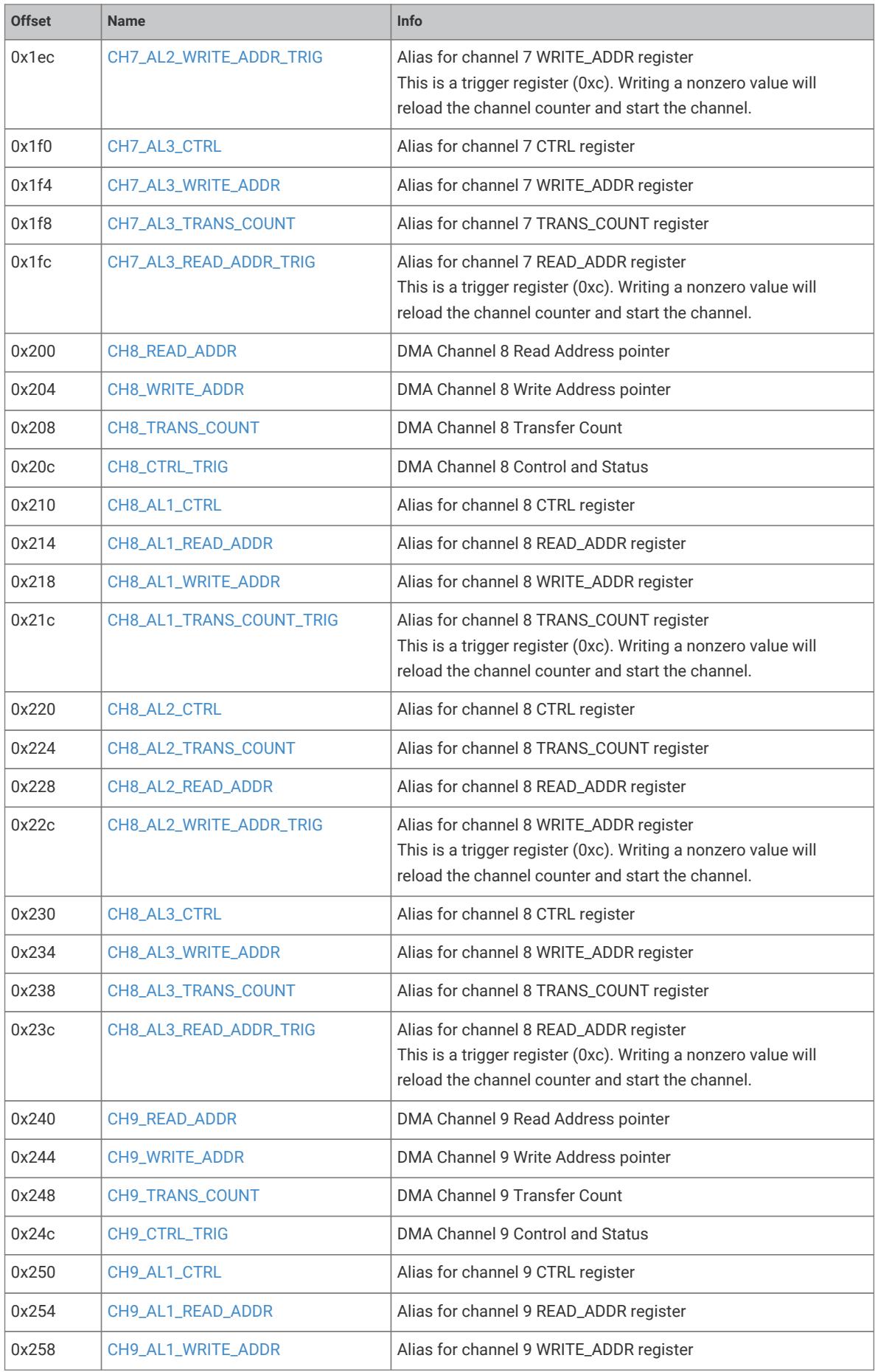
DMA channel register offset map

Register bit field description for buffered streamed data

Register bit field description for integer and fractional divisors
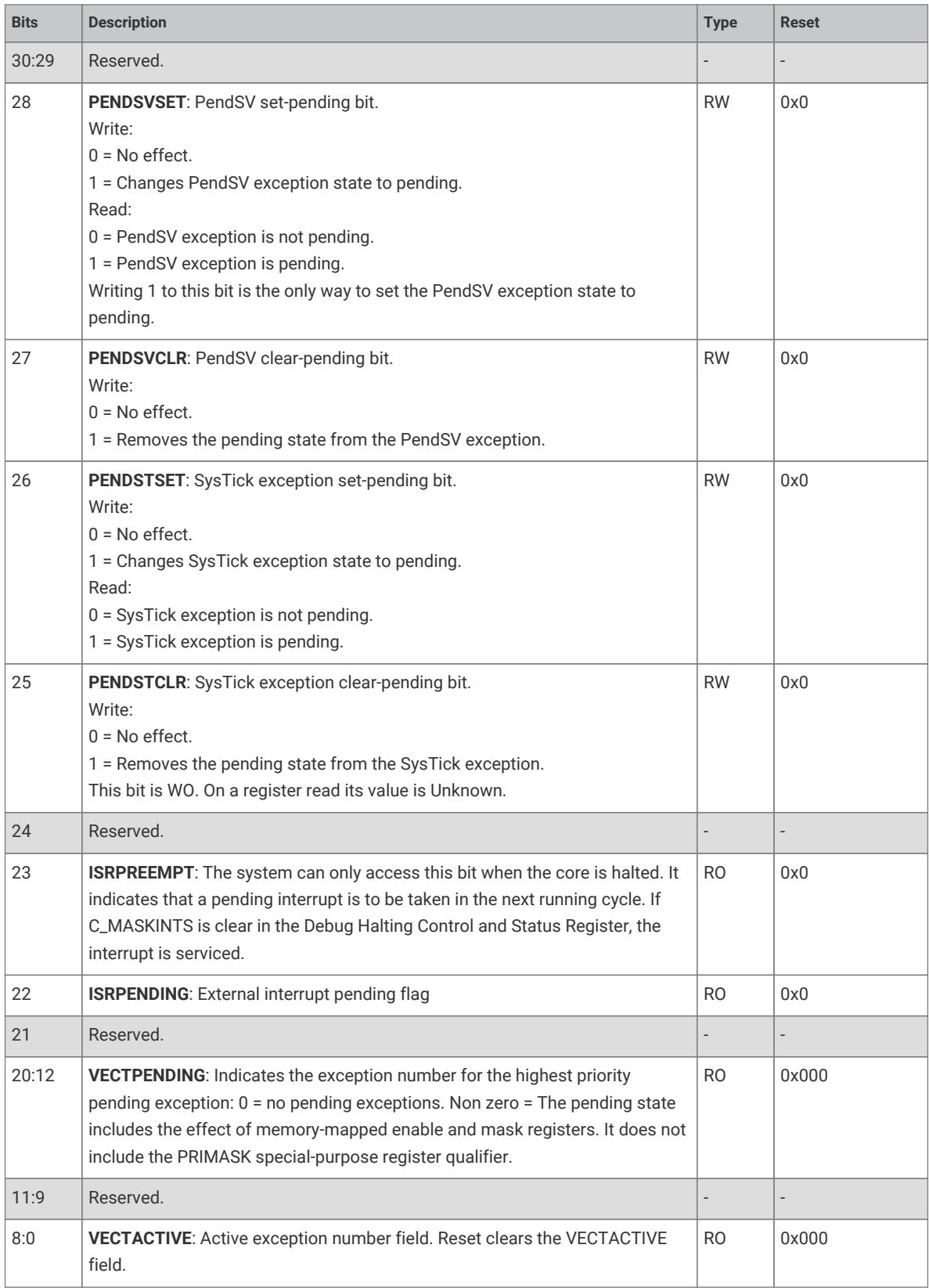
Interrupt control and status register bit definitions
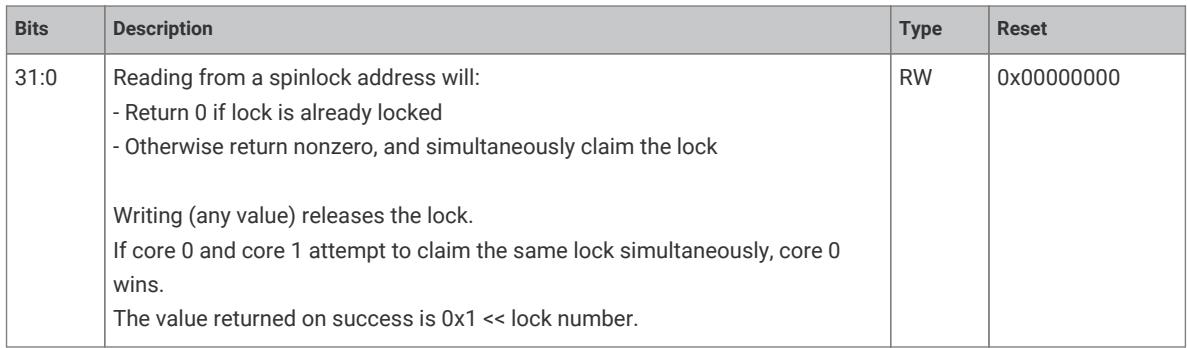
Spinlock register bit field description
Table title for INTERP0_CTRL_LANE0 Register
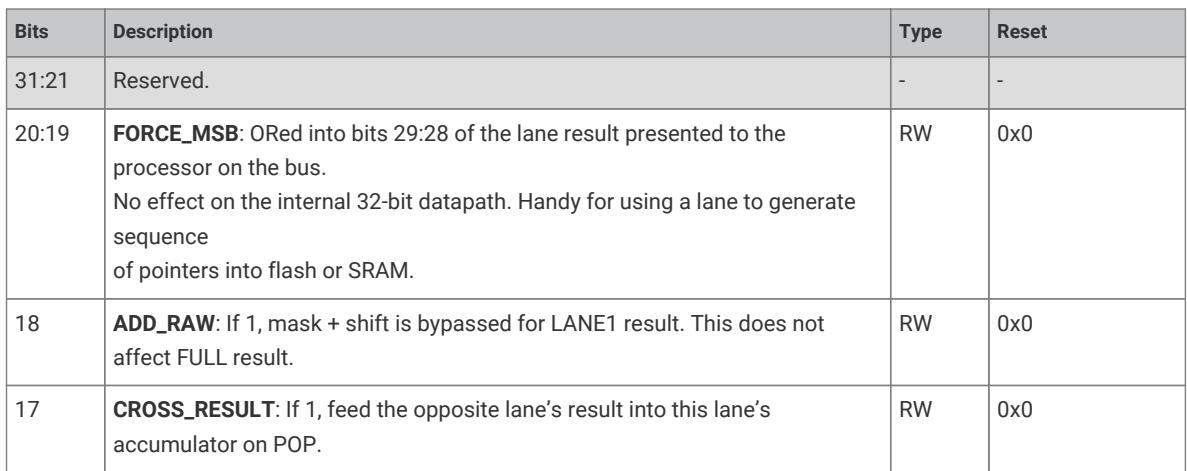
Register bit field descriptions for lane results and accumulators
System block diagram showing dual cores, bus interfaces, and shared peripherals
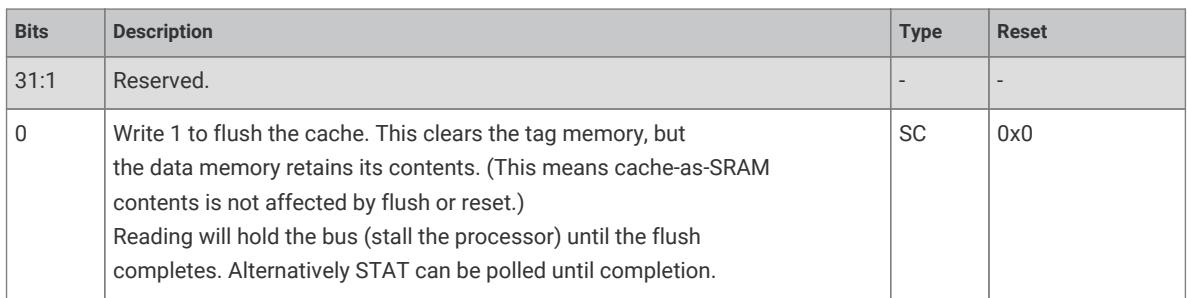
Register bit description for cache flush control

Register bit description for interrupt forcing
Information icon

Register bit description for DMA sniff seed value

Register bit field description for DMA sniffer control
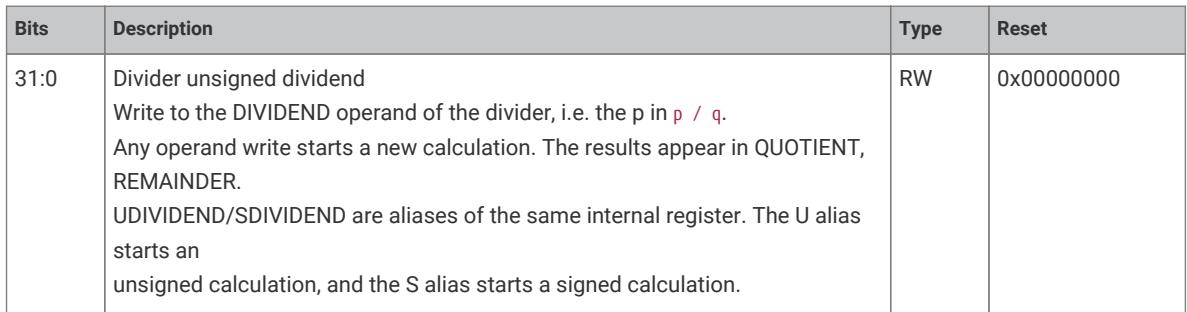
Register bit field description for divider dividend
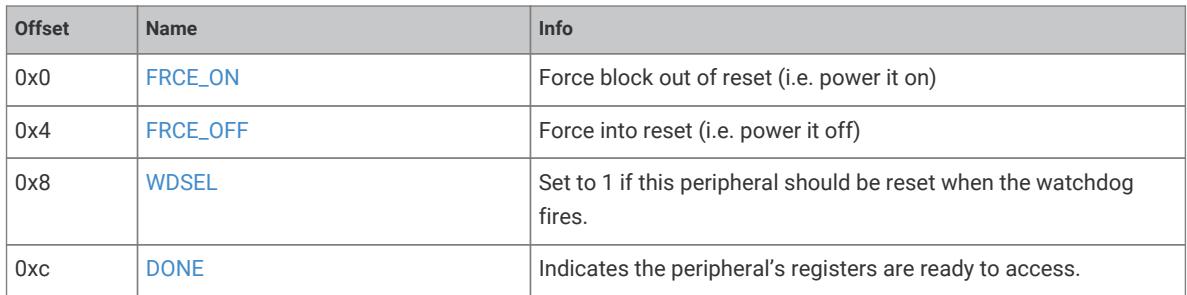
Register offset map for power and reset control
Information icon
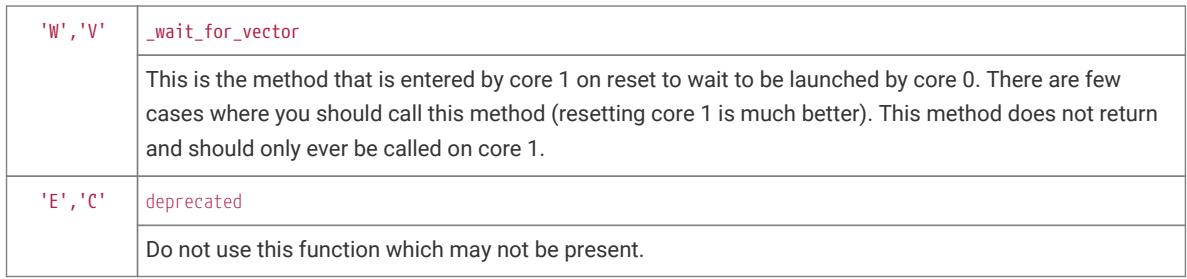
Software function or vector description table
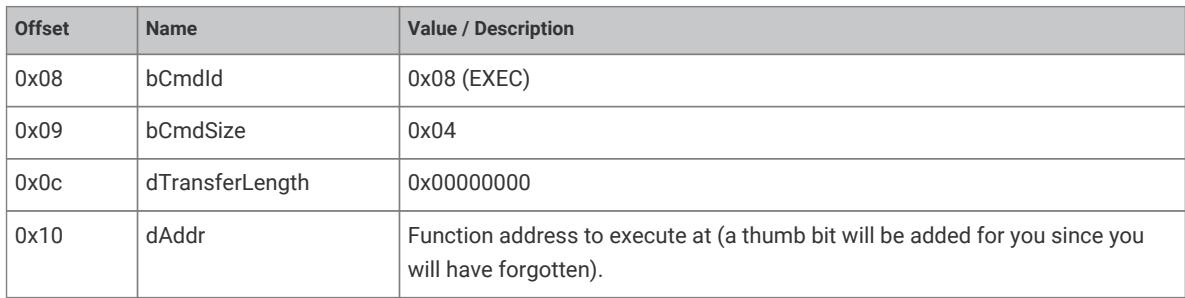
Command structure or register offset table

INTERP1_CTRL_LANE0 Register bit field description
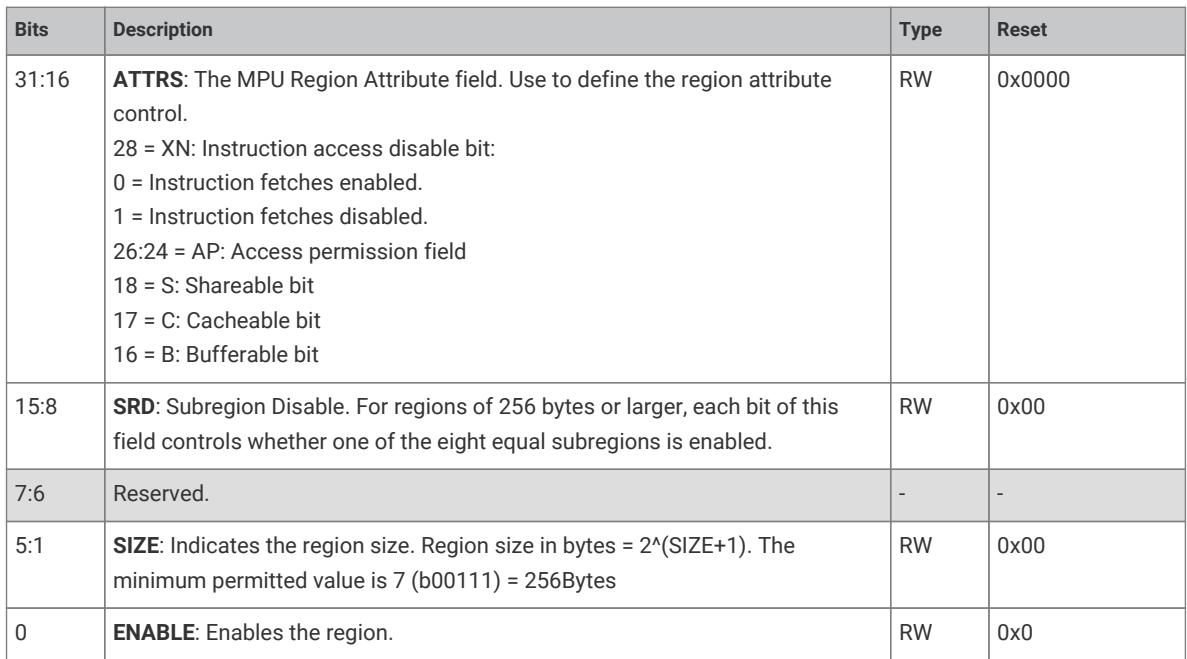
MPU Region Attribute and Size register field description
Warning alert icon

Command ID and transfer length offset table
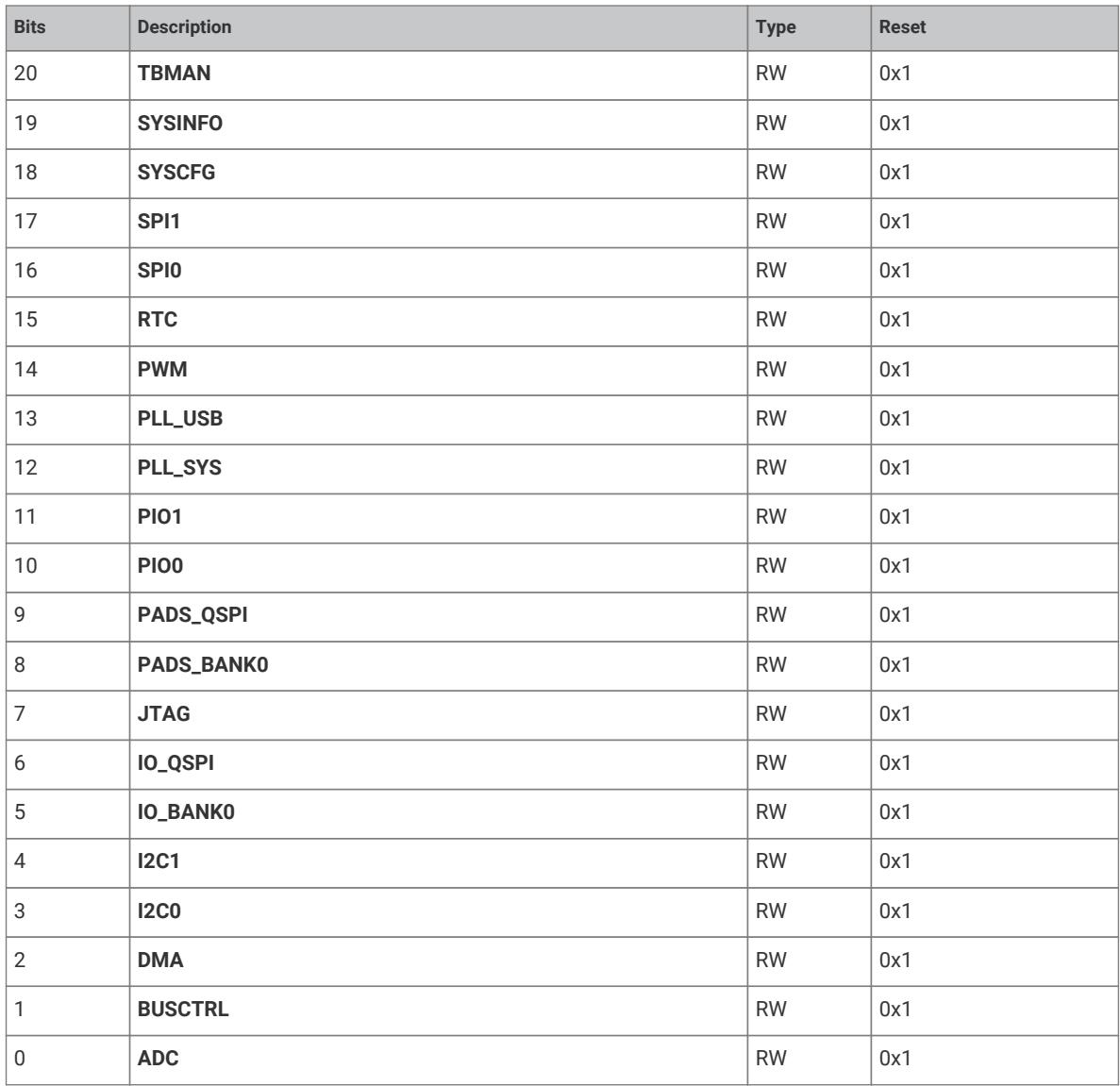
Peripheral reset or enable bit field table
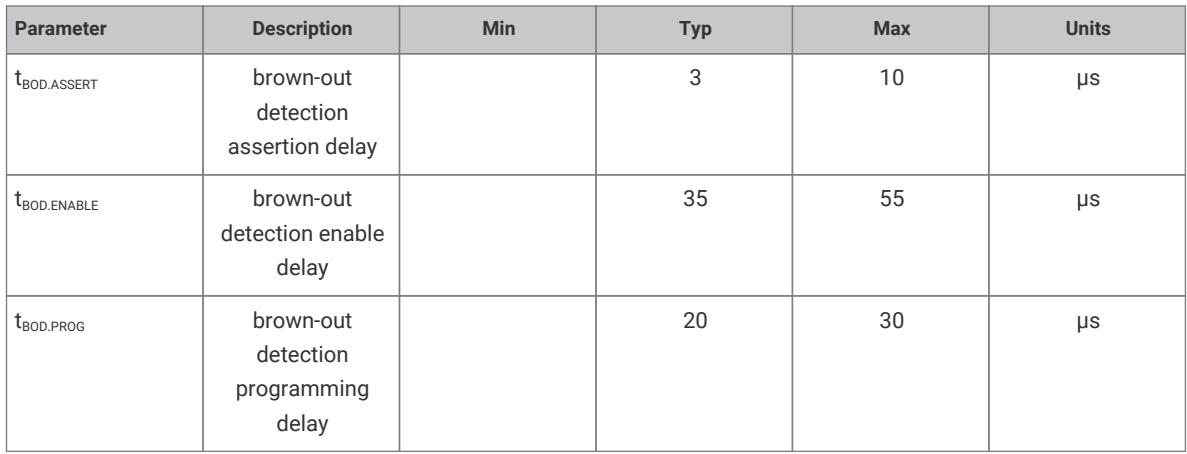
Brown-out detection delay parameters
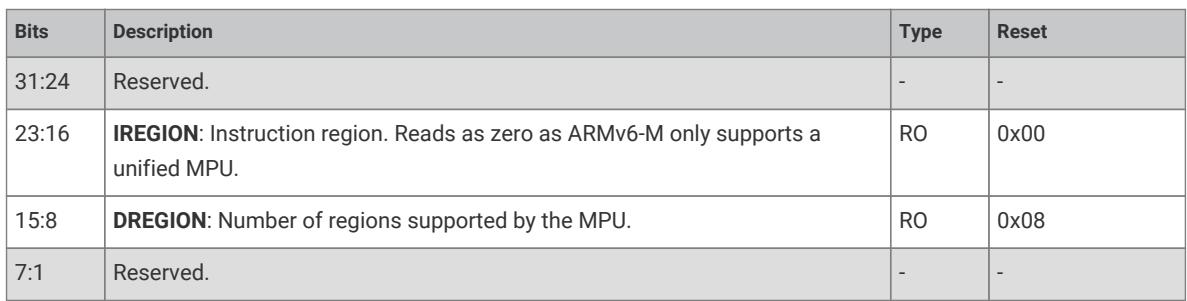
MPU region configuration register bit field descriptions

INTERP1_POP_FULL register bit field description
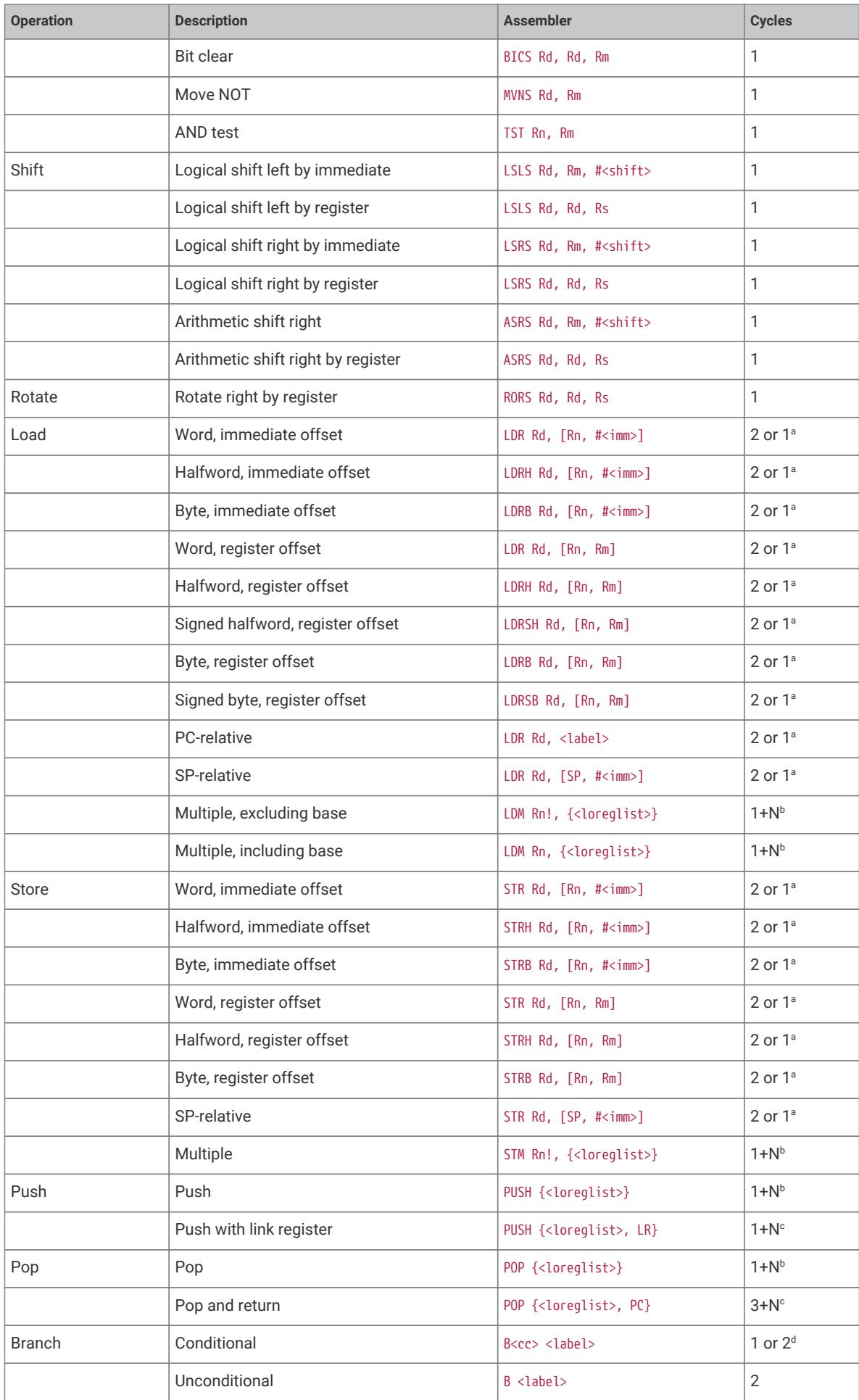
Instruction set summary table with cycle counts

Spinlock state register bit field description
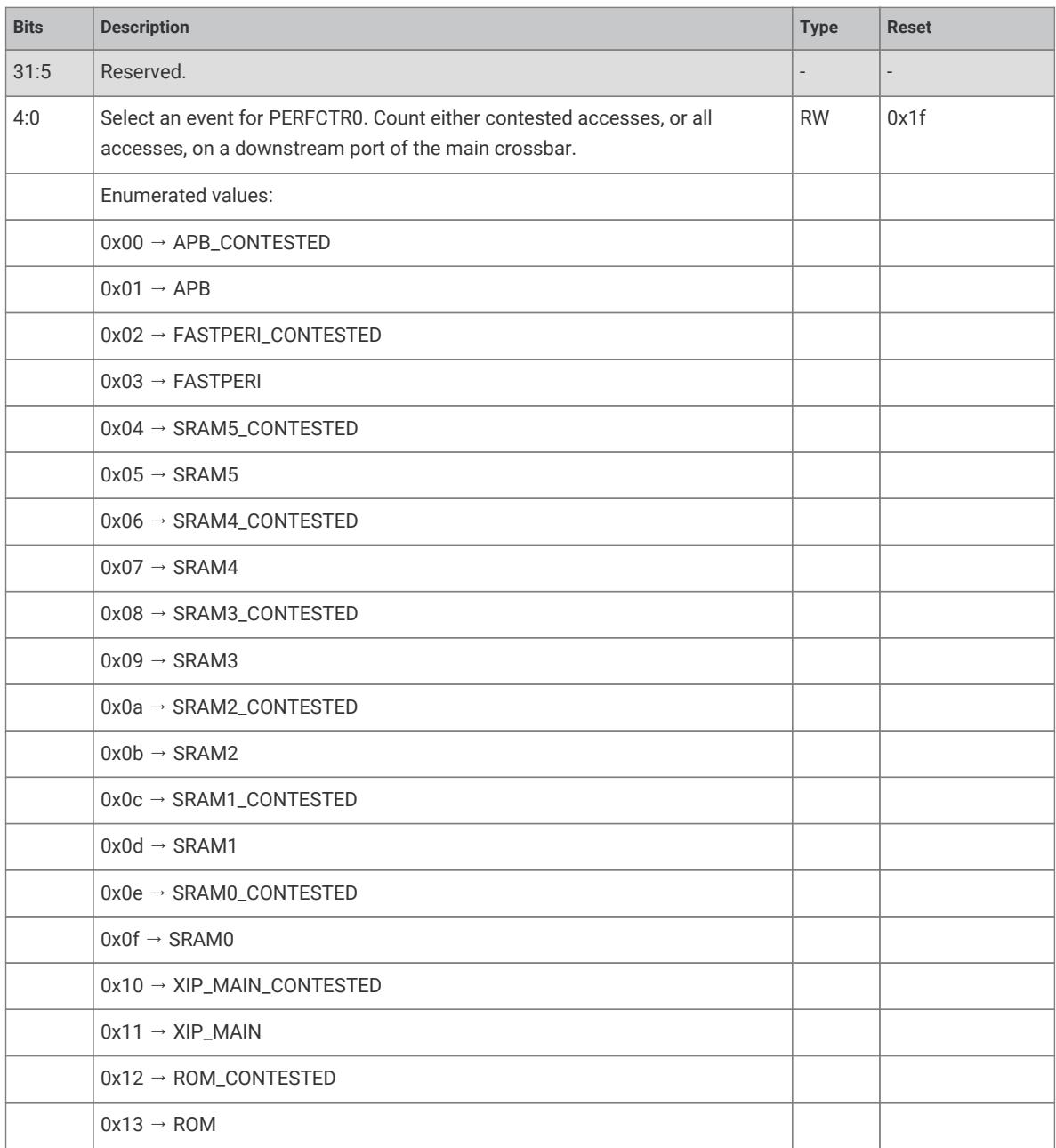
PERFCTR0 event selection register with enumerated values
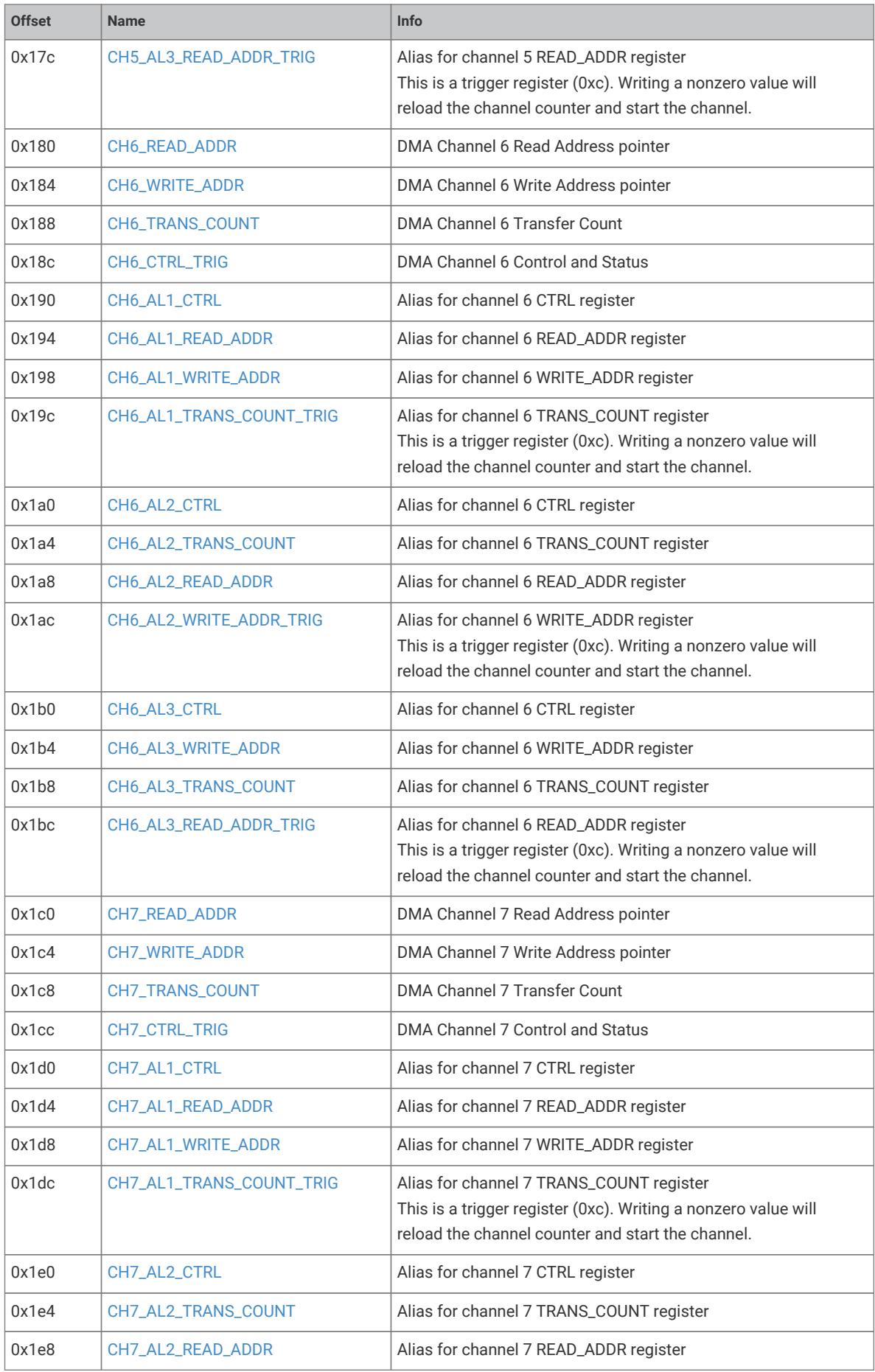
DMA channel register map with offsets and aliases
AHB-lite system block diagram showing data flow and address generation
Power supply connection diagram for the IC

DMA channel configuration register bit field description

BASE0 register bit field description

FLUSH_READY bit field description in XIP block
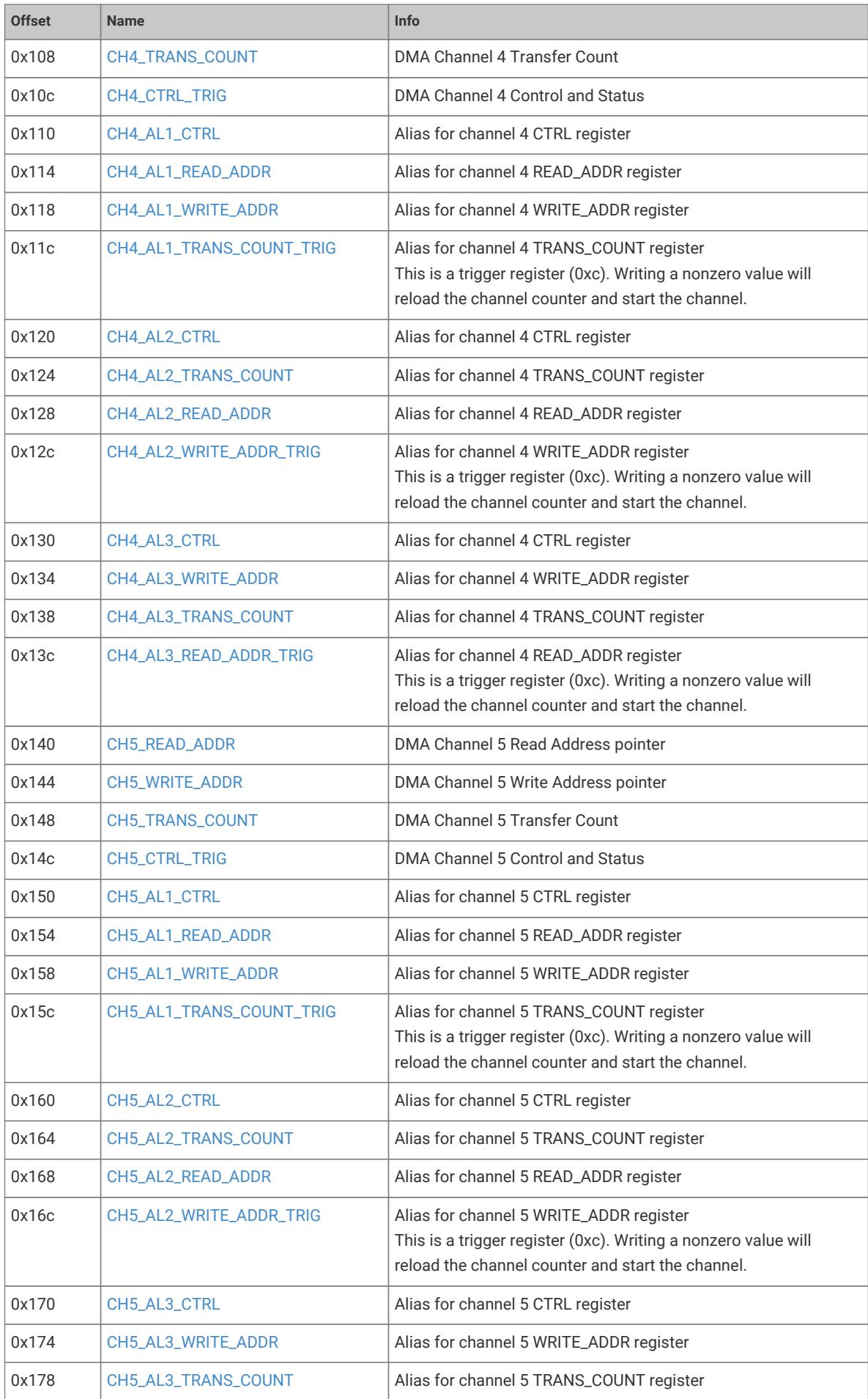
DMA channel register offset map
Warning or caution icon
Table header for INTERP0_PEEK_LANE0 register
Table header for DIV_REMAINDER register
Timing diagram showing clk, dreq, chan count, and chan issue signals
Warning or caution icon
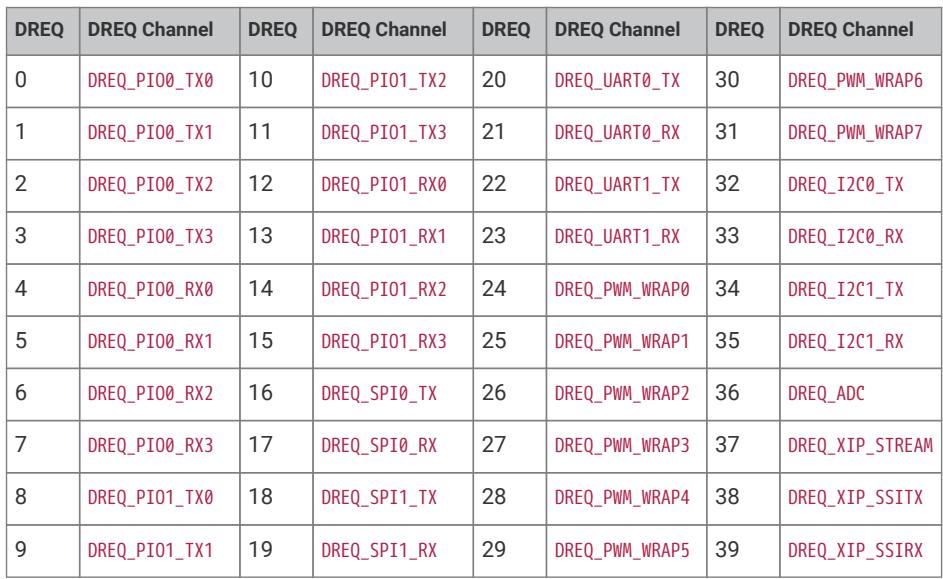
DREQ channel mapping table
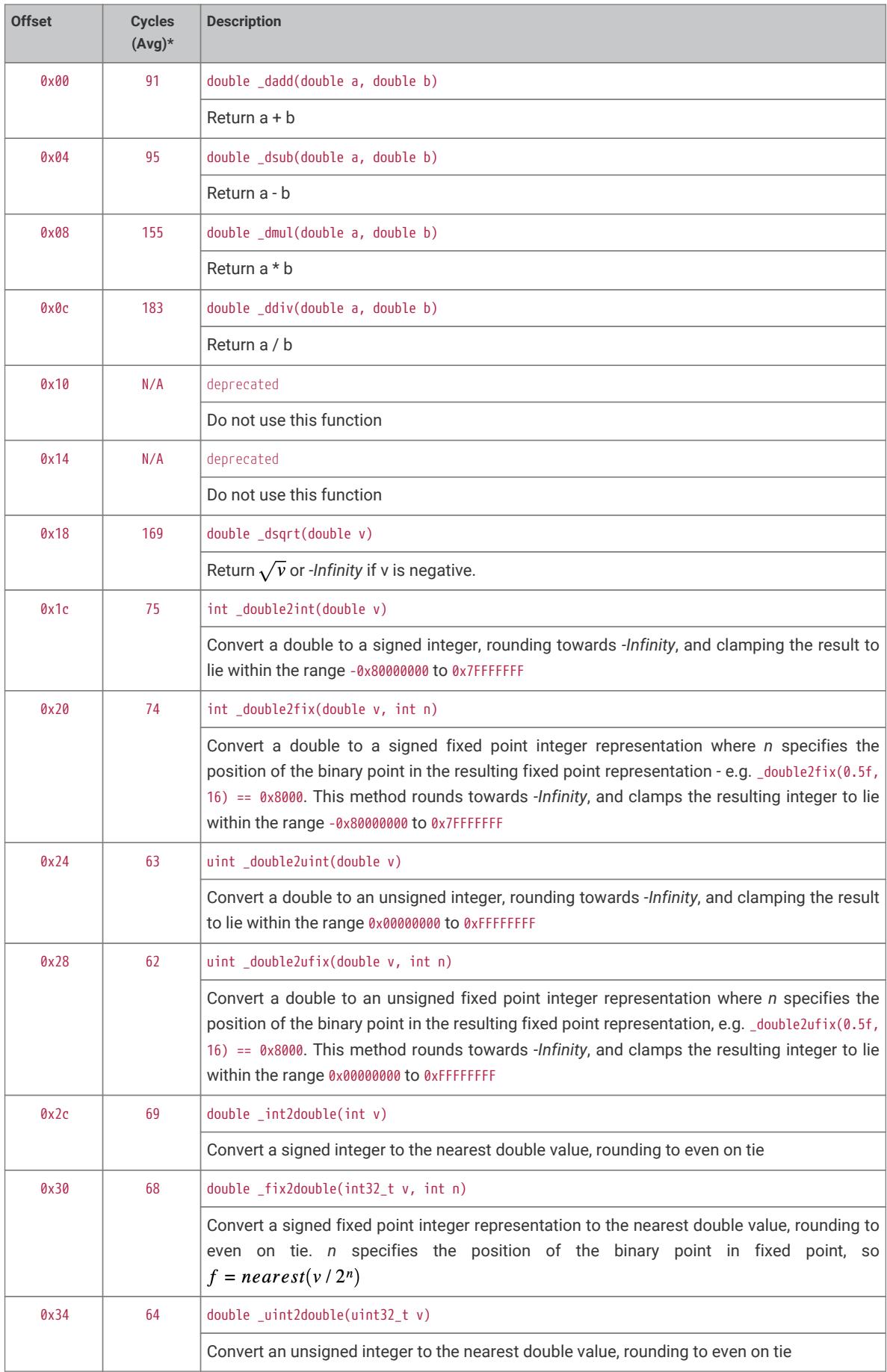
Table of floating point library functions and their cycle counts
Breakdown of the RP2040 model numbering scheme

Register bit field description for a write address register

Register bit field description for DMA interrupt masking

Register bit field description for active channel interrupt requests
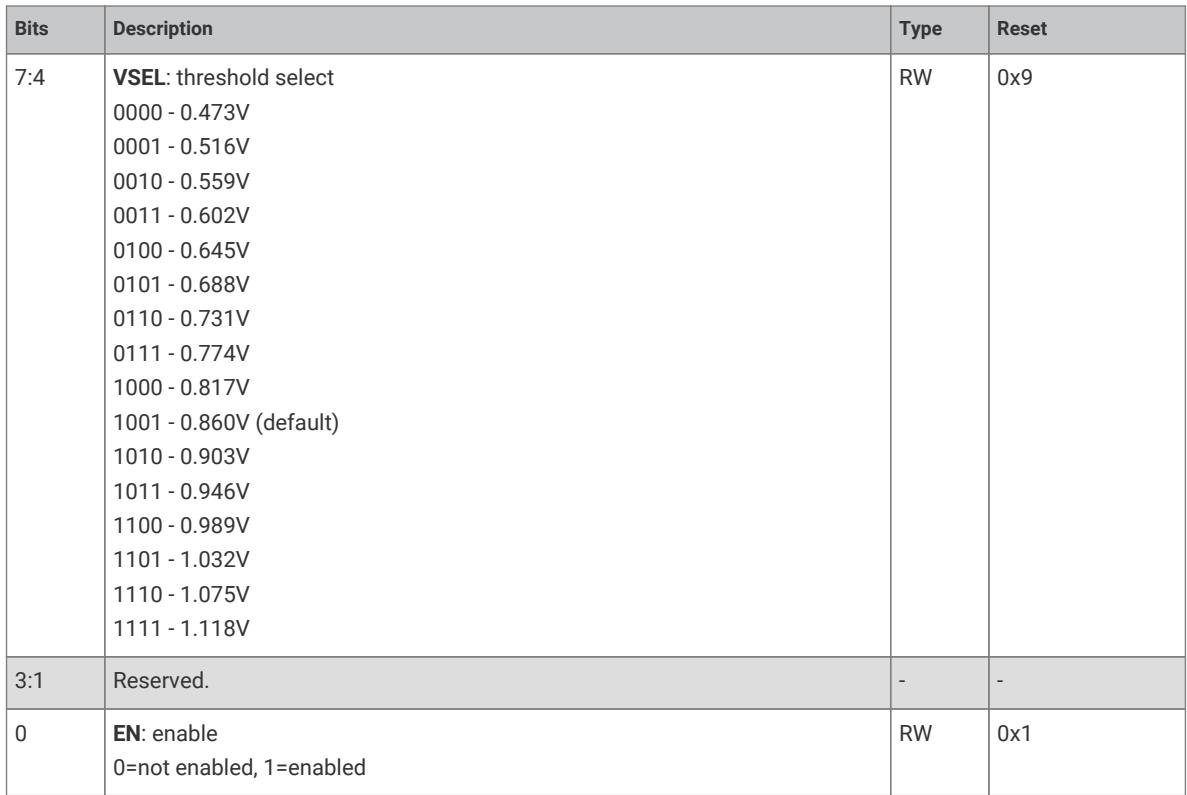
Register bit field description for VSEL threshold and enable
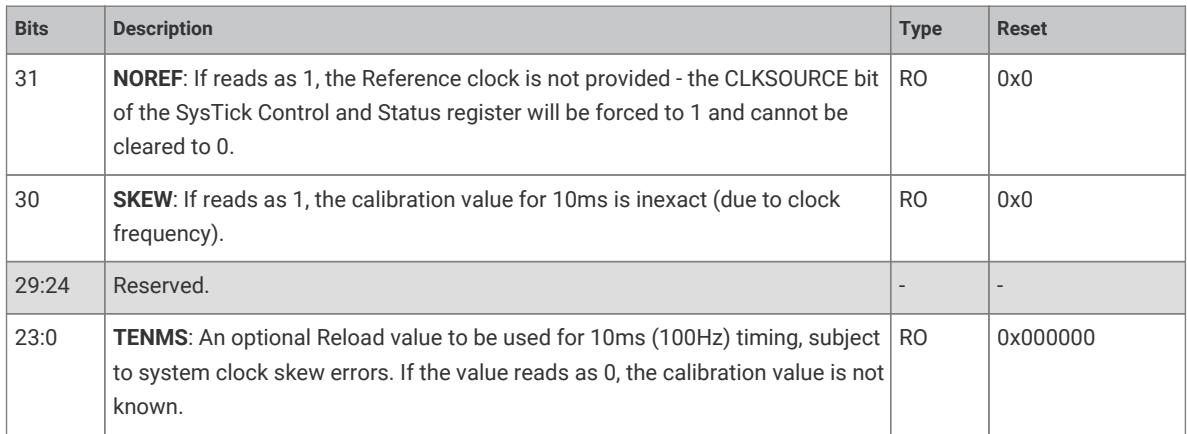
Register bit field description table for SysTick calibration

Register bit field description for LANE0 result

Register bit field description for LANE1 result

Register bit field description for ACCUM0 addition
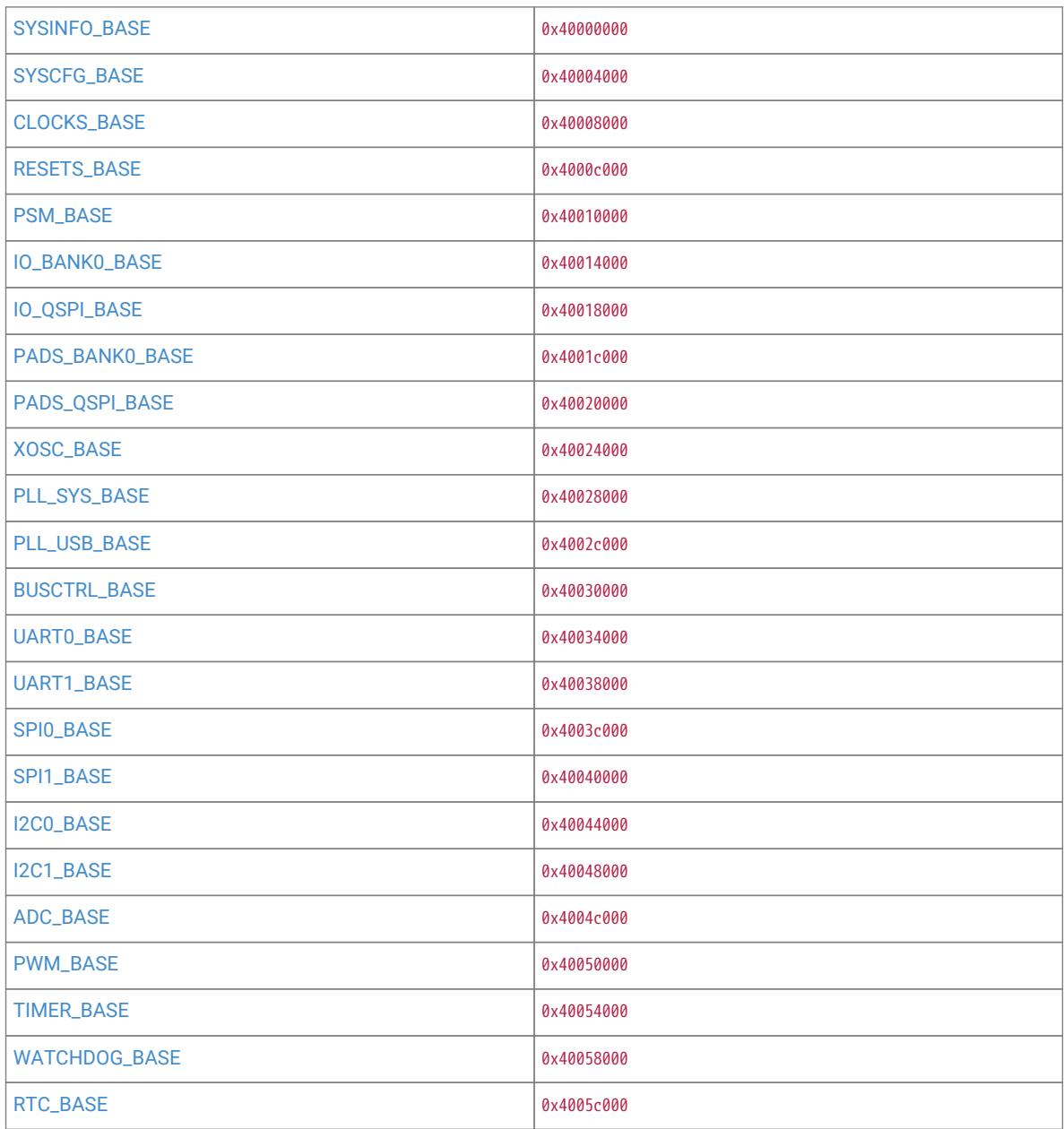
Memory map table showing base addresses for system peripherals
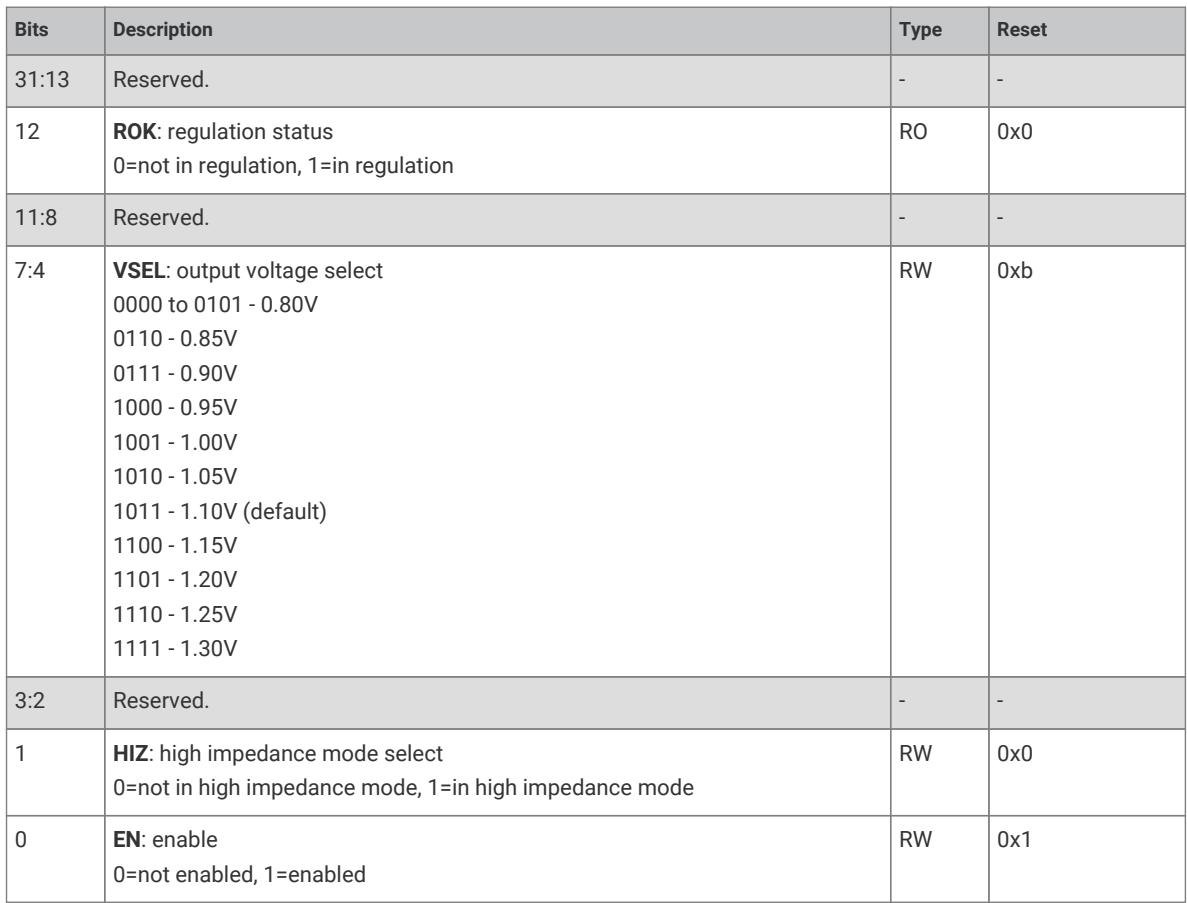
Register bit field description for voltage regulation control
Table title for INTERP0_CTRL_LANE1 Register
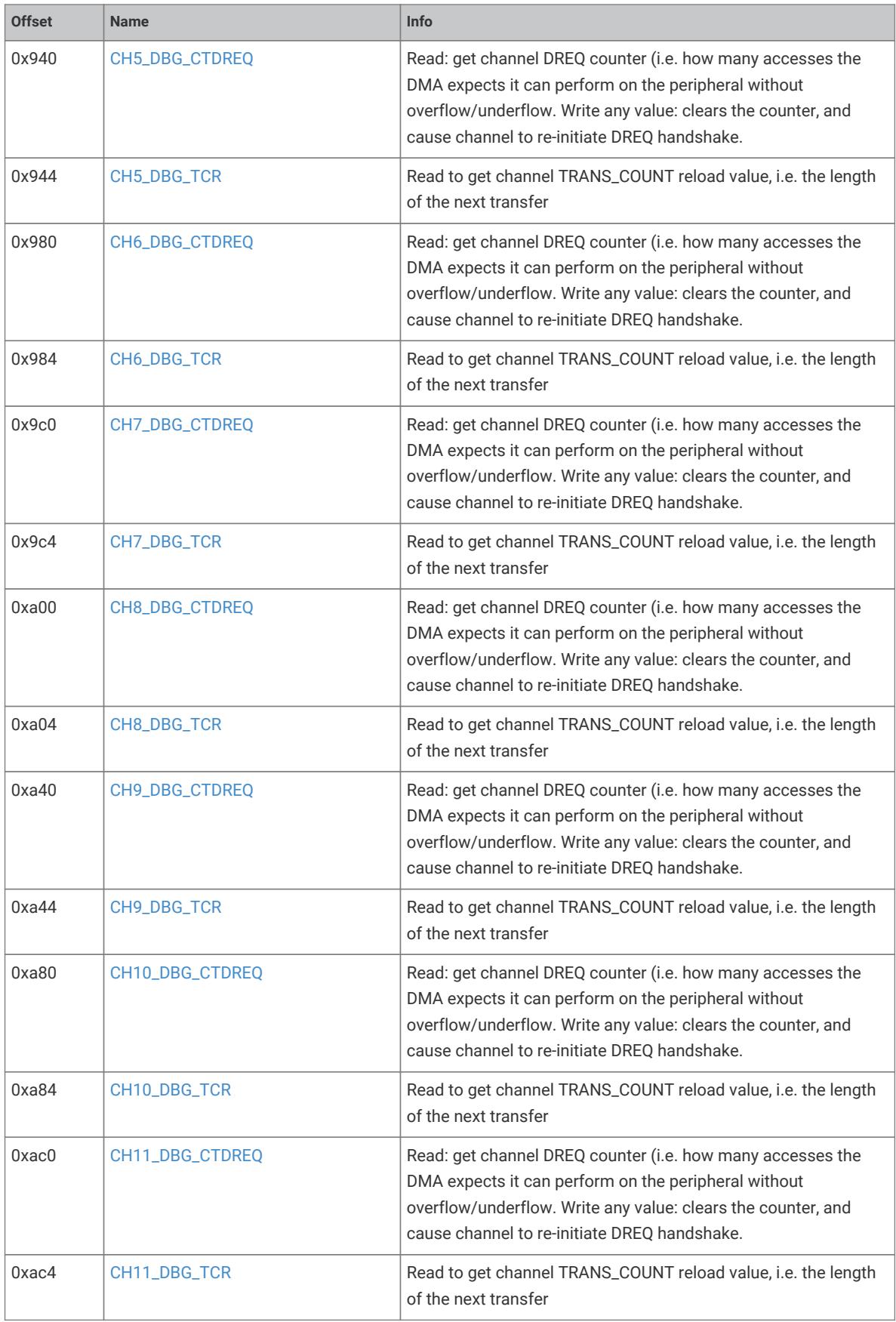
DMA channel debug register offset table

Register bit field description for a clock slice mux

Register bit field description for BASE1 register
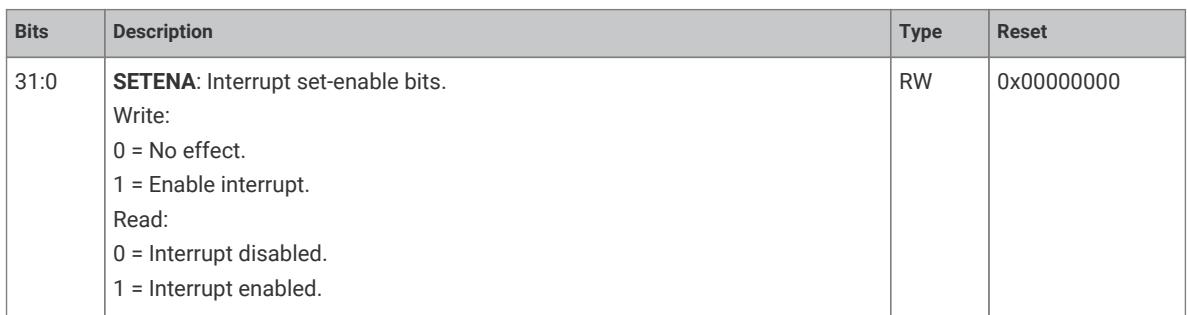
Register bit field description for SETENA interrupt enable

Register bit field description for LANE0 result PEEK
Agent APIs
Use this datasheet from any agent
Send the page, markdown, chunks, or search endpoint to ChatGPT, Claude, embedr-app, or your own tooling.
Original PDF
https://www.embedr.app/api/datasheets/ds_5d5844c3162e775bb9bd/pdf
Full Markdown
https://www.embedr.app/api/datasheets/ds_5d5844c3162e775bb9bd/markdown
Ordered Chunks
https://www.embedr.app/api/datasheets/ds_5d5844c3162e775bb9bd/chunks
Search API
https://www.embedr.app/api/datasheets/ds_5d5844c3162e775bb9bd/search
Metadata
https://www.embedr.app/api/datasheets/ds_5d5844c3162e775bb9bd