
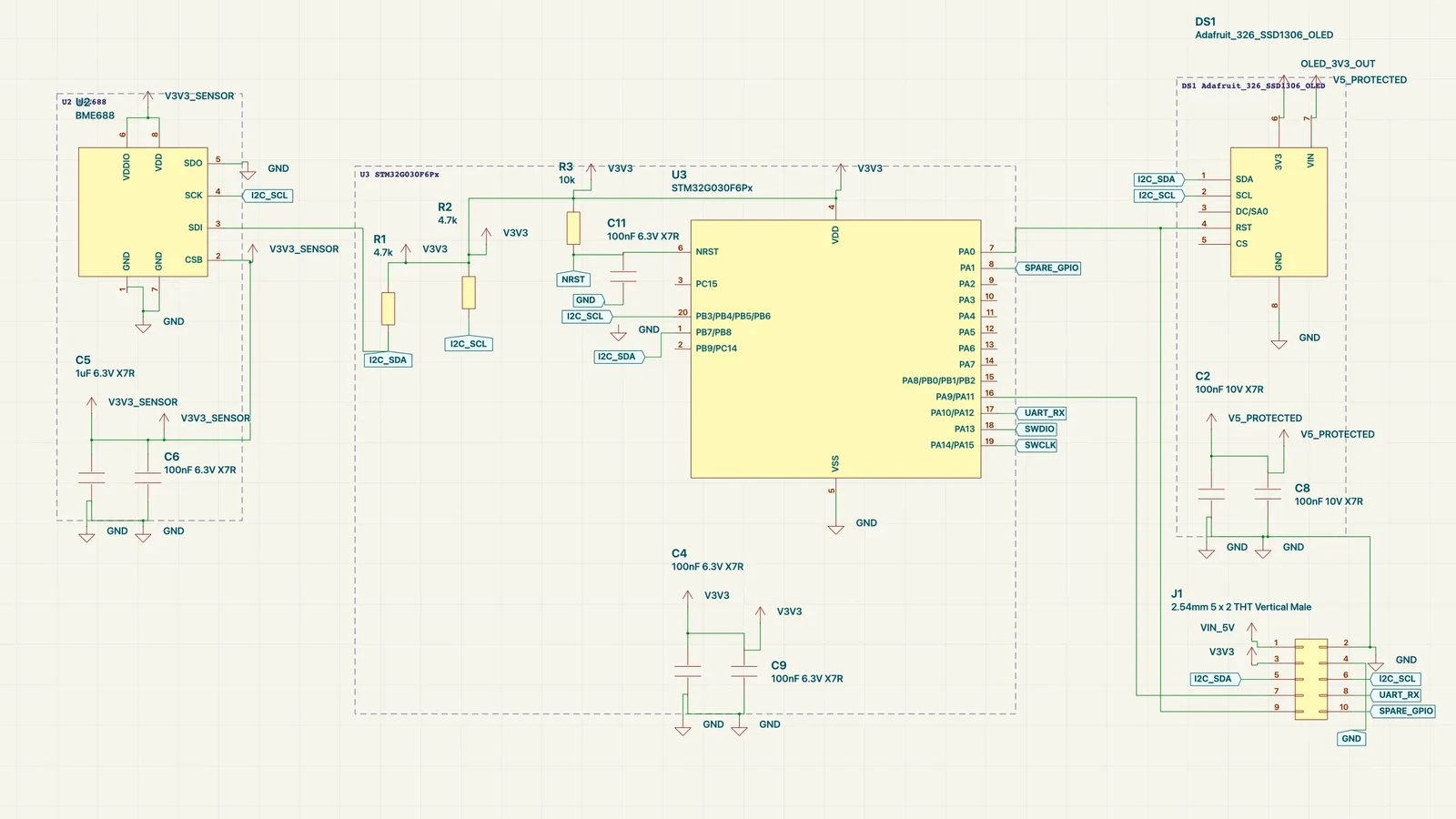
When you describe a circuit, Embedr now draws it the way an engineer would: controller in the middle, power along the top, sensors on the left, outputs and connectors on the right, every pull-up standing straight on its pin. No AI in the loop for this step. The same netlist always gives the same drawing, in a few milliseconds.
The agent can still look at the result and iterate on your feedback, moving a block or tidying a corner the way it did before. The difference is that it now starts from a drawing that already reads correctly, instead of from a grid.
The problem with "just put it on a grid"
Until now a part with no saved position landed on a grid in the order it appeared in the source. The wires were correct, and the drawing was unreadable: a regulator next to a sensor next to a header, every net turned into a label because nothing was near anything it talked to. You could fix it by hand, part by part, or ask the agent to rearrange it, which took a while and never came out the same way twice.
We wanted something closer to how people actually read schematics. Signal flows left to right. Related parts sit together. Power is distributed explicitly instead of being threaded through everything. Symbols keep one orientation. And it had to be deterministic: the layout is part of your project, so it should never change under you.
Figure 1. A real 14-part board run through the arrangement, drawn at one twelfth scale. The head places the controller and its pull-ups, series parts and bypass capacitor first, then the regulator with its capacitors along the top, then the sensor on the left and the header on the right. The dashed frames are the functional blocks the algorithm found. Hover to scrub; arrow keys step.
Blocks first, then columns
The arrangement reads only the netlist: pin types, net kinds and names, reference designators, part names and your module hierarchy. From that it first works out what each part is: a hub such as a microcontroller or a sensor, a two-pin passive that serves one of those hubs, a power device such as a regulator or protection diode, a connector, or a mounting hole. Nets are read the same way, as power, ground or signal.
Then it forms functional blocks. Each hub gathers the passives attached to it through signal nets: its pull-ups, series resistors, reset capacitor, LED and resistor. Power devices form one chain, ordered the way current flows from the input to the rails they create, with their input and output capacitors beside them. A string of identical parts, like a run of addressable LEDs, becomes its own block. Where you used modules in the source, those become blocks too.
Only then are the blocks placed. The controller sits in the centre. Blocks that feed it go left, blocks it drives go right, and when a block's pins don't say which way the signal goes, the kind of part decides: sensors left, displays, drivers, storage and connectors right. Within a column, blocks line up with the controller pins they connect to, so the wires between them are short and mostly straight. The power chain sits in a row along the top.
Figure 2. A controller with six pins on one side, run through the arrangement. Each passive stands on the row of the pin it serves, so its feed rod runs straight. Pull-ups to the rail are filled from the top pin down and pull-downs to ground from the bottom pin up; each new part takes the first lane where its rods clear every part already standing, which is why the parts form a staircase. The series resistor keeps the connector it feeds on the same row.
Lanes: why the pull-ups stand in a staircase
Most of what makes a schematic pleasant to read happens around one chip. A pull-up should stand upright on its pin's row with the rail at the top; a capacitor to ground should hang below; a series resistor should lie flat, pointing at the chip, with whatever it feeds continuing on the same row. Every part gets a straight feed wire from its pin.
Parts on neighbouring pins would collide if they all stood at the same distance, so the arrangement packs them like a staircase: it fills rising parts from the top pin down and dropping parts from the bottom pin up, and each new part takes the first lane in which neither its body nor its wire touches anything already placed. Bypass capacitors form a row under the chip they feed; bulk capacitance stays with the regulator that makes the rail.
Everything is drawn at one of four rotations and never mirrored, so pin names and values stay upright in Embedr's renderer, and every position snaps to the schematic grid so the router can land wires cleanly.
Real boards
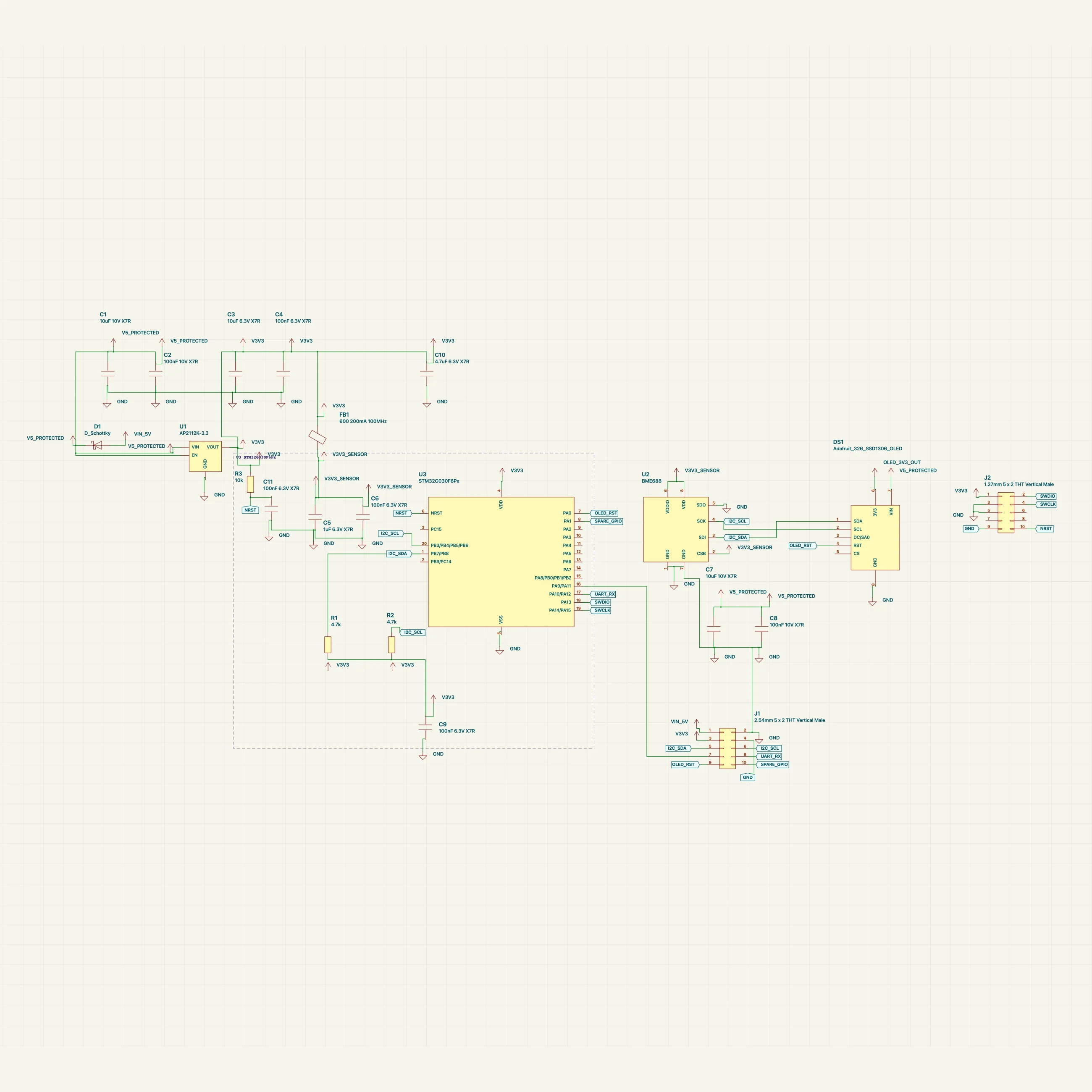
Two boards from our own library, drawn by the previous grid fallback and by the new arrangement, both with the same renderer and router.
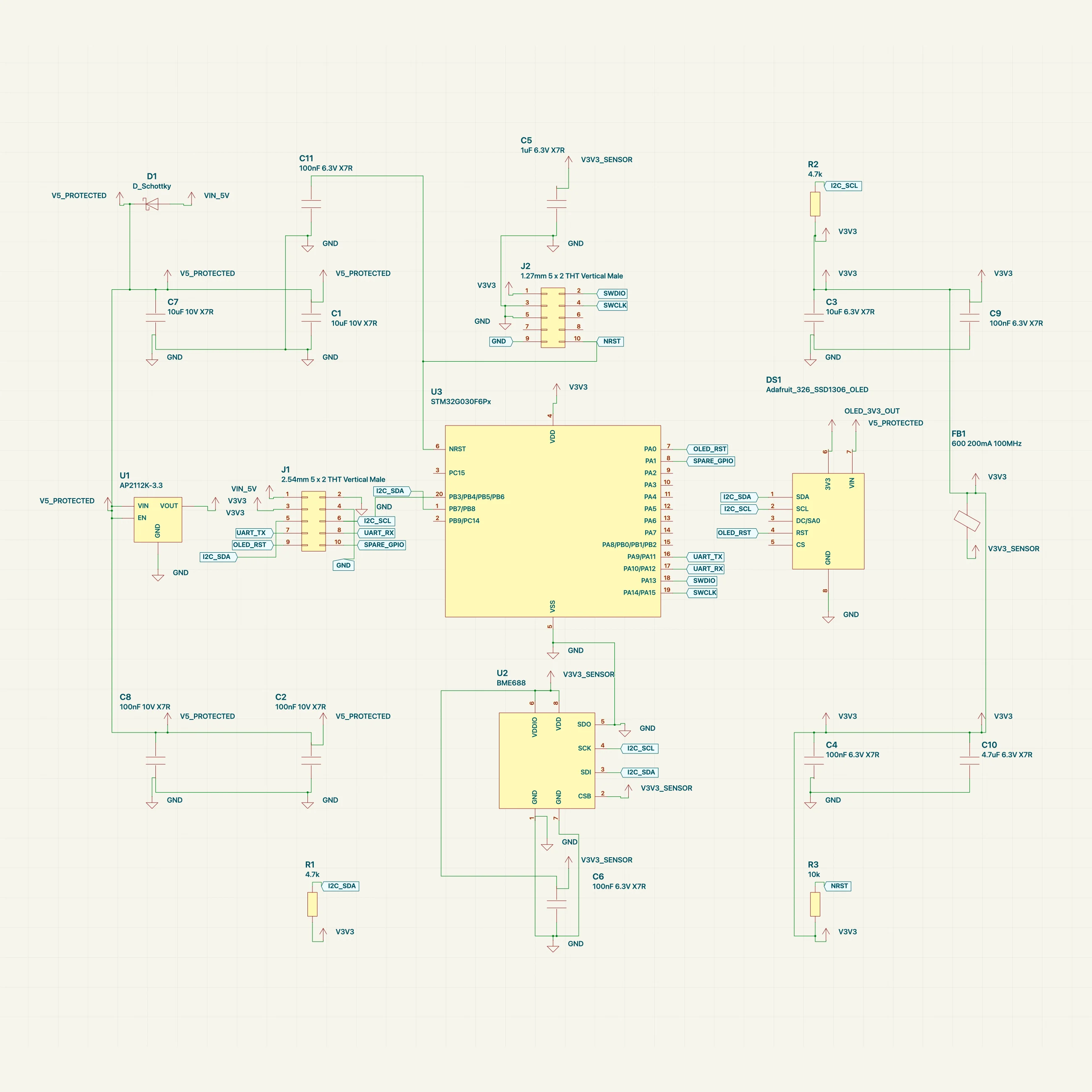
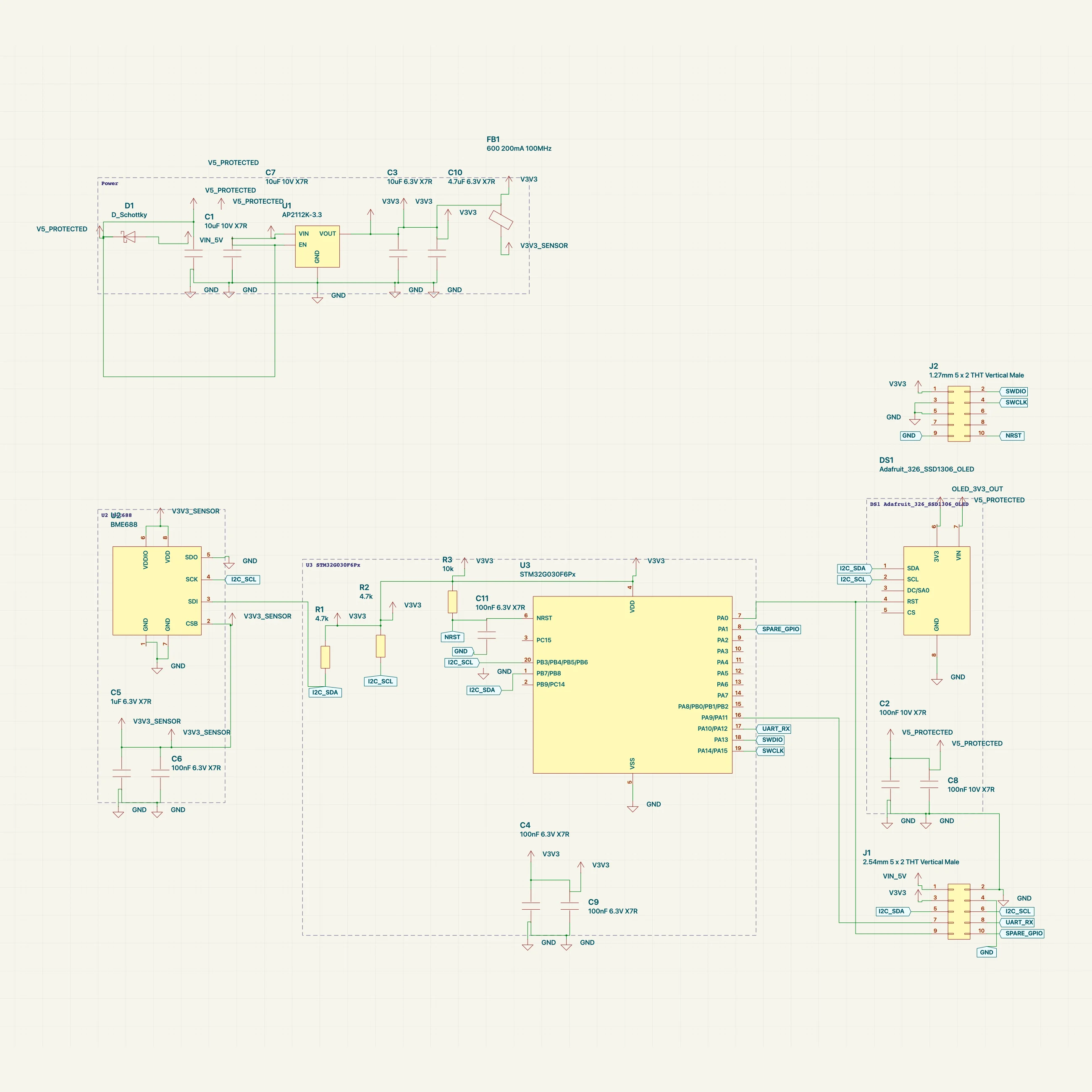
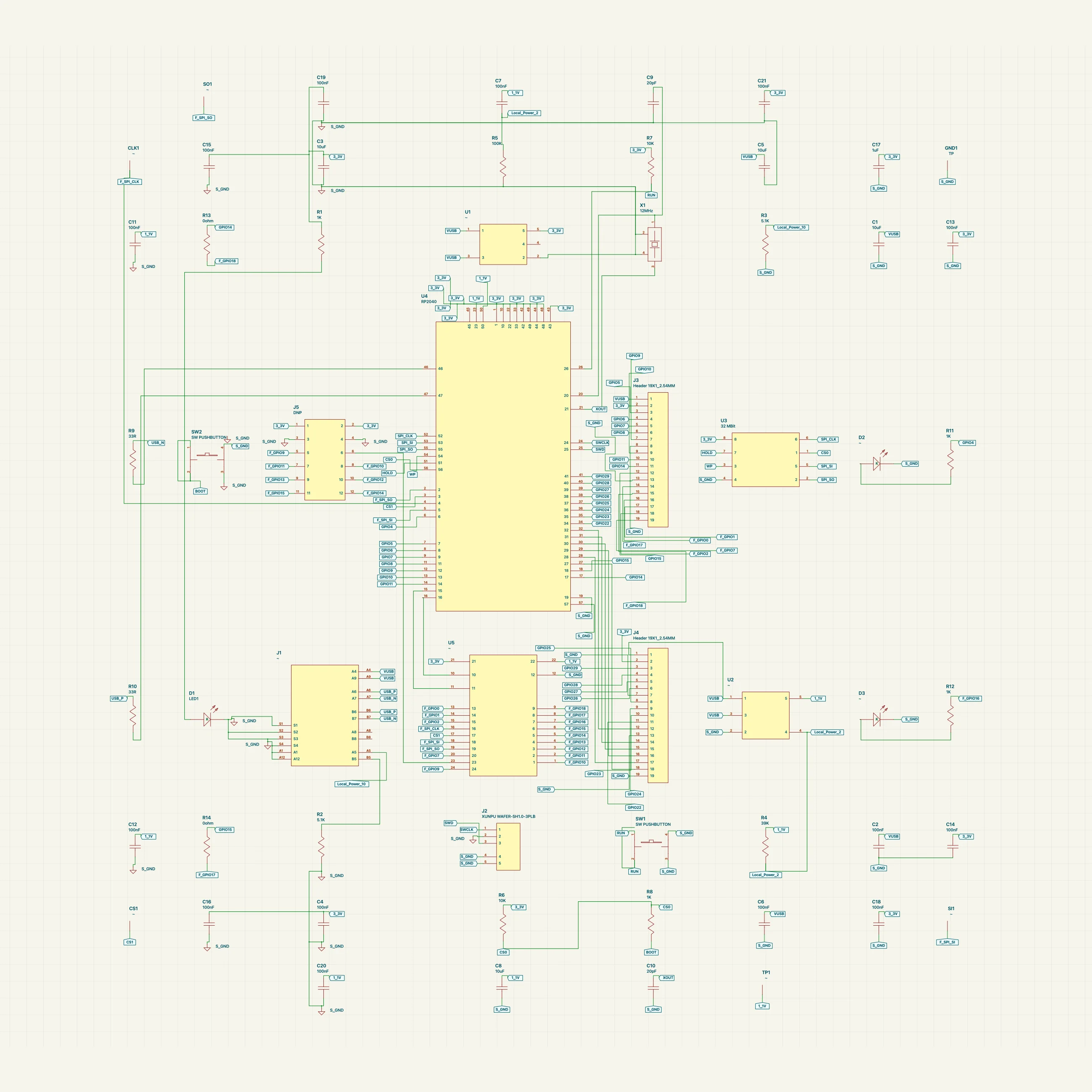
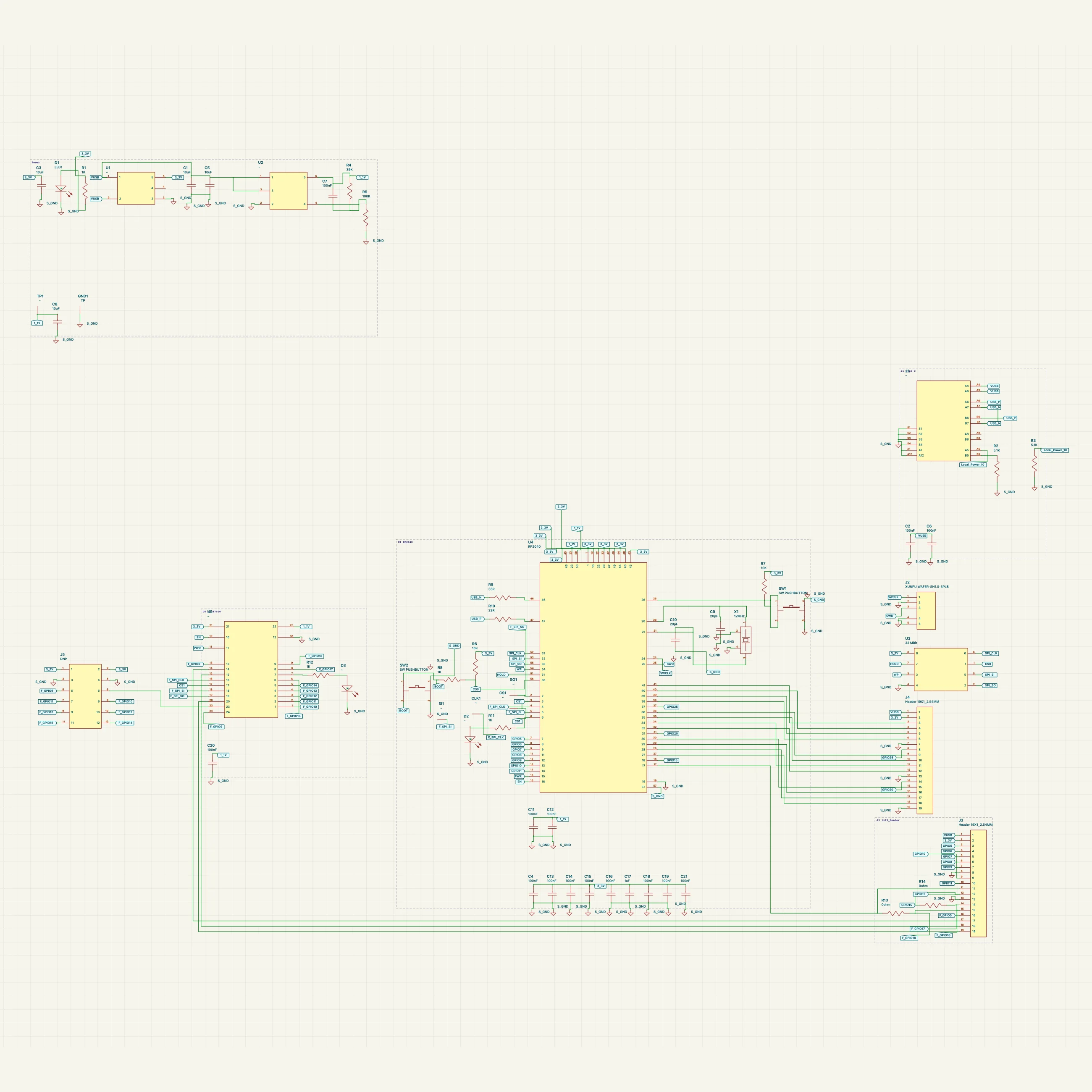
Measured against the old grid with the same router, the arrangement needs far fewer net labels, never overlaps symbols, and takes a few milliseconds even on boards with a couple of hundred parts. Total wire length stays about the same; on dense boards more nets are drawn as real wires instead of labels, which is the trade we wanted.
It keeps working after you start editing
Most schematics aren't drawn in one go. You place things, then add a pull-down, then a second sensor. Anything you have positioned yourself stays exactly where you put it. A new passive slots in beside the chip it serves, on its pin's row, stepping around whatever already sits there. A new chip gets its own frame in a column beside the drawing, level with the pins it connects to. If you'd rather start over, one action re-runs the whole arrangement and, because it is deterministic, gives the same result every time.
Figure 3. The sheet already placed and clamped. Two parts arrive later: a pull-down resistor goes next to the controller on its own pin's row, stepping past the parts already there, and a second sensor gets a new frame in the right-hand column level with the pins it talks to. Every part that was already on the sheet stays exactly where it was.
A starting point, not the last word
This is the drawing you get the moment the circuit exists. The agent can still visually iterate on it with you: ask it to pull the sensor block closer, turn a connector around, or group things the way your team draws them, and it will work from this layout rather than from scratch. In practice most boards need little of that, and when they do need it, you are editing a readable schematic instead of untangling one.
The arrangement is in Embedr now for every part without a saved position. We're working on carrying the same blocks through to KiCad export, letting connectors face the circuit from either side, and showing block frames in the hosted viewer. If a board of yours comes out in a way you wouldn't have drawn it, send it to us.